lock Hyundai Equus 2014 Workshop Manual
[x] Cancel search | Manufacturer: HYUNDAI, Model Year: 2014, Model line: Equus, Model: Hyundai Equus 2014Pages: 479, PDF Size: 10.15 MB
Page 160 of 479
471
Features of your vehicle
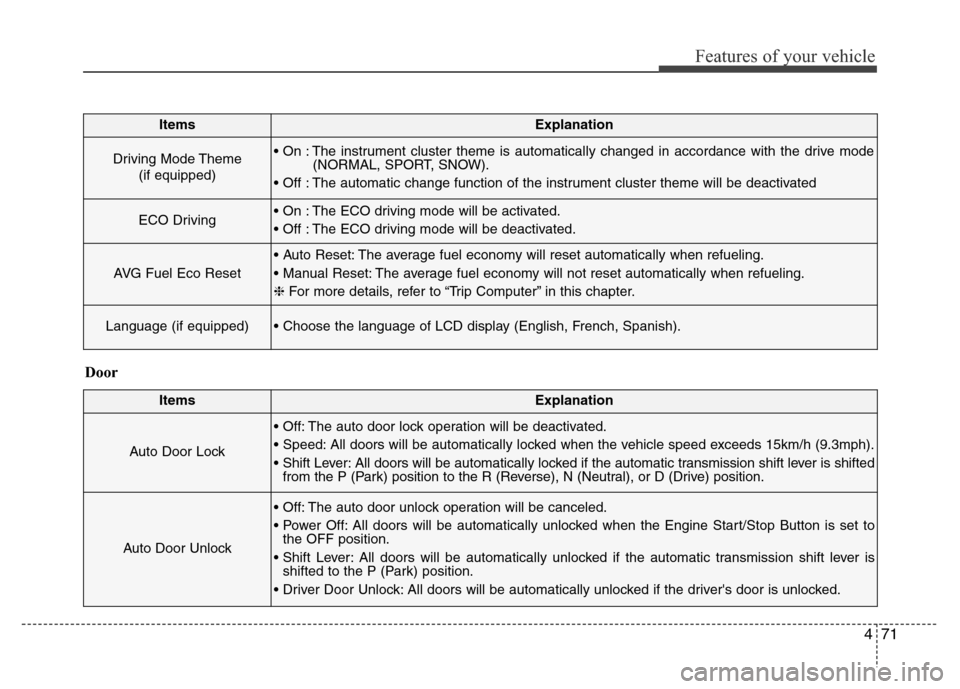
ItemsExplanation
Driving Mode Theme
(if equipped)• On : The instrument cluster theme is automatically changed in accordance with the drive mode
(NORMAL, SPORT, SNOW).
• Off : The automatic change function of the instrument cluster theme will be deactivated
ECO Driving• On : The ECO driving mode will be activated.
• Off : The ECO driving mode will be deactivated.
AVG Fuel Eco Reset
• Auto Reset: The average fuel economy will reset automatically when refueling.
• Manual Reset: The average fuel economy will not reset automatically when refueling.
❈For more details, refer to “Trip Computer” in this chapter.
Language (if equipped)• Choose the language of LCD display (English, French, Spanish).
ItemsExplanation
Auto Door Lock
• Off: The auto door lock operation will be deactivated.
• Speed: All doors will be automatically locked when the vehicle speed exceeds 15km/h (9.3mph).
• Shift Lever: All doors will be automatically locked if the automatic transmission shift lever is shifted
from the P (Park) position to the R (Reverse), N (Neutral), or D (Drive) position.
Auto Door Unlock
• Off: The auto door unlock operation will be canceled.
• Power Off: All doors will be automatically unlocked when the Engine Start/Stop Button is set to
the OFF position.
• Shift Lever: All doors will be automatically unlocked if the automatic transmission shift lever is
shifted to the P (Park) position.
• Driver Door Unlock: All doors will be automatically unlocked if the driver's door is unlocked.
Door
Page 167 of 479
Features of your vehicle
78 4
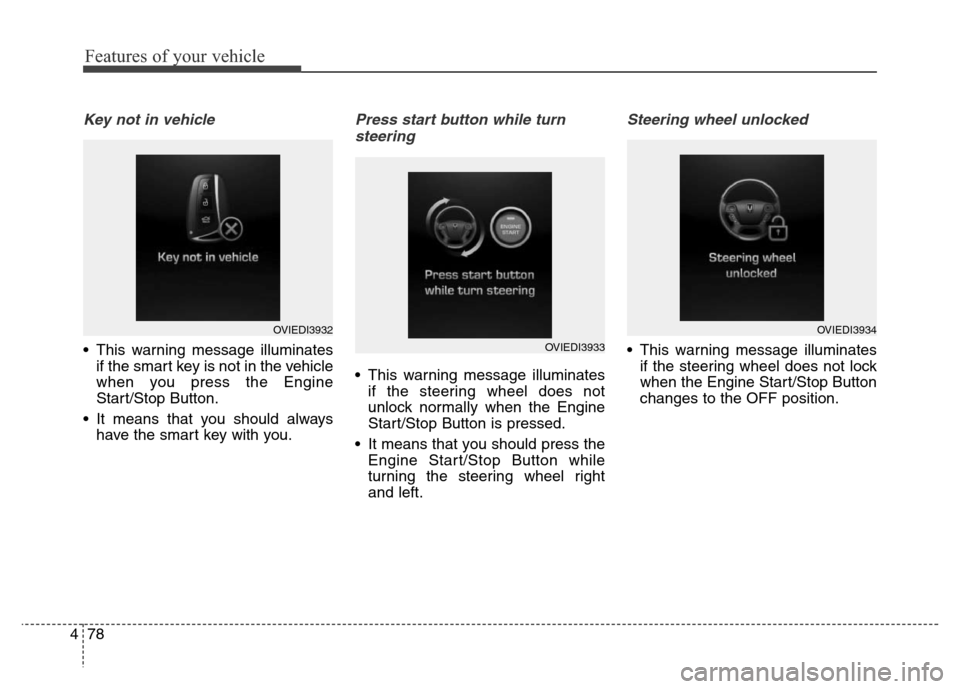
Key not in vehicle
• This warning message illuminates
if the smart key is not in the vehicle
when you press the Engine
Start/Stop Button.
• It means that you should always
have the smart key with you.
Press start button while turn
steering
• This warning message illuminates
if the steering wheel does not
unlock normally when the Engine
Start/Stop Button is pressed.
• It means that you should press the
Engine Start/Stop Button while
turning the steering wheel right
and left.
Steering wheel unlocked
• This warning message illuminates
if the steering wheel does not lock
when the Engine Start/Stop Button
changes to the OFF position.
OVIEDI3932
OVIEDI3933
OVIEDI3934
Page 168 of 479
479
Features of your vehicle
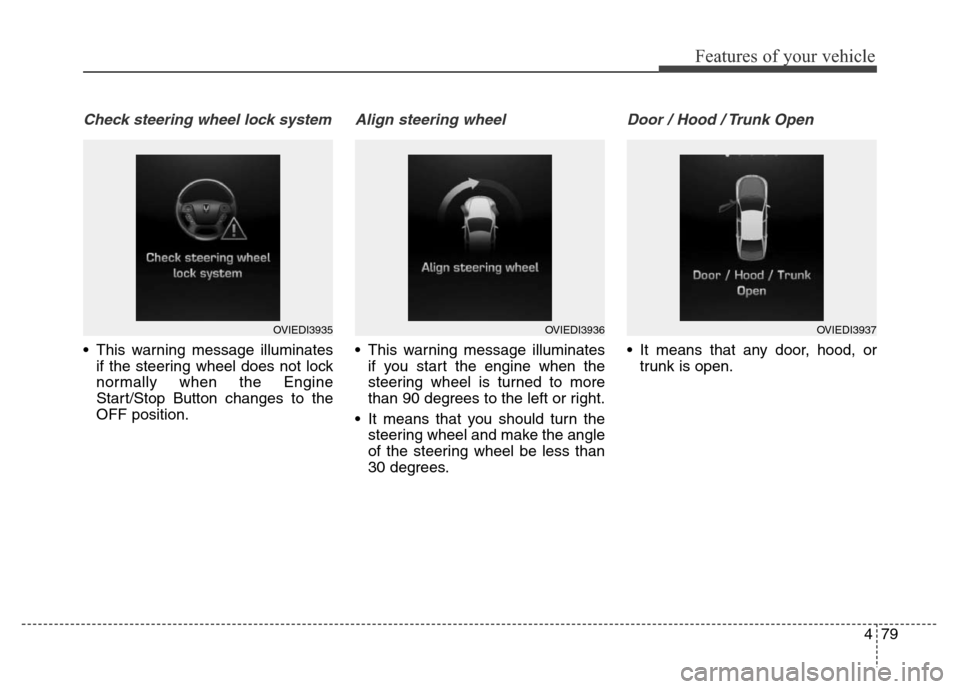
Check steering wheel lock system
• This warning message illuminates
if the steering wheel does not lock
normally when the Engine
Start/Stop Button changes to the
OFF position.
Align steering wheel
• This warning message illuminates
if you start the engine when the
steering wheel is turned to more
than 90 degrees to the left or right.
• It means that you should turn the
steering wheel and make the angle
of the steering wheel be less than
30 degrees.
Door / Hood / Trunk Open
• It means that any door, hood, or
trunk is open.
OVIEDI3935OVIEDI3936OVIEDI3937
Page 181 of 479
Features of your vehicle
92 4
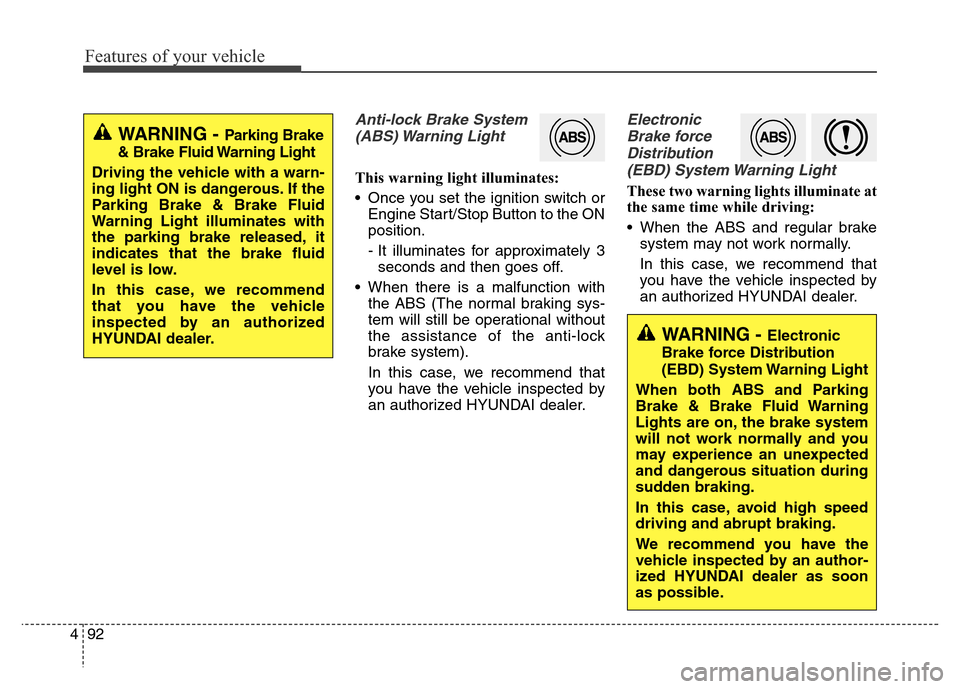
Anti-lock Brake System
(ABS) Warning Light
This warning light illuminates:
• Once you set the ignition switch or
Engine Start/Stop Button to the ON
position.
- It illuminates for approximately 3
seconds and then goes off.
• When there is a malfunction with
the ABS (The normal braking sys-
tem will still be operational without
the assistance of the anti-lock
brake system).
In this case, we recommend that
you have the vehicle inspected by
an authorized HYUNDAI dealer.
Electronic
Brake force
Distribution
(EBD) System Warning Light
These two warning lights illuminate at
the same time while driving:
• When the ABS and regular brake
system may not work normally.
In this case, we recommend that
you have the vehicle inspected by
an authorized HYUNDAI dealer.
WARNING - Parking Brake
& Brake Fluid Warning Light
Driving the vehicle with a warn-
ing light ON is dangerous. If the
Parking Brake & Brake Fluid
Warning Light illuminates with
the parking brake released, it
indicates that the brake fluid
level is low.
In this case, we recommend
that you have the vehicle
inspected by an authorized
HYUNDAI dealer.
WARNING - Electronic
Brake force Distribution
(EBD) System Warning Light
When both ABS and Parking
Brake & Brake Fluid Warning
Lights are on, the brake system
will not work normally and you
may experience an unexpected
and dangerous situation during
sudden braking.
In this case, avoid high speed
driving and abrupt braking.
We recommend you have the
vehicle inspected by an author-
ized HYUNDAI dealer as soon
as possible.
Page 198 of 479
4109
Features of your vehicle
Non-operational conditions of
parking assist system
Parking assist system may not
operate normally when:
1. Moisture is frozen to the sensor. (It
will operate normally when mois-
ture melts.)
2. Sensor is covered with foreign
matter, such as snow or water, or
the sensor cover is blocked. (It will
operate normally when the materi-
al is removed or the sensor is no
longer blocked.)
3. Sensor is stained with foreign mat-
ter such as snow or water.
(Sensing range will return to nor-
mal when removed.)
4.The parking assist button is off.
There is a possibility of parking
assist system malfunction when:
1. Driving on uneven road surfaces
such as unpaved roads, gravel,
bumps, or gradient.
2. Objects generating excessive noise
such as vehicle horns, loud motor-
cycle engines, or truck air brakes
can interfere with the sensor.
3. Heavy rain or water spray.
4. Wireless transmitters or mobile
phones present near the sensor.
5. Sensor is covered with snow.
Detecting range may decrease
when:
1. Outside air temperature is
extremely hot or cold.
2. Undetectable objects smaller than
1 m and narrower than 14 cm in
diameter.
The following objects may not be
recognized by the sensor:
1. Sharp or slim objects such as
ropes, chains or small poles.
2. Objects, which tend to absorb sen-
sor frequency such as clothes,
spongy material or snow.
Page 206 of 479
4117
Features of your vehicle
Battery saver function
• The purpose of this feature is to
prevent the battery from being dis-
charged. The system automatically
turns off the position lamps when
the driver turns off the engine and
opens the driver-side door.
• With this feature, the position
lamps will be turned off automati-
cally if the driver parks on the side
of road at night.
If necessary, to keep the lamps on
when the engine is turned off per-
form the following:
1) Open the driver-side door.
2) Turn the position lamps OFF
and ON again.
Headlamp escort function
The headlamps (and/or position lamp)
will remain on for approximately 5 min-
utes after the engine start/stop button
is turned to the ACC or OFF position.
However, if the driver’s door is opened
and closed, the headlamps are turned
off after 15 seconds.
The headlamps can be turned off by
pressing the lock button on the smart
key twice or turning off the light
switch from the headlight or Auto
light position.
❈Traffic Change (For Europe)
The low beam light distribution is
asymmetric. If you go abroad to a
country with opposite traffic direc-
tion, this asymmetric part will dazzle
oncoming car driver. To prevent daz-
zle, ECE regulation demand several
technical solutions (ex. automatic
change system, adhesive sheet,
down aiming). This headlamps are
designed not to dazzle opposite driv-
ers. So, you need not change your
headlamps in a country with oppo-
site traffic direction.
LIGHTING
CAUTION
If the driver gets out of the vehi-
cle through other doors (except
driver's door), the battery saver
function does not operate.
Therefore, it causes the battery
to be discharged. In this case,
make sure to turn off the lamp
before getting out of the vehicle.
Page 216 of 479
4127
Features of your vehicle
INTERIOR LIGHT
Front
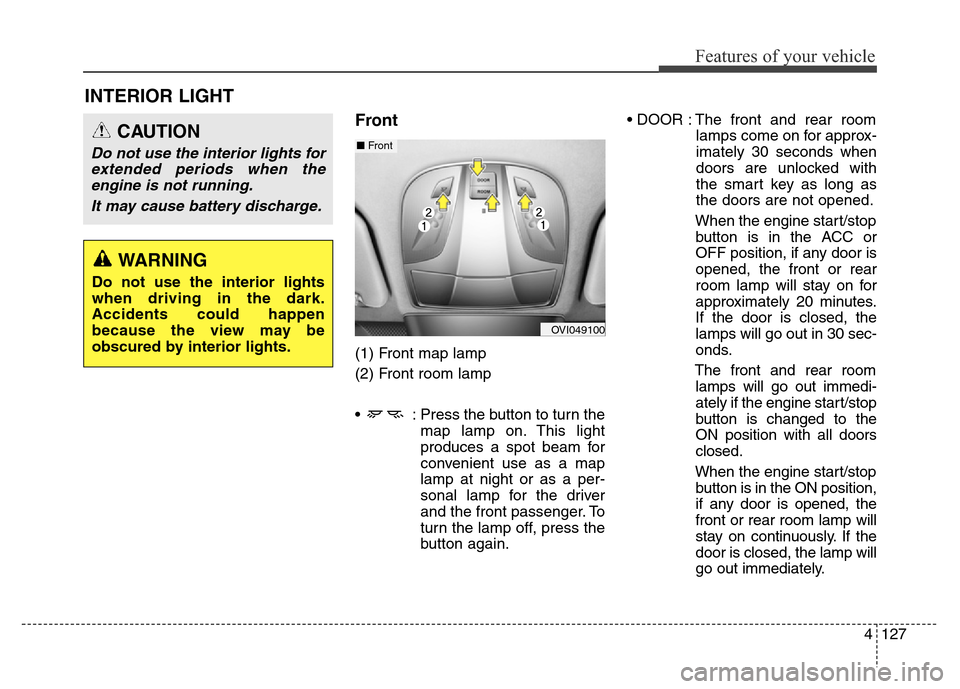
(1) Front map lamp
(2) Front room lamp
• : Press the button to turn the
map lamp on. This light
produces a spot beam for
convenient use as a map
lamp at night or as a per-
sonal lamp for the driver
and the front passenger. To
turn the lamp off, press the
button again.• DOOR : The front and rear room
lamps come on for approx-
imately 30 seconds when
doors are unlocked with
the smart key as long as
the doors are not opened.
When the engine start/stop
button is in the ACC or
OFF position, if any door is
opened, the front or rear
room lamp will stay on for
approximately 20 minutes.
If the door is closed, the
lamps will go out in 30 sec-
onds.
The front and rear room
lamps will go out immedi-
ately if the engine start/stop
button is changed to the
ON position with all doors
closed.
When the engine start/stop
button is in the ON position,
if any door is opened, the
front or rear room lamp will
stay on continuously. If the
door is closed, the lamp will
go out immediately.
CAUTION
Do not use the interior lights for
extended periods when the
engine is not running.
It may cause battery discharge.
OVI049100
■Front
WARNING
Do not use the interior lights
when driving in the dark.
Accidents could happen
because the view may be
obscured by interior lights.
Page 220 of 479
4131
Features of your vehicle
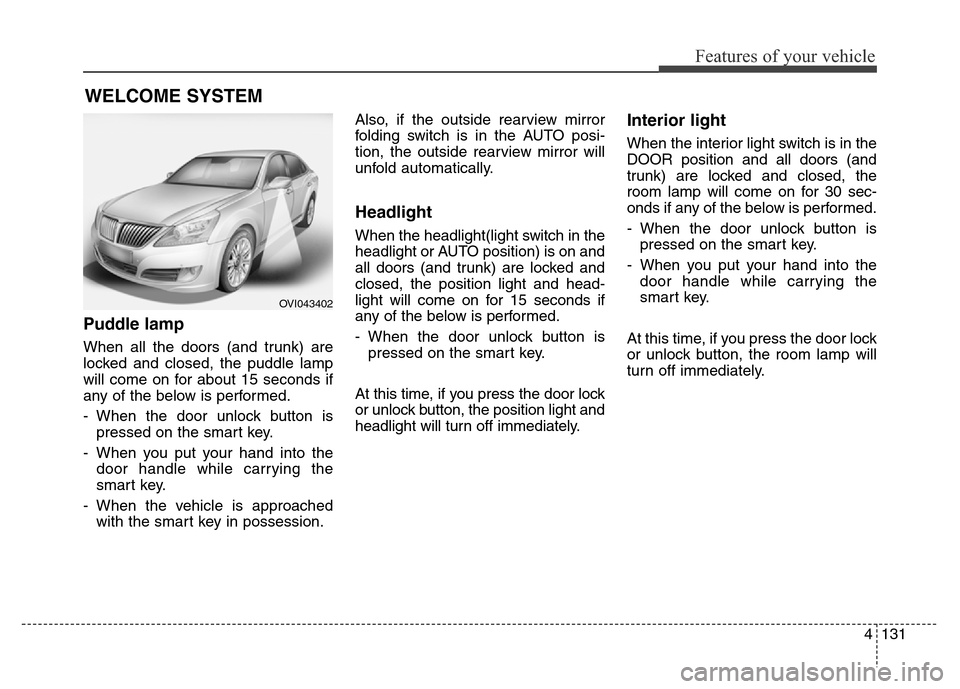
Puddle lamp
When all the doors (and trunk) are
locked and closed, the puddle lamp
will come on for about 15 seconds if
any of the below is performed.
- When the door unlock button is
pressed on the smart key.
- When you put your hand into the
door handle while carrying the
smart key.
- When the vehicle is approached
with the smart key in possession.Also, if the outside rearview mirror
folding switch is in the AUTO posi-
tion, the outside rearview mirror will
unfold automatically.
Headlight
When the headlight(light switch in the
headlight or AUTO position) is on and
all doors (and trunk) are locked and
closed, the position light and head-
light will come on for 15 seconds if
any of the below is performed.
- When the door unlock button is
pressed on the smart key.
At this time, if you press the door lock
or unlock button, the position light and
headlight will turn off immediately.
Interior light
When the interior light switch is in the
DOOR position and all doors (and
trunk) are locked and closed, the
room lamp will come on for 30 sec-
onds if any of the below is performed.
- When the door unlock button is
pressed on the smart key.
- When you put your hand into the
door handle while carrying the
smart key.
At this time, if you press the door lock
or unlock button, the room lamp will
turn off immediately.
WELCOME SYSTEM
OVI043402
Page 225 of 479
Features of your vehicle
136 4
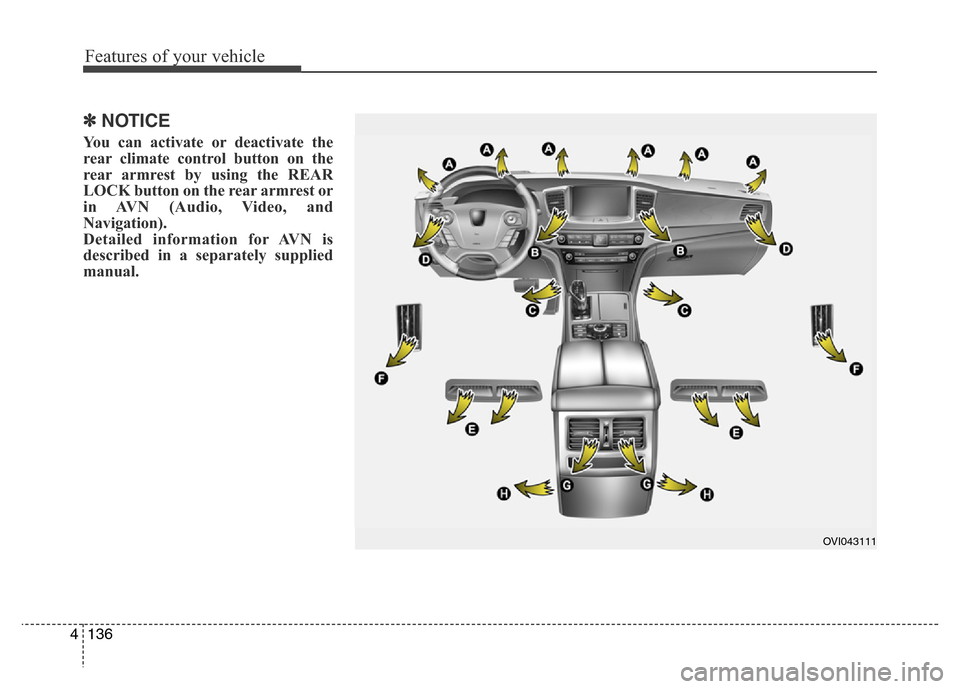
✽NOTICE
You can activate or deactivate the
rear climate control button on the
rear armrest by using the REAR
LOCK button on the rear armrest or
in AVN (Audio, Video, and
Navigation).
Detailed information for AVN is
described in a separately supplied
manual.
OVI043111
Page 233 of 479
Features of your vehicle
144 4
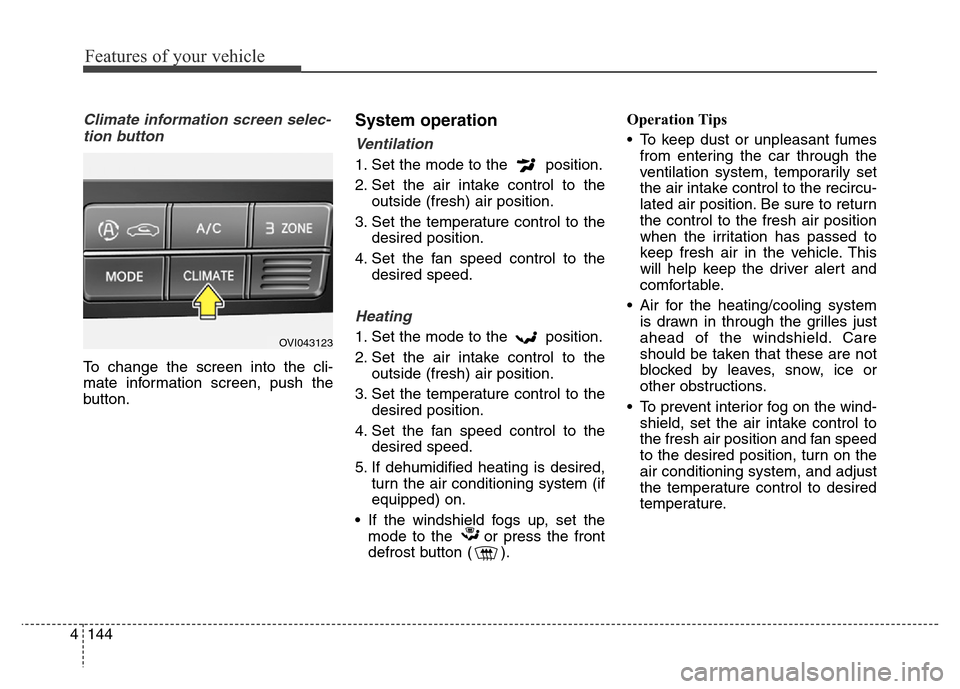
Climate information screen selec-
tion button
To change the screen into the cli-
mate information screen, push the
button.
System operation
Ventilation
1. Set the mode to the position.
2. Set the air intake control to the
outside (fresh) air position.
3. Set the temperature control to the
desired position.
4. Set the fan speed control to the
desired speed.
Heating
1. Set the mode to the position.
2. Set the air intake control to the
outside (fresh) air position.
3. Set the temperature control to the
desired position.
4. Set the fan speed control to the
desired speed.
5. If dehumidified heating is desired,
turn the air conditioning system (if
equipped) on.
• If the windshield fogs up, set the
mode to the or press the front
defrost button ( ).Operation Tips
• To keep dust or unpleasant fumes
from entering the car through the
ventilation system, temporarily set
the air intake control to the recircu-
lated air position. Be sure to return
the control to the fresh air position
when the irritation has passed to
keep fresh air in the vehicle. This
will help keep the driver alert and
comfortable.
• Air for the heating/cooling system
is drawn in through the grilles just
ahead of the windshield. Care
should be taken that these are not
blocked by leaves, snow, ice or
other obstructions.
• To prevent interior fog on the wind-
shield, set the air intake control to
the fresh air position and fan speed
to the desired position, turn on the
air conditioning system, and adjust
the temperature control to desired
temperature.OVI043123