scc Hyundai Equus 2014 Owner's Manual
[x] Cancel search | Manufacturer: HYUNDAI, Model Year: 2014, Model line: Equus, Model: Hyundai Equus 2014Pages: 479, PDF Size: 10.15 MB
Page 90 of 479
Features of your vehicle
Smart key . . . . . . . . . . . . . . . . . . . . . . . . . . . . . . . . . 4-4
• Smart key function . . . . . . . . . . . . . . . . . . . . . . . . . . . . 4-4
• Buttons on the smart key . . . . . . . . . . . . . . . . . . . . . . . 4-7
• Restrictions in handling keys . . . . . . . . . . . . . . . . . . . . 4-8
• Smart key precautions . . . . . . . . . . . . . . . . . . . . . . . . . 4-9
• Immobilizer system . . . . . . . . . . . . . . . . . . . . . . . . . . . 4-10
• Battery replacement . . . . . . . . . . . . . . . . . . . . . . . . . . 4-11
Theft-alarm system . . . . . . . . . . . . . . . . . . . . . . . . 4-13
Door locks . . . . . . . . . . . . . . . . . . . . . . . . . . . . . . . . 4-16
• From outside . . . . . . . . . . . . . . . . . . . . . . . . . . . . . . . . 4-16
• Power door latch . . . . . . . . . . . . . . . . . . . . . . . . . . . . . 4-17
• From inside . . . . . . . . . . . . . . . . . . . . . . . . . . . . . . . . . 4-17
• Child-protector rear door lock . . . . . . . . . . . . . . . . . 4-19
Trunk . . . . . . . . . . . . . . . . . . . . . . . . . . . . . . . . . . . . 4-20
• Non-powered trunk . . . . . . . . . . . . . . . . . . . . . . . . . . . 4-20
• Power trunk . . . . . . . . . . . . . . . . . . . . . . . . . . . . . . . . . 4-21
• Emergency trunk safety release . . . . . . . . . . . . . . . . . 4-26
Windows . . . . . . . . . . . . . . . . . . . . . . . . . . . . . . . . . 4-28
Hood. . . . . . . . . . . . . . . . . . . . . . . . . . . . . . . . . . . . . 4-33
Fuel filler lid . . . . . . . . . . . . . . . . . . . . . . . . . . . . . . 4-35
• Emergency fuel filler lid release. . . . . . . . . . . . . . . . . 4-37
Sunroof . . . . . . . . . . . . . . . . . . . . . . . . . . . . . . . . . . 4-38
• Sliding the sunroof . . . . . . . . . . . . . . . . . . . . . . . . . . . 4-39
• Tilting the sunroof . . . . . . . . . . . . . . . . . . . . . . . . . . . . 4-39
• Sunshade . . . . . . . . . . . . . . . . . . . . . . . . . . . . . . . . . . . 4-40• Resetting the sunroof . . . . . . . . . . . . . . . . . . . . . . . . . 4-41
Driver position memory system . . . . . . . . . . . . . . 4-42
Steering wheel . . . . . . . . . . . . . . . . . . . . . . . . . . . . . 4-44
• Power steering . . . . . . . . . . . . . . . . . . . . . . . . . . . . . . . 4-44
• Tilt/Telescopic steering . . . . . . . . . . . . . . . . . . . . . . . . 4-45
• Heated steering wheel . . . . . . . . . . . . . . . . . . . . . . . . . 4-45
• Horn . . . . . . . . . . . . . . . . . . . . . . . . . . . . . . . . . . . . . . . 4-46
Mirrors . . . . . . . . . . . . . . . . . . . . . . . . . . . . . . . . . . 4-47
• Inside rearview mirror . . . . . . . . . . . . . . . . . . . . . . . . 4-47
• Outside rearview mirror . . . . . . . . . . . . . . . . . . . . . . . 4-51
Instrument cluster . . . . . . . . . . . . . . . . . . . . . . . . . 4-55
• Instrument cluster control . . . . . . . . . . . . . . . . . . . . . 4-56
• LCD display control . . . . . . . . . . . . . . . . . . . . . . . . . . 4-57
• Gauges . . . . . . . . . . . . . . . . . . . . . . . . . . . . . . . . . . . . . 4-58
LCD display . . . . . . . . . . . . . . . . . . . . . . . . . . . . . . 4-63
• LCD modes. . . . . . . . . . . . . . . . . . . . . . . . . . . . . . . . . . 4-63
• Trip computer mode . . . . . . . . . . . . . . . . . . . . . . . . . . 4-64
• ASCC/LDWS mode . . . . . . . . . . . . . . . . . . . . . . . . . . . 4-64
• A/V mode . . . . . . . . . . . . . . . . . . . . . . . . . . . . . . . . . . . 4-64
• Turn by turn mode . . . . . . . . . . . . . . . . . . . . . . . . . . . 4-65
• Information mode . . . . . . . . . . . . . . . . . . . . . . . . . . . . 4-65
• User settings mode. . . . . . . . . . . . . . . . . . . . . . . . . . . . 4-68
• Warning messages . . . . . . . . . . . . . . . . . . . . . . . . . . . . 4-75
4
Page 152 of 479
463
Features of your vehicle
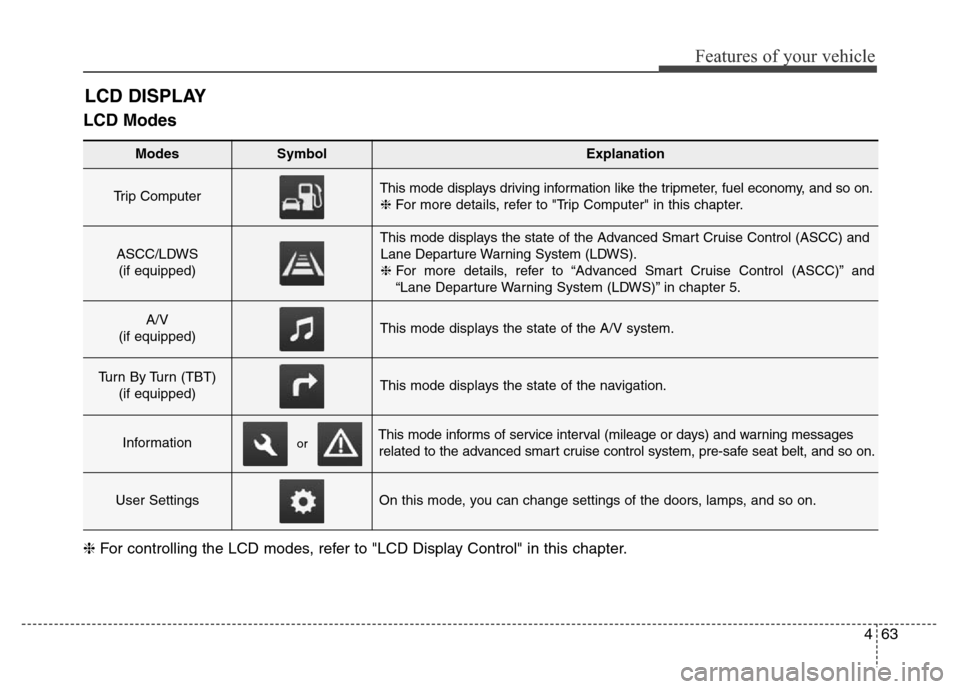
LCD Modes
LCD DISPLAY
Modes SymbolExplanation
Trip Computer This mode displays driving information like the tripmeter, fuel economy, and so on.
❈For more details, refer to "Trip Computer" in this chapter.
ASCC/LDWS
(if equipped)
This mode displays the state of the Advanced Smart Cruise Control (ASCC) and
Lane Departure Warning System (LDWS).
❈For more details, refer to “Advanced Smart Cruise Control (ASCC)” and
“Lane Departure Warning System (LDWS)” in chapter 5.
A/V
(if equipped)This mode displays the state of the A/V system.
Turn By Turn (TBT)
(if equipped)This mode displays the state of the navigation.
InformationThis mode informs of service interval (mileage or days) and warning messages
related to the advanced smart cruise control system, pre-safe seat belt, and so on.
User SettingsOn this mode, you can change settings of the doors, lamps, and so on.
❈For controlling the LCD modes, refer to "LCD Display Control" in this chapter.
or
Page 153 of 479
Features of your vehicle
64 4
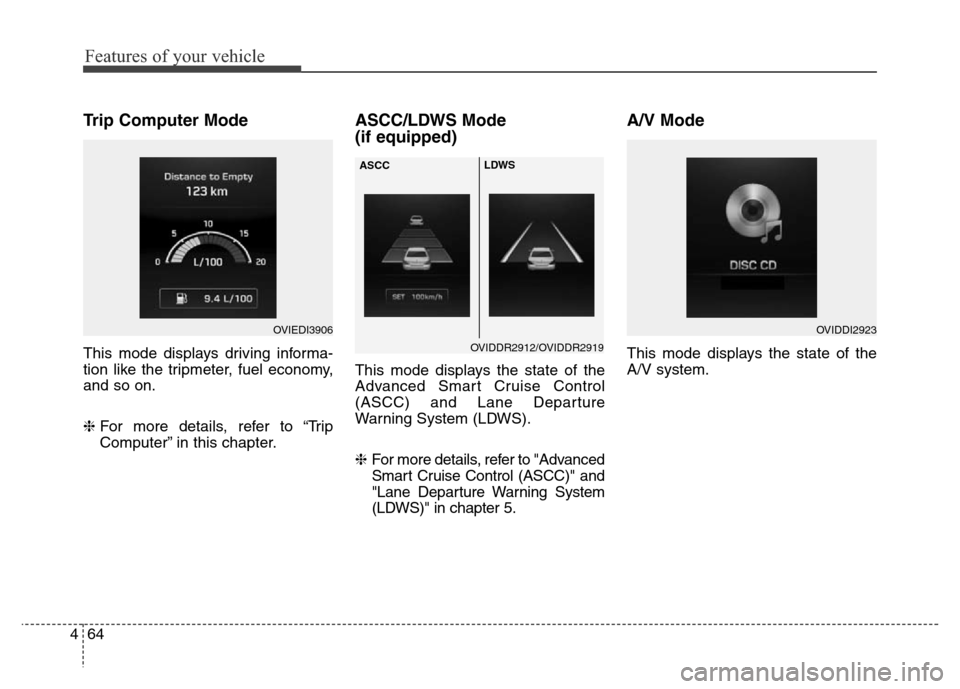
Trip Computer Mode
This mode displays driving informa-
tion like the tripmeter, fuel economy,
and so on.
❈For more details, refer to “Trip
Computer” in this chapter.
ASCC/LDWS Mode
(if equipped)
This mode displays the state of the
Advanced Smart Cruise Control
(ASCC) and Lane Departure
Warning System (LDWS).
❈ For more details, refer to "Advanced
Smart Cruise Control (ASCC)" and
"Lane Departure Warning System
(LDWS)" in chapter 5.
A/V Mode
This mode displays the state of the
A/V system.
OVIEDI3906OVIDDI2923
OVIDDR2912/OVIDDR2919 ASCCLDWS
Page 158 of 479
469
Features of your vehicle
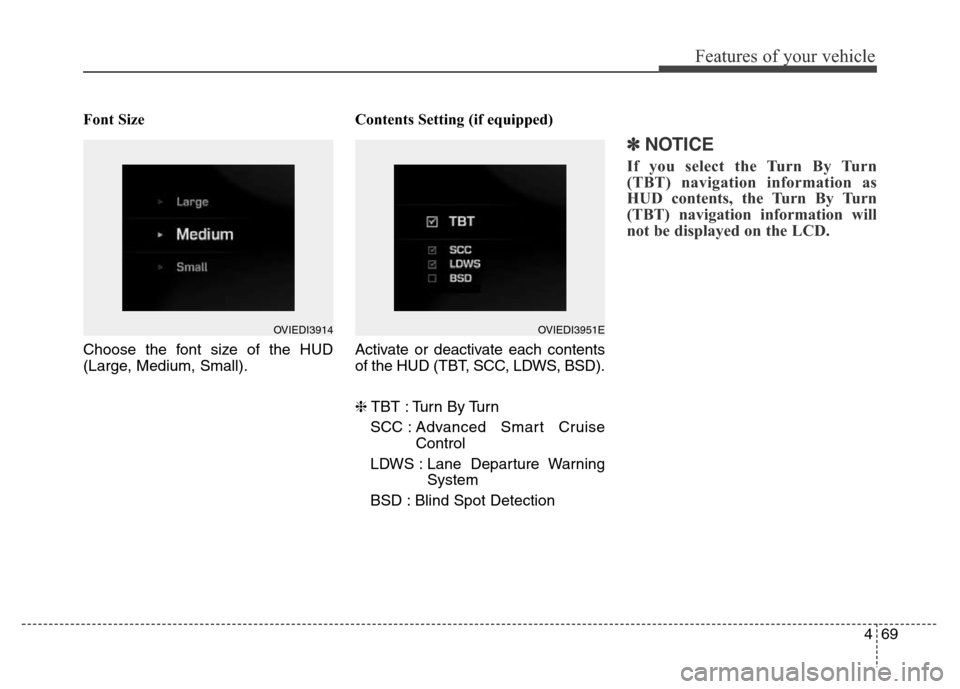
Font Size
Choose the font size of the HUD
(Large, Medium, Small).Contents Setting (if equipped)
Activate or deactivate each contents
of the HUD (TBT, SCC, LDWS, BSD).
❈TBT : Turn By Turn
SCC : Advanced Smart Cruise
Control
LDWS : Lane Departure Warning
System
BSD : Blind Spot Detection
✽NOTICE
If you select the Turn By Turn
(TBT) navigation information as
HUD contents, the Turn By Turn
(TBT) navigation information will
not be displayed on the LCD.
OVIEDI3914OVIEDI3951E
Page 163 of 479
Features of your vehicle
74 4
Service Interval
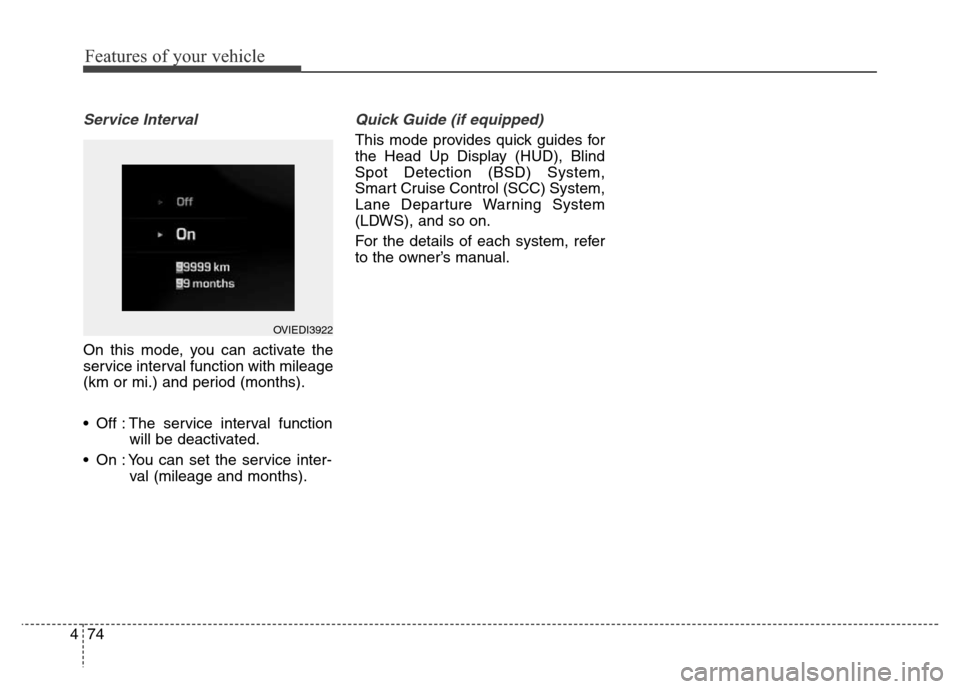
On this mode, you can activate the
service interval function with mileage
(km or mi.) and period (months).
• Off : The service interval function
will be deactivated.
• On : You can set the service inter-
val (mileage and months).
Quick Guide (if equipped)
This mode provides quick guides for
the Head Up Display (HUD), Blind
Spot Detection (BSD) System,
Smart Cruise Control (SCC) System,
Lane Departure Warning System
(LDWS), and so on.
For the details of each system, refer
to the owner’s manual.
OVIEDI3922
Page 174 of 479
485
Features of your vehicle
Check SCC System (if equipped)
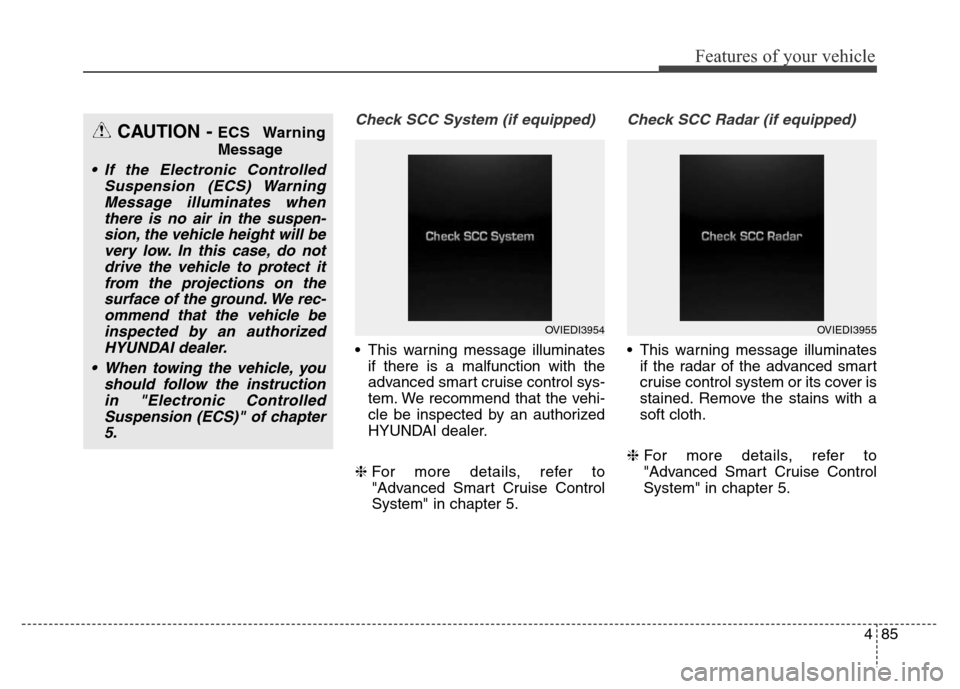
• This warning message illuminates
if there is a malfunction with the
advanced smart cruise control sys-
tem. We recommend that the vehi-
cle be inspected by an authorized
HYUNDAI dealer.
❈For more details, refer to
"Advanced Smart Cruise Control
System" in chapter 5.
Check SCC Radar (if equipped)
• This warning message illuminates
if the radar of the advanced smart
cruise control system or its cover is
stained. Remove the stains with a
soft cloth.
❈For more details, refer to
"Advanced Smart Cruise Control
System" in chapter 5.
CAUTION - ECS Warning
Message
• If the Electronic Controlled
Suspension (ECS) Warning
Message illuminates when
there is no air in the suspen-
sion, the vehicle height will be
very low. In this case, do not
drive the vehicle to protect it
from the projections on the
surface of the ground. We rec-
ommend that the vehicle be
inspected by an authorized
HYUNDAI dealer.
• When towing the vehicle, you
should follow the instruction
in "Electronic Controlled
Suspension (ECS)" of chapter
5.
OVIEDI3954OVIEDI3955
Page 194 of 479
4105
Features of your vehicle
Head Up Display ON/OFF
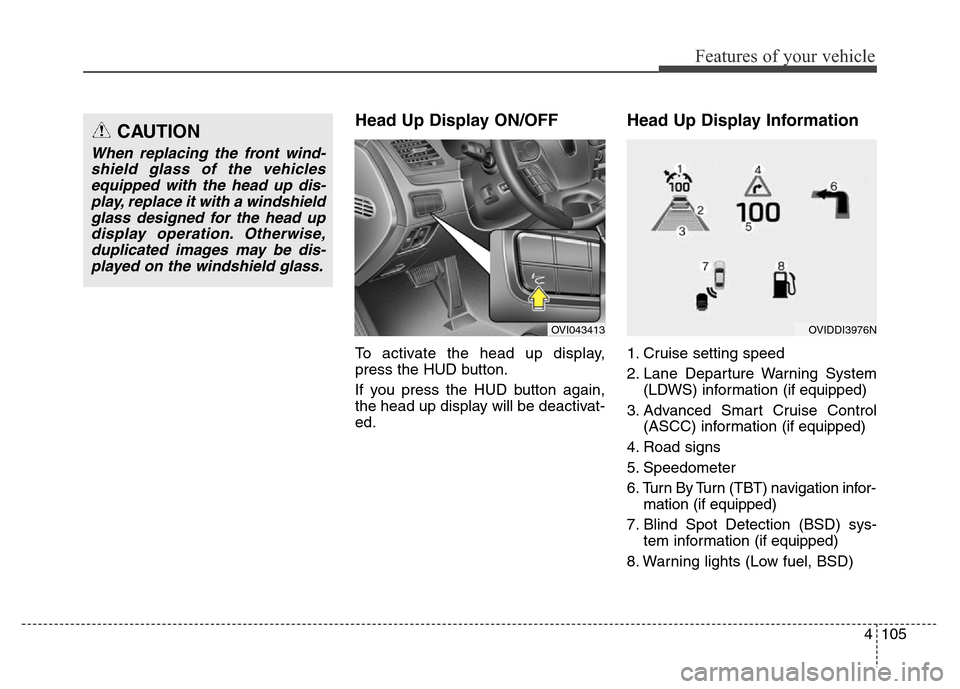
To activate the head up display,
press the HUD button.
If you press the HUD button again,
the head up display will be deactivat-
ed.
Head Up Display Information
1. Cruise setting speed
2. Lane Departure Warning System
(LDWS) information (if equipped)
3. Advanced Smart Cruise Control
(ASCC) information (if equipped)
4. Road signs
5. Speedometer
6. Turn By Turn (TBT) navigation infor-
mation (if equipped)
7. Blind Spot Detection (BSD) sys-
tem information (if equipped)
8. Warning lights (Low fuel, BSD)
CAUTION
When replacing the front wind-
shield glass of the vehicles
equipped with the head up dis-
play, replace it with a windshield
glass designed for the head up
display operation. Otherwise,
duplicated images may be dis-
played on the windshield glass.
OVI043413OVIDDI3976N
Page 195 of 479
Features of your vehicle
106 4
On the "User settings Mode" of the
LCD display, you can activate or
deactive the Turn By Turn (TBT) nav-
igation, Smart Cruise Control (SCC),
Lane Departure Warning System
(LDWS), and Blind Spot Detection
(BSD) system information.
✽NOTICE
If you select the Turn By Turn (TBT)
navigation information as HUD con-
tents, the Turn By Turn (TBT) navi-
gation information will not be dis-
played on the LCD Display.
Head Up Display Setting
On the LCD display, you can change
the head up display settings as fol-
lows.
1. Display height
2. Illumination
3. Font color
4. Font size
5. Contents setting
❈For more details, refer to "LCD
Display" in this chapter.
Page 320 of 479
563
Driving your vehicle
SCC (Smart cruise control) mal-
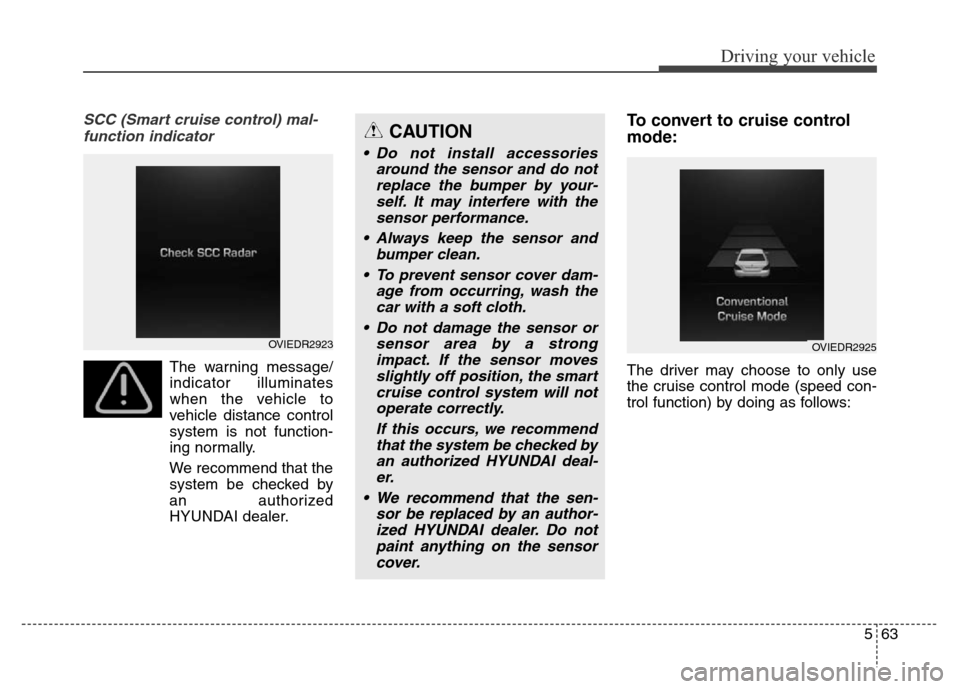
function indicator
The warning message/
indicator illuminates
when the vehicle to
vehicle distance control
system is not function-
ing normally.
We recommend that the
system be checked by
an authorized
HYUNDAI dealer.
To convert to cruise control
mode:
The driver may choose to only use
the cruise control mode (speed con-
trol function) by doing as follows:
CAUTION
• Do not install accessories
around the sensor and do not
replace the bumper by your-
self. It may interfere with the
sensor performance.
• Always keep the sensor and
bumper clean.
• To prevent sensor cover dam-
age from occurring, wash the
car with a soft cloth.
• Do not damage the sensor or
sensor area by a strong
impact. If the sensor moves
slightly off position, the smart
cruise control system will not
operate correctly.
If this occurs, we recommend
that the system be checked by
an authorized HYUNDAI deal-
er.
• We recommend that the sen-
sor be replaced by an author-
ized HYUNDAI dealer. Do not
paint anything on the sensor
cover.
OVIEDR2923OVIEDR2925
Page 321 of 479
Driving your vehicle
64 5
1.Turn the smart cruise control sys-
tem on (the cruise indicator light
will be on but the system will not be
activated).
2.Pull the distance to distance switch
for more than 2 seconds.
3.Choose between "Smart cruise
control(SCC) mode" and "Cruise
control(CC) mode".Limitations of the system
The smart cruise control system may
have limits to its ability to detect dis-
tance to the vehicle ahead due to
road and traffic conditions.
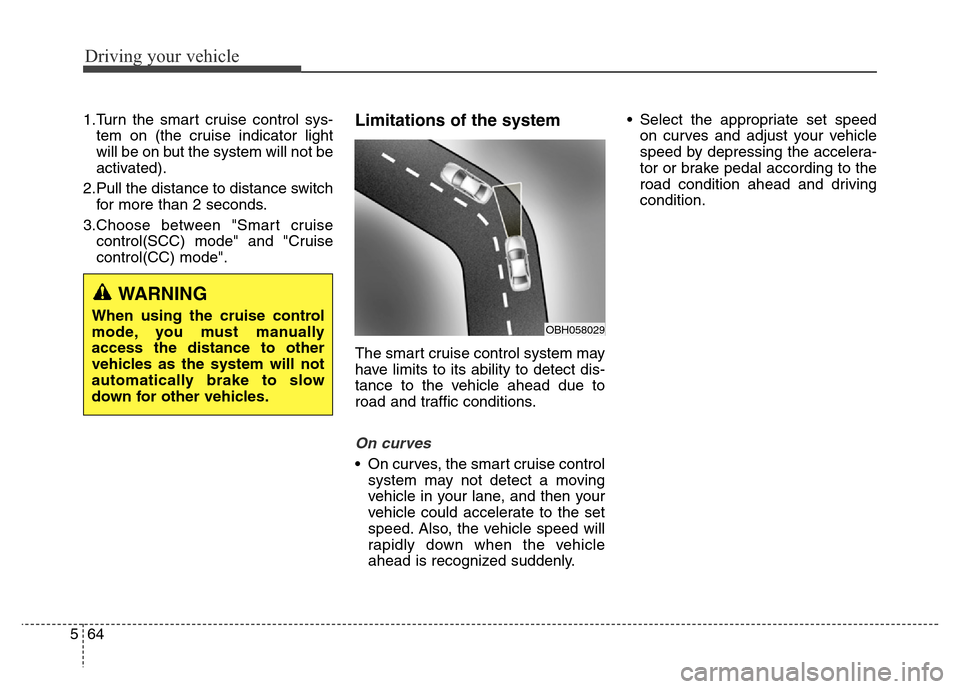
On curves
• On curves, the smart cruise control
system may not detect a moving
vehicle in your lane, and then your
vehicle could accelerate to the set
speed. Also, the vehicle speed will
rapidly down when the vehicle
ahead is recognized suddenly.• Select the appropriate set speed
on curves and adjust your vehicle
speed by depressing the accelera-
tor or brake pedal according to the
road condition ahead and driving
condition.
WARNING
When using the cruise control
mode, you must manually
access the distance to other
vehicles as the system will not
automatically brake to slow
down for other vehicles.OBH058029