light Hyundai Equus 2015 Owner's Guide
[x] Cancel search | Manufacturer: HYUNDAI, Model Year: 2015, Model line: Equus, Model: Hyundai Equus 2015Pages: 483, PDF Size: 13.26 MB
Page 97 of 483
Features of your vehicle
8 4
✽NOTICE
• After unlocking the trunk, the
trunk will lock automatically unless
it is opened within 30 seconds.
• Once the trunk is opened and then
closed, the trunk will lock auto-
matically.
• The word "HOLD" is written on
the button to inform you that you
must press and hold the button.
Power trunk
1. Press the trunk unlock button for
more than 1 second.
2. The hazard warning light will blink
twice to indicate the trunk is
unlocked and opened.
✽NOTICE
• Once the trunk is opened and then
closed, the trunk will lock auto-
matically.
• The word "HOLD" is written on
the button to inform you that you
must press and hold the button.
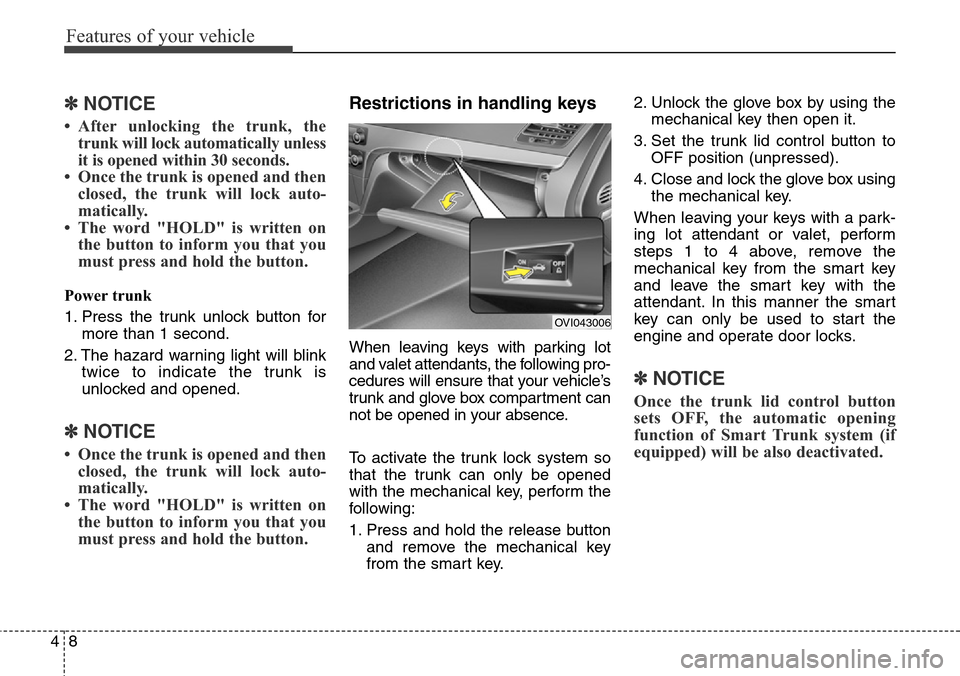
Restrictions in handling keys
When leaving keys with parking lot
and valet attendants, the following pro-
cedures will ensure that your vehicle’s
trunk and glove box compartment can
not be opened in your absence.
To activate the trunk lock system so
that the trunk can only be opened
with the mechanical key, perform the
following:
1. Press and hold the release button
and remove the mechanical key
from the smart key.2. Unlock the glove box by using the
mechanical key then open it.
3. Set the trunk lid control button to
OFF position (unpressed).
4. Close and lock the glove box using
the mechanical key.
When leaving your keys with a park-
ing lot attendant or valet, perform
steps 1 to 4 above, remove the
mechanical key from the smart key
and leave the smart key with the
attendant. In this manner the smart
key can only be used to start the
engine and operate door locks.
✽NOTICE
Once the trunk lid control button
sets OFF, the automatic opening
function of Smart Trunk system (if
equipped) will be also deactivated.
OVI043006
Page 102 of 483
413
Features of your vehicle
THEFT-ALARM SYSTEM (IF EQUIPPED)
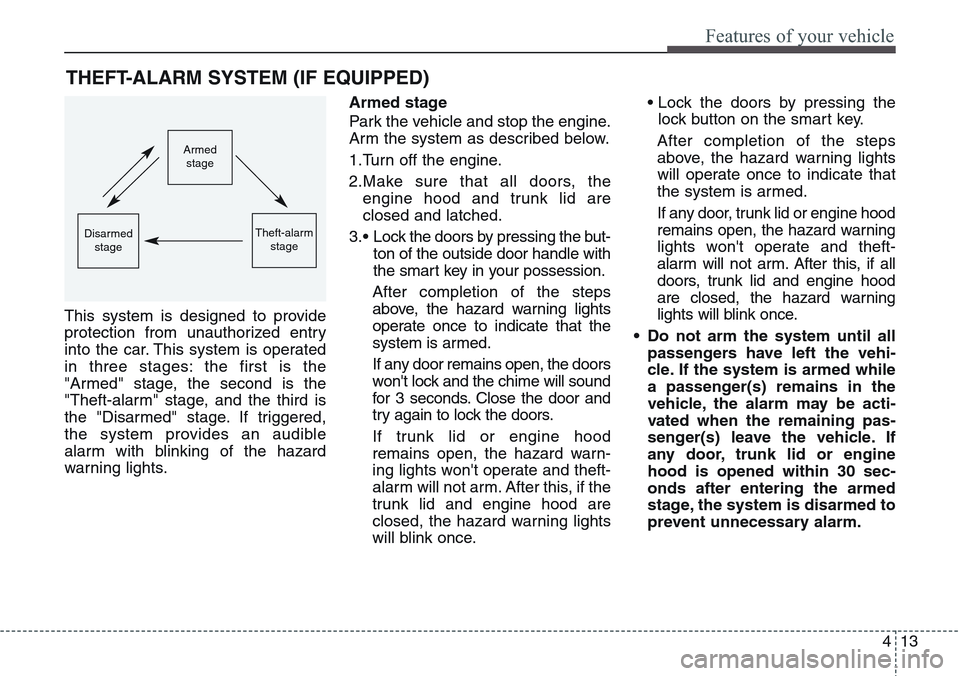
This system is designed to provide
protection from unauthorized entry
into the car. This system is operated
in three stages: the first is the
"Armed" stage, the second is the
"Theft-alarm" stage, and the third is
the "Disarmed" stage. If triggered,
the system provides an audible
alarm with blinking of the hazard
warning lights.Armed stage
Park the vehicle and stop the engine.
Arm the system as described below.
1.Turn off the engine.
2.Make sure that all doors, the
engine hood and trunk lid are
closed and latched.
3.• Lock the doors by pressing the but-
ton of the outside door handle with
the smart key in your possession.
After completion of the steps
above, the hazard warning lights
operate once to indicate that the
system is armed.
If any door remains open, the doors
won't lock and the chime will sound
for 3 seconds. Close the door and
try again to lock the doors.
If trunk lid or engine hood
remains open, the hazard warn-
ing lights won't operate and theft-
alarm will not arm. After this, if the
trunk lid and engine hood are
closed, the hazard warning lights
will blink once.• Lock the doors by pressing the
lock button on the smart key.
After completion of the steps
above, the hazard warning lights
will operate once to indicate that
the system is armed.
If any door, trunk lid or engine hood
remains open, the hazard warning
lights won't operate and theft-
alarm will not arm. After this, if all
doors, trunk lid and engine hood
are closed, the hazard warning
lights will blink once.
• Do not arm the system until all
passengers have left the vehi-
cle. If the system is armed while
a passenger(s) remains in the
vehicle, the alarm may be acti-
vated when the remaining pas-
senger(s) leave the vehicle. If
any door, trunk lid or engine
hood is opened within 30 sec-
onds after entering the armed
stage, the system is disarmed to
prevent unnecessary alarm.
Armed
stage
Theft-alarm
stageDisarmed
stage
Page 103 of 483
Features of your vehicle
14 4
Theft-alarm stage
The alarm will be activated if any of
the following occurs while the system
is armed.
• A door is opened without using the
smart key.
• The trunk is opened without using
the smart key.
• The engine hood is opened.
The horn will sound and the hazard
warning lights will blink continuously
for approximately 27 seconds. To turn
off the system, unlock the doors with
the smart key.
Opening the trunk with the
alarm armed (if equipped)
When the alarm is armed, the alarm
will not sound if the trunk lid is
opened with the smart key.
Once the trunk is opened and then
closed, the trunk will lock automatical-
ly and the system will be armed again.
Also, if any of the doors or hood is
opened while the trunk lid is opened
and the alarm armed, the alarm will
sound.
Disarmed stage
The system will be disarmed when
the doors are unlocked with the
smart key. The hazard warning lights
will blink twice to indicate that the
system is disarmed.
After unlocking the doors, if any door
(or trunk) is not opened within 30
seconds, the system will be rearmed.
✽NOTICE
• Avoid trying to start the engine
while the alarm is activated. The
vehicle starter motor is disabled
during the theft-alarm stage.
If the system is not disarmed with
the smart key, open the doors by
using the mechanical key and turn
the engine start/stop button to the
ON position. (except China)
• If you lose your keys, we recom-
mend that you consult an author-
ized HYUNDAI dealer.
Page 106 of 483
417
Features of your vehicle
Power door latch (if equipped)
If a door isn’t closed completely but
is closed to the first detent position,
the door will be close automatically.
Operating door locks from
inside the vehicle
With the door lock button
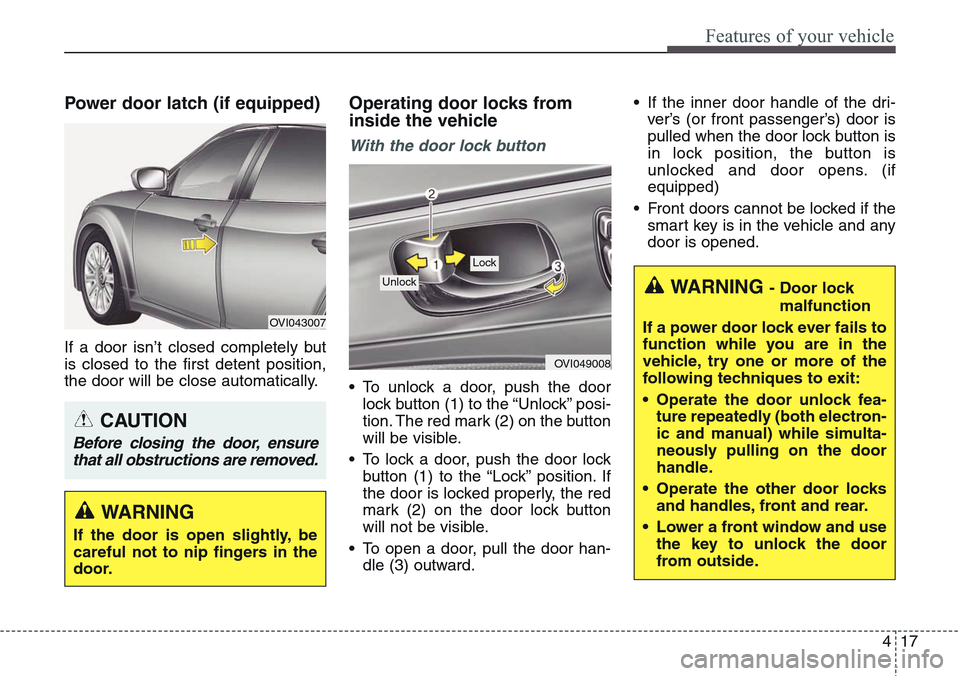
• To unlock a door, push the door
lock button (1) to the “Unlock” posi-
tion. The red mark (2) on the button
will be visible.
• To lock a door, push the door lock
button (1) to the “Lock” position. If
the door is locked properly, the red
mark (2) on the door lock button
will not be visible.
• To open a door, pull the door han-
dle (3) outward.• If the inner door handle of the dri-
ver’s (or front passenger’s) door is
pulled when the door lock button is
in lock position, the button is
unlocked and door opens. (if
equipped)
• Front doors cannot be locked if the
smart key is in the vehicle and any
door is opened.
OVI049008
Lock
Unlock
OVI043007
WARNING
If the door is open slightly, be
careful not to nip fingers in the
door.
CAUTION
Before closing the door, ensure
that all obstructions are removed.
WARNING - Door lock
malfunction
If a power door lock ever fails to
function while you are in the
vehicle, try one or more of the
following techniques to exit:
• Operate the door unlock fea-
ture repeatedly (both electron-
ic and manual) while simulta-
neously pulling on the door
handle.
• Operate the other door locks
and handles, front and rear.
• Lower a front window and use
the key to unlock the door
from outside.
Page 117 of 483
Features of your vehicle
28 4
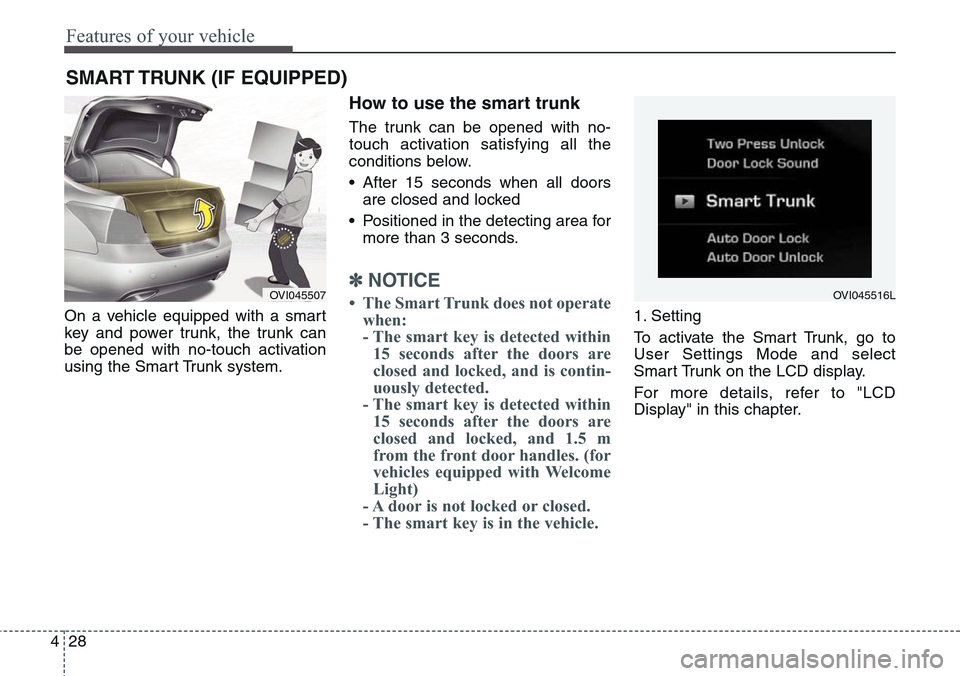
On a vehicle equipped with a smart
key and power trunk, the trunk can
be opened with no-touch activation
using the Smart Trunk system.
How to use the smart trunk
The trunk can be opened with no-
touch activation satisfying all the
conditions below.
• After 15 seconds when all doors
are closed and locked
• Positioned in the detecting area for
more than 3 seconds.
✽NOTICE
• The Smart Trunk does not operate
when:
- The smart key is detected within
15 seconds after the doors are
closed and locked, and is contin-
uously detected.
- The smart key is detected within
15 seconds after the doors are
closed and locked, and 1.5 m
from the front door handles. (for
vehicles equipped with Welcome
Light)
- A door is not locked or closed.
- The smart key is in the vehicle. 1. Setting
To activate the Smart Trunk, go to
User Settings Mode and select
Smart Trunk on the LCD display.
For more details, refer to "LCD
Display" in this chapter.
SMART TRUNK (IF EQUIPPED)
OVI045507OVI045516L
Page 118 of 483
429
Features of your vehicle
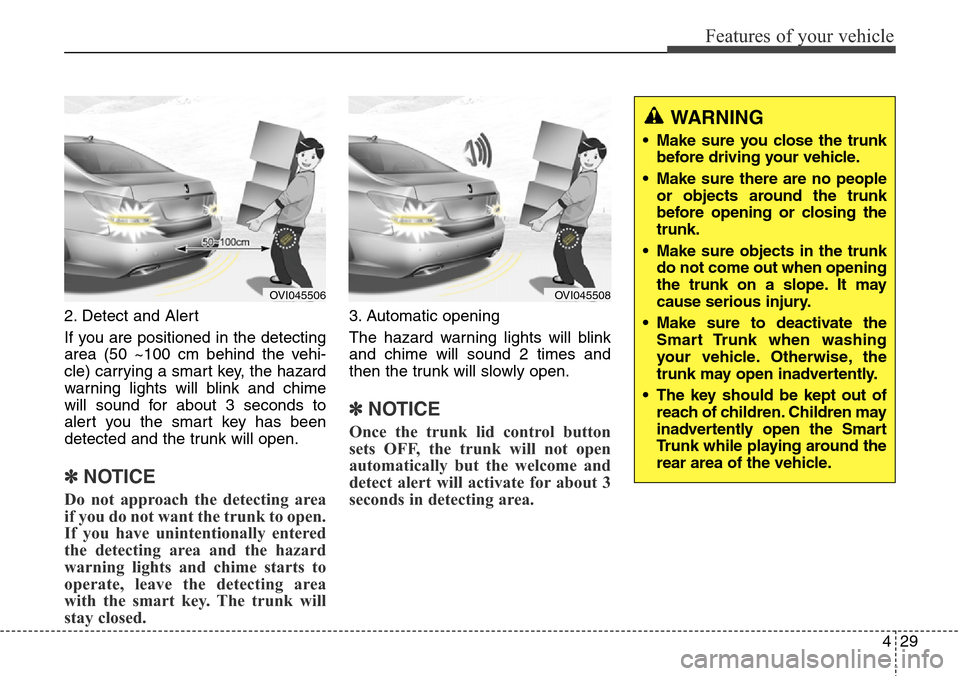
2. Detect and Alert
If you are positioned in the detecting
area (50 ~100 cm behind the vehi-
cle) carrying a smart key, the hazard
warning lights will blink and chime
will sound for about 3 seconds to
alert you the smart key has been
detected and the trunk will open.
✽NOTICE
Do not approach the detecting area
if you do not want the trunk to open.
If you have unintentionally entered
the detecting area and the hazard
warning lights and chime starts to
operate, leave the detecting area
with the smart key. The trunk will
stay closed.
3. Automatic opening
The hazard warning lights will blink
and chime will sound 2 times and
then the trunk will slowly open.
✽NOTICE
Once the trunk lid control button
sets OFF, the trunk will not open
automatically but the welcome and
detect alert will activate for about 3
seconds in detecting area.
OVI045506OVI045508
WARNING
• Make sure you close the trunk
before driving your vehicle.
• Make sure there are no people
or objects around the trunk
before opening or closing the
trunk.
• Make sure objects in the trunk
do not come out when opening
the trunk on a slope. It may
cause serious injury.
• Make sure to deactivate the
Smart Trunk when washing
your vehicle. Otherwise, the
trunk may open inadvertently.
• The key should be kept out of
reach of children. Children may
inadvertently open the Smart
Trunk while playing around the
rear area of the vehicle.
Page 122 of 483
433
Features of your vehicle
Power windows
The engine start/stop button must be
in the ON position for power windows
to operate.
Each door has a power window
switch that controls the door's win-
dow. The driver has a power window
lock switch which can block the oper-
ation of passenger windows. The
power windows can be operated for
approximately 30 seconds after the
engine start/stop button turned to the
ACC or OFF position. However, if the
front doors are opened, the power
windows cannot be operated even
within the 30 second period.
✽NOTICE
While driving with the rear windows
down or with the sunroof (if
equipped) in an open (or partially
open position), your vehicle may
demonstrate a wind buffeting or
pulsation noise. This noise is a nor-
mal occurrence and can be reduced
or eliminated by taking the follow-
ing actions. If the noise occurs with
one or both of the rear windows
down, partially lower both front
windows approximately one inch.
If you experience the noise with the
sunroof open, slightly reduce the
size of the sunroof opening.
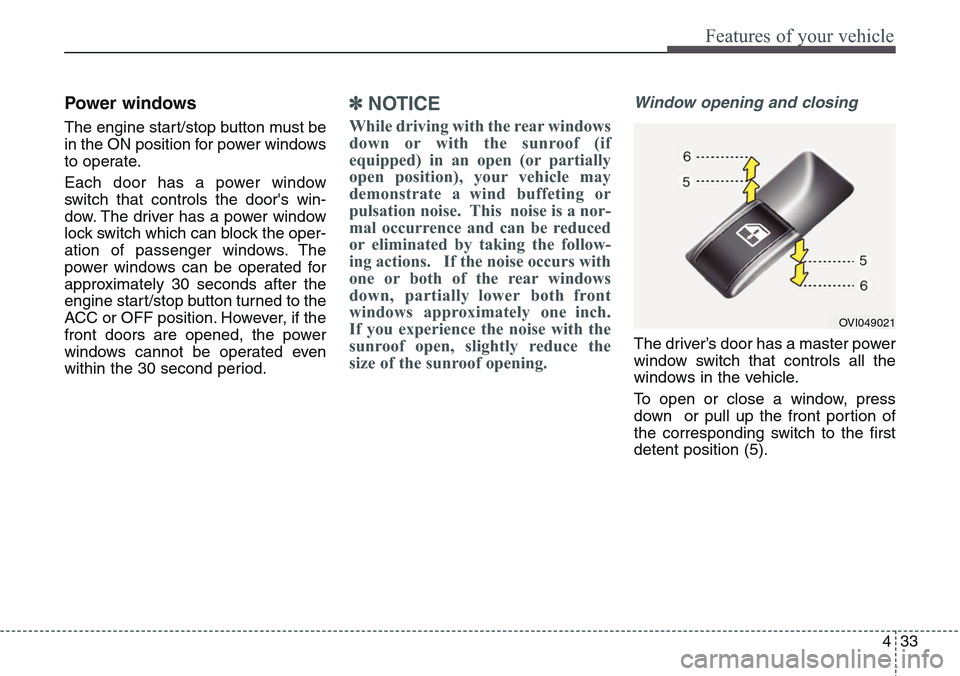
Window opening and closing
The driver’s door has a master power
window switch that controls all the
windows in the vehicle.
To open or close a window, press
down or pull up the front portion of
the corresponding switch to the first
detent position (5).
OVI049021
Page 124 of 483
435
Features of your vehicle
Rear door window curtains
(if equipped)
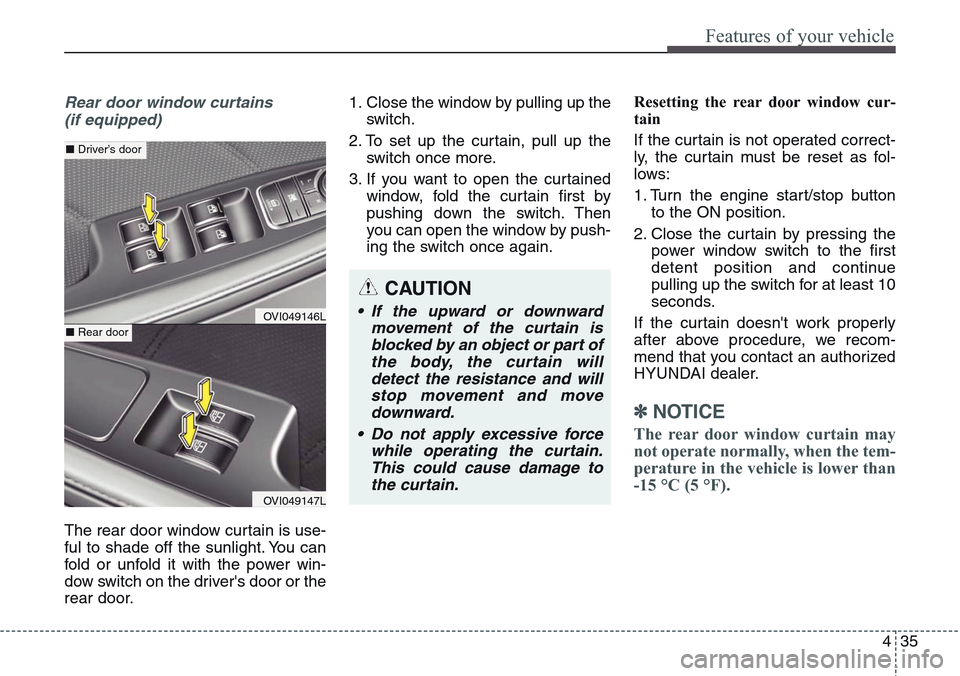
The rear door window curtain is use-
ful to shade off the sunlight. You can
fold or unfold it with the power win-
dow switch on the driver's door or the
rear door.1. Close the window by pulling up the
switch.
2. To set up the curtain, pull up the
switch once more.
3. If you want to open the curtained
window, fold the curtain first by
pushing down the switch. Then
you can open the window by push-
ing the switch once again.Resetting the rear door window cur-
tain
If the curtain is not operated correct-
ly, the curtain must be reset as fol-
lows:
1. Turn the engine start/stop button
to the ON position.
2. Close the curtain by pressing the
power window switch to the first
detent position and continue
pulling up the switch for at least 10
seconds.
If the curtain doesn't work properly
after above procedure, we recom-
mend that you contact an authorized
HYUNDAI dealer.
✽NOTICE
The rear door window curtain may
not operate normally, when the tem-
perature in the vehicle is lower than
-15 °C (5 °F).
CAUTION
• If the upward or downward
movement of the curtain is
blocked by an object or part of
the body, the curtain will
detect the resistance and will
stop movement and move
downward.
• Do not apply excessive force
while operating the curtain.
This could cause damage to
the curtain.OVI049146L
OVI049147L
■Driver’s door
■Rear door
Page 126 of 483
437
Features of your vehicle
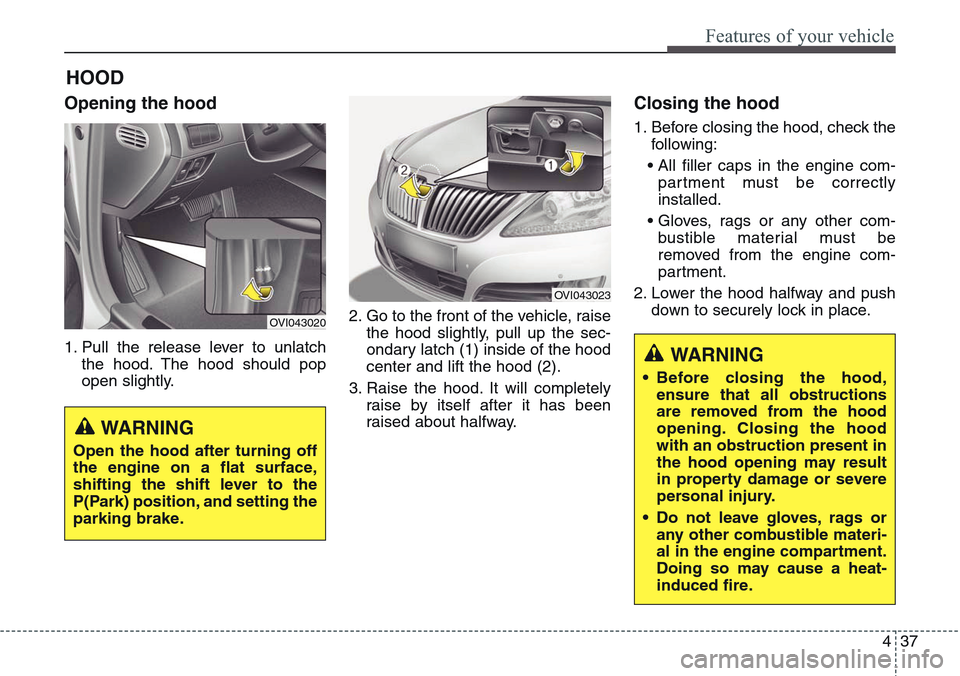
HOOD
Opening the hood
1. Pull the release lever to unlatch
the hood. The hood should pop
open slightly.2. Go to the front of the vehicle, raise
the hood slightly, pull up the sec-
ondary latch (1) inside of the hood
center and lift the hood (2).
3. Raise the hood. It will completely
raise by itself after it has been
raised about halfway.
Closing the hood
1. Before closing the hood, check the
following:
• All filler caps in the engine com-
partment must be correctly
installed.
• Gloves, rags or any other com-
bustible material must be
removed from the engine com-
partment.
2. Lower the hood halfway and push
down to securely lock in place.
OVI043020
WARNING
Open the hood after turning off
the engine on a flat surface,
shifting the shift lever to the
P(Park) position, and setting the
parking brake.
OVI043023
WARNING
• Before closing the hood,
ensure that all obstructions
are removed from the hood
opening. Closing the hood
with an obstruction present in
the hood opening may result
in property damage or severe
personal injury.
• Do not leave gloves, rags or
any other combustible materi-
al in the engine compartment.
Doing so may cause a heat-
induced fire.
Page 128 of 483
439
Features of your vehicle
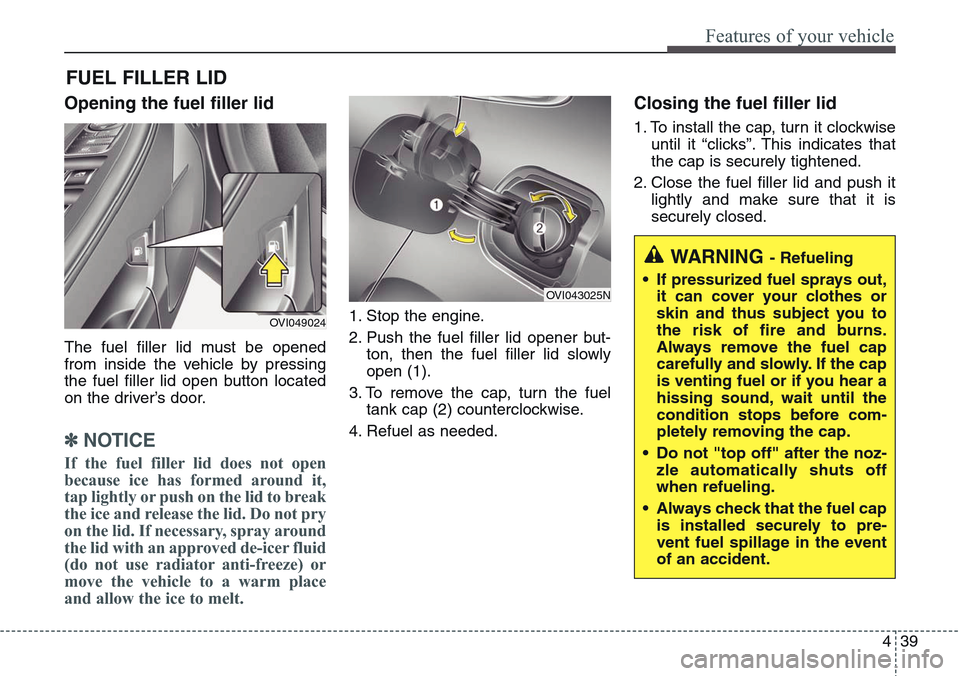
Opening the fuel filler lid
The fuel filler lid must be opened
from inside the vehicle by pressing
the fuel filler lid open button located
on the driver’s door.
✽NOTICE
If the fuel filler lid does not open
because ice has formed around it,
tap lightly or push on the lid to break
the ice and release the lid. Do not pry
on the lid. If necessary, spray around
the lid with an approved de-icer fluid
(do not use radiator anti-freeze) or
move the vehicle to a warm place
and allow the ice to melt.
1. Stop the engine.
2. Push the fuel filler lid opener but-
ton, then the fuel filler lid slowly
open (1).
3. To remove the cap, turn the fuel
tank cap (2) counterclockwise.
4. Refuel as needed.
Closing the fuel filler lid
1. To install the cap, turn it clockwise
until it “clicks”. This indicates that
the cap is securely tightened.
2. Close the fuel filler lid and push it
lightly and make sure that it is
securely closed.
FUEL FILLER LID
OVI049024
OVI043025N
WARNING - Refueling
• If pressurized fuel sprays out,
it can cover your clothes or
skin and thus subject you to
the risk of fire and burns.
Always remove the fuel cap
carefully and slowly. If the cap
is venting fuel or if you hear a
hissing sound, wait until the
condition stops before com-
pletely removing the cap.
• Do not "top off" after the noz-
zle automatically shuts off
when refueling.
• Always check that the fuel cap
is installed securely to pre-
vent fuel spillage in the event
of an accident.