Seat Hyundai Equus 2015 Repair Manual
[x] Cancel search | Manufacturer: HYUNDAI, Model Year: 2015, Model line: Equus, Model: Hyundai Equus 2015Pages: 483, PDF Size: 13.26 MB
Page 81 of 483
Safety features of your vehicle
62 3
Curtain air bag
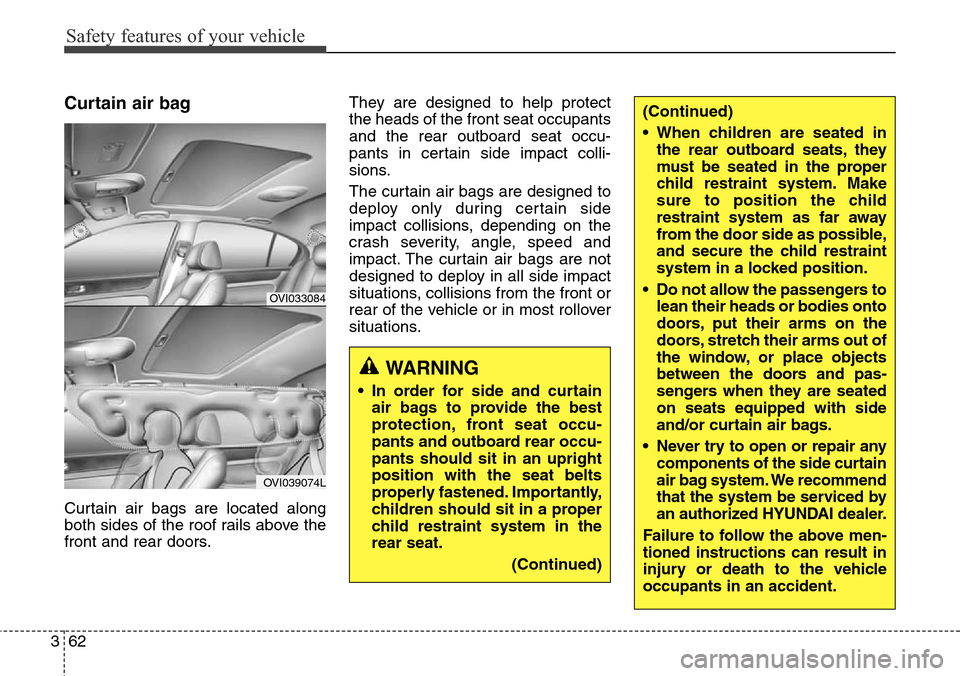
Curtain air bags are located along
both sides of the roof rails above the
front and rear doors.They are designed to help protect
the heads of the front seat occupants
and the rear outboard seat occu-
pants in certain side impact colli-
sions.
The curtain air bags are designed to
deploy only during certain side
impact collisions, depending on the
crash severity, angle, speed and
impact. The curtain air bags are not
designed to deploy in all side impact
situations, collisions from the front or
rear of the vehicle or in most rollover
situations.
WARNING
• In order for side and curtain
air bags to provide the best
protection, front seat occu-
pants and outboard rear occu-
pants should sit in an upright
position with the seat belts
properly fastened. Importantly,
children should sit in a proper
child restraint system in the
rear seat.
(Continued)
OVI033084
OVI039074L
(Continued)
• When children are seated in
the rear outboard seats, they
must be seated in the proper
child restraint system. Make
sure to position the child
restraint system as far away
from the door side as possible,
and secure the child restraint
system in a locked position.
• Do not allow the passengers to
lean their heads or bodies onto
doors, put their arms on the
doors, stretch their arms out of
the window, or place objects
between the doors and pas-
sengers when they are seated
on seats equipped with side
and/or curtain air bags.
• Never try to open or repair any
components of the side curtain
air bag system. We recommend
that the system be serviced by
an authorized HYUNDAI dealer.
Failure to follow the above men-
tioned instructions can result in
injury or death to the vehicle
occupants in an accident.
Page 84 of 483
365
Safety features of your vehicle
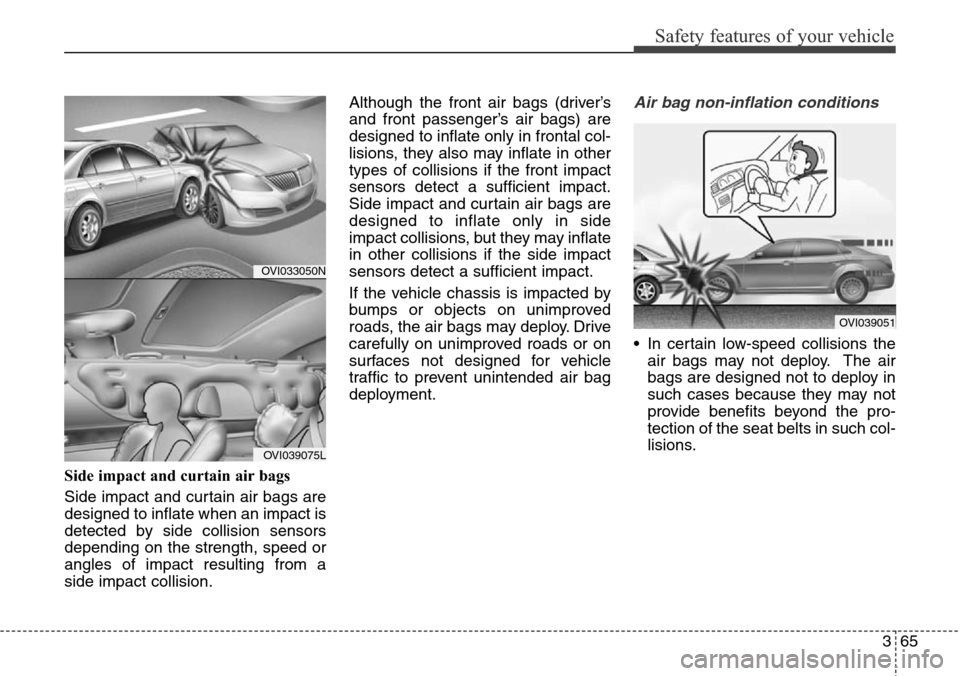
Side impact and curtain air bags
Side impact and curtain air bags are
designed to inflate when an impact is
detected by side collision sensors
depending on the strength, speed or
angles of impact resulting from a
side impact collision.Although the front air bags (driver’s
and front passenger’s air bags) are
designed to inflate only in frontal col-
lisions, they also may inflate in other
types of collisions if the front impact
sensors detect a sufficient impact.
Side impact and curtain air bags are
designed to inflate only in side
impact collisions, but they may inflate
in other collisions if the side impact
sensors detect a sufficient impact.
If the vehicle chassis is impacted by
bumps or objects on unimproved
roads, the air bags may deploy. Drive
carefully on unimproved roads or on
surfaces not designed for vehicle
traffic to prevent unintended air bag
deployment.
Air bag non-inflation conditions
• In certain low-speed collisions the
air bags may not deploy. The air
bags are designed not to deploy in
such cases because they may not
provide benefits beyond the pro-
tection of the seat belts in such col-
lisions.
OVI039051
OVI033050N
OVI039075L
Page 88 of 483
369
Safety features of your vehicle
Additional safety precautions
• All occupants should sit upright, fully
back in their seats with their seat
belts on and their feet on the floor.
•Passengers should not move out
of or change seats while the vehi-
cle is moving.A passenger who is
not wearing a seat belt during a
crash or emergency stop can be
thrown against the inside of the vehi-
cle, against other occupants, or out
of the vehicle.
•Each seat belt is designed to
restrain one occupant.If more
than one person uses the same seat
belt, they could be seriously injured
or killed in a collision.
•Do not use any accessories on
seat belts.Devices claiming to
improve occupant comfort or reposi-
tion the seat belt can reduce the pro-
tection provided by the seat belt and
increase the chance of serious
injury in a crash.
•Passengers should not place
hard or sharp objects between
themselves and the air bags.
Carrying hard or sharp objects on
your lap or in your mouth can result
in injuries if an air bag inflates.•Keep occupants away from the
air bag covers.All occupants
should sit upright, fully back in their
seats with their seat belts on and
their feet on the floor. If occupants
are too close to the air bag covers,
they could be injured if the air bags
inflate.
•Do not attach or place objects on
or near the air bag covers.Any
object attached to or placed on the
front or side air bag covers could
interfere with the proper operation of
the air bags.
•Do not modify the front seats.
Modification of the front seats could
interfere with the operation of the
supplemental restraint system sens-
ing components or side air bags.
•Do not place items under the
front seats.Placing items under
the front seats could interfere with
the operation of the supplemental
restraint system sensing compo-
nents and wiring harnesses.•Never hold an infant or child on
your lap.The infant or child could
be seriously injured or killed in the
event of a crash. All infants and chil-
dren should be properly restrained
in appropriate child safety seats or
seat belts in the rear seat.
WARNING
• Sitting improperly or out of
position can cause occupants
to be shifted too close to a
deploying air bag, strike the
interior structure or be thrown
from the vehicle resulting in
serious injury or death.
• Always sit upright with the
seatback in an upright posi-
tion, centered on the seat
cushion with your seat belt
on, legs comfortably extended
and your feet on the floor.
Page 135 of 483
Features of your vehicle
46 4
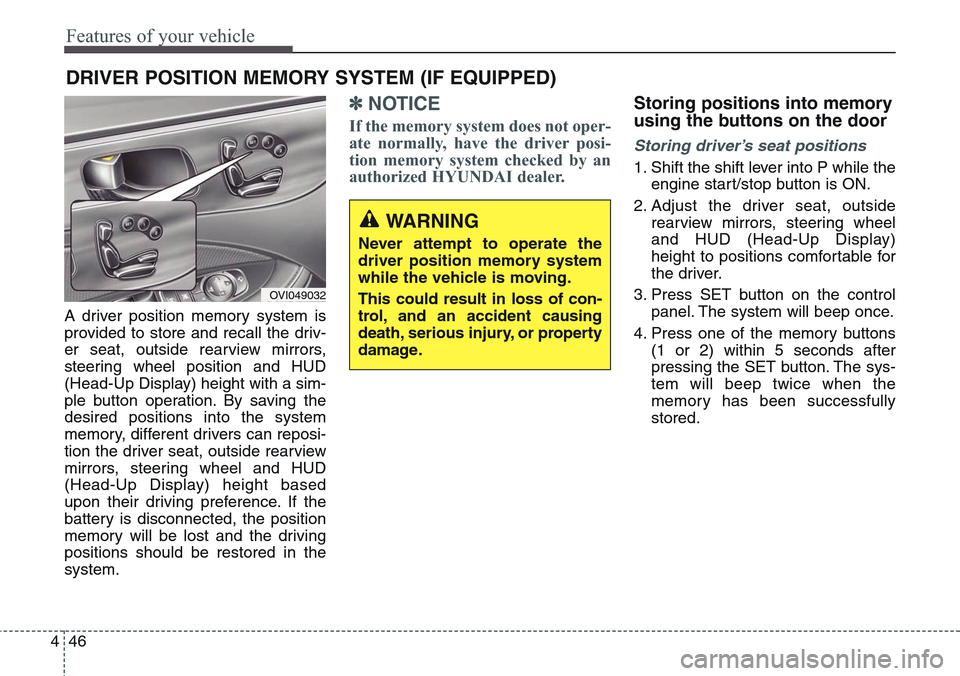
A driver position memory system is
provided to store and recall the driv-
er seat, outside rearview mirrors,
steering wheel position and HUD
(Head-Up Display) height with a sim-
ple button operation. By saving the
desired positions into the system
memory, different drivers can reposi-
tion the driver seat, outside rearview
mirrors, steering wheel and HUD
(Head-Up Display) height based
upon their driving preference. If the
battery is disconnected, the position
memory will be lost and the driving
positions should be restored in the
system.
✽NOTICE
If the memory system does not oper-
ate normally, have the driver posi-
tion memory system checked by an
authorized HYUNDAI dealer.
Storing positions into memory
using the buttons on the door
Storing driver’s seat positions
1. Shift the shift lever into P while the
engine start/stop button is ON.
2. Adjust the driver seat, outside
rearview mirrors, steering wheel
and HUD (Head-Up Display)
height to positions comfortable for
the driver.
3. Press SET button on the control
panel. The system will beep once.
4. Press one of the memory buttons
(1 or 2) within 5 seconds after
pressing the SET button. The sys-
tem will beep twice when the
memory has been successfully
stored.
DRIVER POSITION MEMORY SYSTEM (IF EQUIPPED)
WARNING
Never attempt to operate the
driver position memory system
while the vehicle is moving.
This could result in loss of con-
trol, and an accident causing
death, serious injury, or property
damage.
OVI049032
Page 136 of 483
447
Features of your vehicle
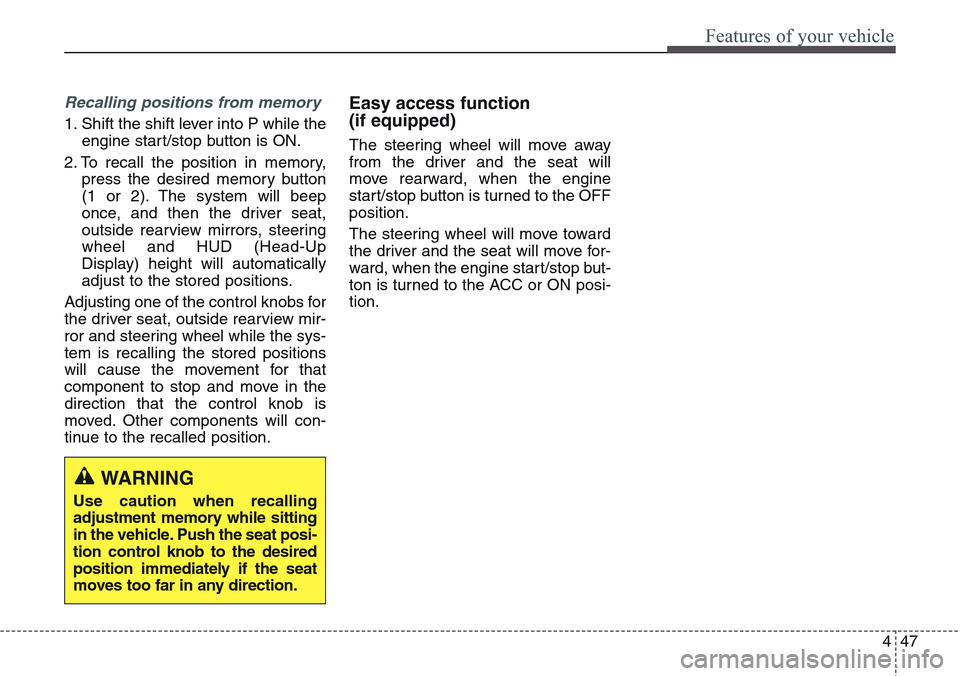
Recalling positions from memory
1. Shift the shift lever into P while the
engine start/stop button is ON.
2. To recall the position in memory,
press the desired memory button
(1 or 2). The system will beep
once, and then the driver seat,
outside rearview mirrors, steering
wheel and HUD (Head-Up
Display) height will automatically
adjust to the stored positions.
Adjusting one of the control knobs for
the driver seat, outside rearview mir-
ror and steering wheel while the sys-
tem is recalling the stored positions
will cause the movement for that
component to stop and move in the
direction that the control knob is
moved. Other components will con-
tinue to the recalled position.
Easy access function
(if equipped)
The steering wheel will move away
from the driver and the seat will
move rearward, when the engine
start/stop button is turned to the OFF
position.
The steering wheel will move toward
the driver and the seat will move for-
ward, when the engine start/stop but-
ton is turned to the ACC or ON posi-
tion.
WARNING
Use caution when recalling
adjustment memory while sitting
in the vehicle. Push the seat posi-
tion control knob to the desired
position immediately if the seat
moves too far in any direction.
Page 140 of 483
451
Features of your vehicle
Inside rearview mirror
Adjust the rearview mirror so that the
center view through the rear window
is seen. Make this adjustment before
you start driving.
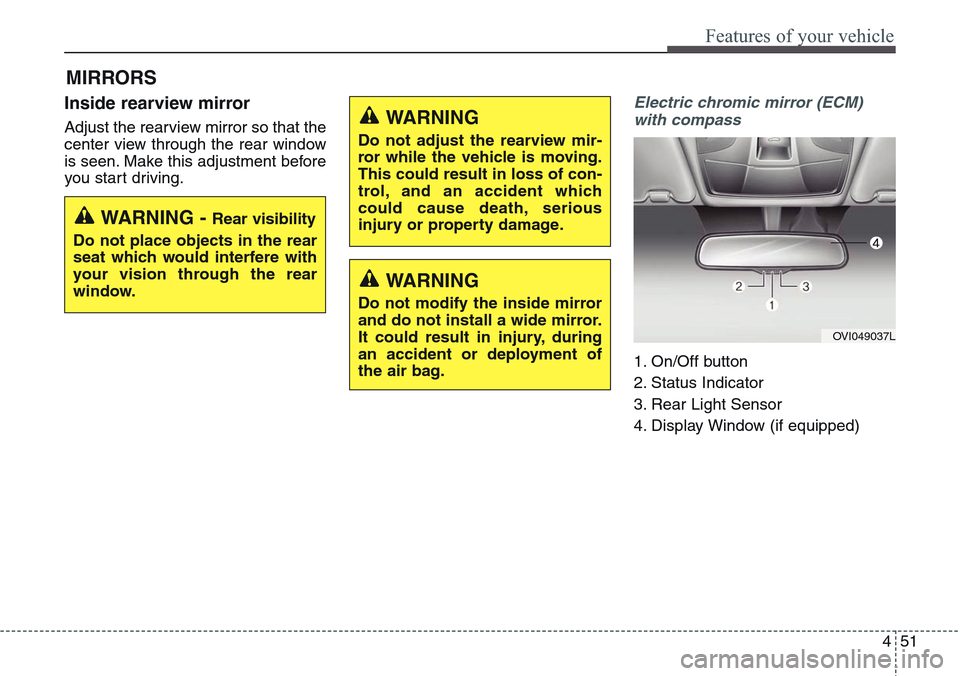
Electric chromic mirror (ECM)
with compass
1. On/Off button
2. Status Indicator
3. Rear Light Sensor
4. Display Window (if equipped)
MIRRORS
WARNING - Rear visibility
Do not place objects in the rear
seat which would interfere with
your vision through the rear
window.
WARNING
Do not adjust the rearview mir-
ror while the vehicle is moving.
This could result in loss of con-
trol, and an accident which
could cause death, serious
injury or property damage.
WARNING
Do not modify the inside mirror
and do not install a wide mirror.
It could result in injury, during
an accident or deployment of
the air bag.
OVI049037L
Page 143 of 483
Features of your vehicle
54 4
3. Press the button until the new zone
number appears in the display.
After you stop pressing the button
in, the display will show a compass
direction within a few seconds.
4. Changing Mirror Angle setting
(if equipped):
Due to mirror positions being angled
towards the driver, the compass mir-
ror can also compensate for drivers
seated on the Left Hand side of the
vehicle (steering wheel on the LH
side of the vehicle) or Right Hand
side of the vehicle (steering wheel on
the RH side of the vehicle).To adjust the Left Hand, “L” or Right
Hand, “R”, setting:
1. Press and hold the button for more
than 12 seconds.
2. Release then press the button to
toggle between “L” and “R”.
✽NOTICE
This procedure also causes the com-
pass to be de-calibrated.
3. To re-calibrate the compass, drive
the vehicle in 2 complete circles at
less than 8km/h (5mph).
CAUTION
1.Do not install the ski rack,
antenna, etc. which are
attached to the vehicle by
means of a magnet. They affect
the operation of the compass.
2.If the compass deviates from
the correct indication soon
after repeated adjustment, we
recommend that the system
be checked by an authorized
HYUNDAI dealer.
3.The compass may not indicate
the correct compass point in
tunnels or while driving up or
down a steep hill.
(The compass returns to the
correct compass point when
the vehicle moves to an area
where the geomagnetism is
stabilized.)
4.When cleaning the mirror, use
a paper towel or similar materi-
al dampened with glass clean-
er. Do not spray glass cleaner
directly on the mirror as that
may cause the liquid cleaner to
enter the mirror housing.
Page 156 of 483
467
Features of your vehicle
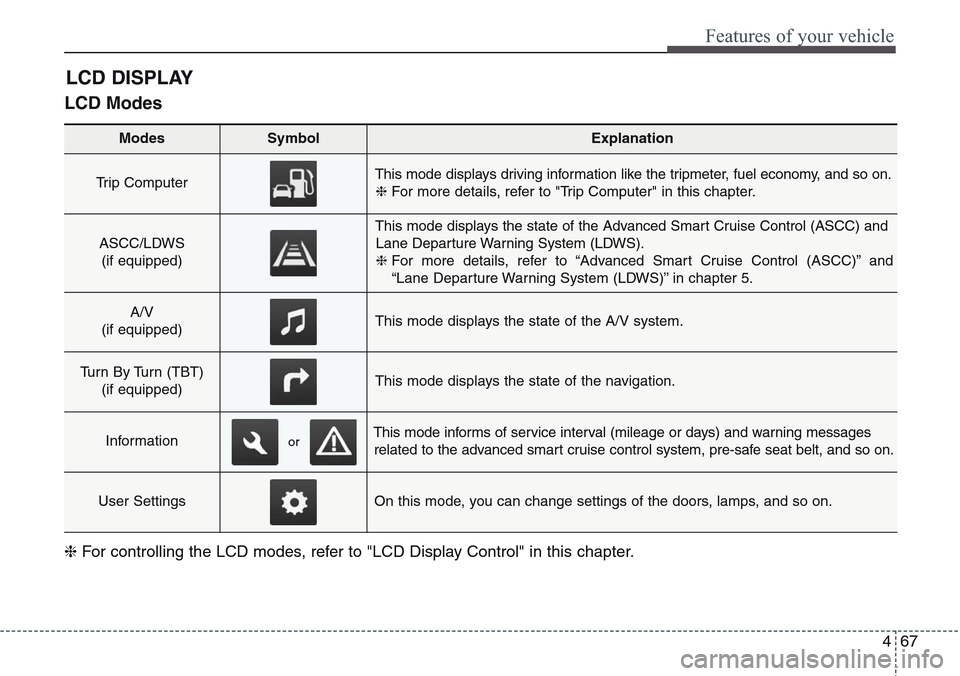
LCD Modes
LCD DISPLAY
Modes SymbolExplanation
Trip Computer This mode displays driving information like the tripmeter, fuel economy, and so on.
❈For more details, refer to "Trip Computer" in this chapter.
ASCC/LDWS
(if equipped)
This mode displays the state of the Advanced Smart Cruise Control (ASCC) and
Lane Departure Warning System (LDWS).
❈For more details, refer to “Advanced Smart Cruise Control (ASCC)” and
“Lane Departure Warning System (LDWS)” in chapter 5.
A/V
(if equipped)This mode displays the state of the A/V system.
Turn By Turn (TBT)
(if equipped)This mode displays the state of the navigation.
InformationThis mode informs of service interval (mileage or days) and warning messages
related to the advanced smart cruise control system, pre-safe seat belt, and so on.
User SettingsOn this mode, you can change settings of the doors, lamps, and so on.
❈For controlling the LCD modes, refer to "LCD Display Control" in this chapter.
or
Page 160 of 483
471
Features of your vehicle
Warning Message
If one of followings occurs, warning
messages will be displayed on the
information mode for about 10 sec-
onds.
- Malfunction of the pre-safe seat
belt, electronic control suspension,
or advanced smart cruise control
system
- Low washer fluid
Page 166 of 483
477
Features of your vehicle
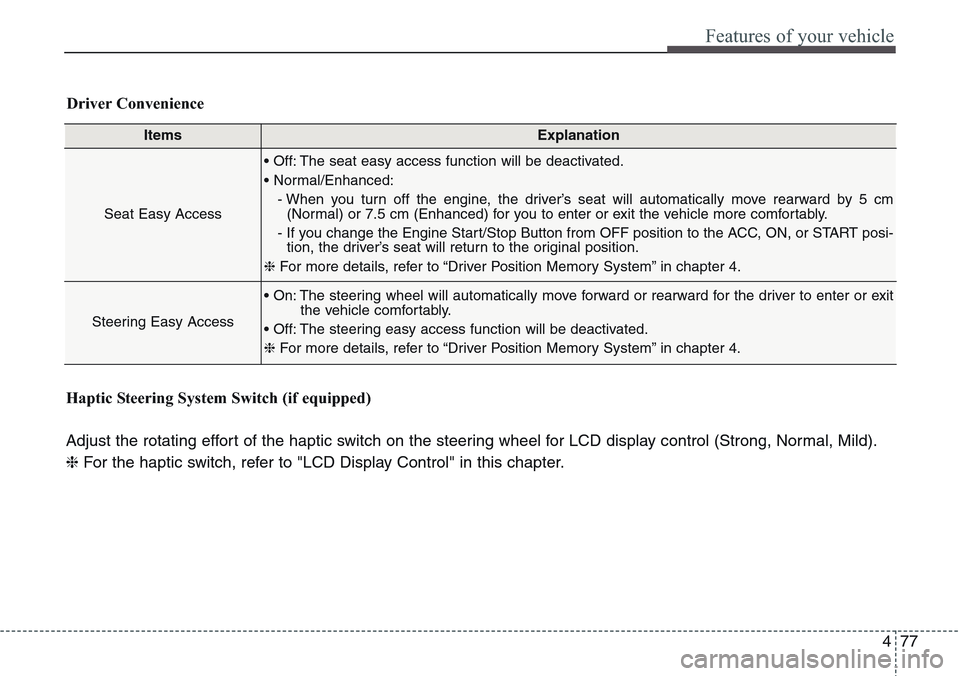
ItemsExplanation
Seat Easy Access
• Off: The seat easy access function will be deactivated.
• Normal/Enhanced:
- When you turn off the engine, the driver’s seat will automatically move rearward by 5 cm
(Normal) or 7.5 cm (Enhanced) for you to enter or exit the vehicle more comfortably.
- If you change the Engine Start/Stop Button from OFF position to the ACC, ON, or START posi-
tion, the driver’s seat will return to the original position.
❈For more details, refer to “Driver Position Memory System” in chapter 4.
Steering Easy Access
• On: The steering wheel will automatically move forward or rearward for the driver to enter or exit
the vehicle comfortably.
• Off: The steering easy access function will be deactivated.
❈For more details, refer to “Driver Position Memory System” in chapter 4.
Driver Convenience
Haptic Steering System Switch (if equipped)
Adjust the rotating effort of the haptic switch on the steering wheel for LCD display control (Strong, Normal, Mild).
❈For the haptic switch, refer to "LCD Display Control" in this chapter.