warning light Hyundai Equus 2015 Manual PDF
[x] Cancel search | Manufacturer: HYUNDAI, Model Year: 2015, Model line: Equus, Model: Hyundai Equus 2015Pages: 483, PDF Size: 13.26 MB
Page 303 of 483
Driving your vehicle
42 5
Good braking practices• Check to be sure the parking brake
is not engaged and that the park-
ing brake indicator light is out
before driving away.
• Driving through water may get the
brakes wet. They can also get wet
when the vehicle is washed. Wet
brakes can be dangerous! Your car
will not stop as quickly if the brakes
are wet. Wet brakes may cause the
vehicle to pull to one side.
To dry the brakes, apply the brakes
lightly until the braking action
returns to normal, taking care to
keep the car under control at all
times. If the braking action does
not return to normal, stop as soon
as it is safe to do so and call an
authorized HYUNDAI dealer for
assistance.CAUTION
The Emergency Stop Signal
(ESS) system will not work if the
hazard warning flasher is
already on.WARNING
• Whenever leaving vehicle or
parking, always set the park-
ing brake and fully engage the
vehicle's transmission into
the P (Park) position. Vehicles
not fully engaged in park with
the parking brake set are at
risk for moving inadvertently
and injuring yourself or oth-
ers.
• All vehicles should always
have the parking brake fully
engaged when parking to
avoid inadvertent movement
of the vehicle which can injure
occupants or pedestrians.
Page 311 of 483
Driving your vehicle
50 5
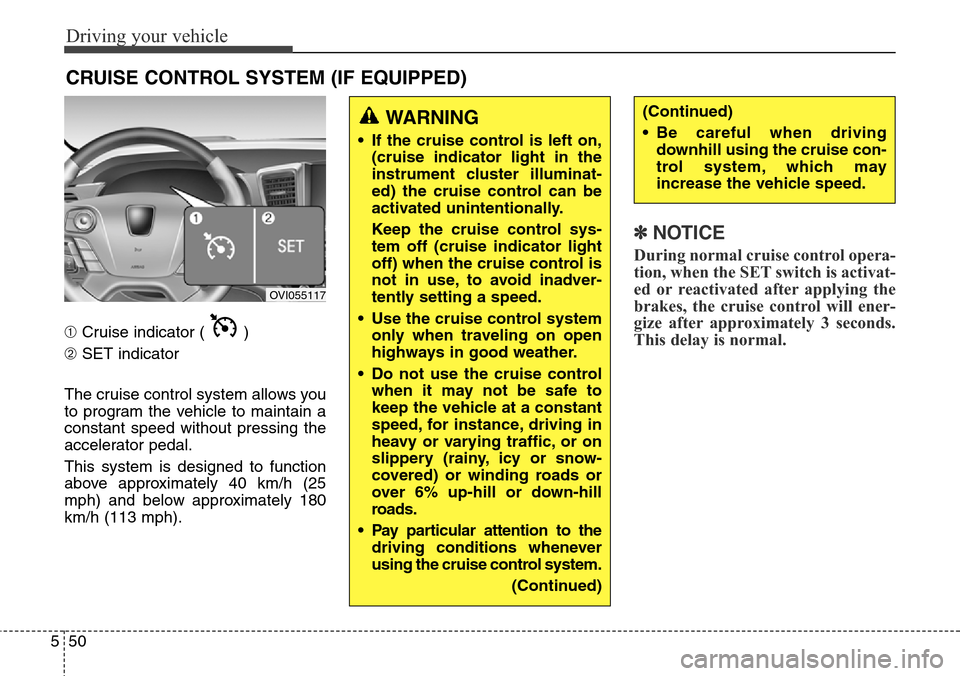
➀Cruise indicator ( )
➁SET indicator
The cruise control system allows you
to program the vehicle to maintain a
constant speed without pressing the
accelerator pedal.
This system is designed to function
above approximately 40 km/h (25
mph) and below approximately 180
km/h (113 mph).
✽NOTICE
During normal cruise control opera-
tion, when the SET switch is activat-
ed or reactivated after applying the
brakes, the cruise control will ener-
gize after approximately 3 seconds.
This delay is normal.
CRUISE CONTROL SYSTEM (IF EQUIPPED)
WARNING
• If the cruise control is left on,
(cruise indicator light in the
instrument cluster illuminat-
ed) the cruise control can be
activated unintentionally.
Keep the cruise control sys-
tem off (cruise indicator light
off) when the cruise control is
not in use, to avoid inadver-
tently setting a speed.
• Use the cruise control system
only when traveling on open
highways in good weather.
• Do not use the cruise control
when it may not be safe to
keep the vehicle at a constant
speed, for instance, driving in
heavy or varying traffic, or on
slippery (rainy, icy or snow-
covered) or winding roads or
over 6% up-hill or down-hill
roads.
• Pay particular attention to the
driving conditions whenever
using the cruise control system.
(Continued)
(Continued)
• Be careful when driving
downhill using the cruise con-
trol system, which may
increase the vehicle speed.
OVI055117
Page 316 of 483
555
Driving your vehicle
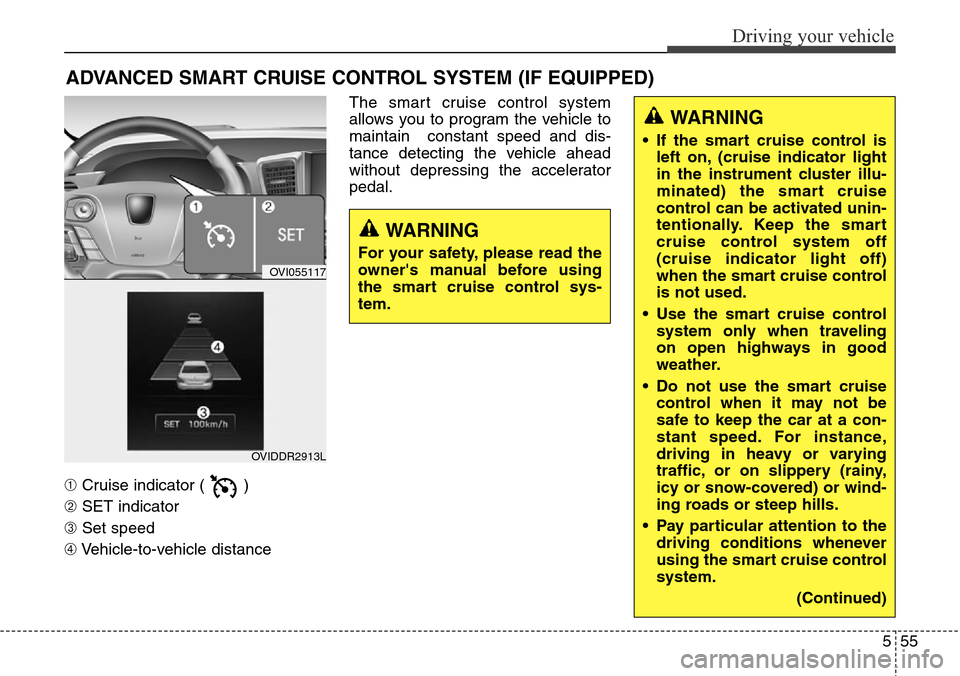
➀Cruise indicator ( )
➁SET indicator
➂Set speed
➃Vehicle-to-vehicle distanceThe smart cruise control system
allows you to program the vehicle to
maintain constant speed and dis-
tance detecting the vehicle ahead
without depressing the accelerator
pedal.
ADVANCED SMART CRUISE CONTROL SYSTEM (IF EQUIPPED)
WARNING
• If the smart cruise control is
left on, (cruise indicator light
in the instrument cluster illu-
minated) the smart cruise
control can be activated unin-
tentionally. Keep the smart
cruise control system off
(cruise indicator light off)
when the smart cruise control
is not used.
• Use the smart cruise control
system only when traveling
on open highways in good
weather.
• Do not use the smart cruise
control when it may not be
safe to keep the car at a con-
stant speed. For instance,
driving in heavy or varying
traffic, or on slippery (rainy,
icy or snow-covered) or wind-
ing roads or steep hills.
• Pay particular attention to the
driving conditions whenever
using the smart cruise control
system.
(Continued)
WARNING
For your safety, please read the
owner's manual before using
the smart cruise control sys-
tem.
OVI055117
OVIDDR2913L
Page 324 of 483
563
Driving your vehicle
SCC (Smart cruise control) mal-
function indicator
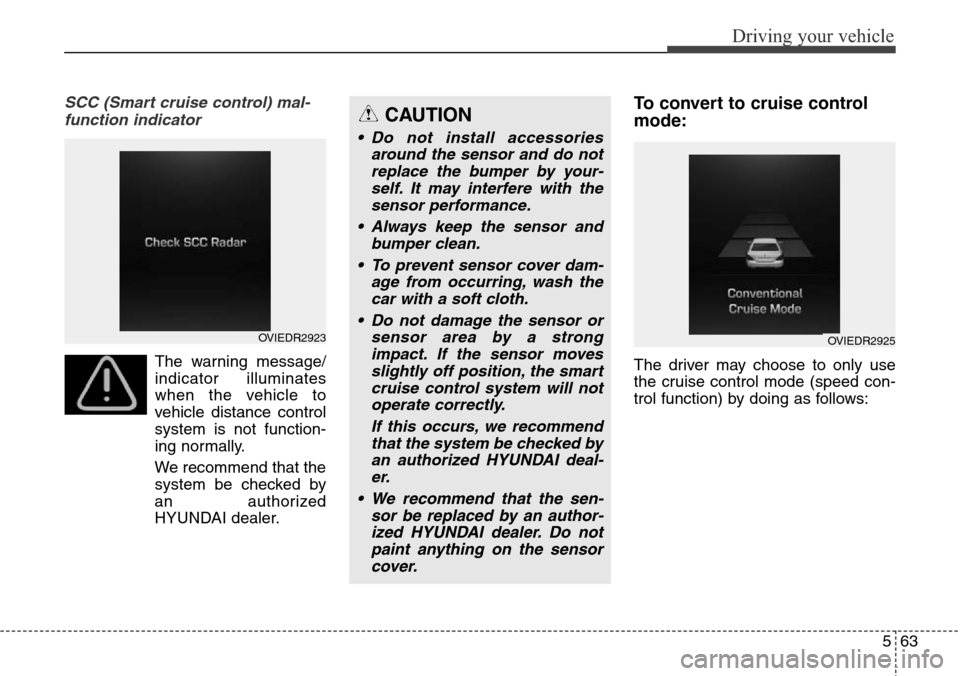
The warning message/
indicator illuminates
when the vehicle to
vehicle distance control
system is not function-
ing normally.
We recommend that the
system be checked by
an authorized
HYUNDAI dealer.
To convert to cruise control
mode:
The driver may choose to only use
the cruise control mode (speed con-
trol function) by doing as follows:
CAUTION
• Do not install accessories
around the sensor and do not
replace the bumper by your-
self. It may interfere with the
sensor performance.
• Always keep the sensor and
bumper clean.
• To prevent sensor cover dam-
age from occurring, wash the
car with a soft cloth.
• Do not damage the sensor or
sensor area by a strong
impact. If the sensor moves
slightly off position, the smart
cruise control system will not
operate correctly.
If this occurs, we recommend
that the system be checked by
an authorized HYUNDAI deal-
er.
• We recommend that the sen-
sor be replaced by an author-
ized HYUNDAI dealer. Do not
paint anything on the sensor
cover.
OVIEDR2923OVIEDR2925
Page 325 of 483
Driving your vehicle
64 5
1.Turn the smart cruise control sys-
tem on (the cruise indicator light
will be on but the system will not be
activated).
2.Pull the distance to distance switch
for more than 2 seconds.
3.Choose between "Smart cruise
control(SCC) mode" and "Cruise
control(CC) mode".Limitations of the system
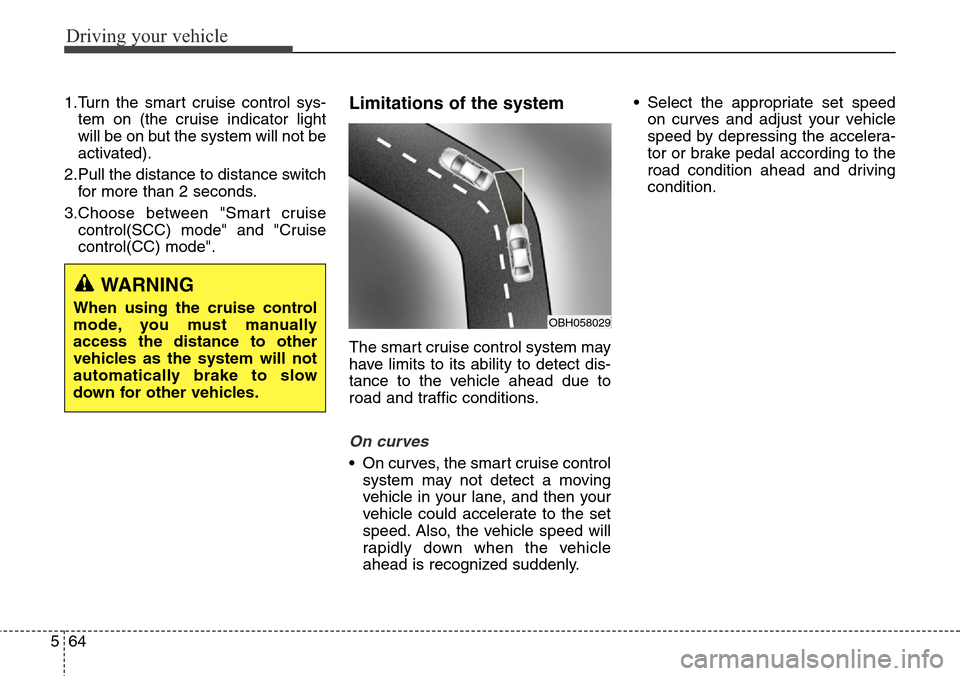
The smart cruise control system may
have limits to its ability to detect dis-
tance to the vehicle ahead due to
road and traffic conditions.
On curves
• On curves, the smart cruise control
system may not detect a moving
vehicle in your lane, and then your
vehicle could accelerate to the set
speed. Also, the vehicle speed will
rapidly down when the vehicle
ahead is recognized suddenly.• Select the appropriate set speed
on curves and adjust your vehicle
speed by depressing the accelera-
tor or brake pedal according to the
road condition ahead and driving
condition.
WARNING
When using the cruise control
mode, you must manually
access the distance to other
vehicles as the system will not
automatically brake to slow
down for other vehicles.OBH058029
Page 331 of 483
Driving your vehicle
70 5
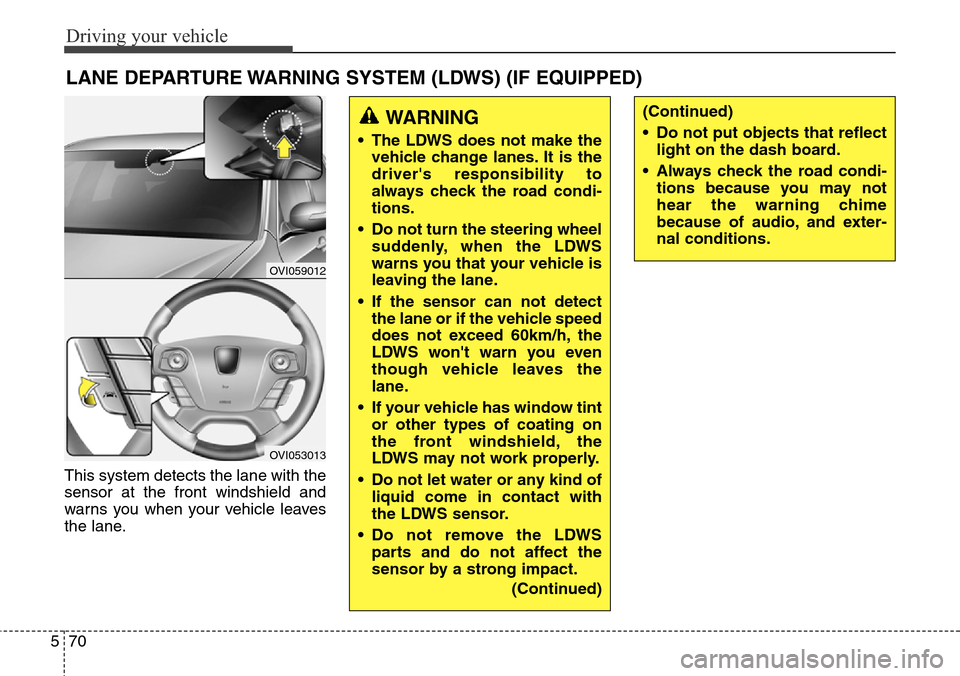
This system detects the lane with the
sensor at the front windshield and
warns you when your vehicle leaves
the lane.
LANE DEPARTURE WARNING SYSTEM (LDWS) (IF EQUIPPED)
OVI059012
OVI053013
WARNING
• The LDWS does not make the
vehicle change lanes. It is the
driver's responsibility to
always check the road condi-
tions.
• Do not turn the steering wheel
suddenly, when the LDWS
warns you that your vehicle is
leaving the lane.
• If the sensor can not detect
the lane or if the vehicle speed
does not exceed 60km/h, the
LDWS won't warn you even
though vehicle leaves the
lane.
• If your vehicle has window tint
or other types of coating on
the front windshield, the
LDWS may not work properly.
• Do not let water or any kind of
liquid come in contact with
the LDWS sensor.
• Do not remove the LDWS
parts and do not affect the
sensor by a strong impact.
(Continued)
(Continued)
• Do not put objects that reflect
light on the dash board.
• Always check the road condi-
tions because you may not
hear the warning chime
because of audio, and exter-
nal conditions.
Page 332 of 483
571
Driving your vehicle
LDWS operation
To operate the LDWS, pull
the switch with the engine
start/stop button in the
ON position. The indicator
(green) illuminates on the
cluster. To cancel the
LDWS, pull the switch
again.
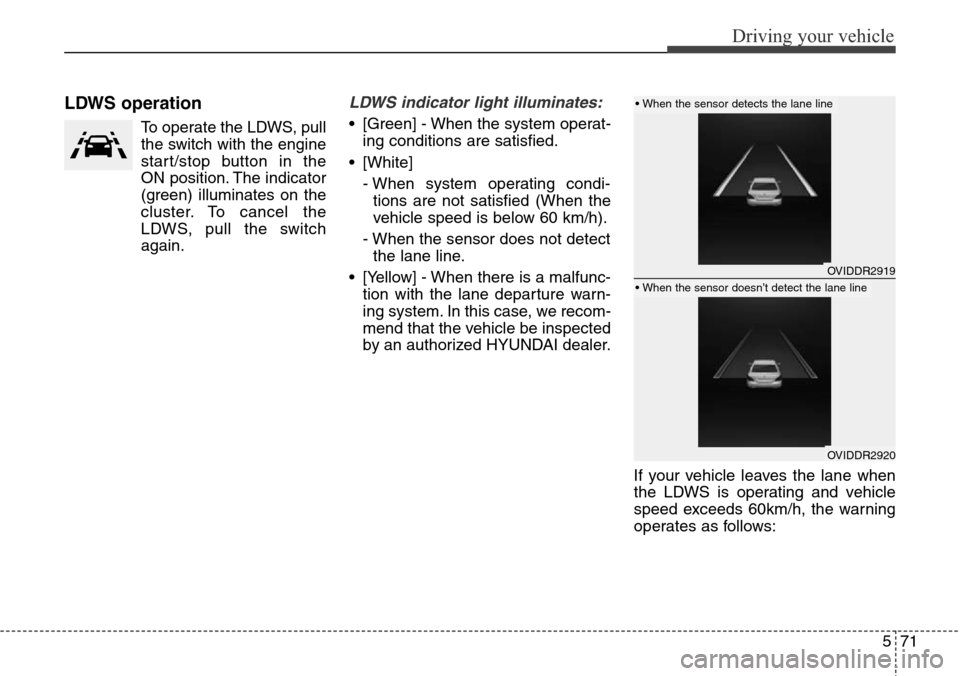
LDWS indicator light illuminates:
• [Green] - When the system operat-
ing conditions are satisfied.
• [White]
- When system operating condi-
tions are not satisfied (When the
vehicle speed is below 60 km/h).
- When the sensor does not detect
the lane line.
• [Yellow] - When there is a malfunc-
tion with the lane departure warn-
ing system. In this case, we recom-
mend that the vehicle be inspected
by an authorized HYUNDAI dealer.
If your vehicle leaves the lane when
the LDWS is operating and vehicle
speed exceeds 60km/h, the warning
operates as follows:
OVIDDR2919
OVIDDR2920
• When the sensor detects the lane line
• When the sensor doesn’t detect the lane line
Page 336 of 483
575
Driving your vehicle
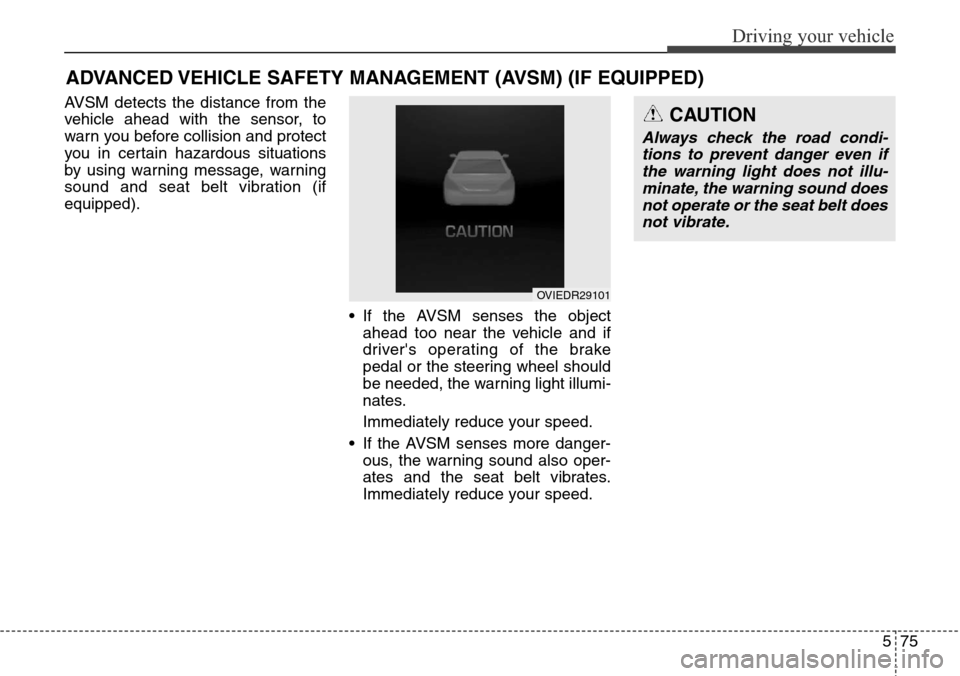
AVSM detects the distance from the
vehicle ahead with the sensor, to
warn you before collision and protect
you in certain hazardous situations
by using warning message, warning
sound and seat belt vibration (if
equipped).
• If the AVSM senses the object
ahead too near the vehicle and if
driver's operating of the brake
pedal or the steering wheel should
be needed, the warning light illumi-
nates.
Immediately reduce your speed.
• If the AVSM senses more danger-
ous, the warning sound also oper-
ates and the seat belt vibrates.
Immediately reduce your speed.
ADVANCED VEHICLE SAFETY MANAGEMENT (AVSM) (IF EQUIPPED)
CAUTION
Always check the road condi-
tions to prevent danger even if
the warning light does not illu-
minate, the warning sound does
not operate or the seat belt does
not vibrate.
OVIEDR29101
Page 340 of 483
579
Driving your vehicle
Operating conditions
The indicator on the switch will illumi-
nate when the BSD (Blind spot
detection) system switch is pressed
with the ignition switch ON. If vehicle
speed exceeds 15 km/h (9.3 mph),
the system will activate.
If you press the switch again, the
switch indicator and system will be
turned off.
If the ignition switch is turned OFF
and ON the system returns to the
previous state.
When the system is not used turn the
system off by turning off the switch.
When the system is turned on the
warning light will illuminate for 3 sec-
onds on the outside rearview mirror.
Warning type
The system will activate when:
1.The system is on
2.Vehicle speed is above 15 km/h
(9.3 mph)
3.Other vehicles are detected in the
rear side
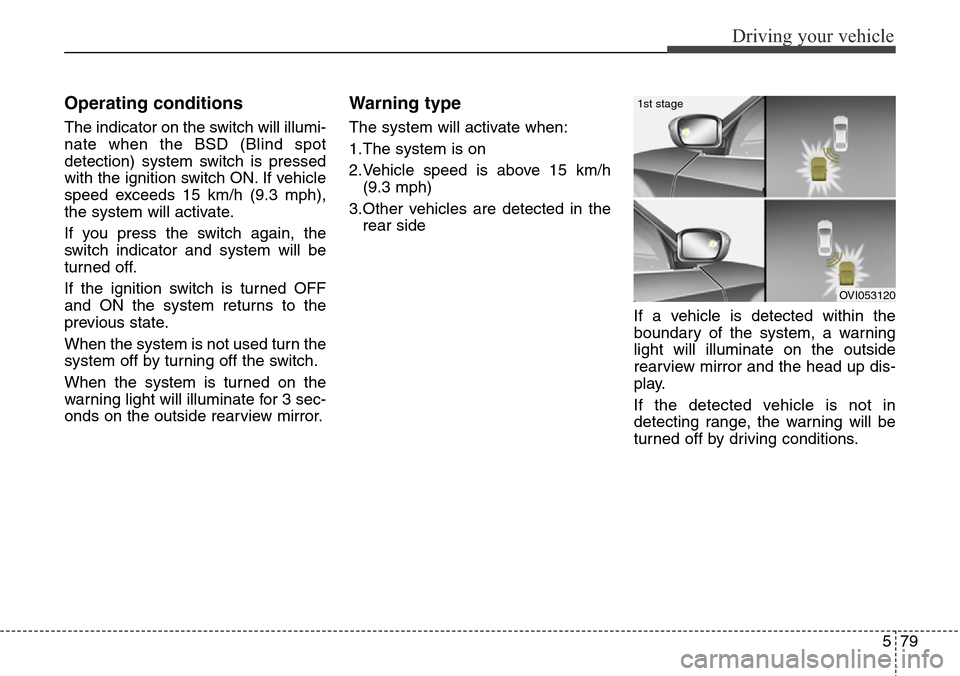
If a vehicle is detected within the
boundary of the system, a warning
light will illuminate on the outside
rearview mirror and the head up dis-
play.
If the detected vehicle is not in
detecting range, the warning will be
turned off by driving conditions.
OVI053120
1st stage
Page 341 of 483
Driving your vehicle
80 5
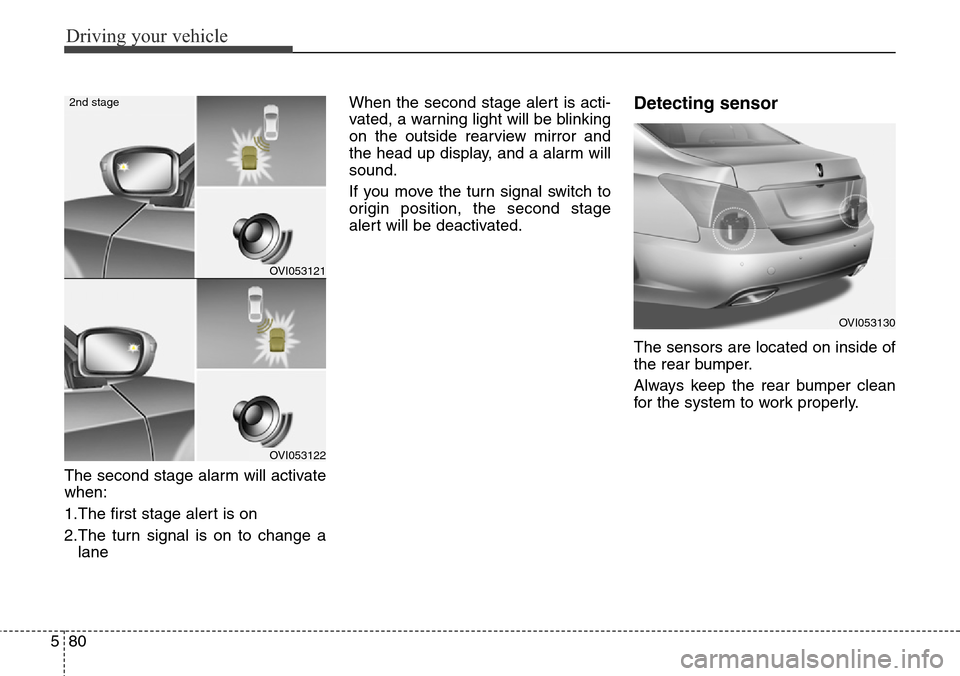
The second stage alarm will activate
when:
1.The first stage alert is on
2.The turn signal is on to change a
laneWhen the second stage alert is acti-
vated, a warning light will be blinking
on the outside rearview mirror and
the head up display, and a alarm will
sound.
If you move the turn signal switch to
origin position, the second stage
alert will be deactivated.
Detecting sensor
The sensors are located on inside of
the rear bumper.
Always keep the rear bumper clean
for the system to work properly.
OVI053121
OVI053122
2nd stage
OVI053130