cruise control Hyundai Equus 2015 Owner's Manual
[x] Cancel search | Manufacturer: HYUNDAI, Model Year: 2015, Model line: Equus, Model: Hyundai Equus 2015Pages: 483, PDF Size: 13.26 MB
Page 156 of 483
467
Features of your vehicle
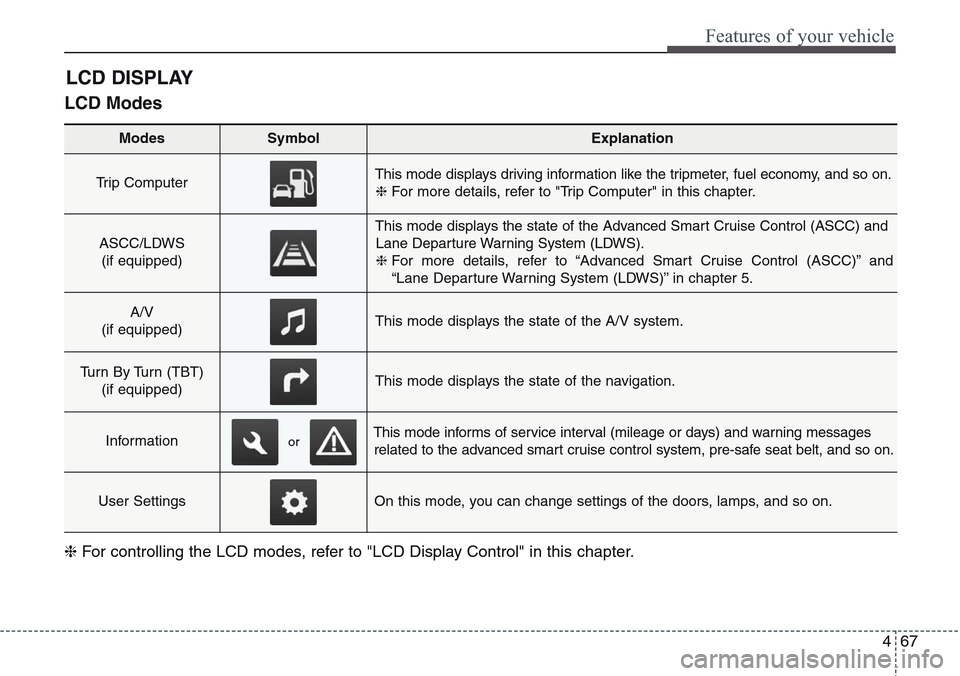
LCD Modes
LCD DISPLAY
Modes SymbolExplanation
Trip Computer This mode displays driving information like the tripmeter, fuel economy, and so on.
❈For more details, refer to "Trip Computer" in this chapter.
ASCC/LDWS
(if equipped)
This mode displays the state of the Advanced Smart Cruise Control (ASCC) and
Lane Departure Warning System (LDWS).
❈For more details, refer to “Advanced Smart Cruise Control (ASCC)” and
“Lane Departure Warning System (LDWS)” in chapter 5.
A/V
(if equipped)This mode displays the state of the A/V system.
Turn By Turn (TBT)
(if equipped)This mode displays the state of the navigation.
InformationThis mode informs of service interval (mileage or days) and warning messages
related to the advanced smart cruise control system, pre-safe seat belt, and so on.
User SettingsOn this mode, you can change settings of the doors, lamps, and so on.
❈For controlling the LCD modes, refer to "LCD Display Control" in this chapter.
or
Page 157 of 483
Features of your vehicle
68 4
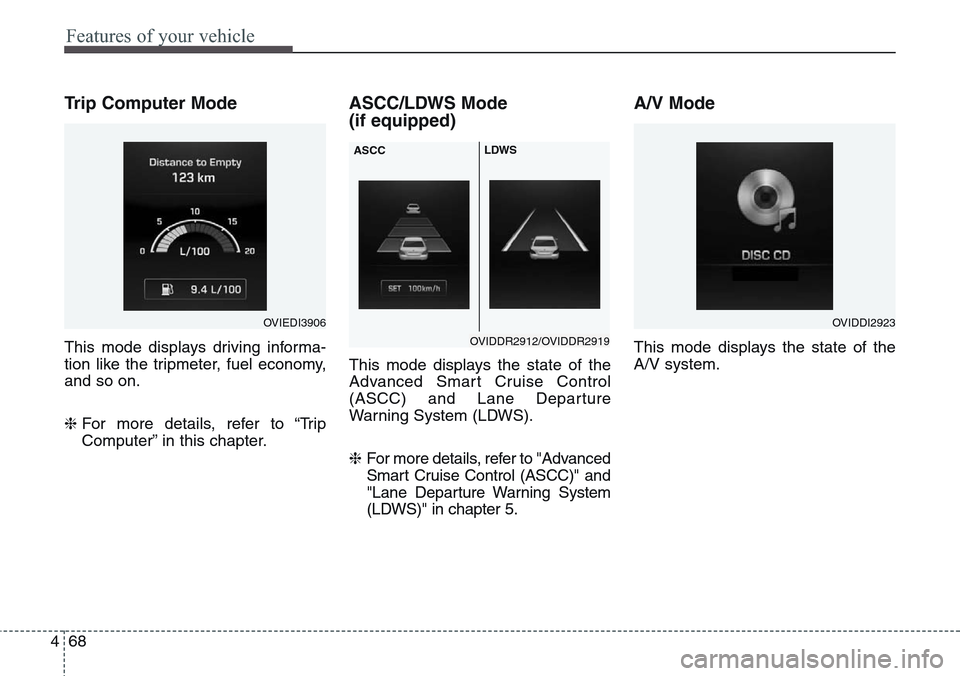
Trip Computer Mode
This mode displays driving informa-
tion like the tripmeter, fuel economy,
and so on.
❈For more details, refer to “Trip
Computer” in this chapter.
ASCC/LDWS Mode
(if equipped)
This mode displays the state of the
Advanced Smart Cruise Control
(ASCC) and Lane Departure
Warning System (LDWS).
❈ For more details, refer to "Advanced
Smart Cruise Control (ASCC)" and
"Lane Departure Warning System
(LDWS)" in chapter 5.
A/V Mode
This mode displays the state of the
A/V system.
OVIEDI3906OVIDDI2923
OVIDDR2912/OVIDDR2919 ASCCLDWS
Page 160 of 483
471
Features of your vehicle
Warning Message
If one of followings occurs, warning
messages will be displayed on the
information mode for about 10 sec-
onds.
- Malfunction of the pre-safe seat
belt, electronic control suspension,
or advanced smart cruise control
system
- Low washer fluid
Page 162 of 483
473
Features of your vehicle
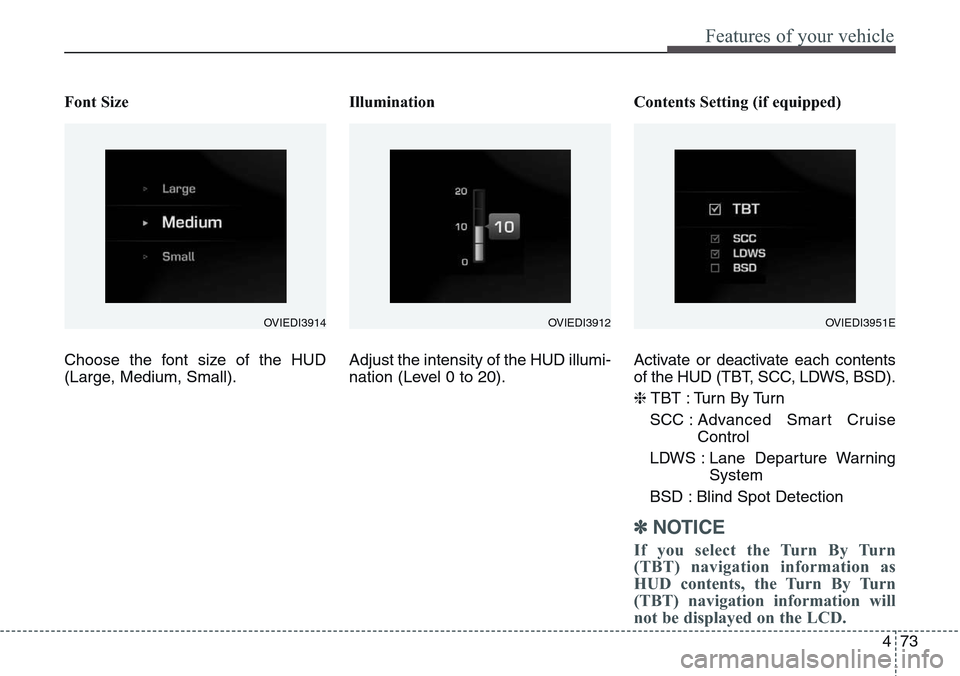
Font Size
Choose the font size of the HUD
(Large, Medium, Small).Illumination
Adjust the intensity of the HUD illumi-
nation (Level 0 to 20).Contents Setting (if equipped)
Activate or deactivate each contents
of the HUD (TBT, SCC, LDWS, BSD).
❈TBT : Turn By Turn
SCC : Advanced Smart Cruise
Control
LDWS : Lane Departure Warning
System
BSD : Blind Spot Detection
✽NOTICE
If you select the Turn By Turn
(TBT) navigation information as
HUD contents, the Turn By Turn
(TBT) navigation information will
not be displayed on the LCD.
OVIEDI3914OVIEDI3951EOVIEDI3912
Page 167 of 483
Features of your vehicle
78 4
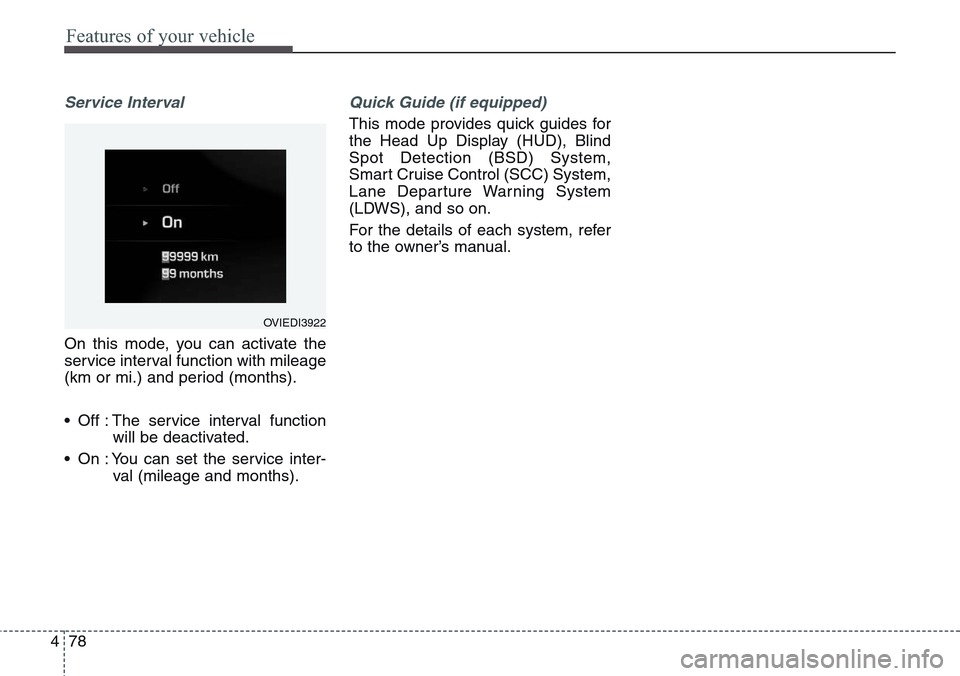
Service Interval
On this mode, you can activate the
service interval function with mileage
(km or mi.) and period (months).
• Off : The service interval function
will be deactivated.
• On : You can set the service inter-
val (mileage and months).
Quick Guide (if equipped)
This mode provides quick guides for
the Head Up Display (HUD), Blind
Spot Detection (BSD) System,
Smart Cruise Control (SCC) System,
Lane Departure Warning System
(LDWS), and so on.
For the details of each system, refer
to the owner’s manual.
OVIEDI3922
Page 178 of 483
489
Features of your vehicle
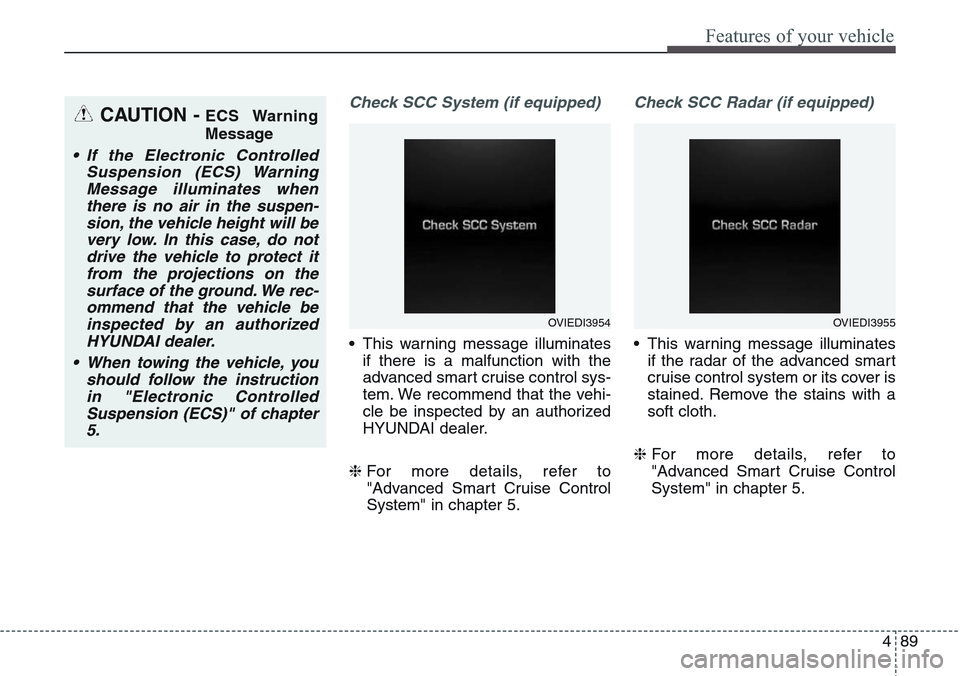
Check SCC System (if equipped)
• This warning message illuminates
if there is a malfunction with the
advanced smart cruise control sys-
tem. We recommend that the vehi-
cle be inspected by an authorized
HYUNDAI dealer.
❈For more details, refer to
"Advanced Smart Cruise Control
System" in chapter 5.
Check SCC Radar (if equipped)
• This warning message illuminates
if the radar of the advanced smart
cruise control system or its cover is
stained. Remove the stains with a
soft cloth.
❈For more details, refer to
"Advanced Smart Cruise Control
System" in chapter 5.
CAUTION - ECS Warning
Message
• If the Electronic Controlled
Suspension (ECS) Warning
Message illuminates when
there is no air in the suspen-
sion, the vehicle height will be
very low. In this case, do not
drive the vehicle to protect it
from the projections on the
surface of the ground. We rec-
ommend that the vehicle be
inspected by an authorized
HYUNDAI dealer.
• When towing the vehicle, you
should follow the instruction
in "Electronic Controlled
Suspension (ECS)" of chapter
5.
OVIEDI3954OVIEDI3955
Page 191 of 483
Features of your vehicle
102 4
LED Headlamp Warning
Light (if equipped)
This warning light illuminates:
• Once you set the Engine Start/Stop
Button to the ON position.
- It illuminates for approximately 3
seconds and then goes off.
• When there is a malfunction with
the LED headlamp.
In this case, we recommend that you
have the vehicle inspected by an
authorized HYUNDAI dealer.
This warning light blinks:
• When there is a malfunction with a
LED headlamp related part.
In this case, we recommend that you
have the vehicle inspected by an
authorized HYUNDAI dealer.
Master Warning Light
This indicator light illuminates
• when there is a malfunction on the
pre-safe seat belt, electronic con-
trol suspension, or advanced smart
cruise control. To identify the details
of the warning, look at the LCD dis-
play.
CAUTION - LED Headlamp
Warning Light
Continuous driving with the
LED Headlamp Warning Light
on or blinking can reduce LED
headlamp (low beam) life.
Page 194 of 483
4 105
Features of your vehicle
Front Fog Indicator
Light (if equipped)
This indicator light illuminates:
• When the front fog lights are on.
Rear Fog Indicator Light
(if equipped)
This indicator light illuminates:
• When the rear fog lights are on.
Cruise Indicator Light
This indicator light illuminates:
• When the cruise control system is
enabled.
❈For more details, refer to “Cruise
Control System” in section 5.
Cruise SET Indicator
Light
This indicator light illuminates:
• When the cruise control speed is
set.
❈For more details, refer to “Cruise
Control System” in section 5.
AUTO HOLD Indicator
Light (if equipped)
This indicator light illuminates:
• [White] When you activate the auto
hold system by pressing the AUTO
HOLD button.
• [Green] When you stop the vehicle
completely by depressing the
brake pedal with the auto hold sys-
tem activated.
• [Yellow] When there is a malfunc-
tion with the auto hold system.
In this case, we recommend that
you have the vehicle inspected by
an authorized HYUNDAI dealer.
❈For more details, refer to “Auto
Hold” in chapter 5.
SET
AUTO
HOLD
Page 198 of 483
4109
Features of your vehicle
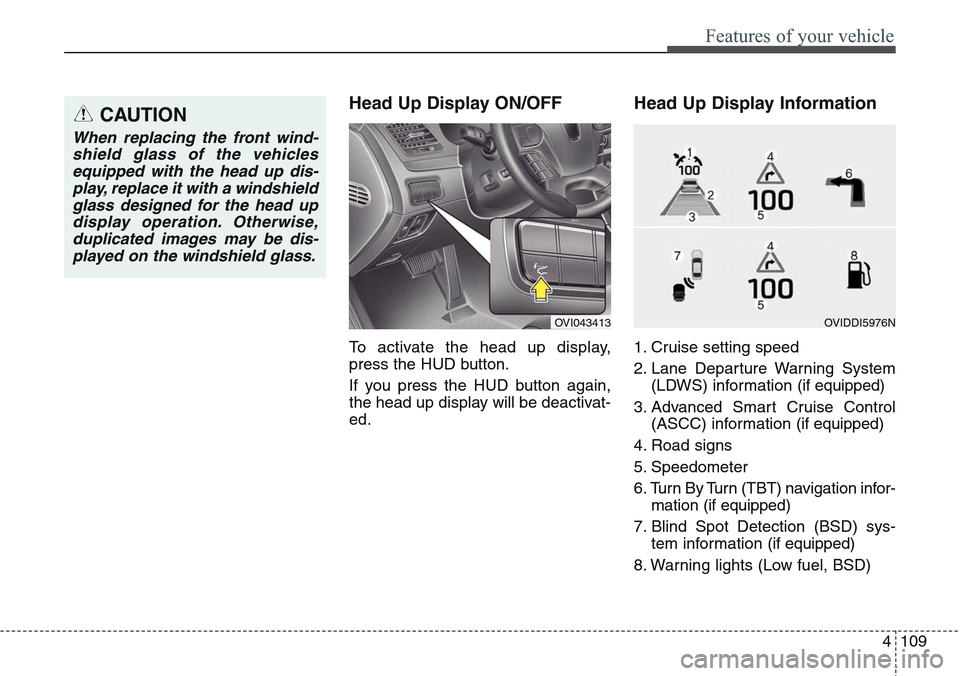
Head Up Display ON/OFF
To activate the head up display,
press the HUD button.
If you press the HUD button again,
the head up display will be deactivat-
ed.
Head Up Display Information
1. Cruise setting speed
2. Lane Departure Warning System
(LDWS) information (if equipped)
3. Advanced Smart Cruise Control
(ASCC) information (if equipped)
4. Road signs
5. Speedometer
6. Turn By Turn (TBT) navigation infor-
mation (if equipped)
7. Blind Spot Detection (BSD) sys-
tem information (if equipped)
8. Warning lights (Low fuel, BSD)
CAUTION
When replacing the front wind-
shield glass of the vehicles
equipped with the head up dis-
play, replace it with a windshield
glass designed for the head up
display operation. Otherwise,
duplicated images may be dis-
played on the windshield glass.
OVI043413OVIDDI5976N
Page 199 of 483
Features of your vehicle
110 4
On the "User settings Mode" of the
LCD display, you can activate or
deactive the Turn By Turn (TBT) nav-
igation, Smart Cruise Control (SCC),
Lane Departure Warning System
(LDWS), and Blind Spot Detection
(BSD) system information.
✽NOTICE
If you select the Turn By Turn (TBT)
navigation information as HUD con-
tents, the Turn By Turn (TBT) navi-
gation information will not be dis-
played on the LCD Display.
Head Up Display Setting
On the LCD display, you can change
the head up display settings as fol-
lows.
1. Display height
2. Rotation
3. Font color
4. Font size
5. Illumination
6. Contents setting
❈For more details, refer to "LCD
Display" in this chapter.