climate control Hyundai Equus 2016 User Guide
[x] Cancel search | Manufacturer: HYUNDAI, Model Year: 2016, Model line: Equus, Model: Hyundai Equus 2016Pages: 477, PDF Size: 16.25 MB
Page 109 of 477
Operating Door Locks From
Outside the Vehicle
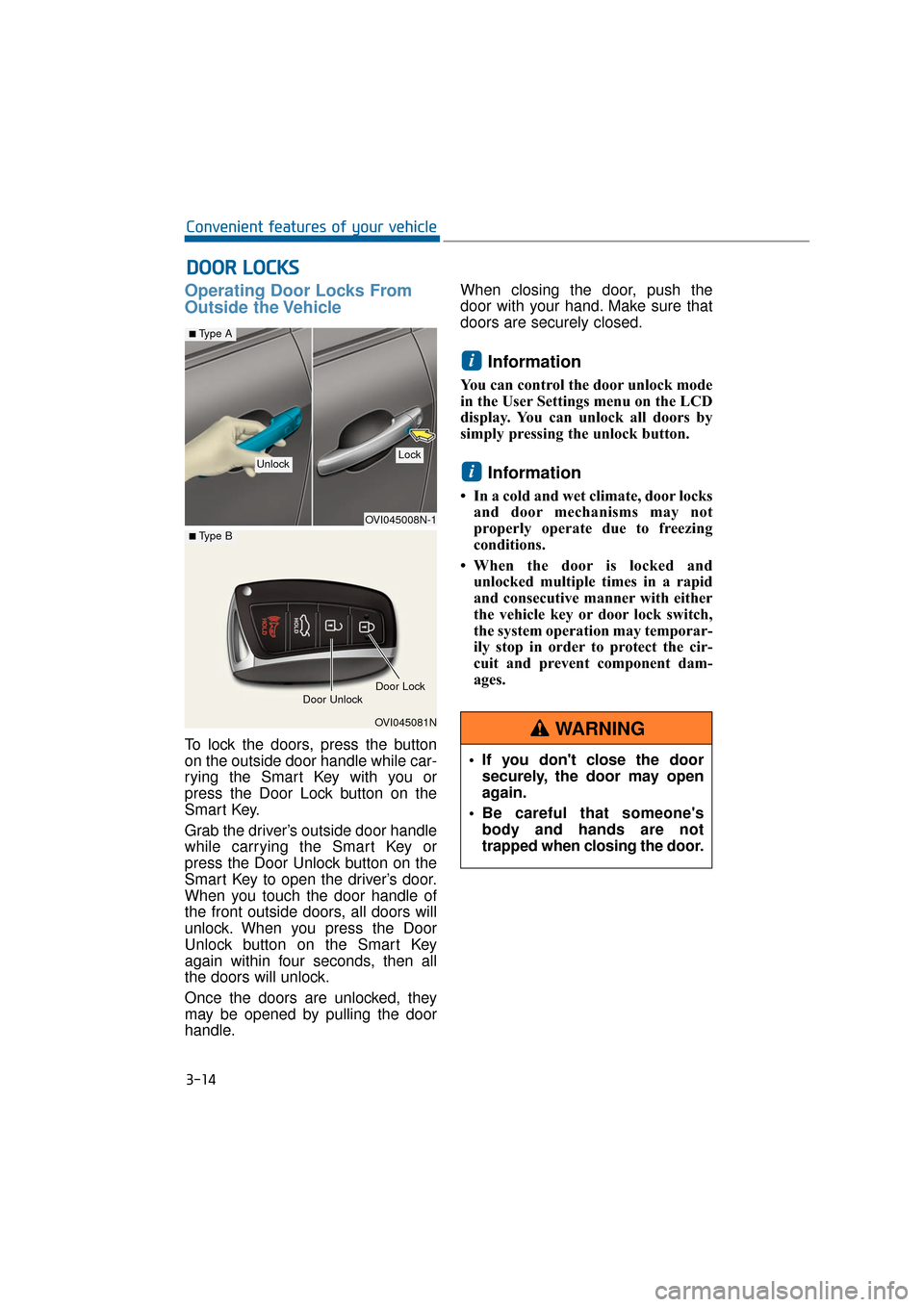
To lock the doors, press the button
on the outside door handle while car-
rying the Smart Key with you or
press the Door Lock button on the
Smart Key.
Grab the driver’s outside door handle
while carrying the Smart Key or
press the Door Unlock button on the
Smart Key to open the driver’s door.
When you touch the door handle of
the front outside doors, all doors will
unlock. When you press the Door
Unlock button on the Smart Key
again within four seconds, then all
the doors will unlock.
Once the doors are unlocked, they
may be opened by pulling the door
handle.When closing the door, push the
door with your hand. Make sure that
doors are securely closed.
Information
You can control the door unlock mode
in the User Settings menu on the LCD
display. You can unlock all doors by
simply pressing the unlock button.
Information
• In a cold and wet climate, door locks
and door mechanisms may not
properly operate due to freezing
conditions.
• When the door is locked and unlocked multiple times in a rapid
and consecutive manner with either
the vehicle key or door lock switch,
the system operation may temporar-
ily stop in order to protect the cir-
cuit and prevent component dam-
ages.
i
i
D DO
O O
OR
R
L
L O
O C
CK
K S
S
3-14
Convenient features of your vehicle
OVI045008N-1
■Type A
OVI045081N
■ Type B
Door Unlock
UnlockLock
Door Lock
If you don't close the door securely, the door may open
again.
Be careful that someone's body and hands are not
trapped when closing the door.
WARNING
Page 163 of 477
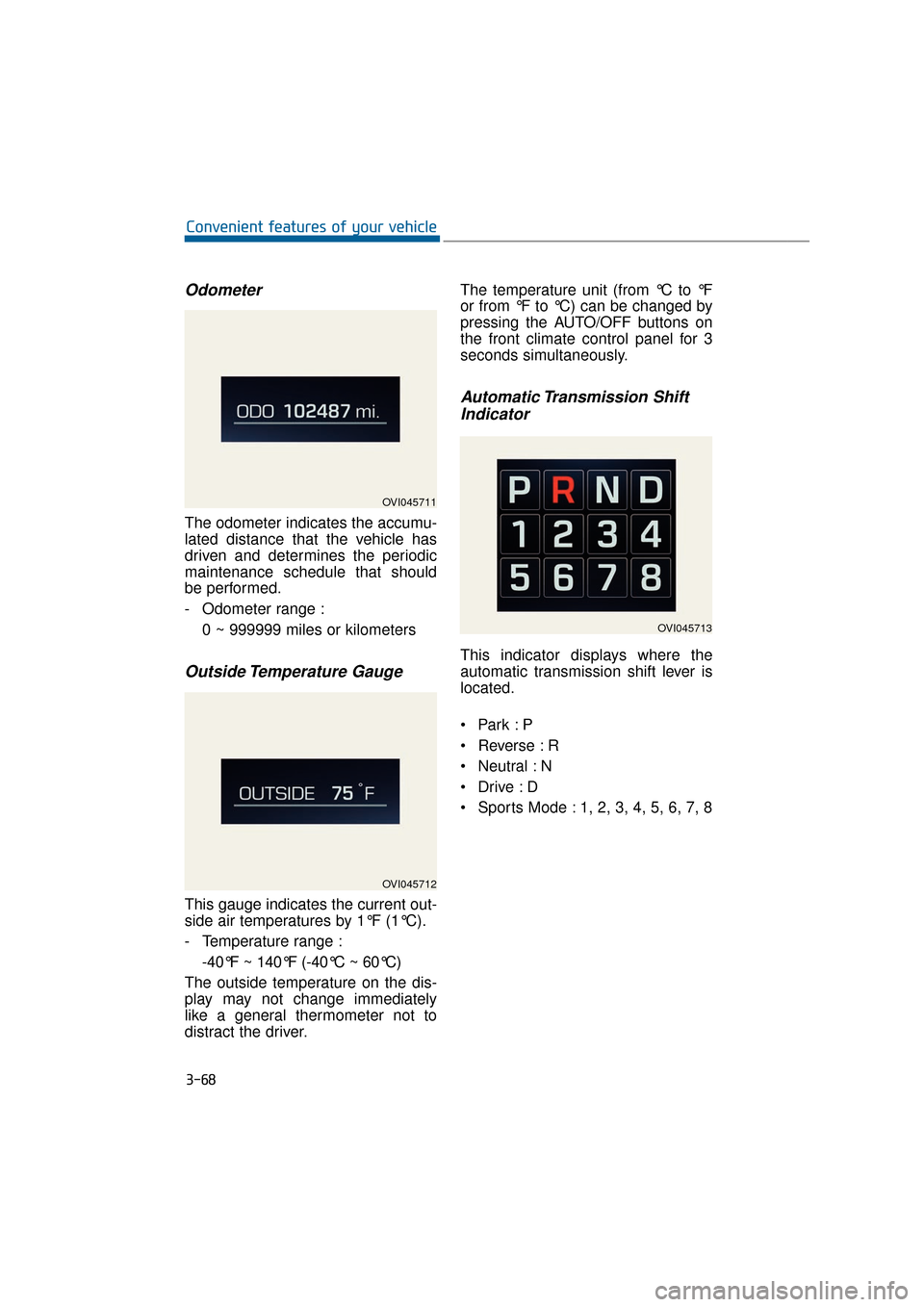
Odometer
The odometer indicates the accumu-
lated distance that the vehicle has
driven and determines the periodic
maintenance schedule that should
be performed.
- Odometer range :0 ~ 999999 miles or kilometers
Outside Temperature Gauge
This gauge indicates the current out-
side air temperatures by 1°F (1°C).
- Temperature range :-40°F ~ 140°F (-40°C ~ 60°C)
The outside temperature on the dis-
play may not change immediately
like a general thermometer not to
distract the driver. The temperature unit (from °C to °F
or from °F to °C) can be changed by
pressing the AUTO/OFF buttons on
the front climate control panel for 3
seconds simultaneously.
Automatic Transmission Shift
Indicator
This indicator displays where the
automatic transmission shift lever is
located.
Reverse : R
Neutral : N
Sports Mode : 1, 2, 3, 4, 5, 6, 7, 8
3-68
Convenient features of your vehicle
OVI045711
OVI045712
OVI045713
Page 218 of 477
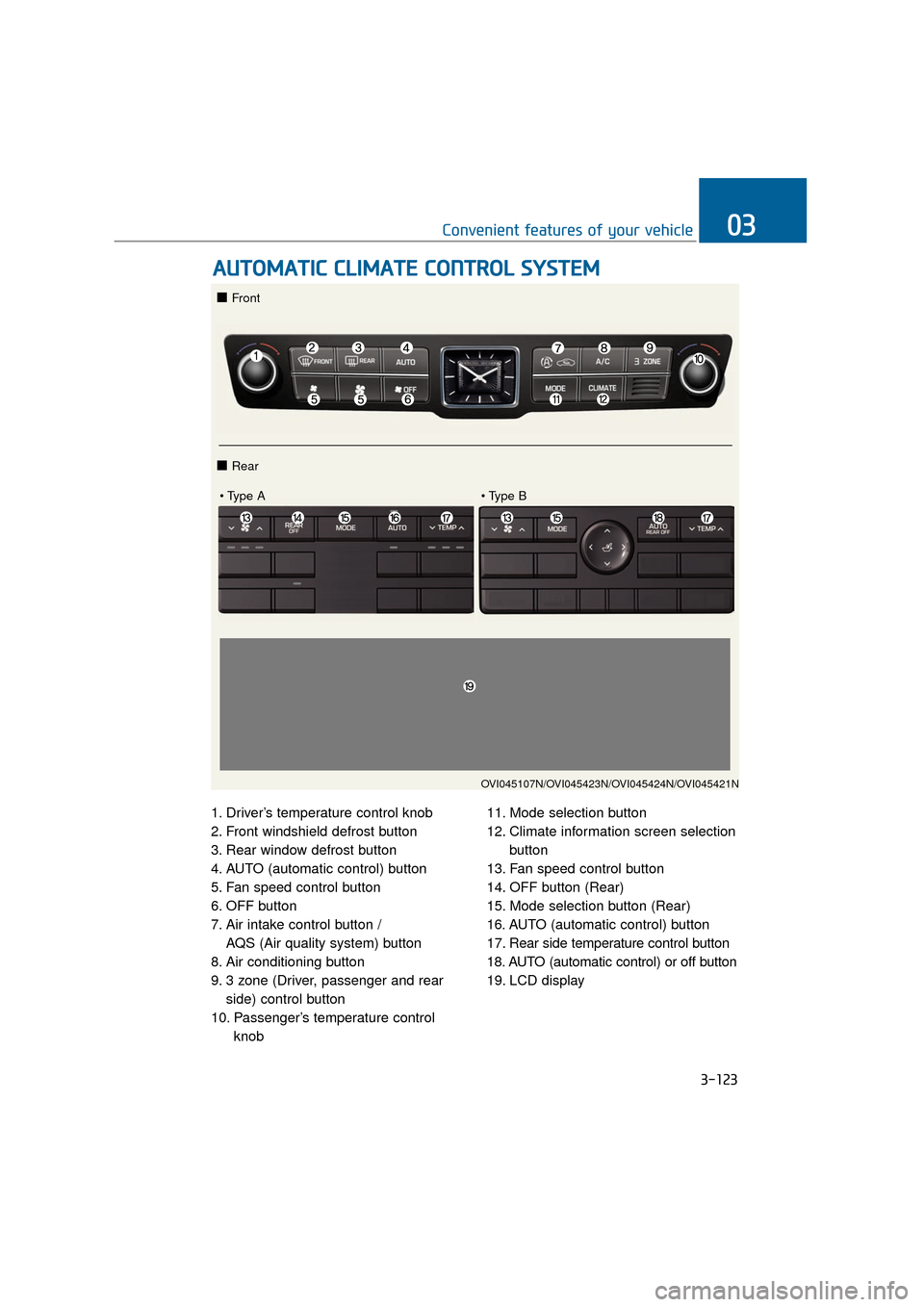
1. Driver’s temperature control knob
2. Front windshield defrost button
3. Rear window defrost button
4. AUTO (automatic control) button
5. Fan speed control button
6. OFF button
7. Air intake control button / AQS (Air quality system) button
8. Air conditioning button
9. 3 zone (Driver, passenger and rear side) control button
10. Passenger’s temperature control knob 11. Mode selection button
12. Climate information screen selection
button
13. Fan speed control button
14. OFF button (Rear)
15. Mode selection button (Rear)
16. AUTO (automatic control) button
17. Rear side temperature control button
18. AUTO (automatic control) or off button
19. LCD display
A A U
U T
TO
O M
M A
AT
TI
IC
C
C
C L
LI
IM
M A
AT
TE
E
C
C O
O N
NT
TR
R O
O L
L
S
S Y
Y S
ST
T E
EM
M
3-123
Convenient features of your vehicle03
OVI045107N/OVI045423N/OVI045424N/OVI045421N
■ Front
■ Rear
Page 220 of 477
3-125
Convenient features of your vehicle03
Information
• To turn the automatic operation OFF,select any button among the follow-
ings and press:
- Mode selection button
- Front windshield defrost button(Press the button one more time to
deselect the front windshield
defroster function. The 'AUTO'
sign will illuminate on the infor-
mation display once again.)
- Fan speed control button
The selected function will be con-
trolled manually while other func-
tions operate automatically.
• For your convenience and improved climate control effects, use the
AUTO button and set the tempera-
ture at 73°F (23°C).
Information
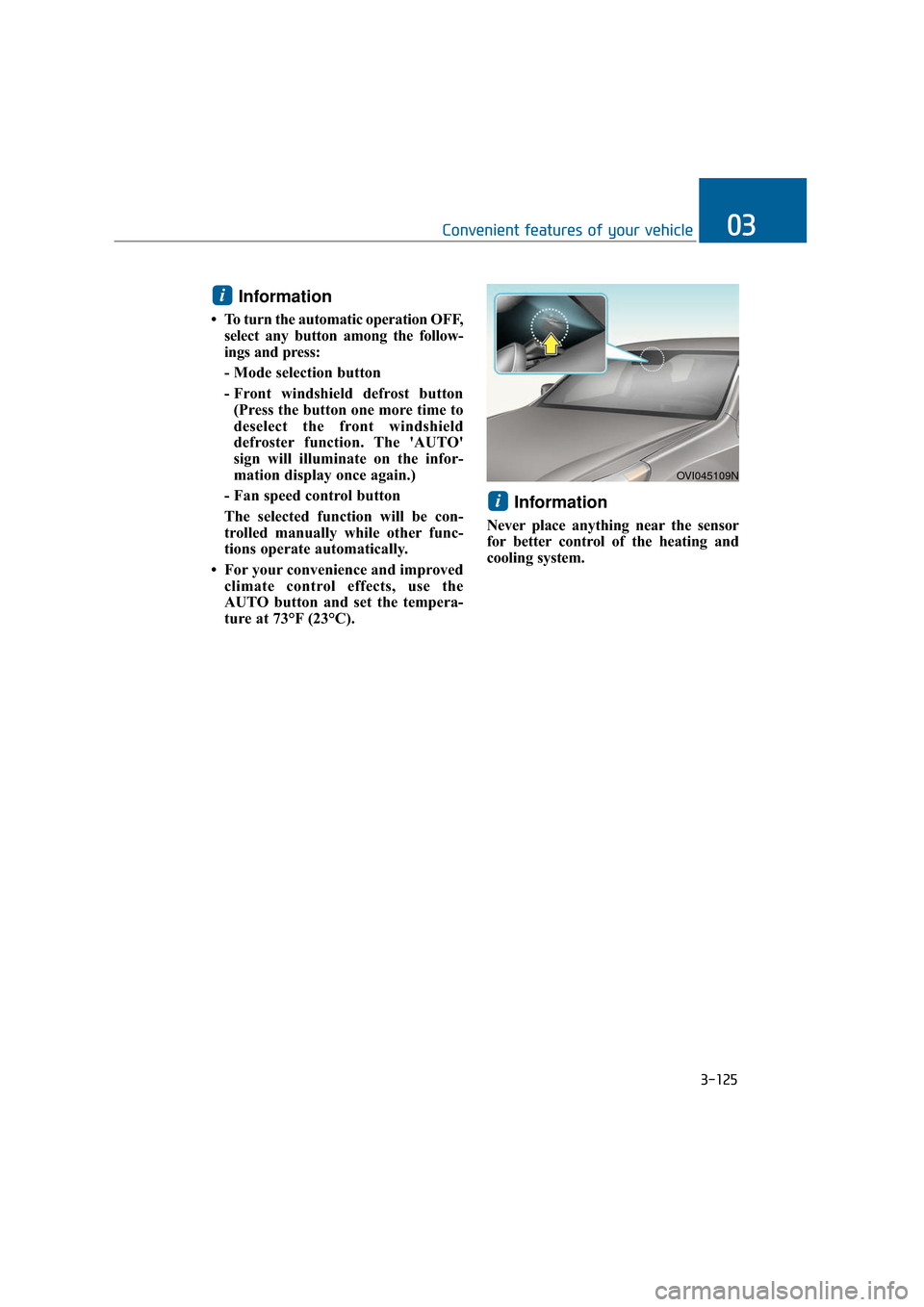
Never place anything near the sensor
for better control of the heating and
cooling system.
i
i
OVI045109N
Page 221 of 477
3-126
Convenient features of your vehicle
Manual air heating and cooling
The heating and cooling system can
be controlled manually by pushing
buttons except the AUTO button. In
this case, the system works sequen-
tially according to the order of button
selection. When pressing any button
except the AUTO button in automatic
mode, the selected function will
changed not to be controlled auto-
matically.
1. Start the engine.
2. Set the mode, as desired.For improved heating and cooling
effects:- Heating:
- Cooling:
3. Set the temperature control, as desired.
4. Set the air intake control to the outside (fresh) air position.
5. Set the fan speed control, as desired.
6. If air conditioning operation is needed, turn the air conditioning
system ON.
Press the AUTO button in order to
convert to the full automatic mode of
the climate control system.
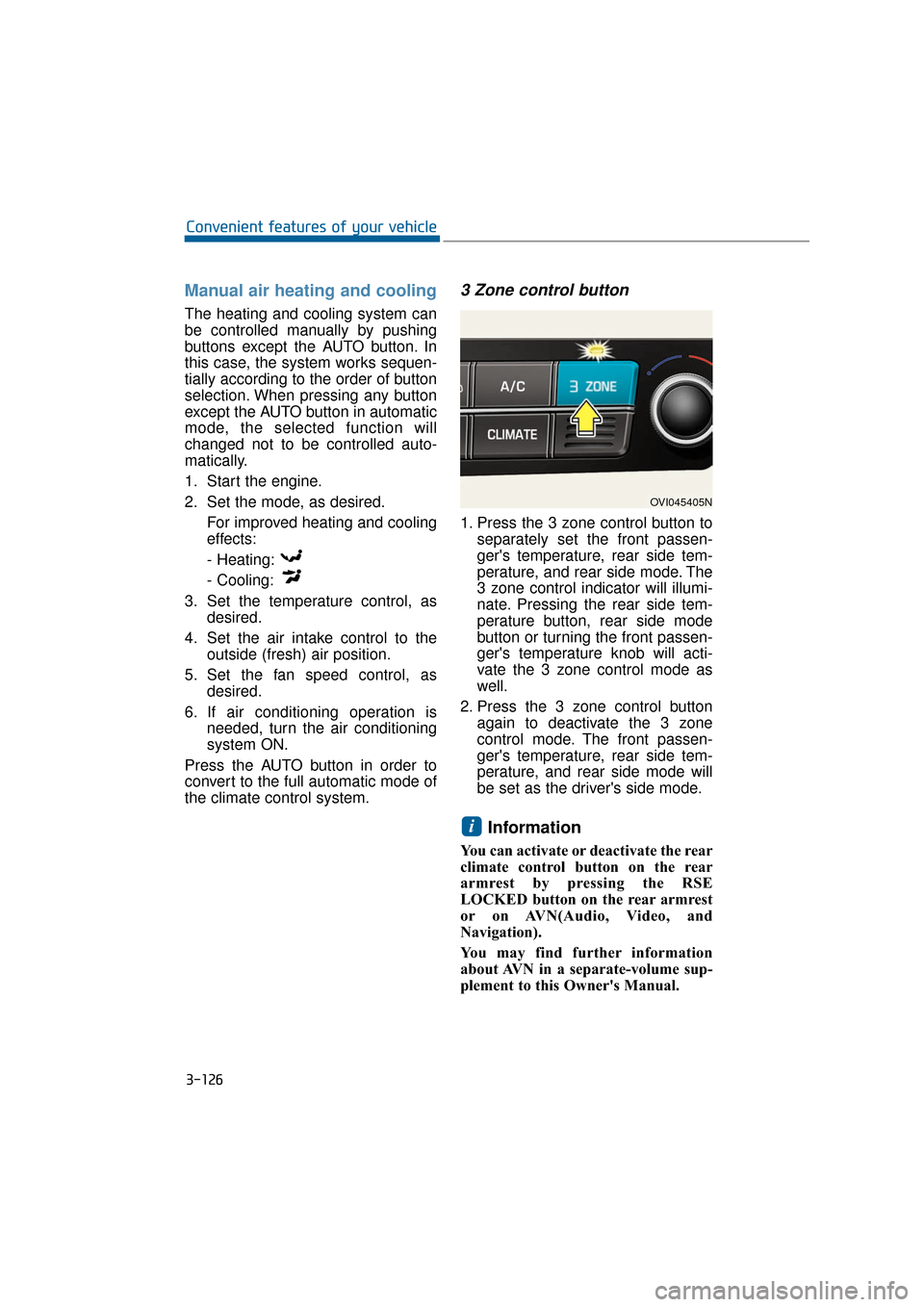
3 Zone control button
1. Press the 3 zone control button to separately set the front passen-
ger's temperature, rear side tem-
perature, and rear side mode. The
3 zone control indicator will illumi-
nate. Pressing the rear side tem-
perature button, rear side mode
button or turning the front passen-
ger's temperature knob will acti-
vate the 3 zone control mode as
well.
2. Press the 3 zone control button again to deactivate the 3 zone
control mode. The front passen-
ger's temperature, rear side tem-
perature, and rear side mode will
be set as the driver's side mode.
Information
You can activate or deactivate the rear
climate control button on the rear
armrest by pressing the RSE
LOCKED button on the rear armrest
or on AVN(Audio, Video, and
Navigation).
You may find further information
about AVN in a separate-volume sup-
plement to this Owner's Manual.
i
OVI045405N
Page 222 of 477
3-127
Convenient features of your vehicle03
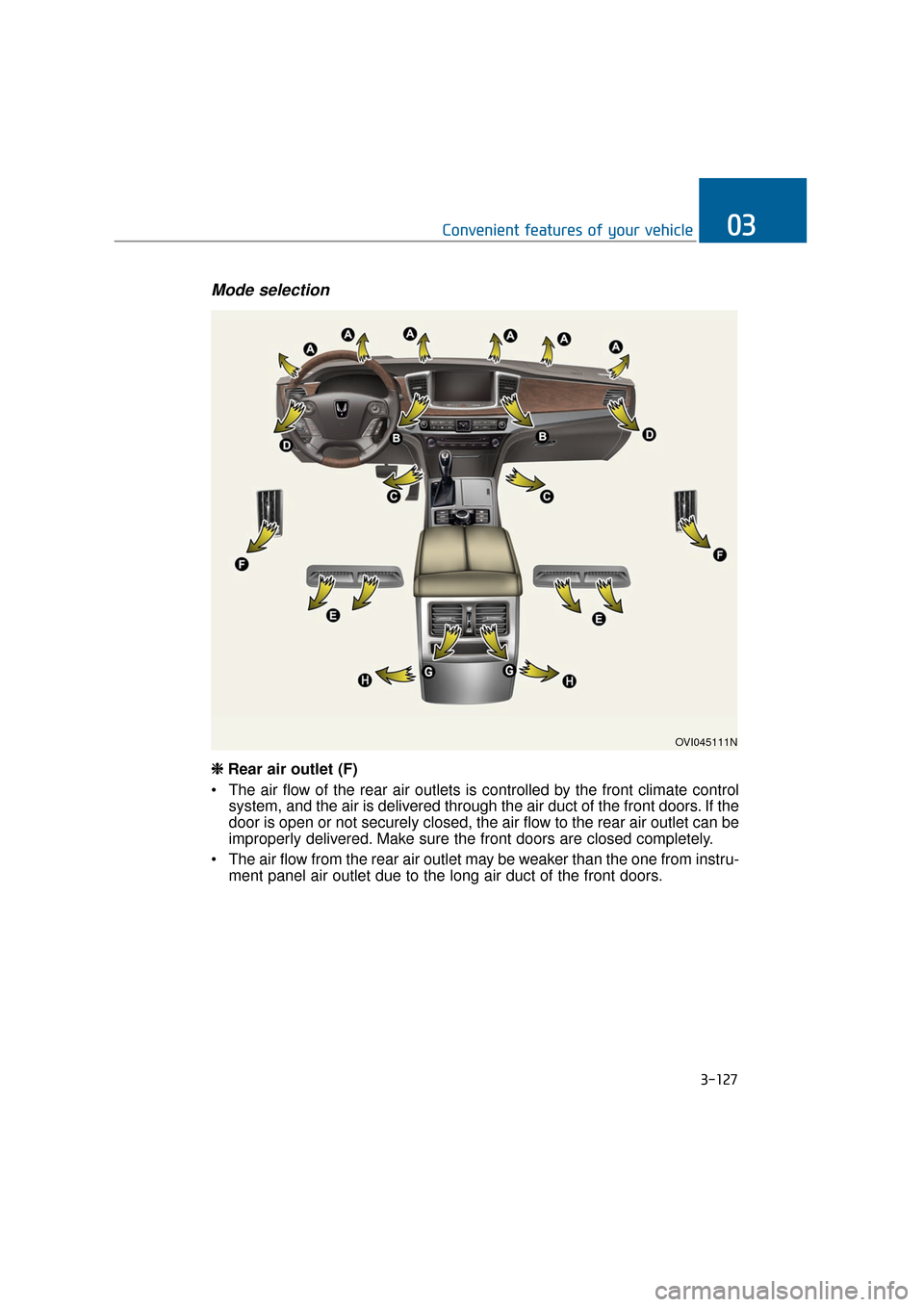
Mode selection
OVI045111N
❈
❈
Rear air outlet (F)
The air flow of the rear air outlets is controlled by the front climate control system, and the air is delivered through the air duct of the front doors. If the
door is open or not securely closed, the air flow to the rear air outlet can be
improperly delivered. Make sure the front doors are closed completely.
The air flow from the rear air outlet may be weaker than the one from instru- ment panel air outlet due to the long air duct of the front doors.
Page 229 of 477
3-134
Convenient features of your vehicle
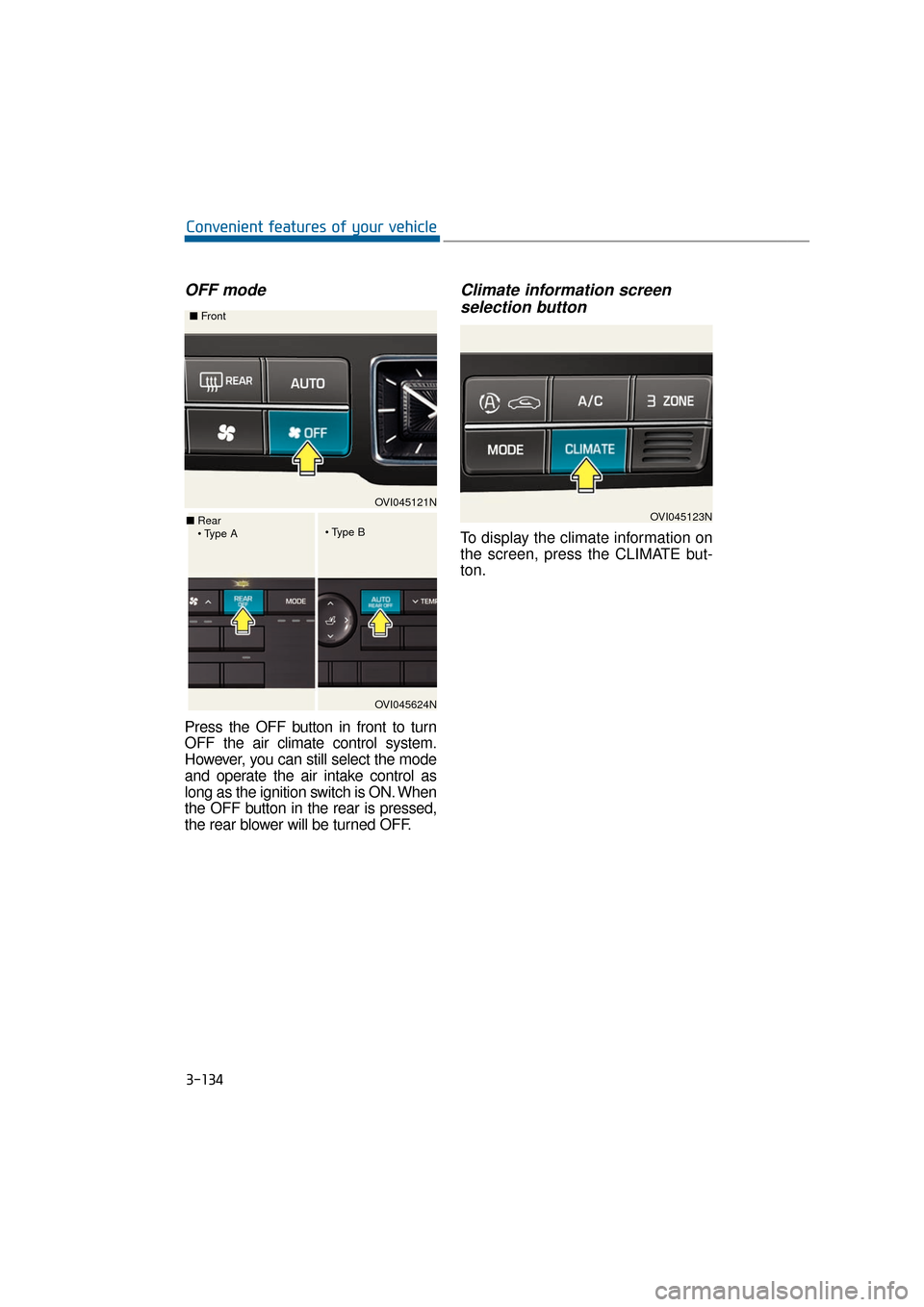
OFF mode
Press the OFF button in front to turn
OFF the air climate control system.
However, you can still select the mode
and operate the air intake control as
long as the ignition switch is ON. When
the OFF button in the rear is pressed,
the rear blower will be turned OFF.
Climate information screenselection button
To display the climate information on
the screen, press the CLIMATE but-
ton.
OVI045121N
■
Front
OVI045624N
■
Rear
OVI045123N
Page 231 of 477
3-136
Convenient features of your vehicle
Air conditioning system operation
tips
When the vehicle is parked underthe direct sunlight in hot weather,
open the windows for a short time
to expel the hot air inside from the
vehicle.
To reduce the dew condensation on the inside of the windows on
rainy or humid days, lower the
humidity inside the vehicle by
operating the A/C system.
During the A/C operation, you may occasionally notice a slight
change in the engine speed, as
the A/C compressor cycles. This is
a normal condition.
Test the A/C system every month only for a few minutes to maximize
the system performance.
After the inside temperature becomes sufficiently cool, change
the air intake control from the air
recirculation mode to the (fresh)
air intake mode.
When operating the A/C system, you may notice clear water drip-
ping (or even puddling) from the
passenger side of the vehicle. This
does not indicate a system failure.
The air recirculation mode of the A/C provides the maximum cool-
ing. However, a prolonged period
of the A/C operation in this mode
may make the air stale inside the
vehicle.
While operating the A/C system, you may occasionally notice the
dew condensation because of the
rapid cooling process and humid
air intake. This does not mean
there is not a system failure.
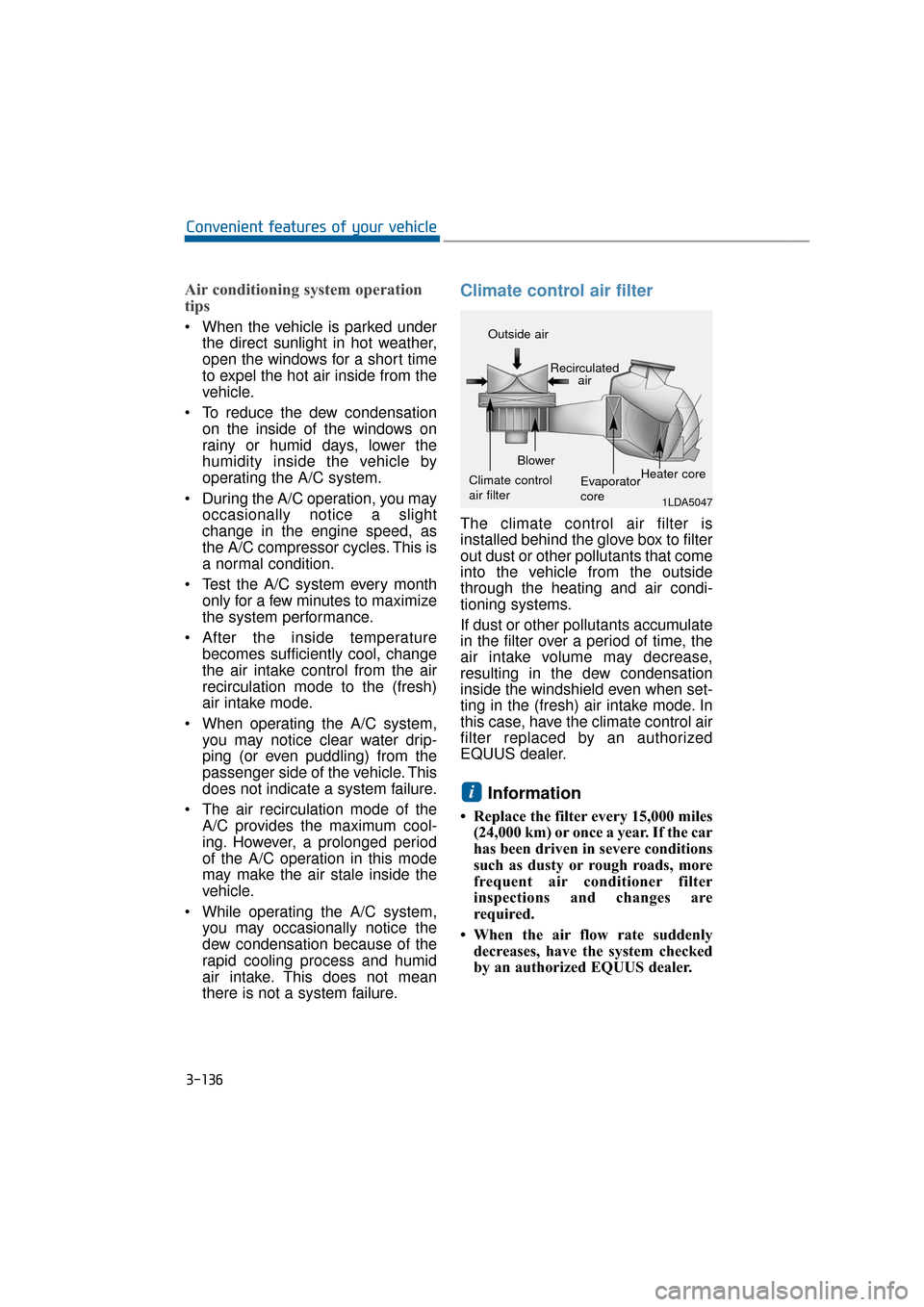
Climate control air filter
The climate control air filter is
installed behind the glove box to filter
out dust or other pollutants that come
into the vehicle from the outside
through the heating and air condi-
tioning systems.
If dust or other pollutants accumulate
in the filter over a period of time, the
air intake volume may decrease,
resulting in the dew condensation
inside the windshield even when set-
ting in the (fresh) air intake mode. In
this case, have the climate control air
filter replaced by an authorized
EQUUS dealer.
Information
• Replace the filter every 15,000 miles(24,000 km) or once a year. If the car
has been driven in severe conditions
such as dusty or rough roads, more
frequent air conditioner filter
inspections and changes are
required.
• When the air flow rate suddenly decreases, have the system checked
by an authorized EQUUS dealer.
i
1LDA5047
Outside air
Recirculatedair
Climate control
air filter Blower
Evaporator
coreHeater core
Page 269 of 477
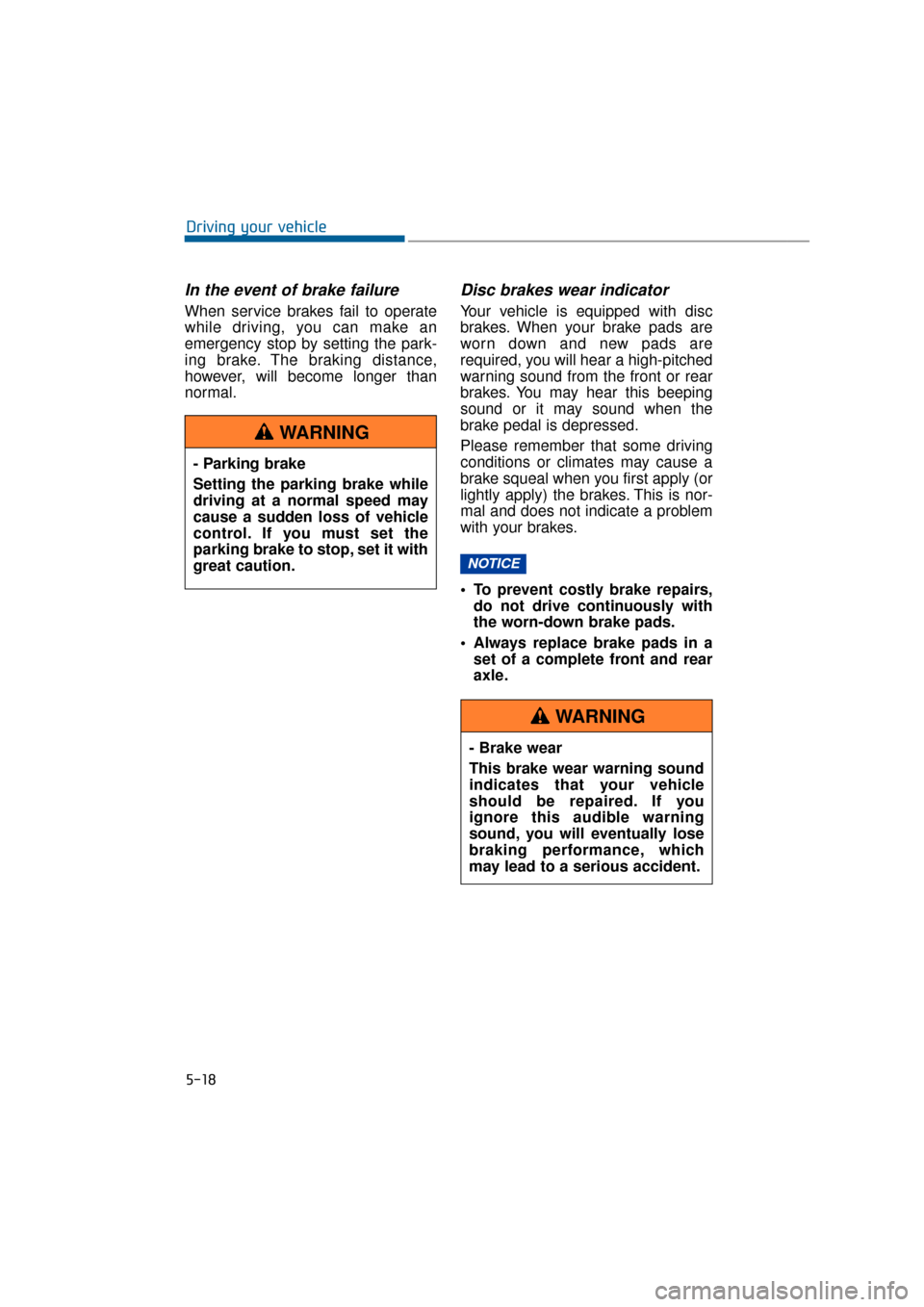
In the event of brake failure
When service brakes fail to operate
while driving, you can make an
emergency stop by setting the park-
ing brake. The braking distance,
however, will become longer than
normal.
Disc brakes wear indicator
Your vehicle is equipped with disc
brakes. When your brake pads are
worn down and new pads are
required, you will hear a high-pitched
warning sound from the front or rear
brakes. You may hear this beeping
sound or it may sound when the
brake pedal is depressed.
Please remember that some driving
conditions or climates may cause a
brake squeal when you first apply (or
lightly apply) the brakes. This is nor-
mal and does not indicate a problem
with your brakes.
To prevent costly brake repairs,do not drive continuously with
the worn-down brake pads.
Always replace brake pads in a set of a complete front and rear
axle.
NOTICE
5-18
Driving your vehicle
- Parking brake
Setting the parking brake while
driving at a normal speed may
cause a sudden loss of vehicle
control. If you must set the
parking brake to stop, set it with
great caution.
WARNING
- Brake wear
This brake wear warning sound
indicates that your vehicle
should be repaired. If you
ignore this audible warning
sound, you will eventually lose
braking performance, which
may lead to a serious accident.
WARNING
Page 359 of 477
Maintenance
Climate control air filter .....................................7-35
Filter inspection ...............................................................7-35
Filter replacement ...........................................................7-35
Wiper blades .........................................................7-36
Blade inspection ..............................................................7-36
Blade replacement ..........................................................7-36
Battery...................................................................7-39
For best battery service................................................7-39
Battery recharging by battery charger ....................7-41
Battery recharging by vehicle .....................................7-41
Reset items .......................................................................7\
-42
Tires and wheels ..................................................7-42
Tire care ........................................................................\
....7-42
Recommended cold tire inflation pressures.............7-42
Checking tire inflation pressure ..................................7-44
Tire rotation ....................................................................7-45\
Wheel alignment and tire balance ..............................7-45
Tire replacement .............................................................7-46
Wheel replacement .........................................................7-47
Tire traction ......................................................................7-\
47
Tire maintenance ...........................................................7-48
Tire sidewall labeling ......................................................7-48
Low aspect ratio tire ......................................................7-51
Tire terminology and definitions.................................7-52
All season tires ...............................................................7-54
Summer tires ...................................................................7-54
Snow tires ........................................................................\
.7-54
Tire chains ........................................................................\
7-55
Radial-ply tires ................................................................7-55