chapter 8 Hyundai Equus 2016 Owner's Guide
[x] Cancel search | Manufacturer: HYUNDAI, Model Year: 2016, Model line: Equus, Model: Hyundai Equus 2016Pages: 477, PDF Size: 16.25 MB
Page 170 of 477
3-75
Convenient features of your vehicle03
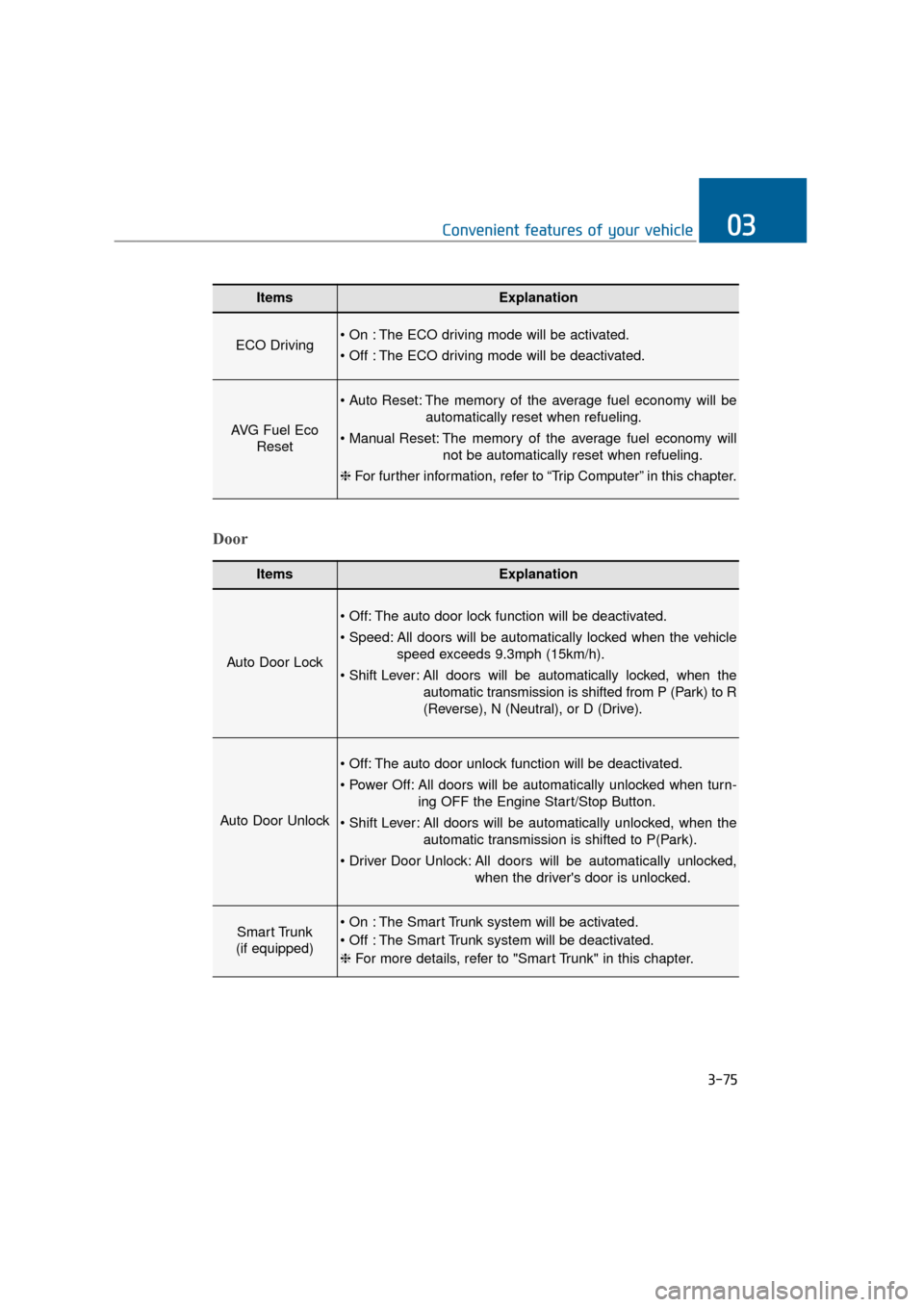
ItemsExplanation
ECO Driving The ECO driving mode will be activated.
The ECO driving mode will be deactivated.
AVG Fuel EcoReset
The memory of the average fuel economy will be
automatically reset when refueling.
The memory of the average fuel economy will not be automatically reset when refueling.
❈ For further information, refer to “Trip Computer” in this chapter.
ItemsExplanation
Auto Door Lock
The auto door lock function will be deactivated.
All doors will be automatically locked when the vehicle
speed exceeds 9.3mph (15km/h).
All doors will be automatically locked, when the
automatic transmission is shifted from P (Park) to R
(Reverse), N (Neutral), or D (Drive).
Auto Door Unlock
The auto door unlock function will be deactivated.
All doors will be automatically unlocked when turn- ing OFF the Engine Start/Stop Button.
All doors will be automatically unlocked, when the automatic transmission is shifted to P(Park).
All doors will be automatically unlocked, when the driver's door is unlocked.
Smart Trunk
(if equipped) The Smart Trunk system will be activated.
The Smart Trunk system will be deactivated.
❈ For more details, refer to "Smart Trunk" in this chapter.
Door
Page 171 of 477
3-76
Convenient features of your vehicle
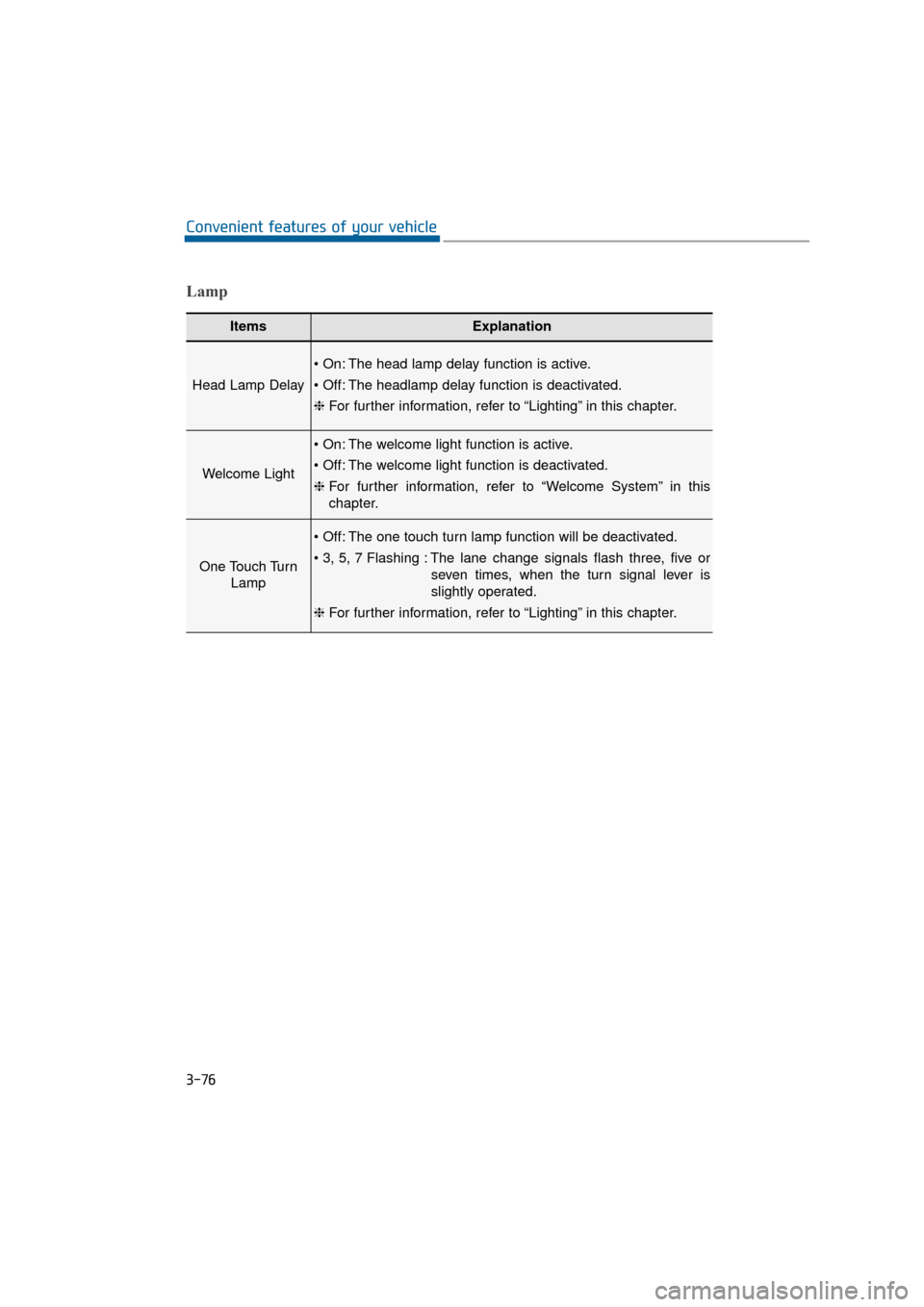
ItemsExplanation
Head Lamp Delay
The head lamp delay function is active.
The headlamp delay function is deactivated.
❈For further information, refer to “Lighting” in this chapter.
Welcome Light
The welcome light function is active.
The welcome light function is deactivated.
❈For further information, refer to “Welcome System” in this
chapter.
One Touch Turn
Lamp
The one touch turn lamp function will be deactivated.
The lane change signals flash three, five or
seven times, when the turn signal lever is
slightly operated.
❈ For further information, refer to “Lighting” in this chapter.
Lamp
Page 172 of 477
3-77
Convenient features of your vehicle03
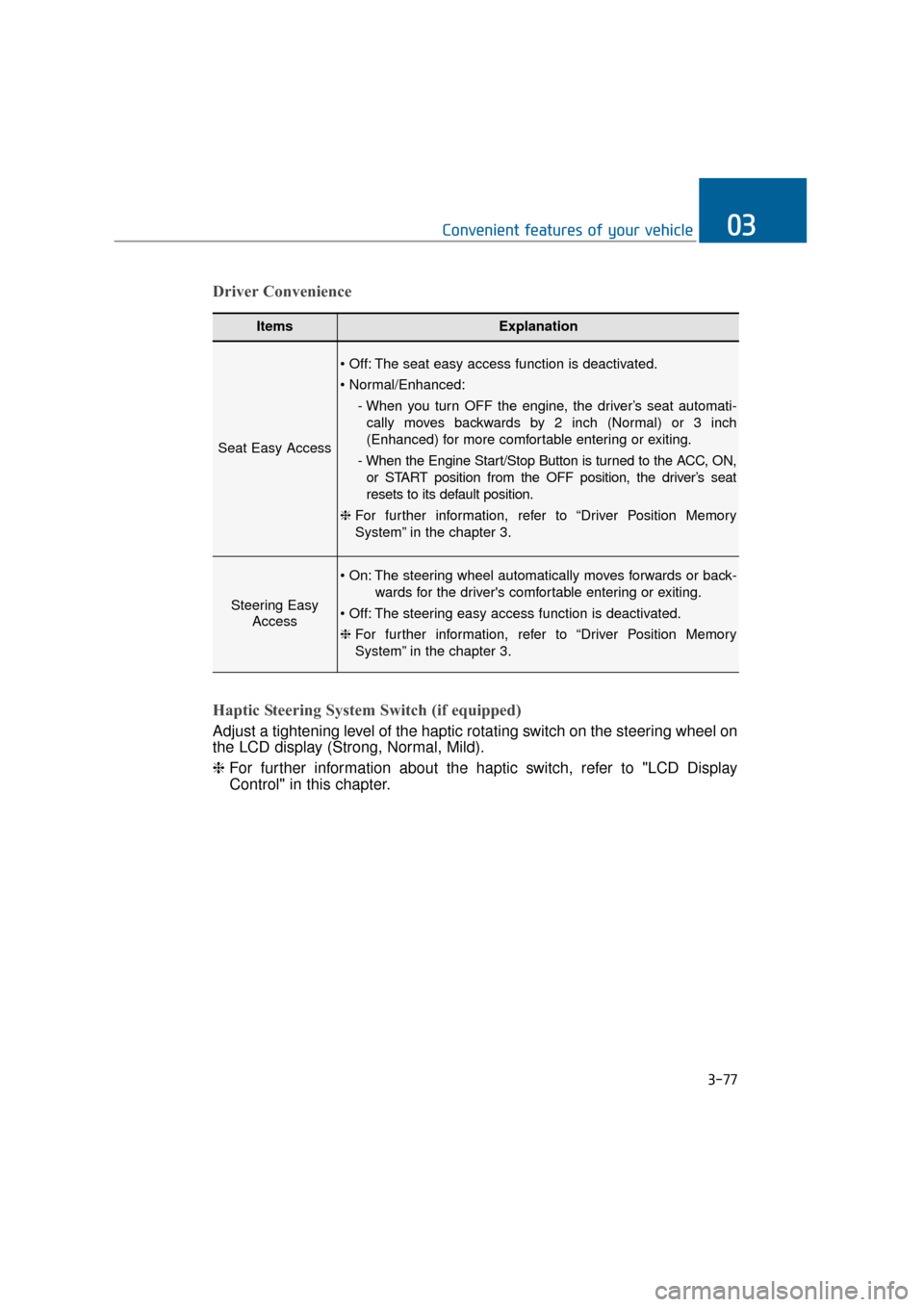
ItemsExplanation
Seat Easy Access
The seat easy access function is deactivated.
- When you turn OFF the engine, the driver’s seat automati-cally moves backwards by 2 inch (Normal) or 3 inch
(Enhanced) for more comfortable entering or exiting.
- When the Engine Start/Stop Button is turned to the ACC, ON, or START position from the OFF position, the driver’s seat
resets to its default position.
❈ For further information, refer to “Driver Position Memory
System” in the chapter 3.
Steering Easy
Access
The steering wheel automatically moves forwards or back-
wards for the driver's comfortable entering or exiting.
The steering easy access function is deactivated.
❈ For further information, refer to “Driver Position Memory
System” in the chapter 3.
Driver Convenience
Haptic Steering System Switch (if equipped)
Adjust a tightening level of the haptic rotating switch on the steering wheel on
the LCD display (Strong, Normal, Mild).
❈ For further information about the haptic switch, refer to "LCD Display
Control" in this chapter.
Page 177 of 477
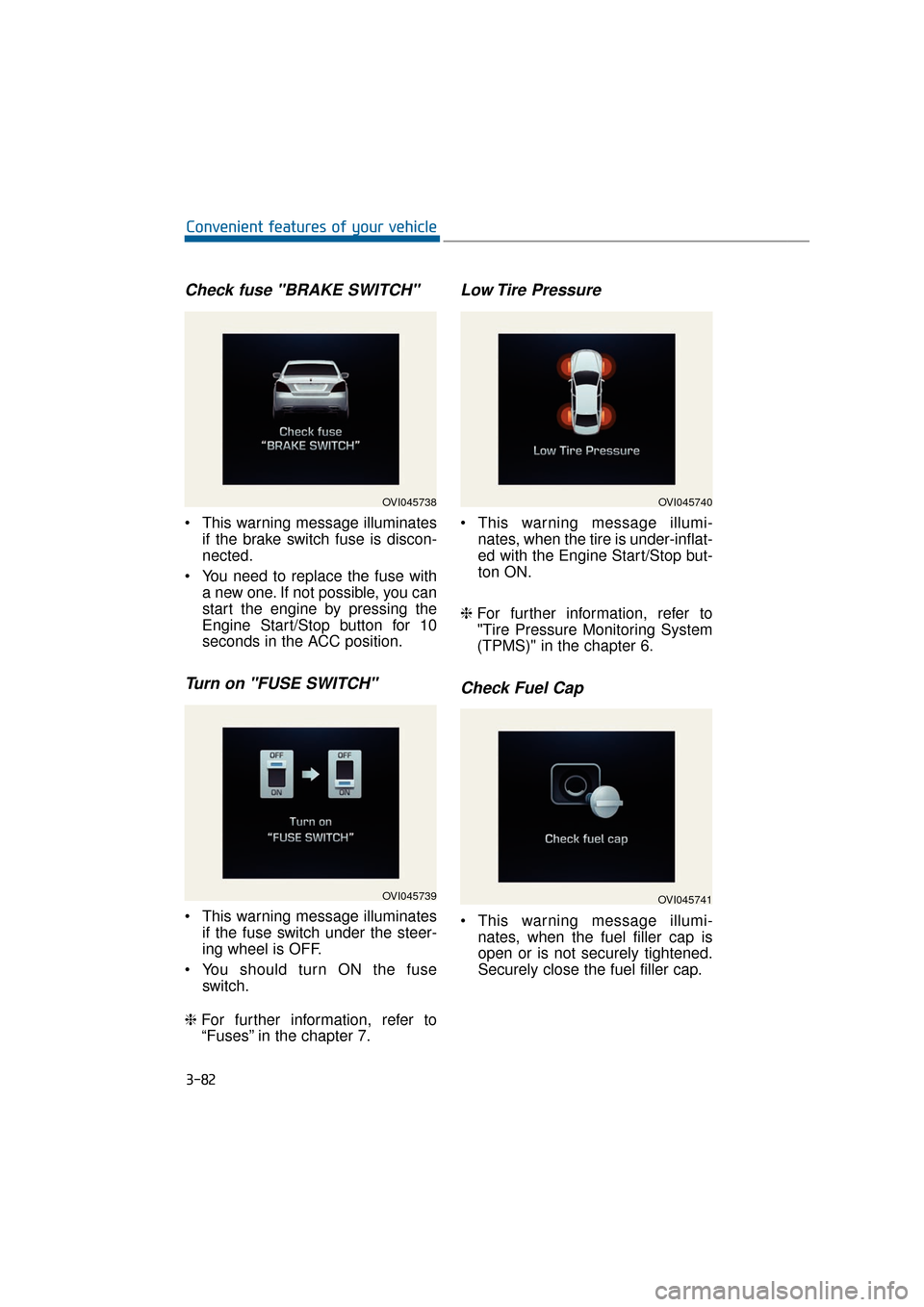
Check fuse "BRAKE SWITCH"
This warning message illuminatesif the brake switch fuse is discon-
nected.
You need to replace the fuse with a new one. If not possible, you can
start the engine by pressing the
Engine Start/Stop button for 10
seconds in the ACC position.
Turn on "FUSE SWITCH"
This warning message illuminatesif the fuse switch under the steer-
ing wheel is OFF.
You should turn ON the fuse switch.
❈ For further information, refer to
“Fuses” in the chapter 7.
Low Tire Pressure
This warning message illumi-
nates, when the tire is under-inflat-
ed with the Engine Start/Stop but-
ton ON.
❈ For further information, refer to
"Tire Pressure Monitoring System
(TPMS)" in the chapter 6.
Check Fuel Cap
This warning message illumi-
nates, when the fuel filler cap is
open or is not securely tightened.
Securely close the fuel filler cap.
3-82
Convenient features of your vehicle
OVI045738
OVI045739
OVI045740
OVI045741
Page 178 of 477
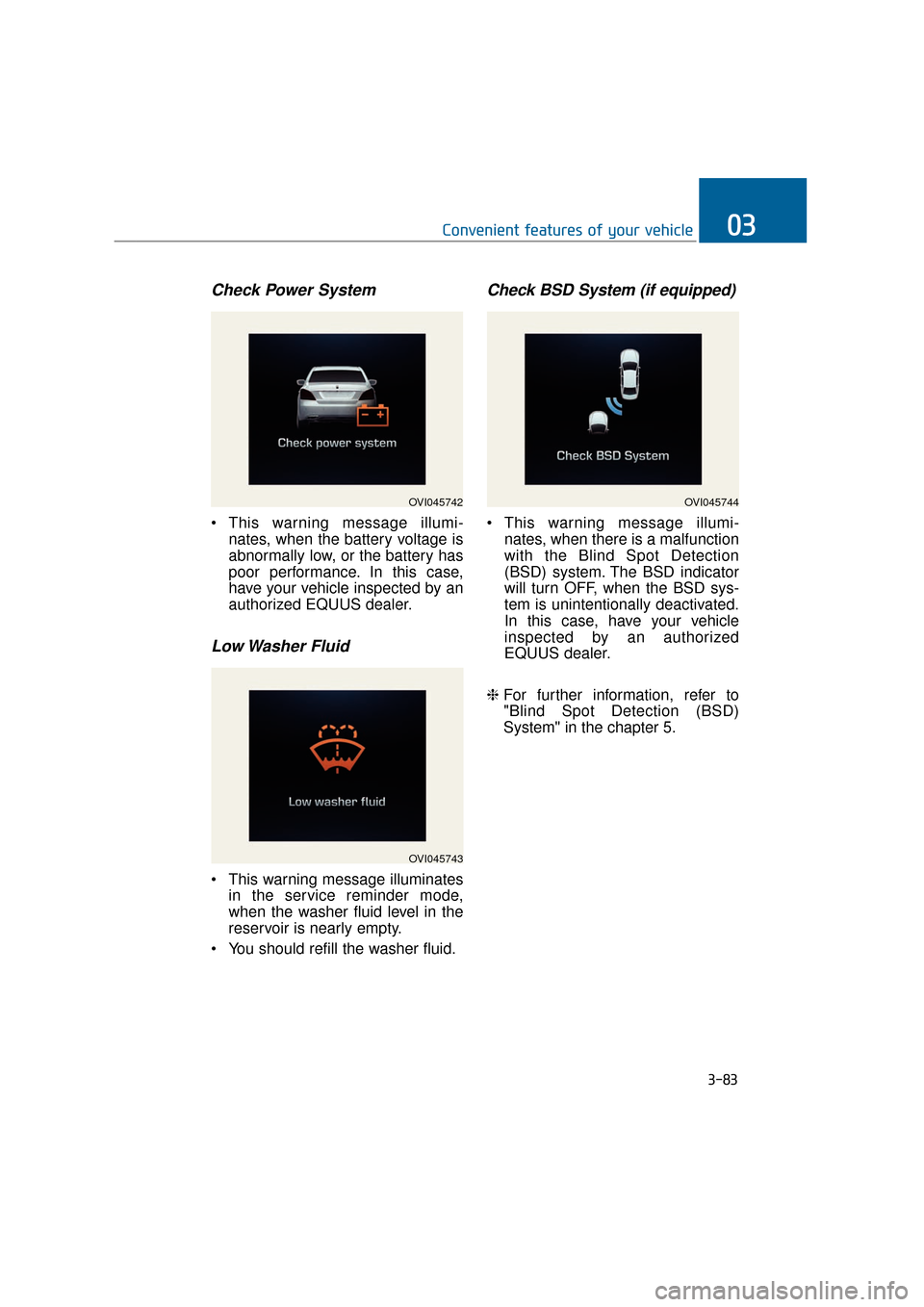
Check Power System
This warning message illumi-nates, when the battery voltage is
abnormally low, or the battery has
poor performance. In this case,
have your vehicle inspected by an
authorized EQUUS dealer.
Low Washer Fluid
This warning message illuminatesin the service reminder mode,
when the washer fluid level in the
reservoir is nearly empty.
You should refill the washer fluid.
Check BSD System (if equipped)
This warning message illumi- nates, when there is a malfunction
with the Blind Spot Detection
(BSD) system. The BSD indicator
will turn OFF, when the BSD sys-
tem is unintentionally deactivated.
In this case, have your vehicle
inspected by an authorized
EQUUS dealer.
❈ For further information, refer to
"Blind Spot Detection (BSD)
System" in the chapter 5.
3-83
Convenient features of your vehicle03
OVI045743
OVI045744OVI045742
Page 179 of 477
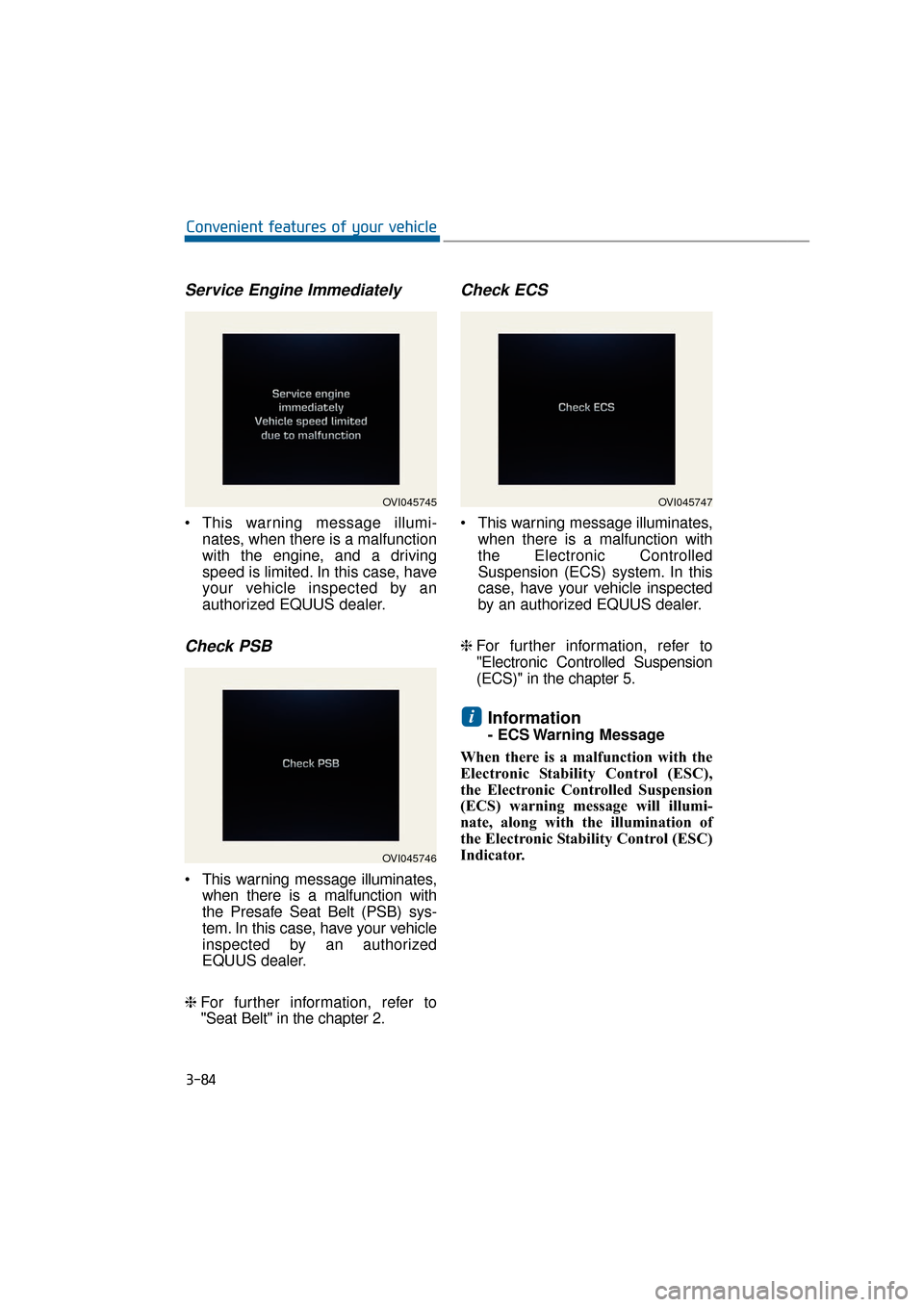
Service Engine Immediately
This warning message illumi-nates, when there is a malfunction
with the engine, and a driving
speed is limited. In this case, have
your vehicle inspected by an
authorized EQUUS dealer.
Check PSB
This warning message illuminates,when there is a malfunction with
the Presafe Seat Belt (PSB) sys-
tem. In this case, have your vehicle
inspected by an authorized
EQUUS dealer.
❈ For further information, refer to
"Seat Belt" in the chapter 2.
Check ECS
This warning message illuminates,
when there is a malfunction with
the Electronic Controlled
Suspension (ECS) system. In this
case, have your vehicle inspected
by an authorized EQUUS dealer.
❈ For further information, refer to
"Electronic Controlled Suspension
(ECS)" in the chapter 5.
Information
- ECS Warning Message
When there is a malfunction with the
Electronic Stability Control (ESC),
the Electronic Controlled Suspension
(ECS) warning message will illumi-
nate, along with the illumination of
the Electronic Stability Control (ESC)
Indicator.
i
3-84
Convenient features of your vehicle
OVI045745
OVI045746
OVI045747
Page 180 of 477
- ECS Warning Message
When the Electronic ControlledSuspension (ECS) Warning
Message illuminates due to the
under-pressure inside the sus-
pension, the vehicle height will be
very low. In this case, do not drive
the vehicle in order to protect it
from a projection on a surface. In
this case, have your vehicle
inspected by an authorized
EQUUS dealer.
When towing the vehicle, you should follow the "Electronic
Controlled Suspension (ECS)"
instructions in the chapter 5.
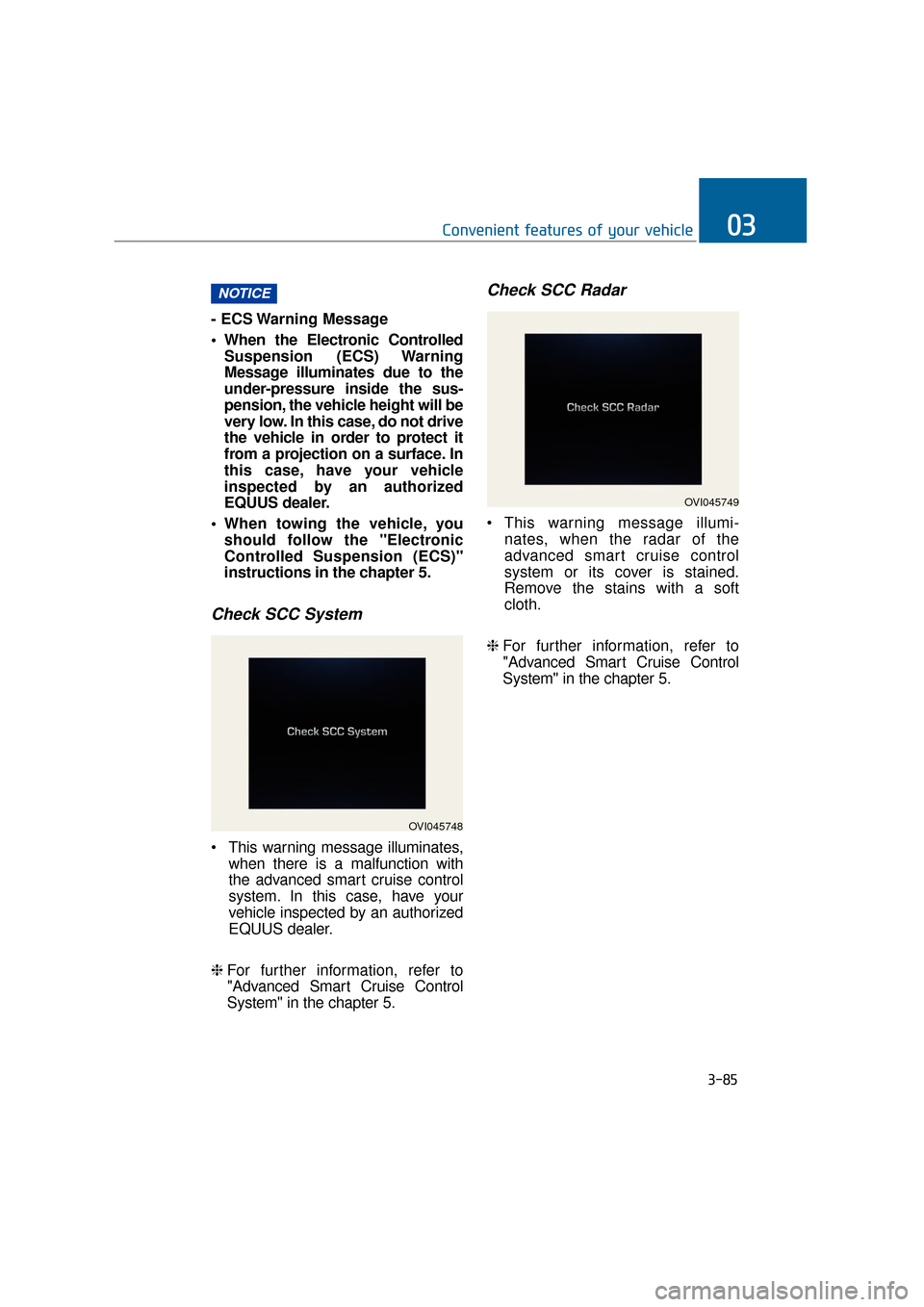
Check SCC System
This warning message illuminates, when there is a malfunction with
the advanced smart cruise control
system. In this case, have your
vehicle inspected by an authorized
EQUUS dealer.
❈ For further information, refer to
"Advanced Smart Cruise Control
System" in the chapter 5.
Check SCC Radar
This warning message illumi-
nates, when the radar of the
advanced smart cruise control
system or its cover is stained.
Remove the stains with a soft
cloth.
❈ For further information, refer to
"Advanced Smart Cruise Control
System" in the chapter 5.
NOTICE
3-85
Convenient features of your vehicle03
OVI045748
OVI045749
Page 181 of 477
Overview
Description
The trip computer is a driving infor-
mation system, controlled by a
micro-computer. This displays driv-
ing-related information.
Information
Some driving information, stored in
the trip computer (i.e. average vehicle
speed), is reset, when the battery is
disconnected.
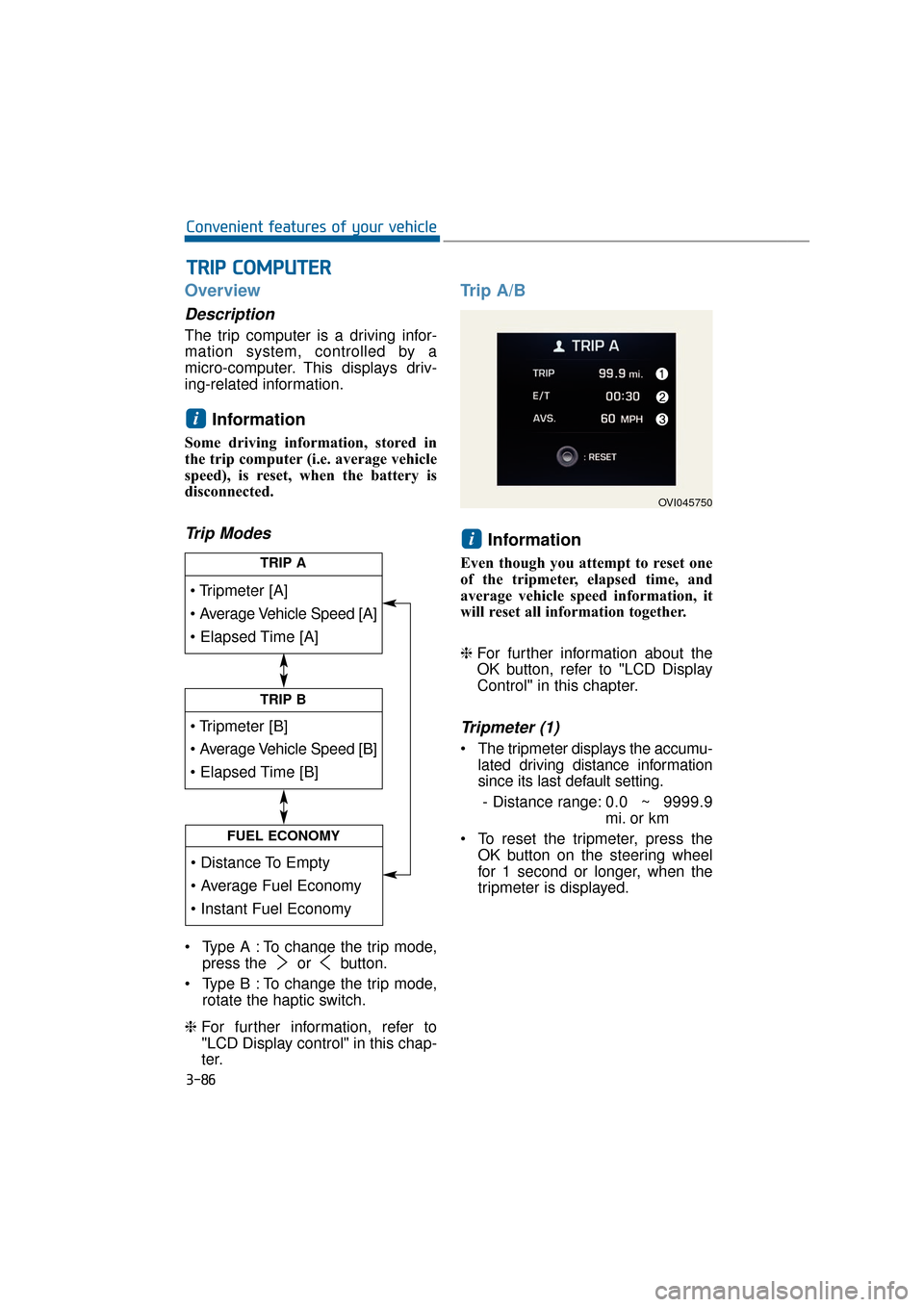
Trip Modes
Type A : To change the trip mode,press the or button.
Type B : To change the trip mode, rotate the haptic switch.
❈ For further information, refer to
"LCD Display control" in this chap-
ter.
Trip A/B
Information
Even though you attempt to reset one
of the tripmeter, elapsed time, and
average vehicle speed information, it
will reset all information together.
❈For further information about the
OK button, refer to "LCD Display
Control" in this chapter.
Tripmeter (1)
The tripmeter displays the accumu-
lated driving distance information
since its last default setting.
- Distance range: 0.0 ~ 9999.9
mi. or km
To reset the tripmeter, press the OK button on the steering wheel
for 1 second or longer, when the
tripmeter is displayed.
i
i
T
TR
R I
IP
P
C
C O
O M
M P
PU
U T
TE
ER
R
3-86
Convenient features of your vehicle
TRIP A
TRIP B
FUEL ECONOMY
OVI045750
Page 183 of 477
Instant Fuel Economy (2)
This mode displays the instant fueleconomy during the last few sec-
onds when a driving speed exceeds
6.2 MPH (10 km/h).
- Fuel economy range: 0 ~ 50MPG or 0 ~ 20 L/100km
Average Fuel Economy (3)
The average fuel economy is cal- culated by dividing the total driving
distance by the fuel consumption
since its last default setting.
- Fuel economy range: 0.0 ~ 99.9MPG or L/100km
The average fuel economy can be reset both manually and automati-
cally.
Manual reset
To manually reset the average fuel
economy, press the OK button on the
steering wheel for 1 second or over,
when the average fuel economy is
displayed.
❈For further information about the
OK button, refer to "LCD Display
Control" in this chapter.
Automatic reset
To automatically reset the average
fuel economy after refueling, select
the "Auto Reset" mode in User
Setting menu on the LCD display
(Refer to "LCD Display").
In "Auto Reset" mode, the average
fuel economy will be reset to zero
(---), when more than 1.6 gallons (6
liters) of fuel is added, and then a
driving speed exceeds 1 km/h.
Information
The average fuel economy may dis-
play inaccurate calculation, when the
vehicle drives shorter than 0.19 miles
(300 meters) after turning ON the
Engine Start/Stop button.
i
3-88
Convenient features of your vehicle
Page 184 of 477
Warning lightsInformation
Make sure that all warning lights are
turned OFF after starting the engine.
When any light remains ON, this indi-
cates the situation that your attention
is required.
Supplemental RestraintSystem Warning Light
This warning light illuminates:
Once you turn ON the ignition
switch or Engine Start/Stop but-
ton.
- It illuminates for approximately 6seconds and then goes OFF.
When there is a malfunction with the SRS.
In this case, have your vehicle
inspected by an authorized
EQUUS dealer.
Seat Belt Warning Light
This warning light informs the driver
that the seat belt is not fastened.
❈For further information, refer to the
“Seat Belts” in the chapter 2.
Parking Brake & Brake
Fluid Warning Light
This warning light illuminates:
Once you turn ON the ignition
switch or Engine Start/Stop but-
ton.
- It illuminates for approximately 3seconds.
- It remains ON, when the parking brake is set.
When the parking brake is set.
When the brake fluid level in the reservoir is low.
- When the warning light illumi-nates with the parking brake
released, it indicates the brake
fluid level in reservoir is low.
When the brake fluid level in the
reservoir is low:
1. Drive carefully to the nearest safe location and stop your vehicle.
2. Stop the engine, immediately check the brake fluid level and add
fluid, as required (For further infor-
mation, refer to "Brake Fluid" in the
chapter 7). Then check all brake
components for fluid leaks. When
any leak in the brake system is still
detected, when the warning light
remains ON, or when the brakes
do not properly operate, do not
drive the vehicle.
In this case, have your vehicle
inspected by an authorized
EQUUS dealer.
i
W W A
AR
RN
N I
IN
N G
G
A
A N
N D
D
I
IN
N D
DI
IC
C A
A T
TO
O R
R
L
L I
IG
G H
H T
TS
S
3-89
Convenient features of your vehicle03