lights Hyundai Equus 2016 Owner's Guide
[x] Cancel search | Manufacturer: HYUNDAI, Model Year: 2016, Model line: Equus, Model: Hyundai Equus 2016Pages: 477, PDF Size: 16.25 MB
Page 213 of 477
Do not use the interior lights for
an extended period of time when
the engine is OFF.
It may discharge the battery.
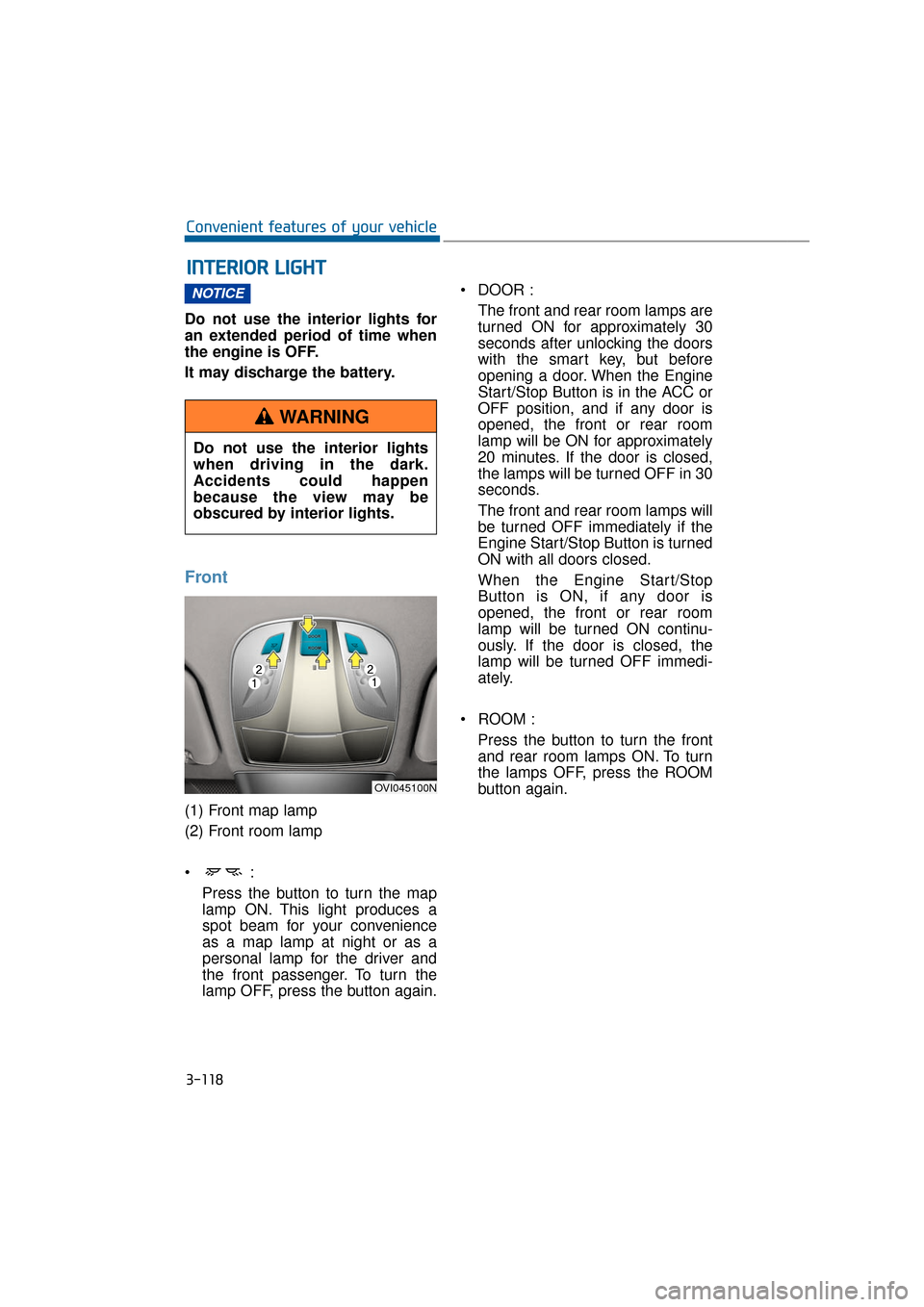
Front
(1) Front map lamp
(2) Front room lamp
Press the button to turn the map
lamp ON. This light produces a
spot beam for your convenience
as a map lamp at night or as a
personal lamp for the driver and
the front passenger. To turn the
lamp OFF, press the button again. DOOR :
The front and rear room lamps are
turned ON for approximately 30
seconds after unlocking the doors
with the smart key, but before
opening a door. When the Engine
Start/Stop Button is in the ACC or
OFF position, and if any door is
opened, the front or rear room
lamp will be ON for approximately
20 minutes. If the door is closed,
the lamps will be turned OFF in 30
seconds.
The front and rear room lamps will
be turned OFF immediately if the
Engine Start/Stop Button is turned
ON with all doors closed.
When the Engine Start/Stop
Button is ON, if any door is
opened, the front or rear room
lamp will be turned ON continu-
ously. If the door is closed, the
lamp will be turned OFF immedi-
ately.
ROOM : Press the button to turn the frontand rear room lamps ON. To turn
the lamps OFF, press the ROOM
button again.
NOTICE
I
I N
N T
TE
ER
R I
IO
O R
R
L
L I
IG
G H
H T
T
3-118
Convenient features of your vehicle
Do not use the interior lights
when driving in the dark.
Accidents could happen
because the view may be
obscured by interior lights.
WARNING
OVI045100N
Page 216 of 477
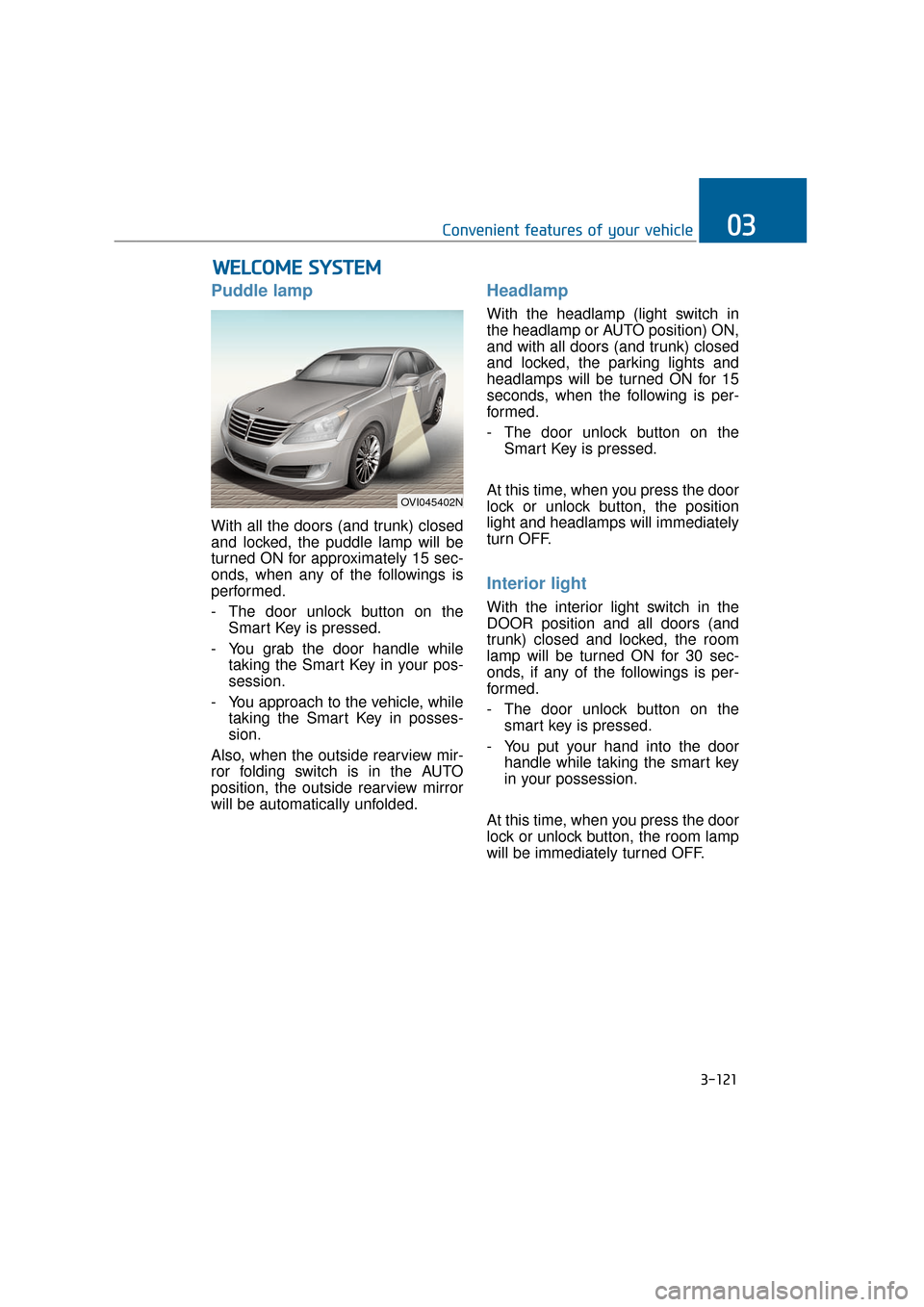
Puddle lamp
With all the doors (and trunk) closed
and locked, the puddle lamp will be
turned ON for approximately 15 sec-
onds, when any of the followings is
performed.
- The door unlock button on theSmart Key is pressed.
- You grab the door handle while taking the Smart Key in your pos-
session.
- You approach to the vehicle, while taking the Smart Key in posses-
sion.
Also, when the outside rearview mir-
ror folding switch is in the AUTO
position, the outside rearview mirror
will be automatically unfolded.
Headlamp
With the headlamp (light switch in
the headlamp or AUTO position) ON,
and with all doors (and trunk) closed
and locked, the parking lights and
headlamps will be turned ON for 15
seconds, when the following is per-
formed.
- The door unlock button on the Smart Key is pressed.
At this time, when you press the door
lock or unlock button, the position
light and headlamps will immediately
turn OFF.
Interior light
With the interior light switch in the
DOOR position and all doors (and
trunk) closed and locked, the room
lamp will be turned ON for 30 sec-
onds, if any of the followings is per-
formed.
- The door unlock button on the smart key is pressed.
- You put your hand into the door handle while taking the smart key
in your possession.
At this time, when you press the door
lock or unlock button, the room lamp
will be immediately turned OFF.
W W E
EL
LC
C O
O M
M E
E
S
S Y
Y S
ST
T E
EM
M
3-121
Convenient features of your vehicle03
OVI045402N
Page 241 of 477
3-146
Convenient features of your vehicle
Cup holder
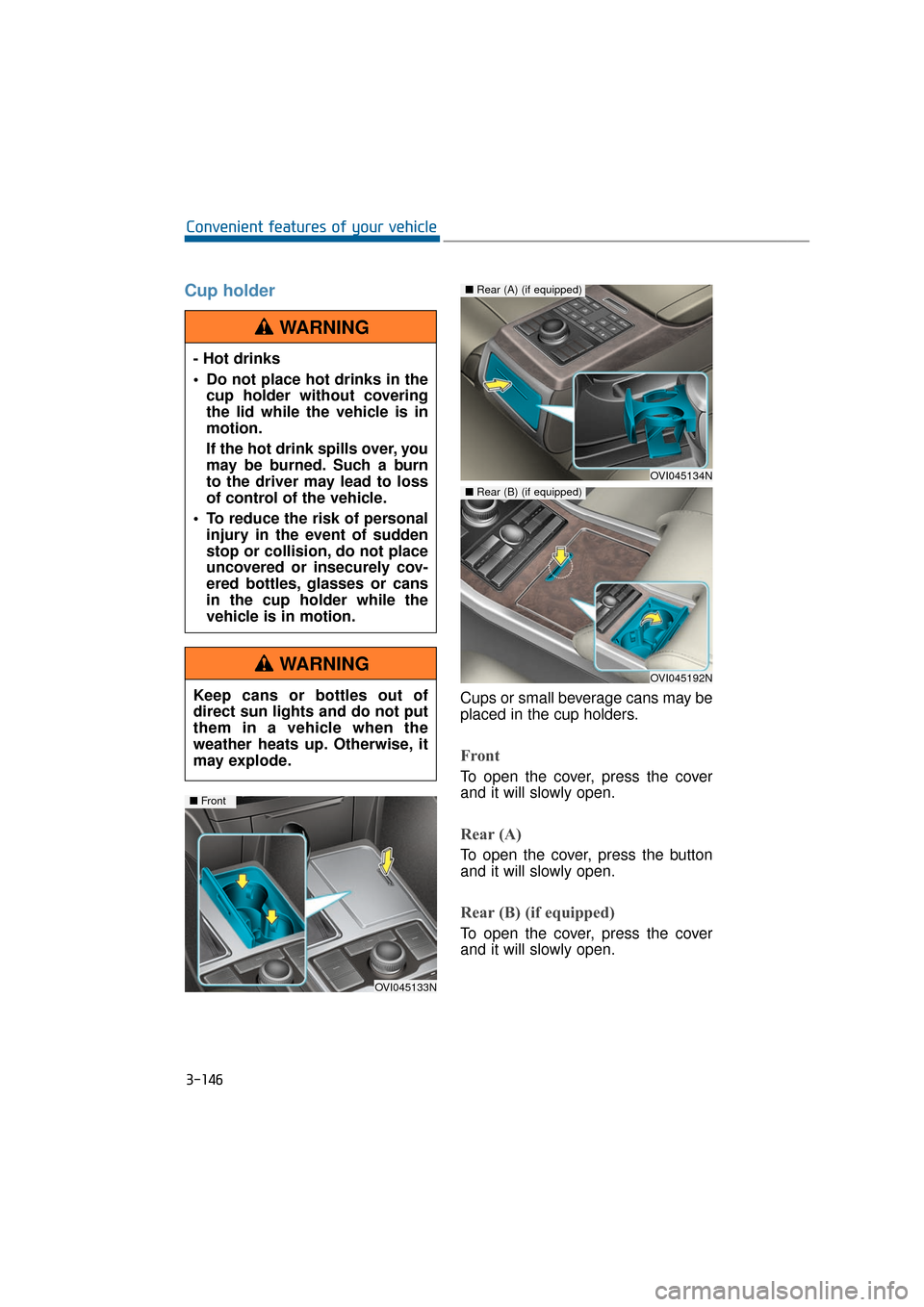
Cups or small beverage cans may be
placed in the cup holders.
Front
To open the cover, press the cover
and it will slowly open.
Rear (A)
To open the cover, press the button
and it will slowly open.
Rear (B) (if equipped)
To open the cover, press the cover
and it will slowly open.
- Hot drinks
Do not place hot drinks in the
cup holder without covering
the lid while the vehicle is in
motion.
If the hot drink spills over, you
may be burned. Such a burn
to the driver may lead to loss
of control of the vehicle.
To reduce the risk of personal injury in the event of sudden
stop or collision, do not place
uncovered or insecurely cov-
ered bottles, glasses or cans
in the cup holder while the
vehicle is in motion.
WARNING
Keep cans or bottles out of
direct sun lights and do not put
them in a vehicle when the
weather heats up. Otherwise, it
may explode.
WARNING
OVI045133N
■ Front
OVI045134N
■Rear (A) (if equipped)
OVI045192N
■Rear (B) (if equipped)
Page 256 of 477
Before entering vehicle
• Be sure that all windows, outsidemirror(s), and outside lights are
clean.
Check the condition of the tires.
Check underneath the vehicle for any leakage sign.
Make sure there are no obstacles behind, when you intend to drive
backwards.
Necessary inspections
Fluid levels, such as engine oil,
engine coolant, brake fluid, and
washer fluid should be checked on a
regular basis, at exact intervals.
Further details are provided in the
chapter 7, "Maintenance".
Before starting
Close and lock all doors.
Check the seat position, so all con-trols are easily accessible.
Adjust the inside and outside rearview mirrors.
Make sure that all lights operate.
Check all gauges.
Check the operation of warning lights when the Engine Start/Stop
button is turned ON.
Release the parking brake and make sure the brake warning light
goes OFF.
For safe operation, make sure you
are familiar with your vehicle equip-
ment and operation.
B B E
EF
FO
O R
RE
E
D
D R
RI
IV
V I
IN
N G
G
5-5
Driving your vehicle05
Careless driving may result in a
loss of vehicle control, possibly
leading to an accident, severe
personal injury, and death. The
driver’s primary responsibility
is to drive in the safe and legal
manner. The use of any hand-
held devices, other equipment,
or vehicle systems, which take
the driver’s eyes, attention and
focus away from the safe opera-
tion of a vehicle or which are
not permissible by law, should
never be used in driving.
WARNINGAll passengers must be proper-
ly belted whenever the vehicle
is moving. Refer to "Seat belts"
in chapter 2 for more informa-
tion on the proper usage.
WARNING
Always take a look around your
vehicle for any passers-by,
especially children, before
changing the shift lever to D
(Drive) or R (Reverse).
WARNING
Page 258 of 477
E
EN
N G
GI
IN
N E
E
S
S T
T A
A R
RT
T/
/S
S T
T O
O P
P
B
B U
U T
TT
TO
O N
N
5-7
Driving your vehicle05
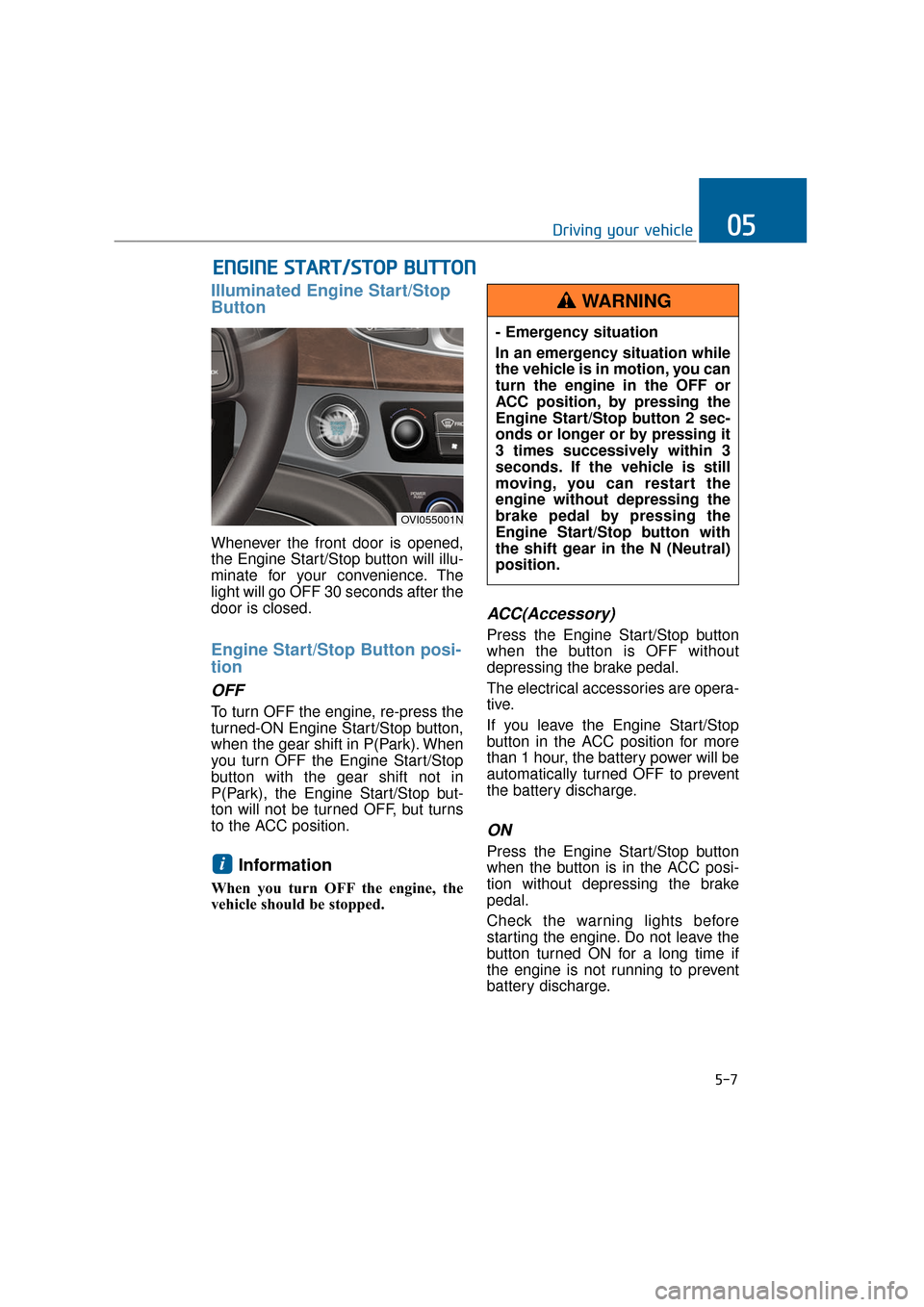
Illuminated Engine Start/Stop
Button
Whenever the front door is opened,
the Engine Start/Stop button will illu-
minate for your convenience. The
light will go OFF 30 seconds after the
door is closed.
Engine Start/Stop Button posi-
tion
OFF
To turn OFF the engine, re-press the
turned-ON Engine Start/Stop button,
when the gear shift in P(Park). When
you turn OFF the Engine Start/Stop
button with the gear shift not in
P(Park), the Engine Start/Stop but-
ton will not be turned OFF, but turns
to the ACC position.
Information
When you turn OFF the engine, the
vehicle should be stopped.
ACC(Accessory)
Press the Engine Start/Stop button
when the button is OFF without
depressing the brake pedal.
The electrical accessories are opera-
tive.
If you leave the Engine Start/Stop
button in the ACC position for more
than 1 hour, the battery power will be
automatically turned OFF to prevent
the battery discharge.
ON
Press the Engine Start/Stop button
when the button is in the ACC posi-
tion without depressing the brake
pedal.
Check the warning lights before
starting the engine. Do not leave the
button turned ON for a long time if
the engine is not running to prevent
battery discharge.i
OVI055001N
- Emergency situation
In an emergency situation while
the vehicle is in motion, you can
turn the engine in the OFF or
ACC position, by pressing the
Engine Start/Stop button 2 sec-
onds or longer or by pressing it
3 times successively within 3
seconds. If the vehicle is still
moving, you can restart the
engine without depressing the
brake pedal by pressing the
Engine Start/Stop button with
the shift gear in the N (Neutral)
position.
WARNING
Page 280 of 477
The ESC system is an electronic
system to help the driver maintain
vehicle control in adverse conditions.
It is not a substitute for safe driving
practices. Various factors, including
speed, road conditions and driver's
steering maneuver, affect the ESC
performance in preventing a loss of
control. It is still driver's responsibility
to drive and corner at a proper speed
and to keep a safe distance. When
depressing the brake under condi-
tions, which may lock the wheels,
you may hear a snapping sound and
feel like that from the brake pedal.
This is normal and indicates your
ESC actively operates.
Information
A clicking sound may be heard from
the engine compartment, when the
engine is started and the vehicle
begins to move. This is normal, indi-
cating that the ESC actively operates.
ESC operation
ESC ON condition
When the Engine Start/Stop button
is turned ON, the ESC and the ESC
OFF indicator lights illuminate for
approximately 3 seconds and goes
off, then the ESC is turned on.
When operating
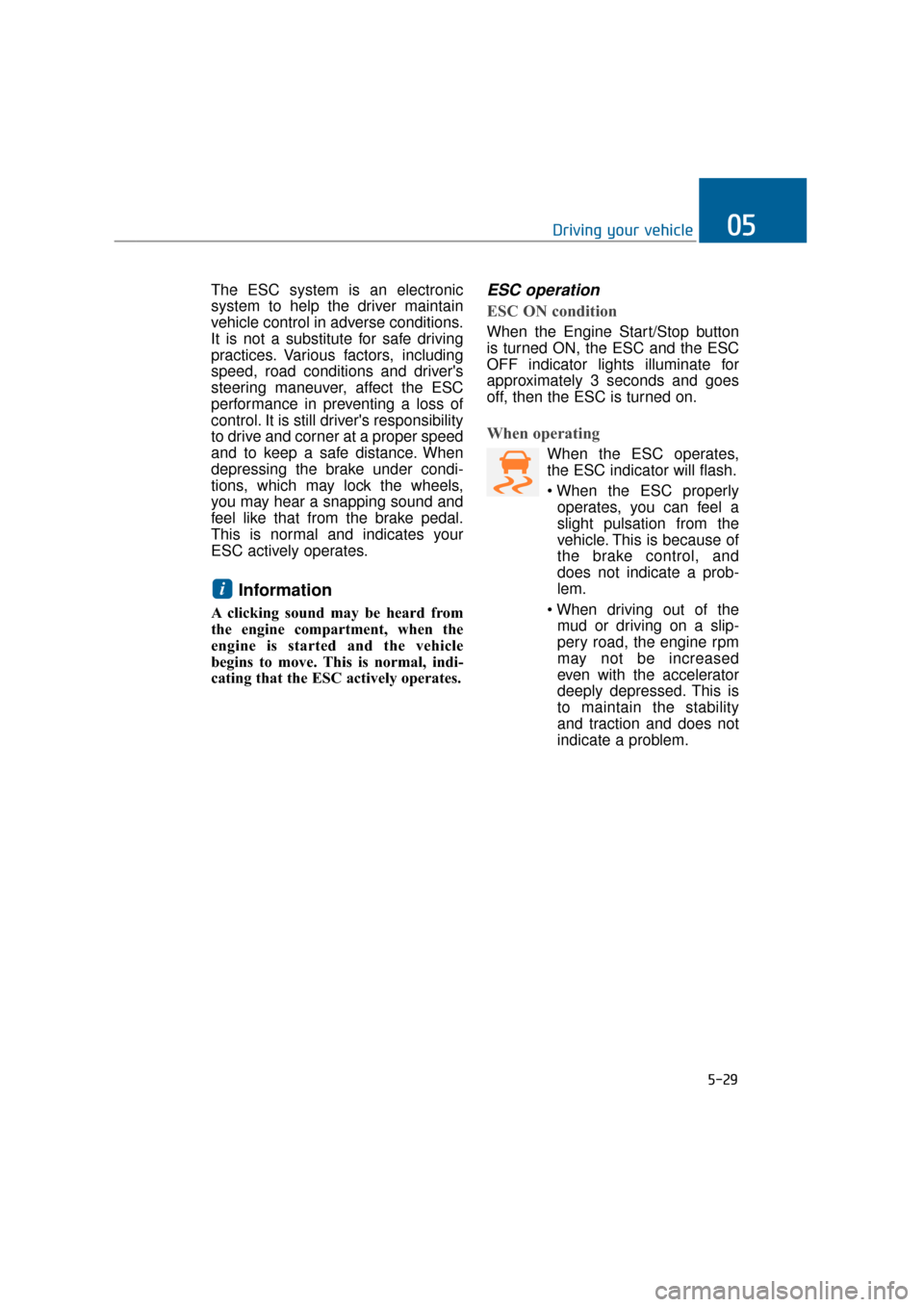
When the ESC operates,
the ESC indicator will flash.
operates, you can feel a
slight pulsation from the
vehicle. This is because of
the brake control, and
does not indicate a prob-
lem.
mud or driving on a slip-
pery road, the engine rpm
may not be increased
even with the accelerator
deeply depressed. This is
to maintain the stability
and traction and does not
indicate a problem.
i
5-29
Driving your vehicle05
Page 305 of 477
DRIVER'S ATTENTION
The driver must be cautious in the
below situations, because the sys-
tem may not assist the driver nor
work properly.
The lane is not visible due tosnow, rain, stain, puddles or oth-
ers.
The exterior brightness sudden- ly changes, such as driving
through a tunnel.
The headlamp is turned OFF or weak in the night time or in a
tunnel.
It is difficult to distinguish the lane mark colors from the road.
The vehicle drives on a steep slope or a curve.
Lights, such as sunlight, street- light or lights from other vehi-
cles, reflect from the water on
the road.
The lens or windshield is stained with foreign substances.
The sensor cannot detect the lane lines because of fog, heavy
rain or heavy snow.
The surrounding temperature of the inside rear view mirror is
extremely high due to direct
sunlight.
The lane is very wide or narrow.
The lane mark is damaged or indistinct.
The shadow of median strips cast on the lane marks.
There are similar marks to lane marks.
There is a boundary structure.
The distance from a vehicle in front is very short. So, its driving
hides the lane marks in front.
(Continued)(Continued)
The vehicle is violently shaken.
The number of lane marks
increases or decreases, or the
lane marks cross each other in a
complicated manner.
Something is placed on the dashboard.
The vehicle drives against sun- light.
The vehicle drives in a construc- tion area.
There are more than two lane marks.
The lane marks are hard to be distinguished due to dust or
grease in a tunnel.
The lane marks are hard to be distinguished after raining at
night.
The lane marks are hard to be distinguished due to dust.
5-54
Driving your vehicle
Page 316 of 477
5-65
Driving your vehicle05
Your vehicle's fuel economy depends
mainly on your driving style such as
where you drive and when you drive.
Each of these factors affects your
fuel economy (how many miles/kilo-
meters you can drive with a
gallon/liter of fuel). To drive your vehi-
cle as economically as possible, fol-
low the below driving suggestions.
These will help you save in both the
fuel and repair expenses:
Drive smoothly. Accelerate at amoderate rate. Do not make
"jackrabbit" starts or full-throttle
shifts. Maintain a steady cruising
speed. Do not race between stop-
lights. Try to adjust your speed in
accordance with other traffic to
avoid unnecessary speed
changes. Avoid heavy traffic when-
ever possible. Always maintain a
safe distance from a vehicle in
front to avoid unnecessary braking.
This also reduces brake wear-out.
Drive at a moderate speed. The faster you drive, the more fuel your
vehicle uses. Driving at a moderate
speed, in the highest gear appro-
priate for the driving conditions
especially on the highway, is one of
the most effective ways to reduce
fuel consumption.
Do not "ride" the brake pedal. This can increase fuel consumption and
also wear out the brake compo-
nents. In addition, resting your foot
on the brake pedal, while driving,
may overheat the brake, reducing
breaking effects and possibly lead-
ing a serious consequence.
Check your tire conditions. Keep them inflated to the recommended
pressure level. Under or over infla-
tion will unnecessarily tire wear-
out. Check the tire pressures at
least once a month. Make sure that the wheels are cor-
rectly aligned. Hitting a curb or
driving too fast on uneven surfaces
may distort the wheel alignment.
Poor alignment causes faster tire
wear-out and may also result in
other problems as well as greater
fuel consumption.
Keep your vehicle in good condi- tion. For the better fuel economy
and the cheaper maintenance
expenses, maintain your vehicle in
accordance with the maintenance
schedule in the chapter 7. When
you drive your vehicle in harsh con-
ditions, more frequent mainte-
nance is required (refer to the
chapter 7 for further information).
Keep your vehicle clean. Your vehi- cle should be kept clean and away
from any corrosive substances. It is
especially important that mud, dirt,
ice and others are not daubed
under the vehicle. This extra weight
may increase the fuel consumption
and also cause corrosion.
Avoid a heavy loading. Do not carry unnecessary weight in your
vehicle. It will improve your fuel
economy.
Do not let the engine idle longer than necessary. When you wait
(not in traffic), turn OFF the engine.
Then restart the engine, when you
are ready to go.
Remember that your vehicle does not require the engine warm-up for
a long time. After turning On the
engine, run the engine for 10 to 20
seconds, before shifting the gear.
In cold weather, however, your
engine needs a slightly longer
warm-up period.
E EC
CO
O N
NO
O M
M I
IC
C A
A L
L
O
O P
PE
ER
R A
A T
TI
IO
O N
N
Page 320 of 477
5-69
Driving your vehicle05
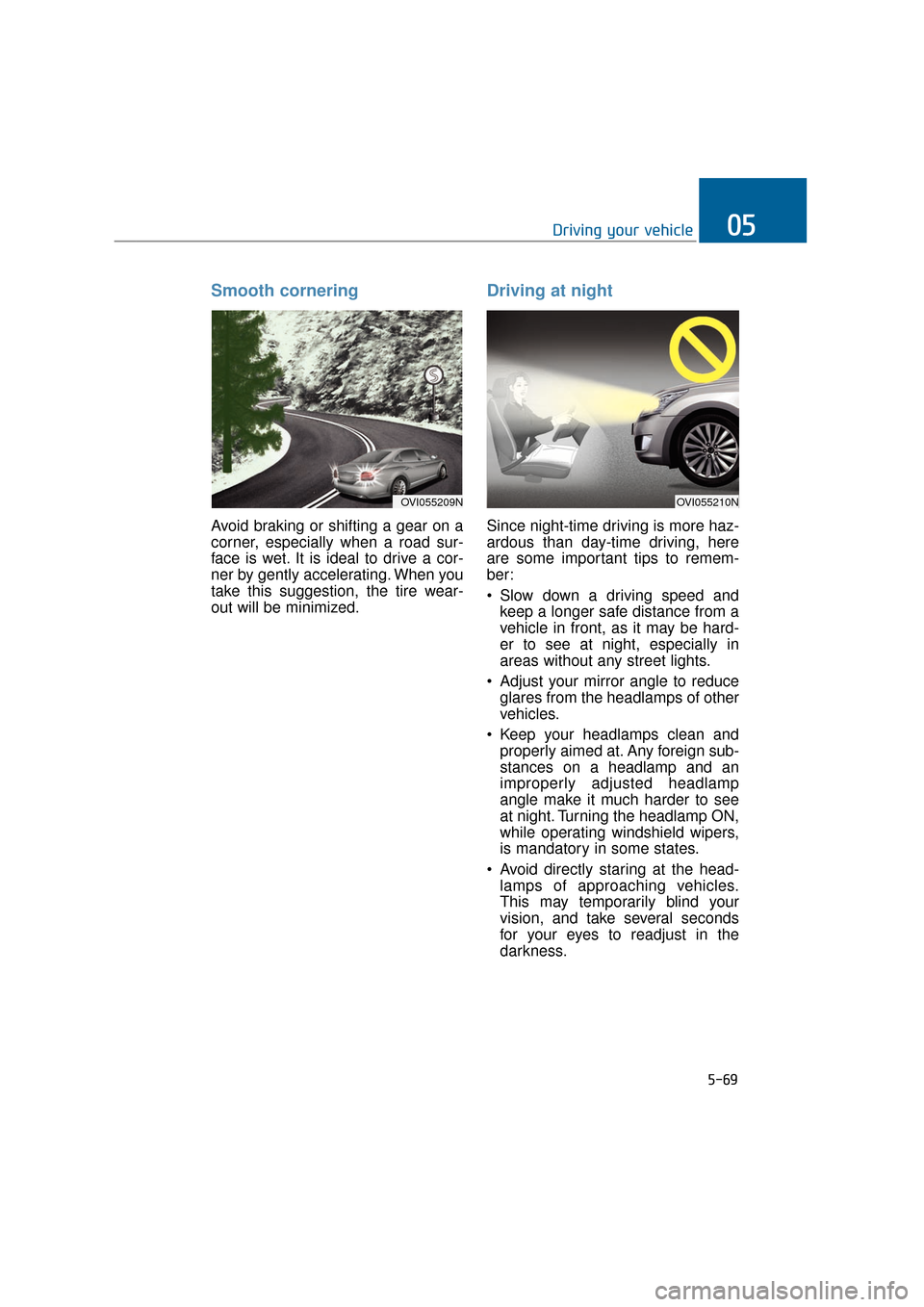
Smooth cornering
Avoid braking or shifting a gear on a
corner, especially when a road sur-
face is wet. It is ideal to drive a cor-
ner by gently accelerating. When you
take this suggestion, the tire wear-
out will be minimized.
Driving at night
Since night-time driving is more haz-
ardous than day-time driving, here
are some important tips to remem-
ber:
Slow down a driving speed andkeep a longer safe distance from a
vehicle in front, as it may be hard-
er to see at night, especially in
areas without any street lights.
Adjust your mirror angle to reduce glares from the headlamps of other
vehicles.
Keep your headlamps clean and properly aimed at. Any foreign sub-
stances on a headlamp and an
improperly adjusted headlamp
angle make it much harder to see
at night. Turning the headlamp ON,
while operating windshield wipers,
is mandatory in some states.
Avoid directly staring at the head- lamps of approaching vehicles.
This may temporarily blind your
vision, and take several seconds
for your eyes to readjust in the
darkness.
OVI055209NOVI055210N
Page 335 of 477
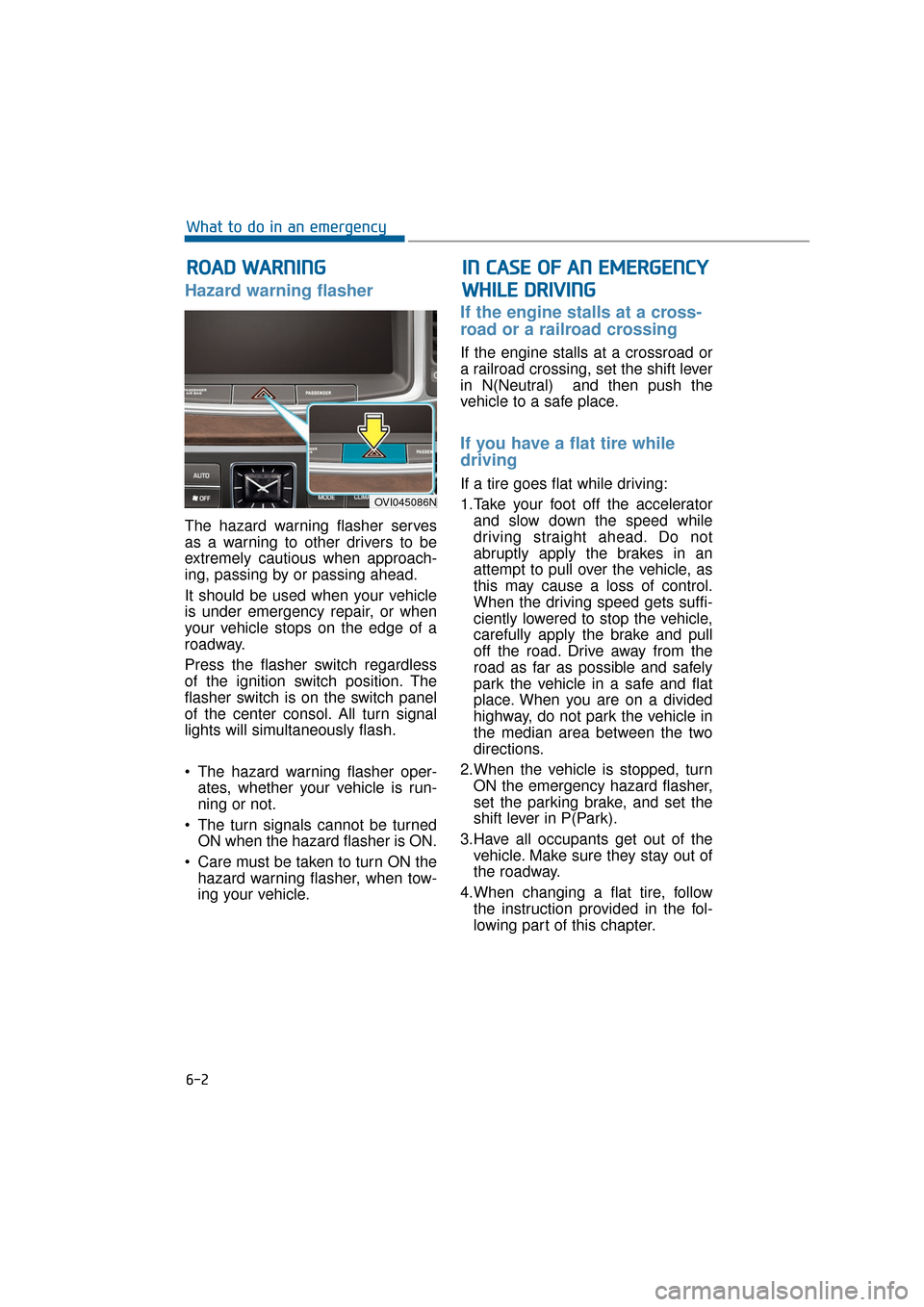
Hazard warning flasher
The hazard warning flasher serves
as a warning to other drivers to be
extremely cautious when approach-
ing, passing by or passing ahead.
It should be used when your vehicle
is under emergency repair, or when
your vehicle stops on the edge of a
roadway.
Press the flasher switch regardless
of the ignition switch position. The
flasher switch is on the switch panel
of the center consol. All turn signal
lights will simultaneously flash.
• The hazard warning flasher oper-ates, whether your vehicle is run-
ning or not.
The turn signals cannot be turned ON when the hazard flasher is ON.
Care must be taken to turn ON the hazard warning flasher, when tow-
ing your vehicle.
If the engine stalls at a cross-
road or a railroad crossing
If the engine stalls at a crossroad or
a railroad crossing, set the shift lever
in N(Neutral) and then push the
vehicle to a safe place.
If you have a flat tire while
driving
If a tire goes flat while driving:
1.Take your foot off the acceleratorand slow down the speed while
driving straight ahead. Do not
abruptly apply the brakes in an
attempt to pull over the vehicle, as
this may cause a loss of control.
When the driving speed gets suffi-
ciently lowered to stop the vehicle,
carefully apply the brake and pull
off the road. Drive away from the
road as far as possible and safely
park the vehicle in a safe and flat
place. When you are on a divided
highway, do not park the vehicle in
the median area between the two
directions.
2.When the vehicle is stopped, turn ON the emergency hazard flasher,
set the parking brake, and set the
shift lever in P(Park).
3.Have all occupants get out of the vehicle. Make sure they stay out of
the roadway.
4.When changing a flat tire, follow the instruction provided in the fol-
lowing part of this chapter.
R RO
O A
AD
D
W
W A
AR
RN
N I
IN
N G
G
6-2
What to do in an emergency
OVI045086N
I
IN
N
C
C A
A S
SE
E
O
O F
F
A
A N
N
E
E M
M E
ER
R G
G E
EN
N C
CY
Y
W
W H
HI
IL
L E
E
D
D R
RI
IV
V I
IN
N G
G