lights Hyundai Equus 2016 User Guide
[x] Cancel search | Manufacturer: HYUNDAI, Model Year: 2016, Model line: Equus, Model: Hyundai Equus 2016Pages: 477, PDF Size: 16.25 MB
Page 184 of 477
Warning lightsInformation
Make sure that all warning lights are
turned OFF after starting the engine.
When any light remains ON, this indi-
cates the situation that your attention
is required.
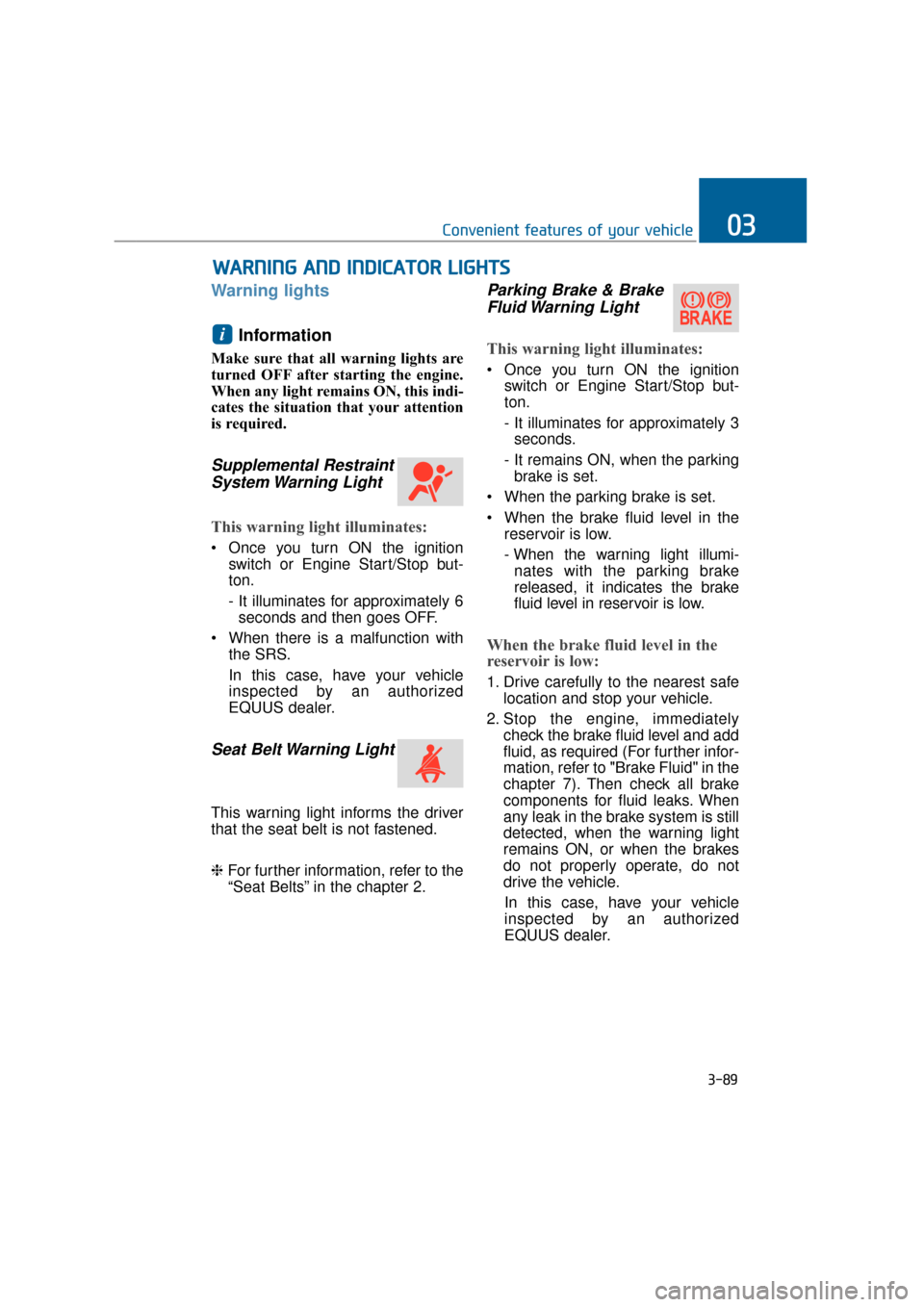
Supplemental RestraintSystem Warning Light
This warning light illuminates:
Once you turn ON the ignition
switch or Engine Start/Stop but-
ton.
- It illuminates for approximately 6seconds and then goes OFF.
When there is a malfunction with the SRS.
In this case, have your vehicle
inspected by an authorized
EQUUS dealer.
Seat Belt Warning Light
This warning light informs the driver
that the seat belt is not fastened.
❈For further information, refer to the
“Seat Belts” in the chapter 2.
Parking Brake & Brake
Fluid Warning Light
This warning light illuminates:
Once you turn ON the ignition
switch or Engine Start/Stop but-
ton.
- It illuminates for approximately 3seconds.
- It remains ON, when the parking brake is set.
When the parking brake is set.
When the brake fluid level in the reservoir is low.
- When the warning light illumi-nates with the parking brake
released, it indicates the brake
fluid level in reservoir is low.
When the brake fluid level in the
reservoir is low:
1. Drive carefully to the nearest safe location and stop your vehicle.
2. Stop the engine, immediately check the brake fluid level and add
fluid, as required (For further infor-
mation, refer to "Brake Fluid" in the
chapter 7). Then check all brake
components for fluid leaks. When
any leak in the brake system is still
detected, when the warning light
remains ON, or when the brakes
do not properly operate, do not
drive the vehicle.
In this case, have your vehicle
inspected by an authorized
EQUUS dealer.
i
W W A
AR
RN
N I
IN
N G
G
A
A N
N D
D
I
IN
N D
DI
IC
C A
A T
TO
O R
R
L
L I
IG
G H
H T
TS
S
3-89
Convenient features of your vehicle03
Page 185 of 477
Dual-diagonal braking system
Your vehicle is equipped with dual-
diagonal braking systems. This
means you still have braking on two
wheels even if one of the dual sys-
tems fails.
With only one of the dual systems
working, longer pedal travel and
greater pedal pressure may be
required to stop the vehicle.
Also, the vehicle will not stop in as
short a distance only with one por-
tion of the brake systems working.
If the brakes fail while you are driv-
ing, shift to a lower gear for addition-
al engine braking and stop the vehi-
cle as soon as it is safe to do so.
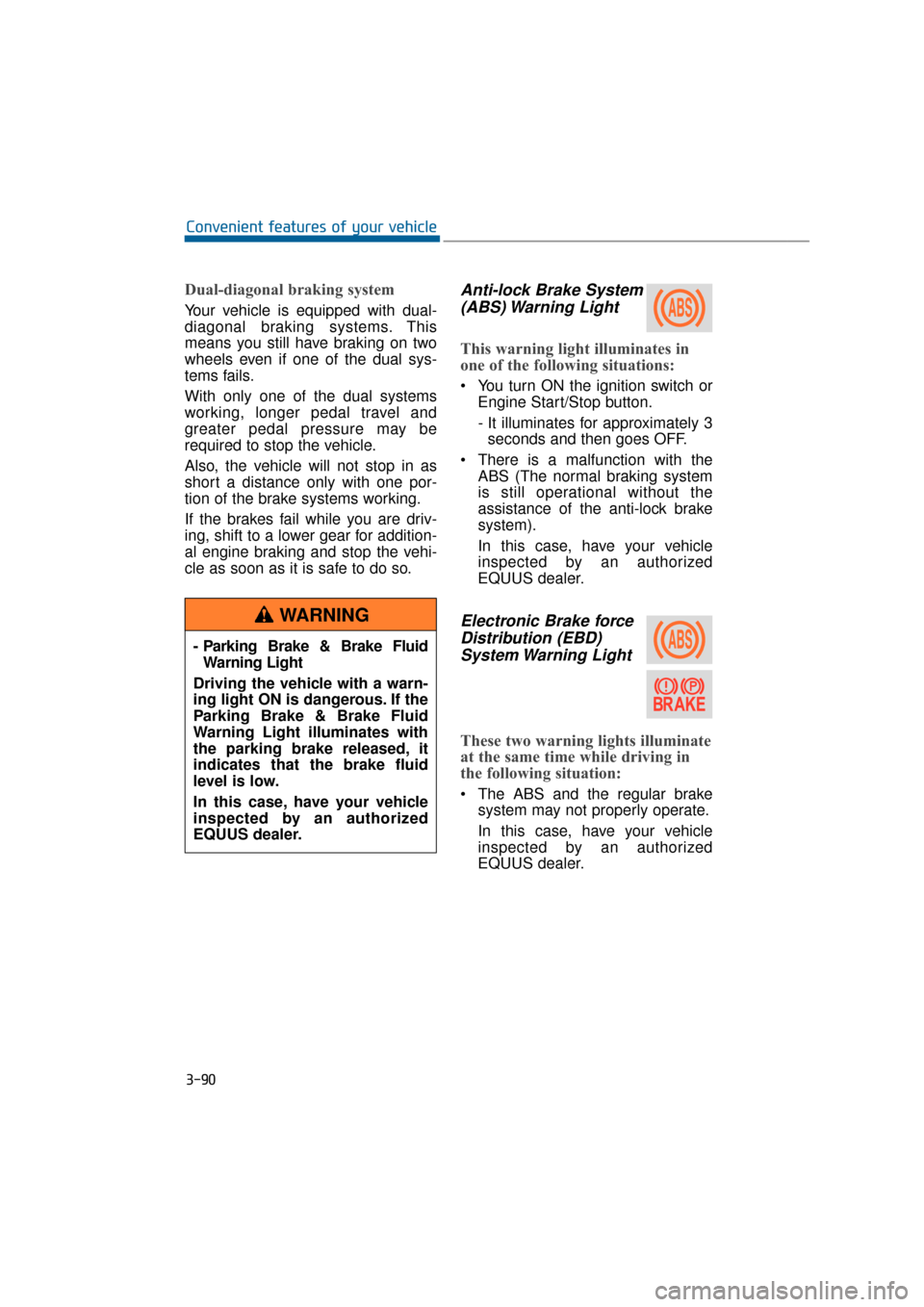
Anti-lock Brake System(ABS) Warning Light
This warning light illuminates in
one of the following situations:
You turn ON the ignition switch or
Engine Start/Stop button.
- It illuminates for approximately 3seconds and then goes OFF.
There is a malfunction with the ABS (The normal braking system
is still operational without the
assistance of the anti-lock brake
system).
In this case, have your vehicle
inspected by an authorized
EQUUS dealer.
Electronic Brake forceDistribution (EBD)System Warning Light
These two warning lights illuminate
at the same time while driving in
the following situation:
The ABS and the regular brake
system may not properly operate.
In this case, have your vehicle
inspected by an authorized
EQUUS dealer.
3-90
Convenient features of your vehicle
- Parking Brake & Brake Fluid Warning Light
Driving the vehicle with a warn-
ing light ON is dangerous. If the
Parking Brake & Brake Fluid
Warning Light illuminates with
the parking brake released, it
indicates that the brake fluid
level is low.
In this case, have your vehicle
inspected by an authorized
EQUUS dealer.
WARNING
Page 186 of 477
Information
- Electronic Brake forceDistribution (EBD) System
Warning Light
When the ABS warning light illumi-
nates, or when both the ABS and the
Parking Brake & Brake Fluid warn-
ing lights illuminate, the speedometer,
the odometer, or the tripmeter may
not properly operate. Also, the EPS
warning light may illuminate, and the
efforts to operate the steering wheel
may require to increase or decrease.
In this case, have your vehicle inspect-
ed by an authorized EQUUS dealer.
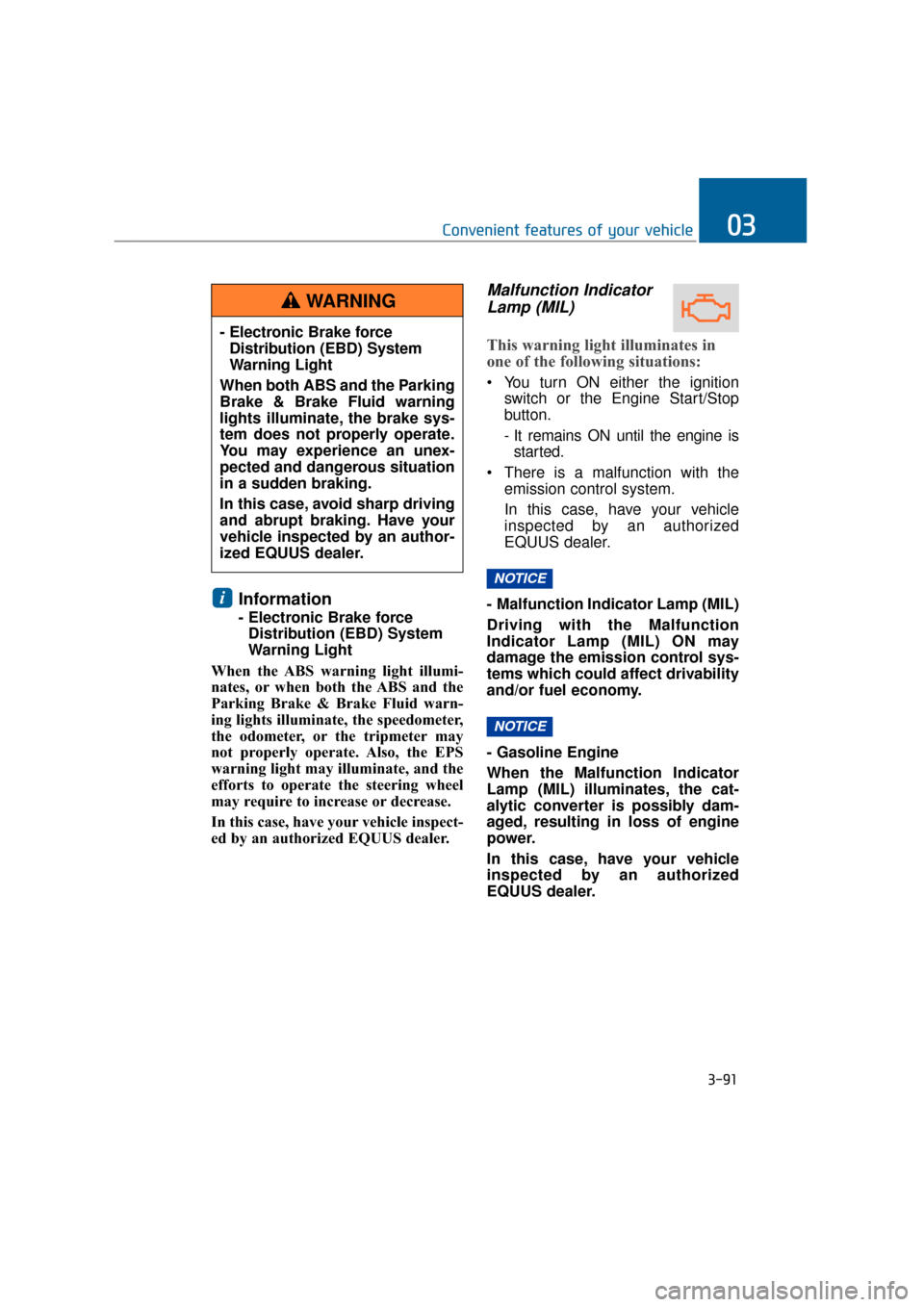
Malfunction Indicator Lamp (MIL)
This warning light illuminates in
one of the following situations:
You turn ON either the ignition
switch or the Engine Start/Stop
button.
- It remains ON until the engine isstarted.
There is a malfunction with the emission control system.
In this case, have your vehicle
inspected by an authorized
EQUUS dealer.
- Malfunction Indicator Lamp (MIL)
Driving with the Malfunction
Indicator Lamp (MIL) ON may
damage the emission control sys-
tems which could affect drivability
and/or fuel economy.
- Gasoline Engine
When the Malfunction Indicator
Lamp (MIL) illuminates, the cat-
alytic converter is possibly dam-
aged, resulting in loss of engine
power.
In this case, have your vehicle
inspected by an authorized
EQUUS dealer.
NOTICE
NOTICE
i
3-91
Convenient features of your vehicle03
- Electronic Brake force Distribution (EBD) System
Warning Light
When both ABS and the Parking
Brake & Brake Fluid warning
lights illuminate, the brake sys-
tem does not properly operate.
You may experience an unex-
pected and dangerous situation
in a sudden braking.
In this case, avoid sharp driving
and abrupt braking. Have your
vehicle inspected by an author-
ized EQUUS dealer.
WARNING
Page 191 of 477
Indicator Lights
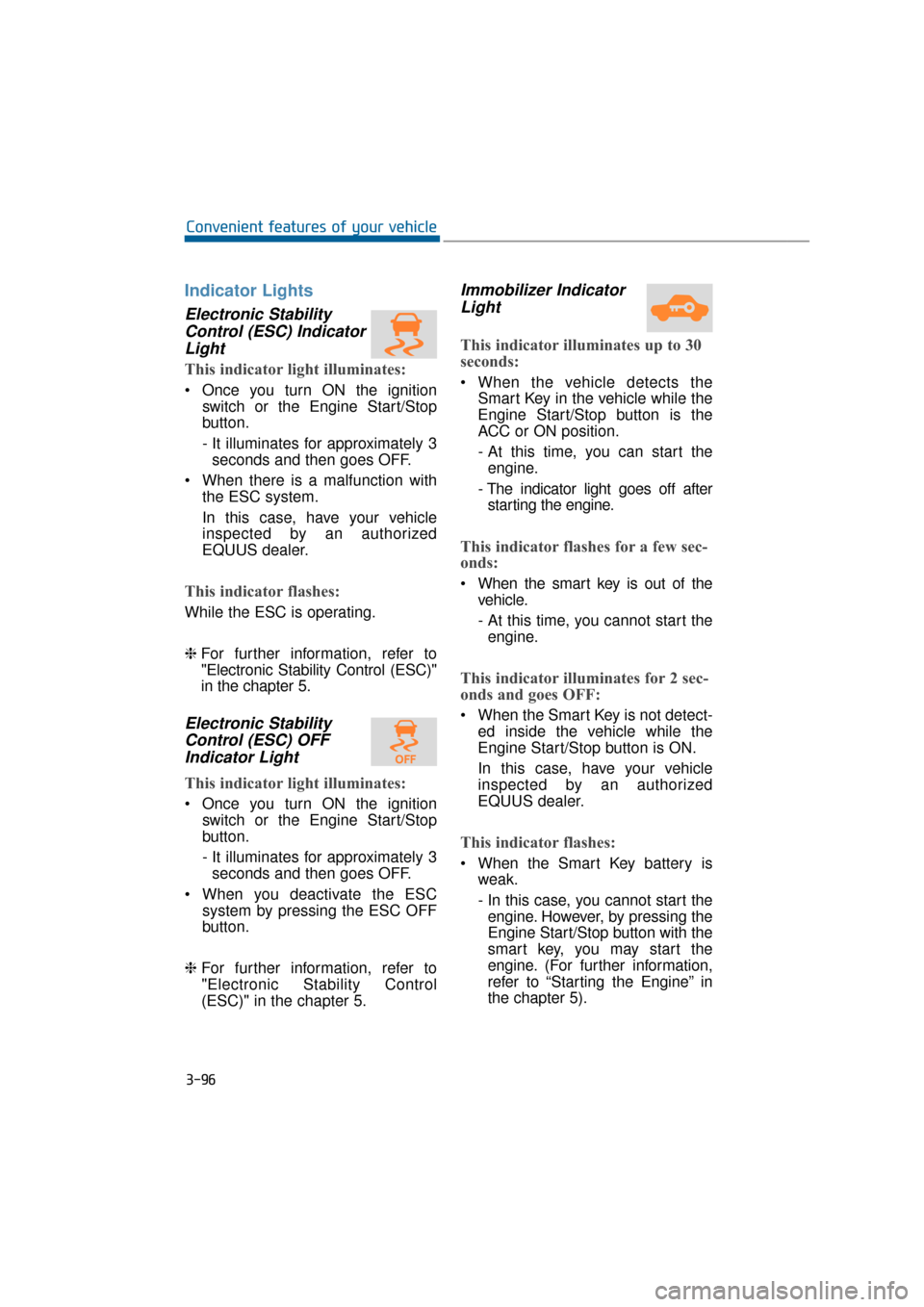
Electronic StabilityControl (ESC) IndicatorLight
This indicator light illuminates:
Once you turn ON the ignition
switch or the Engine Start/Stop
button.
- It illuminates for approximately 3seconds and then goes OFF.
When there is a malfunction with the ESC system.
In this case, have your vehicle
inspected by an authorized
EQUUS dealer.
This indicator flashes:
While the ESC is operating.
❈For further information, refer to
"Electronic Stability Control (ESC)"
in the chapter 5.
Electronic Stability
Control (ESC) OFFIndicator Light
This indicator light illuminates:
Once you turn ON the ignition
switch or the Engine Start/Stop
button.
- It illuminates for approximately 3seconds and then goes OFF.
When you deactivate the ESC system by pressing the ESC OFF
button.
❈ For further information, refer to
"Electronic Stability Control
(ESC)" in the chapter 5.
Immobilizer Indicator
Light
This indicator illuminates up to 30
seconds:
When the vehicle detects the
Smart Key in the vehicle while the
Engine Start/Stop button is the
ACC or ON position.
- At this time, you can start theengine.
- The indicator light goes off after starting the engine.
This indicator flashes for a few sec-
onds:
When the smart key is out of the vehicle.
- At this time, you cannot start theengine.
This indicator illuminates for 2 sec-
onds and goes OFF:
When the Smart Key is not detect- ed inside the vehicle while the
Engine Start/Stop button is ON.
In this case, have your vehicle
inspected by an authorized
EQUUS dealer.
This indicator flashes:
When the Smart Key battery isweak.
- In this case, you cannot start theengine. However, by pressing the
Engine Start/Stop button with the
smart key, you may start the
engine. (For further information,
refer to “Starting the Engine” in
the chapter 5).
3-96
Convenient features of your vehicle
Page 192 of 477
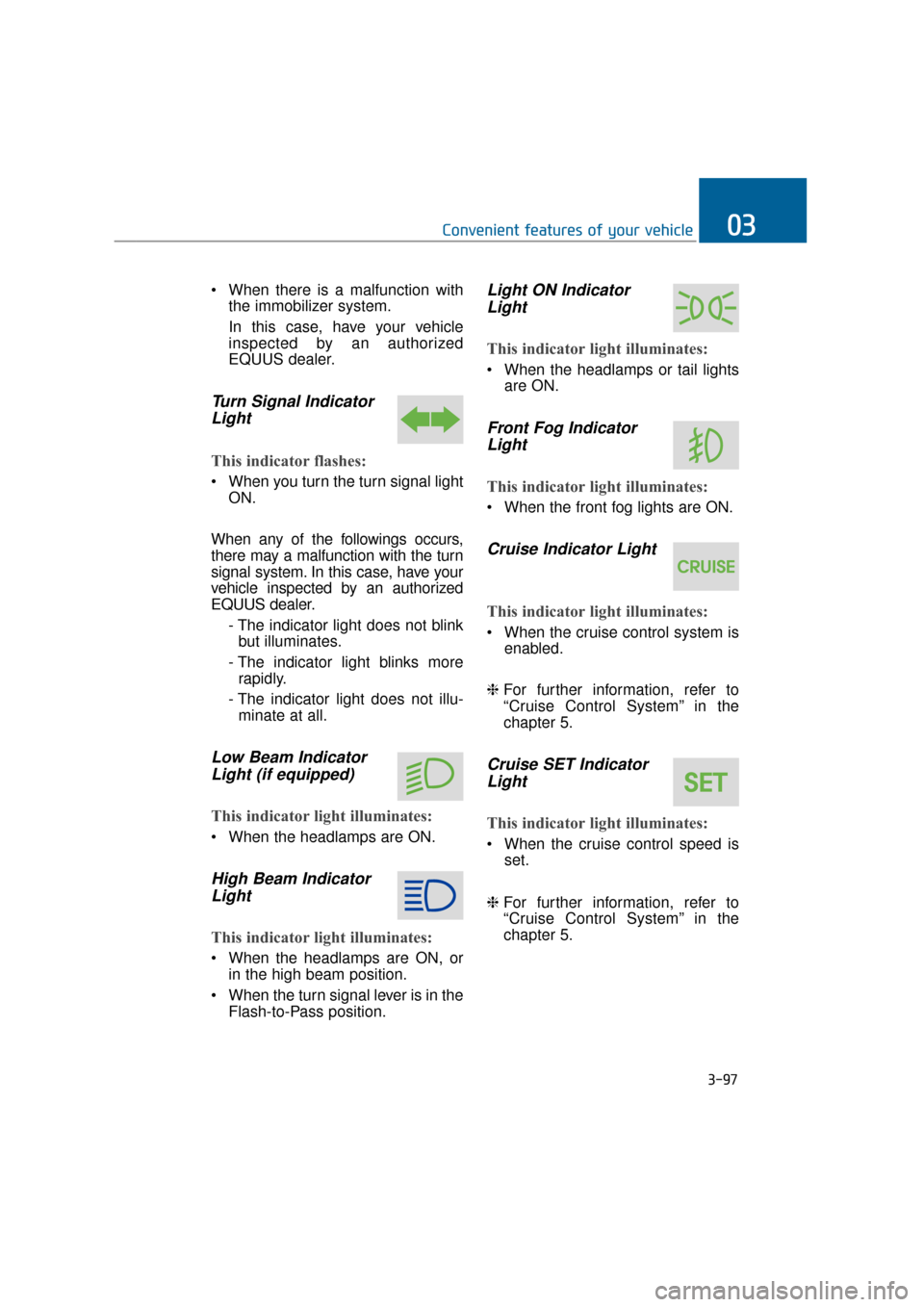
When there is a malfunction withthe immobilizer system.
In this case, have your vehicle
inspected by an authorized
EQUUS dealer.
Turn Signal IndicatorLight
This indicator flashes:
When you turn the turn signal light
ON.
When any of the followings occurs,
there may a malfunction with the turn
signal system. In this case, have your
vehicle inspected by an authorized
EQUUS dealer. - The indicator light does not blinkbut illuminates.
- The indicator light blinks more rapidly.
- The indicator light does not illu- minate at all.
Low Beam IndicatorLight (if equipped)
This indicator light illuminates:
When the headlamps are ON.
High Beam IndicatorLight
This indicator light illuminates:
When the headlamps are ON, or
in the high beam position.
When the turn signal lever is in the Flash-to-Pass position.
Light ON IndicatorLight
This indicator light illuminates:
When the headlamps or tail lights
are ON.
Front Fog IndicatorLight
This indicator light illuminates:
When the front fog lights are ON.
Cruise Indicator Light
This indicator light illuminates:
When the cruise control system is
enabled.
❈ For further information, refer to
“Cruise Control System” in the
chapter 5.
Cruise SET Indicator
Light
This indicator light illuminates:
When the cruise control speed is
set.
❈ For further information, refer to
“Cruise Control System” in the
chapter 5.
3-97
Convenient features of your vehicle03
Page 196 of 477
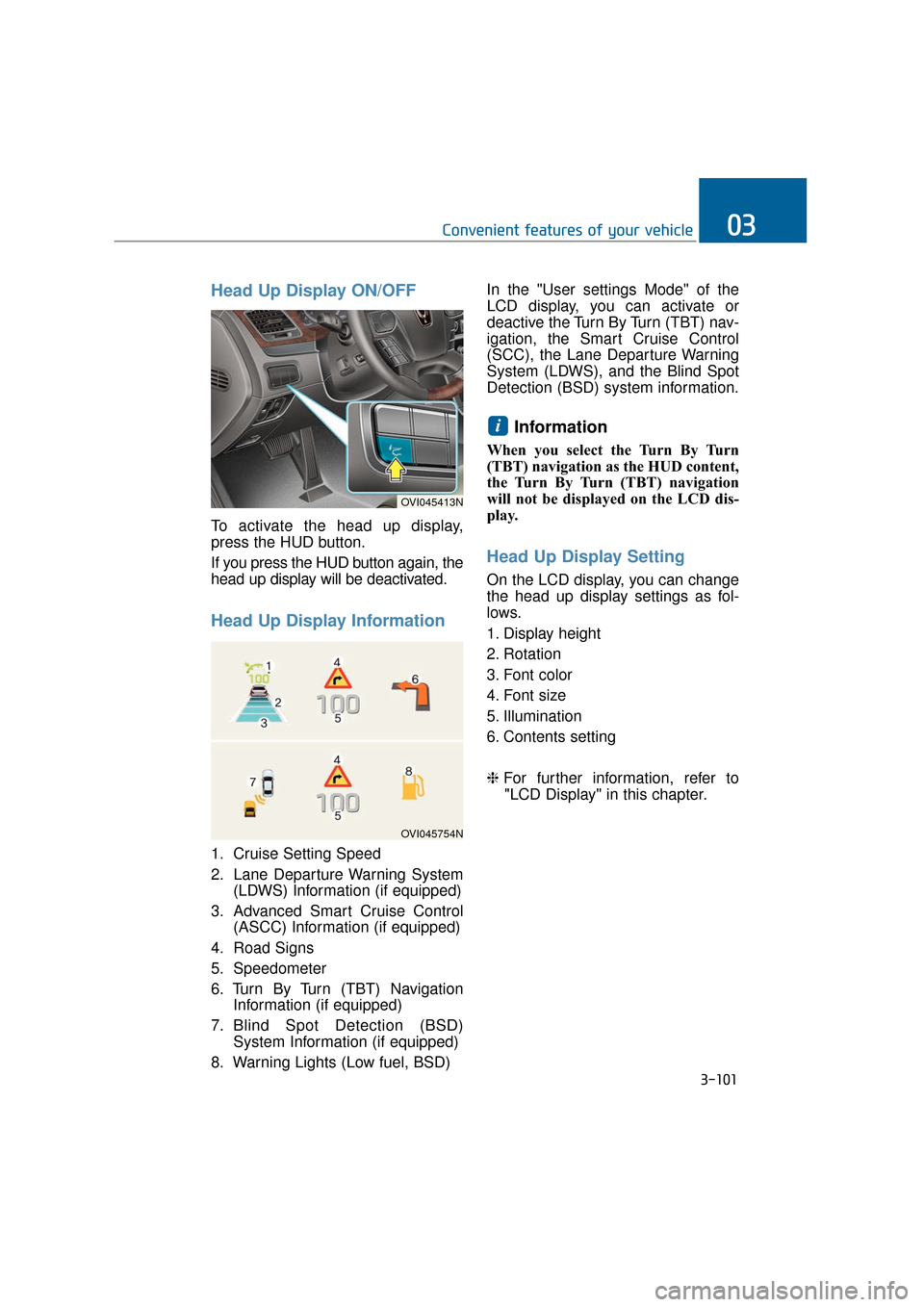
Head Up Display ON/OFF
To activate the head up display,
press the HUD button.
If you press the HUD button again, the
head up display will be deactivated.
Head Up Display Information
1. Cruise Setting Speed
2. Lane Departure Warning System(LDWS) Information (if equipped)
3. Advanced Smart Cruise Control (ASCC) Information (if equipped)
4. Road Signs
5. Speedometer
6. Turn By Turn (TBT) Navigation Information (if equipped)
7. Blind Spot Detection (BSD) System Information (if equipped)
8. Warning Lights (Low fuel, BSD) In the "User settings Mode" of the
LCD display, you can activate or
deactive the Turn By Turn (TBT) nav-
igation, the Smart Cruise Control
(SCC), the Lane Departure Warning
System (LDWS), and the Blind Spot
Detection (BSD) system information.
Information
When you select the Turn By Turn
(TBT) navigation as the HUD content,
the Turn By Turn (TBT) navigation
will not be displayed on the LCD dis-
play.
Head Up Display Setting
On the LCD display, you can change
the head up display settings as fol-
lows.
1. Display height
2. Rotation
3. Font color
4. Font size
5. Illumination
6. Contents setting
❈
For further information, refer to
"LCD Display" in this chapter.
i
3-101
Convenient features of your vehicle03
OVI045754N
OVI045413N
Page 204 of 477
Battery saver function
The purpose of this function is toprevent the battery from being dis-
charged. The system automatical-
ly turns OFF the parking lights
when the driver turns OFF the
engine and opens the driver's
door.
With this function, the parking lights are turned OFF automatical-
ly if the driver parks the vehicle on
the side of the road at night.
If necessary, in order to keep the
lights ON when the engine is
turned OFF, perform the follow-
ings:
1) Open the driver-side door.
2) Turn the parking lights ON and OFF again using the light
switch on the steering column.
Headlamp escort function
When you press the Engine
Start/Stop button to the ACC or OFF
position with the headlamps ON, the
headlamps (and/or tail lights) remain
ON for approximately 5 minutes.
However, when the driver’s door is
open and then closed, the head-
lamps are turned OFF after 15 sec-
onds.
The headlamps can be turned OFF
by pressing the lock button on the
Smart Key twice or turning the light
switch to the OFF or Auto position.
However, when you turn the light
switch to the Auto position, and when
it is dark outside, the headlamps will
not be turned OFF.
If the driver exit the vehicle
through other doors (except dri-
ver’s door), the battery saver func-
tion does not operate and the
headlamp escort function does
not turn OFF automatically.
Therefore, it discharges the bat-
tery. In this case, make sure to
turn OFF the lamp before exiting
the vehicle.
NOTICE
L LI
IG
G H
H T
TI
IN
N G
G
3-109
Convenient features of your vehicle03
Page 205 of 477
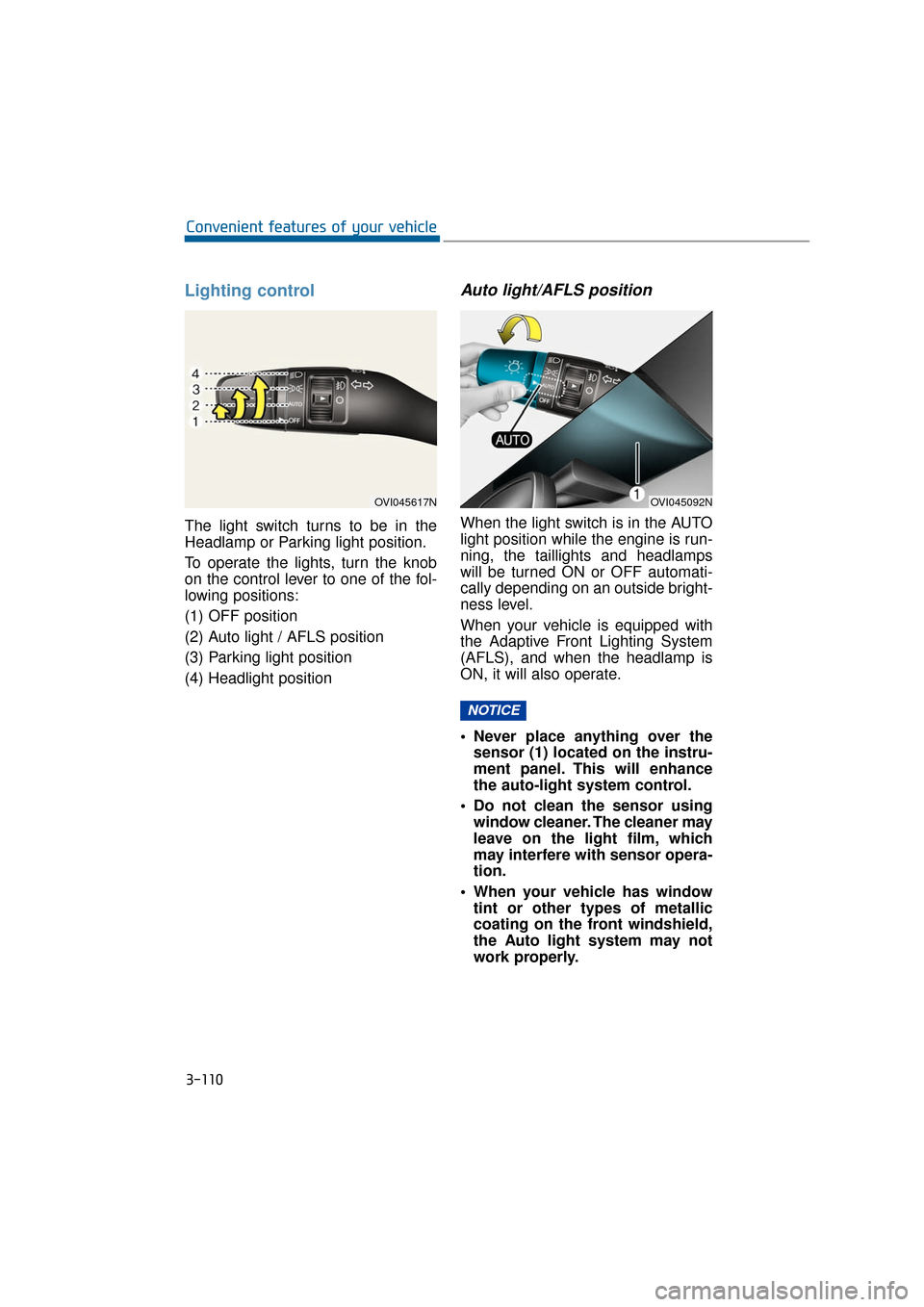
Lighting control
The light switch turns to be in the
Headlamp or Parking light position.
To operate the lights, turn the knob
on the control lever to one of the fol-
lowing positions:
(1) OFF position
(2) Auto light / AFLS position
(3) Parking light position
(4) Headlight position
Auto light/AFLS position
When the light switch is in the AUTO
light position while the engine is run-
ning, the taillights and headlamps
will be turned ON or OFF automati-
cally depending on an outside bright-
ness level.
When your vehicle is equipped with
the Adaptive Front Lighting System
(AFLS), and when the headlamp is
ON, it will also operate.
Never place anything over thesensor (1) located on the instru-
ment panel. This will enhance
the auto-light system control.
Do not clean the sensor using window cleaner. The cleaner may
leave on the light film, which
may interfere with sensor opera-
tion.
When your vehicle has window tint or other types of metallic
coating on the front windshield,
the Auto light system may not
work properly.
NOTICE
3-110
Convenient features of your vehicle
OVI045092NOVI045617N
Page 206 of 477
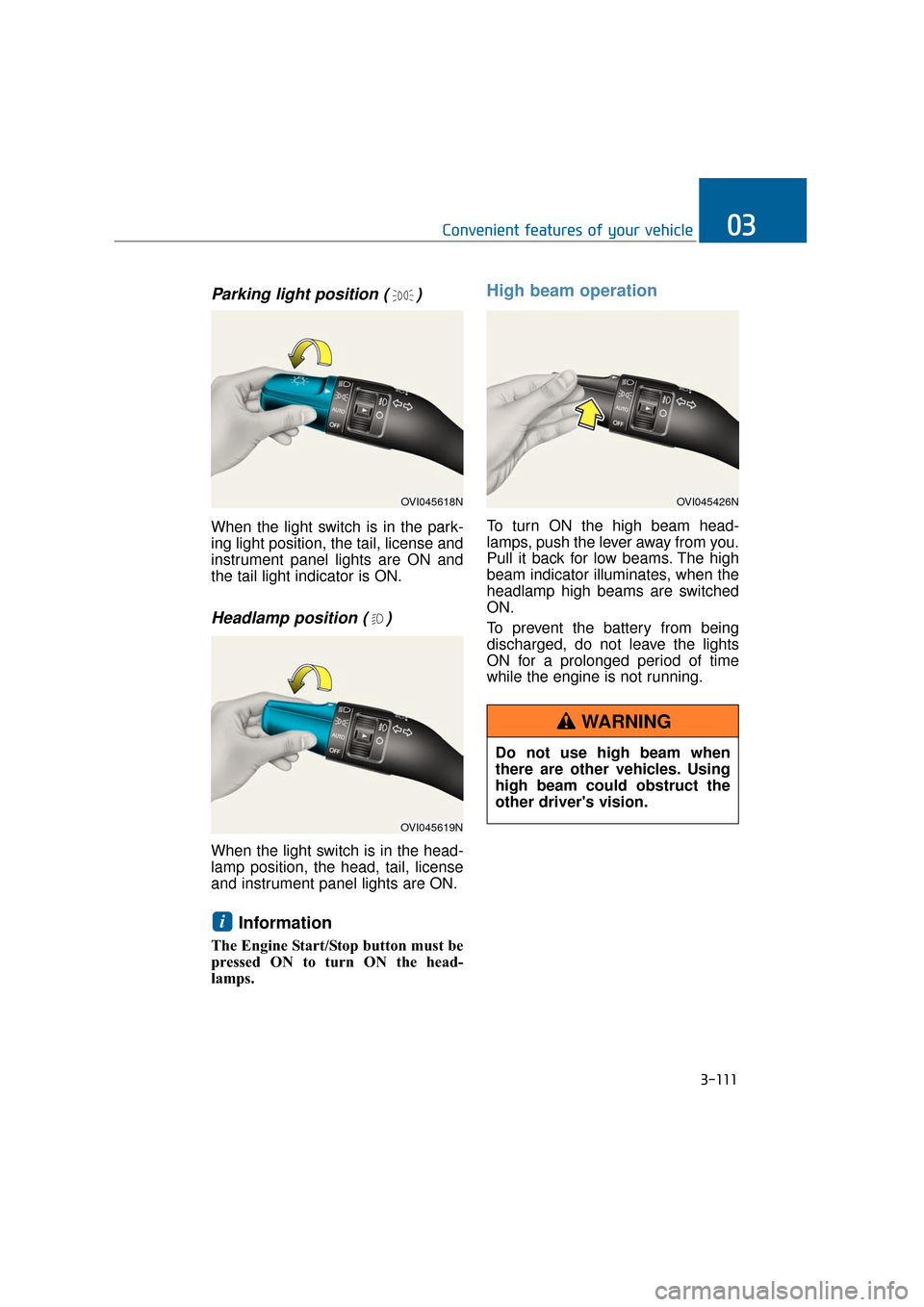
Parking light position ( )
When the light switch is in the park-
ing light position, the tail, license and
instrument panel lights are ON and
the tail light indicator is ON.
Headlamp position ( )
When the light switch is in the head-
lamp position, the head, tail, license
and instrument panel lights are ON.
Information
The Engine Start/Stop button must be
pressed ON to turn ON the head-
lamps.
High beam operation
To turn ON the high beam head-
lamps, push the lever away from you.
Pull it back for low beams. The high
beam indicator illuminates, when the
headlamp high beams are switched
ON.
To prevent the battery from being
discharged, do not leave the lights
ON for a prolonged period of time
while the engine is not running.
i
3-111
Convenient features of your vehicle03
OVI045618N
OVI045619N
OVI045426N
Do not use high beam when
there are other vehicles. Using
high beam could obstruct the
other driver's vision.
WARNING
Page 208 of 477
Information
If an indicator flash is abnormally
quick or slow, a bulb may be burned
out or have a poor electrical connec-
tion in the circuit.
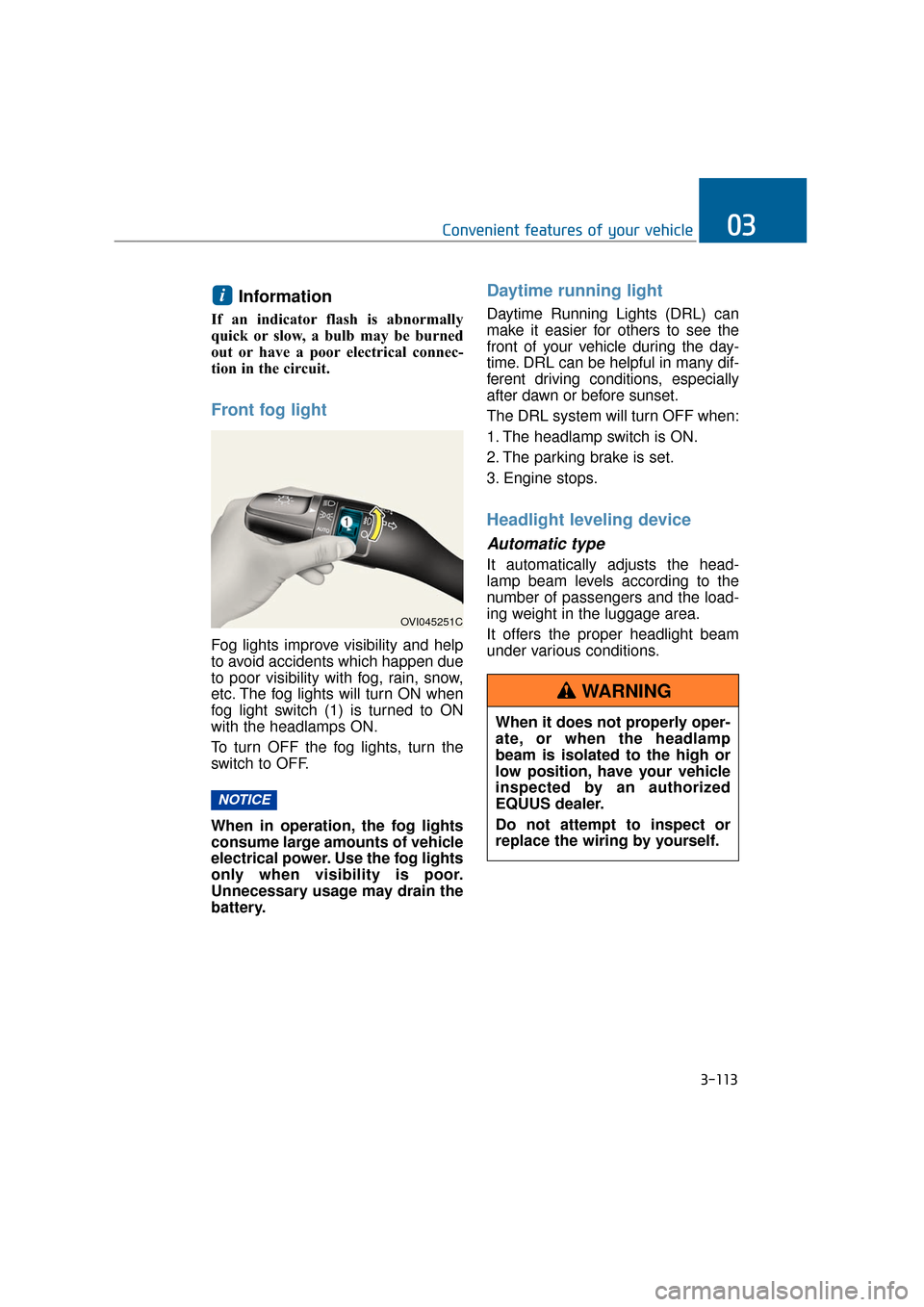
Front fog light
Fog lights improve visibility and help
to avoid accidents which happen due
to poor visibility with fog, rain, snow,
etc. The fog lights will turn ON when
fog light switch (1) is turned to ON
with the headlamps ON.
To turn OFF the fog lights, turn the
switch to OFF.
When in operation, the fog lights
consume large amounts of vehicle
electrical power. Use the fog lights
only when visibility is poor.
Unnecessary usage may drain the
battery.
Daytime running light
Daytime Running Lights (DRL) can
make it easier for others to see the
front of your vehicle during the day-
time. DRL can be helpful in many dif-
ferent driving conditions, especially
after dawn or before sunset.
The DRL system will turn OFF when:
1. The headlamp switch is ON.
2. The parking brake is set.
3. Engine stops.
Headlight leveling device
Automatic type
It automatically adjusts the head-
lamp beam levels according to the
number of passengers and the load-
ing weight in the luggage area.
It offers the proper headlight beam
under various conditions.
NOTICE
i
3-113
Convenient features of your vehicle03
OVI045251C
When it does not properly oper-
ate, or when the headlamp
beam is isolated to the high or
low position, have your vehicle
inspected by an authorized
EQUUS dealer.
Do not attempt to inspect or
replace the wiring by yourself.
WARNING