trunk Hyundai Equus 2016 Owner's Guide
[x] Cancel search | Manufacturer: HYUNDAI, Model Year: 2016, Model line: Equus, Model: Hyundai Equus 2016Pages: 477, PDF Size: 16.25 MB
Page 119 of 477
Smart trunk (if equipped)
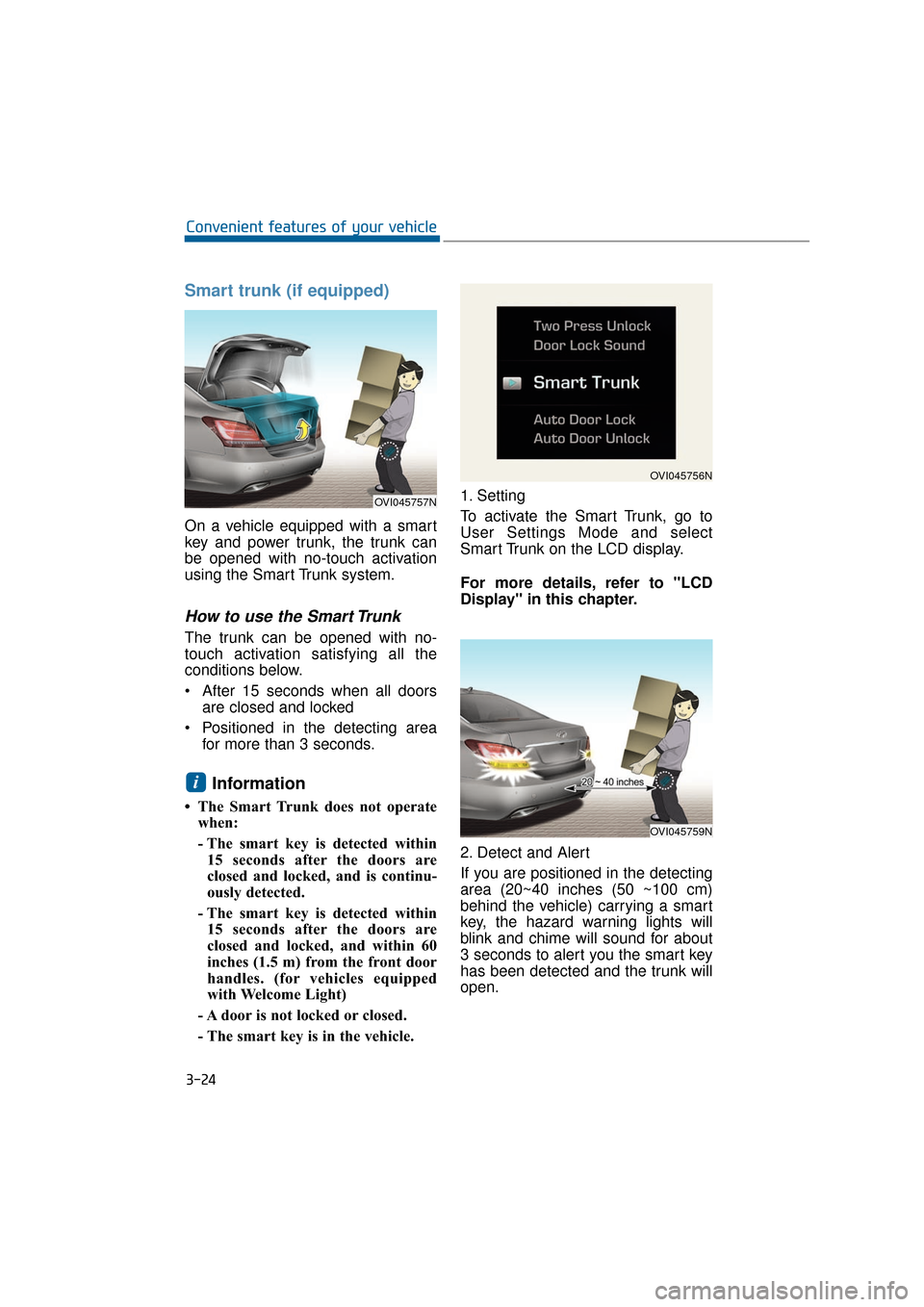
On a vehicle equipped with a smart
key and power trunk, the trunk can
be opened with no-touch activation
using the Smart Trunk system.
How to use the Smart Trunk
The trunk can be opened with no-
touch activation satisfying all the
conditions below.
After 15 seconds when all doorsare closed and locked
Positioned in the detecting area for more than 3 seconds.
Information
• The Smart Trunk does not operatewhen:
- The smart key is detected within15 seconds after the doors are
closed and locked, and is continu-
ously detected.
- The smart key is detected within 15 seconds after the doors are
closed and locked, and within 60
inches (1.5 m) from the front door
handles. (for vehicles equipped
with Welcome Light)
- A door is not locked or closed.
- The smart key is in the vehicle. 1. Setting
To activate the Smart Trunk, go to
User Settings Mode and select
Smart Trunk on the LCD display.
For more details, refer to "LCD
Display" in this chapter.
2. Detect and Alert
If you are positioned in the detecting
area (20~40 inches (50 ~100 cm)
behind the vehicle) carrying a smart
key, the hazard warning lights will
blink and chime will sound for about
3 seconds to alert you the smart key
has been detected and the trunk will
open.
i
3-24
Convenient features of your vehicle
OVI045757N
OVI045756N
OVI045759N
Page 120 of 477
Information
Do not approach the detecting area if
you do not want the trunk to open. If
you have unintentionally entered the
detecting area and the hazard warn-
ing lights and chime starts to operate,
leave the detecting area with the smart
key. The trunk will stay closed.
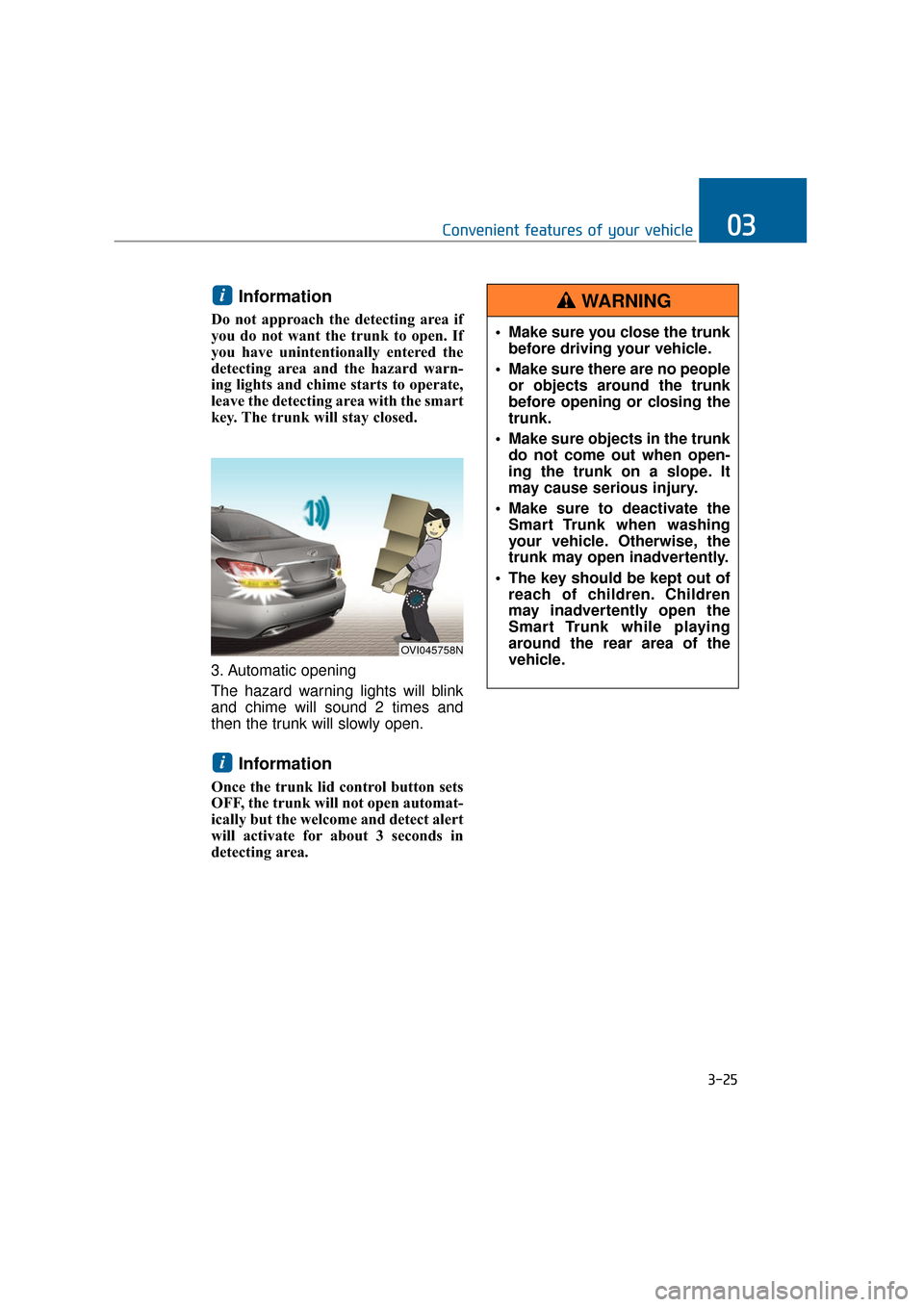
3. Automatic opening
The hazard warning lights will blink
and chime will sound 2 times and
then the trunk will slowly open.
Information
Once the trunk lid control button sets
OFF, the trunk will not open automat-
ically but the welcome and detect alert
will activate for about 3 seconds in
detecting area.
i
i
3-25
Convenient features of your vehicle03
OVI045758N
Make sure you close the trunkbefore driving your vehicle.
Make sure there are no people or objects around the trunk
before opening or closing the
trunk.
Make sure objects in the trunk do not come out when open-
ing the trunk on a slope. It
may cause serious injury.
Make sure to deactivate the Smart Trunk when washing
your vehicle. Otherwise, the
trunk may open inadvertently.
The key should be kept out of reach of children. Children
may inadvertently open the
Smart Trunk while playing
around the rear area of the
vehicle.
WARNING
Page 121 of 477
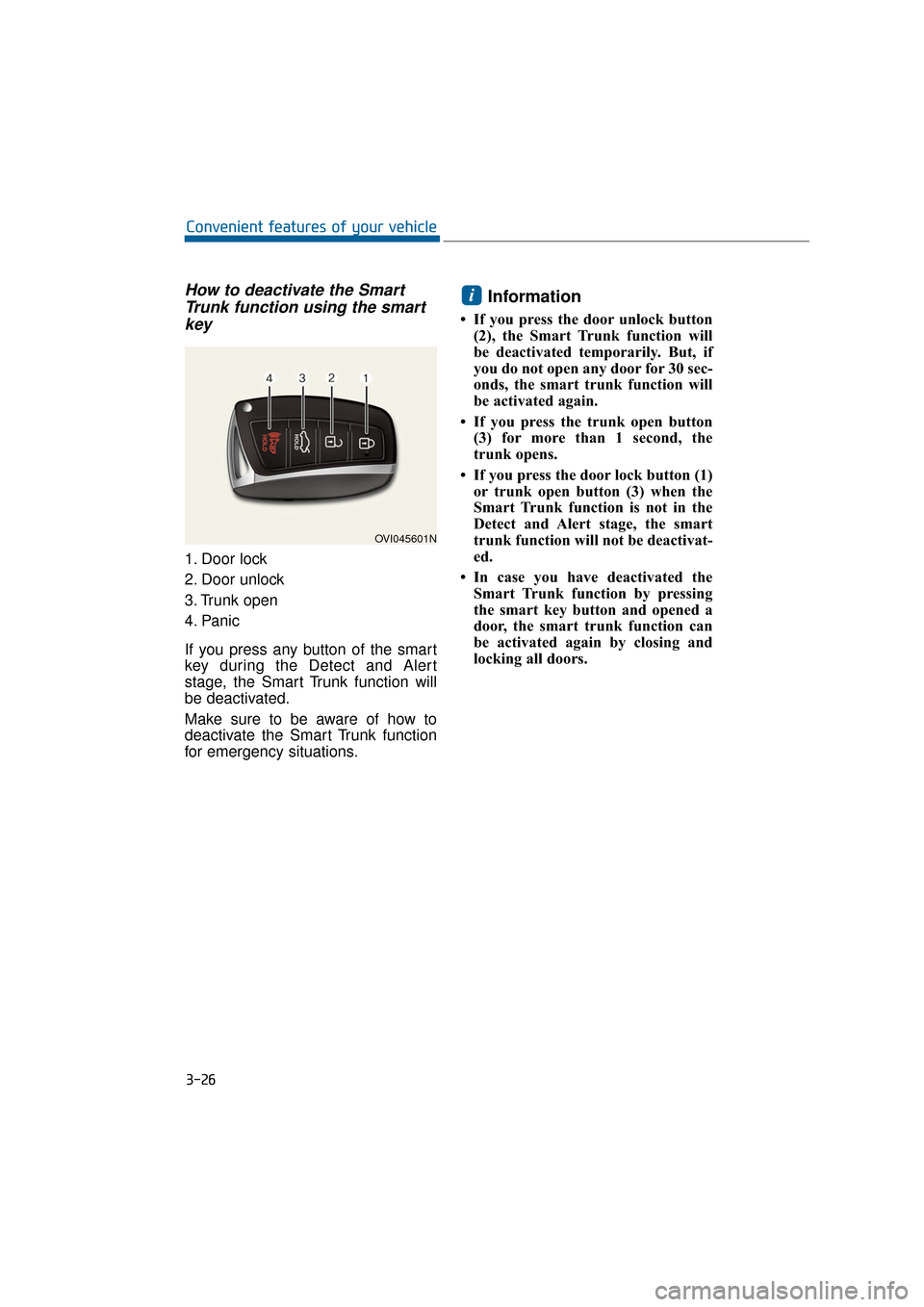
How to deactivate the SmartTrunk function using the smartkey
1. Door lock
2. Door unlock
3. Trunk open
4. Panic
If you press any button of the smart
key during the Detect and Alert
stage, the Smart Trunk function will
be deactivated.
Make sure to be aware of how to
deactivate the Smart Trunk function
for emergency situations.
Information
• If you press the door unlock button
(2), the Smart Trunk function will
be deactivated temporarily. But, if
you do not open any door for 30 sec-
onds, the smart trunk function will
be activated again.
• If you press the trunk open button (3) for more than 1 second, the
trunk opens.
• If you press the door lock button (1) or trunk open button (3) when the
Smart Trunk function is not in the
Detect and Alert stage, the smart
trunk function will not be deactivat-
ed.
• In case you have deactivated the Smart Trunk function by pressing
the smart key button and opened a
door, the smart trunk function can
be activated again by closing and
locking all doors.
i
3-26
Convenient features of your vehicle
OVI045601N
Page 122 of 477
Detecting area
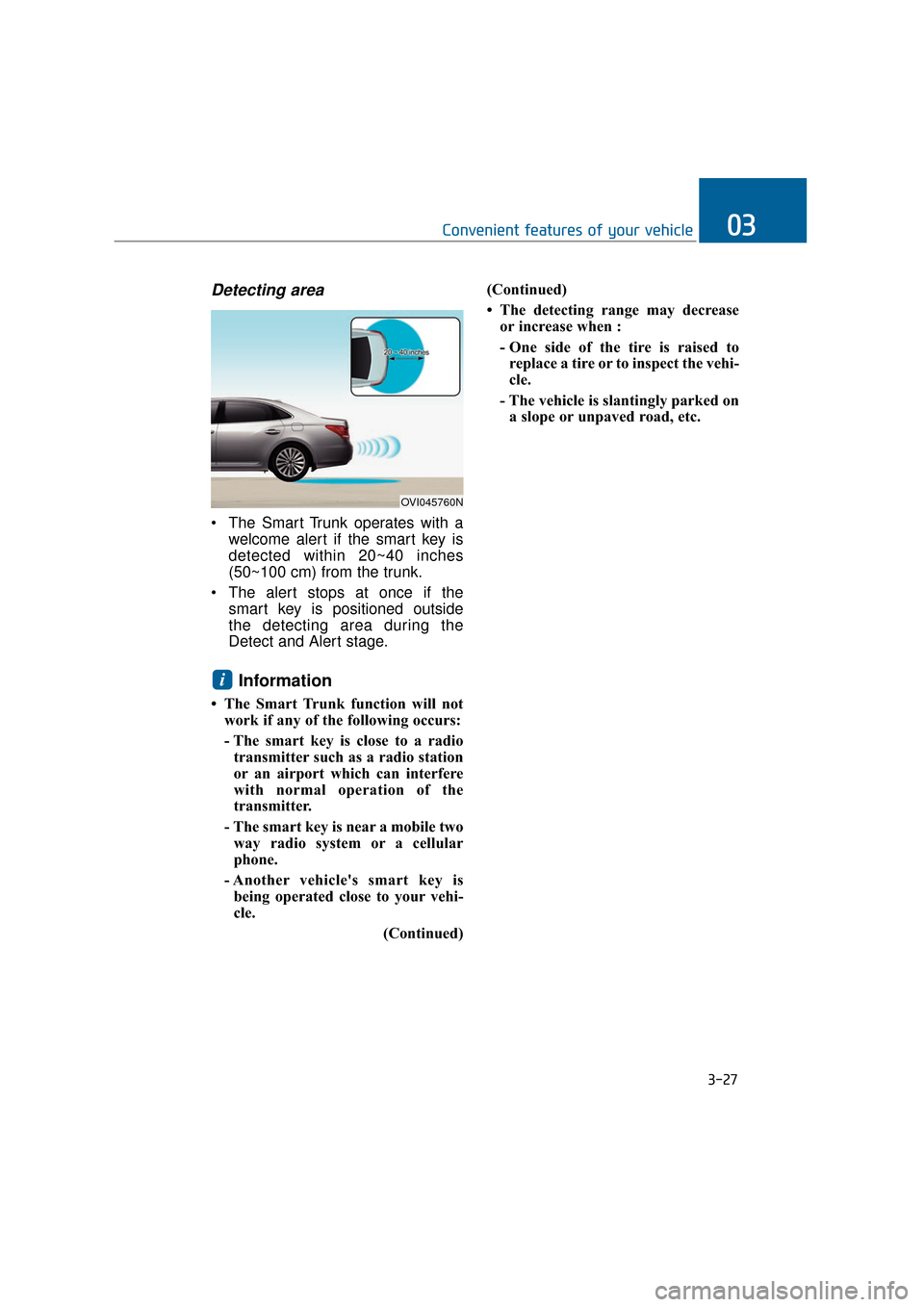
The Smart Trunk operates with awelcome alert if the smart key is
detected within 20~40 inches
(50~100 cm) from the trunk.
The alert stops at once if the smart key is positioned outside
the detecting area during the
Detect and Alert stage.
Information
• The Smart Trunk function will notwork if any of the following occurs:
- The smart key is close to a radiotransmitter such as a radio station
or an airport which can interfere
with normal operation of the
transmitter.
- The smart key is near a mobile two way radio system or a cellular
phone.
- Another vehicle's smart key is being operated close to your vehi-
cle.
(Continued)(Continued)
• The detecting range may decrease
or increase when :
- One side of the tire is raised toreplace a tire or to inspect the vehi-
cle.
- The vehicle is slantingly parked on a slope or unpaved road, etc.
i
3-27
Convenient features of your vehicle03
OVI045760N
Page 139 of 477
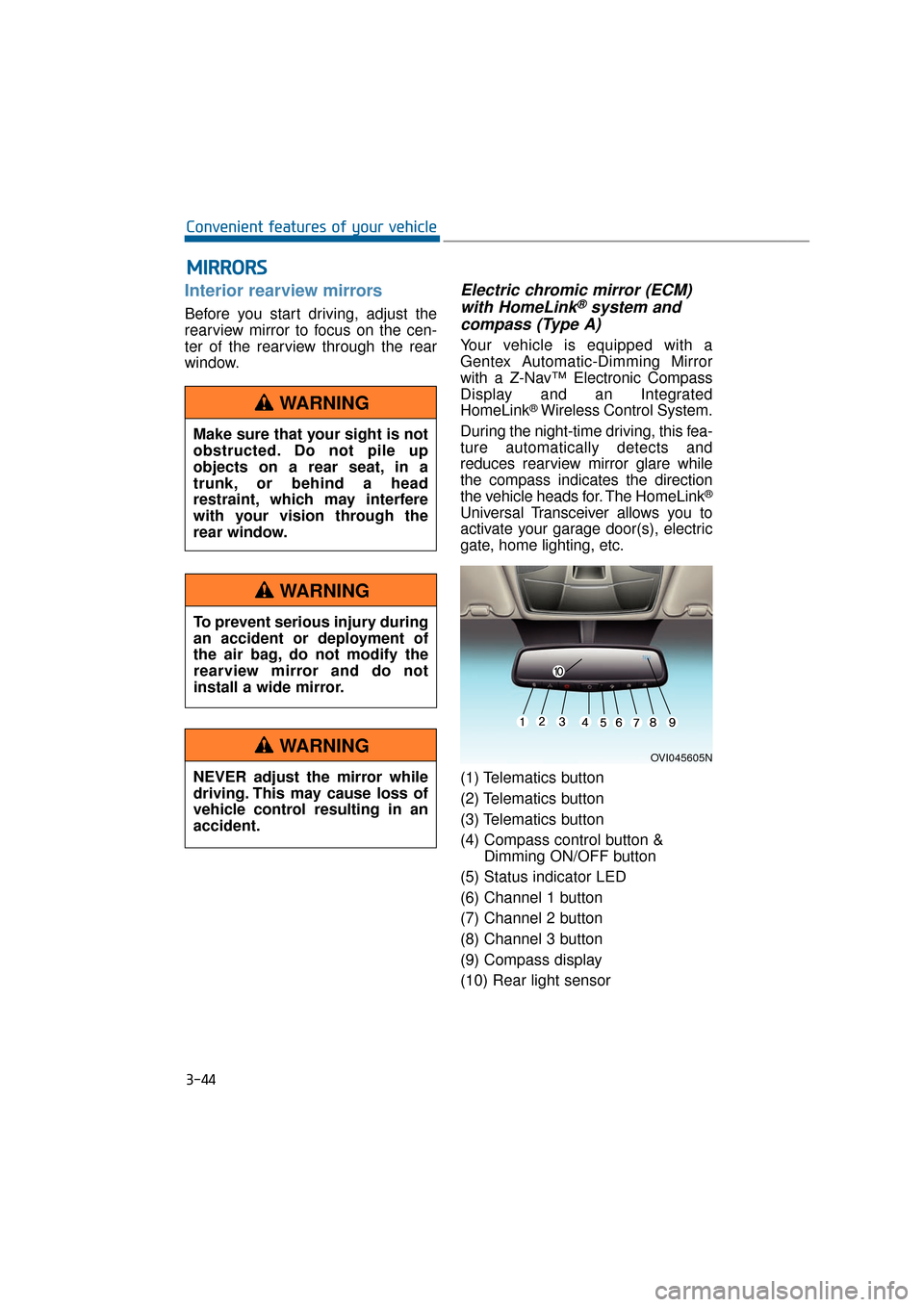
Interior rearview mirrors
Before you start driving, adjust the
rearview mirror to focus on the cen-
ter of the rearview through the rear
window.
Electric chromic mirror (ECM)with HomeLink®system and
compass (Type A)
Your vehicle is equipped with a
Gentex Automatic-Dimming Mirror
with a Z-Nav™ Electronic Compass
Display and an Integrated
HomeLink
®Wireless Control System.
During the night-time driving, this fea-
ture automatically detects and
reduces rearview mirror glare while
the compass indicates the direction
the vehicle heads for. The HomeLink
®
Universal Transceiver allows you to
activate your garage door(s), electric
gate, home lighting, etc.
(1) Telematics button
(2) Telematics button
(3) Telematics button
(4) Compass control button & Dimming ON/OFF button
(5) Status indicator LED
(6) Channel 1 button
(7) Channel 2 button
(8) Channel 3 button
(9) Compass display
(10) Rear light sensor
M M I
IR
R R
RO
O R
RS
S
3-44
Convenient features of your vehicle
OVI045605N
Make sure that your sight is not
obstructed. Do not pile up
objects on a rear seat, in a
trunk, or behind a head
restraint, which may interfere
with your vision through the
rear window.
WARNING
To prevent serious injury during
an accident or deployment of
the air bag, do not modify the
rearview mirror and do not
install a wide mirror.
WARNING
NEVER adjust the mirror while
driving. This may cause loss of
vehicle control resulting in an
accident.
WARNING
Page 170 of 477
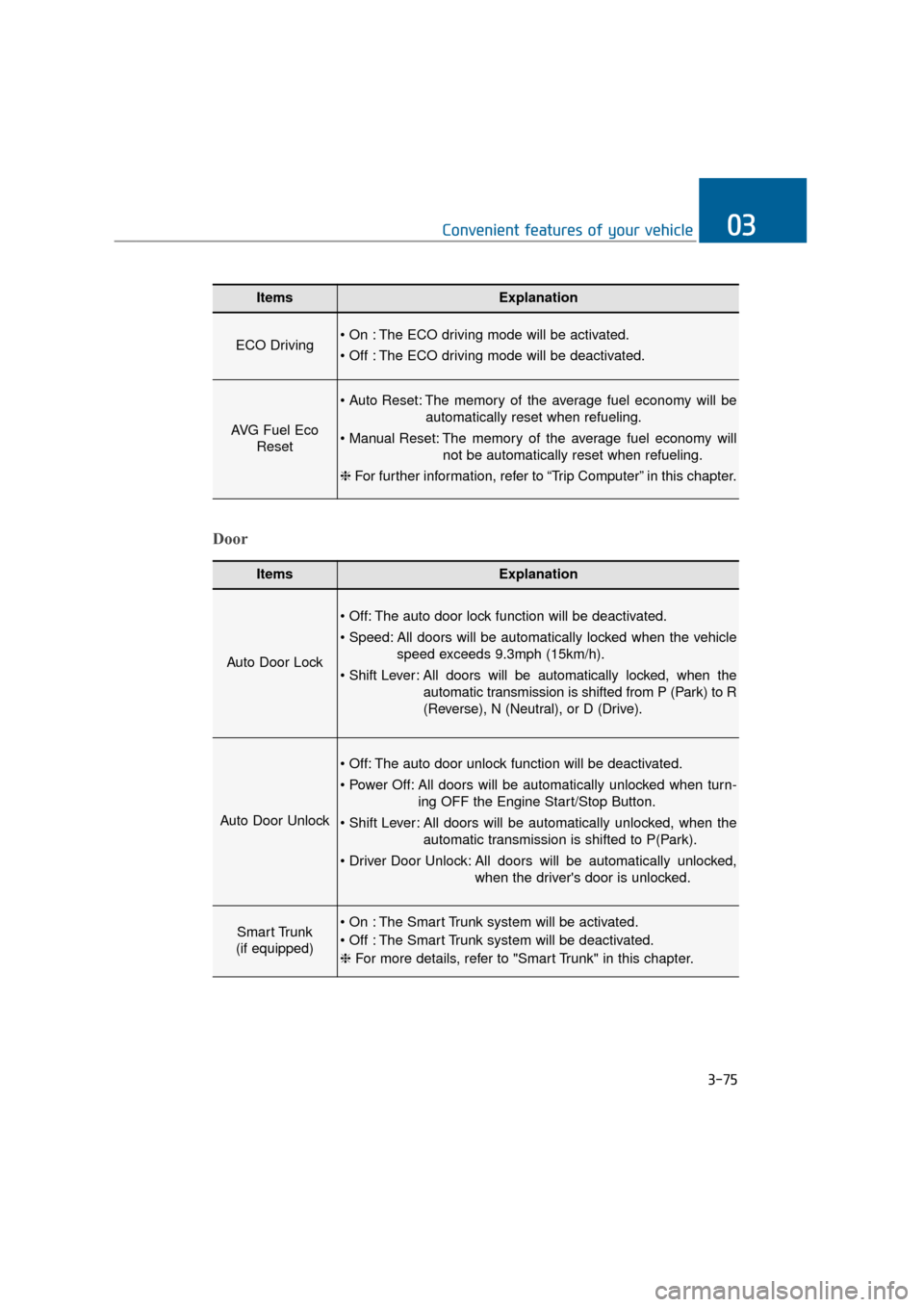
3-75
Convenient features of your vehicle03
ItemsExplanation
ECO Driving The ECO driving mode will be activated.
The ECO driving mode will be deactivated.
AVG Fuel EcoReset
The memory of the average fuel economy will be
automatically reset when refueling.
The memory of the average fuel economy will not be automatically reset when refueling.
❈ For further information, refer to “Trip Computer” in this chapter.
ItemsExplanation
Auto Door Lock
The auto door lock function will be deactivated.
All doors will be automatically locked when the vehicle
speed exceeds 9.3mph (15km/h).
All doors will be automatically locked, when the
automatic transmission is shifted from P (Park) to R
(Reverse), N (Neutral), or D (Drive).
Auto Door Unlock
The auto door unlock function will be deactivated.
All doors will be automatically unlocked when turn- ing OFF the Engine Start/Stop Button.
All doors will be automatically unlocked, when the automatic transmission is shifted to P(Park).
All doors will be automatically unlocked, when the driver's door is unlocked.
Smart Trunk
(if equipped) The Smart Trunk system will be activated.
The Smart Trunk system will be deactivated.
❈ For more details, refer to "Smart Trunk" in this chapter.
Door
Page 176 of 477
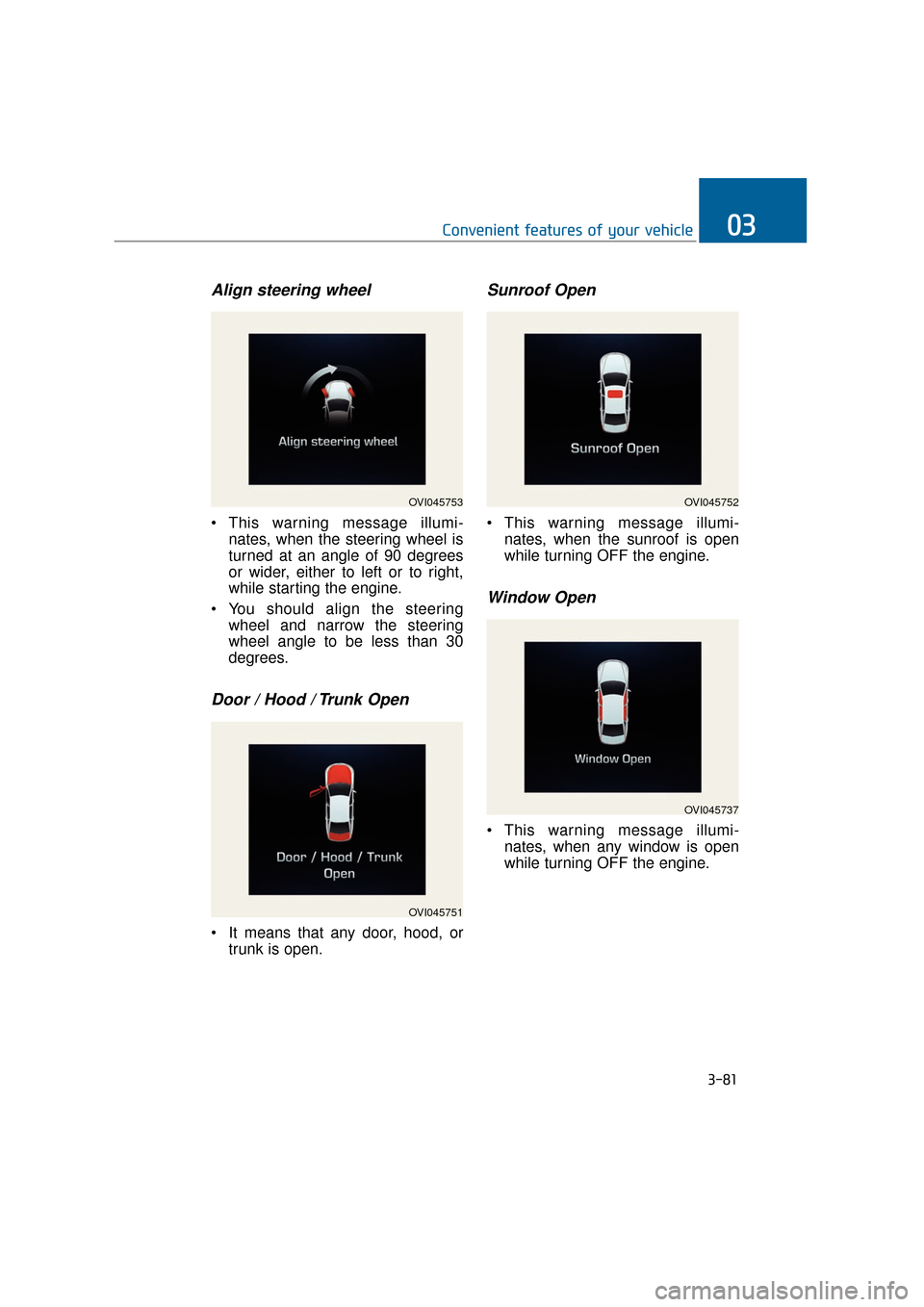
Align steering wheel
This warning message illumi-nates, when the steering wheel is
turned at an angle of 90 degrees
or wider, either to left or to right,
while starting the engine.
You should align the steering wheel and narrow the steering
wheel angle to be less than 30
degrees.
Door / Hood / Trunk Open
It means that any door, hood, ortrunk is open.
Sunroof Open
This warning message illumi-nates, when the sunroof is open
while turning OFF the engine.
Window Open
This warning message illumi-nates, when any window is open
while turning OFF the engine.
3-81
Convenient features of your vehicle03
OVI045753
OVI045751
OVI045752
OVI045737
Page 189 of 477
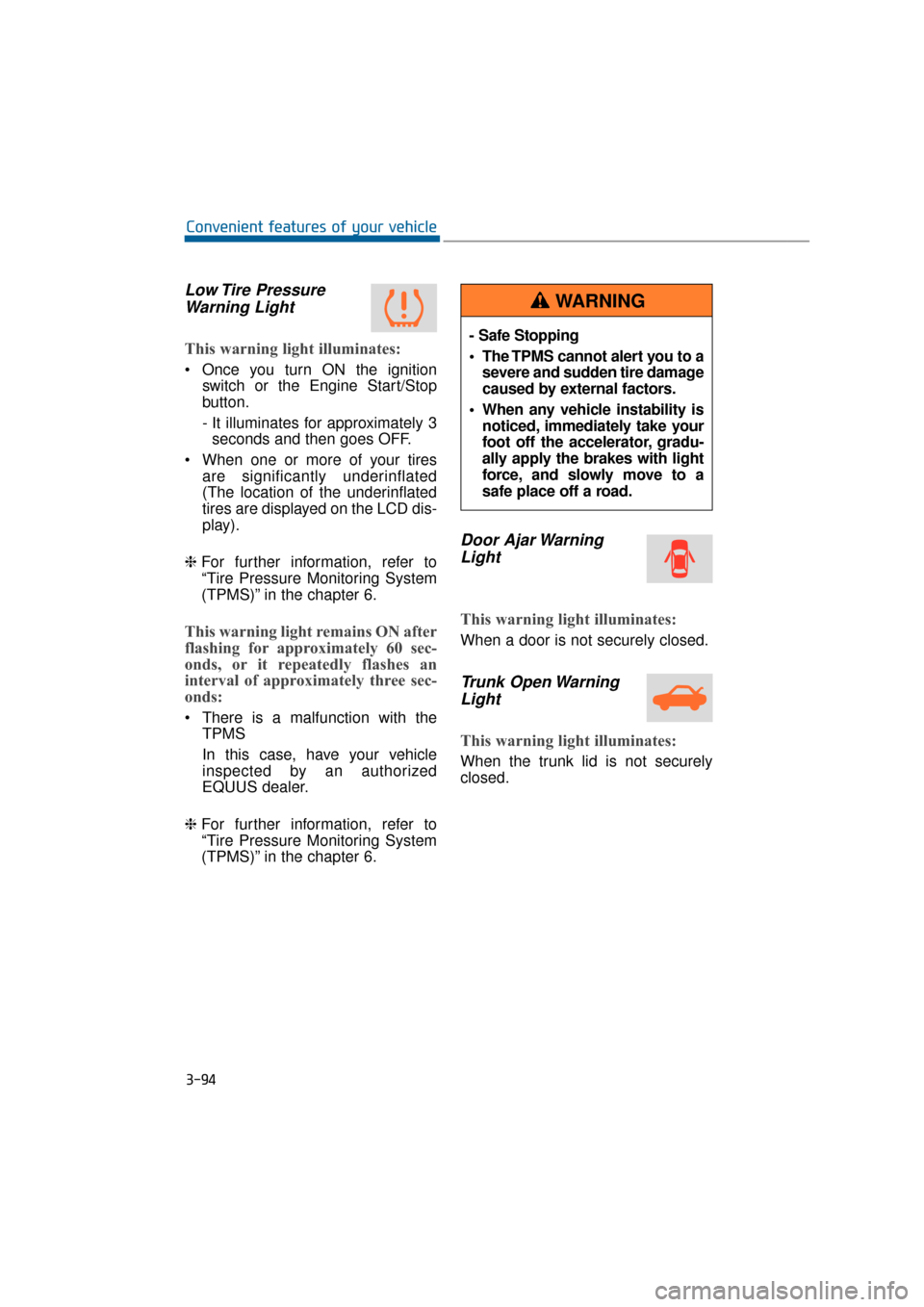
Low Tire PressureWarning Light
This warning light illuminates:
Once you turn ON the ignition
switch or the Engine Start/Stop
button.
- It illuminates for approximately 3seconds and then goes OFF.
When one or more of your tires are significantly underinflated
(The location of the underinflated
tires are displayed on the LCD dis-
play).
❈ For further information, refer to
“Tire Pressure Monitoring System
(TPMS)” in the chapter 6.
This warning light remains ON after
flashing for approximately 60 sec-
onds, or it repeatedly flashes an
interval of approximately three sec-
onds:
There is a malfunction with the
TPMS
In this case, have your vehicle
inspected by an authorized
EQUUS dealer.
❈ For further information, refer to
“Tire Pressure Monitoring System
(TPMS)” in the chapter 6.
Door Ajar Warning
Light
This warning light illuminates:
When a door is not securely closed.
Trunk Open WarningLight
This warning light illuminates:
When the trunk lid is not securely
closed.
3-94
Convenient features of your vehicle
- Safe Stopping
The TPMS cannot alert you to a
severe and sudden tire damage
caused by external factors.
When any vehicle instability is noticed, immediately take your
foot off the accelerator, gradu-
ally apply the brakes with light
force, and slowly move to a
safe place off a road.
WARNING
Page 203 of 477
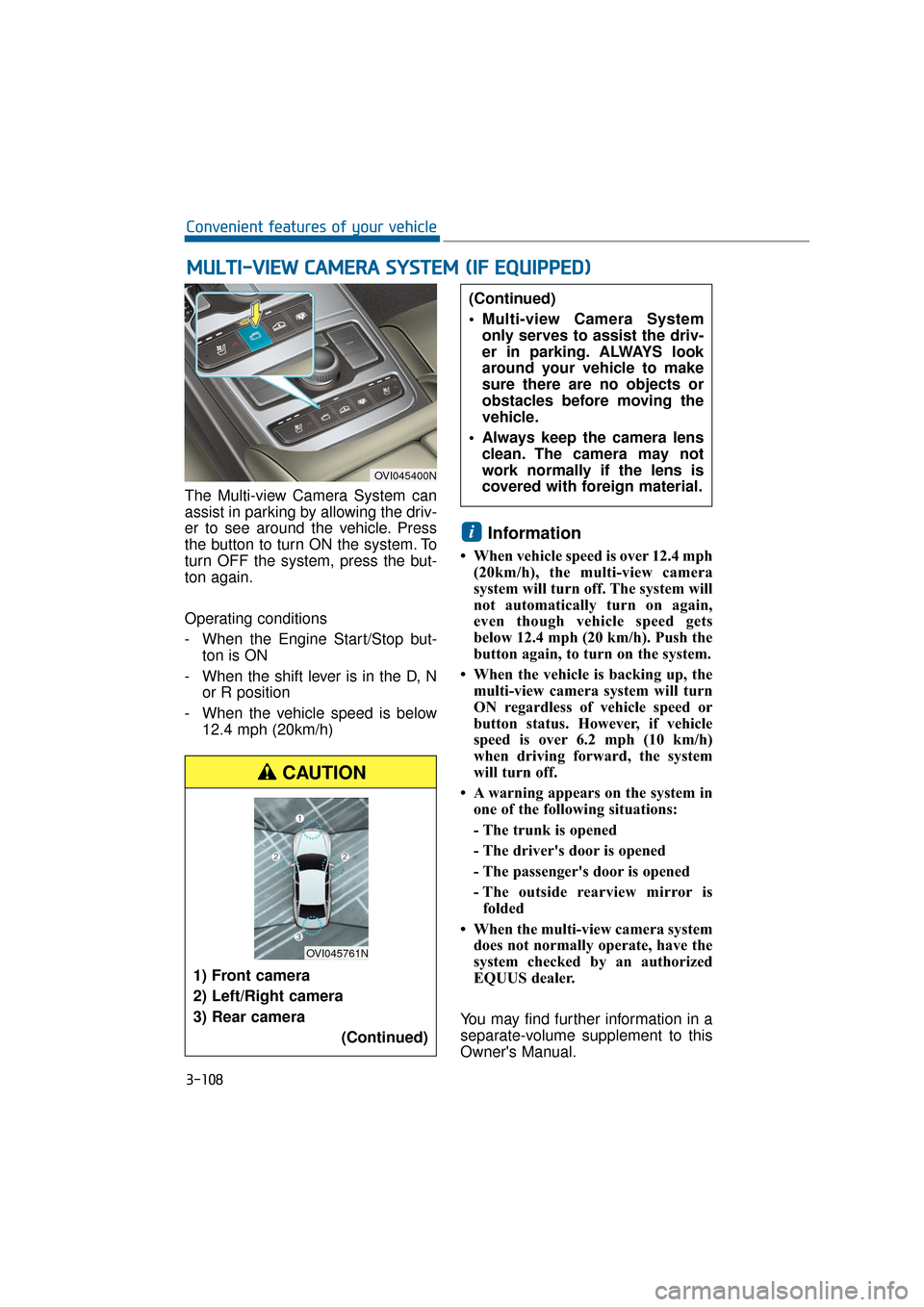
The Multi-view Camera System can
assist in parking by allowing the driv-
er to see around the vehicle. Press
the button to turn ON the system. To
turn OFF the system, press the but-
ton again.
Operating conditions
- When the Engine Start/Stop but-ton is ON
- When the shift lever is in the D, N or R position
- When the vehicle speed is below 12.4 mph (20km/h)
Information
• When vehicle speed is over 12.4 mph(20km/h), the multi-view camera
system will turn off. The system will
not automatically turn on again,
even though vehicle speed gets
below 12.4 mph (20 km/h). Push the
button again, to turn on the system.
• When the vehicle is backing up, the multi-view camera system will turn
ON regardless of vehicle speed or
button status. However, if vehicle
speed is over 6.2 mph (10 km/h)
when driving forward, the system
will turn off.
• A warning appears on the system in one of the following situations:
- The trunk is opened
- The driver's door is opened
- The passenger's door is opened
- The outside rearview mirror isfolded
• When the multi-view camera system does not normally operate, have the
system checked by an authorized
EQUUS dealer.
You may find further information in a
separate-volume supplement to this
Owner's Manual.
i
M M U
UL
LT
T I
I-
- V
V I
IE
E W
W
C
C A
A M
M E
ER
R A
A
S
S Y
Y S
ST
T E
EM
M
(
( I
IF
F
E
E Q
Q U
UI
IP
P P
PE
ED
D )
)
3-108
Convenient features of your vehicle
OVI045400N
1) Front camera
2) Left/Right camera
3) Rear camera
(Continued)
(Continued)
Multi-view Camera Systemonly serves to assist the driv-
er in parking. ALWAYS look
around your vehicle to make
sure there are no objects or
obstacles before moving the
vehicle.
Always keep the camera lens clean. The camera may not
work normally if the lens is
covered with foreign material.
CAUTION
OVI045761N
Page 214 of 477
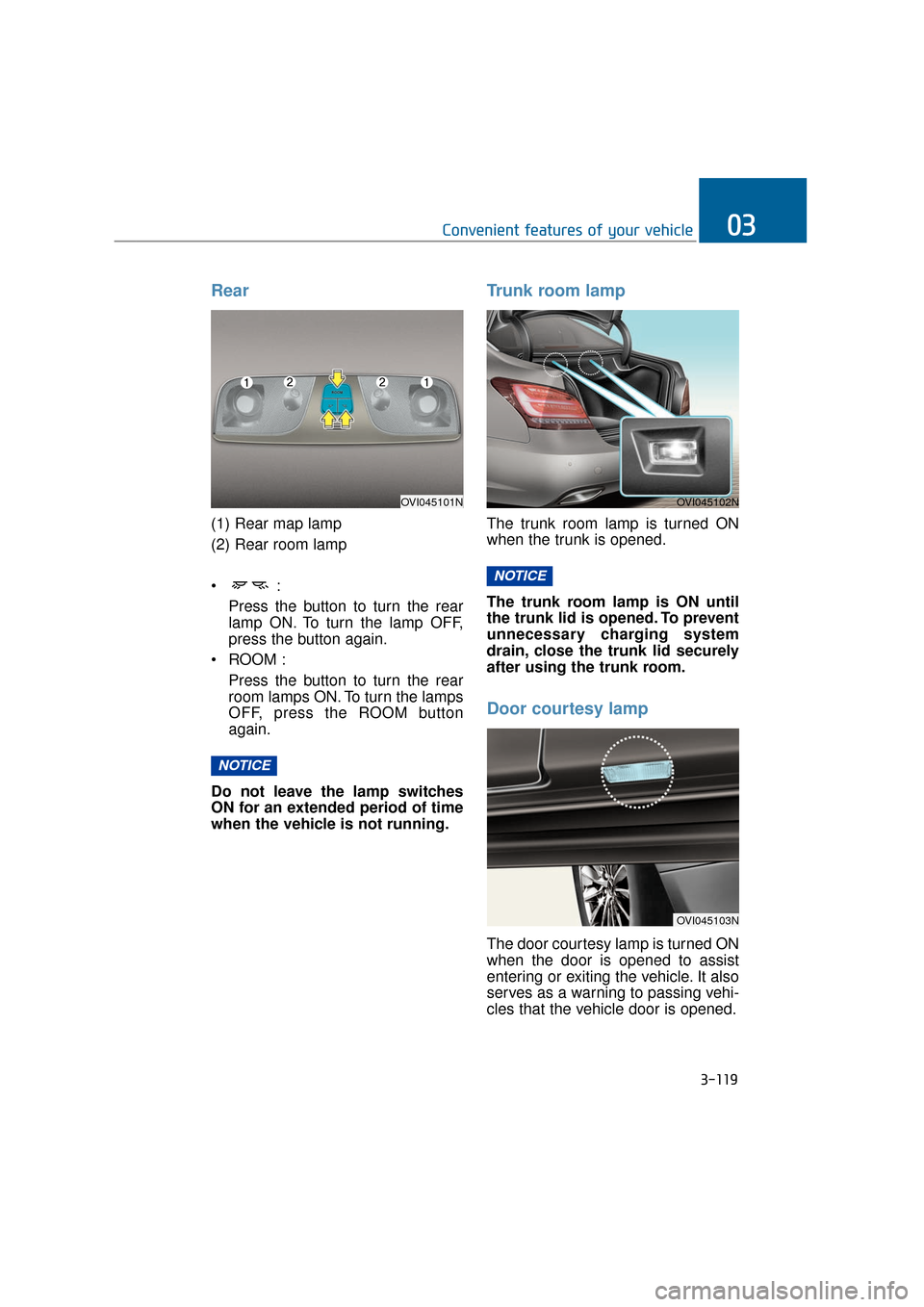
Rear
(1) Rear map lamp
(2) Rear room lamp
Press the button to turn the rearlamp ON. To turn the lamp OFF,
press the button again.
ROOM : Press the button to turn the rearroom lamps ON. To turn the lamps
OFF, press the ROOM button
again.
Do not leave the lamp switches
ON for an extended period of time
when the vehicle is not running.
Trunk room lamp
The trunk room lamp is turned ON
when the trunk is opened.
The trunk room lamp is ON until
the trunk lid is opened. To prevent
unnecessary charging system
drain, close the trunk lid securely
after using the trunk room.
Door courtesy lamp
The door courtesy lamp is turned ON
when the door is opened to assist
entering or exiting the vehicle. It also
serves as a warning to passing vehi-
cles that the vehicle door is opened.
NOTICE
NOTICE
3-119
Convenient features of your vehicle03
OVI045101NOVI045102N
OVI045103N