Ac control Hyundai Genesis 2012 Owners Manual
[x] Cancel search | Manufacturer: HYUNDAI, Model Year: 2012, Model line: Genesis, Model: Hyundai Genesis 2012Pages: 393, PDF Size: 8.81 MB
Page 270 of 393
Driving your vehicle
48 5
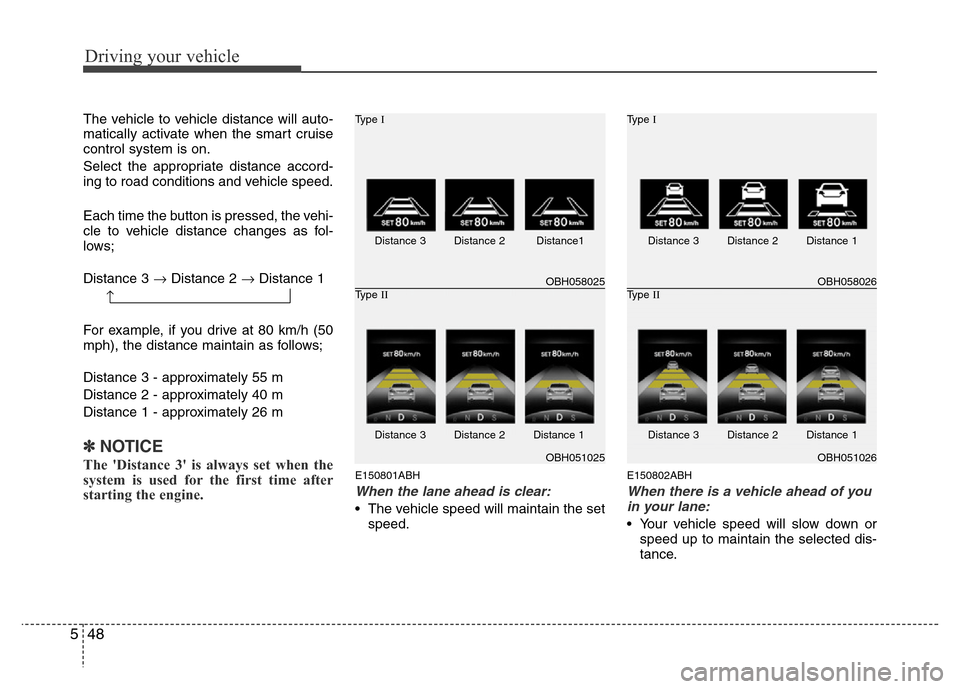
The vehicle to vehicle distance will auto-
matically activate when the smart cruise
control system is on.
Select the appropriate distance accord-
ing to road conditions and vehicle speed.
Each time the button is pressed, the vehi-
cle to vehicle distance changes as fol-
lows;
Distance 3 →Distance 2 →Distance 1
For example, if you drive at 80 km/h (50
mph), the distance maintain as follows;
Distance 3 - approximately 55 m
Distance 2 - approximately 40 m
Distance 1 - approximately 26 m
✽NOTICE
The 'Distance 3' is always set when the
system is used for the first time after
starting the engine.E150801ABH
When the lane ahead is clear:
• The vehicle speed will maintain the set
speed.
E150802ABH
When there is a vehicle ahead of you
in your lane:
• Your vehicle speed will slow down or
speed up to maintain the selected dis-
tance.
OBH058025 Type I
OBH051025 Type II
Distance 3 Distance 2 Distance1
Distance 3 Distance 2 Distance 1
OBH058026 Type I
OBH051026 Type II
Distance 3 Distance 2 Distance 1
Distance 3 Distance 2 Distance 1
→
Page 271 of 393
549
Driving your vehicle
• If the vehicle ahead speeds up, your
vehicle will travel at a steady cruising
speed after accelerating to the select-
ed speed.
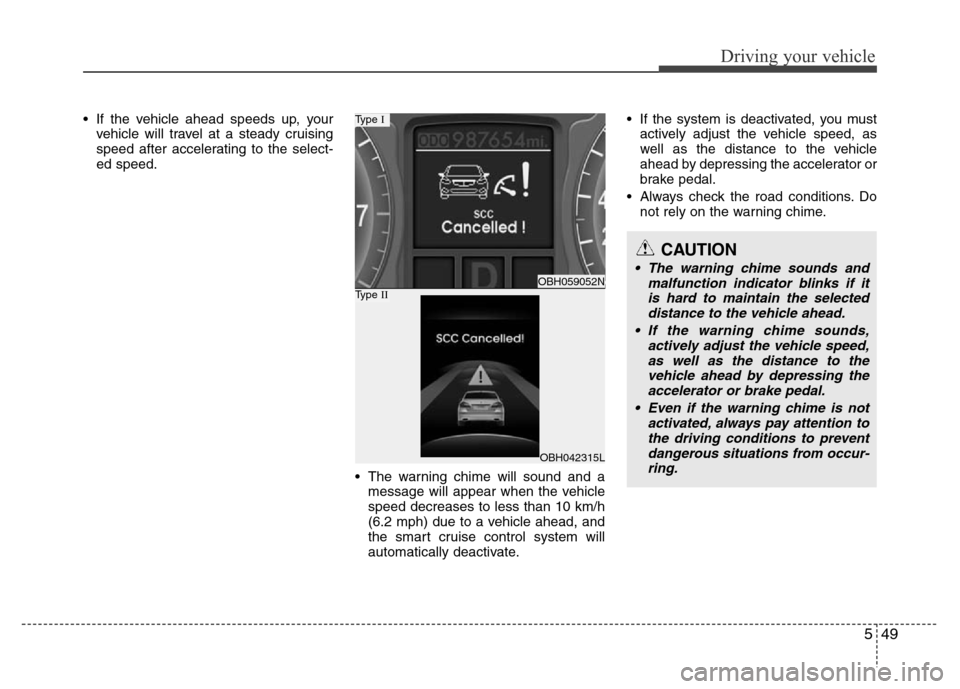
• The warning chime will sound and a
message will appear when the vehicle
speed decreases to less than 10 km/h
(6.2 mph) due to a vehicle ahead, and
the smart cruise control system will
automatically deactivate.• If the system is deactivated, you must
actively adjust the vehicle speed, as
well as the distance to the vehicle
ahead by depressing the accelerator or
brake pedal.
• Always check the road conditions. Do
not rely on the warning chime.
OBH059052N
Type I
OBH042315L
Type II
CAUTION
• The warning chime sounds and
malfunction indicator blinks if it
is hard to maintain the selected
distance to the vehicle ahead.
• If the warning chime sounds,
actively adjust the vehicle speed,
as well as the distance to the
vehicle ahead by depressing the
accelerator or brake pedal.
• Even if the warning chime is not
activated, always pay attention to
the driving conditions to prevent
dangerous situations from occur-
ring.
Page 272 of 393
Driving your vehicle
50 5
E150803ABH
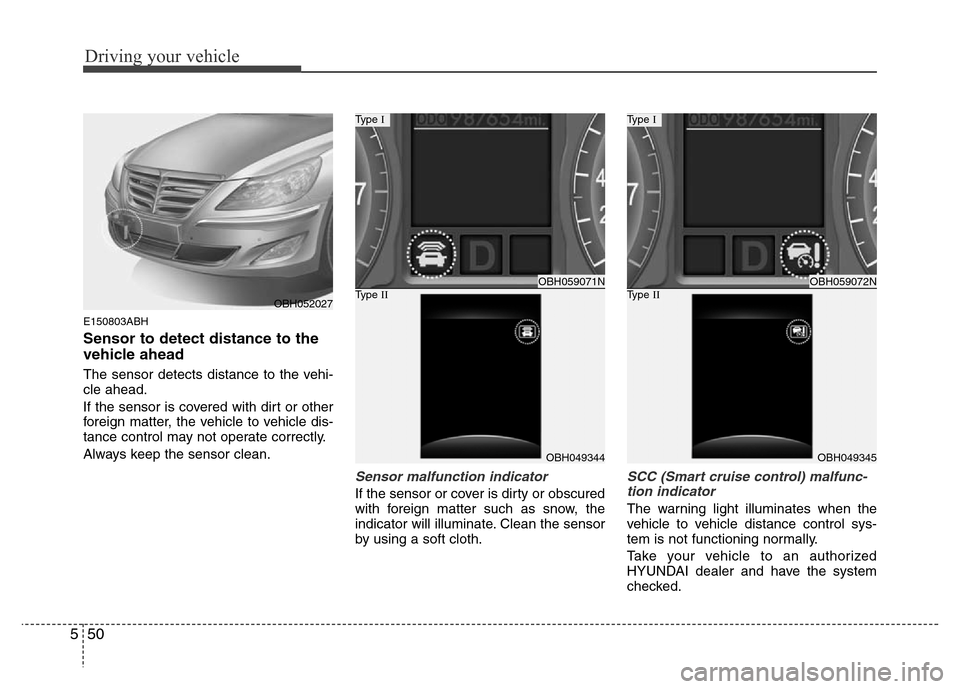
Sensor to detect distance to the
vehicle ahead
The sensor detects distance to the vehi-
cle ahead.
If the sensor is covered with dirt or other
foreign matter, the vehicle to vehicle dis-
tance control may not operate correctly.
Always keep the sensor clean.
Sensor malfunction indicator
If the sensor or cover is dirty or obscured
with foreign matter such as snow, the
indicator will illuminate. Clean the sensor
by using a soft cloth.
SCC (Smart cruise control) malfunc-
tion indicator
The warning light illuminates when the
vehicle to vehicle distance control sys-
tem is not functioning normally.
Take your vehicle to an authorized
HYUNDAI dealer and have the system
checked.
OBH059071N
Type I
OBH049344
Type IIOBH059072N
Type I
OBH049345
Type IIOBH052027
Page 273 of 393
551
Driving your vehicle
E150900ABH
Limitations of the system
The smart cruise control system may
have limits to its ability to detect distance
to the vehicle ahead due to road and traf-
fic conditions.
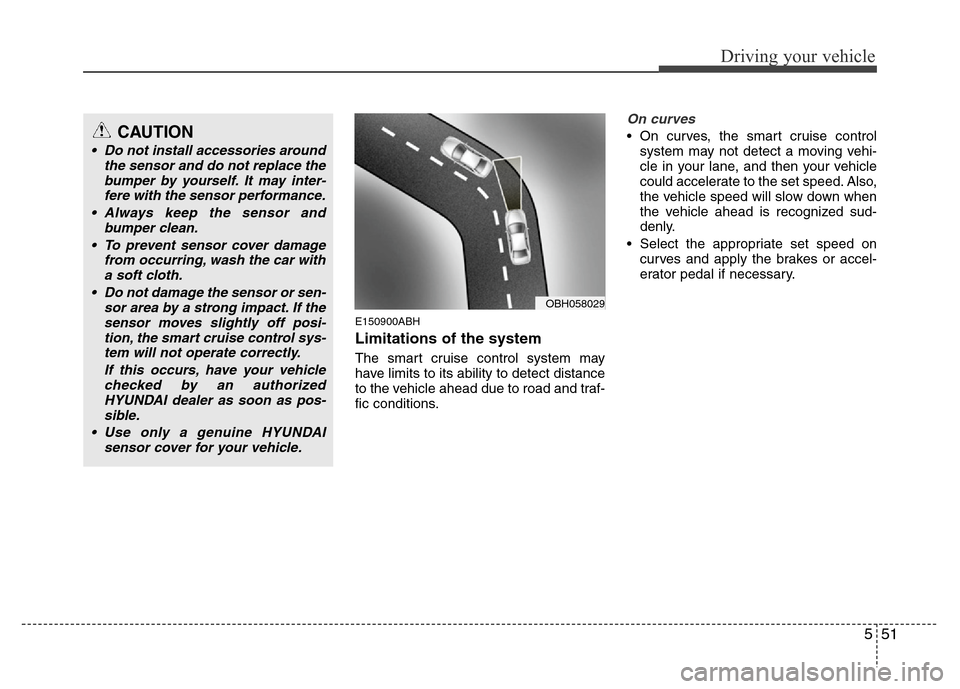
On curves
• On curves, the smart cruise control
system may not detect a moving vehi-
cle in your lane, and then your vehicle
could accelerate to the set speed. Also,
the vehicle speed will slow down when
the vehicle ahead is recognized sud-
denly.
• Select the appropriate set speed on
curves and apply the brakes or accel-
erator pedal if necessary.
OBH058029
CAUTION
• Do not install accessories around
the sensor and do not replace the
bumper by yourself. It may inter-
fere with the sensor performance.
• Always keep the sensor and
bumper clean.
• To prevent sensor cover damage
from occurring, wash the car with
a soft cloth.
• Do not damage the sensor or sen-
sor area by a strong impact. If the
sensor moves slightly off posi-
tion, the smart cruise control sys-
tem will not operate correctly.
If this occurs, have your vehicle
checked by an authorized
HYUNDAI dealer as soon as pos-
sible.
• Use only a genuine HYUNDAI
sensor cover for your vehicle.
Page 274 of 393
Driving your vehicle
52 5
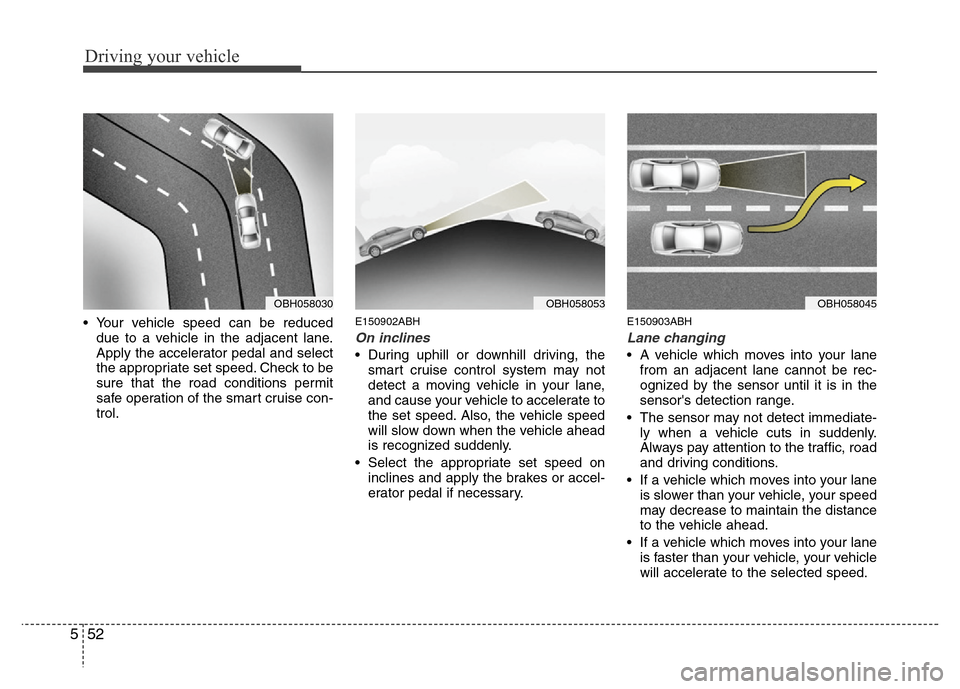
• Your vehicle speed can be reduced
due to a vehicle in the adjacent lane.
Apply the accelerator pedal and select
the appropriate set speed. Check to be
sure that the road conditions permit
safe operation of the smart cruise con-
trol.E150902ABH
On inclines
• During uphill or downhill driving, the
smart cruise control system may not
detect a moving vehicle in your lane,
and cause your vehicle to accelerate to
the set speed. Also, the vehicle speed
will slow down when the vehicle ahead
is recognized suddenly.
• Select the appropriate set speed on
inclines and apply the brakes or accel-
erator pedal if necessary.
E150903ABH
Lane changing
• A vehicle which moves into your lane
from an adjacent lane cannot be rec-
ognized by the sensor until it is in the
sensor's detection range.
• The sensor may not detect immediate-
ly when a vehicle cuts in suddenly.
Always pay attention to the traffic, road
and driving conditions.
• If a vehicle which moves into your lane
is slower than your vehicle, your speed
may decrease to maintain the distance
to the vehicle ahead.
• If a vehicle which moves into your lane
is faster than your vehicle, your vehicle
will accelerate to the selected speed.
OBH058053OBH058045OBH058030
Page 275 of 393
553
Driving your vehicle
E150904ABH
Vehicle recognition
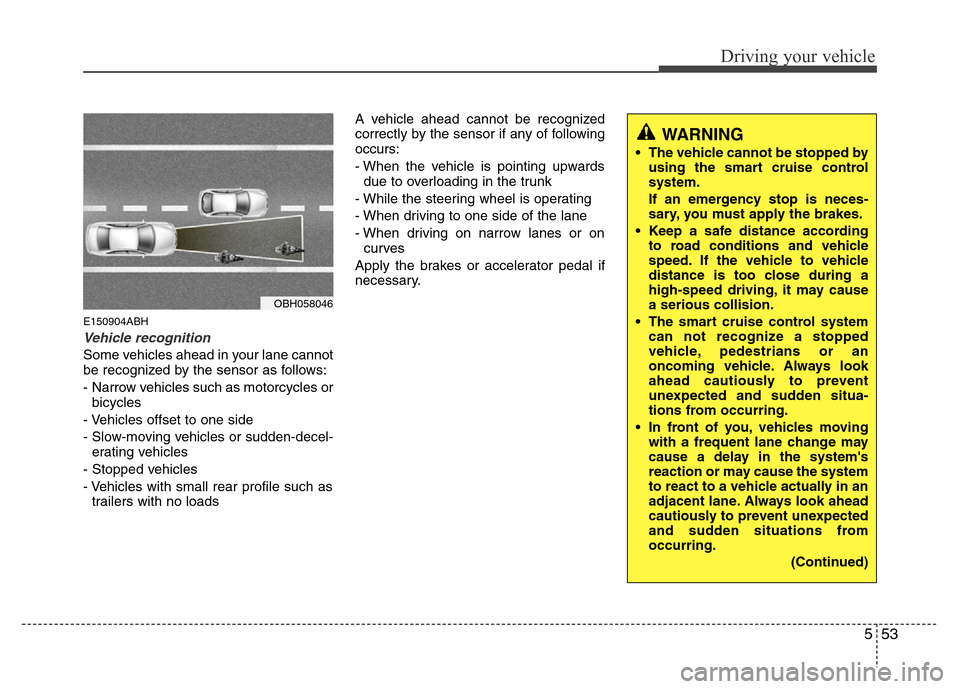
Some vehicles ahead in your lane cannot
be recognized by the sensor as follows:
- Narrow vehicles such as motorcycles or
bicycles
- Vehicles offset to one side
- Slow-moving vehicles or sudden-decel-
erating vehicles
- Stopped vehicles
- Vehicles with small rear profile such as
trailers with no loadsA vehicle ahead cannot be recognized
correctly by the sensor if any of following
occurs:
- When the vehicle is pointing upwards
due to overloading in the trunk
- While the steering wheel is operating
- When driving to one side of the lane
- When driving on narrow lanes or on
curves
Apply the brakes or accelerator pedal if
necessary.
WARNING
• The vehicle cannot be stopped by
using the smart cruise control
system.
If an emergency stop is neces-
sary, you must apply the brakes.
• Keep a safe distance according
to road conditions and vehicle
speed. If the vehicle to vehicle
distance is too close during a
high-speed driving, it may cause
a serious collision.
• The smart cruise control system
can not recognize a stopped
vehicle, pedestrians or an
oncoming vehicle. Always look
ahead cautiously to prevent
unexpected and sudden situa-
tions from occurring.
• In front of you, vehicles moving
with a frequent lane change may
cause a delay in the system's
reaction or may cause the system
to react to a vehicle actually in an
adjacent lane. Always look ahead
cautiously to prevent unexpected
and sudden situations from
occurring.
(Continued)
OBH058046
Page 276 of 393
Driving your vehicle
54 5
CAUTION
The smart cruise control system
may not operate temporarily due to
electrical interference.
(Continued)
• The smart cruise control system
is not a substitute for safe driving
practices but a convenience
function only. It is the responsi-
bility of the driver to always
check the speed and the distance
to the vehicle ahead.
• Always be aware of the selected
speed and vehicle to vehicle dis-
tance.
• Always maintain sufficient brak-
ing distance and decelerate your
vehicle by applying the brakes if
necessary.
• As the smart cruise control sys-
tem may not recognize complex
driving situations, always pay
attention to driving conditions
and control your vehicle speed.
• For safe operation, carefully read
and follow the instructions in this
manual before use.
Page 286 of 393
Driving your vehicle
64 5
E110600AUN
Driving in flooded areas
Avoid driving through flooded areas
unless you are sure the water is no high-
er than the bottom of the wheel hub.
Drive through any water slowly. Allow
adequate stopping distance because
brake performance may be affected.
After driving through water, dry the
brakes by gently applying them several
times while the vehicle is moving slowly.
Driving off-road
Drive carefully off-road because your
vehicle may be damaged by rocks or
roots of trees. Become familiar with the
off-road conditions where you are going
to drive before you begin driving.E110700ABH
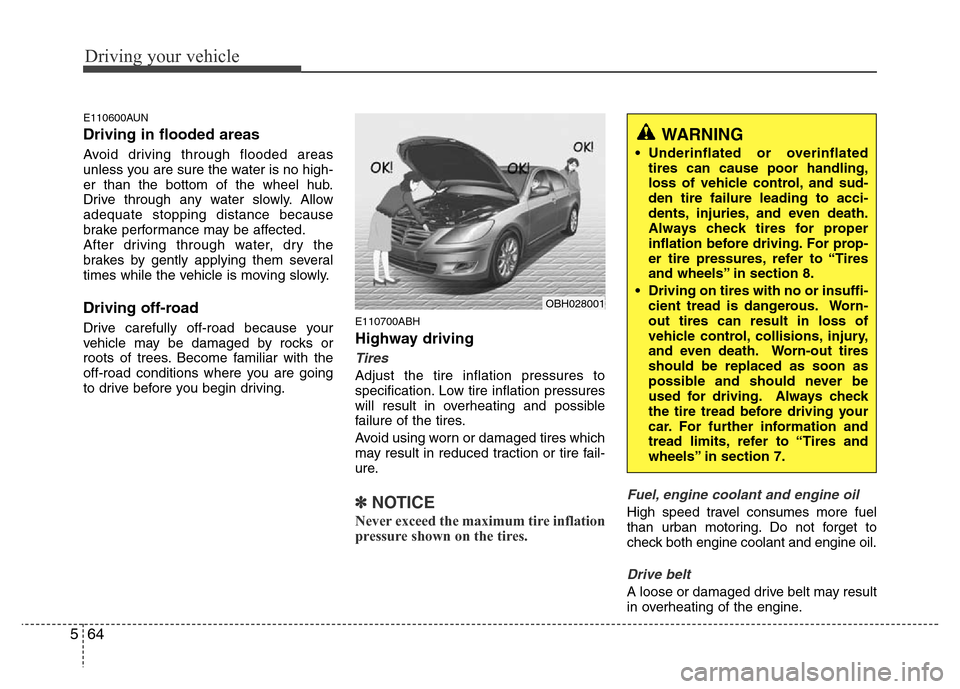
Highway driving
Tires
Adjust the tire inflation pressures to
specification. Low tire inflation pressures
will result in overheating and possible
failure of the tires.
Avoid using worn or damaged tires which
may result in reduced traction or tire fail-
ure.
✽NOTICE
Never exceed the maximum tire inflation
pressure shown on the tires.
Fuel, engine coolant and engine oil
High speed travel consumes more fuel
than urban motoring. Do not forget to
check both engine coolant and engine oil.
Drive belt
A loose or damaged drive belt may result
in overheating of the engine.
WARNING
• Underinflated or overinflated
tires can cause poor handling,
loss of vehicle control, and sud-
den tire failure leading to acci-
dents, injuries, and even death.
Always check tires for proper
inflation before driving. For prop-
er tire pressures, refer to “Tires
and wheels” in section 8.
• Driving on tires with no or insuffi-
cient tread is dangerous. Worn-
out tires can result in loss of
vehicle control, collisions, injury,
and even death. Worn-out tires
should be replaced as soon as
possible and should never be
used for driving. Always check
the tire tread before driving your
car. For further information and
tread limits, refer to “Tires and
wheels” in section 7.
OBH028001
Page 301 of 393
69
What to do in an emergency
F060200ABH
TPMS (Tire Pressure
Monitoring System)
malfunction indicator
The TPMS malfunction indicator
comes on and stays on when there is
a problem with the Tire Pressure
Monitoring System. The system is
able to correctly detect an under-
inflation warning at the same time as
system failure then it will illuminate
both the TPMS malfunction and the
low tire pressure telltale. If the Front
Left sensor fails, the TPMS malfunc-
tion indicator illuminates, but if the
Front Right, Rear Left, or Rear Right
tire is under-inflated, the low tire
pressure and position telltales may
illuminate together with the TPMS
malfunction indicator.
Have the system checked by an
authorized HYUNDAI dealer as soon
as possible to determine the cause
of the problem.WARNING - Low pressure
damage
Significantly low tire pressure
makes the vehicle unstable and
can contribute to loss of vehicle
control and increased braking
distances.
Continued driving on low pres-
sure tires can cause the tires to
overheat and fail.
TPMS
CAUTION
In winter or cold weather, the
low tire pressure telltale may be
illuminated if the tire pressure
was adjusted to the recom-
mended tire inflation pressure
in warm weather. It does not
mean your TPMS is malfunction-
ing because the decreased tem-
perature leads to a proportional
lowering of tire pressure.
When you drive your vehicle
from a warm area to a cold area
or from a cold area to a warm
area, or the outside temperature
is greatly higher or lower, you
should check the tire inflation
pressure and adjust the tires to
the recommended tire inflation
pressure.
Page 309 of 393
617
What to do in an emergency
10. Loosen the wheel nuts and
remove them with your fingers.
Slide the wheel off the studs and
lay it flat so it cannot roll away. To
put the wheel on the hub, pick up
the spare tire, line up the holes
with the studs and slide the
wheel onto them. If this is diffi-
cult, tip the wheel slightly and get
the top hole in the wheel lined up
with the top stud. Then jiggle the
wheel back and forth until the
wheel can be slid over the other
studs.11. To reinstall the wheel, hold it on
the studs, put the wheel nuts on
the studs and tighten them finger
tight. The nuts should be installed
with their tapered small diameter
ends directed inward. Jiggle the
tire to be sure it is completely
seated, then tighten the nuts as
much as possible with your fin-
gers again.
12. Lower the car to the ground by
turning the wheel nut wrench
counterclockwise.
WARNING
Wheels may have sharp edges.
Handle them carefully to avoid
possible severe injury. Before
putting the wheel into place, be
sure that there is nothing on the
hub or wheel (such as mud, tar,
gravel, etc.) that interferes with
the wheel from fitting solidly
against the hub.
If there is, remove it. If there is
not good contact on the mount-
ing surface between the wheel
and hub, the wheel nuts could
come loose and cause the loss
of a wheel. Loss of a wheel may
result in loss of control of the
vehicle. This may cause serious
injury or death.