LCD Hyundai Genesis 2012 User Guide
[x] Cancel search | Manufacturer: HYUNDAI, Model Year: 2012, Model line: Genesis, Model: Hyundai Genesis 2012Pages: 393, PDF Size: 8.81 MB
Page 266 of 393
Driving your vehicle
44 5
✽NOTICE
• During normal smart cruise control
operation, when the SET switch is
activated or reactivated after applying
the brakes, the smart cruise control
will energize after approximately 3
seconds. This delay is normal.
• To activate smart cruise control,
depress the brake pedal at least once
after turning the ignition switch to the
ON position or starting the engine. This
is to check if the brake switch which is
important part to cancel smart cruise
control is in normal condition.
E150100ABH
To set cruise control speed:
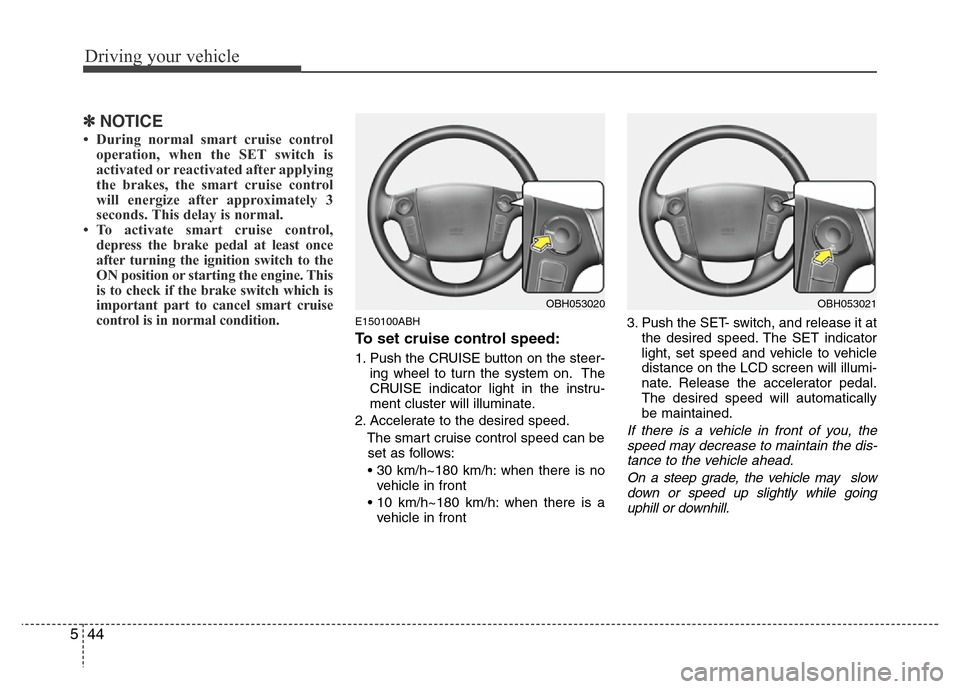
1. Push the CRUISE button on the steer-
ing wheel to turn the system on. The
CRUISE indicator light in the instru-
ment cluster will illuminate.
2. Accelerate to the desired speed.
The smart cruise control speed can be
set as follows:
• 30 km/h~180 km/h: when there is no
vehicle in front
• 10 km/h~180 km/h: when there is a
vehicle in front3. Push the SET- switch, and release it at
the desired speed. The SET indicator
light, set speed and vehicle to vehicle
distance on the LCD screen will illumi-
nate. Release the accelerator pedal.
The desired speed will automatically
be maintained.
If there is a vehicle in front of you, the
speed may decrease to maintain the dis-
tance to the vehicle ahead.
On a steep grade, the vehicle may slow
down or speed up slightly while going
uphill or downhill.
OBH053020OBH053021
Page 268 of 393
Driving your vehicle
46 5
E150500ABH
Cruise control will be canceled
when;
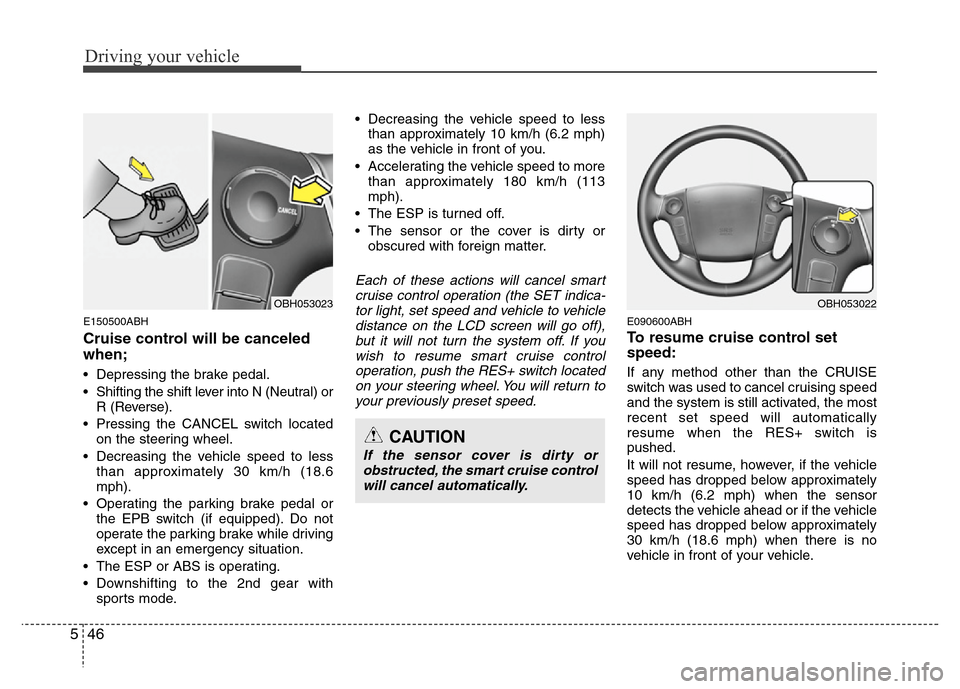
• Depressing the brake pedal.
• Shifting the shift lever into N (Neutral) or
R (Reverse).
• Pressing the CANCEL switch located
on the steering wheel.
• Decreasing the vehicle speed to less
than approximately 30 km/h (18.6
mph).
• Operating the parking brake pedal or
the EPB switch (if equipped). Do not
operate the parking brake while driving
except in an emergency situation.
• The ESP or ABS is operating.
• Downshifting to the 2nd gear with
sports mode.• Decreasing the vehicle speed to less
than approximately 10 km/h (6.2 mph)
as the vehicle in front of you.
• Accelerating the vehicle speed to more
than approximately 180 km/h (113
mph).
• The ESP is turned off.
• The sensor or the cover is dirty or
obscured with foreign matter.
Each of these actions will cancel smart
cruise control operation (the SET indica-
tor light, set speed and vehicle to vehicle
distance on the LCD screen will go off),
but it will not turn the system off. If you
wish to resume smart cruise control
operation, push the RES+ switch located
on your steering wheel. You will return to
your previously preset speed.
E090600ABH
To resume cruise control set
speed:
If any method other than the CRUISE
switch was used to cancel cruising speed
and the system is still activated, the most
recent set speed will automatically
resume when the RES+ switch is
pushed.
It will not resume, however, if the vehicle
speed has dropped below approximately
10 km/h (6.2 mph) when the sensor
detects the vehicle ahead or if the vehicle
speed has dropped below approximately
30 km/h (18.6 mph) when there is no
vehicle in front of your vehicle.
CAUTION
If the sensor cover is dirty or
obstructed, the smart cruise control
will cancel automatically.
OBH053022OBH053023
Page 278 of 393
Driving your vehicle
56 5
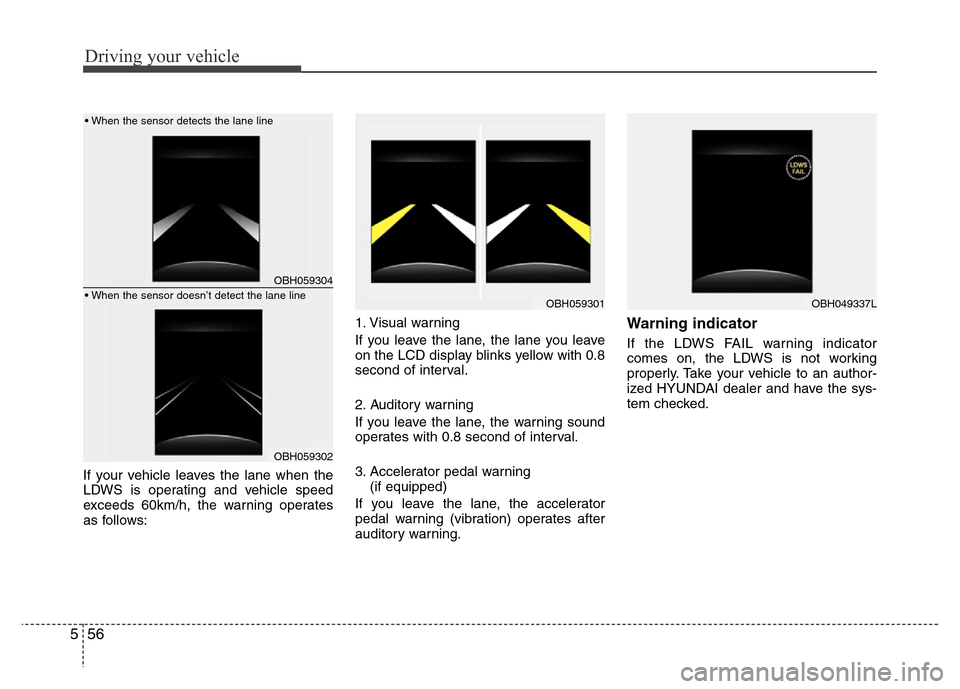
If your vehicle leaves the lane when the
LDWS is operating and vehicle speed
exceeds 60km/h, the warning operates
as follows:1. Visual warning
If you leave the lane, the lane you leave
on the LCD display blinks yellow with 0.8
second of interval.
2. Auditory warning
If you leave the lane, the warning sound
operates with 0.8 second of interval.
3. Accelerator pedal warning
(if equipped)
If you leave the lane, the accelerator
pedal warning (vibration) operates after
auditory warning.
Warning indicator
If the LDWS FAIL warning indicator
comes on, the LDWS is not working
properly. Take your vehicle to an author-
ized HYUNDAI dealer and have the sys-
tem checked.
OBH059304
OBH059302
OBH059301
• When the sensor detects the lane line
• When the sensor doesn’t detect the lane lineOBH049337L
Page 300 of 393
What to do in an emergency
8 6
Always check the TPMS malfunction
telltale after replacing one or more
tires or wheels on your vehicle to
ensure that the replacement or alter-
nate tires and wheels allow the
TPMS to continue to function proper-
ly.
✽NOTICE
If the TPMS, Low Tire Pressure tell-
tale do not illuminate for 3 seconds
when the ignition switch is turned to
the ON position or engine is run-
ning, or if they remain illuminated
after coming on for approximately 3
seconds, take your car to your near-
est authorized HYUNDAI dealer
and have the system checked.
F060100ABH-EE
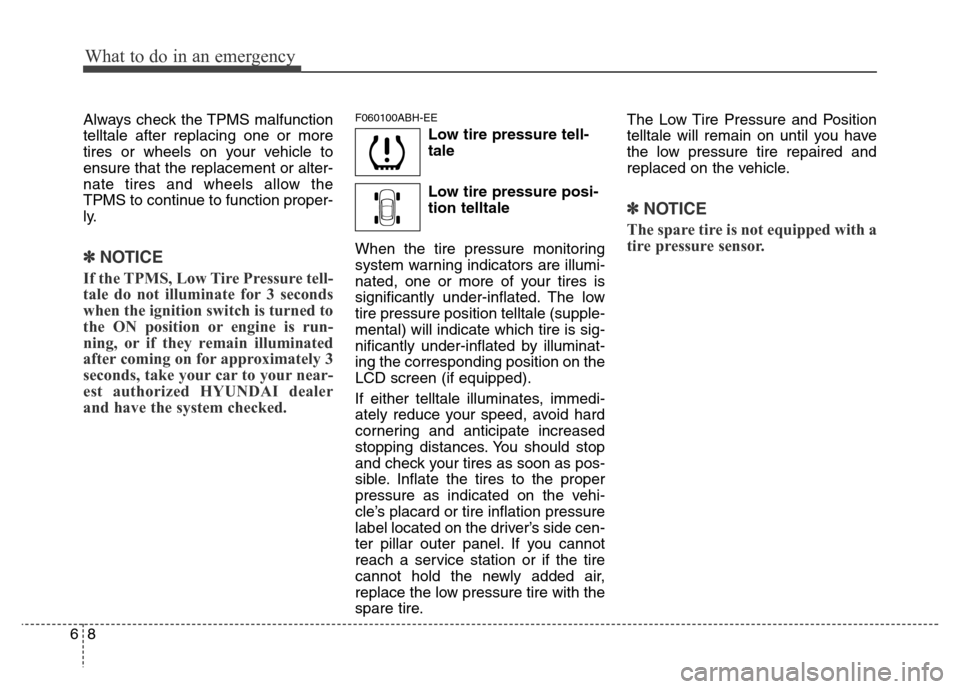
Low tire pressure tell-
tale
Low tire pressure posi-
tion telltale
When the tire pressure monitoring
system warning indicators are illumi-
nated, one or more of your tires is
significantly under-inflated. The low
tire pressure position telltale (supple-
mental) will indicate which tire is sig-
nificantly under-inflated by illuminat-
ing the corresponding position on the
LCD screen (if equipped).
If either telltale illuminates, immedi-
ately reduce your speed, avoid hard
cornering and anticipate increased
stopping distances. You should stop
and check your tires as soon as pos-
sible. Inflate the tires to the proper
pressure as indicated on the vehi-
cle’s placard or tire inflation pressure
label located on the driver’s side cen-
ter pillar outer panel. If you cannot
reach a service station or if the tire
cannot hold the newly added air,
replace the low pressure tire with the
spare tire.The Low Tire Pressure and Position
telltale will remain on until you have
the low pressure tire repaired and
replaced on the vehicle.
✽NOTICE
The spare tire is not equipped with a
tire pressure sensor.