Starting Hyundai Genesis 2012 User Guide
[x] Cancel search | Manufacturer: HYUNDAI, Model Year: 2012, Model line: Genesis, Model: Hyundai Genesis 2012Pages: 393, PDF Size: 8.81 MB
Page 228 of 393
Driving your vehicle
6 5
Starting the engine
E040000AUN-EU
E040100ABH
1. Make sure the parking brake is
applied.
2. Place the shift lever in P (Park).
Depress the brake pedal fully.
You can also start the engine when
the shift lever is in the N (Neutral)
position.
3. Turn the ignition switch to START and
hold it there until the engine starts (a
maximum of 10 seconds), then
release the key.
4. In extremely cold weather (below
-18°C / 0°F) or after the vehicle has
not been operated for several days, let
the engine warm up without depress-
ing the accelerator.
Whether the engine is cold or warm, it
should be started without depressing
the accelerator.
WARNING
Always wear appropriate shoes
when operating your vehicle.
Unsuitable shoes (high heels, ski
boots,etc.) may interfere with your
ability to use the brake and acceler-
ator pedal.
CAUTION
If the engine stalls while you are in
motion, do not attempt to move the
shift lever to the P (Park) position. If
traffic and road conditions permit,
you may put the shift lever in the N
(Neutral) position while the vehicle
is still moving and turn the ignition
switch to the START position in an
attempt to restart the engine.
CAUTION
Do not engage the starter for more
than 10 seconds. If the engine stalls
or fails to start, wait 5 to 10 seconds
before re-engaging the starter.
Improper use of the starter may
damage it.
(Continued)
• Do not place any movable objects
around the driver’s seat as they
may move while driving, interfere
with the driver and lead to an
accident.
Page 231 of 393
59
Driving your vehicle
Starting the engine
E040000ABH
E040100ABH
1. Carry the smart key or leave it inside
the vehicle.
2. Make sure the parking brake is firmly
applied.
3. Place the shift lever in the P(Park)
position.
4. Depress the brake pedal.
5. Press the engine start/stop button.
6. In extremely cold weather (below -
18°C / 0°F) or after the vehicle has not
been operated for several days, let the
engine warm up without depressing
the accelerator.
Whether the engine is cold or warm, it
should be started without depressing
the accelerator.•Even if the smart key is in the vehicle,
if it is far away from you, the engine
may not start.
•When the engine start/stop button is in
the ACC or ON position, if any door is
open, the system checks for the smart
key. If the smart key is not in the vehi-
cle, the warning, "Key is not in vehicle"
will come on, and if all doors are
closed, the chime will also sound for
about 5 seconds. The indicator will turn
off while the vehicle is moving. Keep
the smart key in the vehicle, when
using the ACC position or if the vehicle
engine is on.
WARNING
Always wear appropriate shoes
when operating your vehicle.
Unsuitable shoes (high heels, ski
boots, etc.) may interfere with your
ability to use the brake and acceler-
ator pedal.
WARNING
The engine will start by pressing
the engine start/stop button, only
when the smart key is in the vehi-
cle. Never allow children or any per-
son who is unfamiliar with the vehi-
cle to touch the engine start/stop
button or related parts.
CAUTION
If the engine stalls while you are in
motion, do not attempt to move the
shift lever to the P (Park) position. If
traffic and road conditions permit,
you may put the shift lever in the N
(Neutral) position while the vehicle
is still moving and press the engine
start/stop button in an attempt to
restart the engine.
Page 232 of 393
Driving your vehicle
10 5
✽NOTICE
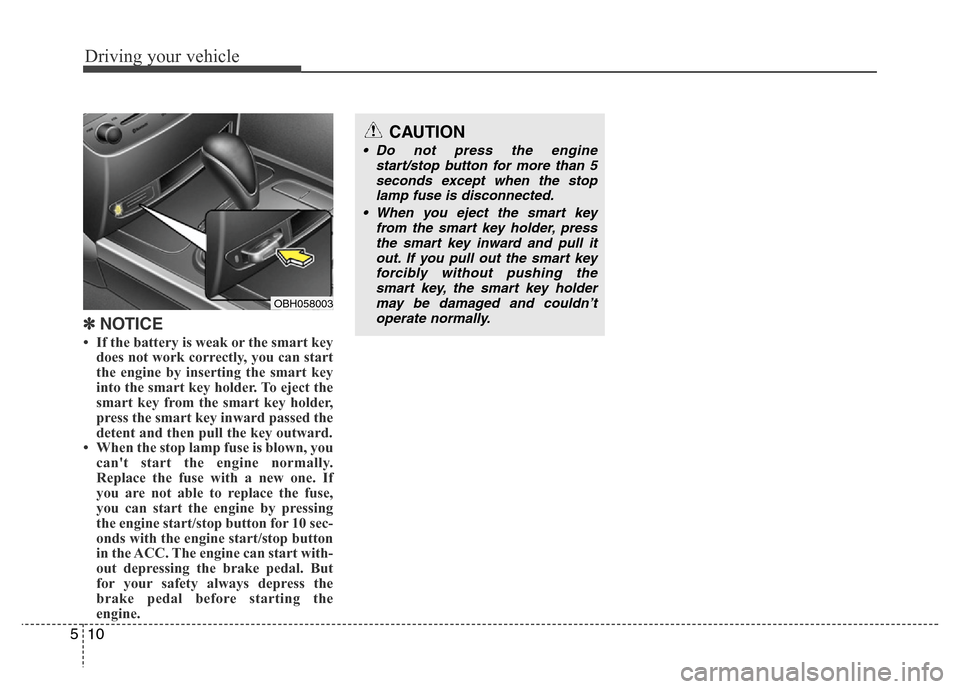
• If the battery is weak or the smart key
does not work correctly, you can start
the engine by inserting the smart key
into the smart key holder. To eject the
smart key from the smart key holder,
press the smart key inward passed the
detent and then pull the key outward.
• When the stop lamp fuse is blown, you
can't start the engine normally.
Replace the fuse with a new one. If
you are not able to replace the fuse,
you can start the engine by pressing
the engine start/stop button for 10 sec-
onds with the engine start/stop button
in the ACC. The engine can start with-
out depressing the brake pedal. But
for your safety always depress the
brake pedal before starting the
engine.
OBH058003
CAUTION
• Do not press the engine
start/stop button for more than 5
seconds except when the stop
lamp fuse is disconnected.
• When you eject the smart key
from the smart key holder, press
the smart key inward and pull it
out. If you pull out the smart key
forcibly without pushing the
smart key, the smart key holder
may be damaged and couldn’t
operate normally.
Page 252 of 393
Driving your vehicle
30 5
The Electronic Stability Program (ESP)
system is an electronic system designed
to help the driver maintain vehicle control
under adverse conditions. It is not a
substitute for safe driving practices.
Factors including speed, road conditions
and driver steering input can all affect
whether ESP will be effective in
preventing a loss of control. It is still your
responsibility to drive and corner at
reasonable speeds and to leave a
sufficient margin of safety.
When you apply your brakes under con-
ditions which may lock the wheels, you
may hear a “tik-tik’’ sound from the
brakes, or feel a corresponding sensation
in the brake pedal. This is normal and it
means your ESP is active.
✽NOTICE
A click sound may be heard in the
engine compartment when the vehicle
begins to move after the engine is start-
ed. These conditions are normal and
indicate that the Electronic Stability
Program System is functioning proper-
ly.
E070501ABH-EE
ESP operation
ESP ON condition
• When the ignition is turned
ON, ESP and ESP OFF indi-
cator lights illuminate for
approximately 3 seconds,
then ESP is turned on.
• Press the ESP OFF button for
at least half a second after
turning the ignition ON to turn
ESP off. (ESP OFF indicator
will illuminate). To turn the
ESP on, press the ESP OFF
button (ESP OFF indicator
light will go off).
• When starting the engine,
you may hear a slight ticking
sound. This is the ESP per-
forming an automatic system
self-check and does not indi-
cate a problem.
-
WARNING
Never drive too fast for the road
conditions or too quickly when cor-
nering. Electronic stability program
(ESP) will not prevent accidents.
Excessive speed in turns, abrupt
maneuvers and hydroplaning on
wet surfaces can still result in seri-
ous accidents. Only a safe and
attentive driver can prevent acci-
dents by avoiding maneuvers that
cause the vehicle to lose traction.
Even with ESP installed, always fol-
low all the normal precautions for
driving - including driving at safe
speeds for the conditions.
Page 253 of 393
531
Driving your vehicle
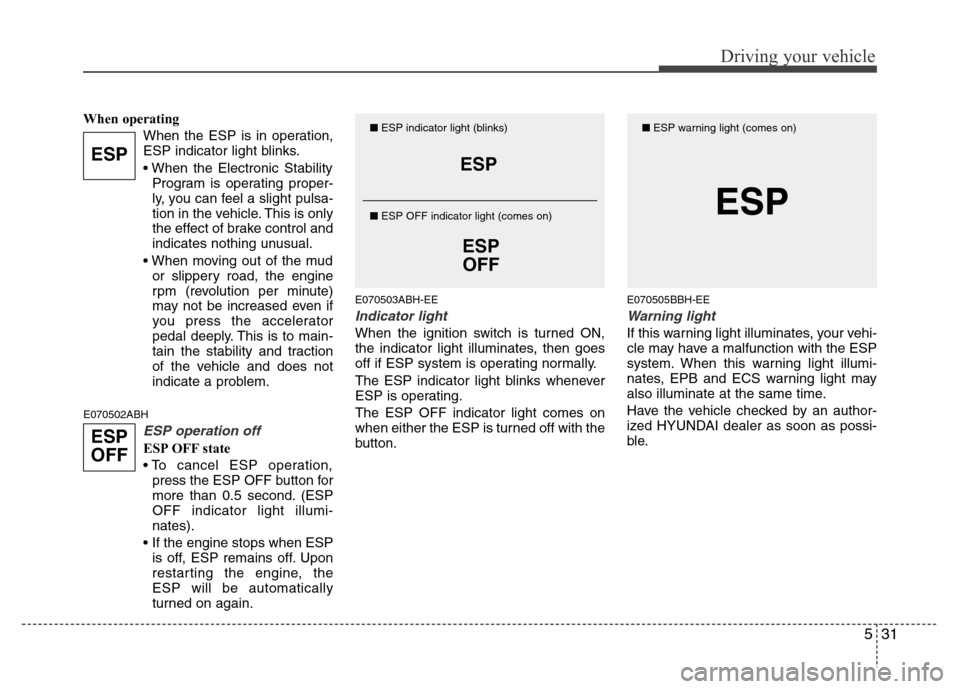
When operating
When the ESP is in operation,
ESP indicator light blinks.
• When the Electronic Stability
Program is operating proper-
ly, you can feel a slight pulsa-
tion in the vehicle. This is only
the effect of brake control and
indicates nothing unusual.
• When moving out of the mud
or slippery road, the engine
rpm (revolution per minute)
may not be increased even if
you press the accelerator
pedal deeply. This is to main-
tain the stability and traction
of the vehicle and does not
indicate a problem.
E070502ABH
ESP operation off
ESP OFF state
• To cancel ESP operation,
press the ESP OFF button for
more than 0.5 second. (ESP
OFF indicator light illumi-
nates).
• If the engine stops when ESP
is off, ESP remains off. Upon
restarting the engine, the
ESP will be automatically
turned on again.
E070503ABH-EE
Indicator light
When the ignition switch is turned ON,
the indicator light illuminates, then goes
off if ESP system is operating normally.
The ESP indicator light blinks whenever
ESP is operating.
The ESP OFF indicator light comes on
when either the ESP is turned off with the
button.
E070505BBH-EE
Warning light
If this warning light illuminates, your vehi-
cle may have a malfunction with the ESP
system. When this warning light illumi-
nates, EPB and ECS warning light may
also illuminate at the same time.
Have the vehicle checked by an author-
ized HYUNDAI dealer as soon as possi-
ble.
ESP
ESP
OFF
ESP
ESP
OFF
■ESP indicator light (blinks)
■ ESP OFF indicator light (comes on)
ESP
■ESP warning light (comes on)
Page 261 of 393
539
Driving your vehicle
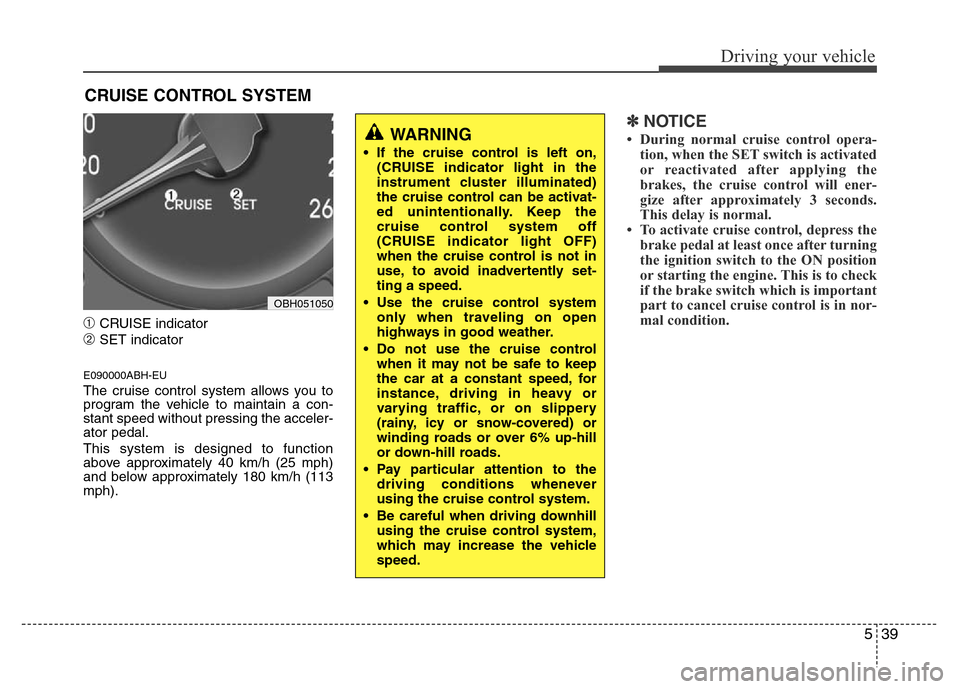
➀CRUISE indicator
➁SET indicator
E090000ABH-EU
The cruise control system allows you to
program the vehicle to maintain a con-
stant speed without pressing the acceler-
ator pedal.
This system is designed to function
above approximately 40 km/h (25 mph)
and below approximately 180 km/h (113
mph).
✽NOTICE
• During normal cruise control opera-
tion, when the SET switch is activated
or reactivated after applying the
brakes, the cruise control will ener-
gize after approximately 3 seconds.
This delay is normal.
• To activate cruise control, depress the
brake pedal at least once after turning
the ignition switch to the ON position
or starting the engine. This is to check
if the brake switch which is important
part to cancel cruise control is in nor-
mal condition.
CRUISE CONTROL SYSTEM
WARNING
• If the cruise control is left on,
(CRUISE indicator light in the
instrument cluster illuminated)
the cruise control can be activat-
ed unintentionally. Keep the
cruise control system off
(CRUISE indicator light OFF)
when the cruise control is not in
use, to avoid inadvertently set-
ting a speed.
• Use the cruise control system
only when traveling on open
highways in good weather.
• Do not use the cruise control
when it may not be safe to keep
the car at a constant speed, for
instance, driving in heavy or
varying traffic, or on slippery
(rainy, icy or snow-covered) or
winding roads or over 6% up-hill
or down-hill roads.
• Pay particular attention to the
driving conditions whenever
using the cruise control system.
• Be careful when driving downhill
using the cruise control system,
which may increase the vehicle
speed.
OBH051050
Page 266 of 393
Driving your vehicle
44 5
✽NOTICE
• During normal smart cruise control
operation, when the SET switch is
activated or reactivated after applying
the brakes, the smart cruise control
will energize after approximately 3
seconds. This delay is normal.
• To activate smart cruise control,
depress the brake pedal at least once
after turning the ignition switch to the
ON position or starting the engine. This
is to check if the brake switch which is
important part to cancel smart cruise
control is in normal condition.
E150100ABH
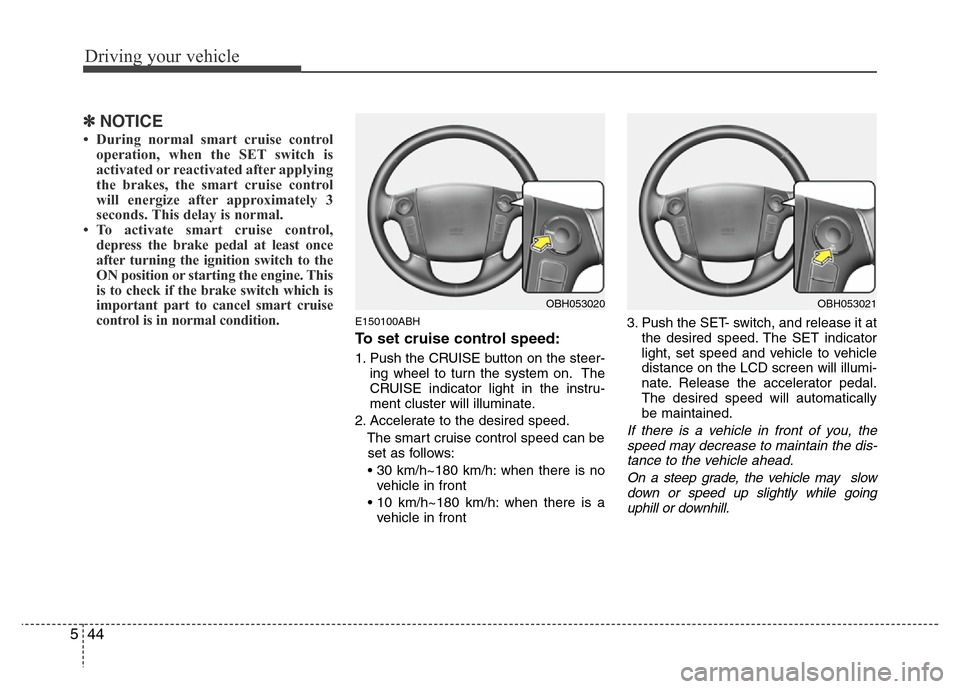
To set cruise control speed:
1. Push the CRUISE button on the steer-
ing wheel to turn the system on. The
CRUISE indicator light in the instru-
ment cluster will illuminate.
2. Accelerate to the desired speed.
The smart cruise control speed can be
set as follows:
• 30 km/h~180 km/h: when there is no
vehicle in front
• 10 km/h~180 km/h: when there is a
vehicle in front3. Push the SET- switch, and release it at
the desired speed. The SET indicator
light, set speed and vehicle to vehicle
distance on the LCD screen will illumi-
nate. Release the accelerator pedal.
The desired speed will automatically
be maintained.
If there is a vehicle in front of you, the
speed may decrease to maintain the dis-
tance to the vehicle ahead.
On a steep grade, the vehicle may slow
down or speed up slightly while going
uphill or downhill.
OBH053020OBH053021
Page 270 of 393
Driving your vehicle
48 5
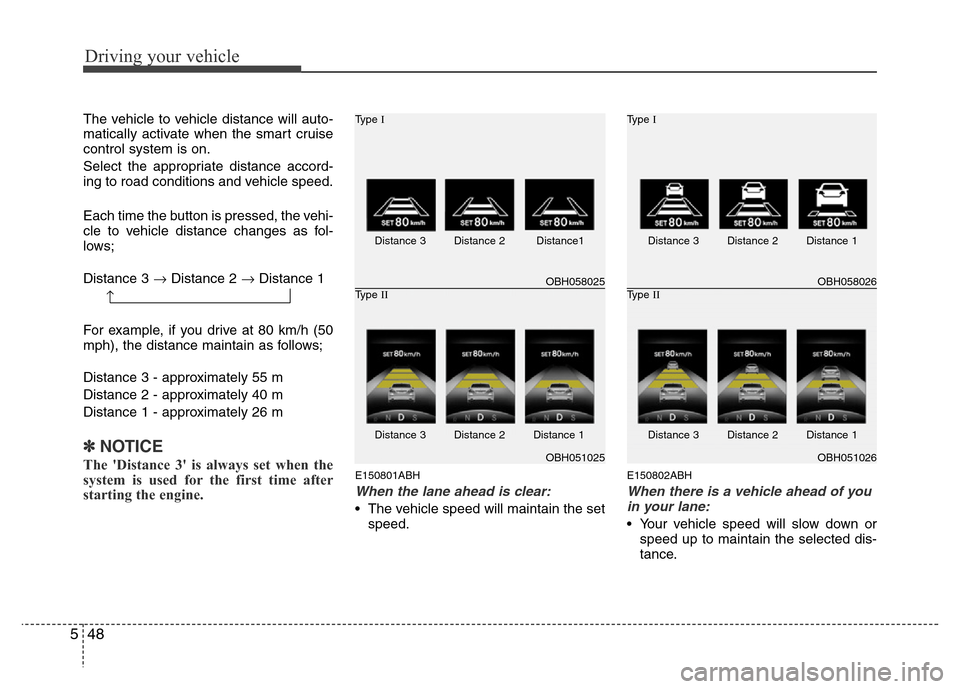
The vehicle to vehicle distance will auto-
matically activate when the smart cruise
control system is on.
Select the appropriate distance accord-
ing to road conditions and vehicle speed.
Each time the button is pressed, the vehi-
cle to vehicle distance changes as fol-
lows;
Distance 3 →Distance 2 →Distance 1
For example, if you drive at 80 km/h (50
mph), the distance maintain as follows;
Distance 3 - approximately 55 m
Distance 2 - approximately 40 m
Distance 1 - approximately 26 m
✽NOTICE
The 'Distance 3' is always set when the
system is used for the first time after
starting the engine.E150801ABH
When the lane ahead is clear:
• The vehicle speed will maintain the set
speed.
E150802ABH
When there is a vehicle ahead of you
in your lane:
• Your vehicle speed will slow down or
speed up to maintain the selected dis-
tance.
OBH058025 Type I
OBH051025 Type II
Distance 3 Distance 2 Distance1
Distance 3 Distance 2 Distance 1
OBH058026 Type I
OBH051026 Type II
Distance 3 Distance 2 Distance 1
Distance 3 Distance 2 Distance 1
→
Page 293 of 393
6
Road warning / 6-2
In case of an emergency while driving / 6-2
If the engine will not start / 6-3
Emergency starting / 6-4
If the engine overheats / 6-6
Tire Pressure Monitoring System (TPMS) / 6-7
If you have a flat tire / 6-13
Towing / 6-20
Emergency commodity / 6-26
What to do in an emergency
Page 295 of 393
63
What to do in an emergency
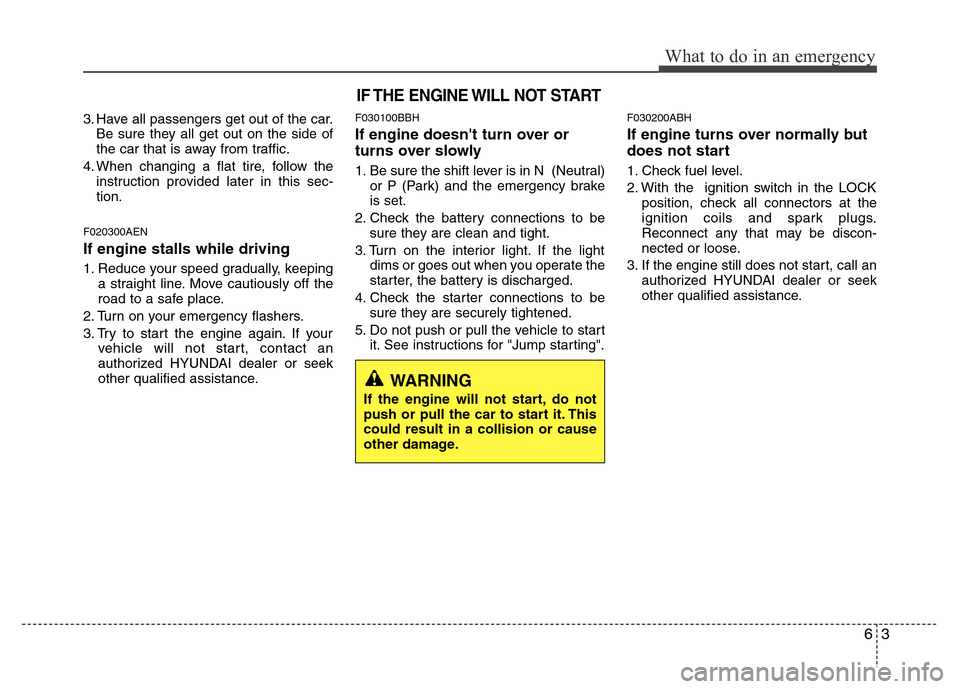
3. Have all passengers get out of the car.
Be sure they all get out on the side of
the car that is away from traffic.
4. When changing a flat tire, follow the
instruction provided later in this sec-
tion.
F020300AEN
If engine stalls while driving
1. Reduce your speed gradually, keeping
a straight line. Move cautiously off the
road to a safe place.
2. Turn on your emergency flashers.
3. Try to start the engine again. If your
vehicle will not start, contact an
authorized HYUNDAI dealer or seek
other qualified assistance.
F030100BBH
If engine doesn't turn over or
turns over slowly
1. Be sure the shift lever is in N (Neutral)
or P (Park) and the emergency brake
is set.
2. Check the battery connections to be
sure they are clean and tight.
3. Turn on the interior light. If the light
dims or goes out when you operate the
starter, the battery is discharged.
4. Check the starter connections to be
sure they are securely tightened.
5. Do not push or pull the vehicle to start
it. See instructions for "Jump starting".
F030200ABH
If engine turns over normally but
does not start
1. Check fuel level.
2. With the ignition switch in the LOCK
position, check all connectors at the
ignition coils and spark plugs.
Reconnect any that may be discon-
nected or loose.
3. If the engine still does not start, call an
authorized HYUNDAI dealer or seek
other qualified assistance.
IF THE ENGINE WILL NOT START
WARNING
If the engine will not start, do not
push or pull the car to start it. This
could result in a collision or cause
other damage.