auto hold Hyundai Genesis 2012 User Guide
[x] Cancel search | Manufacturer: HYUNDAI, Model Year: 2012, Model line: Genesis, Model: Hyundai Genesis 2012Pages: 393, PDF Size: 8.81 MB
Page 246 of 393
Driving your vehicle
24 5
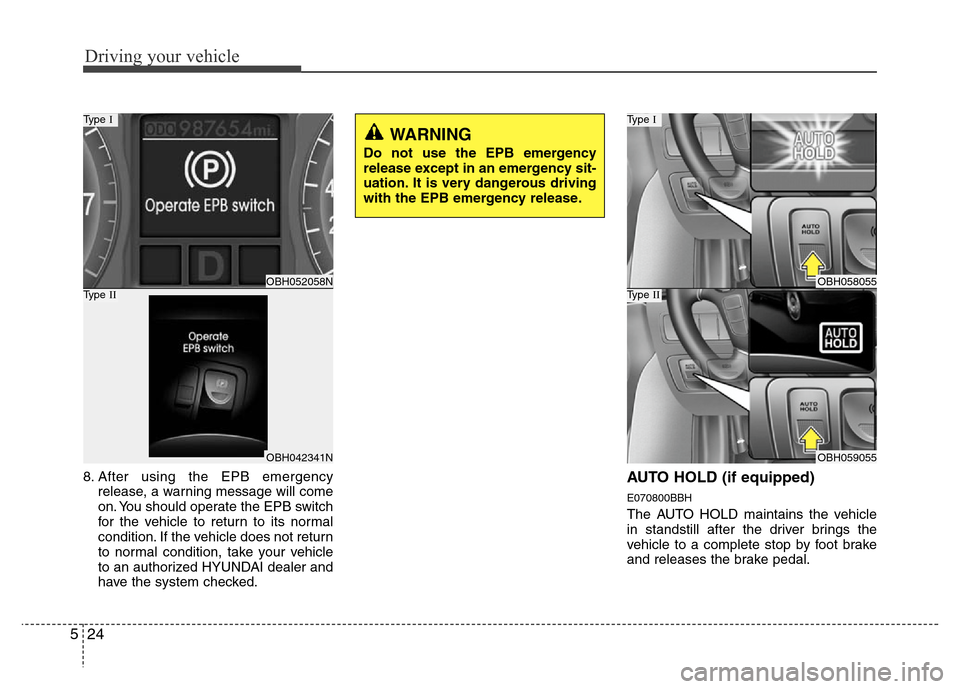
8. After using the EPB emergency
release, a warning message will come
on. You should operate the EPB switch
for the vehicle to return to its normal
condition. If the vehicle does not return
to normal condition, take your vehicle
to an authorized HYUNDAI dealer and
have the system checked.AUTO HOLD (if equipped)
E070800BBH
The AUTO HOLD maintains the vehicle
in standstill after the driver brings the
vehicle to a complete stop by foot brake
and releases the brake pedal.
WARNING
Do not use the EPB emergency
release except in an emergency sit-
uation. It is very dangerous driving
with the EPB emergency release.
OBH052058N
Type I
OBH042341N
Type IIOBH058055
Type I
OBH059055
Type II
Page 247 of 393
525
Driving your vehicle
F070801BBH
Set up
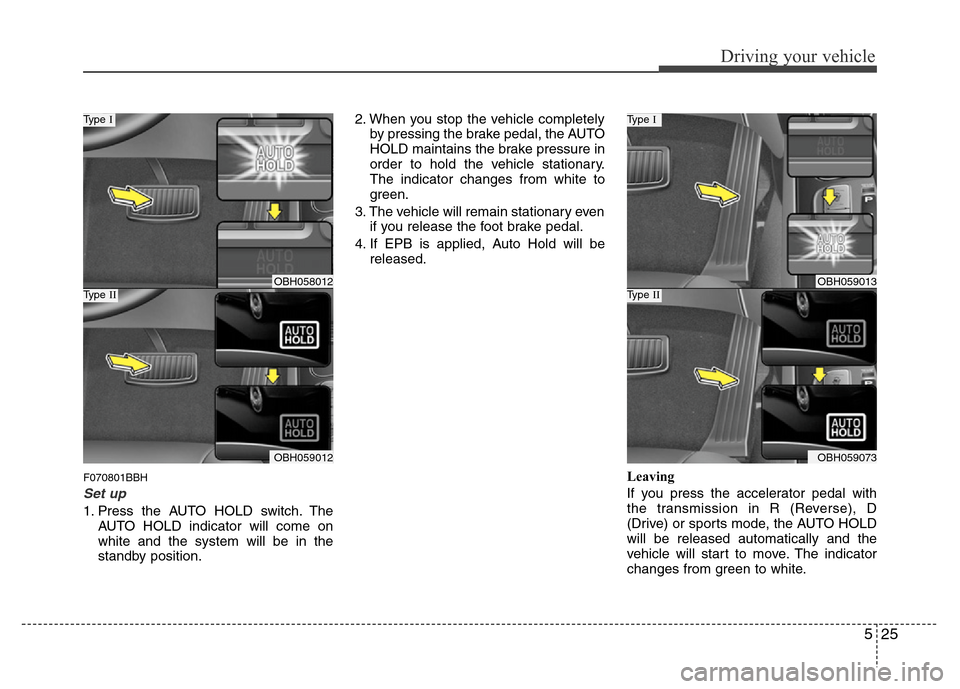
1. Press the AUTO HOLD switch. The
AUTO HOLD indicator will come on
white and the system will be in the
standby position.2. When you stop the vehicle completely
by pressing the brake pedal, the AUTO
HOLD maintains the brake pressure in
order to hold the vehicle stationary.
The indicator changes from white to
green.
3. The vehicle will remain stationary even
if you release the foot brake pedal.
4. If EPB is applied, Auto Hold will be
released.
Leaving
If you press the accelerator pedal with
the transmission in R (Reverse), D
(Drive) or sports mode, the AUTO HOLD
will be released automatically and the
vehicle will start to move. The indicator
changes from green to white.
OBH058012
Type I
OBH059012
Type IIOBH059013
Type I
OBH059073
Type II
Page 248 of 393
Driving your vehicle
26 5
F070802BBH
Cancel
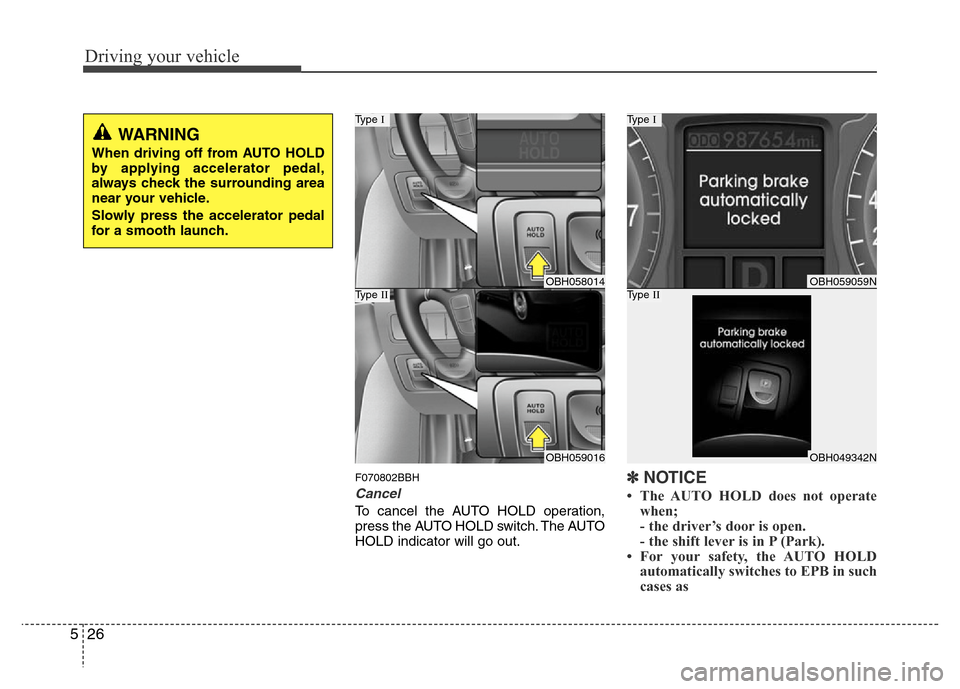
To cancel the AUTO HOLD operation,
press the AUTO HOLD switch. The AUTO
HOLD indicator will go out.
✽NOTICE
• The AUTO HOLD does not operate
when;
- the driver’s door is open.
- the shift lever is in P (Park).
• For your safety, the AUTO HOLD
automatically switches to EPB in such
cases as
WARNING
When driving off from AUTO HOLD
by applying accelerator pedal,
always check the surrounding area
near your vehicle.
Slowly press the accelerator pedal
for a smooth launch.
OBH058014
Type I
OBH059016
Type IIOBH059059N
Type I
OBH049342N
Type II
Page 249 of 393
527
Driving your vehicle
- the hood is open with transmission
in D (Drive).
- the trunk lid is open with transmis-
sion in R (Reverse).
- the driver's seat belt is unbuckled
and the driver's door is open.
- AUTO HOLD is operating for a long
period of time.
- the vehicle is standing on a steep
slope.
In these cases, the brake warning light
comes on, the AUTO HOLD indicator
changes from green to white, and a
warning sounds and a message will
appear to inform you that EPB has
been automatically engaged.
Before driving off again, press foot
brake pedal, check the surrounding
area near your vehicle and release
parking brake manually with the EPB
switch.
• When AUTO HOLD is ON and the
vehicle comes to a stop on a steep
slope (about 25% gradient or more),
the EPB will be automatically
engaged. In this case, when you
release EPB manually by pressing the
EPB switch with foot brake pedal
pressed, AUTO HOLD will hold the
vehicle for 3 seconds in order to pre-
vent the vehicle from rolling back
during the launch.• If the AUTO HOLD malfunction indi-
cator lights up yellow on the LCD
screen, the AUTO HOLD is not work-
ing properly. Take your vehicle to an
authorized HYUNDAI dealer and
have the system checked.
• While operating Auto Hold, you may
hear mechanical noise. However, it is
normal operating noise.E070300AEN-EE
Anti-lock brake system (ABS)
WARNING
ABS (or ESP) will not prevent acci-
dents due to improper or danger-
ous driving maneuvers. Even
though vehicle control is improved
during emergency braking, always
maintain a safe distance between
you and objects ahead. Vehicle
speeds should always be reduced
during extreme road conditions.
The braking distance for cars
equipped with an anti-lock braking
system (or Electronic Stability
Program system) may be longer
than for those without it in the fol-
lowing road conditions.
During these conditions the vehicle
should be driven at reduced
speeds:
• Rough, gravel or snow-covered
roads.
• With tire chains installed.
(Continued)
WARNING
• Press the accelerator pedal slow-
ly when you start the vehicle.
• For your safety, cancel the AUTO
HOLD when you drive downhill or
back up the vehicle or park the
vehicle.
CAUTION
If there is a malfunction with the dri-
ver’s door, hood or trunk open
detection system, the AUTO HOLD
may not work properly.
Take your vehicle to an authorized
HYUNDAI dealer and have the sys-
tem checked.
Page 256 of 393
Driving your vehicle
34 5
• If your car is equipped with an auto-
matic transmission, don't let your car
creep forward. To avoid creeping for-
ward, keep your foot firmly on the
brake pedal when the car is stopped.
• Use caution when parking on a hill.
Firmly engage the parking brake and
place the shift lever in P. If your car is
facing downhill, turn the front wheels
into the curb to help keep the car from
rolling. If your car is facing uphill, turn
the front wheels away from the curb to
help keep the car from rolling. If there
is no curb or if it is required by other
conditions to keep the car from rolling,
block the wheels.• Under some conditions your parking
brake can freeze in the engaged posi-
tion. This is most likely to happen when
there is an accumulation of snow or ice
around or near the rear brakes or if the
brakes are wet. If there is a risk that the
parking brake may freeze, apply it only
temporarily while you put the shift lever
in P and block the rear wheels so the
car cannot roll. Then release the park-
ing brake.
• Do not hold the vehicle on the upgrade
with the accelerator pedal. This can
cause the transmission to overheat.
Always use the brake pedal or parking
brake.
Page 262 of 393
Driving your vehicle
40 5
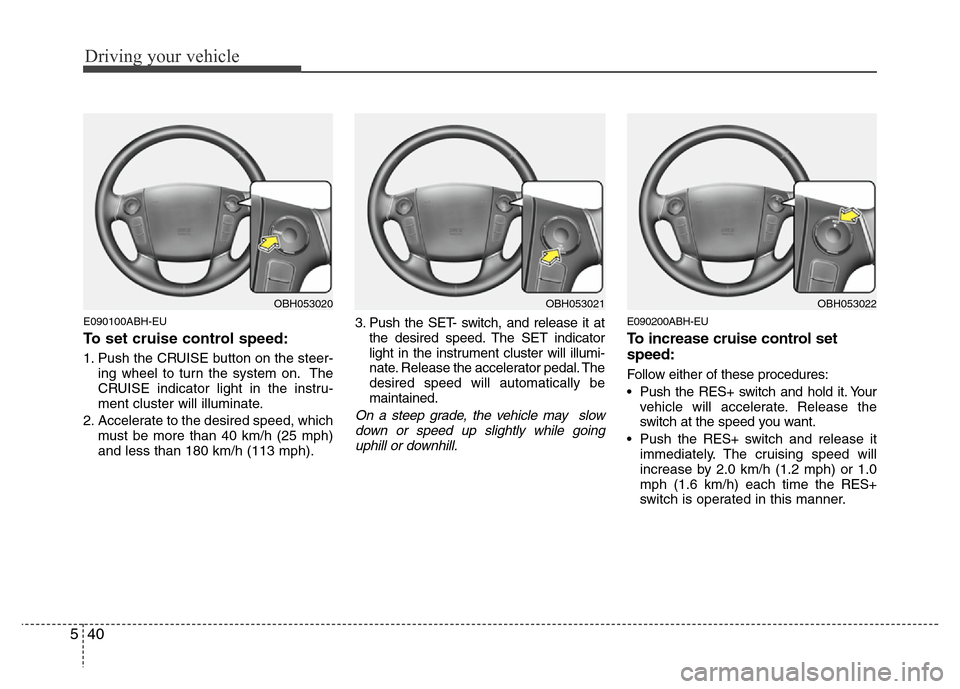
E090100ABH-EU
To set cruise control speed:
1. Push the CRUISE button on the steer-
ing wheel to turn the system on. The
CRUISE indicator light in the instru-
ment cluster will illuminate.
2. Accelerate to the desired speed, which
must be more than 40 km/h (25 mph)
and less than 180 km/h (113 mph).3. Push the SET- switch, and release it at
the desired speed. The SET indicator
light in the instrument cluster will illumi-
nate. Release the accelerator pedal. The
desired speed will automatically be
maintained.
On a steep grade, the vehicle may slow
down or speed up slightly while going
uphill or downhill.
E090200ABH-EU
To increase cruise control set
speed:
Follow either of these procedures:
• Push the RES+ switch and hold it. Your
vehicle will accelerate. Release the
switch at the speed you want.
• Push the RES+ switch and release it
immediately. The cruising speed will
increase by 2.0 km/h (1.2 mph) or 1.0
mph (1.6 km/h) each time the RES+
switch is operated in this manner.
OBH053021OBH053022OBH053020
Page 267 of 393
545
Driving your vehicle
E150200ABH
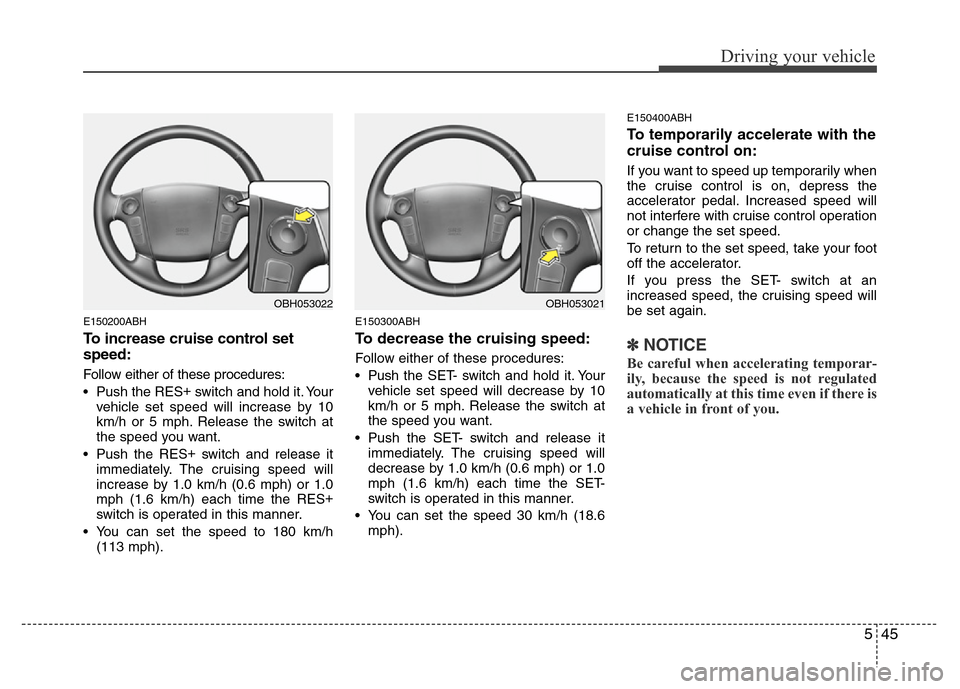
To increase cruise control set
speed:
Follow either of these procedures:
• Push the RES+
switch and hold it. Your
vehicle set speed will increase by 10
km/h or 5 mph. Release the switch at
the speed you want.
• Push the RES+
switch and release it
immediately. The cruising speed will
increase by 1.0 km/h (0.6 mph) or 1.0
mph (1.6 km/h) each time the RES+
switch is operated in this manner.
• You can set the speed to 180 km/h
(113 mph).
E150300ABH
To decrease the cruising speed:
Follow either of these procedures:
• Pushthe SET- switch and hold it. Your
vehicle set speed will decrease by 10
km/h or 5 mph. Release the switch at
the speed you want.
• Push the SET- switch and release it
immediately. The cruising speed will
decrease by 1.0 km/h (0.6 mph) or 1.0
mph (1.6 km/h) each time the SET-
switch is operated in this manner.
• You can set the speed 30 km/h (18.6
mph).
E150400ABH
To temporarily accelerate with the
cruise control on:
If you want to speed up temporarily when
the cruise control is on, depress the
accelerator pedal. Increased speed will
not interfere with cruise control operation
or change the set speed.
To return to the set speed, take your foot
off the accelerator.
If you press the SET- switch at an
increased speed, the cruising speed will
be set again.
✽NOTICE
Be careful when accelerating temporar-
ily, because the speed is not regulated
automatically at this time even if there is
a vehicle in front of you.
OBH053021OBH053022
Page 345 of 393
727
Maintenance
WIPER BLADES
G180100AUN
Blade inspection
✽NOTICE
Commercial hot waxes applied by auto-
matic car washes have been known to
make the windshield difficult to clean.
Contamination of either the windshield or
the wiper blades with foreign matter can
reduce the effectiveness of the wind-
shield wipers. Common sources of con-
tamination are insects, tree sap, and hot
wax treatments used by some commer-
cial car washes. If the blades are not wip-
ing properly, clean both the window and
the blades with a good cleaner or mild
detergent, and rinse thoroughly with
clean water.
G180200AUN
Blade replacement
When the wipers no longer clean ade-
quately, the blades may be worn or
cracked, and require replacement.
G180201ABH
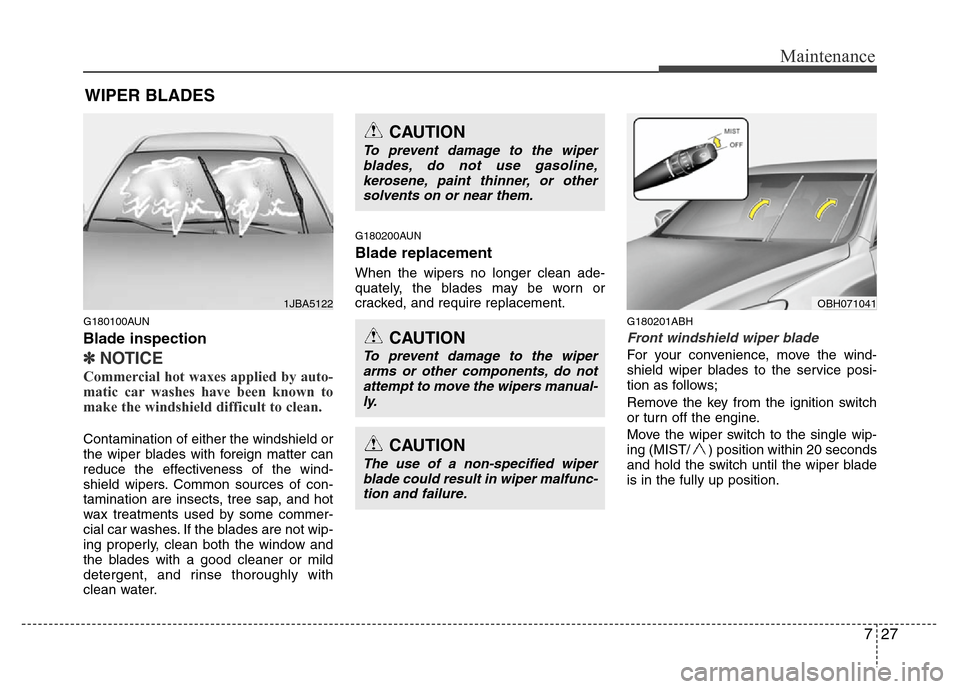
Front windshield wiper blade
For your convenience, move the wind-
shield wiper blades to the service posi-
tion as follows;
Remove the key from the ignition switch
or turn off the engine.
Move the wiper switch to the single wip-
ing (MIST/ ) position within 20 seconds
and hold the switch until the wiper blade
is in the fully up position.
1JBA5122
CAUTION
To prevent damage to the wiper
blades, do not use gasoline,
kerosene, paint thinner, or other
solvents on or near them.
CAUTION
To prevent damage to the wiper
arms or other components, do not
attempt to move the wipers manual-
ly.
CAUTION
The use of a non-specified wiper
blade could result in wiper malfunc-
tion and failure.
OBH071041
Page 366 of 393
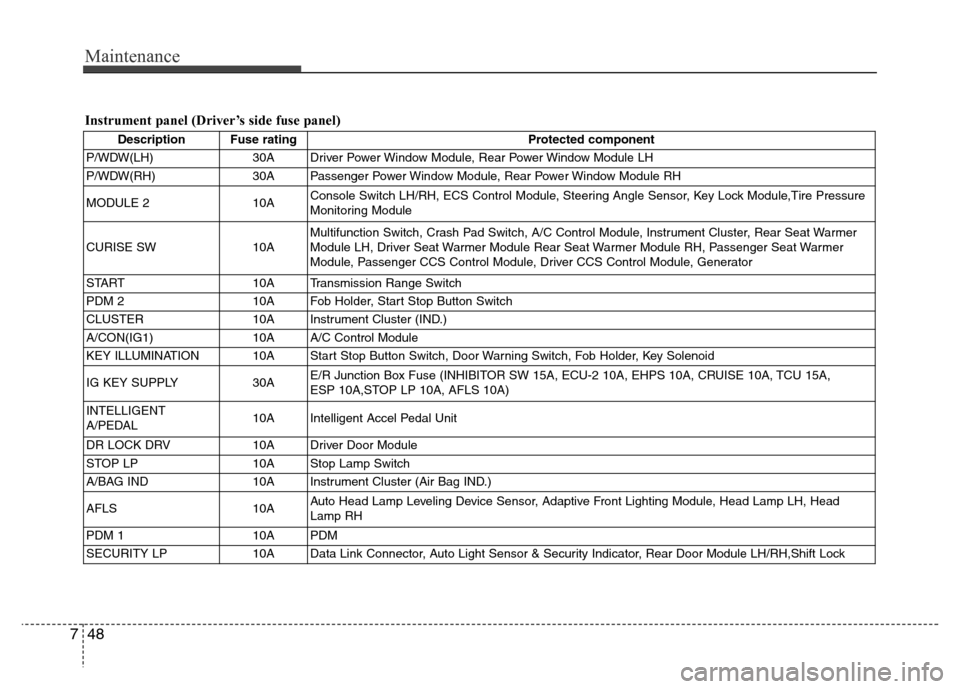
Maintenance
48 7
Instrument panel (Driver’s side fuse panel)
Description Fuse rating Protected component
P/WDW(LH) 30A Driver Power Window Module, Rear Power Window Module LH
P/WDW(RH) 30A Passenger Power Window Module, Rear Power Window Module RH
MODULE 2 10AConsole Switch LH/RH, ECS Control Module, Steering Angle Sensor, Key Lock Module,Tire Pressure
Monitoring Module
CURISE SW 10AMultifunction Switch, Crash Pad Switch, A/C Control Module, Instrument Cluster, Rear Seat Warmer
Module LH, Driver Seat Warmer Module Rear Seat Warmer Module RH, Passenger Seat Warmer
Module, Passenger CCS Control Module, Driver CCS Control Module, Generator
START 10A Transmission Range Switch
PDM 2 10A Fob Holder, Start Stop Button Switch
CLUSTER 10A Instrument Cluster (IND.)
A/CON(IG1) 10A A/C Control Module
KEY ILLUMINATION 10A Start Stop Button Switch, Door Warning Switch, Fob Holder, Key Solenoid
IG KEY SUPPLY 30AE/R Junction Box Fuse (INHIBITOR SW 15A, ECU-2 10A, EHPS 10A, CRUISE 10A, TCU 15A,
ESP 10A,STOP LP 10A, AFLS 10A)
INTELLIGENT
A/PEDAL10A Intelligent Accel Pedal Unit
DR LOCK DRV 10A Driver Door Module
STOP LP 10A Stop Lamp Switch
A/BAG IND 10A Instrument Cluster (Air Bag IND.)
AFLS 10AAuto Head Lamp Leveling Device Sensor, Adaptive Front Lighting Module, Head Lamp LH, Head
Lamp RH
PDM 1 10A PDM
SECURITY LP 10A Data Link Connector, Auto Light Sensor & Security Indicator, Rear Door Module LH/RH,Shift Lock