Key Hyundai Genesis 2012 Service Manual
[x] Cancel search | Manufacturer: HYUNDAI, Model Year: 2012, Model line: Genesis, Model: Hyundai Genesis 2012Pages: 393, PDF Size: 8.81 MB
Page 216 of 393
4143
Features of your vehicle
(Continued)
• If USB device is divided by logical
drives, only the music files on the
highest-priority drive are recog-
nized by car audio.
• Devices such as MP3 Player/
Cellular phone/Digital camera
those are not recognizable by
standard USB I/F can be unrecog-
nizable.
• USB devices other than standard-
ized goods (METAL COVER TYPE
USB) can be unrecognizable.
• USB flash memory reader (such
as CF, SD, microSD, etc.) or exter-
nal-HDD type devices can be
unrecognizable.
• Music files protected by DRM
(DIGITAL RIGHTS MANAGEMENT)
are not recognizalbe.
• The data in the USB memory may
lost while using this AUDIO, It is
recommeded to back up impor-
tant data on a personal.
(Continued)(Continued)
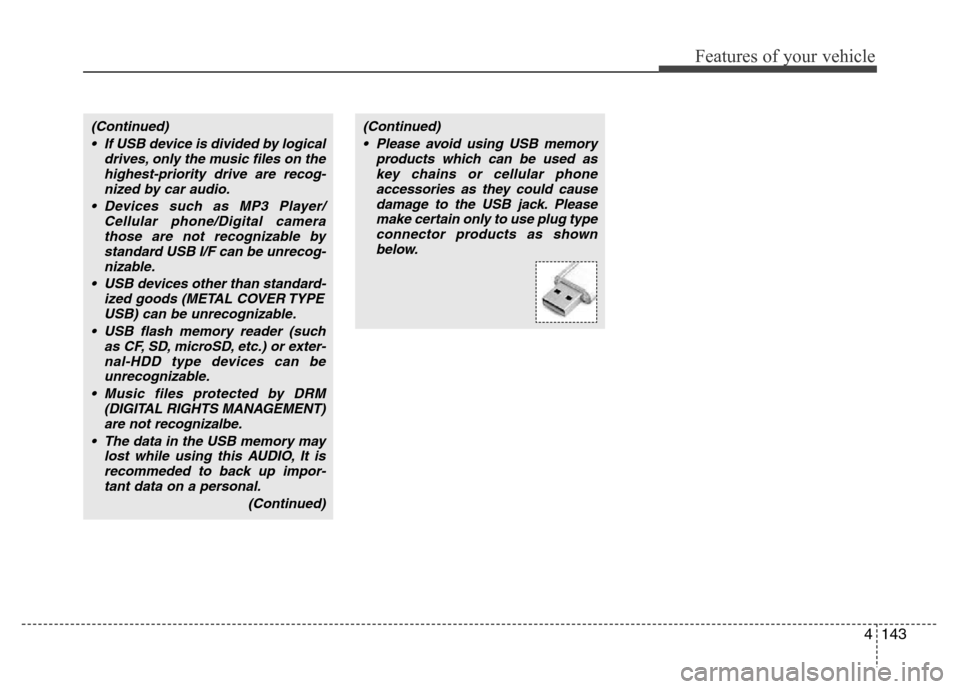
• Please avoid using USB memory
products which can be used as
key chains or cellular phone
accessories as they could cause
damage to the USB jack. Please
make certain only to use plug type
connector products as shown
below.
Page 223 of 393
5
Before driving / 5-3
Key / 5-4
Engine Start/Stop button / 5-7
Automatic transmission / 5-11
Brake system / 5-17
Electronic controlled suspension (ECS) / 5-35
Cruise control system / 5-39
Smart cruise control system / 5-43
Lane departure warning system (LDWS) / 5-55
Intelligent accelerator pedal / 5-58
Economical operation / 5-59
Special driving conditions / 5-61
Winter driving / 5-65
Vehicle weight / 5-69
Trailer towing / 5-70
Driving your vehicle
Page 226 of 393
Driving your vehicle
4 5
E030100AEN
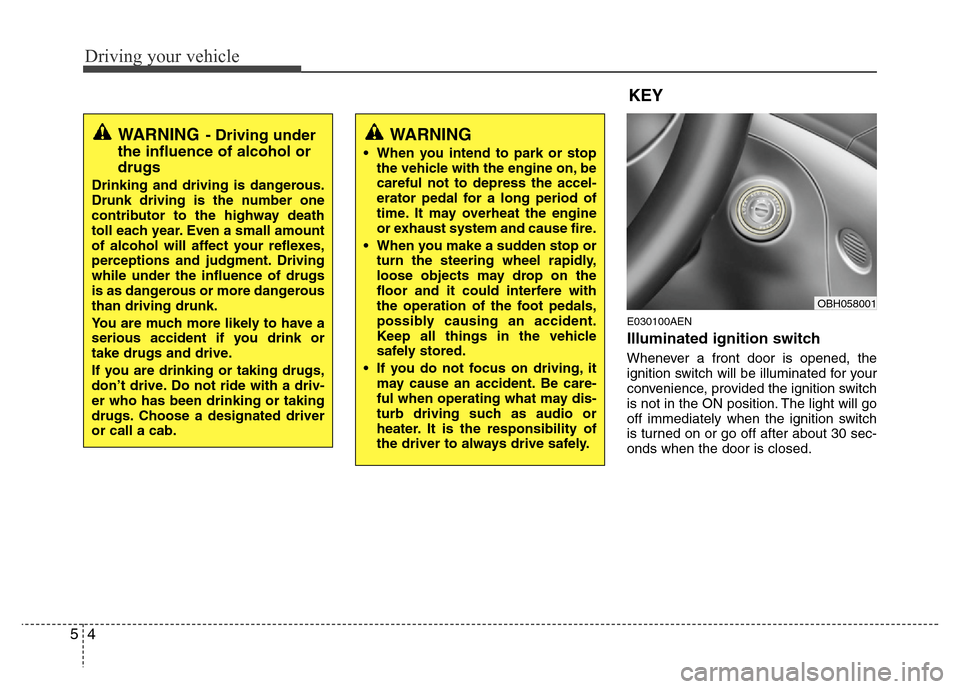
Illuminated ignition switch
Whenever a front door is opened, the
ignition switch will be illuminated for your
convenience, provided the ignition switch
is not in the ON position. The light will go
off immediately when the ignition switch
is turned on or go off after about 30 sec-
onds when the door is closed.
KEY
OBH058001
WARNING- Driving under
the influence of alcohol or
drugs
Drinking and driving is dangerous.
Drunk driving is the number one
contributor to the highway death
toll each year. Even a small amount
of alcohol will affect your reflexes,
perceptions and judgment. Driving
while under the influence of drugs
is as dangerous or more dangerous
than driving drunk.
You are much more likely to have a
serious accident if you drink or
take drugs and drive.
If you are drinking or taking drugs,
don’t drive. Do not ride with a driv-
er who has been drinking or taking
drugs. Choose a designated driver
or call a cab.
WARNING
• When you intend to park or stop
the vehicle with the engine on, be
careful not to depress the accel-
erator pedal for a long period of
time. It may overheat the engine
or exhaust system and cause fire.
• When you make a sudden stop or
turn the steering wheel rapidly,
loose objects may drop on the
floor and it could interfere with
the operation of the foot pedals,
possibly causing an accident.
Keep all things in the vehicle
safely stored.
• If you do not focus on driving, it
may cause an accident. Be care-
ful when operating what may dis-
turb driving such as audio or
heater. It is the responsibility of
the driver to always drive safely.
Page 227 of 393
55
Driving your vehicle
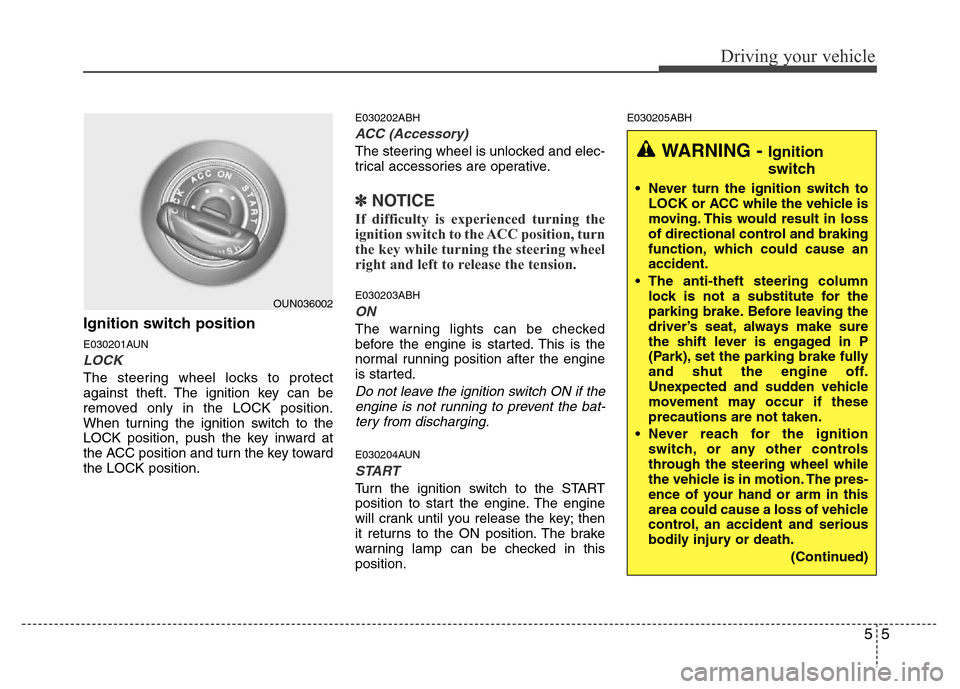
Ignition switch position
E030201AUN
LOCK
The steering wheel locks to protect
against theft. The ignition key can be
removed only in the LOCK position.
When turning the ignition switch to the
LOCK position, push the key inward at
the ACC position and turn the key toward
the LOCK position.
E030202ABH
ACC (Accessory)
The steering wheel is unlocked and elec-
trical accessories are operative.
✽NOTICE
If difficulty is experienced turning the
ignition switch to the ACC position, turn
the key while turning the steering wheel
right and left to release the tension.
E030203ABH
ON
The warning lights can be checked
before the engine is started. This is the
normal running position after the engine
is started.
Do not leave the ignition switch ON if the
engine is not running to prevent the bat-
tery from discharging.
E030204AUN
START
Turn the ignition switch to the START
position to start the engine. The engine
will crank until you release the key; then
it returns to the ON position. The brake
warning lamp can be checked in this
position.
E030205ABH
OUN036002
WARNING - Ignition
switch
• Never turn the ignition switch to
LOCK or ACC while the vehicle is
moving. This would result in loss
of directional control and braking
function, which could cause an
accident.
• The anti-theft steering column
lock is not a substitute for the
parking brake. Before leaving the
driver’s seat, always make sure
the shift lever is engaged in P
(Park), set the parking brake fully
and shut the engine off.
Unexpected and sudden vehicle
movement may occur if these
precautions are not taken.
• Never reach for the ignition
switch, or any other controls
through the steering wheel while
the vehicle is in motion. The pres-
ence of your hand or arm in this
area could cause a loss of vehicle
control, an accident and serious
bodily injury or death.
(Continued)
Page 228 of 393
Driving your vehicle
6 5
Starting the engine
E040000AUN-EU
E040100ABH
1. Make sure the parking brake is
applied.
2. Place the shift lever in P (Park).
Depress the brake pedal fully.
You can also start the engine when
the shift lever is in the N (Neutral)
position.
3. Turn the ignition switch to START and
hold it there until the engine starts (a
maximum of 10 seconds), then
release the key.
4. In extremely cold weather (below
-18°C / 0°F) or after the vehicle has
not been operated for several days, let
the engine warm up without depress-
ing the accelerator.
Whether the engine is cold or warm, it
should be started without depressing
the accelerator.
WARNING
Always wear appropriate shoes
when operating your vehicle.
Unsuitable shoes (high heels, ski
boots,etc.) may interfere with your
ability to use the brake and acceler-
ator pedal.
CAUTION
If the engine stalls while you are in
motion, do not attempt to move the
shift lever to the P (Park) position. If
traffic and road conditions permit,
you may put the shift lever in the N
(Neutral) position while the vehicle
is still moving and turn the ignition
switch to the START position in an
attempt to restart the engine.
CAUTION
Do not engage the starter for more
than 10 seconds. If the engine stalls
or fails to start, wait 5 to 10 seconds
before re-engaging the starter.
Improper use of the starter may
damage it.
(Continued)
• Do not place any movable objects
around the driver’s seat as they
may move while driving, interfere
with the driver and lead to an
accident.
Page 229 of 393
57
Driving your vehicle
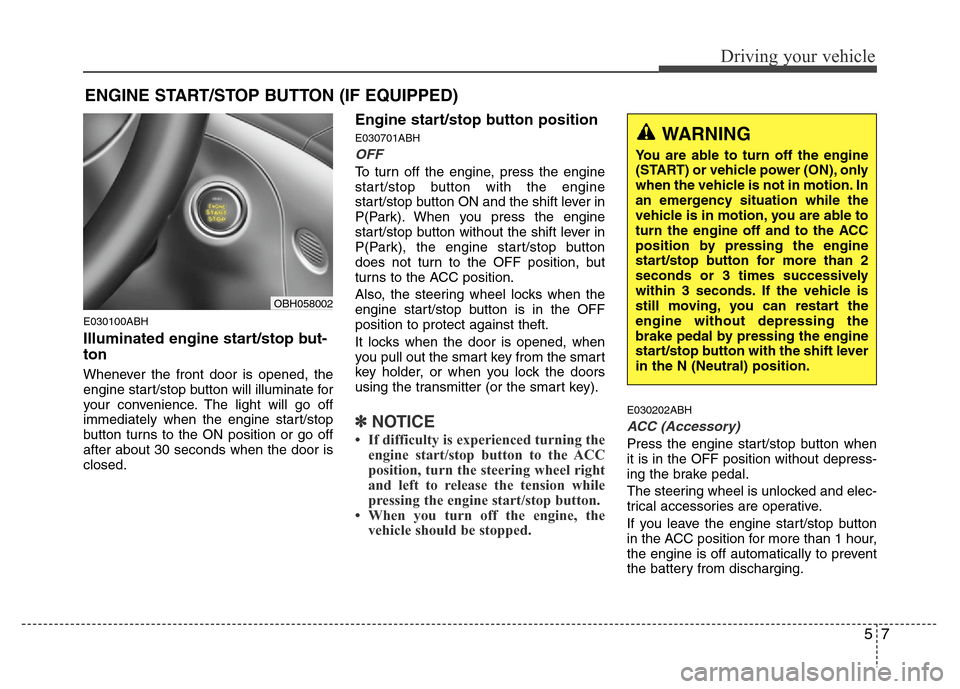
E030100ABH
Illuminated engine start/stop but-
ton
Whenever the front door is opened, the
engine start/stop button will illuminate for
your convenience. The light will go off
immediately when the engine start/stop
button turns to the ON position or go off
after about 30 seconds when the door is
closed.
Engine start/stop button position
E030701ABH
OFF
To turn off the engine, press the engine
start/stop button with the engine
start/stop button ON and the shift lever in
P(Park). When you press the engine
start/stop button without the shift lever in
P(Park), the engine start/stop button
does not turn to the OFF position, but
turns to the ACC position.
Also, the steering wheel locks when the
engine start/stop button is in the OFF
position to protect against theft.
It locks when the door is opened, when
you pull out the smart key from the smart
key holder, or when you lock the doors
using the transmitter (or the smart key).
✽NOTICE
• If difficulty is experienced turning the
engine start/stop button to the ACC
position, turn the steering wheel right
and left to release the tension while
pressing the engine start/stop button.
• When you turn off the engine, the
vehicle should be stopped.
E030202ABH
ACC (Accessory)
Press the engine start/stop button when
it is in the OFF position without depress-
ing the brake pedal.
The steering wheel is unlocked and elec-
trical accessories are operative.
If you leave the engine start/stop button
in the ACC position for more than 1 hour,
the engine is off automatically to prevent
the battery from discharging.
ENGINE START/STOP BUTTON (IF EQUIPPED)
WARNING
You are able to turn off the engine
(START) or vehicle power (ON), only
when the vehicle is not in motion. In
an emergency situation while the
vehicle is in motion, you are able to
turn the engine off and to the ACC
position by pressing the engine
start/stop button for more than 2
seconds or 3 times successively
within 3 seconds. If the vehicle is
still moving, you can restart the
engine without depressing the
brake pedal by pressing the engine
start/stop button with the shift lever
in the N (Neutral) position.
OBH058002
Page 231 of 393
59
Driving your vehicle
Starting the engine
E040000ABH
E040100ABH
1. Carry the smart key or leave it inside
the vehicle.
2. Make sure the parking brake is firmly
applied.
3. Place the shift lever in the P(Park)
position.
4. Depress the brake pedal.
5. Press the engine start/stop button.
6. In extremely cold weather (below -
18°C / 0°F) or after the vehicle has not
been operated for several days, let the
engine warm up without depressing
the accelerator.
Whether the engine is cold or warm, it
should be started without depressing
the accelerator.•Even if the smart key is in the vehicle,
if it is far away from you, the engine
may not start.
•When the engine start/stop button is in
the ACC or ON position, if any door is
open, the system checks for the smart
key. If the smart key is not in the vehi-
cle, the warning, "Key is not in vehicle"
will come on, and if all doors are
closed, the chime will also sound for
about 5 seconds. The indicator will turn
off while the vehicle is moving. Keep
the smart key in the vehicle, when
using the ACC position or if the vehicle
engine is on.
WARNING
Always wear appropriate shoes
when operating your vehicle.
Unsuitable shoes (high heels, ski
boots, etc.) may interfere with your
ability to use the brake and acceler-
ator pedal.
WARNING
The engine will start by pressing
the engine start/stop button, only
when the smart key is in the vehi-
cle. Never allow children or any per-
son who is unfamiliar with the vehi-
cle to touch the engine start/stop
button or related parts.
CAUTION
If the engine stalls while you are in
motion, do not attempt to move the
shift lever to the P (Park) position. If
traffic and road conditions permit,
you may put the shift lever in the N
(Neutral) position while the vehicle
is still moving and press the engine
start/stop button in an attempt to
restart the engine.
Page 232 of 393
Driving your vehicle
10 5
✽NOTICE
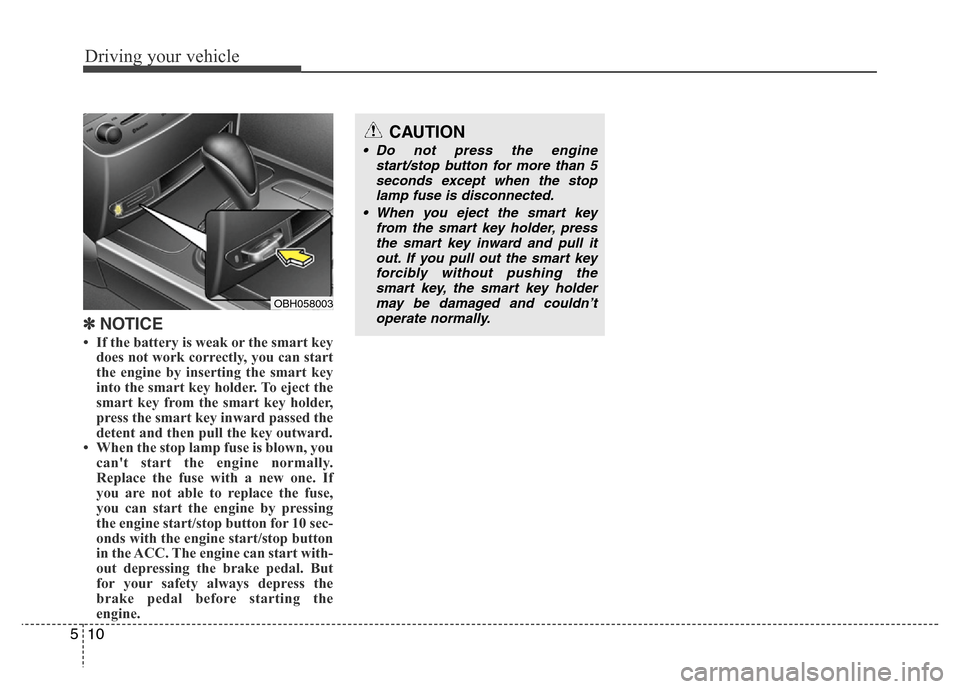
• If the battery is weak or the smart key
does not work correctly, you can start
the engine by inserting the smart key
into the smart key holder. To eject the
smart key from the smart key holder,
press the smart key inward passed the
detent and then pull the key outward.
• When the stop lamp fuse is blown, you
can't start the engine normally.
Replace the fuse with a new one. If
you are not able to replace the fuse,
you can start the engine by pressing
the engine start/stop button for 10 sec-
onds with the engine start/stop button
in the ACC. The engine can start with-
out depressing the brake pedal. But
for your safety always depress the
brake pedal before starting the
engine.
OBH058003
CAUTION
• Do not press the engine
start/stop button for more than 5
seconds except when the stop
lamp fuse is disconnected.
• When you eject the smart key
from the smart key holder, press
the smart key inward and pull it
out. If you pull out the smart key
forcibly without pushing the
smart key, the smart key holder
may be damaged and couldn’t
operate normally.
Page 237 of 393
515
Driving your vehicle
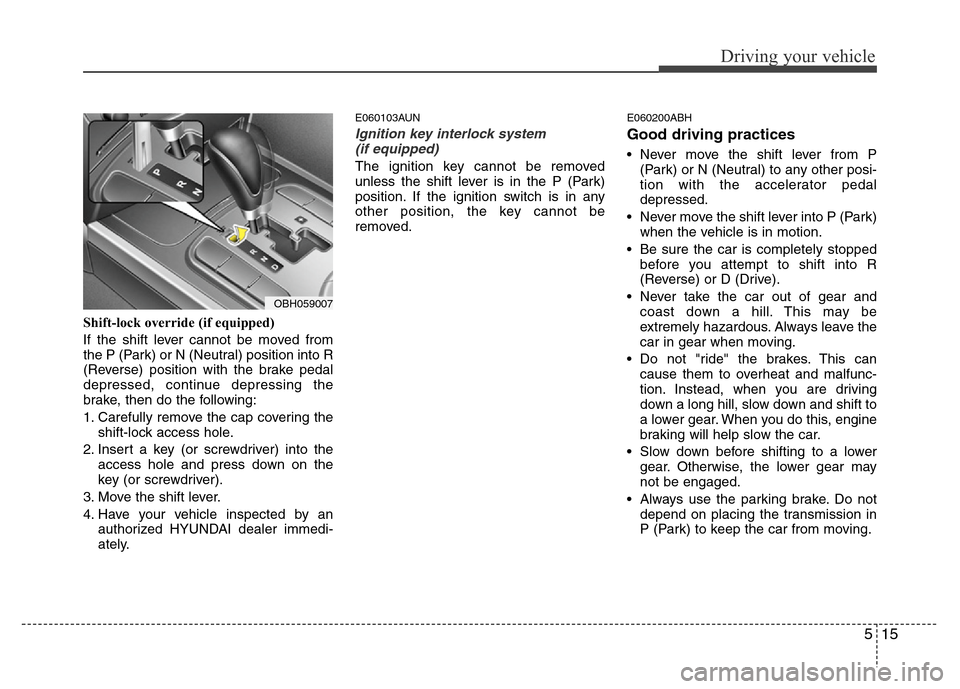
Shift-lock override (if equipped)
If the shift lever cannot be moved from
the P (Park) or N (Neutral) position into R
(Reverse) position with the brake pedal
depressed, continue depressing the
brake, then do the following:
1. Carefully remove the cap covering the
shift-lock access hole.
2. Insert a key (or screwdriver) into the
access hole and press down on the
key (or screwdriver).
3. Move the shift lever.
4. Have your vehicle inspected by an
authorized HYUNDAI dealer immedi-
ately.
E060103AUN
Ignition key interlock system
(if equipped)
The ignition key cannot be removed
unless the shift lever is in the P (Park)
position. If the ignition switch is in any
other position, the key cannot be
removed.
E060200ABH
Good driving practices
• Never move the shift lever from P
(Park) or N (Neutral) to any other posi-
tion with the accelerator pedal
depressed.
• Never move the shift lever into P (Park)
when the vehicle is in motion.
• Be sure the car is completely stopped
before you attempt to shift into R
(Reverse) or D (Drive).
• Never take the car out of gear and
coast down a hill. This may be
extremely hazardous. Always leave the
car in gear when moving.
• Do not "ride" the brakes. This can
cause them to overheat and malfunc-
tion. Instead, when you are driving
down a long hill, slow down and shift to
a lower gear. When you do this, engine
braking will help slow the car.
• Slow down before shifting to a lower
gear. Otherwise, the lower gear may
not be engaged.
• Always use the parking brake. Do not
depend on placing the transmission in
P (Park) to keep the car from moving.
OBH059007
Page 244 of 393
Driving your vehicle
22 5
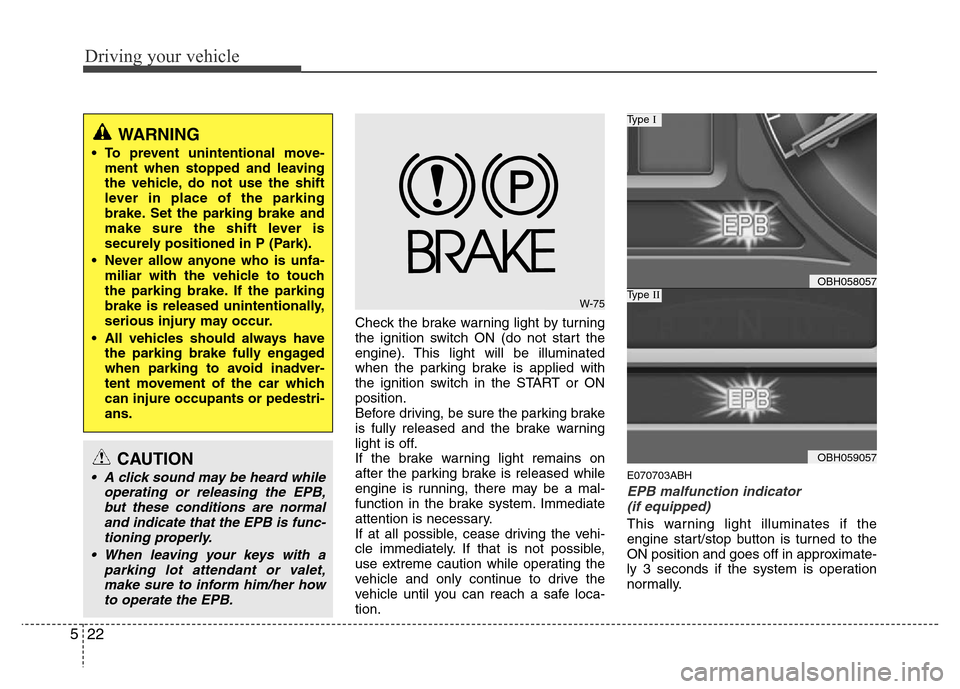
Check the brake warning light by turning
the ignition switch ON (do not start the
engine). This light will be illuminated
when the parking brake is applied with
the ignition switch in the START or ON
position.
Before driving, be sure the parking brake
is fully released and the brake warning
light is off.
If the brake warning light remains on
after the parking brake is released while
engine is running, there may be a mal-
function in the brake system. Immediate
attention is necessary.
If at all possible, cease driving the vehi-
cle immediately. If that is not possible,
use extreme caution while operating the
vehicle and only continue to drive the
vehicle until you can reach a safe loca-
tion.
E070703ABH
EPB malfunction indicator
(if equipped)
This warning light illuminates if the
engine start/stop button is turned to the
ON position and goes off in approximate-
ly 3 seconds if the system is operation
normally.
WARNING
• To prevent unintentional move-
ment when stopped and leaving
the vehicle, do not use the shift
lever in place of the parking
brake. Set the parking brake and
make sure the shift lever is
securely positioned in P (Park).
• Never allow anyone who is unfa-
miliar with the vehicle to touch
the parking brake. If the parking
brake is released unintentionally,
serious injury may occur.
• All vehicles should always have
the parking brake fully engaged
when parking to avoid inadver-
tent movement of the car which
can injure occupants or pedestri-
ans.
W-75
OBH058057
Type I
OBH059057
Type II
CAUTION
• A click sound may be heard while
operating or releasing the EPB,
but these conditions are normal
and indicate that the EPB is func-
tioning properly.
• When leaving your keys with a
parking lot attendant or valet,
make sure to inform him/her how
to operate the EPB.