front Hyundai Genesis 2013 Repair Manual
[x] Cancel search | Manufacturer: HYUNDAI, Model Year: 2013, Model line: Genesis, Model: Hyundai Genesis 2013Pages: 429, PDF Size: 8.94 MB
Page 151 of 429
Features of your vehicle
72
4
D170000ABH
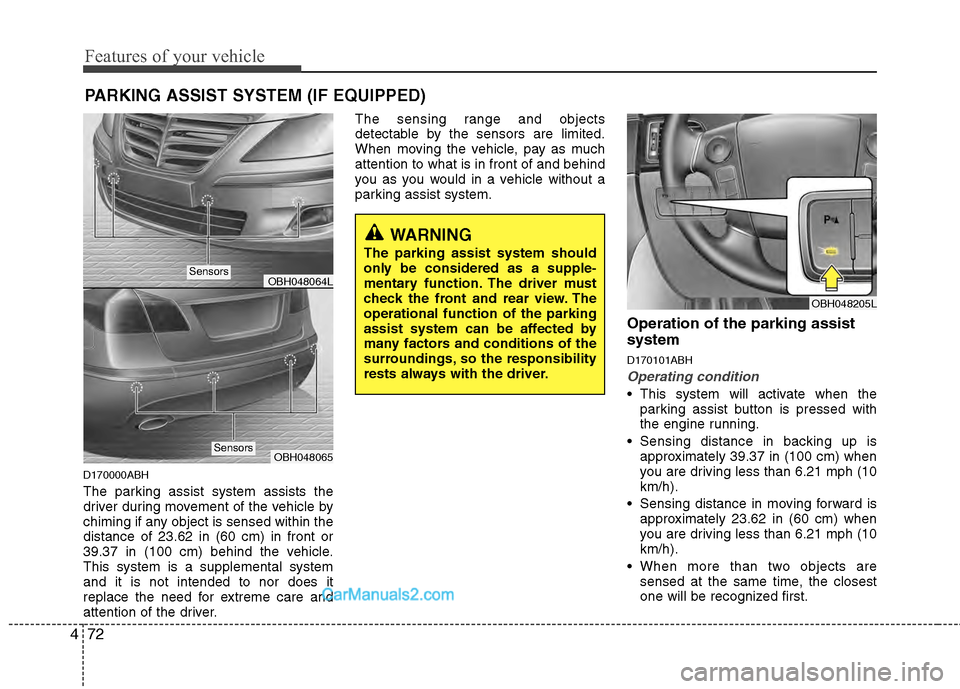
The parking assist system assists the
driver during movement of the vehicle by
chiming if any object is sensed within the
distance of 23.62 in (60 cm) in front or
39.37 in (100 cm) behind the vehicle.
This system is a supplemental system
and it is not intended to nor does it
replace the need for extreme care and
attention of the driver. The sensing range and objects
detectable by the sensors are limited.
When moving the vehicle, pay as much
attention to what is in front of and behind
you as you would in a vehicle without a
parking assist system.
Operation of the parking assist
system
D170101ABH
Operating condition
This system will activate when the
parking assist button is pressed with
the engine running.
Sensing distance in backing up is approximately 39.37 in (100 cm) when
you are driving less than 6.21 mph (10
km/h).
Sensing distance in moving forward is approximately 23.62 in (60 cm) when
you are driving less than 6.21 mph (10
km/h).
When more than two objects are sensed at the same time, the closest
one will be recognized first.
PARKING ASSIST SYSTEM (IF EQUIPPED)
OBH048064L
OBH048065
WARNING
The parking assist system should
only be considered as a supple-
mentary function. The driver must
check the front and rear view. The
operational function of the parking
assist system can be affected by
many factors and conditions of the
surroundings, so the responsibility
rests always with the driver.
OBH048205L
Sensors
Sensors
Page 152 of 429
473
Features of your vehicle
✽
✽NOTICE
The parking assist system may not oper-
ate if the vehicle’s distance from the
object is already less than approximate-
ly 9.84 in (25 cm) when the system is
ON.
D170102ABH
Types of warning sound
When an object is 39.37 in (100 cm) to
23.62 in (61 cm) from the rear bumper
: Buzzer beeps intermittently
When an object is 23.62 in (60 cm) to 11.81 in (31 cm) from the front or rear
bumper : Buzzer sounds two beeps
intermittently
When an object is within 11.81 in (30 cm) of the front or rear bumper :
Buzzer sounds continuously.
D170200ABH
Non-operational conditions of
parking assist system
Parking assist system may not oper-ate normally when:
1. Moisture is frozen to the sensor. (It will operate normally when the moisture
melts.)
2. The sensor is covered with foreign matter, such as snow or water, or the
sensor cover is blocked. (It will operate
normally when the material is removed
or the sensor is no longer blocked.)
3. The sensor is stained with foreign mat- ter such as snow or water. (Sensing
range will return to normal when
removed.)
There is a possibility of parkingassist system malfunction when:
1. Driving on uneven road surfaces such as unpaved roads, gravel, bumps, or
gradient.
2. Objects generating excessive noise such as vehicle horns, loud motorcycle
engines, or truck air brakes can inter-
fere with the sensor.
3. Heavy rain or water spray.
4. Wireless transmitters or mobile phones present near the sensor.
5. Sensor is covered with snow.
Page 153 of 429
Features of your vehicle
74
4
WARNING
Pay close attention when the vehi-
cle is driven close to objects on the
road, particularly pedestrians, and
especially children. Be aware that
some objects may not be detected
by the sensors, due to the objects
distance, size or material, all of
which can limit the effectiveness of
the sensor. Always perform a visual
inspection to make sure the vehicle
is clear of all obstructions before
moving the vehicle in any direction.
Detecting range may decrease when:
1. Outside air temperature is extremely
hot or cold.
2. Undetectable objects smaller than 39.37 in (1 m) and narrower than 5.51
in (14 cm) in diameter.
The following objects may not be rec-ognized by the sensor:
1. Sharp or slim objects such as ropes, chains or small poles.
2. Objects, which tend to absorb sensor frequency such as clothes, spongy
material or snow.
✽ ✽NOTICE
1. The warning may not sound sequen-
tially depending on the speed and
shapes of the objects detected.
2. The parking assist system may mal- function if the vehicle bumper height
or sensor installation has been modi-
fied. Any non-factory installed equip-
ment or accessories may also interfere
with the sensor performance.
3. Sensor may not recognize objects less than 11.81 in (30 cm) from the sensor,
or it may sense an incorrect distance.
Use with caution.
4. When the sensor is frozen or stained with snow or water, the sensor may be
inoperative until the stains are
removed using a soft cloth.
5. Do not push, scratch or strike the sen- sor with any hard objects that could
damage the surface of the sensor.
Sensor damage could occur.
✽ ✽NOTICE
This system can only sense objects with-
in the range and location of the sensors,
it can not detect objects in other areas
where sensors are not installed. Also,
small or slim objects, or objects located
between sensors may not be detected.
Always visually check in front and
behind the vehicle when driving.
Be sure to inform any drivers in the
vehicle that may be unfamiliar with the
system regarding the system’s capabili-
ties and limitations.
Page 157 of 429
Features of your vehicle
78
4
D190401ABH
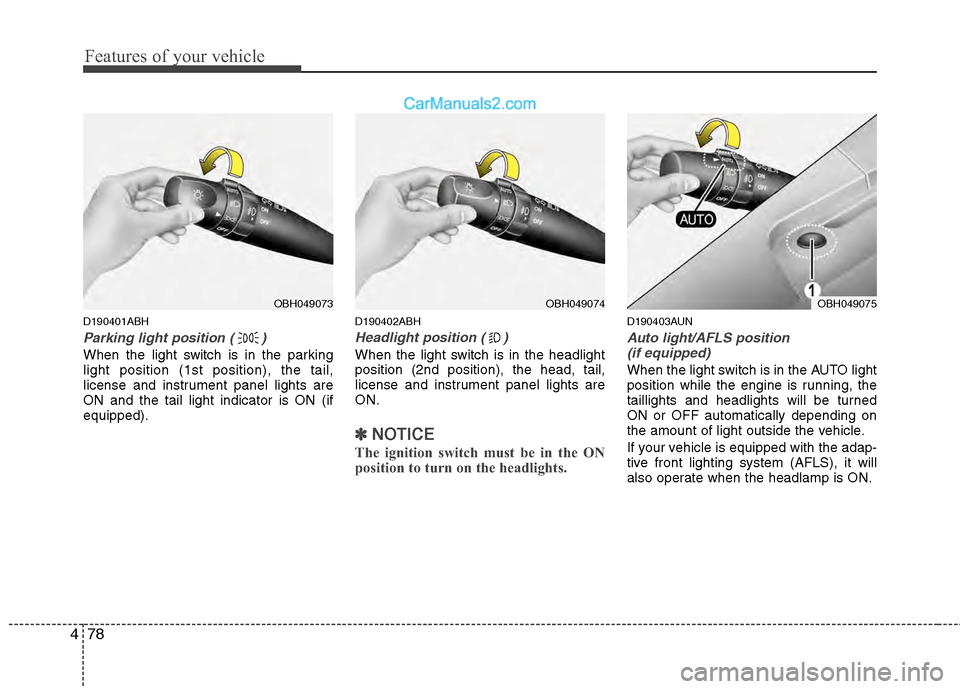
Parking light position ( )
When the light switch is in the parking
light position (1st position), the tail,
license and instrument panel lights are
ON and the tail light indicator is ON (if
equipped).
D190402ABH
Headlight position ( )
When the light switch is in the headlight
position (2nd position), the head, tail,
license and instrument panel lights are
ON.
✽ ✽
NOTICE
The ignition switch must be in the ON
position to turn on the headlights.
D190403AUN
Auto light/AFLS position
(if equipped)
When the light switch is in the AUTO light
position while the engine is running, the
taillights and headlights will be turned
ON or OFF automatically depending on
the amount of light outside the vehicle.
If your vehicle is equipped with the adap-
tive front lighting system (AFLS), it will
also operate when the headlamp is ON.
OBH049074OBH049075OBH049073
Page 158 of 429
479
Features of your vehicle
D190500AUN
High beam operation
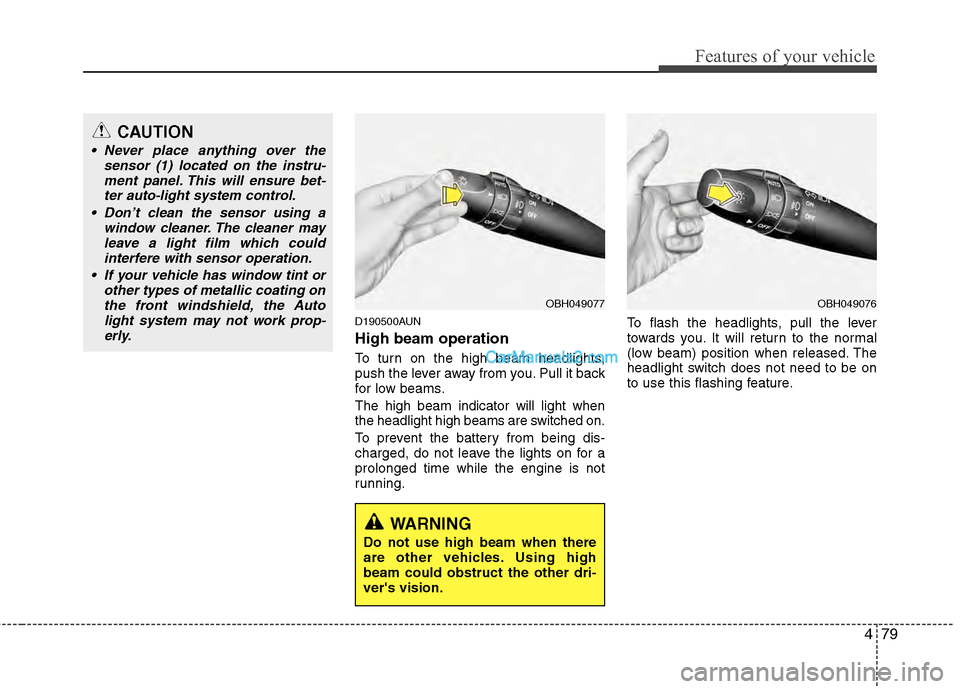
To turn on the high beam headlights,
push the lever away from you. Pull it back
for low beams.
The high beam indicator will light when
the headlight high beams are switched on.
To prevent the battery from being dis-
charged, do not leave the lights on for a
prolonged time while the engine is not
running.To flash the headlights, pull the lever
towards you. It will return to the normal
(low beam) position when released. The
headlight switch does not need to be on
to use this flashing feature.
OBH049077OBH049076
CAUTION
Never place anything over the
sensor (1) located on the instru-ment panel. This will ensure bet-ter auto-light system control.
Don’t clean the sensor using a window cleaner. The cleaner mayleave a light film which could interfere with sensor operation.
If your vehicle has window tint or other types of metallic coating onthe front windshield, the Autolight system may not work prop-erly.
WARNING
Do not use high beam when there
are other vehicles. Using high
beam could obstruct the other dri-
ver's vision.
Page 159 of 429
Features of your vehicle
80
4
D190600AUN
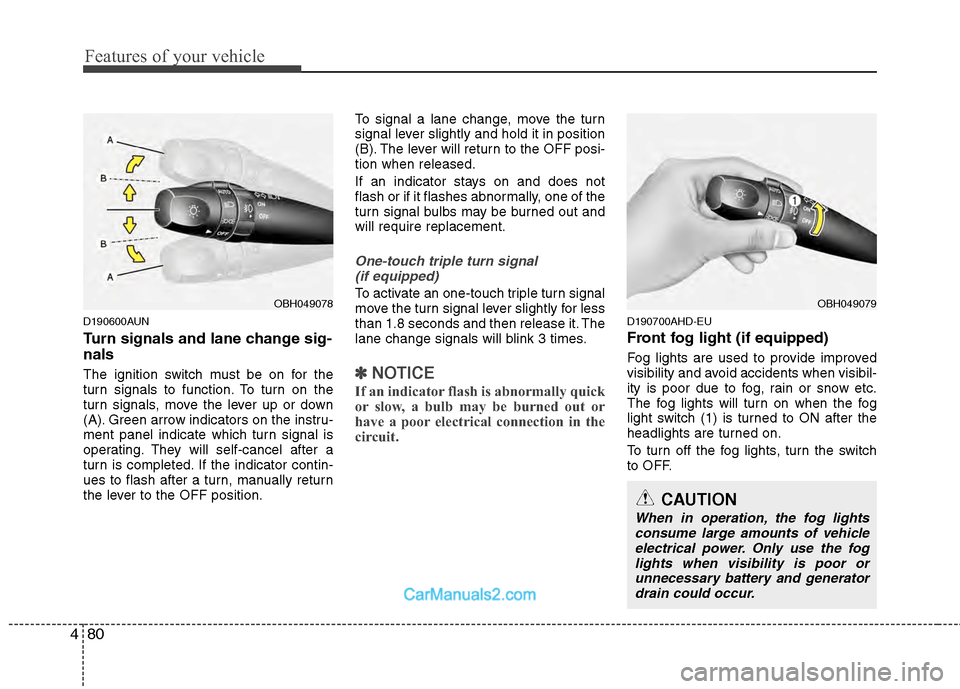
Turn signals and lane change sig-
nals
The ignition switch must be on for the
turn signals to function. To turn on the
turn signals, move the lever up or down
(A). Green arrow indicators on the instru-
ment panel indicate which turn signal is
operating. They will self-cancel after a
turn is completed. If the indicator contin-
ues to flash after a turn, manually return
the lever to the OFF position. To signal a lane change, move the turn
signal lever slightly and hold it in position
(B). The lever will return to the OFF posi-
tion when released.
If an indicator stays on and does not
flash or if it flashes abnormally, one of the
turn signal bulbs may be burned out and
will require replacement.
One-touch triple turn signal
(if equipped)
To activate an one-touch triple turn signal
move the turn signal lever slightly for less
than 1.8 seconds and then release it. The
lane change signals will blink 3 times.
✽ ✽ NOTICE
If an indicator flash is abnormally quick
or slow, a bulb may be burned out or
have a poor electrical connection in the
circuit.
D190700AHD-EU
Front fog light (if equipped)
Fog lights are used to provide improved
visibility and avoid accidents when visibil-
ity is poor due to fog, rain or snow etc.
The fog lights will turn on when the fog
light switch (1) is turned to ON after the
headlights are turned on.
To turn off the fog lights, turn the switch
to OFF.
OBH049079
CAUTION
When in operation, the fog lights
consume large amounts of vehicle electrical power. Only use the foglights when visibility is poor orunnecessary battery and generatordrain could occur.
OBH049078
Page 160 of 429
481
Features of your vehicle
Daytime running light (if equipped)
Daytime Running Lights (DRL) can make
it easier for others to see the front of your
vehicle during the day. DRL can be help-
ful in many different driving conditions,
and it is especially helpful after dawn and
before sunset.
The DRL system will turn OFF when:
1. The headlight switch is ON.
2. The parking brake is applied.
3. Engine stops.
D191002ABH
Headlight leveling device
(if equipped)
Automatic type
It automatically adjusts the headlight
beam level according to the number of
passengers and the loading weight in the
luggage area.
It offers the proper headlight beam under
various conditions.
D191300ABH
AFLS (Adaptive Front Lighting
System) (if equipped)
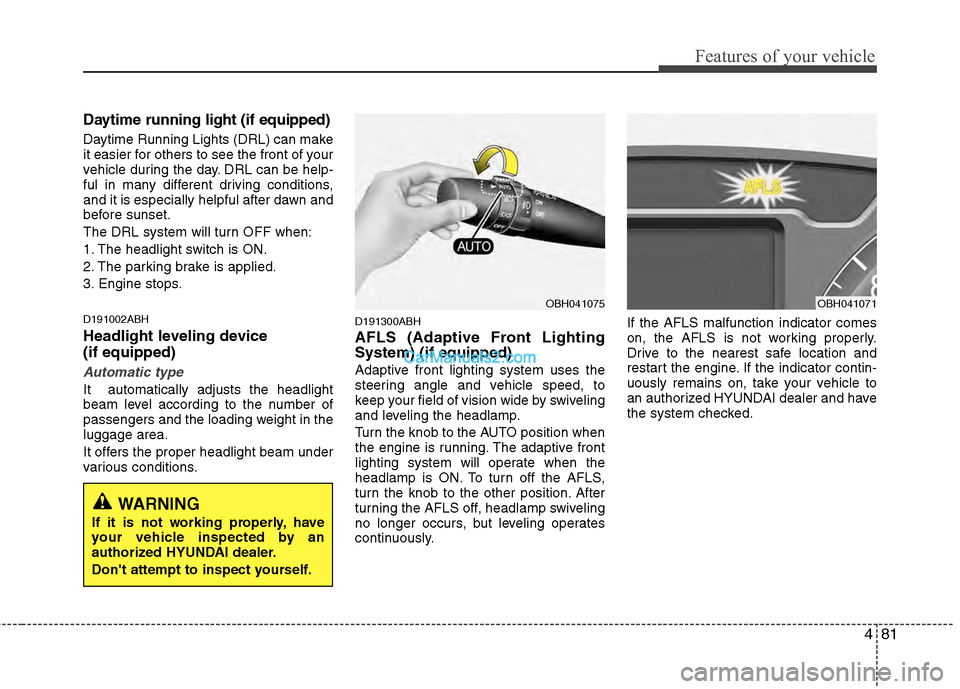
Adaptive front lighting system uses the
steering angle and vehicle speed, to
keep your field of vision wide by swiveling
and leveling the headlamp.
Turn the knob to the AUTO position when
the engine is running. The adaptive front
lighting system will operate when the
headlamp is ON. To turn off the AFLS,
turn the knob to the other position. After
turning the AFLS off, headlamp swiveling
no longer occurs, but leveling operates
continuously.If the AFLS malfunction indicator comes
on, the AFLS is not working properly.
Drive to the nearest safe location and
restart the engine. If the indicator contin-
uously remains on, take your vehicle to
an authorized HYUNDAI dealer and have
the system checked.
OBH041075OBH041071
WARNING
If it is not working properly, have
your vehicle inspected by an
authorized HYUNDAI dealer.
Don't attempt to inspect yourself.
Page 163 of 429
Features of your vehicle
84
4
D200200AUN
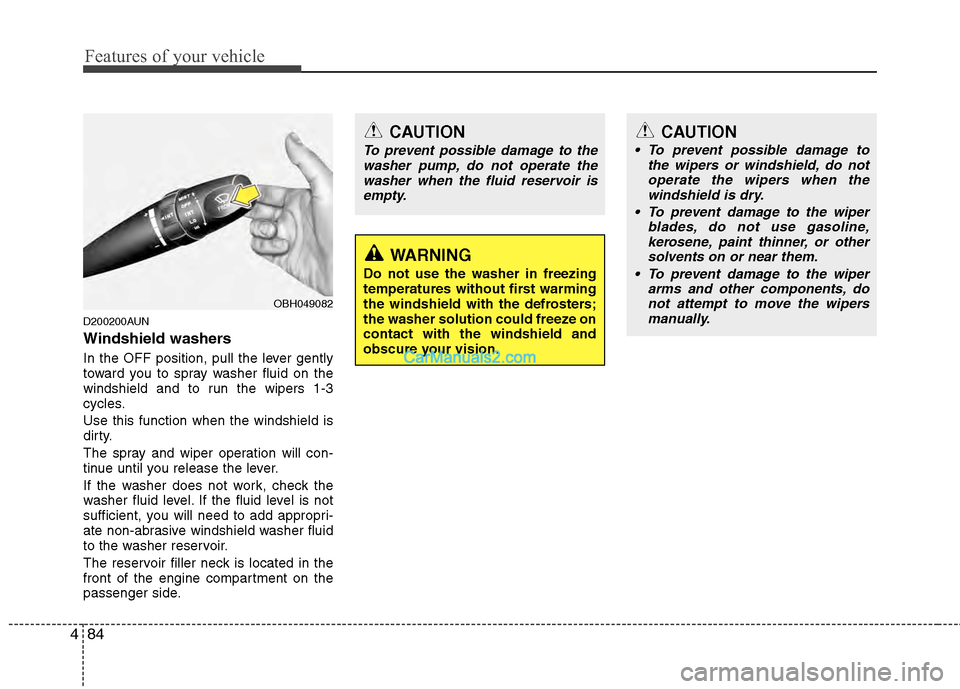
Windshield washers
In the OFF position, pull the lever gently
toward you to spray washer fluid on the
windshield and to run the wipers 1-3
cycles.
Use this function when the windshield is
dirty.
The spray and wiper operation will con-
tinue until you release the lever.
If the washer does not work, check the
washer fluid level. If the fluid level is not
sufficient, you will need to add appropri-
ate non-abrasive windshield washer fluid
to the washer reservoir.
The reservoir filler neck is located in the
front of the engine compartment on the
passenger side.
CAUTION
To prevent possible damage to the
washer pump, do not operate thewasher when the fluid reservoir isempty.
WARNING
Do not use the washer in freezing
temperatures without first warming
the windshield with the defrosters;
the washer solution could freeze on
contact with the windshield and
obscure your vision.
CAUTION
To prevent possible damage to the wipers or windshield, do notoperate the wipers when thewindshield is dry.
To prevent damage to the wiper blades, do not use gasoline,kerosene, paint thinner, or othersolvents on or near them.
To prevent damage to the wiper arms and other components, donot attempt to move the wipersmanually.
OBH049082
Page 164 of 429
485
Features of your vehicle
D210000AEND210100ABH-EU
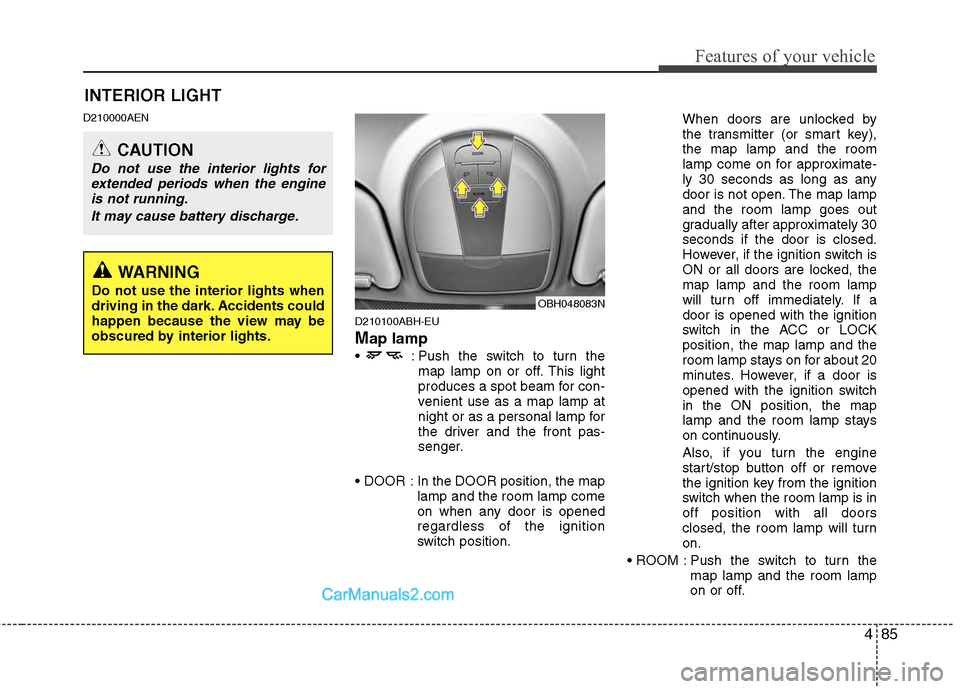
Map lamp
: Push the switch to turn themap lamp on or off. This light
produces a spot beam for con-
venient use as a map lamp at
night or as a personal lamp for
the driver and the front pas-
senger.
In the DOOR position, the map lamp and the room lamp come
on when any door is opened
regardless of the ignition
switch position. When doors are unlocked by
the transmitter (or smart key),
the map lamp and the room
lamp come on for approximate-
ly 30 seconds as long as any
door is not open. The map lamp
and the room lamp goes out
gradually after approximately 30
seconds if the door is closed.
However, if the ignition switch is
ON or all doors are locked, the
map lamp and the room lamp
will turn off immediately. If a
door is opened with the ignition
switch in the ACC or LOCK
position, the map lamp and the
room lamp stays on for about 20
minutes. However, if a door is
opened with the ignition switch
in the ON position, the map
lamp and the room lamp stays
on continuously.
Also, if you turn the engine
start/stop button off or remove
the ignition key from the ignition
switch when the room lamp is in
off position with all doors
closed, the room lamp will turn
on.
Push the switch to turn the map lamp and the room lamp
on or off.
OBH048083N
INTERIOR LIGHT
CAUTION
Do not use the interior lights forextended periods when the engineis not running.
It may cause battery discharge.
WARNING
Do not use the interior lights when
driving in the dark. Accidents could
happen because the view may be
obscured by interior lights.
Page 166 of 429
487
Features of your vehicle
D210500ABH
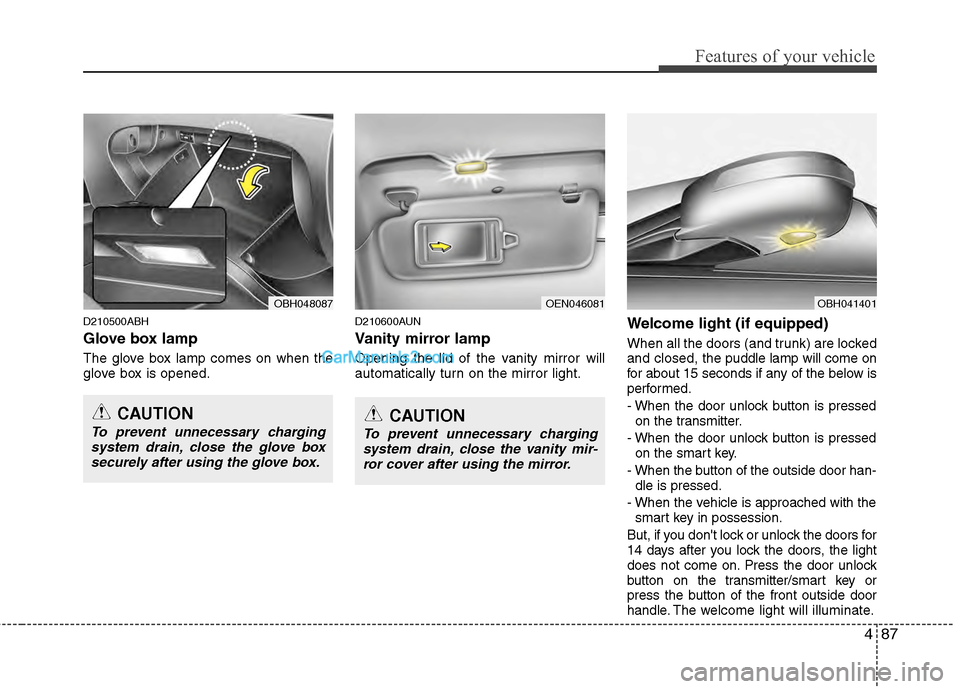
Glove box lamp
The glove box lamp comes on when the
glove box is opened.
D210600AUN
Vanity mirror lamp
Opening the lid of the vanity mirror will
automatically turn on the mirror light.
Welcome light (if equipped)
When all the doors (and trunk) are locked
and closed, the puddle lamp will come on
for about 15 seconds if any of the below is
performed.
- When the door unlock button is pressed on the transmitter.
- When the door unlock button is pressed on the smart key.
- When the button of the outside door han- dle is pressed.
- When the vehicle is approached with the smart key in possession.
But, if you don't lock or unlock the doors for
14 days after you lock the doors, the light
does not come on. Press the door unlock
button on the transmitter/smart key or
press the button of the front outside door
handle. The w elcome light will illuminate.
OEN046081OBH048087
CAUTION
To prevent unnecessary charging
system drain, close the glove boxsecurely after using the glove box.CAUTION
To prevent unnecessary chargingsystem drain, close the vanity mir-ror cover after using the mirror.
OBH041401