warning Hyundai Genesis 2014 Owner's Manual
[x] Cancel search | Manufacturer: HYUNDAI, Model Year: 2014, Model line: Genesis, Model: Hyundai Genesis 2014Pages: 546, PDF Size: 13.59 MB
Page 211 of 546
3-120
Convenient features of your vehicle
Parking Assist System
(if equipped)
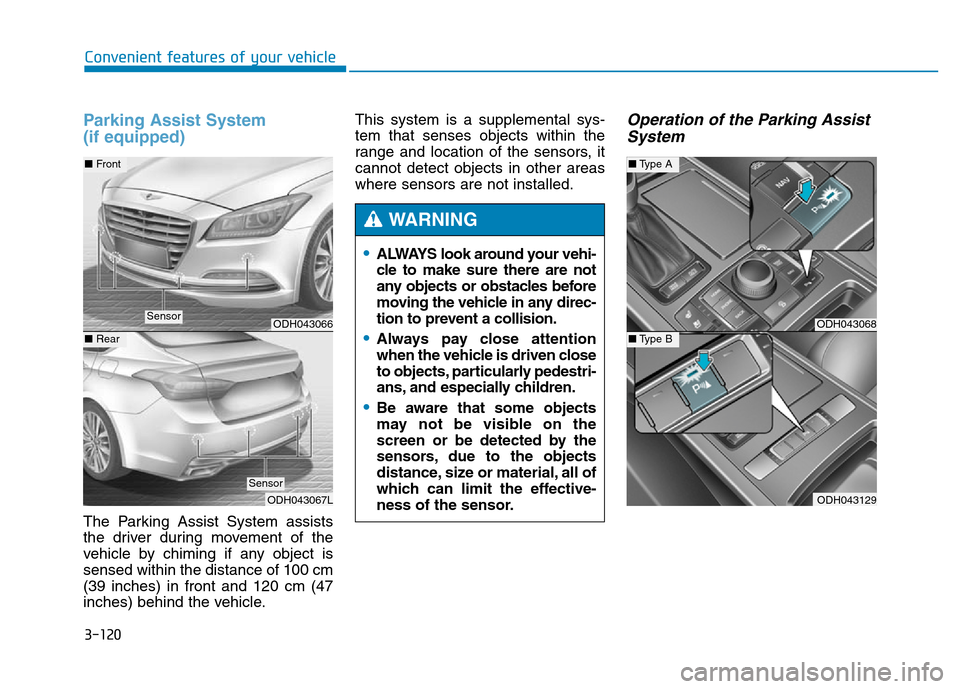
The Parking Assist System assists
the driver during movement of the
vehicle by chiming if any object is
sensed within the distance of 100 cm
(39 inches) in front and 120 cm (47
inches) behind the vehicle.This system is a supplemental sys-
tem that senses objects within the
range and location of the sensors, it
cannot detect objects in other areas
where sensors are not installed.
Operation of the Parking Assist
System
•ALWAYS look around your vehi-
cle to make sure there are not
any objects or obstacles before
moving the vehicle in any direc-
tion to prevent a collision.
•Always pay close attention
when the vehicle is driven close
to objects, particularly pedestri-
ans, and especially children.
•Be aware that some objects
may not be visible on the
screen or be detected by the
sensors, due to the objects
distance, size or material, all of
which can limit the effective-
ness of the sensor.
WARNING
ODH043068
ODH043129
■Type A
■Type BODH043066
ODH043067L
■Front
■Rear
Sensor
Sensor
Page 212 of 546
3-121
Convenient features of your vehicle
3
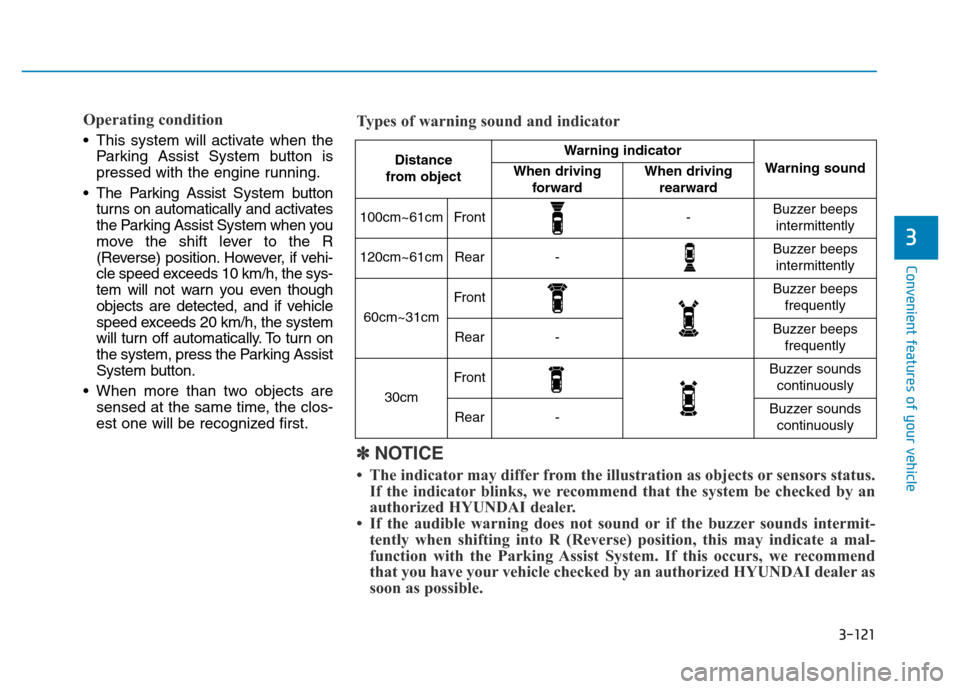
Operating condition
• This system will activate when the
Parking Assist System button is
pressed with the engine running.
• The Parking Assist System button
turns on automatically and activates
the Parking Assist System when you
move the shift lever to the R
(Reverse) position. However, if vehi-
cle speed exceeds 10 km/h, the sys-
tem will not warn you even though
objects are detected, and if vehicle
speed exceeds 20 km/h, the system
will turn off automatically. To turn on
the system, press the Parking Assist
System button.
• When more than two objects are
sensed at the same time, the clos-
est one will be recognized first.
Distance
from object Warning indicator
Warning soundWhen driving
forwardWhen driving
rearward
100cm~61cmFront-Buzzer beeps
intermittently
120cm~61cmRear-Buzzer beeps
intermittently
60cm~31cm
FrontBuzzer beeps
frequently
Rear-Buzzer beeps
frequently
30cm
FrontBuzzer sounds
continuously
Rear-Buzzer sounds
continuously
✽NOTICE
• The indicator may differ from the illustration as objects or sensors status.
If the indicator blinks, we recommend that the system be checked by an
authorized HYUNDAI dealer.
• If the audible warning does not sound or if the buzzer sounds intermit-
tently when shifting into R (Reverse) position, this may indicate a mal-
function with the Parking Assist System. If this occurs, we recommend
that you have your vehicle checked by an authorized HYUNDAI dealer as
soon as possible. Types of warning sound and indicator
Page 214 of 546
3-123
Convenient features of your vehicle
3
✽NOTICE
Sensor may not recognize objects
less than 30 cm from the sensor, or it
may sense an incorrect distance.
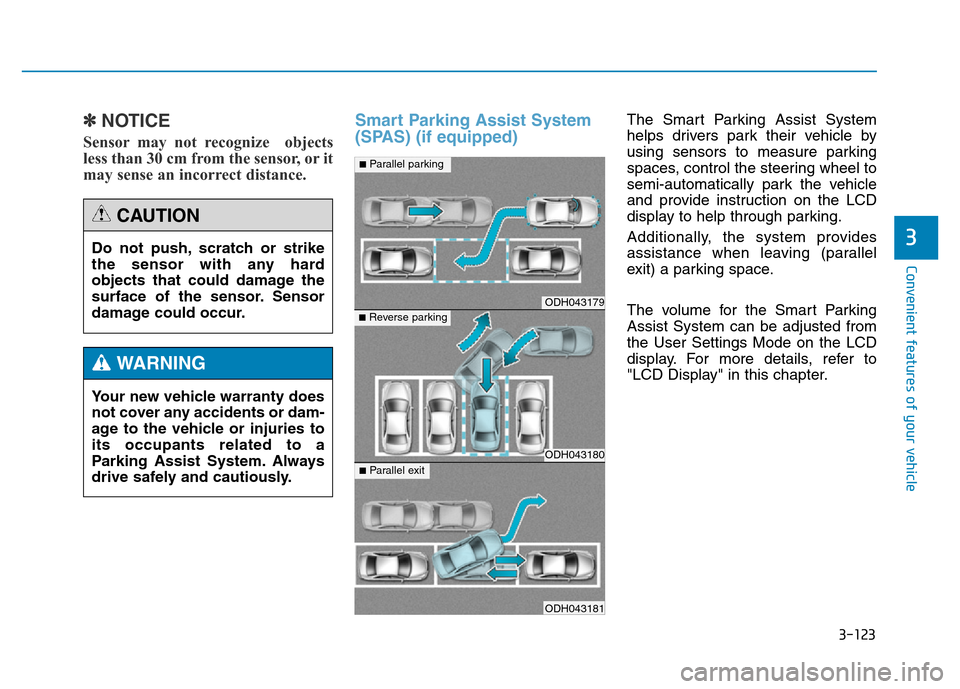
Smart Parking Assist System
(SPAS) (if equipped)The Smart Parking Assist System
helps drivers park their vehicle by
using sensors to measure parking
spaces, control the steering wheel to
semi-automatically park the vehicle
and provide instruction on the LCD
display to help through parking.
Additionally, the system provides
assistance when leaving (parallel
exit) a parking space.
The volume for the Smart Parking
Assist System can be adjusted from
the User Settings Mode on the LCD
display. For more details, refer to
"LCD Display" in this chapter. Do not push, scratch or strike
the sensor with any hard
objects that could damage the
surface of the sensor. Sensor
damage could occur.
CAUTION
Your new vehicle warranty does
not cover any accidents or dam-
age to the vehicle or injuries to
its occupants related to a
Parking Assist System. Always
drive safely and cautiously.
WARNING
ODH043179
ODH043180
ODH043181
■Parallel parking
■Reverse parking
■Parallel exit
Page 215 of 546
3-124
Convenient features of your vehicle
✽NOTICE
• The vehicle will not stop for pedes-
trians or objects that may be in its
path, so the driver must monitor
the maneuver.
• Use the system only in parking lots
and places used for parking.
• The system does not work if there is
no car parked in front of the park-
ing space you are planning to park
or if it is a diagonal parking space.
• After parking your vehicle using
the system, the vehicle may not be
parked at the exact spot you have
wished. For example, the space
between your vehicle and wall
may not be the distance you have
desired.
• Deactivate the system and park
your vehicle manually, when the sit-
uation requires parking manually.
• The Parking Assist System's front
and rear warning sound activates
when the Smart Parking Assist
System is activated.
(Continued)(Continued)
• After searching for a parking
space is completed, the Smart
Parking Assist System will be can-
celed if the Parking Assist System
is cancelled by pressing the button
to the OFF position.
•The Smart Parking Assist
System should only be consid-
ered as a supplementary func-
tion. The driver must check the
front and rear view for objects.
The operational function of the
Smart Parking Assist System
can be affected by many fac-
tors and conditions of the sur-
roundings, so the responsibili-
ty rests always with the driver.
•The system may not operate
normally if the vehicle needs
wheel alignment adjustment.
We recommend that you have
the vehicle checked by an
authorized HYUNDAI dealer.
•If you use a different tire or
wheel size rather than the size
recommended by the HYUNDAI
dealer, the system may not
work properly. Always use the
same size tire and wheel.
•If you use additional frame on
the license plate, SPAS may
generate abnormal warning
sound.
WARNING
Page 217 of 546
3-126
Convenient features of your vehicle
• When there is an obstacle such as
a trash can, bicycle, shopping cart,
etc.
• When a vehicle is equipped with a
snow chain or spare tire
• When the tire pressure is lower or
higher than the standard tire pres-
sure
• When a trailer connected to the
vehicle
• When the sensor is positioned incor-
rectly by an impact to the bumper
• When the sensor is covered with
foreign matter, such as snow or
water
• When moisture is frozen on the
sensor
• When an accessory is installed on
the detective area the of sensors
(such as number plate holder)
• When the vehicle is equipped with
an unauthorized sized wheel
• When there is a problem with the
wheel alignment• When the vehicle is leaned severe-
ly to one side
• When there is ultrasonic interfer-
ence from other vehicles such as
horn sounds, motorcycle's engine
noise, air brake noise of heavy vehi-
cles and the Parking Assist System
working from other vehicles.Do not use the Smart Parking
Assist System in the following
conditions for unexpected
results may occur and cause a
serious accident.
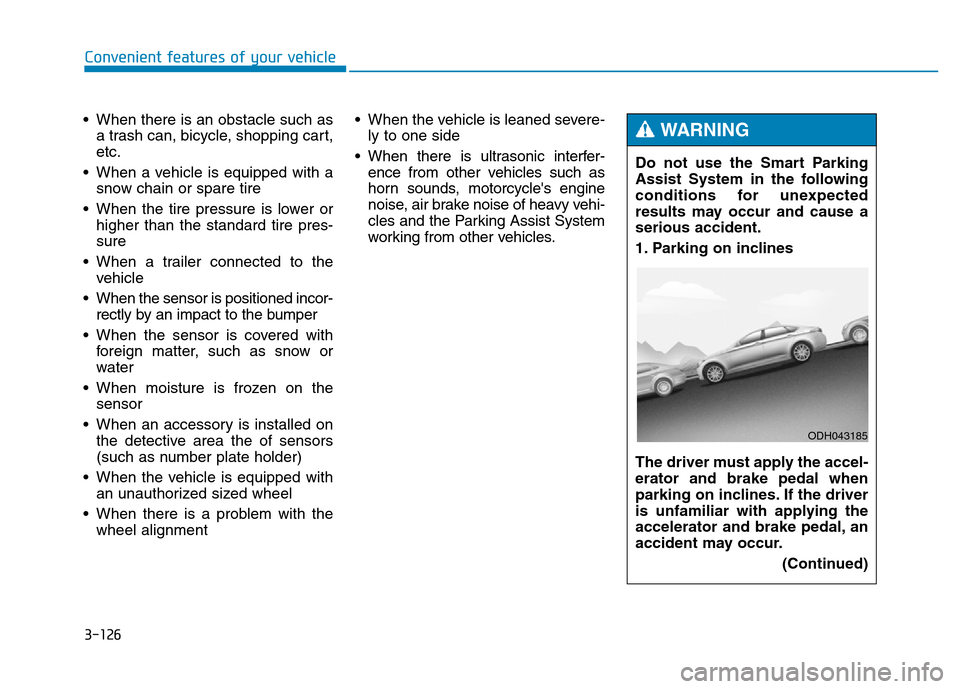
1. Parking on inclines
The driver must apply the accel-
erator and brake pedal when
parking on inclines. If the driver
is unfamiliar with applying the
accelerator and brake pedal, an
accident may occur.
(Continued)
WARNING
ODH043185
Page 221 of 546
3-130
Convenient features of your vehicle
• The Parking Assist System will be
activated (the button indicator will
illuminate).
A warning sound will be heard if an
obstacle is detected.
• Press the Smart Parking Assist
System button again for more than
2 seconds to turn off the system.
• The Smart Parking Assist System
defaults to the OFF position when-
ever the engine is turned on.
2. Select Parking Mode
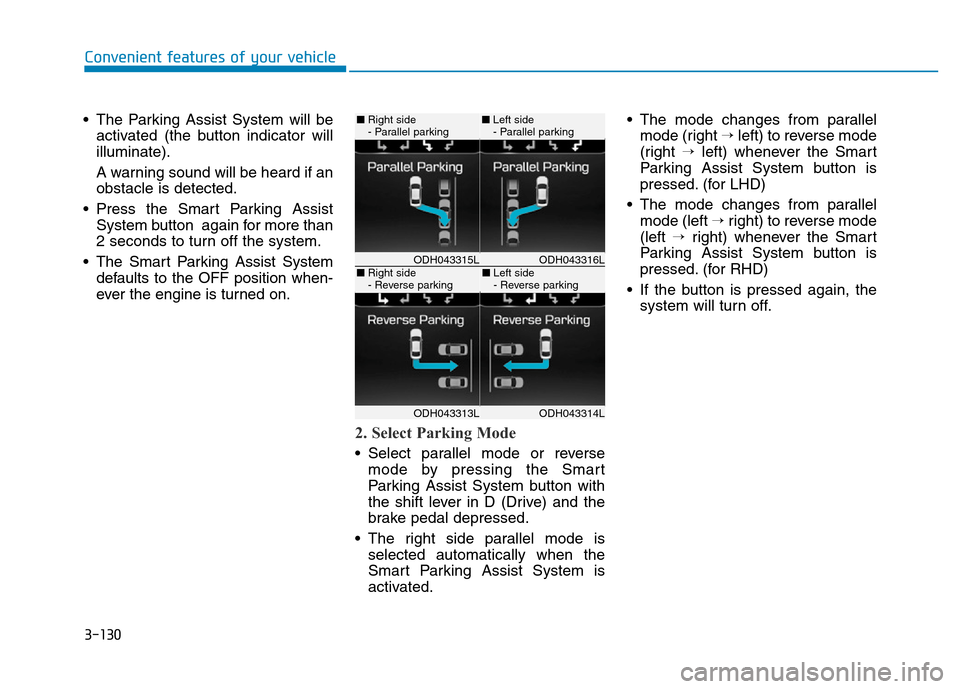
• Select parallel mode or reverse
mode by pressing the Smart
Parking Assist System button with
the shift lever in D (Drive) and the
brake pedal depressed.
• The right side parallel mode is
selected automatically when the
Smart Parking Assist System is
activated.• The mode changes from parallel
mode (right →left) to reverse mode
(right →left) whenever the Smart
Parking Assist System button is
pressed. (for LHD)
• The mode changes from parallel
mode (left →right) to reverse mode
(left →right) whenever the Smart
Parking Assist System button is
pressed. (for RHD)
• If the button is pressed again, the
system will turn off.
ODH043316LODH043315L
ODH043314LODH043313L
■Right side
- Parallel parking■Left side
- Parallel parking
■Right side
- Reverse parking■Left side
- Reverse parking
Page 222 of 546
3-131
Convenient features of your vehicle
3
3. Search for Parking Space
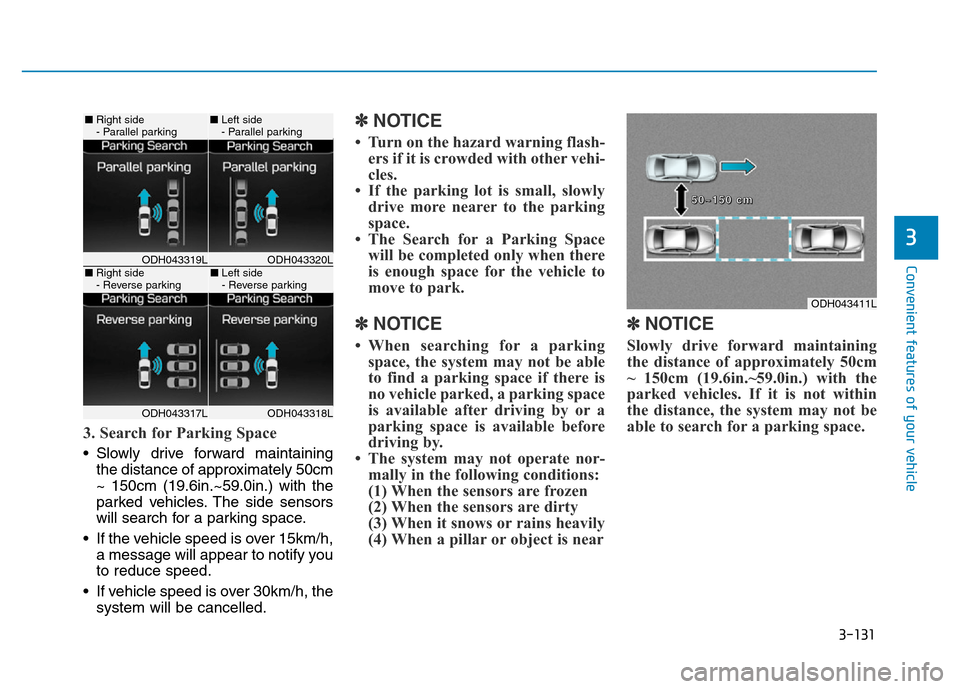
• Slowly drive forward maintaining
the distance of approximately 50cm
~ 150cm (19.6in.~59.0in.) with the
parked vehicles. The side sensors
will search for a parking space.
• If the vehicle speed is over 15km/h,
a message will appear to notify you
to reduce speed.
• If vehicle speed is over 30km/h, the
system will be cancelled.
✽NOTICE
• Turn on the hazard warning flash-
ers if it is crowded with other vehi-
cles.
• If the parking lot is small, slowly
drive more nearer to the parking
space.
• The Search for a Parking Space
will be completed only when there
is enough space for the vehicle to
move to park.
✽NOTICE
• When searching for a parking
space, the system may not be able
to find a parking space if there is
no vehicle parked, a parking space
is available after driving by or a
parking space is available before
driving by.
• The system may not operate nor-
mally in the following conditions:
(1) When the sensors are frozen
(2) When the sensors are dirty
(3) When it snows or rains heavily
(4) When a pillar or object is near
✽NOTICE
Slowly drive forward maintaining
the distance of approximately 50cm
~ 150cm (19.6in.~59.0in.) with the
parked vehicles. If it is not within
the distance, the system may not be
able to search for a parking space.
ODH043320LODH043319L
ODH043318LODH043317L
■Right side
- Parallel parking■Left side
- Parallel parking
■Right side
- Reverse parking■Left side
- Reverse parking
ODH043411L
5 5
0 0
~ ~
1 1
5 5
0 0
c c
m m
Page 224 of 546
3-133
Convenient features of your vehicle
3
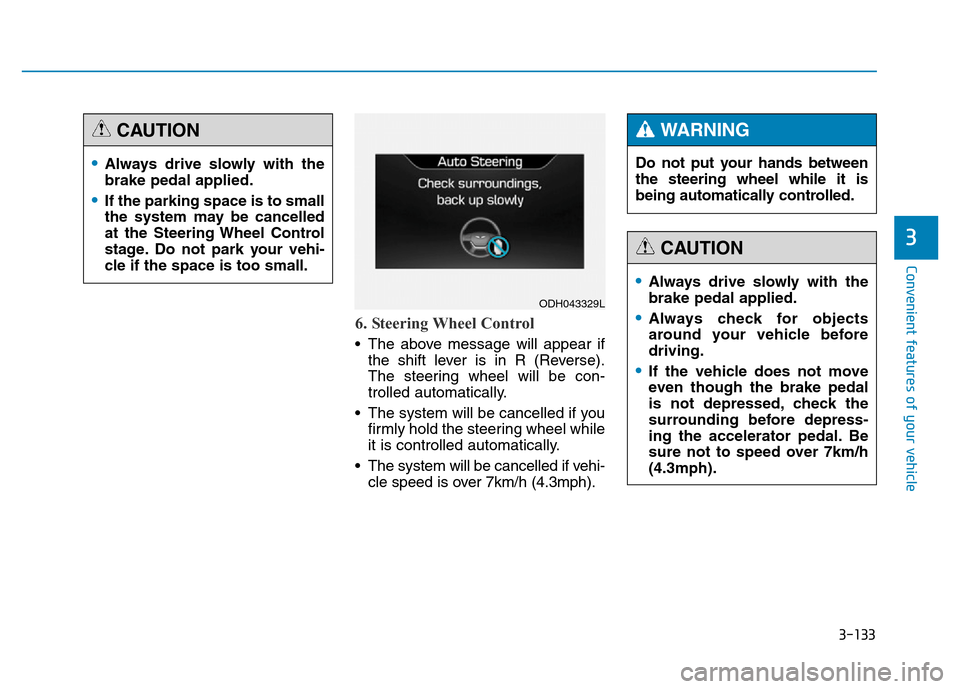
6. Steering Wheel Control
• The above message will appear if
the shift lever is in R (Reverse).
The steering wheel will be con-
trolled automatically.
• The system will be cancelled if you
firmly hold the steering wheel while
it is controlled automatically.
• The system will be cancelled if vehi-
cle speed is over 7km/h (4.3mph).
•Always drive slowly with the
brake pedal applied.
•If the parking space is to small
the system may be cancelled
at the Steering Wheel Control
stage. Do not park your vehi-
cle if the space is too small.
CAUTION
ODH043329L
Do not put your hands between
the steering wheel while it is
being automatically controlled.
WARNING
•Always drive slowly with the
brake pedal applied.
•Always check for objects
around your vehicle before
driving.
•If the vehicle does not move
even though the brake pedal
is not depressed, check the
surrounding before depress-
ing the accelerator pedal. Be
sure not to speed over 7km/h
(4.3mph).
CAUTION
Page 225 of 546
3-134
Convenient features of your vehicle
✽NOTICE
• If you do not follow the instruc-
tions provided, you may fail to
park your vehicle.
However, if the Parking Assist
System warning sound (distance
from object is within 30cm: con-
tinuous beep) occurs, slowly drive
the vehicle to the reverse direction
of the detected object after check-
ing the surrounding.
• Always check the surrounding
before driving your vehicle if the
Parking Assist System warning
sound (distance from object is
within 30cm: continuous beep) is
heard for the object is close to
your vehicle.
If the vehicle gets too close to the
object, the warning will not sound.To cancel the system while parking: • Press the Smart Parking Assist
System button and hold until the
system is cancelled.
• Press the Smart Parking Assist
System button while the system is
searching for a parking space or
when the steering wheel is con-
trolled.
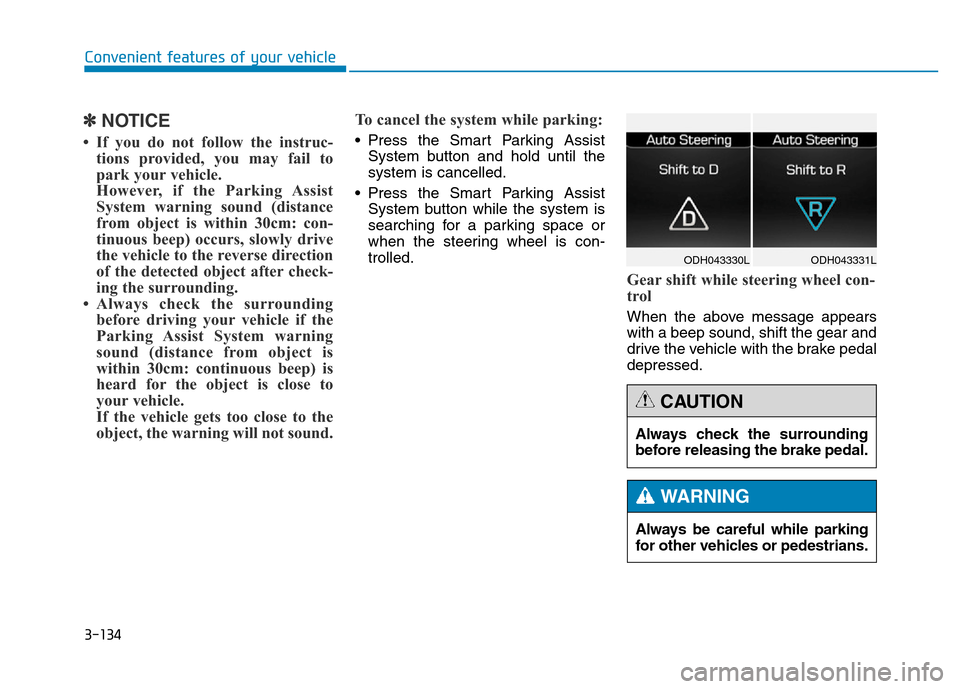
Gear shift while steering wheel con-
trol
When the above message appears
with a beep sound, shift the gear and
drive the vehicle with the brake pedal
depressed.
ODH043331L ODH043330L
Always be careful while parking
for other vehicles or pedestrians.
WARNING
Always check the surrounding
before releasing the brake pedal.
CAUTION
Page 228 of 546
3-137
Convenient features of your vehicle
3
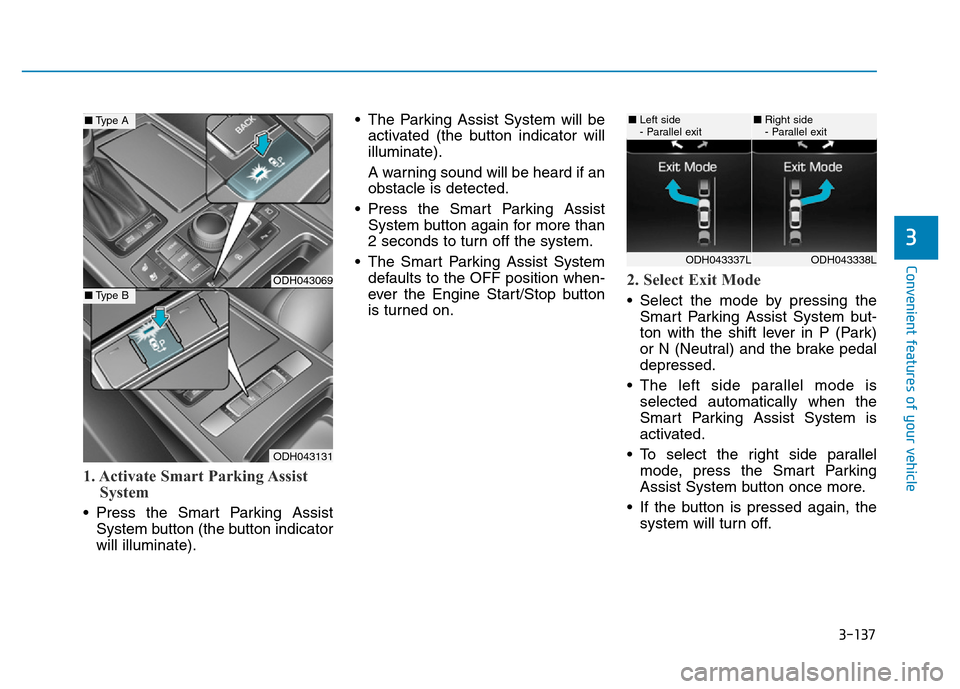
1. Activate Smart Parking Assist
System
• Press the Smart Parking Assist
System button (the button indicator
will illuminate).• The Parking Assist System will be
activated (the button indicator will
illuminate).
A warning sound will be heard if an
obstacle is detected.
• Press the Smart Parking Assist
System button again for more than
2 seconds to turn off the system.
• The Smart Parking Assist System
defaults to the OFF position when-
ever the Engine Start/Stop button
is turned on.
2. Select Exit Mode
• Select the mode by pressing the
Smart Parking Assist System but-
ton with the shift lever in P (Park)
or N (Neutral) and the brake pedal
depressed.
• The left side parallel mode is
selected automatically when the
Smart Parking Assist System is
activated.
• To select the right side parallel
mode, press the Smart Parking
Assist System button once more.
• If the button is pressed again, the
system will turn off.
ODH043069
ODH043131
■Type A
■Type B
ODH043338LODH043337L
■Left side
- Parallel exit■Right side
- Parallel exit