warning Hyundai Genesis 2014 Manual Online
[x] Cancel search | Manufacturer: HYUNDAI, Model Year: 2014, Model line: Genesis, Model: Hyundai Genesis 2014Pages: 546, PDF Size: 13.59 MB
Page 151 of 546
3-60
Convenient features of your vehicle
Information Mode
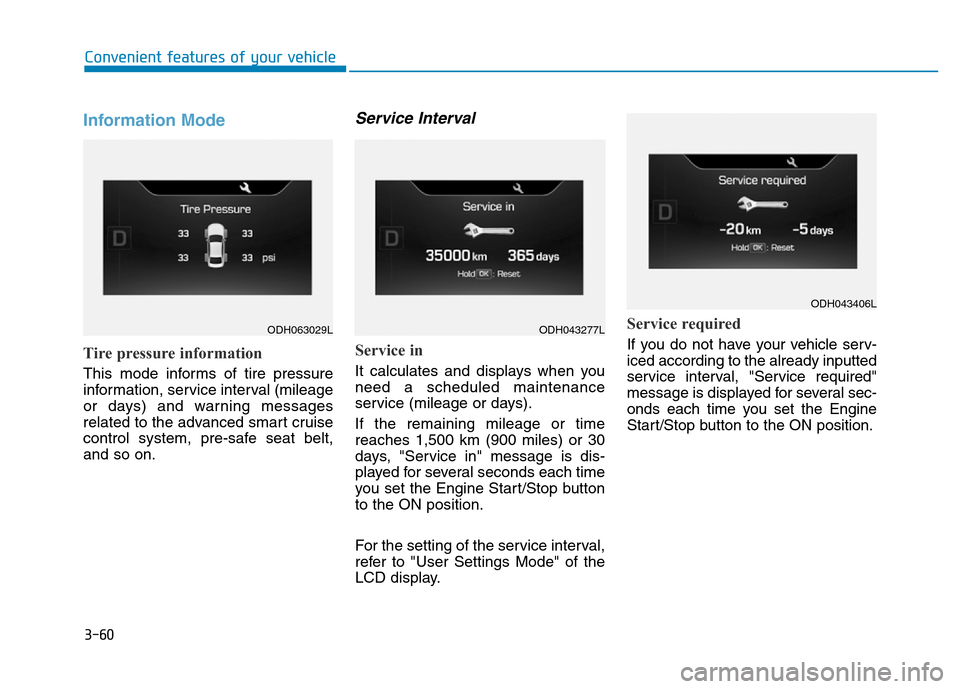
Tire pressure information
This mode informs of tire pressure
information, service interval (mileage
or days) and warning messages
related to the advanced smart cruise
control system, pre-safe seat belt,
and so on.
Service Interval
Service in
It calculates and displays when you
need a scheduled maintenance
service (mileage or days).
If the remaining mileage or time
reaches 1,500 km (900 miles) or 30
days, "Service in" message is dis-
played for several seconds each time
you set the Engine Start/Stop button
to the ON position.
For the setting of the service interval,
refer to "User Settings Mode" of the
LCD display.
Service required
If you do not have your vehicle serv-
iced according to the already inputted
service interval, "Service required"
message is displayed for several sec-
onds each time you set the Engine
Start/Stop button to the ON position.
ODH063029LODH043277L
ODH043406L
Page 152 of 546
3-61
Convenient features of your vehicle
3
To reset the service interval to the
mileage and days you inputted before:
- Activate the reset mode by press-
ing the OK button for more than 5
second, then press the OK button
again for more than 1 second
(Europe).
- Press the OK button for more than
1 second (Except Europe).
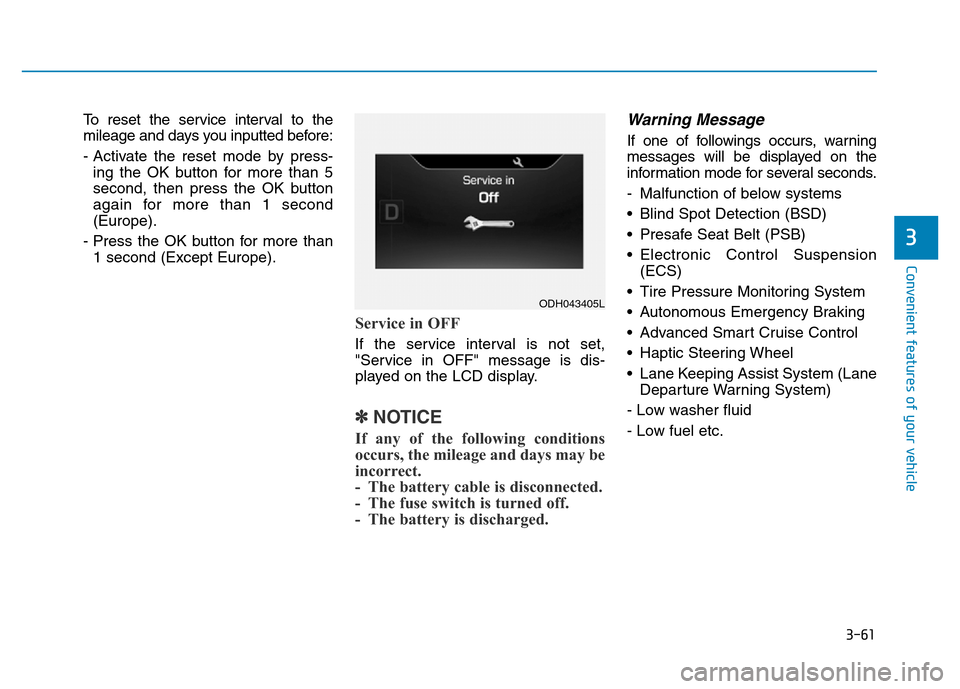
Service in OFF
If the service interval is not set,
"Service in OFF" message is dis-
played on the LCD display.
✽NOTICE
If any of the following conditions
occurs, the mileage and days may be
incorrect.
- The battery cable is disconnected.
- The fuse switch is turned off.
- The battery is discharged.
Warning Message
If one of followings occurs, warning
messages will be displayed on the
information mode for several seconds.
- Malfunction of below systems
• Blind Spot Detection (BSD)
• Presafe Seat Belt (PSB)
• Electronic Control Suspension
(ECS)
• Tire Pressure Monitoring System
• Autonomous Emergency Braking
• Advanced Smart Cruise Control
• Haptic Steering Wheel
• Lane Keeping Assist System (Lane
Departure Warning System)
- Low washer fluid
- Low fuel etc.
ODH043405L
Page 153 of 546
3-62
Convenient features of your vehicle
ItemsExplanation
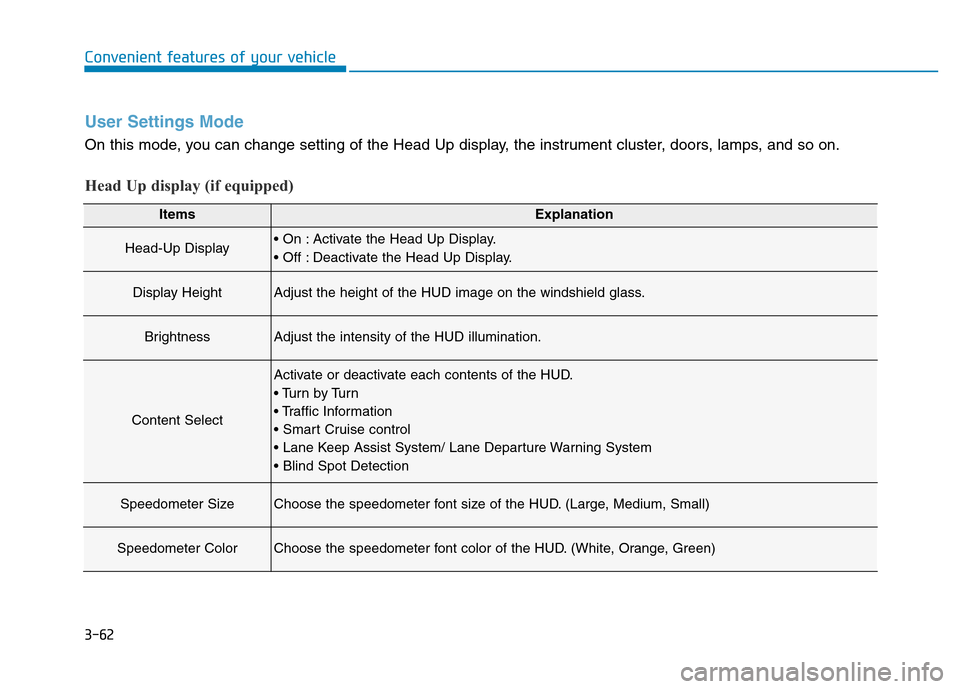
Head-Up Display• On : Activate the Head Up Display.
• Off : Deactivate the Head Up Display.
Display HeightAdjust the height of the HUD image on the windshield glass.
BrightnessAdjust the intensity of the HUD illumination.
Content Select
Activate or deactivate each contents of the HUD.
• Tu r n b y Tu r n
• Traffic Information
• Smart Cruise control
• Lane Keep Assist System/ Lane Departure Warning System
• Blind Spot Detection
Speedometer SizeChoose the speedometer font size of the HUD. (Large, Medium, Small)
Speedometer ColorChoose the speedometer font color of the HUD. (White, Orange, Green)
User Settings Mode
On this mode, you can change setting of the Head Up display, the instrument cluster, doors, lamps, and so on.
Head Up display (if equipped)
Page 154 of 546
3-63
Convenient features of your vehicle
3
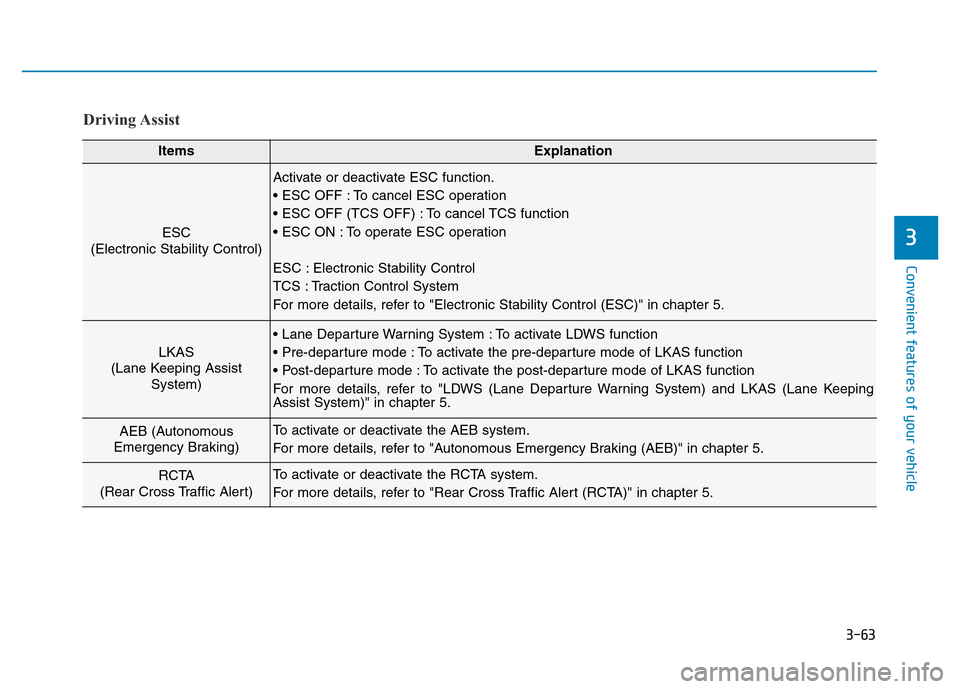
Driving Assist
ItemsExplanation
ESC
(Electronic Stability Control)
Activate or deactivate ESC function.
• ESC OFF : To cancel ESC operation
• ESC OFF (TCS OFF) : To cancel TCS function
• ESC ON : To operate ESC operation
ESC : Electronic Stability Control
TCS : Traction Control System
For more details, refer to "Electronic Stability Control (ESC)" in chapter 5.
LKAS
(Lane Keeping Assist
System)
• Lane Departure Warning System : To activate LDWS function
• Pre-departure mode : To activate the pre-departure mode of LKAS function
• Post-departure mode : To activate the post-departure mode of LKAS function
For more details, refer to "LDWS (Lane Departure Warning System) and LKAS (Lane Keeping
Assist System)" in chapter 5.
AEB (Autonomous
Emergency Braking)To activate or deactivate the AEB system.
For more details, refer to "Autonomous Emergency Braking (AEB)" in chapter 5.
RCTA
(Rear Cross Traffic Alert)To activate or deactivate the RCTA system.
For more details, refer to "Rear Cross Traffic Alert (RCTA)" in chapter 5.
Page 160 of 546
3-69
Convenient features of your vehicle
3
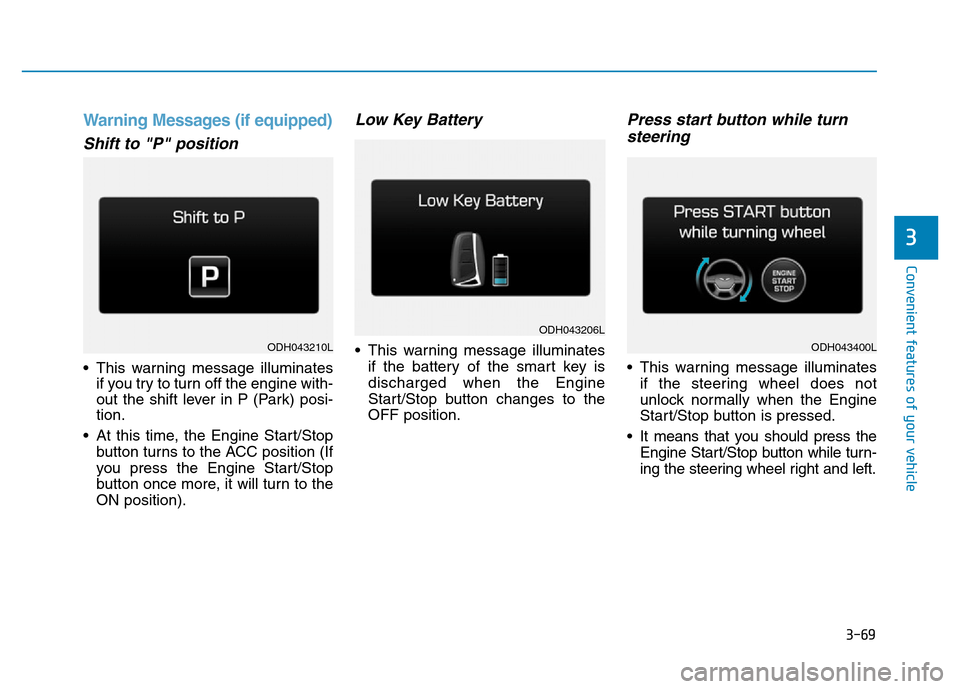
Warning Messages (if equipped)
Shift to "P" position
• This warning message illuminates
if you try to turn off the engine with-
out the shift lever in P (Park) posi-
tion.
• At this time, the Engine Start/Stop
button turns to the ACC position (If
you press the Engine Start/Stop
button once more, it will turn to the
ON position).
Low Key Battery
• This warning message illuminates
if the battery of the smart key is
discharged when the Engine
Start/Stop button changes to the
OFF position.
Press start button while turn
steering
• This warning message illuminates
if the steering wheel does not
unlock normally when the Engine
Start/Stop button is pressed.
• It means that you should press the
Engine Start/Stop button while turn-
ing the steering wheel right and left.
ODH043206L
ODH043210LODH043400L
Page 161 of 546
3-70
Convenient features of your vehicle
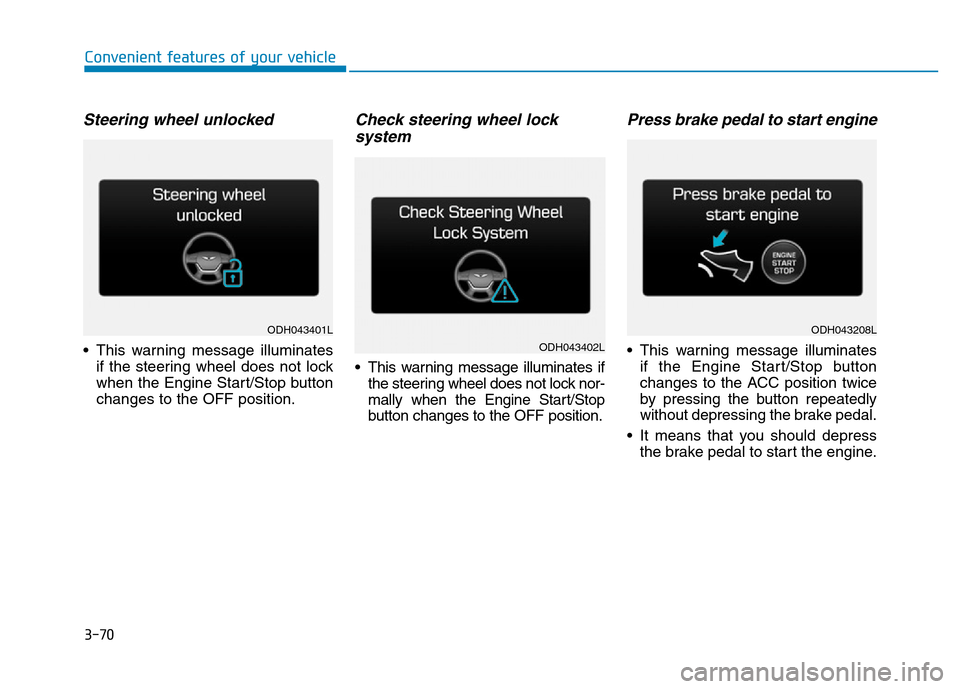
Steering wheel unlocked
• This warning message illuminates
if the steering wheel does not lock
when the Engine Start/Stop button
changes to the OFF position.
Check steering wheel lock
system
• This warning message illuminates if
the steering wheel does not lock nor-
mally when the Engine Start/Stop
button changes to the OFF position.
Press brake pedal to start engine
• This warning message illuminates
if the Engine Start/Stop button
changes to the ACC position twice
by pressing the button repeatedly
without depressing the brake pedal.
• It means that you should depress
the brake pedal to start the engine.
ODH043401L
ODH043402L
ODH043208L
Page 162 of 546
3-71
Convenient features of your vehicle
3
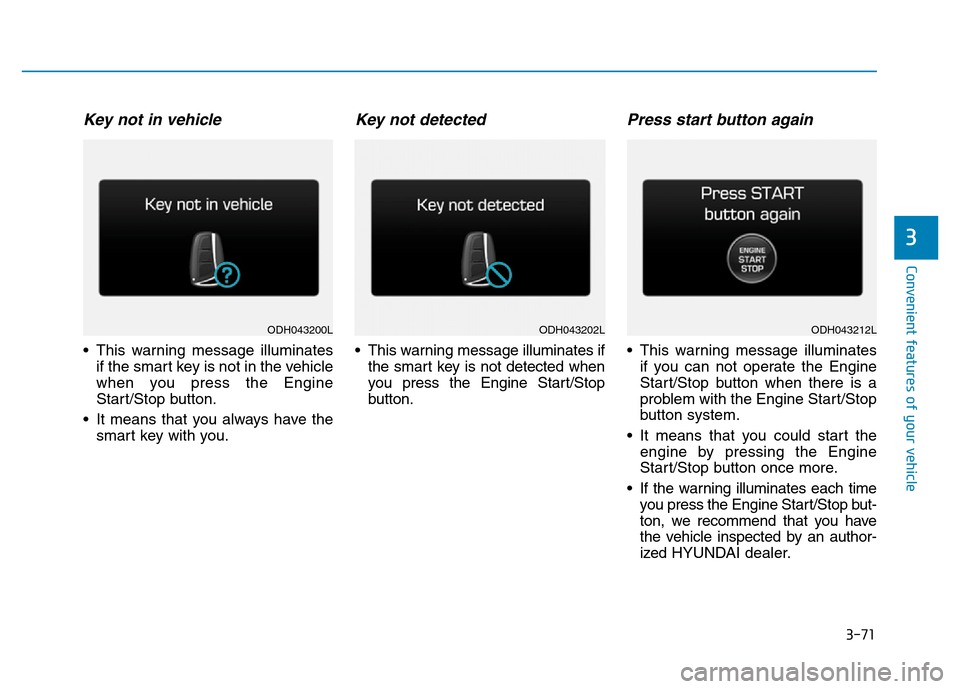
Key not in vehicle
• This warning message illuminates
if the smart key is not in the vehicle
when you press the Engine
Start/Stop button.
• It means that you always have the
smart key with you.
Key not detected
• This warning message illuminates if
the smart key is not detected when
you press the Engine Start/Stop
button.
Press start button again
• This warning message illuminates
if you can not operate the Engine
Start/Stop button when there is a
problem with the Engine Start/Stop
button system.
• It means that you could start the
engine by pressing the Engine
Start/Stop button once more.
• If the warning illuminates each time
you press the Engine Start/Stop but-
ton, we recommend that you have
the vehicle inspected by an author-
ized HYUNDAI dealer.
ODH043202LODH043212LODH043200L
Page 163 of 546
3-72
Convenient features of your vehicle
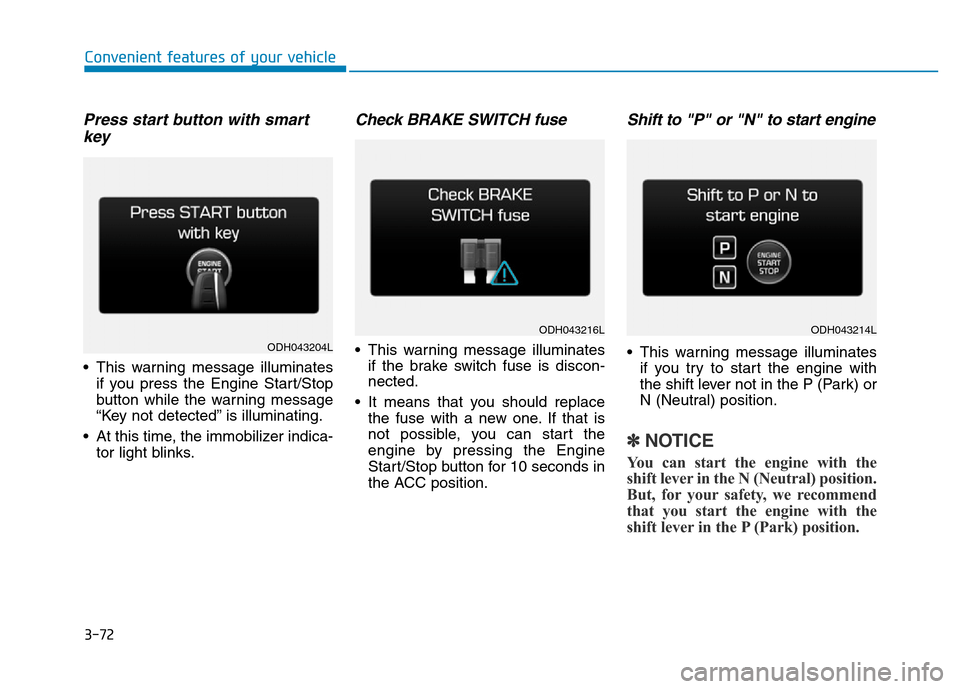
Press start button with smart
key
• This warning message illuminates
if you press the Engine Start/Stop
button while the warning message
“Key not detected” is illuminating.
• At this time, the immobilizer indica-
tor light blinks.
Check BRAKE SWITCH fuse
• This warning message illuminates
if the brake switch fuse is discon-
nected.
• It means that you should replace
the fuse with a new one. If that is
not possible, you can start the
engine by pressing the Engine
Start/Stop button for 10 seconds in
the ACC position.
Shift to "P" or "N" to start engine
• This warning message illuminates
if you try to start the engine with
the shift lever not in the P (Park) or
N (Neutral) position.
✽NOTICE
You can start the engine with the
shift lever in the N (Neutral) position.
But, for your safety, we recommend
that you start the engine with the
shift lever in the P (Park) position.
ODH043204L
ODH043216LODH043214L
Page 164 of 546
3-73
Convenient features of your vehicle
3
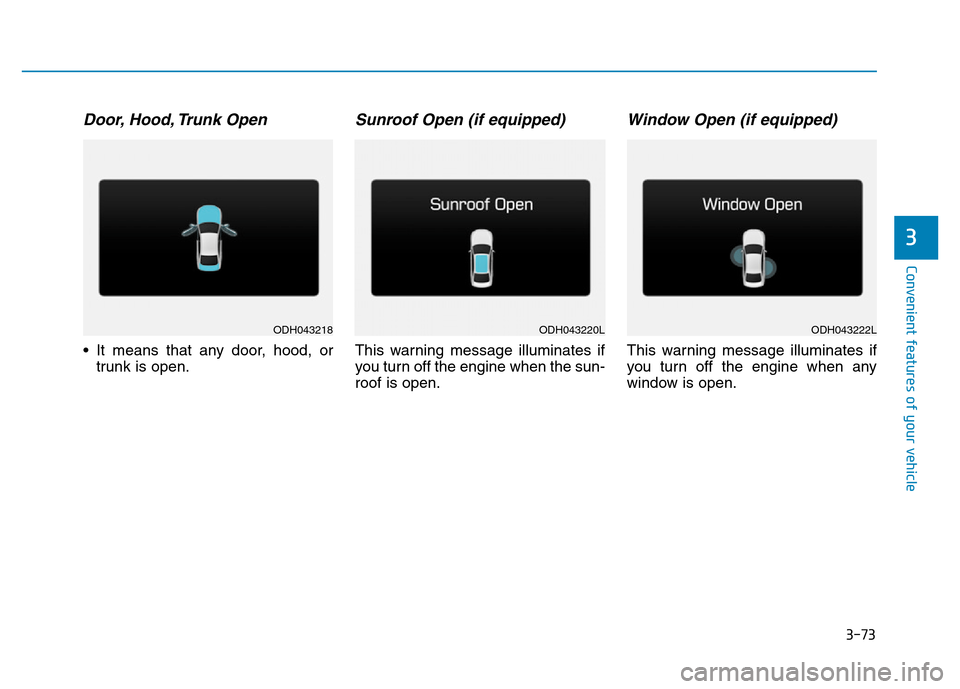
Door, Hood, Trunk Open
• It means that any door, hood, or
trunk is open.
Sunroof Open (if equipped)
This warning message illuminates if
you turn off the engine when the sun-
roof is open.
Window Open (if equipped)
This warning message illuminates if
you turn off the engine when any
window is open.
ODH043218ODH043220LODH043222L
Page 165 of 546
3-74
Convenient features of your vehicle
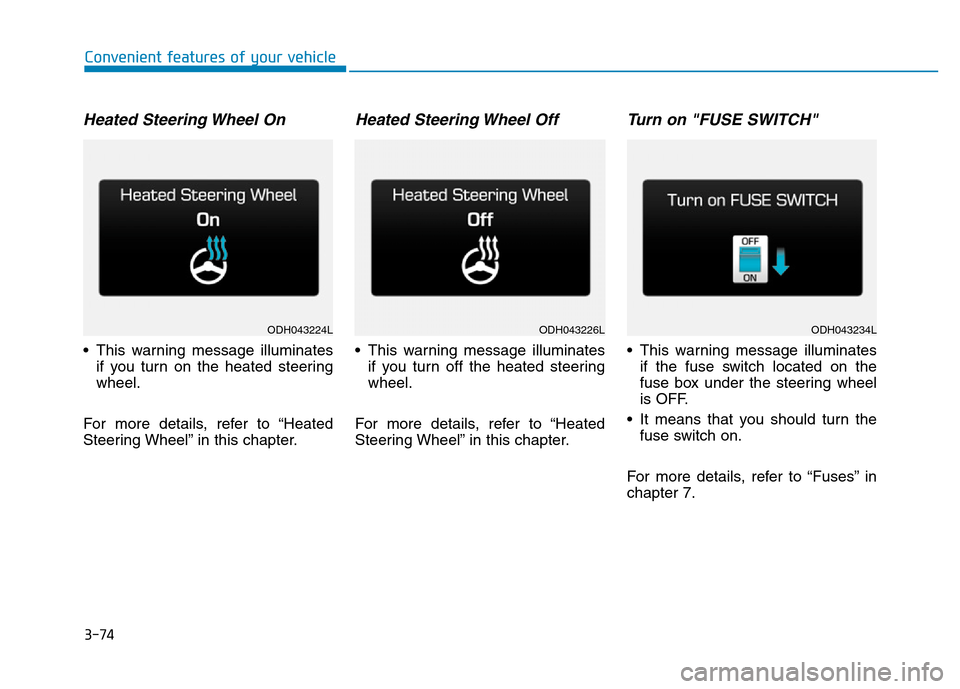
Heated Steering Wheel On
• This warning message illuminates
if you turn on the heated steering
wheel.
For more details, refer to “Heated
Steering Wheel” in this chapter.
Heated Steering Wheel Off
• This warning message illuminates
if you turn off the heated steering
wheel.
For more details, refer to “Heated
Steering Wheel” in this chapter.
Turn on "FUSE SWITCH"
• This warning message illuminates
if the fuse switch located on the
fuse box under the steering wheel
is OFF.
• It means that you should turn the
fuse switch on.
For more details, refer to “Fuses” in
chapter 7.
ODH043224LODH043226LODH043234L