mirror Hyundai Genesis 2014 User Guide
[x] Cancel search | Manufacturer: HYUNDAI, Model Year: 2014, Model line: Genesis, Model: Hyundai Genesis 2014Pages: 546, PDF Size: 13.59 MB
Page 115 of 546
3-24
Convenient features of your vehicle
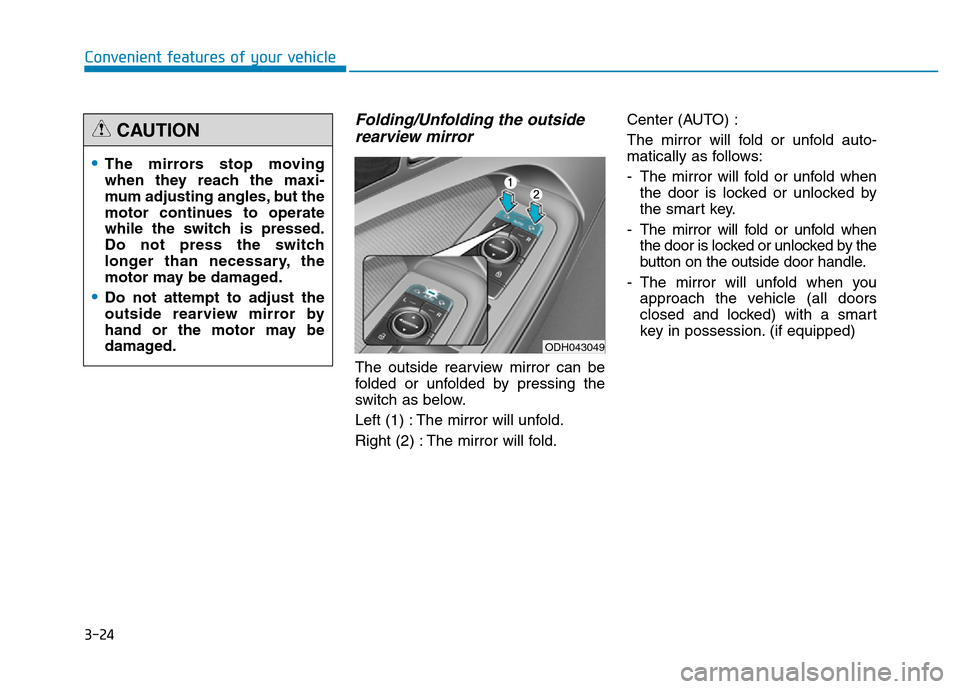
Folding/Unfolding the outside
rearview mirror
The outside rearview mirror can be
folded or unfolded by pressing the
switch as below.
Left (1) : The mirror will unfold.
Right (2) : The mirror will fold.Center (AUTO) :
The mirror will fold or unfold auto-
matically as follows:
- The mirror will fold or unfold when
the door is locked or unlocked by
the smart key.
- The mirror will fold or unfold when
the door is locked or unlocked by the
button on the outside door handle.
- The mirror will unfold when you
approach the vehicle (all doors
closed and locked) with a smart
key in possession. (if equipped)
•The mirrors stop moving
when they reach the maxi-
mum adjusting angles, but the
motor continues to operate
while the switch is pressed.
Do not press the switch
longer than necessary, the
motor may be damaged.
•Do not attempt to adjust the
outside rearview mirror by
hand or the motor may be
damaged.
CAUTION
ODH043049
Page 116 of 546
3-25
Convenient features of your vehicle
3
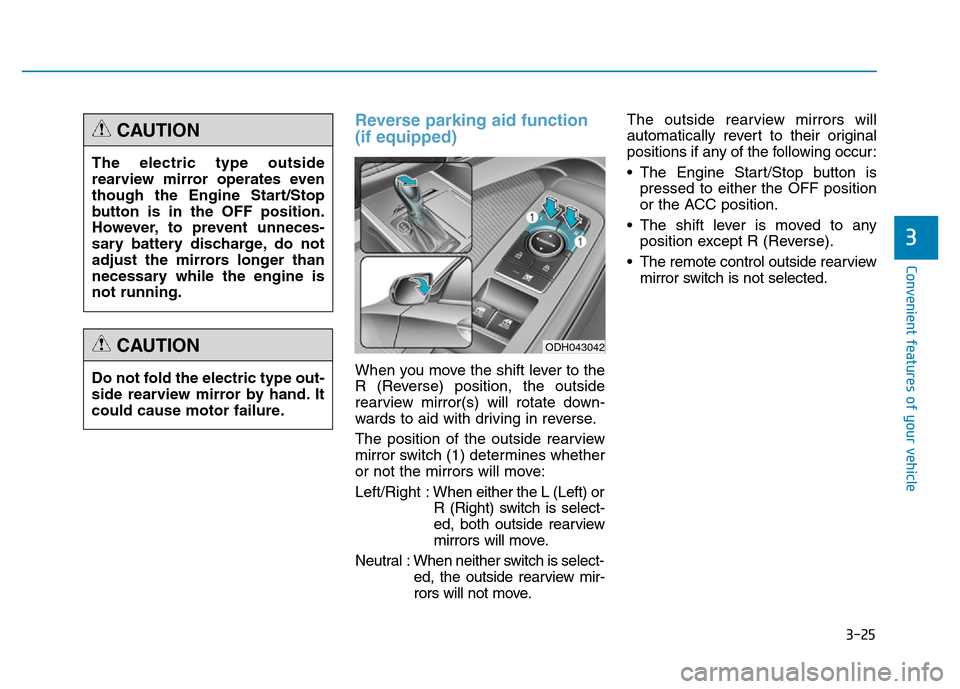
Reverse parking aid function
(if equipped)
When you move the shift lever to the
R (Reverse) position, the outside
rearview mirror(s) will rotate down-
wards to aid with driving in reverse.
The position of the outside rearview
mirror switch (1) determines whether
or not the mirrors will move:
Left/Right :When either the L (Left) or
R (Right) switch is select-
ed, both outside rearview
mirrors will move.
Neutral : When neither switch is select-
ed, the outside rearview mir-
rors will not move.The outside rearview mirrors will
automatically revert to their original
positions if any of the following occur:
• The Engine Start/Stop button is
pressed to either the OFF position
or the ACC position.
• The shift lever is moved to any
position except R (Reverse).
• The remote control outside rearview
mirror switch is not selected. The electric type outside
rearview mirror operates even
though the Engine Start/Stop
button is in the OFF position.
However, to prevent unneces-
sary battery discharge, do not
adjust the mirrors longer than
necessary while the engine is
not running.
CAUTION
Do not fold the electric type out-
side rearview mirror by hand. It
could cause motor failure.
CAUTIONODH043042
Page 195 of 546
3-104
Convenient features of your vehicle
The high beam switches to low beam
in the below conditions.
- When the Smart High Beam is off.
- When the light switch is not in the
AUTO position.
- When the headlamp is detected
from the on-coming vehicle.
- When the tail lamp is detected
from the front vehicle.
- When the surrounding is bright
enough high beams are not need-
ed.
- When streetlights or other lights
are detected.
- When vehicle speed is below
35km/h (22 mph).The system may not operate nor-
mally in the below conditions.
•When the light from the on-
coming or front vehicle is not
detected because of lamp dam-
age, hidden from sight, etc.
•When the lamp of the on-com-
ing or front vehicle is covered
with dust, snow or water.
•When the light from the on-
coming or front vehicle is not
detected because of exhaust
fume, smoke, fog, snow, etc.
•When the front window is cov-
ered with foreign matters such
as ice, dust, fog, or is damaged.
•When there is a similar shape
lamp with the front vehicle’s
lamps.
•When it is hard to see because
of fog, heavy rain or snow.
•When the headlamp is not
repaired or replaced at an
authorized dealer.
(continued)
CAUTION(continued)
•When headlamp aiming is not
properly adjusted.
•When driving on a narrow
curved road or rough road.
•When driving downhill or uphill.
•When only part of the vehicle
in front is visible on a cross-
road or curved road.
•When there is a traffic light,
reflecting sign, flashing sign
or mirror.
•When the road conditions are
bad such as being wet or cov-
ered with snow.
•When the front vehicle’s head-
lamps are off but the fog lamps
on.
•When a vehicle suddenly
appears from a curve.
•When the vehicle is tilted from
a flat tire or being towed.
•When the LDWS (Lane
Departure Warning System)
warning light illuminates. (if
equipped)
Page 196 of 546
3-105
Convenient features of your vehicle
3
Turn signals and lane change
signals
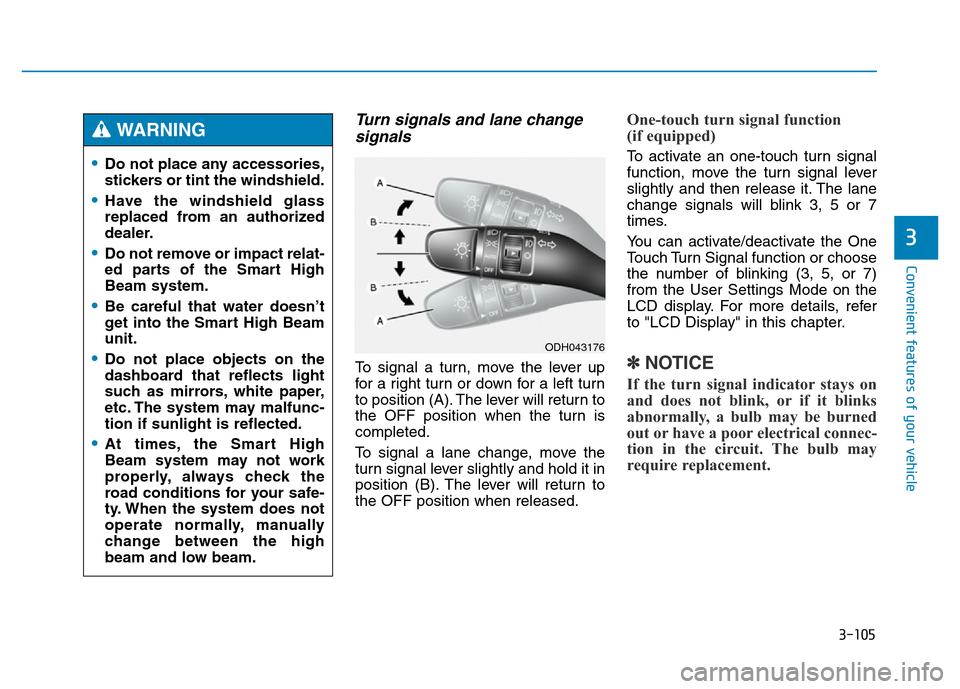
To signal a turn, move the lever up
for a right turn or down for a left turn
to position (A). The lever will return to
the OFF position when the turn is
completed.
To signal a lane change, move the
turn signal lever slightly and hold it in
position (B). The lever will return to
the OFF position when released.
One-touch turn signal function
(if equipped)
To activate an one-touch turn signal
function, move the turn signal lever
slightly and then release it. The lane
change signals will blink 3, 5 or 7
times.
You can activate/deactivate the One
Touch Turn Signal function or choose
the number of blinking (3, 5, or 7)
from the User Settings Mode on the
LCD display. For more details, refer
to "LCD Display" in this chapter.
✽NOTICE
If the turn signal indicator stays on
and does not blink, or if it blinks
abnormally, a bulb may be burned
out or have a poor electrical connec-
tion in the circuit. The bulb may
require replacement.
•Do not place any accessories,
stickers or tint the windshield.
•Have the windshield glass
replaced from an authorized
dealer.
•Do not remove or impact relat-
ed parts of the Smart High
Beam system.
•Be careful that water doesn’t
get into the Smart High Beam
unit.
•Do not place objects on the
dashboard that reflects light
such as mirrors, white paper,
etc. The system may malfunc-
tion if sunlight is reflected.
•At times, the Smart High
Beam system may not work
properly, always check the
road conditions for your safe-
ty. When the system does not
operate normally, manually
change between the high
beam and low beam.
WARNING
ODH043176
Page 201 of 546
3-110
Convenient features of your vehicle
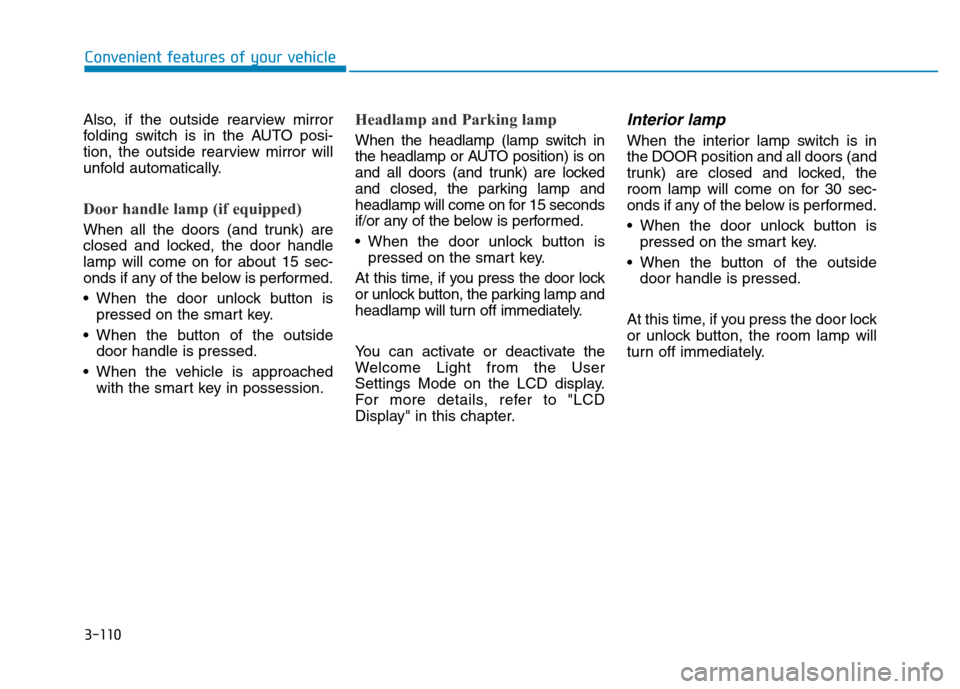
Also, if the outside rearview mirror
folding switch is in the AUTO posi-
tion, the outside rearview mirror will
unfold automatically.
Door handle lamp (if equipped)
When all the doors (and trunk) are
closed and locked, the door handle
lamp will come on for about 15 sec-
onds if any of the below is performed.
• When the door unlock button is
pressed on the smart key.
• When the button of the outside
door handle is pressed.
• When the vehicle is approached
with the smart key in possession.
Headlamp and Parking lamp
When the headlamp (lamp switch in
the headlamp or AUTO position) is on
and all doors (and trunk) are locked
and closed, the parking lamp and
headlamp will come on for 15 seconds
if/or any of the below is performed.
• When the door unlock button is
pressed on the smart key.
At this time, if you press the door lock
or unlock button, the parking lamp and
headlamp will turn off immediately.
You can activate or deactivate the
Welcome Light from the User
Settings Mode on the LCD display.
For more details, refer to "LCD
Display" in this chapter.
Interior lamp
When the interior lamp switch is in
the DOOR position and all doors (and
trunk) are closed and locked, the
room lamp will come on for 30 sec-
onds if any of the below is performed.
• When the door unlock button is
pressed on the smart key.
• When the button of the outside
door handle is pressed.
At this time, if you press the door lock
or unlock button, the room lamp will
turn off immediately.
Page 205 of 546
3-114
Convenient features of your vehicle
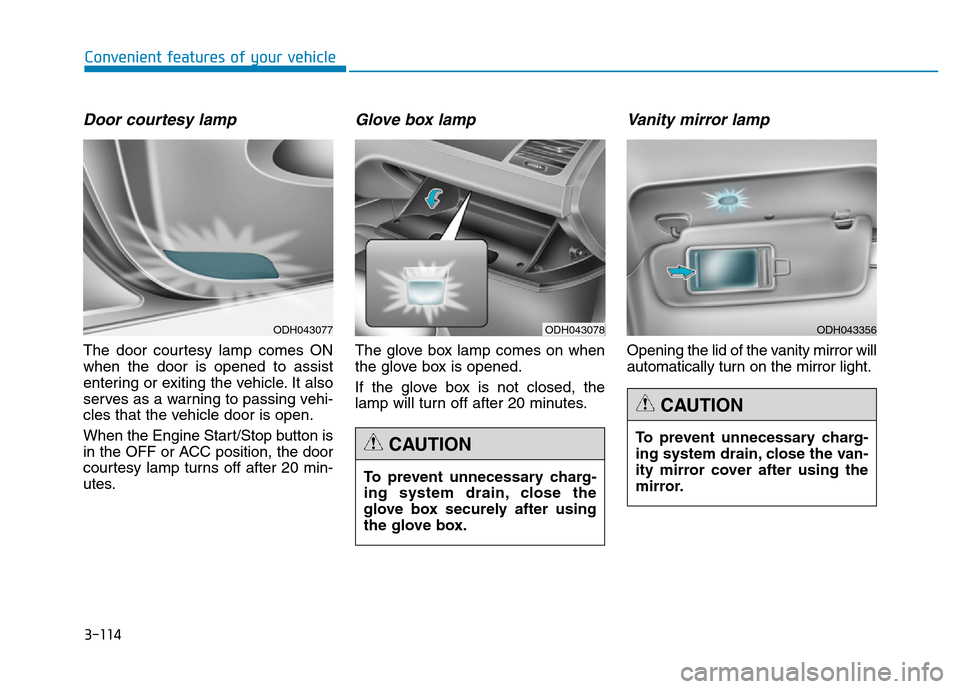
Door courtesy lamp
The door courtesy lamp comes ON
when the door is opened to assist
entering or exiting the vehicle. It also
serves as a warning to passing vehi-
cles that the vehicle door is open.
When the Engine Start/Stop button is
in the OFF or ACC position, the door
courtesy lamp turns off after 20 min-
utes.
Glove box lamp
The glove box lamp comes on when
the glove box is opened.
If the glove box is not closed, the
lamp will turn off after 20 minutes.
Vanity mirror lamp
Opening the lid of the vanity mirror will
automatically turn on the mirror light.
To prevent unnecessary charg-
ing system drain, close the
glove box securely after using
the glove box.
CAUTION
ODH043078ODH043077
To prevent unnecessary charg-
ing system drain, close the van-
ity mirror cover after using the
mirror.
CAUTION
ODH043356
Page 223 of 546
3-132
Convenient features of your vehicle
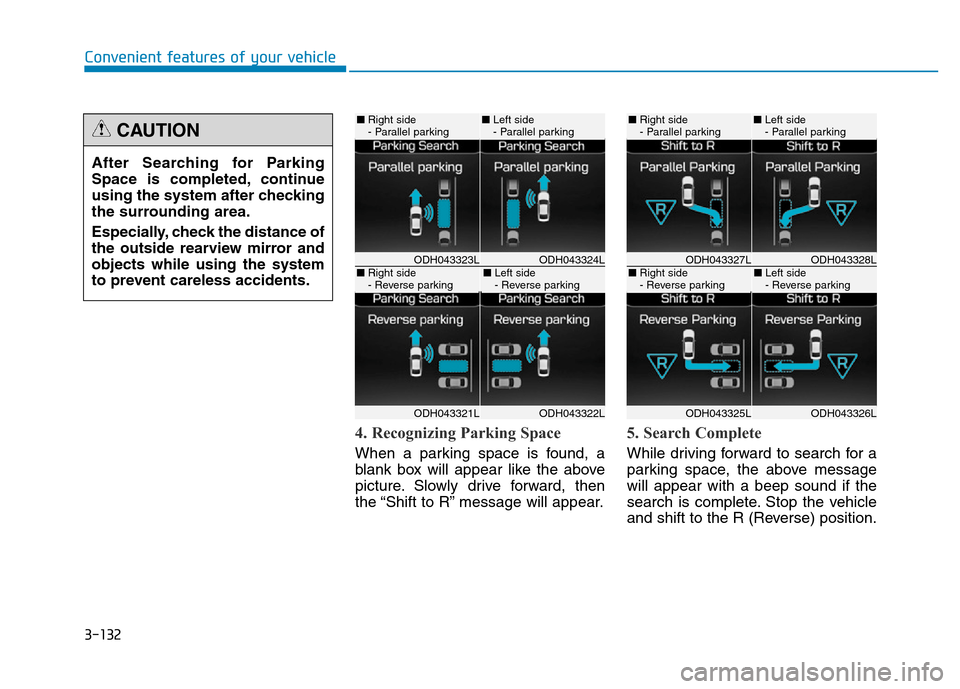
4. Recognizing Parking Space
When a parking space is found, a
blank box will appear like the above
picture. Slowly drive forward, then
the “Shift to R” message will appear.
5. Search Complete
While driving forward to search for a
parking space, the above message
will appear with a beep sound if the
search is complete. Stop the vehicle
and shift to the R (Reverse) position. After Searching for Parking
Space is completed, continue
using the system after checking
the surrounding area.
Especially, check the distance of
the outside rearview mirror and
objects while using the system
to prevent careless accidents.
CAUTION
ODH043324LODH043323L
ODH043322LODH043321L
■Right side
- Parallel parking■Left side
- Parallel parking
■Right side
- Reverse parking■Left side
- Reverse parkingODH043328LODH043327L
ODH043326LODH043325L
■Right side
- Parallel parking■Left side
- Parallel parking
■Right side
- Reverse parking■Left side
- Reverse parking
Page 238 of 546
3-147
Convenient features of your vehicle
3
✽NOTICE
• When vehicle speed is over
20km/h, the AVM system will turn
off. The system will not automati-
cally turn on again, even though
vehicle speed gets below 20 km/h.
Push the AVM button again, to
turn on the system.
• When the vehicle is backing up,
the AVM system will turn ON
regardless of vehicle speed or
AVM button status. However, if
vehicle speed is over 10 km/h when
driving forward, the AVM system
will turn off.
• A warning appears on the AVM
system when:
- The trunk is opened
- The driver's door is opened
- The passenger's door is opened
- The outside rearview mirror is
folded
• If the AVM system is not operating
normally, the system should be
checked by an authorized
HYUNDAI dealer.
For more details, please refer to the
Multimedia System Manual or DIS
Navigation System Manual that was
supplied with your vehicle.
Page 240 of 546
3-149
Convenient features of your vehicle
3
Outside mirror defroster
If your vehicle is equipped with the
outside mirror defrosters, they will
operate at the same time you turn on
the rear window defroster.
Front wiper deicer
If your vehicle is equipped with the
wiper deicer, it will operate at the
same time you turn on the rear win-
dow defroster.
Page 256 of 546
3-165
Convenient features of your vehicle
3
WINDSHIELD DEFROSTING AND DEFOGGING
• For maximum defrosting, set the
temperature control to the extreme
right/hot position and the fan speed
control to the highest speed.
• If warm air to the floor is desired
while defrosting or defogging, set the
mode to the floor-defrost position.
• Before driving, clear all snow and
ice from the windshield, rear win-
dow, outside rear view mirrors, and
all side windows.
• Clear all snow and ice from the
hood and air inlet in the cowl grill to
improve heater and defroster effi-
ciency and to reduce the probability
of fogging up the inside of the wind-
shield.To defog inside windshield
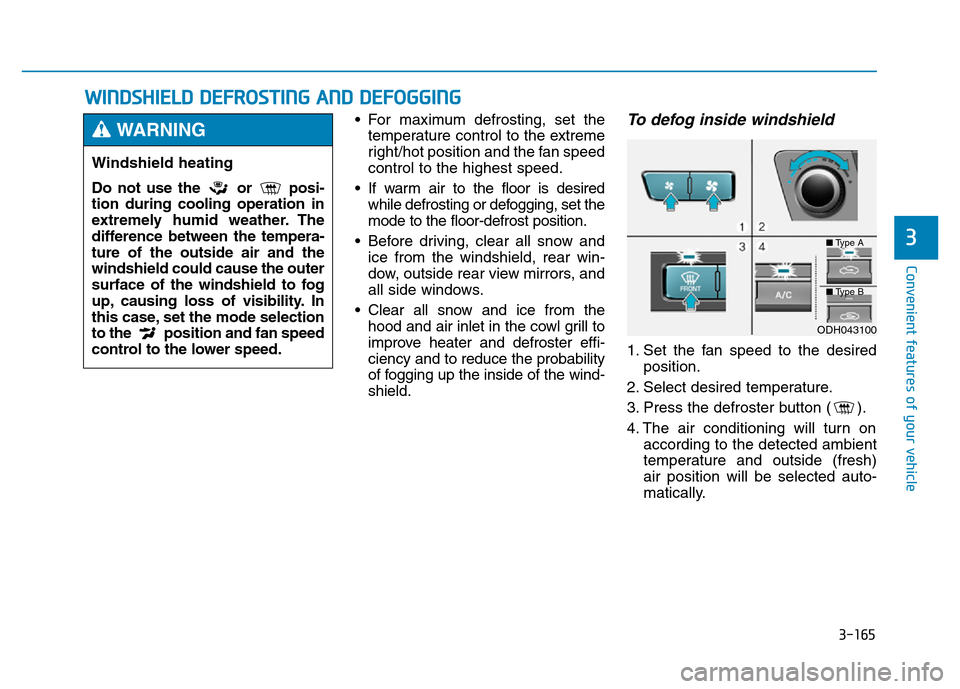
1. Set the fan speed to the desired
position.
2. Select desired temperature.
3. Press the defroster button ( ).
4. The air conditioning will turn on
according to the detected ambient
temperature and outside (fresh)
air position will be selected auto-
matically.
Windshield heating
Do not use the or posi-
tion during cooling operation in
extremely humid weather. The
difference between the tempera-
ture of the outside air and the
windshield could cause the outer
surface of the windshield to fog
up, causing loss of visibility. In
this case, set the mode selection
to the position and fan speed
control to the lower speed.
WARNING
ODH043100
■Type A
■Type B