All Hyundai Genesis 2014 Workshop Manual
[x] Cancel search | Manufacturer: HYUNDAI, Model Year: 2014, Model line: Genesis, Model: Hyundai Genesis 2014Pages: 546, PDF Size: 13.59 MB
Page 80 of 546
2-62
Safety system of your vehicle
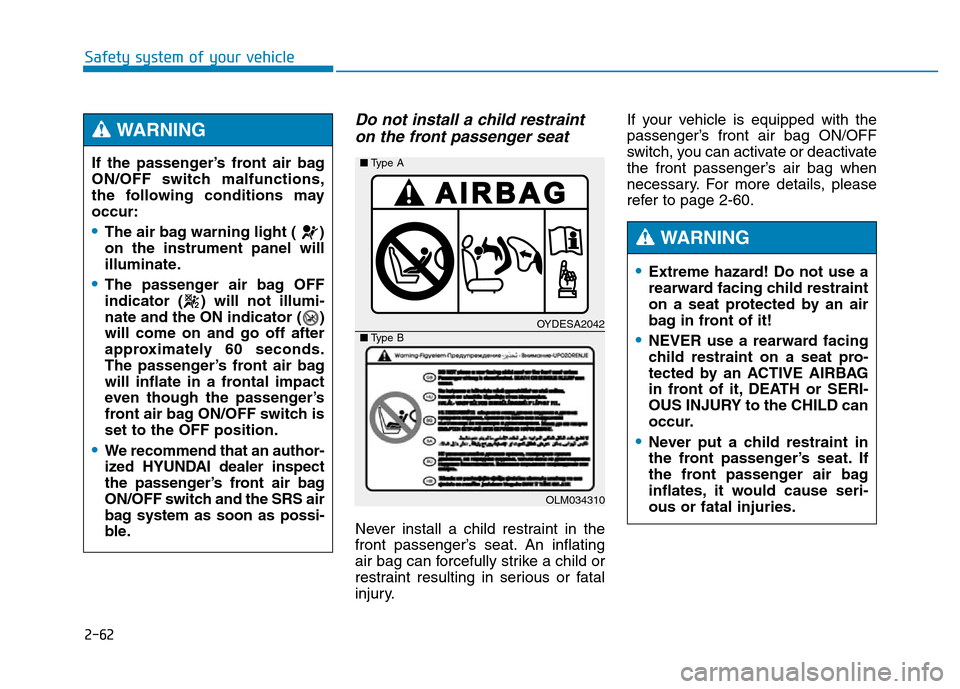
Do not install a child restraint
on the front passenger seat
Never install a child restraint in the
front passenger’s seat. An inflating
air bag can forcefully strike a child or
restraint resulting in serious or fatal
injury.If your vehicle is equipped with the
passenger’s front air bag ON/OFF
switch, you can activate or deactivate
the front passenger’s air bag when
necessary. For more details, please
refer to page 2-60.
OYDESA2042
OLM034310 ■Type A
■Type B
•Extreme hazard! Do not use a
rearward facing child restraint
on a seat protected by an air
bag in front of it!
•NEVER use a rearward facing
child restraint on a seat pro-
tected by an ACTIVE AIRBAG
in front of it, DEATH or SERI-
OUS INJURY to the CHILD can
occur.
•Never put a child restraint in
the front passenger’s seat. If
the front passenger air bag
inflates, it would cause seri-
ous or fatal injuries.
WARNING
If the passenger’s front air bag
ON/OFF switch malfunctions,
the following conditions may
occur:
•The air bag warning light ( )
on the instrument panel will
illuminate.
•The passenger air bag OFF
indicator ( ) will not illumi-
nate and the ON indicator ( )
will come on and go off after
approximately 60 seconds.
The passenger’s front air bag
will inflate in a frontal impact
even though the passenger’s
front air bag ON/OFF switch is
set to the OFF position.
•We recommend that an author-
ized HYUNDAI dealer inspect
the passenger’s front air bag
ON/OFF switch and the SRS air
bag system as soon as possi-
ble.
WARNING
Page 81 of 546
2-63
Safety system of your vehicle
2
To reduce the risk of an air bag
deploying unexpectedly and
causing serious injury or death:
•Do not hit or allow any objects
to impact the locations where
air bags or sensors are
installed.
•Do not perform maintenance
on or around the air bag sen-
sors. If the location or angle of
the sensors is altered, the air
bags may deploy when they
should not or may not deploy
when they should.
•Do not install bumper guards
or replace the bumper with a
non-genuine part. This may
adversely affect the collision
and air bag deployment per-
formance.
(Continued)
WARNING
Why didn’t my air bag go off in
a collision? (Air bags are not
designed to inflate in every
collision.)
There are certain types of accidents
in which the air bag would not be
expected to provide additional protec-
tion. These include rear impacts, sec-
ond or third collisions in multiple
impact accidents, as well as low
speed impacts. Damage to the vehicle
indicates a collision energy absorp-
tion, and is not an indicator of whether
or not an air bag should have inflated.
Air bag collision sensors
(if equipped) (Continued)
•Press the Engine Start/Stop
button to the OFF or ACC
position, when the vehicle is
being towed to prevent inad-
vertent air bag deployment.
•We recommend that all air bag
repairs are conducted by an
authorized HYUNDAI dealer.
Page 86 of 546
2-68
Safety system of your vehicle
✽NOTICE- without rollover
sensor
Air bags do not inflate in rollover
accidents because vehicle cannot
detect rollover accident. However,
side impact and/or curtain air bags
may inflate when the vehicle is rolled
over following(after) side impact col-
lision.
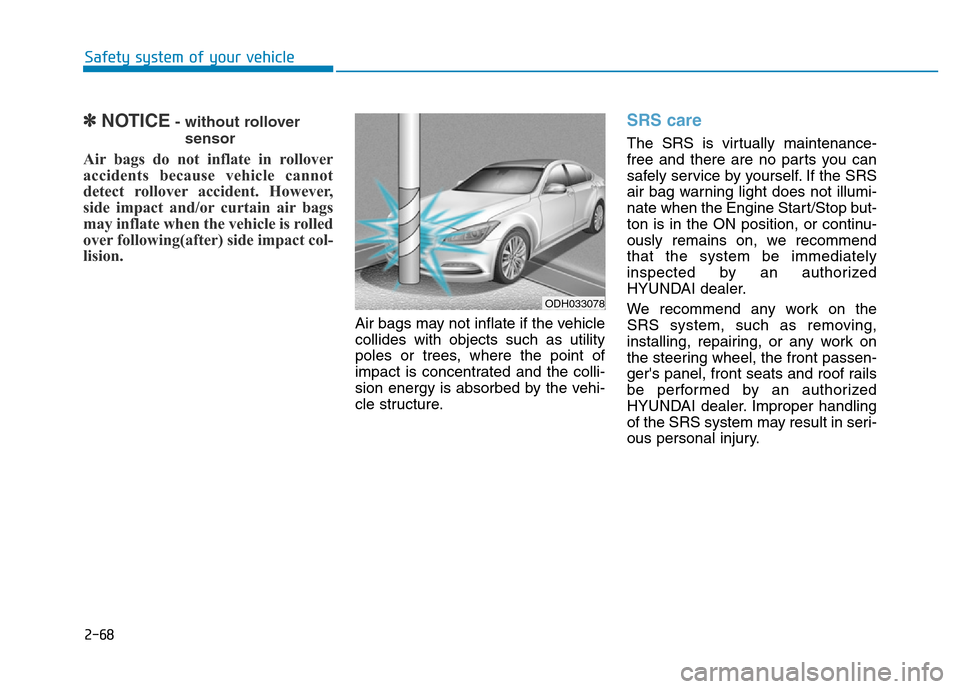
Air bags may not inflate if the vehicle
collides with objects such as utility
poles or trees, where the point of
impact is concentrated and the colli-
sion energy is absorbed by the vehi-
cle structure.
SRS care
The SRS is virtually maintenance-
free and there are no parts you can
safely service by yourself. If the SRS
air bag warning light does not illumi-
nate when the Engine Start/Stop but-
ton is in the ON position, or continu-
ously remains on, we recommend
that the system be immediately
inspected by an authorized
HYUNDAI dealer.
We recommend any work on the
SRS system, such as removing,
installing, repairing, or any work on
the steering wheel, the front passen-
ger's panel, front seats and roof rails
be performed by an authorized
HYUNDAI dealer. Improper handling
of the SRS system may result in seri-
ous personal injury.
ODH033078
Page 88 of 546
2-70
Safety system of your vehicle
Adding equipment to or modify-
ing your air bag equipped vehicle
If you modify your vehicle by changing
your vehicle's frame, bumper system,
front end or side sheet metal or ride
height, this may affect the operation of
your vehicle's air bag system.
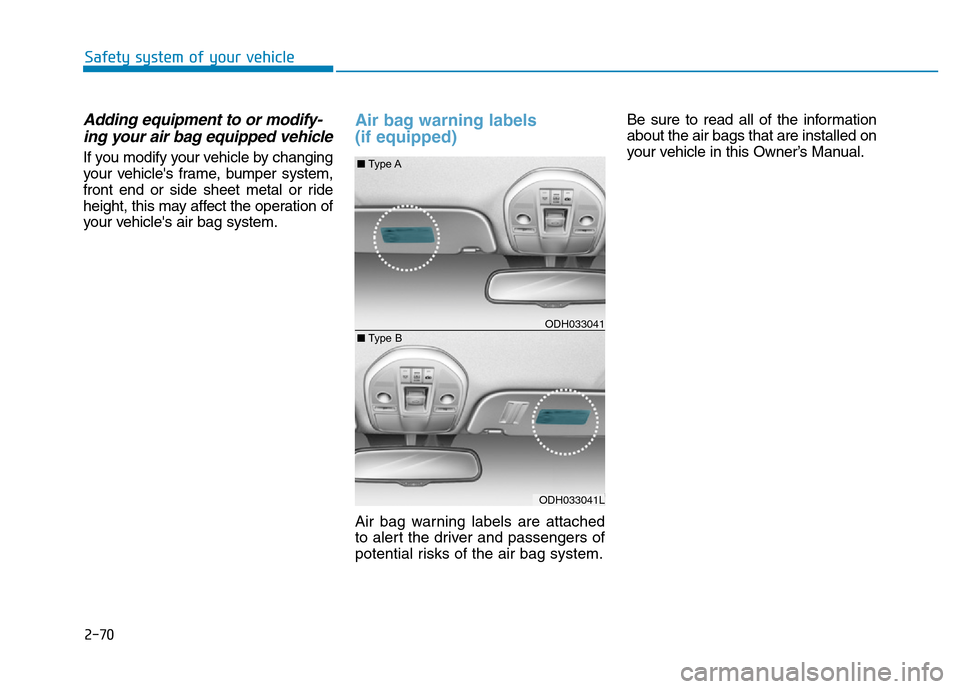
Air bag warning labels
(if equipped)
Air bag warning labels are attached
to alert the driver and passengers of
potential risks of the air bag system.Be sure to read all of the information
about the air bags that are installed on
your vehicle in this Owner’s Manual.
ODH033041 ■Type A
ODH033041L ■Type B
Page 89 of 546
2-71
Safety system of your vehicle
2
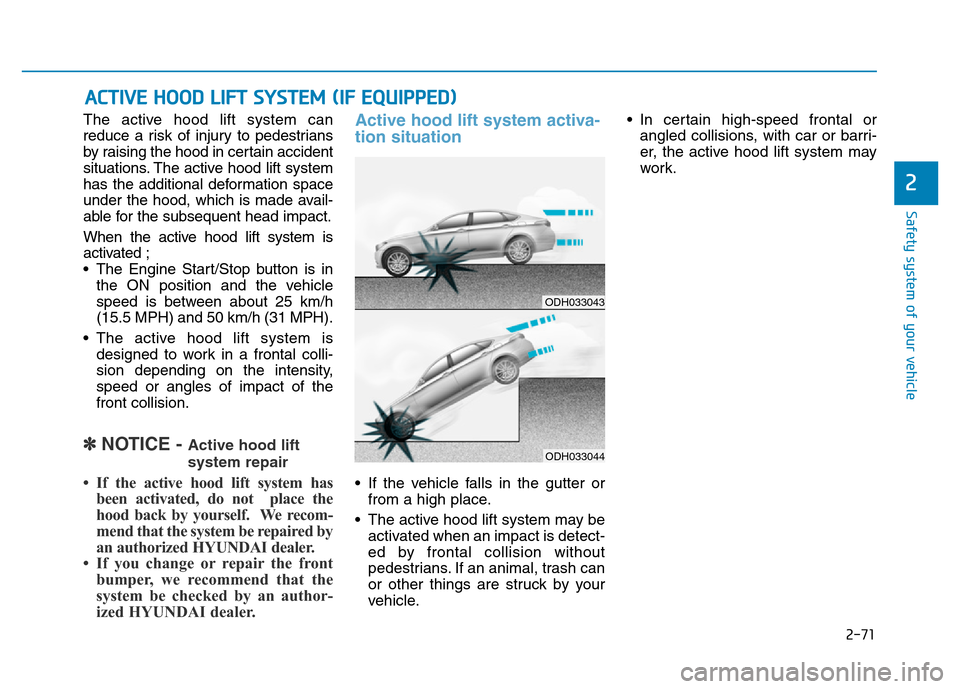
The active hood lift system can
reduce a risk of injury to pedestrians
by raising the hood in certain accident
situations. The active hood lift system
has the additional deformation space
under the hood, which is made avail-
able for the subsequent head impact.
When the active hood lift system is
activated ;
• The Engine Start/Stop button is in
the ON position and the vehicle
speed is between about 25 km/h
(15.5 MPH) and 50 km/h (31 MPH).
• The active hood lift system is
designed to work in a frontal colli-
sion depending on the intensity,
speed or angles of impact of the
front collision.
✽NOTICE - Active hood lift
system repair
• If the active hood lift system has
been activated, do not place the
hood back by yourself. We recom-
mend that the system be repaired by
an authorized HYUNDAI dealer.
• If you change or repair the front
bumper, we recommend that the
system be checked by an author-
ized HYUNDAI dealer.
Active hood lift system activa-
tion situation
• If the vehicle falls in the gutter or
from a high place.
• The active hood lift system may be
activated when an impact is detect-
ed by frontal collision without
pedestrians. If an animal, trash can
or other things are struck by your
vehicle.• In certain high-speed frontal or
angled collisions, with car or barri-
er, the active hood lift system may
work.
ACTIVE HOOD LIFT SYSTEM (IF EQUIPPED)
ODH033043
ODH033044
Page 91 of 546
2-73
Safety system of your vehicle
2
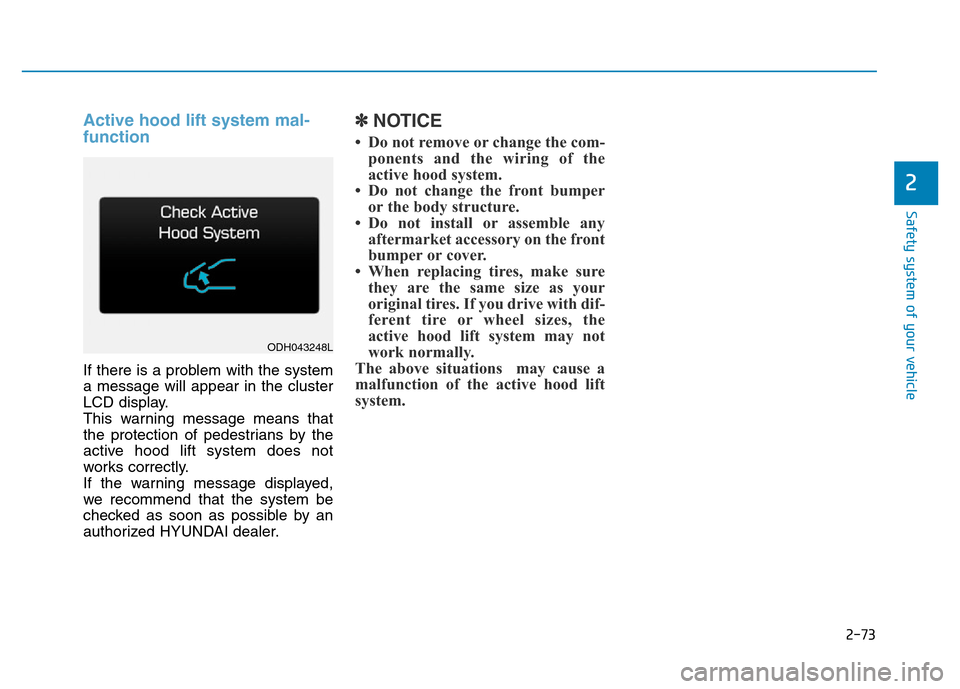
Active hood lift system mal-
function
If there is a problem with the system
a message will appear in the cluster
LCD display.
This warning message means that
the protection of pedestrians by the
active hood lift system does not
works correctly.
If the warning message displayed,
we recommend that the system be
checked as soon as possible by an
authorized HYUNDAI dealer.
✽NOTICE
• Do not remove or change the com-
ponents and the wiring of the
active hood system.
• Do not change the front bumper
or the body structure.
• Do not install or assemble any
aftermarket accessory on the front
bumper or cover.
• When replacing tires, make sure
they are the same size as your
original tires. If you drive with dif-
ferent tire or wheel sizes, the
active hood lift system may not
work normally.
The above situations may cause a
malfunction of the active hood lift
system.
ODH043248L
Page 95 of 546
3-4
Convenient features of your vehicle
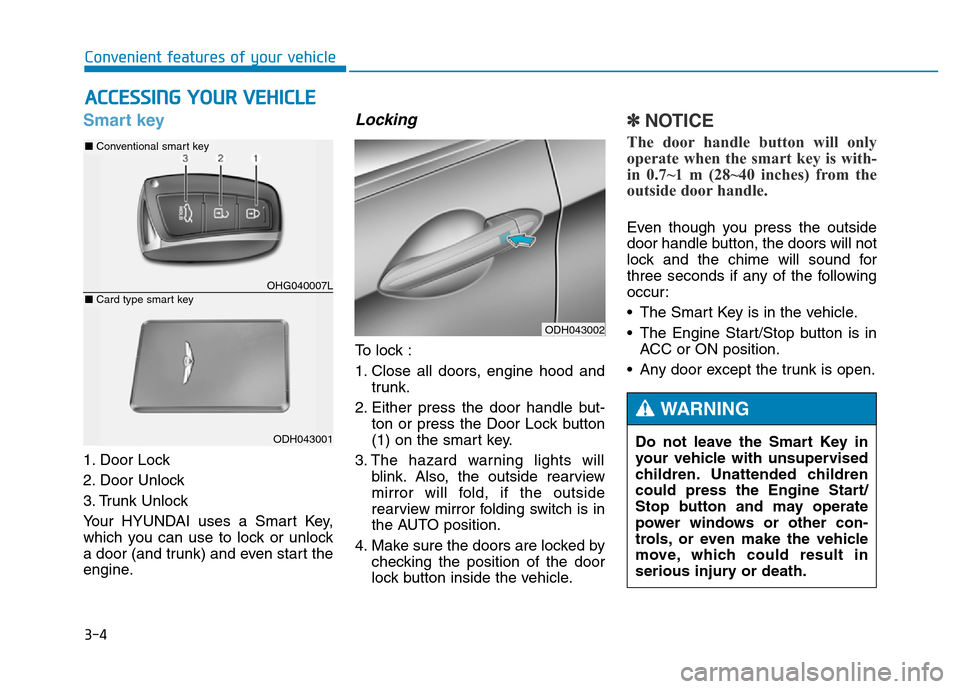
Smart key
1. Door Lock
2. Door Unlock
3. Trunk Unlock
Your HYUNDAI uses a Smart Key,
which you can use to lock or unlock
a door (and trunk) and even start the
engine.
Locking
To lock :
1. Close all doors, engine hood and
trunk.
2. Either press the door handle but-
ton or press the Door Lock button
(1) on the smart key.
3. The hazard warning lights will
blink. Also, the outside rearview
mirror will fold, if the outside
rearview mirror folding switch is in
the AUTO position.
4. Make sure the doors are locked by
checking the position of the door
lock button inside the vehicle.
✽NOTICE
The door handle button will only
operate when the smart key is with-
in 0.7~1 m (28~40 inches) from the
outside door handle.
Even though you press the outside
door handle button, the doors will not
lock and the chime will sound for
three seconds if any of the following
occur:
• The Smart Key is in the vehicle.
• The Engine Start/Stop button is in
ACC or ON position.
• Any door except the trunk is open.
ACCESSING YOUR VEHICLE
ODH043002
Do not leave the Smart Key in
your vehicle with unsupervised
children. Unattended children
could press the Engine Start/
Stop button and may operate
power windows or other con-
trols, or even make the vehicle
move, which could result in
serious injury or death.
WARNING
OHG040007L
■Conventional smart key
ODH043001
■Card type smart key
Page 96 of 546
3-5
Convenient features of your vehicle
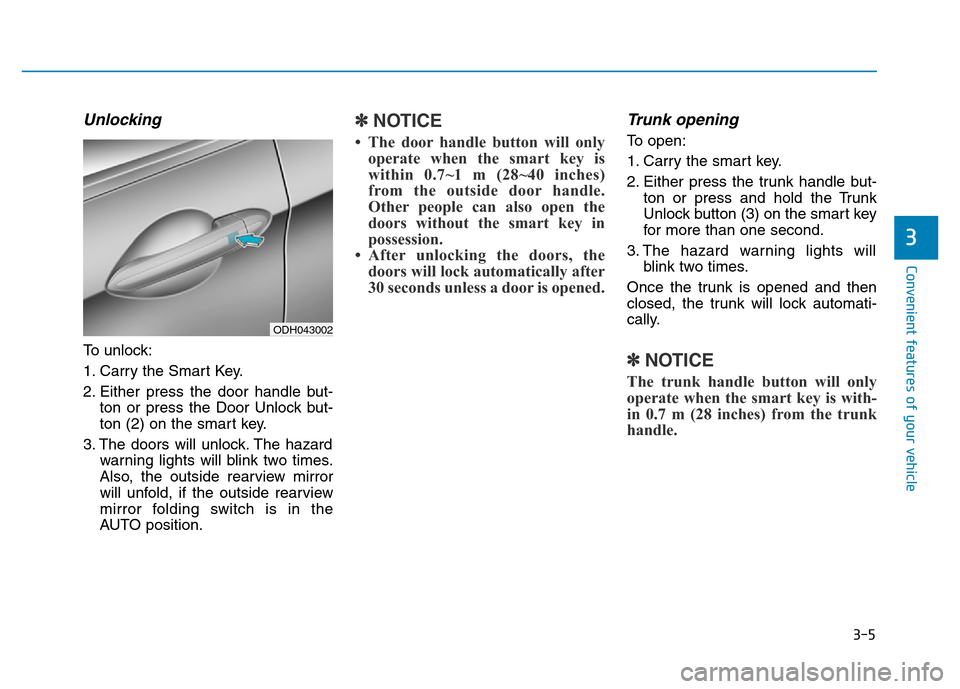
Unlocking
To unlock:
1. Carry the Smart Key.
2. Either press the door handle but-
ton or press the Door Unlock but-
ton (2) on the smart key.
3. The doors will unlock. The hazard
warning lights will blink two times.
Also, the outside rearview mirror
will unfold, if the outside rearview
mirror folding switch is in the
AUTO position.
✽NOTICE
• The door handle button will only
operate when the smart key is
within 0.7~1 m (28~40 inches)
from the outside door handle.
Other people can also open the
doors without the smart key in
possession.
• After unlocking the doors, the
doors will lock automatically after
30 seconds unless a door is opened.
Trunk opening
To open:
1. Carry the smart key.
2. Either press the trunk handle but-
ton or press and hold the Trunk
Unlock button (3) on the smart key
for more than one second.
3. The hazard warning lights will
blink two times.
Once the trunk is opened and then
closed, the trunk will lock automati-
cally.
✽NOTICE
The trunk handle button will only
operate when the smart key is with-
in 0.7 m (28 inches) from the trunk
handle.
3
ODH043002
Page 97 of 546
3-6
Start-up
You can start the engine without
inserting the key. For detailed infor-
mation, refer to the Engine Start/Stop
button in chapter 5.
Mechanical key
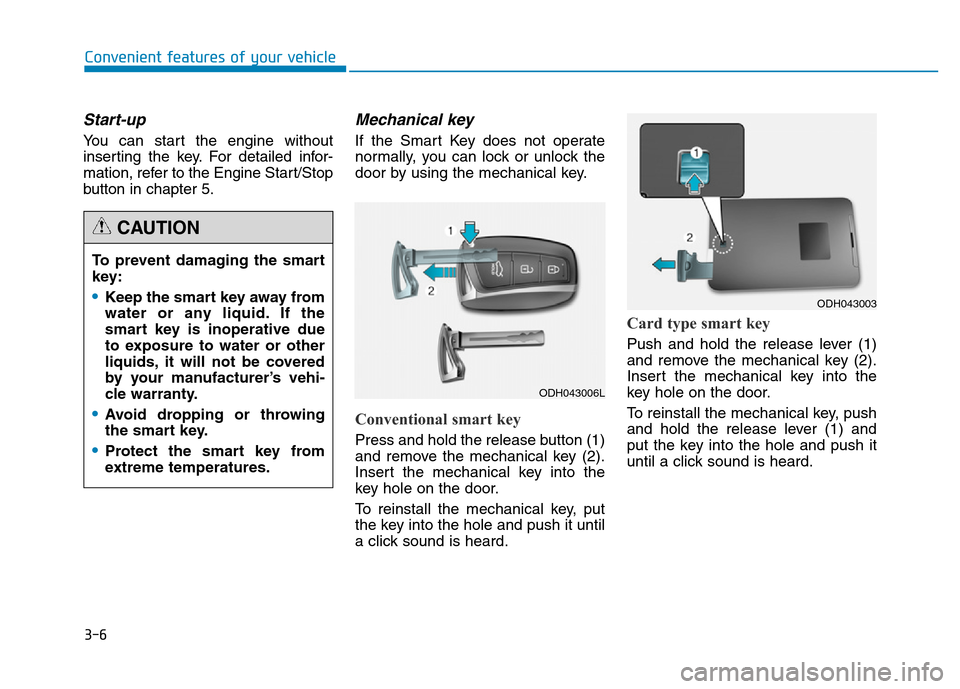
If the Smart Key does not operate
normally, you can lock or unlock the
door by using the mechanical key.
Conventional smart key
Press and hold the release button (1)
and remove the mechanical key (2).
Insert the mechanical key into the
key hole on the door.
To reinstall the mechanical key, put
the key into the hole and push it until
a click sound is heard.
Card type smart key
Push and hold the release lever (1)
and remove the mechanical key (2).
Insert the mechanical key into the
key hole on the door.
To reinstall the mechanical key, push
and hold the release lever (1) and
put the key into the hole and push it
until a click sound is heard.
Convenient features of your vehicle
To prevent damaging the smart
key:
•Keep the smart key away from
water or any liquid. If the
smart key is inoperative due
to exposure to water or other
liquids, it will not be covered
by your manufacturer’s vehi-
cle warranty.
•Avoid dropping or throwing
the smart key.
•Protect the smart key from
extreme temperatures.
CAUTION
ODH043006L
ODH043003
Page 98 of 546
3-7
Convenient features of your vehicle
Loss of a smart key
A maximum of three Smart Keys
including Card Type Smart Key can
be registered to a single vehicle. If you
happen to lose your smart key, it is
recommended that you should imme-
diately take the vehicle and remaining
keys to your authorized HYUNDAI
dealer or tow the vehicle, if necessary.
Smart key precautions
The smart key will not work if any of
the following occur:
• The smart key is close to a radio
transmitter such as a radio station
or an airport which can interfere
with normal operation of the trans-
mitter.
• The smart key is near a mobile two
way radio system or a cellular
phone.
• Another vehicle’s smart key is being
operated close to your vehicle.
When the smart key does not work
correctly, open and close the door
with the mechanical key. If you have
a problem with the smart key, it is
recommended that you contact an
authorized HYUNDAI dealer.If the smart key is in close proximity
to your mobile phone, the signal
could be blocked by your mobile
phones normal operational signals.
This is especially important when the
phone is active such as making and
receiving calls, text messaging,
and/or sending/receiving emails.
Avoid placing the smart key and your
mobile phone in the same pants or
jacket pocket and always try to main-
tain an adequate distance between
the two devices.
3