rear view mirror Hyundai Genesis 2014 Owner's Manual
[x] Cancel search | Manufacturer: HYUNDAI, Model Year: 2014, Model line: Genesis, Model: Hyundai Genesis 2014Pages: 546, PDF Size: 13.59 MB
Page 13 of 546
1-2
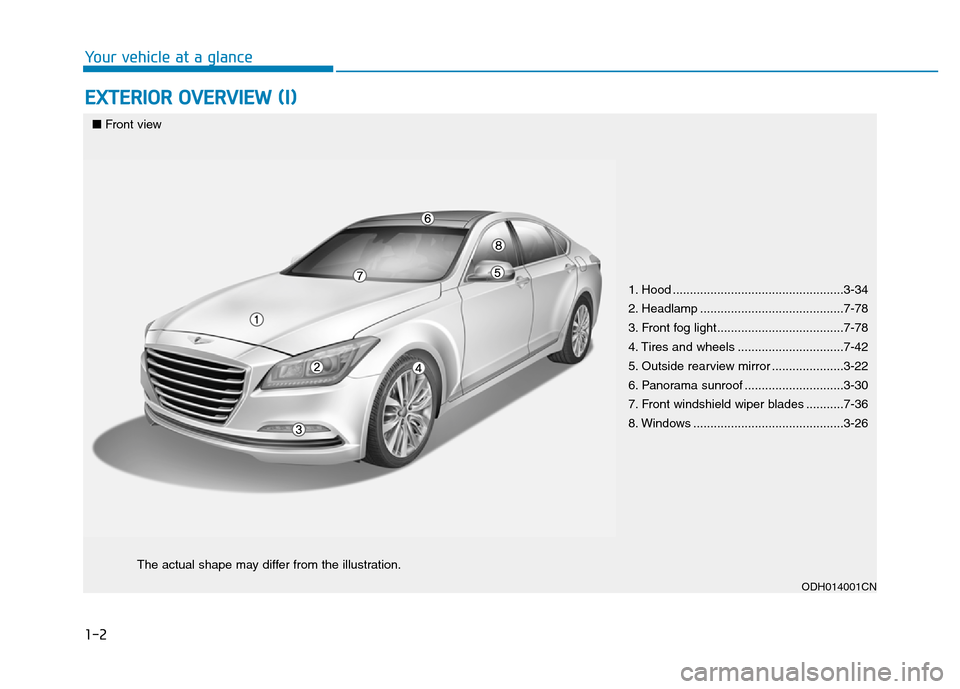
EXTERIOR OVERVIEW (I)
Your vehicle at a glance
ODH014001CN
■Front view
The actual shape may differ from the illustration.
1. Hood ..................................................3-34
2. Headlamp ..........................................7-78
3. Front fog light.....................................7-78
4. Tires and wheels ...............................7-42
5. Outside rearview mirror .....................3-22
6. Panorama sunroof .............................3-30
7. Front windshield wiper blades ...........7-36
8. Windows ............................................3-26
Page 15 of 546
1-4
Your vehicle at a glance
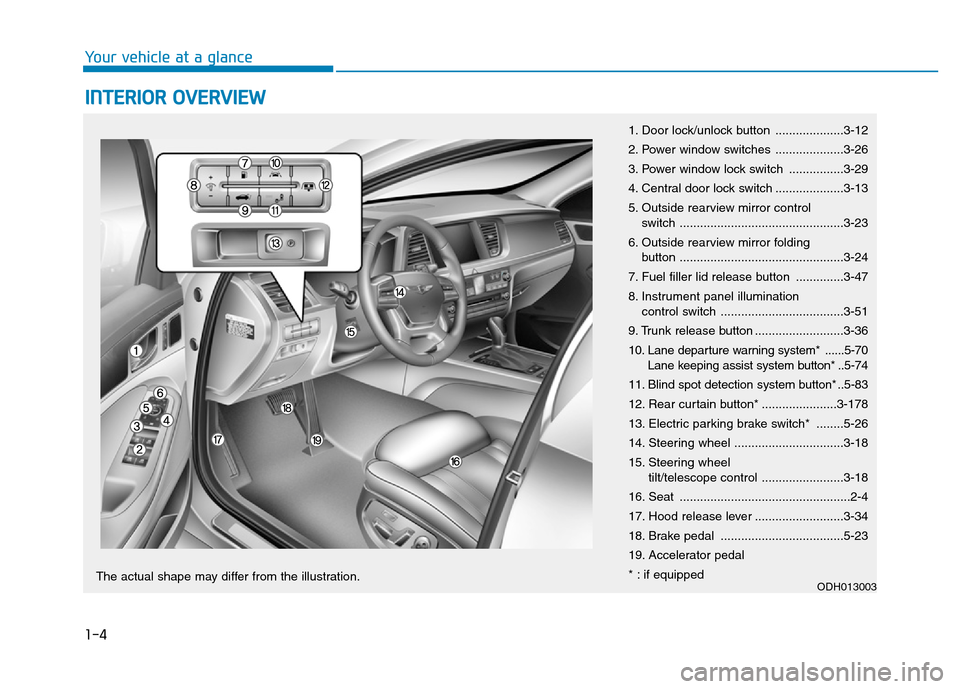
INTERIOR OVERVIEW
1. Door lock/unlock button ....................3-12
2. Power window switches ....................3-26
3. Power window lock switch ................3-29
4. Central door lock switch ....................3-13
5. Outside rearview mirror control
switch ................................................3-23
6. Outside rearview mirror folding
button ................................................3-24
7. Fuel filler lid release button ..............3-47
8. Instrument panel illumination
control switch ....................................3-51
9. Trunk release button ..........................3-36
10. Lane departure warning system* ......5-70
Lane keeping assist system button* ..5-74
11. Blind spot detection system button* ..5-83
12. Rear curtain button* ......................3-178
13. Electric parking brake switch* ........5-26
14. Steering wheel ................................3-18
15. Steering wheel
tilt/telescope control ........................3-18
16. Seat ..................................................2-4
17. Hood release lever ..........................3-34
18. Brake pedal ....................................5-23
19. Accelerator pedal
* : if equipped
ODH013003The actual shape may differ from the illustration.
Page 92 of 546
Convenient features of your vehicle
Accessing your vehicle .........................................3-4
Smart key ............................................................................3-4
Smart key precautions .....................................................3-7
Immobilizer System ........................................................3-10
Door locks .............................................................3-11
Operating door locks from outside the vehicle .....3-11
Power Door Latch ...........................................................3-12
Operating door locks from inside the vehicle ........3-12
Auto door lock/unlock features ................................3-14
Child-protector rear door locks ..................................3-14
Theft-alarm system.............................................3-15
Driver position memory system .........................3-16
Storing memory positions .............................................3-16
Easy access function .....................................................3-17
Steering wheel......................................................3-18
Electric power steering (EPS) ......................................3-18
Tilt steering/Telescope steering .................................3-18
Heated steering wheel ...................................................3-19
Horn ....................................................................................3-20
Mirrors ...................................................................3-21
Inside rearview mirror....................................................3-21
Outside rearview mirror ..............................................3-22
Reverse parking aid function.......................................3-25
Windows ................................................................3-26
Power windows ................................................................3-26
Panorama sunroof ...............................................3-30
Sunshade ...........................................................................3-30
Sliding the sunroof ........................................................3-31
Tilting the sunroof ........................................................3-31
Closing the sunroof ........................................................3-32
Resetting the sunroof ....................................................3-33
Hood.......................................................................3-34
Opening the hood ..........................................................3-34
Closing the hood .............................................................3-34
Trunk ......................................................................3-36
Non-Powered Trunk .......................................................3-36
Power Trunk .....................................................................3-37
Emergency trunk safety release.................................3-41
Smart trunk ...........................................................3-43
Fuel filler door .....................................................3-47
Opening the fuel filler door .........................................3-47
Closing the fuel filler door ...........................................3-47
Emergency fuel filler lid release .................................3-49
Instrument cluster................................................3-50
Instrument Cluster Control............................................3-51
LCD Display Control ........................................................3-52
Gauges ...............................................................................3-52
3
Page 95 of 546
3-4
Convenient features of your vehicle
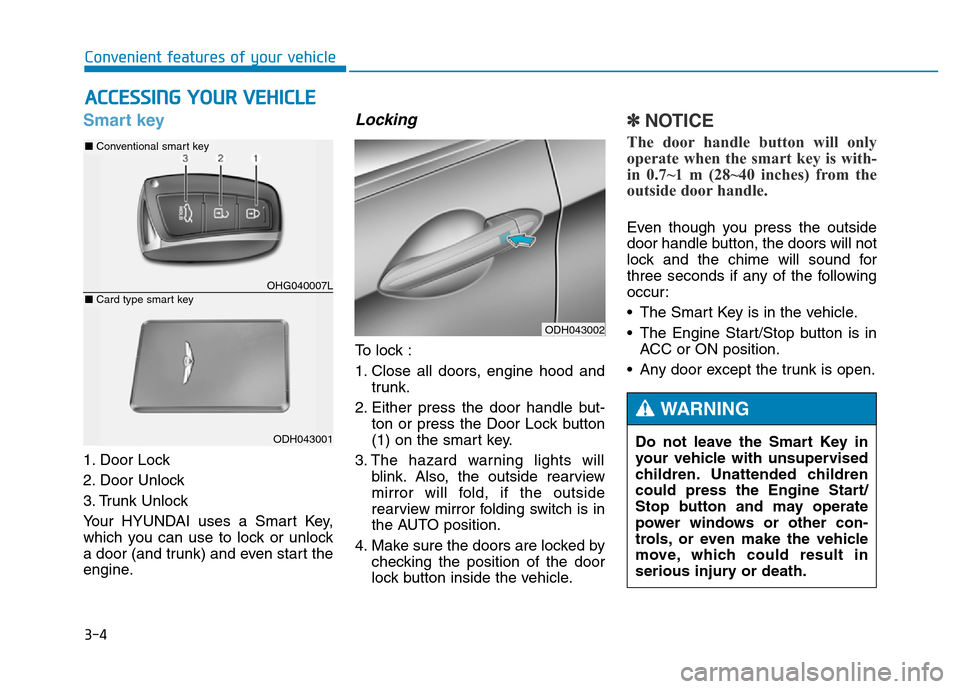
Smart key
1. Door Lock
2. Door Unlock
3. Trunk Unlock
Your HYUNDAI uses a Smart Key,
which you can use to lock or unlock
a door (and trunk) and even start the
engine.
Locking
To lock :
1. Close all doors, engine hood and
trunk.
2. Either press the door handle but-
ton or press the Door Lock button
(1) on the smart key.
3. The hazard warning lights will
blink. Also, the outside rearview
mirror will fold, if the outside
rearview mirror folding switch is in
the AUTO position.
4. Make sure the doors are locked by
checking the position of the door
lock button inside the vehicle.
✽NOTICE
The door handle button will only
operate when the smart key is with-
in 0.7~1 m (28~40 inches) from the
outside door handle.
Even though you press the outside
door handle button, the doors will not
lock and the chime will sound for
three seconds if any of the following
occur:
• The Smart Key is in the vehicle.
• The Engine Start/Stop button is in
ACC or ON position.
• Any door except the trunk is open.
ACCESSING YOUR VEHICLE
ODH043002
Do not leave the Smart Key in
your vehicle with unsupervised
children. Unattended children
could press the Engine Start/
Stop button and may operate
power windows or other con-
trols, or even make the vehicle
move, which could result in
serious injury or death.
WARNING
OHG040007L
■Conventional smart key
ODH043001
■Card type smart key
Page 96 of 546
3-5
Convenient features of your vehicle
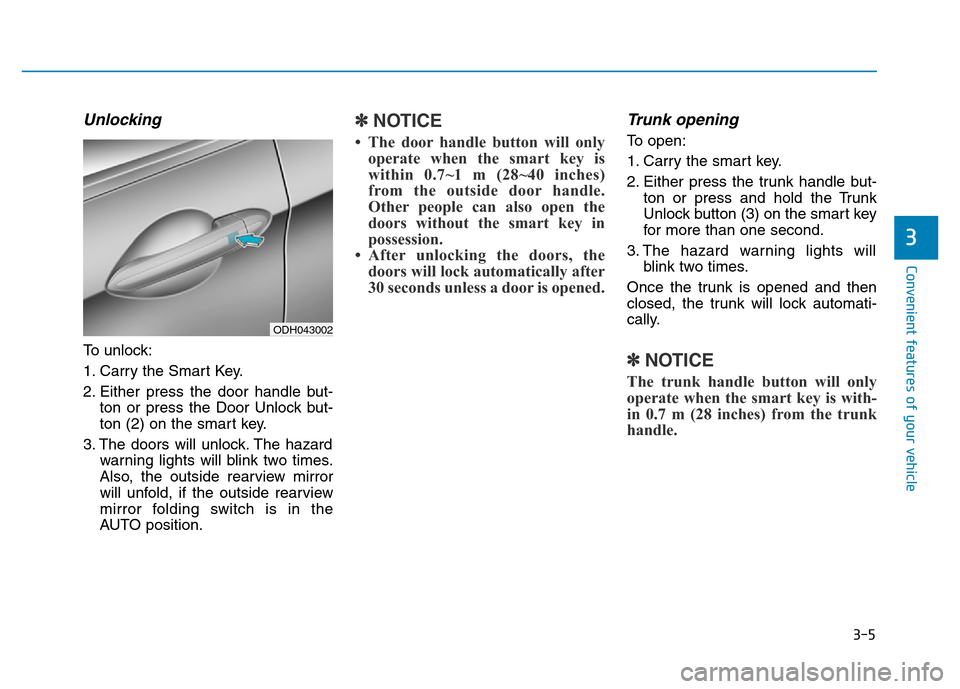
Unlocking
To unlock:
1. Carry the Smart Key.
2. Either press the door handle but-
ton or press the Door Unlock but-
ton (2) on the smart key.
3. The doors will unlock. The hazard
warning lights will blink two times.
Also, the outside rearview mirror
will unfold, if the outside rearview
mirror folding switch is in the
AUTO position.
✽NOTICE
• The door handle button will only
operate when the smart key is
within 0.7~1 m (28~40 inches)
from the outside door handle.
Other people can also open the
doors without the smart key in
possession.
• After unlocking the doors, the
doors will lock automatically after
30 seconds unless a door is opened.
Trunk opening
To open:
1. Carry the smart key.
2. Either press the trunk handle but-
ton or press and hold the Trunk
Unlock button (3) on the smart key
for more than one second.
3. The hazard warning lights will
blink two times.
Once the trunk is opened and then
closed, the trunk will lock automati-
cally.
✽NOTICE
The trunk handle button will only
operate when the smart key is with-
in 0.7 m (28 inches) from the trunk
handle.
3
ODH043002
Page 107 of 546
3-16
The Driver Position Memory System
is provided to store and recall the fol-
lowing memory settings with a sim-
ple button operation.
- Driver's seat position
- Outside rearview mirror position
- Steering wheel position
- Instrument panel illumination intensity
- Head Up Display (HUD) position
and brightness✽NOTICE
• If the battery is disconnected, the
memory settings will be erased.
• If the Driver Position Memory
System does not operate normally,
we recommend that you have the
system checked by an authorized
HYUNDAI dealer.
Storing memory positions
1. Move the shift lever into P (Park)
while the Engine Start/Stop button
is in the ON position.
2. Adjust the driver's seat position,
outside rearview mirror position,
steering wheel position, instru-
ment panel illumination intensity
and head-up display height/bright-
ness to the desired position.
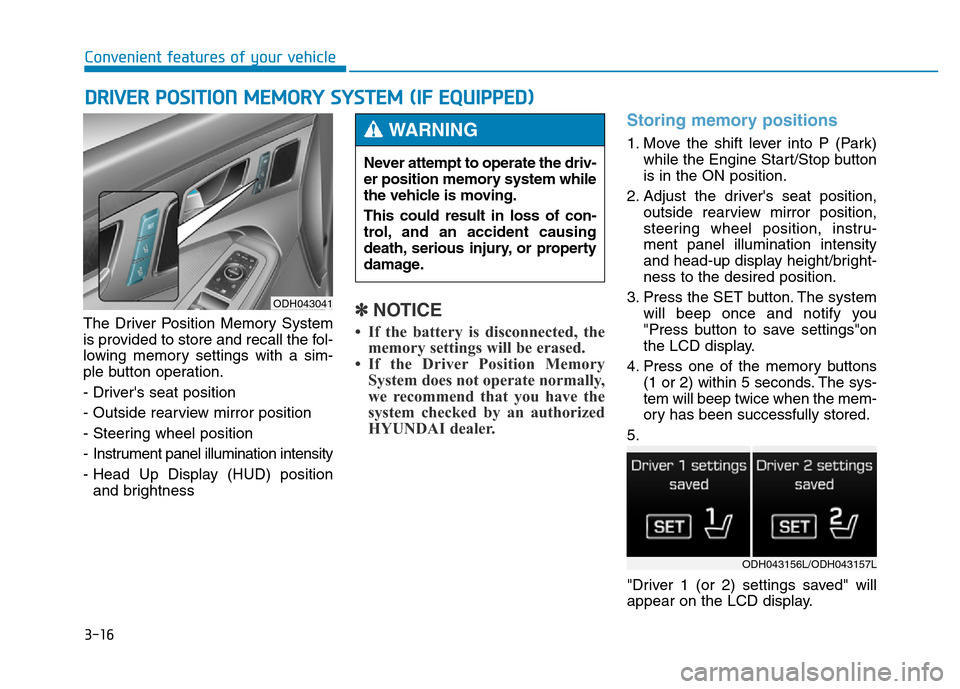
3. Press the SET button. The system
will beep once and notify you
"Press button to save settings"on
the LCD display.
4. Press one of the memory buttons
(1 or 2) within 5 seconds. The sys-
tem will beep twice when the mem-
ory has been successfully stored.
5.
"Driver 1 (or 2) settings saved" will
appear on the LCD display.
DRIVER POSITION MEMORY SYSTEM (IF EQUIPPED)
Convenient features of your vehicle
ODH043041
Never attempt to operate the driv-
er position memory system while
the vehicle is moving.
This could result in loss of con-
trol, and an accident causing
death, serious injury, or property
damage.
WARNING
ODH043156L/ODH043157L
Page 108 of 546
3-17
Convenient features of your vehicle
Recalling memory position
1. Move the shift lever into P (Park)
while the Engine Start/Stop button
is in the ON position.
2. Press the desired memory button
(1 or 2). The system will beep
once, and then the driver's seat
position, outside rearview mirror
position, steering wheel position,
instrument panel illumination
intensity and head-up display
height/brightness will automatical-
ly adjust to the stored positions.
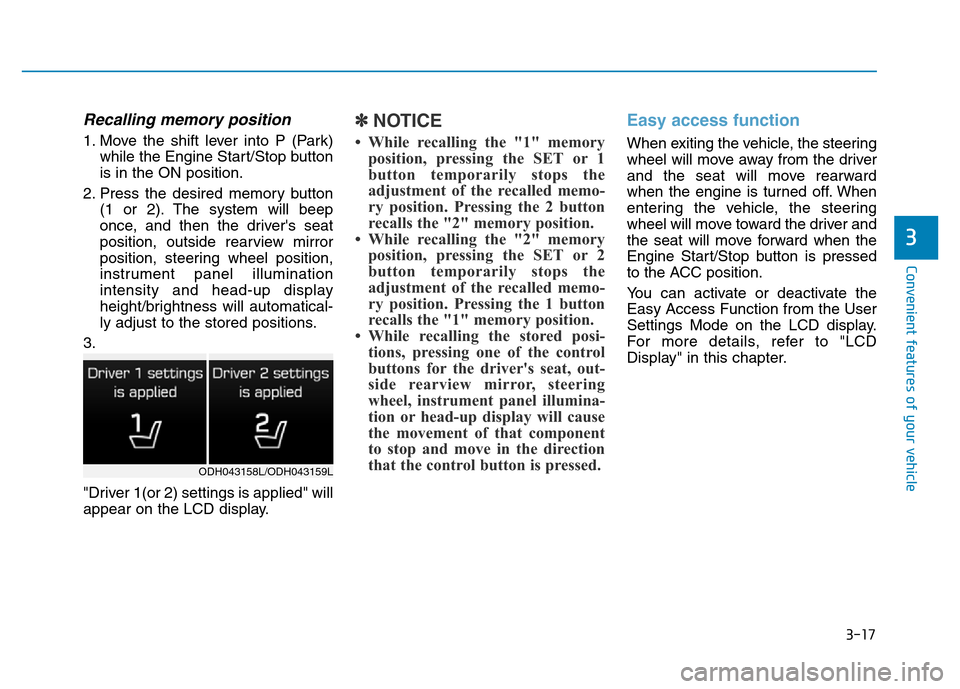
3.
"Driver 1(or 2) settings is applied" will
appear on the LCD display.
✽NOTICE
• While recalling the "1" memory
position, pressing the SET or 1
button temporarily stops the
adjustment of the recalled memo-
ry position. Pressing the 2 button
recalls the "2" memory position.
• While recalling the "2" memory
position, pressing the SET or 2
button temporarily stops the
adjustment of the recalled memo-
ry position. Pressing the 1 button
recalls the "1" memory position.
• While recalling the stored posi-
tions, pressing one of the control
buttons for the driver's seat, out-
side rearview mirror, steering
wheel, instrument panel illumina-
tion or head-up display will cause
the movement of that component
to stop and move in the direction
that the control button is pressed.
Easy access function
When exiting the vehicle, the steering
wheel will move away from the driver
and the seat will move rearward
when the engine is turned off. When
entering the vehicle, the steering
wheel will move toward the driver and
the seat will move forward when the
Engine Start/Stop button is pressed
to the ACC position.
You can activate or deactivate the
Easy Access Function from the User
Settings Mode on the LCD display.
For more details, refer to "LCD
Display" in this chapter.
3
ODH043158L/ODH043159L
Page 112 of 546
3-21
Convenient features of your vehicle
3
MIRRORS
Inside rearview mirror
Before you start driving, adjust the
rearview mirror to the center on the
view through the rear window.
Electric chromic Mirror (ECM)
(if equipped)
The electric rearview mirror automati-
cally controls the glare from the head-
lamp of the car behind you in night-
time or low light driving conditions.
When the engine is running, the
glare is automatically controlled by
the sensor mounted in the rearview
mirror. The sensor detects the light
level around the vehicle, and auto-
matically adjusts to control the head-
lamp glare from vehicles behind you.
Whenever the shift lever is placed in
R (Reverse), the mirror will automat-
ically go to the brightest setting in
order to improve the drivers view
behind the vehicle. Make sure your line of sight is
not obstructed. Do not place
objects in the rear seat, cargo
area, or behind the rear head-
rests which could interfere with
your vision through the rear
window.
WARNING
To prevent serious injury during
an accident or deployment of
the air bag, do not modify the
rearview mirror and do not
install a wide mirror.
WARNING
NEVER adjust the mirror while
driving. This may cause loss of
vehicle control resulting in an
accident.
WARNING
Page 113 of 546
3-22
Convenient features of your vehicle
To operate the electric rearview
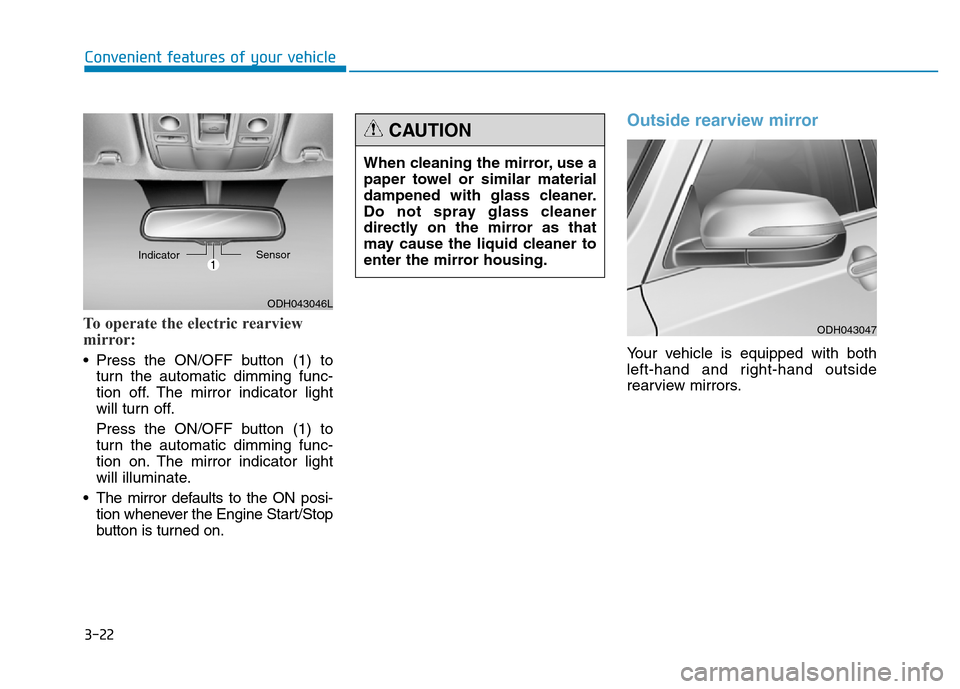
mirror:
• Press the ON/OFF button (1) to
turn the automatic dimming func-
tion off. The mirror indicator light
will turn off.
Press the ON/OFF button (1) to
turn the automatic dimming func-
tion on. The mirror indicator light
will illuminate.
• The mirror defaults to the ON posi-
tion whenever the Engine Start/Stop
button is turned on.
Outside rearview mirror
Your vehicle is equipped with both
left-hand and right-hand outside
rearview mirrors.
ODH043046L IndicatorSensor
When cleaning the mirror, use a
paper towel or similar material
dampened with glass cleaner.
Do not spray glass cleaner
directly on the mirror as that
may cause the liquid cleaner to
enter the mirror housing.
CAUTION
ODH043047
Page 114 of 546
3-23
Convenient features of your vehicle
3
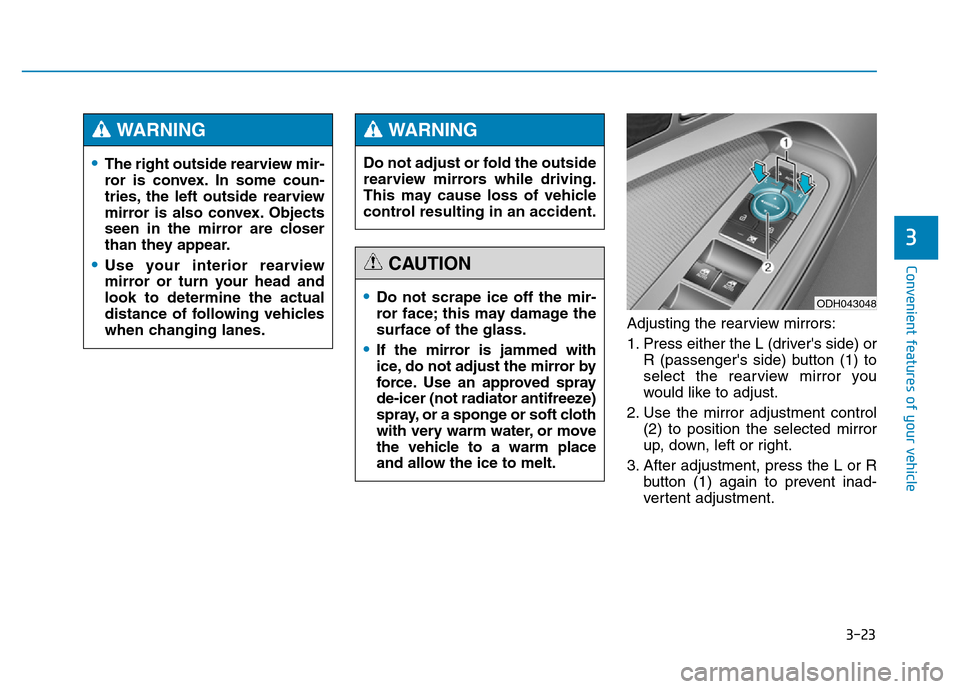
Adjusting the rearview mirrors:
1. Press either the L (driver's side) or
R (passenger's side) button (1) to
select the rearview mirror you
would like to adjust.
2. Use the mirror adjustment control
(2) to position the selected mirror
up, down, left or right.
3. After adjustment, press the L or R
button (1) again to prevent inad-
vertent adjustment.
•The right outside rearview mir-
ror is convex. In some coun-
tries, the left outside rearview
mirror is also convex. Objects
seen in the mirror are closer
than they appear.
•Use your interior rearview
mirror or turn your head and
look to determine the actual
distance of following vehicles
when changing lanes.
WARNING
Do not adjust or fold the outside
rearview mirrors while driving.
This may cause loss of vehicle
control resulting in an accident.
WARNING
•Do not scrape ice off the mir-
ror face; this may damage the
surface of the glass.
•If the mirror is jammed with
ice, do not adjust the mirror by
force. Use an approved spray
de-icer (not radiator antifreeze)
spray, or a sponge or soft cloth
with very warm water, or move
the vehicle to a warm place
and allow the ice to melt.
CAUTION
ODH043048