sensor Hyundai Genesis 2015 User Guide
[x] Cancel search | Manufacturer: HYUNDAI, Model Year: 2015, Model line: Genesis, Model: Hyundai Genesis 2015Pages: 501, PDF Size: 38.76 MB
Page 88 of 501
2-62
Safety system of your vehicle
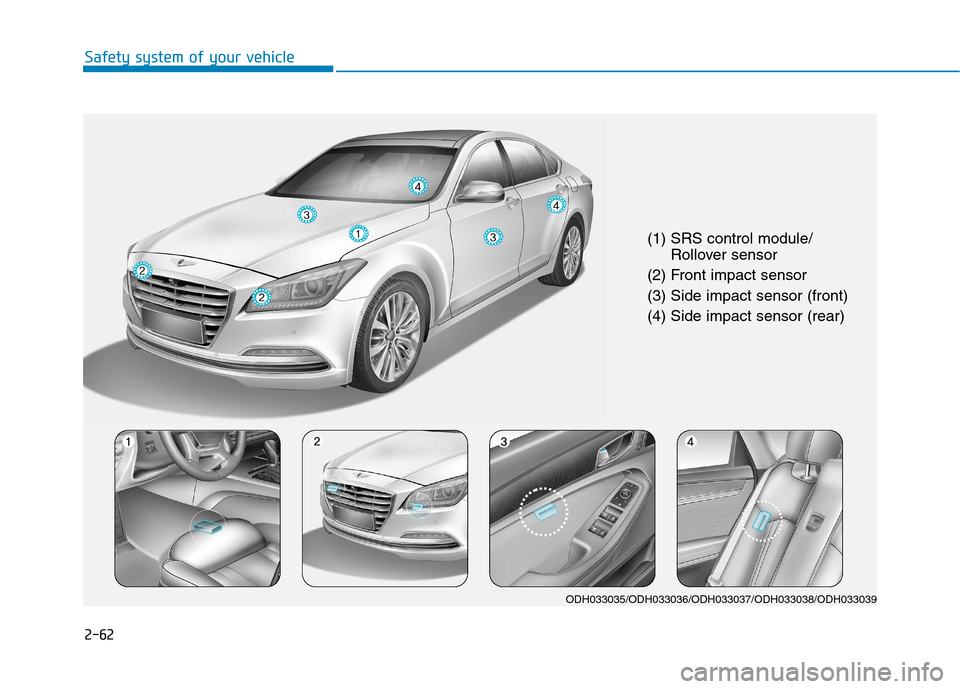
(1) SRS control module/
Rollover sensor
(2) Front impact sensor
(3) Side impact sensor (front)
(4) Side impact sensor (rear)
ODH033035/ODH033036/ODH033037/ODH033038/ODH033039
Page 89 of 501
2-63
Safety system of your vehicle
2
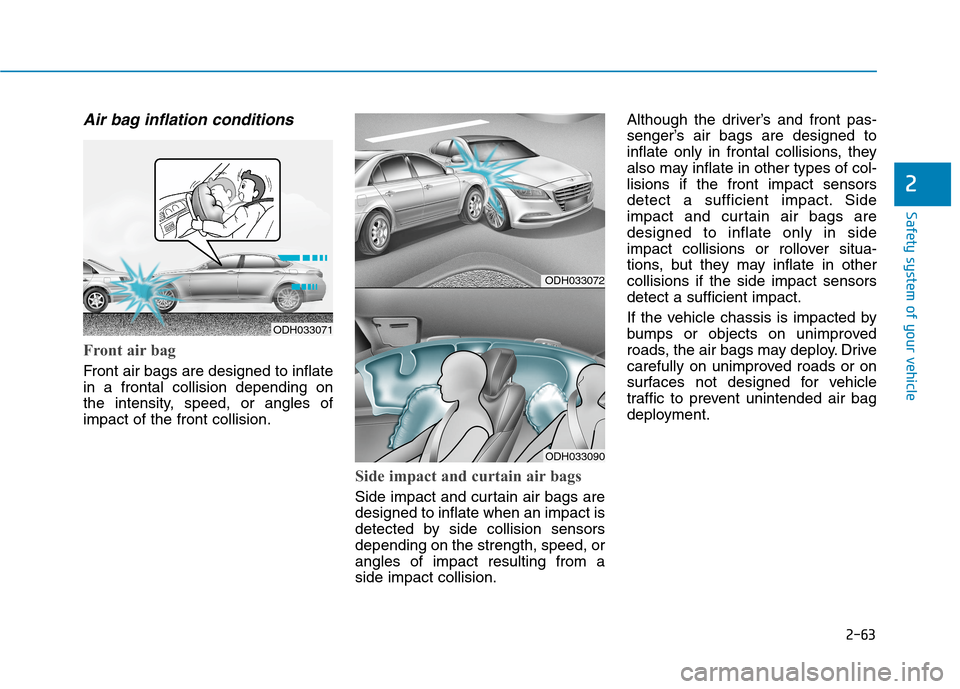
Air bag inflation conditions
Front air bag
Front air bags are designed to inflate
in a frontal collision depending on
the intensity, speed, or angles of
impact of the front collision.
Side impact and curtain air bags
Side impact and curtain air bags are
designed to inflate when an impact is
detected by side collision sensors
depending on the strength, speed, or
angles of impact resulting from a
side impact collision.Although the driver’s and front pas-
senger’s air bags are designed to
inflate only in frontal collisions, they
also may inflate in other types of col-
lisions if the front impact sensors
detect a sufficient impact. Side
impact and curtain air bags are
designed to inflate only in side
impact collisions or rollover situa-
tions, but they may inflate in other
collisions if the side impact sensors
detect a sufficient impact.
If the vehicle chassis is impacted by
bumps or objects on unimproved
roads, the air bags may deploy. Drive
carefully on unimproved roads or on
surfaces not designed for vehicle
traffic to prevent unintended air bag
deployment.
ODH033072
ODH033090
ODH033071
Page 91 of 501
2-65
Safety system of your vehicle
2
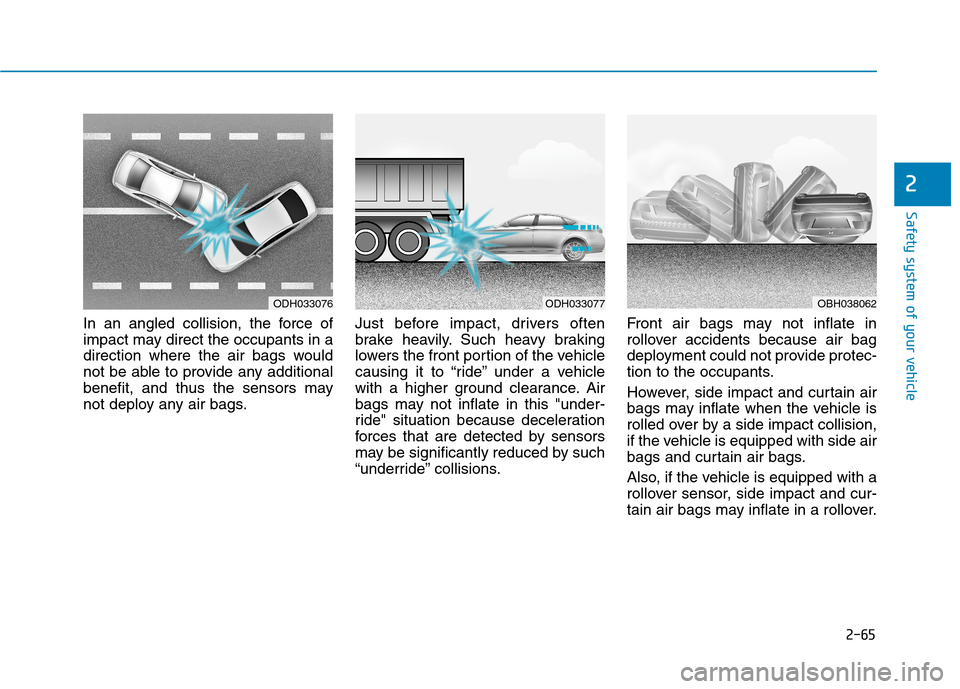
In an angled collision, the force of
impact may direct the occupants in a
direction where the air bags would
not be able to provide any additional
benefit, and thus the sensors may
not deploy any air bags.Just before impact, drivers often
brake heavily. Such heavy braking
lowers the front portion of the vehicle
causing it to “ride” under a vehicle
with a higher ground clearance. Air
bags may not inflate in this "under-
ride" situation because deceleration
forces that are detected by sensors
may be significantly reduced by such
“underride” collisions.Front air bags may not inflate in
rollover accidents because air bag
deployment could not provide protec-
tion to the occupants.
However, side impact and curtain air
bags may inflate when the vehicle is
rolled over by a side impact collision,
if the vehicle is equipped with side air
bags and curtain air bags.
Also, if the vehicle is equipped with a
rollover sensor, side impact and cur-
tain air bags may inflate in a rollover.
ODH033076ODH033077OBH038062
Page 116 of 501
3-22
Convenient features of your vehicle
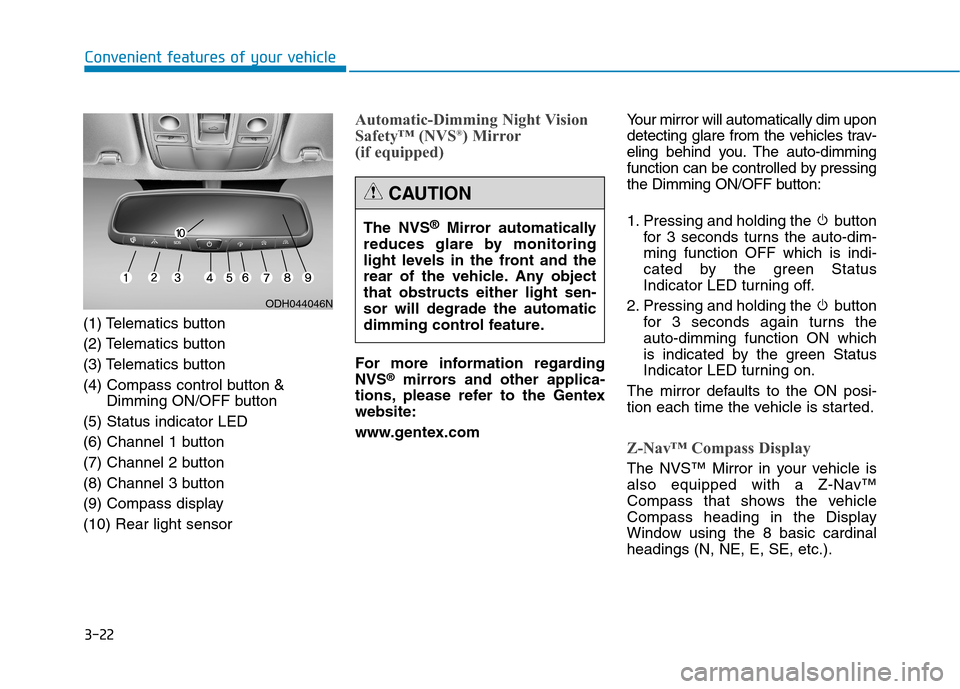
(1) Telematics button
(2) Telematics button
(3) Telematics button
(4) Compass control button &
Dimming ON/OFF button
(5) Status indicator LED
(6) Channel 1 button
(7) Channel 2 button
(8) Channel 3 button
(9) Compass display
(10) Rear light sensor
Automatic-Dimming Night Vision
Safety™ (NVS®) Mirror
(if equipped)
For more information regarding
NVS®mirrors and other applica-
tions, please refer to the Gentex
website:
www.gentex.comYour mirror will automatically dim upon
detecting glare from the vehicles trav-
eling behind you. The auto-dimming
function can be controlled by pressing
the Dimming ON/OFF button:
1. Pressing and holding the button
for 3 seconds turns the auto-dim-
ming function OFF which is indi-
cated by the green Status
Indicator LED turning off.
2. Pressing and holding the button
for 3 seconds again turns the
auto-dimming function ON which
is indicated by the green Status
Indicator LED turning on.
The mirror defaults to the ON posi-
tion each time the vehicle is started.
Z-Nav™ Compass Display
The NVS™ Mirror in your vehicle is
also equipped with a Z-Nav™
Compass that shows the vehicle
Compass heading in the Display
Window using the 8 basic cardinal
headings (N, NE, E, SE, etc.).
ODH044046N
The NVS®Mirror automatically
reduces glare by monitoring
light levels in the front and the
rear of the vehicle. Any object
that obstructs either light sen-
sor will degrade the automatic
dimming control feature.
CAUTION
Page 123 of 501
3-29
Convenient features of your vehicle
3
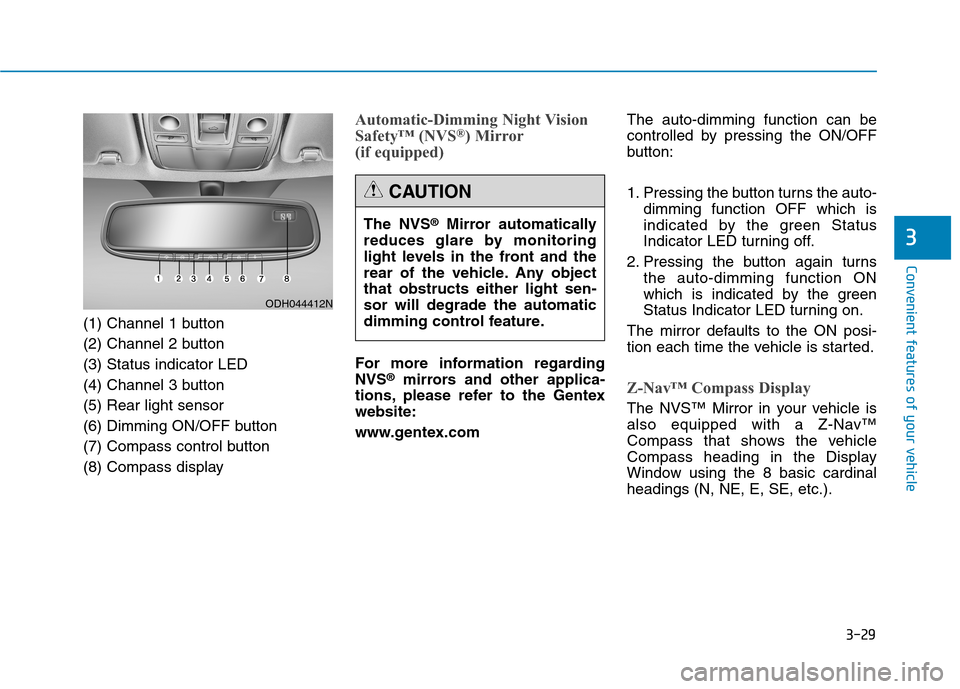
(1) Channel 1 button
(2) Channel 2 button
(3) Status indicator LED
(4) Channel 3 button
(5) Rear light sensor
(6) Dimming ON/OFF button
(7) Compass control button
(8) Compass display
Automatic-Dimming Night Vision
Safety™ (NVS®) Mirror
(if equipped)
For more information regarding
NVS®mirrors and other applica-
tions, please refer to the Gentex
website:
www.gentex.comThe auto-dimming function can be
controlled by pressing the ON/OFF
button:
1. Pressing the button turns the auto-
dimming function OFF which is
indicated by the green Status
Indicator LED turning off.
2. Pressing the button again turns
the auto-dimming function ON
which is indicated by the green
Status Indicator LED turning on.
The mirror defaults to the ON posi-
tion each time the vehicle is started.Z-Nav™ Compass Display
The NVS™ Mirror in your vehicle is
also equipped with a Z-Nav™
Compass that shows the vehicle
Compass heading in the Display
Window using the 8 basic cardinal
headings (N, NE, E, SE, etc.). The NVS
®Mirror automatically
reduces glare by monitoring
light levels in the front and the
rear of the vehicle. Any object
that obstructs either light sen-
sor will degrade the automatic
dimming control feature.
CAUTION
ODH044412N
Page 180 of 501
3-86
Convenient features of your vehicle
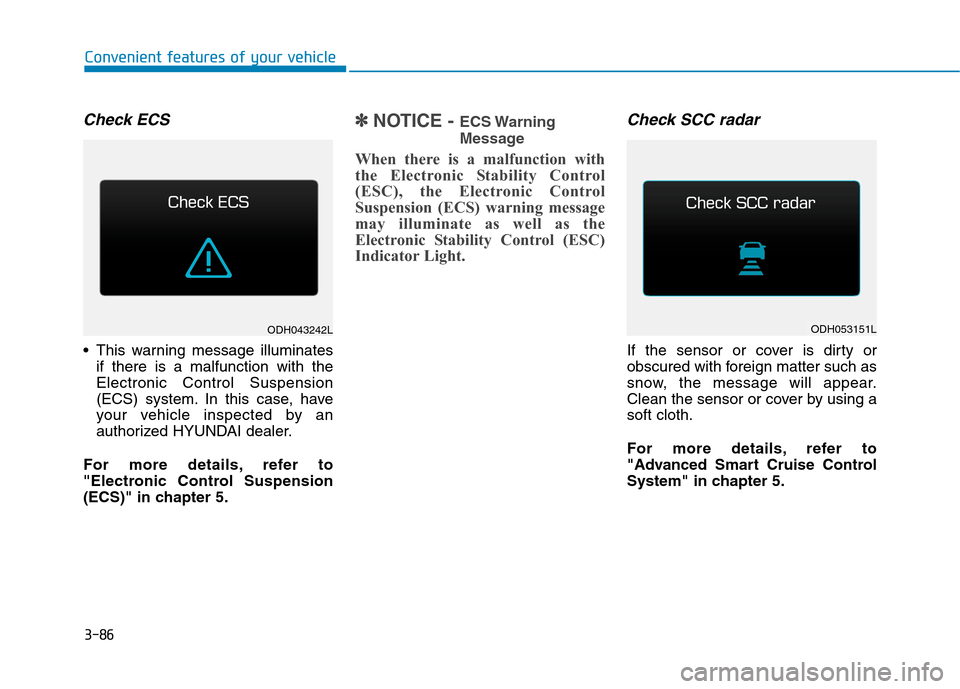
Check ECS
This warning message illuminates
if there is a malfunction with the
Electronic Control Suspension
(ECS) system. In this case, have
your vehicle inspected by an
authorized HYUNDAI dealer.
For more details, refer to
"Electronic Control Suspension
(ECS)" in chapter 5.
✽ ✽
NOTICE - ECS Warning
Message
When there is a malfunction with
the Electronic Stability Control
(ESC), the Electronic Control
Suspension (ECS) warning message
may illuminate as well as the
Electronic Stability Control (ESC)
Indicator Light.
Check SCC radar
If the sensor or cover is dirty or
obscured with foreign matter such as
snow, the message will appear.
Clean the sensor or cover by using a
soft cloth.
For more details, refer to
"Advanced Smart Cruise Control
System" in chapter 5.
ODH043242LODH053151L
Page 182 of 501
3-88
Convenient features of your vehicle
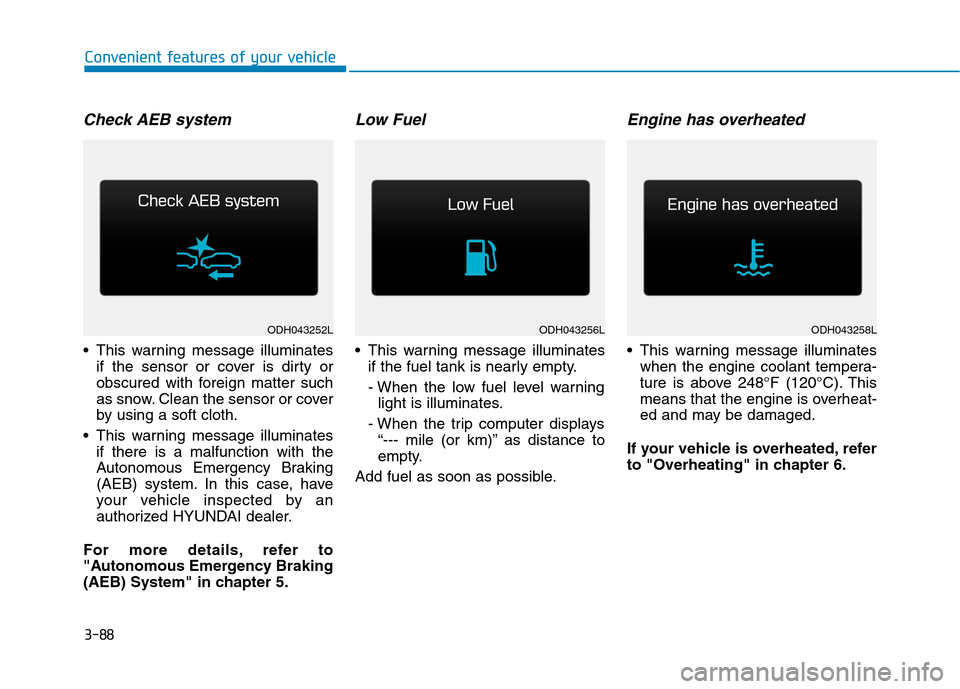
Check AEB system
This warning message illuminates
if the sensor or cover is dirty or
obscured with foreign matter such
as snow. Clean the sensor or cover
by using a soft cloth.
This warning message illuminates
if there is a malfunction with the
Autonomous Emergency Braking
(AEB) system. In this case, have
your vehicle inspected by an
authorized HYUNDAI dealer.
For more details, refer to
"Autonomous Emergency Braking
(AEB) System" in chapter 5.
Low Fuel
This warning message illuminates
if the fuel tank is nearly empty.
- When the low fuel level warning
light is illuminates.
- When the trip computer displays
“--- mile (or km)” as distance to
empty.
Add fuel as soon as possible.
Engine has overheated
This warning message illuminates
when the engine coolant tempera-
ture is above 248°F (120°C). This
means that the engine is overheat-
ed and may be damaged.
If your vehicle is overheated, refer
to "Overheating" in chapter 6.
ODH043256LODH043258LODH043252L
Page 203 of 501
3-109
Convenient features of your vehicle
3
Exterior lights
Lighting control
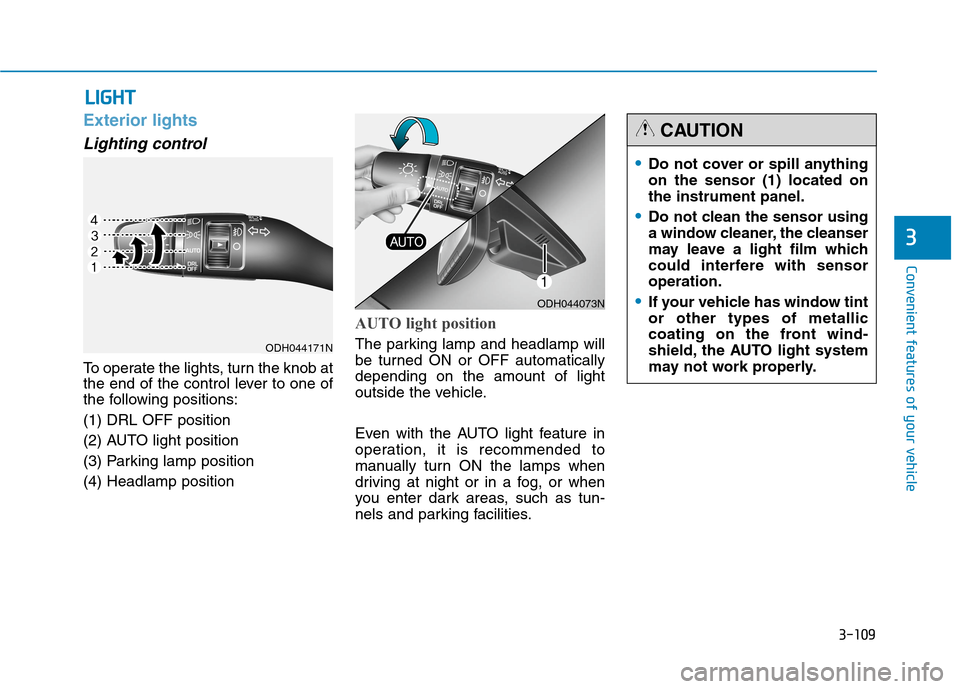
To operate the lights, turn the knob at
the end of the control lever to one of
the following positions:
(1) DRL OFF position
(2) AUTO light position
(3) Parking lamp position
(4) Headlamp position
AUTO light position
The parking lamp and headlamp will
be turned ON or OFF automatically
depending on the amount of light
outside the vehicle.
Even with the AUTO light feature in
operation, it is recommended to
manually turn ON the lamps when
driving at night or in a fog, or when
you enter dark areas, such as tun-
nels and parking facilities.
L LI
IG
GH
HT
T
ODH044073N
Do not cover or spill anything
on the sensor (1) located on
the instrument panel.
Do not clean the sensor using
a window cleaner, the cleanser
may leave a light film which
could interfere with sensor
operation.
If your vehicle has window tint
or other types of metallic
coating on the front wind-
shield, the AUTO light system
may not work properly.
CAUTION
ODH044171N
Page 216 of 501
3-122
Convenient features of your vehicle
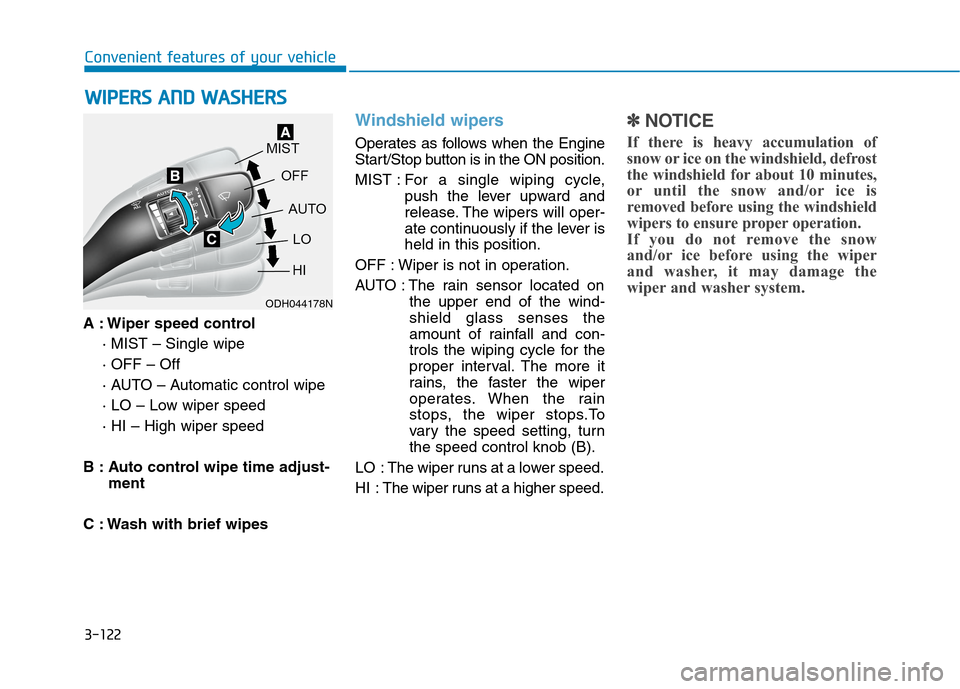
A : Wiper speed control
· MIST – Single wipe
· OFF – Off
· AUTO – Automatic control wipe
· LO – Low wiper speed
· HI – High wiper speed
B : Auto control wipe time adjust-
ment
C : Wash with brief wipes
Windshield wipers
Operates as follows when the Engine
Start/Stop button is in the ON position.
MIST : For a single wiping cycle,
push the lever upward and
release. The wipers will oper-
ate continuously if the lever is
held in this position.
OFF : Wiper is not in operation.
AUTO : The rain sensor located on
the upper end of the wind-
shield glass senses the
amount of rainfall and con-
trols the wiping cycle for the
proper interval. The more it
rains, the faster the wiper
operates. When the rain
stops, the wiper stops.To
vary the speed setting, turn
the speed control knob (B).
LO : The wiper runs at a lower speed.
HI : The wiper runs at a higher speed.
✽ ✽
NOTICE
If there is heavy accumulation of
snow or ice on the windshield, defrost
the windshield for about 10 minutes,
or until the snow and/or ice is
removed before using the windshield
wipers to ensure proper operation.
If you do not remove the snow
and/or ice before using the wiper
and washer, it may damage the
wiper and washer system.
W WI
IP
PE
ER
RS
S
A
AN
ND
D
W
WA
AS
SH
HE
ER
RS
S
ODH044178N
Page 217 of 501
3-123
Convenient features of your vehicle
3
AUTO (Automatic) control
The rain sensor located on the upper
end of the windshield glass senses
the amount of rainfall and controls the
wiping cycle for the proper interval.
The more it rains, the faster the wiper
operates. When the rain stops, the
wiper stops. To vary the speed set-
ting, turn the speed control knob (B).
If the wiper switch is set in AUTO
mode when Engine Start/Stop button
is in the ON position, the wiper will
operate once to perform a self-check
of the system. Set the wiper to OFF
position when the wiper is not in use.To avoid personal injury from
the windshield wipers, when the
engine is running and the wind-
shield wiper switch is placed in
the AUTO mode:
Do not touch the upper end of
the windshield glass facing
the rain sensor.
Do not wipe the upper end of
the windshield glass with a
damp or wet cloth.
Do not put pressure on the
windshield glass.
WARNING
When washing the vehicle, set
the wiper switch in the OFF
position to stop the auto wiper
operation. The wiper may oper-
ate and be damaged if the
switch is set in the AUTO mode
while washing the vehicle.
Do not remove the sensor
cover located on the upper
end of the passenger side
windshield glass. Damage to
system parts could occur and
may not be covered by your
vehicle warranty.
CAUTION