LCD Hyundai Genesis 2015 Owner's Guide
[x] Cancel search | Manufacturer: HYUNDAI, Model Year: 2015, Model line: Genesis, Model: Hyundai Genesis 2015Pages: 501, PDF Size: 38.76 MB
Page 199 of 501
3-105
Convenient features of your vehicle
3
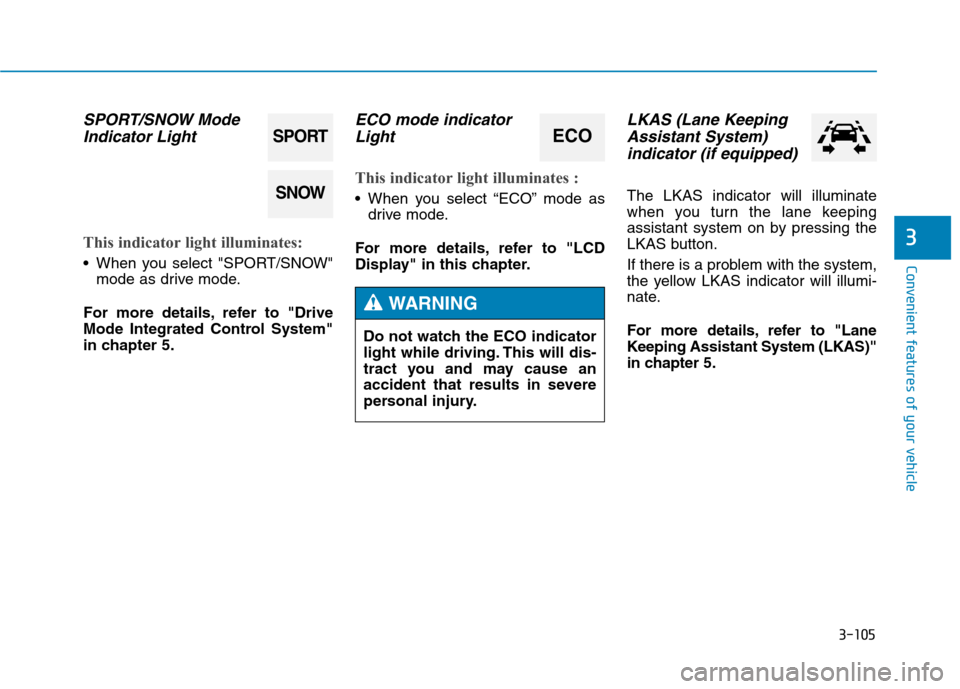
SPORT/SNOW Mode
Indicator Light
This indicator light illuminates:
When you select "SPORT/SNOW"
mode as drive mode.
For more details, refer to "Drive
Mode Integrated Control System"
in chapter 5.
ECO mode indicator
Light
This indicator light illuminates :
When you select “ECO” mode as
drive mode.
For more details, refer to "LCD
Display" in this chapter.
LKAS (Lane Keeping
Assistant System)
indicator (if equipped)
The LKAS indicator will illuminate
when you turn the lane keeping
assistant system on by pressing the
LKAS button.
If there is a problem with the system,
the yellow LKAS indicator will illumi-
nate.
For more details, refer to "Lane
Keeping Assistant System (LKAS)"
in chapter 5.
SPORT
SNOW
ECO
Do not watch the ECO indicator
light while driving. This will dis-
tract you and may cause an
accident that results in severe
personal injury.
WARNING
Page 200 of 501
3-106
Convenient features of your vehicle
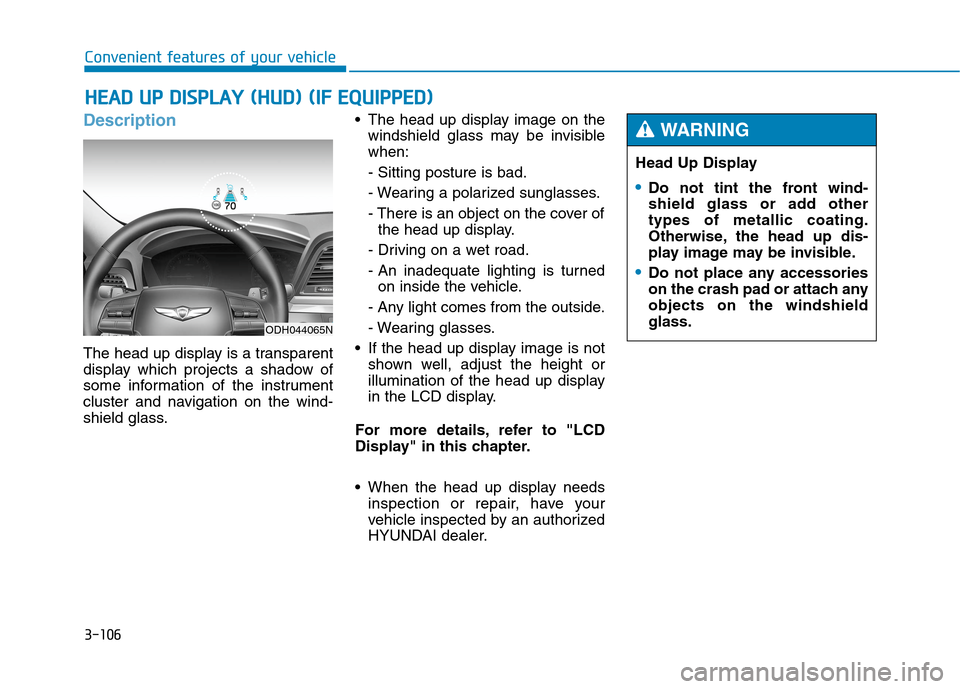
Description
The head up display is a transparent
display which projects a shadow of
some information of the instrument
cluster and navigation on the wind-
shield glass. The head up display image on the
windshield glass may be invisible
when:
- Sitting posture is bad.
- Wearing a polarized sunglasses.
- There is an object on the cover of
the head up display.
- Driving on a wet road.
- An inadequate lighting is turned
on inside the vehicle.
- Any light comes from the outside.
- Wearing glasses.
If the head up display image is not
shown well, adjust the height or
illumination of the head up display
in the LCD display.
For more details, refer to "LCD
Display" in this chapter.
When the head up display needs
inspection or repair, have your
vehicle inspected by an authorized
HYUNDAI dealer.
H HE
EA
AD
D
U
UP
P
D
DI
IS
SP
PL
LA
AY
Y
(
(H
HU
UD
D)
)
(
(I
IF
F
E
EQ
QU
UI
IP
PP
PE
ED
D)
)
Head Up Display
Do not tint the front wind-
shield glass or add other
types of metallic coating.
Otherwise, the head up dis-
play image may be invisible.
Do not place any accessories
on the crash pad or attach any
objects on the windshield
glass.
WARNING
ODH044065N
Page 202 of 501
3-108
Convenient features of your vehicle
7. Blind Spot Detection (BSD) sys-
tem information (if equipped)
8. Warning lights (Low fuel)
9. Audio/Video information
On the "User settings Mode" of the
LCD display, you can activate or
deactivate the Turn By Turn (TBT)
navigation, smart cruise control
(scc), Lane Keeping Assist
System(LKAS), and Blind Spot
Detection (BSD) system information.
✽ ✽
NOTICE
If you select the Turn By Turn
(TBT) navigation information as
HUD contents, the Turn By Turn
(TBT) navigation information will
not be displayed on the LCD
Display.
Head Up Display Setting
On the LCD display, you can change
the head up display settings as fol-
lows.
1. Head up display ON/OFF
2. Display height
3. Illumination
4. Contents setting
5. Speedometer number size
6. Speedometer number color
For more details, refer to "LCD
Display" in this chapter.
Page 207 of 501
3-113
Convenient features of your vehicle
3
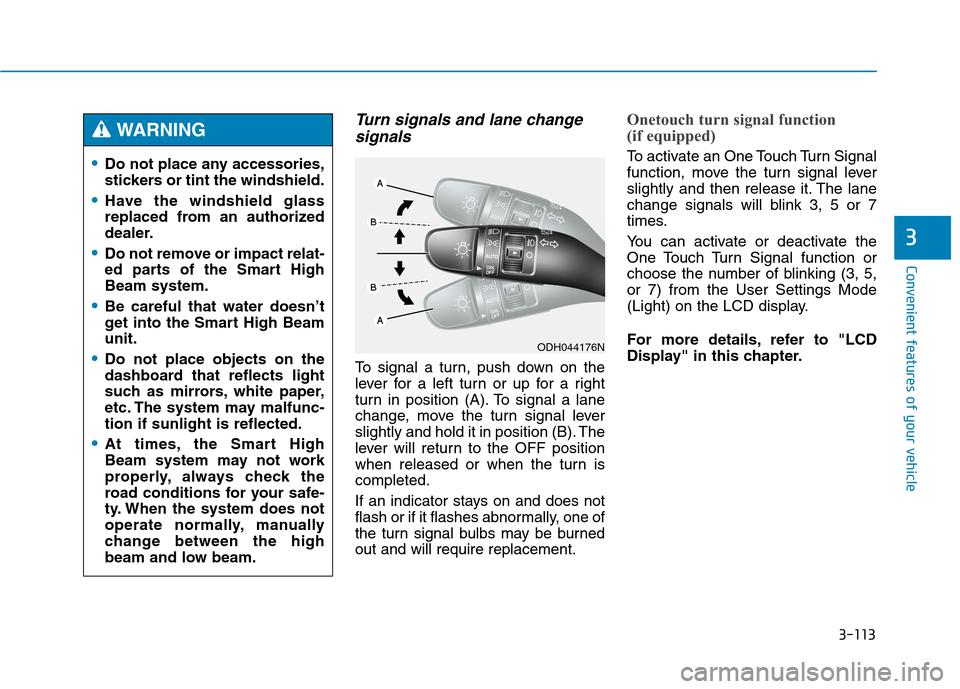
Turn signals and lane change
signals
To signal a turn, push down on the
lever for a left turn or up for a right
turn in position (A). To signal a lane
change, move the turn signal lever
slightly and hold it in position (B). The
lever will return to the OFF position
when released or when the turn is
completed.
If an indicator stays on and does not
flash or if it flashes abnormally, one of
the turn signal bulbs may be burned
out and will require replacement.
Onetouch turn signal function
(if equipped)
To activate an One Touch Turn Signal
function, move the turn signal lever
slightly and then release it. The lane
change signals will blink 3, 5 or 7
times.
You can activate or deactivate the
One Touch Turn Signal function or
choose the number of blinking (3, 5,
or 7) from the User Settings Mode
(Light) on the LCD display.
For more details, refer to "LCD
Display" in this chapter.Do not place any accessories,
stickers or tint the windshield.
Have the windshield glass
replaced from an authorized
dealer.
Do not remove or impact relat-
ed parts of the Smart High
Beam system.
Be careful that water doesn’t
get into the Smart High Beam
unit.
Do not place objects on the
dashboard that reflects light
such as mirrors, white paper,
etc. The system may malfunc-
tion if sunlight is reflected.
At times, the Smart High
Beam system may not work
properly, always check the
road conditions for your safe-
ty. When the system does not
operate normally, manually
change between the high
beam and low beam.
WARNING
ODH044176N
Page 208 of 501
3-114
Convenient features of your vehicle
Front fog lamp (if equipped)
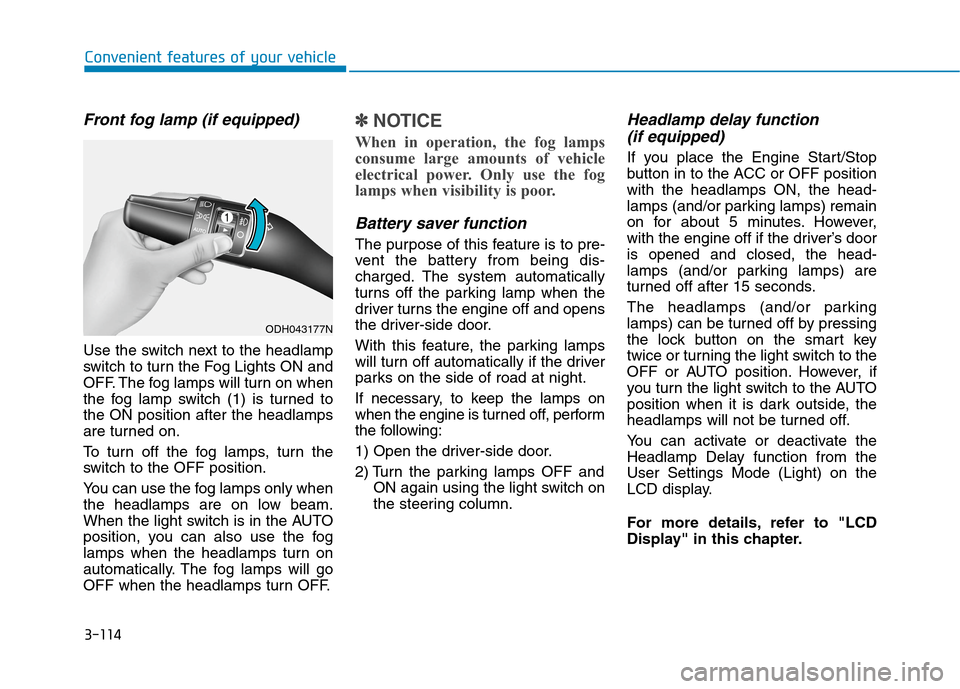
Use the switch next to the headlamp
switch to turn the Fog Lights ON and
OFF. The fog lamps will turn on when
the fog lamp switch (1) is turned to
the ON position after the headlamps
are turned on.
To turn off the fog lamps, turn the
switch to the OFF position.
You can use the fog lamps only when
the headlamps are on low beam.
When the light switch is in the AUTO
position, you can also use the fog
lamps when the headlamps turn on
automatically. The fog lamps will go
OFF when the headlamps turn OFF.
✽ ✽
NOTICE
When in operation, the fog lamps
consume large amounts of vehicle
electrical power. Only use the fog
lamps when visibility is poor.
Battery saver function
The purpose of this feature is to pre-
vent the battery from being dis-
charged. The system automatically
turns off the parking lamp when the
driver turns the engine off and opens
the driver-side door.
With this feature, the parking lamps
will turn off automatically if the driver
parks on the side of road at night.
If necessary, to keep the lamps on
when the engine is turned off, perform
the following:
1) Open the driver-side door.
2) Turn the parking lamps OFF and
ON again using the light switch on
the steering column.
Headlamp delay function
(if equipped)
If you place the Engine Start/Stop
button in to the ACC or OFF position
with the headlamps ON, the head-
lamps (and/or parking lamps) remain
on for about 5 minutes. However,
with the engine off if the driver’s door
is opened and closed, the head-
lamps (and/or parking lamps) are
turned off after 15 seconds.
The headlamps (and/or parking
lamps) can be turned off by pressing
the lock button on the smart key
twice or turning the light switch to the
OFF or AUTO position. However, if
you turn the light switch to the AUTO
position when it is dark outside, the
headlamps will not be turned off.
You can activate or deactivate the
Headlamp Delay function from the
User Settings Mode (Light) on the
LCD display.
For more details, refer to "LCD
Display" in this chapter.
ODH043177N
Page 211 of 501
3-117
Convenient features of your vehicle
3
Headlamp and Parking lamp
When the headlamp (lamp switch in
the headlamp or AUTO position) is on
and all doors (and trunk) are locked
and closed, the parking lamp and
headlamp will come on for 15 seconds
if/or any of the below is performed.
When the door unlock button is
pressed on the smart key.
At this time, if you press the door lock
or unlock button on the smart key the
parking lamp and headlamp will turn
off immediately.
You can activate or deactivate the
Welcome Light from the User
Settings Mode (Light) on the LCD
display.
For more details, refer to "LCD
Display" in this chapter.
Interior lamp
When the interior lamp switch is in
the DOOR position and all doors (and
trunk) are closed and locked, the
room lamp will come on for 30 sec-
onds if any of the below is performed.
When the door unlock button is
pressed on the smart key.
When the button of the outside
door handle is pressed.
At this time, if you press the door lock
or unlock button on the smart key the
room lamp will turn off immediately.
Interior lights
Do not use the interior lights
when driving in the dark. The inte-
rior lights may obscure your view
and cause an accident.
WARNING
Do not use the interior lights for
extended periods when the
engine is turned off or the bat-
tery will discharge.
CAUTION
Page 295 of 501
![Hyundai Genesis 2015 Owners Guide 5-35
Driving your vehicle
5
AUTO HOLD conditions not met.
Close door, hood, trunk, and fasten
seatbelt
When you press the [AUTO HOLD]
switch, if the drivers door, engine
hood and trunk are not closed](/img/35/14663/w960_14663-294.png "Hyundai Genesis 2015 Owners Guide 5-35
Driving your vehicle
5
AUTO HOLD conditions not met.
Close door, hood, trunk, and fasten
seatbelt
When you press the [AUTO HOLD]
switch, if the drivers door, engine
hood and trunk are not closed")
5-35
Driving your vehicle
5
AUTO HOLD conditions not met.
Close door, hood, trunk, and fasten
seatbelt
When you press the [AUTO HOLD]
switch, if the driver's door, engine
hood and trunk are not closed or the
driver's seat belt is not fastened, a
warning will sound and a message
will appear on the LCD display. In
that time, press the [AUTO HOLD]
button after closing the driver's door,
engine hood and trunk and fastening
the seat belt.
Anti-lock Brake System (ABS)
ODH053055L
An Anti-Lock Braking System
(ABS) or an Electronic Stability
Control (ESC) system will not
prevent accidents due to
improper or dangerous driving
maneuvers. Even though vehi-
cle control is improved during
emergency braking, always
maintain a safe distance
between you and objects ahead
of you. Vehicle speeds should
always be reduced during
extreme road conditions. The
braking distance for cars
equipped with ABS or ESC may
be longer than for those without
these systems in the following
road conditions.
(Continued)
(Continued)
Drive your vehicle at reduced
speeds during the following
conditions:
Rough, gravel or snow-cov-
ered roads.
On roads where the road sur-
face is pitted or has different
surface height.
Tire chains are installed on
your vehicle.
The safety features of an ABS
or ESC equipped vehicle should
not be tested by high speed
driving or cornering. This could
endanger the safety of yourself
or others.
WARNING
Page 307 of 501
5-47
Driving your vehicle
5
Automatic emergency mode
change
In a critical situation, to help avoid
collisions, the Automatic Emergency
Mode automatically controls the
Electronic Control Suspension
(ECS) and Electronic Stability
Control (ESC). When the critical situ-
ation is over, the Electronic Control
Suspension (ECS) and Electronic
Stability Control (ESC) returns to its
previous status.
✽ ✽
NOTICE
• If the AEB is canceled from the
User Settings Mode or there is a
problem with the AEB system, the
Automatic Emergency Mode will
not work.
• If the ESC is off or there is a prob-
lem with the ESC system, the
Automatic Emergency Mode will
not work.
• The ESC must be on for the
Automatic Emergency Mode to
control ESC in collision situations.
To cancel the AEB
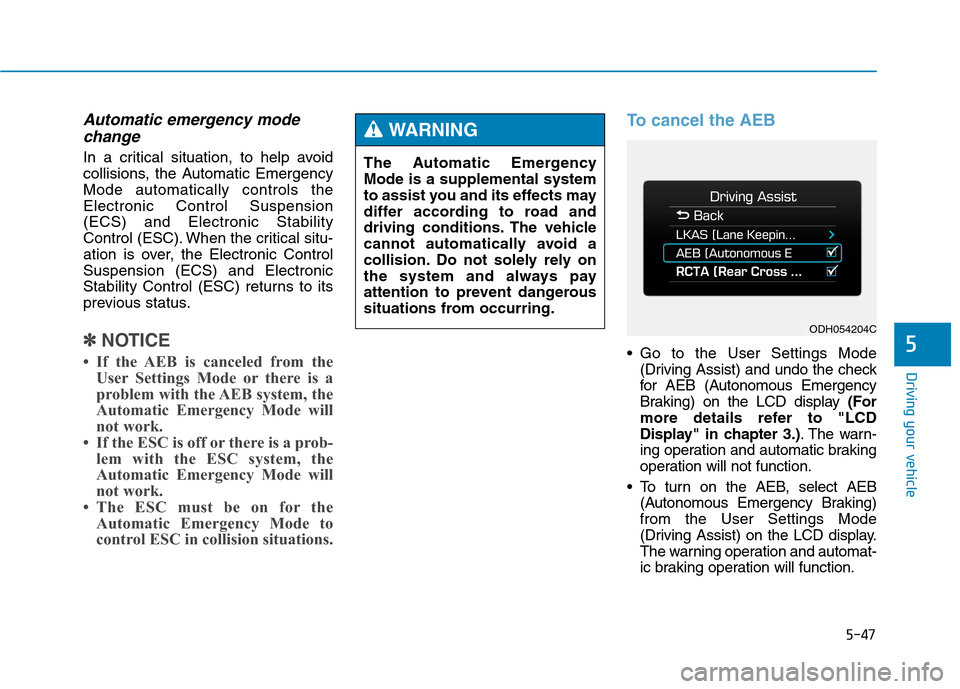
Go to the User Settings Mode
(Driving Assist) and undo the check
for AEB (Autonomous Emergency
Braking) on the LCD display (For
more details refer to "LCD
Display" in chapter 3.). The warn-
ing operation and automatic braking
operation will not function.
To turn on the AEB, select AEB
(Autonomous Emergency Braking)
from the User Settings Mode
(Driving Assist) on the LCD display.
The warning operation and automat-
ic braking operation will function. The Automatic Emergency
Mode is a supplemental system
to assist you and its effects may
differ according to road and
driving conditions. The vehicle
cannot automatically avoid a
collision. Do not solely rely on
the system and always pay
attention to prevent dangerous
situations from occurring.
WARNING
ODH054204C
Page 308 of 501
5-48
Driving your vehicle
✽ ✽
NOTICE
When the engine is started, AEB is
automatically turned on. If the sys-
tem is not needed, turn the AEB sys-
tem off from the User Settings Mode
on the LCD display.
Warning light and message
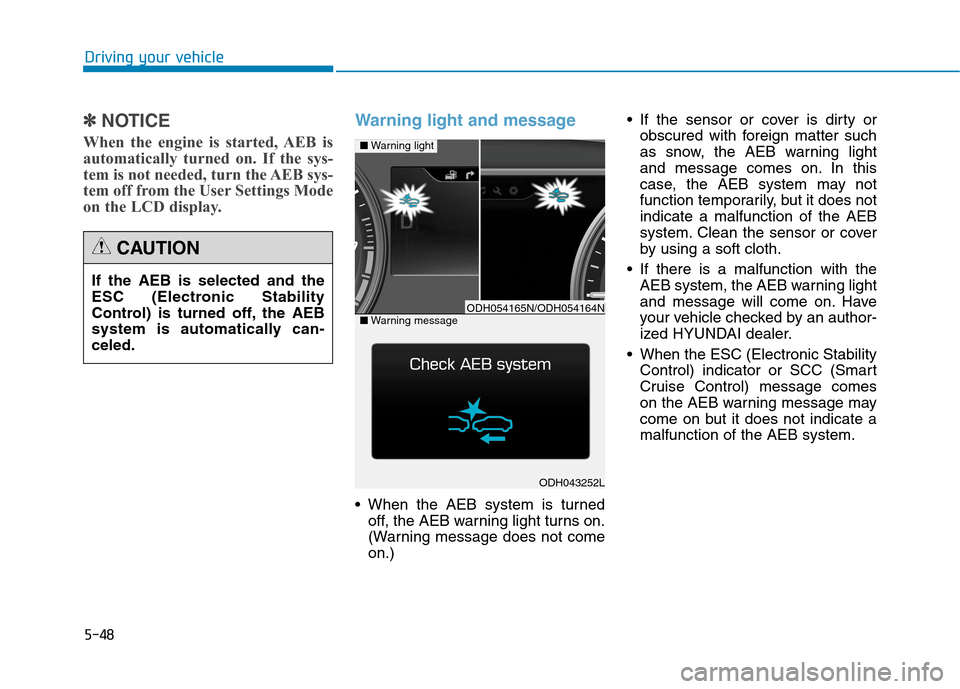
When the AEB system is turned
off, the AEB warning light turns on.
(Warning message does not come
on.) If the sensor or cover is dirty or
obscured with foreign matter such
as snow, the AEB warning light
and message comes on. In this
case, the AEB system may not
function temporarily, but it does not
indicate a malfunction of the AEB
system. Clean the sensor or cover
by using a soft cloth.
If there is a malfunction with the
AEB system, the AEB warning light
and message will come on. Have
your vehicle checked by an author-
ized HYUNDAI dealer.
When the ESC (Electronic Stability
Control) indicator or SCC (Smart
Cruise Control) message comes
on the AEB warning message may
come on but it does not indicate a
malfunction of the AEB system.
ODH043252L
■Warning light
■Warning messageODH054165N/ODH054164N
If the AEB is selected and the
ESC (Electronic Stability
Control) is turned off, the AEB
system is automatically can-
celed.
CAUTION
Page 316 of 501
5-56
Driving your vehicle
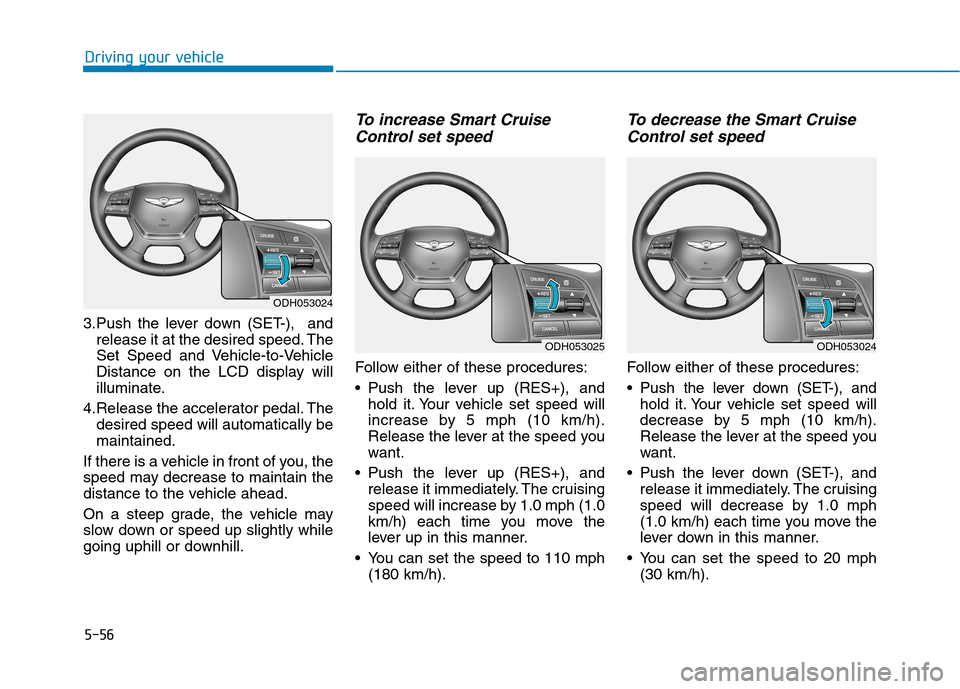
3.Push the lever down (SET-), and
release it at the desired speed. The
Set Speed and Vehicle-to-Vehicle
Distance on the LCD display will
illuminate.
4.Release the accelerator pedal. The
desired speed will automatically be
maintained.
If there is a vehicle in front of you, the
speed may decrease to maintain the
distance to the vehicle ahead.
On a steep grade, the vehicle may
slow down or speed up slightly while
going uphill or downhill.
To increase Smart Cruise
Control set speed
Follow either of these procedures:
Push the lever up (RES+), and
hold it. Your vehicle set speed will
increase by 5 mph (10 km/h).
Release the lever at the speed you
want.
Push the lever up (RES+), and
release it immediately. The cruising
speed will increase by 1.0 mph (1.0
km/h) each time you move the
lever up in this manner.
You can set the speed to 110 mph
(180 km/h).
To decrease the Smart Cruise
Control set speed
Follow either of these procedures:
Pushthe lever down (SET-), and
hold it. Your vehicle set speed will
decrease by 5 mph (10 km/h).
Release the lever at the speed you
want.
Push the lever down (SET-), and
release it immediately. The cruising
speed will decrease by 1.0 mph
(1.0 km/h) each time you move the
lever down in this manner.
You can set the speed to 20 mph
(30 km/h).
ODH053024
ODH053024
ODH053025