display Hyundai Genesis 2015 Workshop Manual
[x] Cancel search | Manufacturer: HYUNDAI, Model Year: 2015, Model line: Genesis, Model: Hyundai Genesis 2015Pages: 501, PDF Size: 38.76 MB
Page 234 of 501
3-140
Convenient features of your vehicle
Adjusting temperature and mode
of the driver & passenger side
individually (Type B)
Press the "SYNC" button again to
adjust the temperature and mode
of the driver & passenger side indi-
vidually. The illumination of button
turns off.
Operate the driver side tempera-
ture control knob to adjust the driv-
er side temperature.
Operate the driver side mode
selection button to adjust the direc-
tion of the driver side air flow.
Operate the passenger side tem-
perature control knob to adjust the
passenger side temperature.
Operate the passenger side mode
selection button to adjust the direc-
tion of the passenger side air flow.
Temperature conversion
If the battery has been discharged or
disconnected, the temperature mode
display will reset to Fahrenheit.
This is a normal condition. You can
switch the temperature mode between
Centigrade to Fahrenheit as follows;
- Automatic climate control system
While pressing the OFF button,
depress the AUTO button for 3 sec-
onds or more. The display will change
from Centigrade to Fahrenheit, or
from Fahrenheit to Centigrade.
- “User Setting mode” in the cluster :
You can change the temperature unit
in the “Other features – Temperature
unit”.
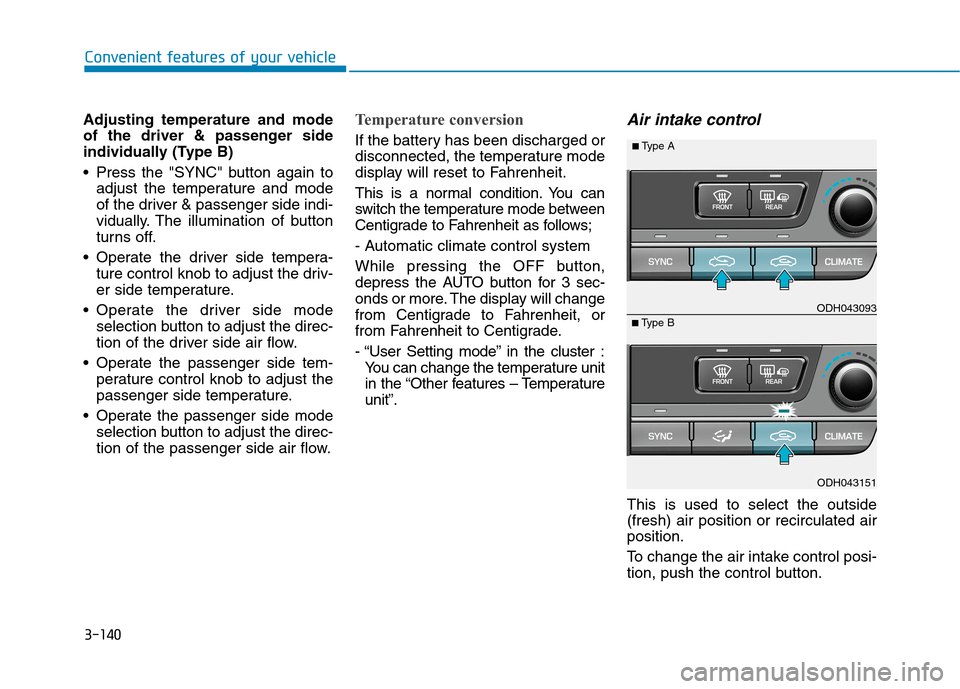
Air intake control
This is used to select the outside
(fresh) air position or recirculated air
position.
To change the air intake control posi-
tion, push the control button.
ODH043151
■Type BODH043093
■Type A
Page 244 of 501
3-150
Convenient features of your vehicle
C CL
LI
IM
MA
AT
TE
E
C
CO
ON
NT
TR
RO
OL
L
A
AD
DD
DI
IT
TI
IO
ON
NA
AL
L
F
FE
EA
AT
TU
UR
RE
ES
S
(
(I
IF
F
E
EQ
QU
UI
IP
PP
PE
ED
D)
)
Cluster ionizer
When the Engine Start/Stop button
is in the ON position, the clean air
function turns on automatically.
Also, the clean air function turns off
automatically, when the Engine
Start/Stop button is in the OFF posi-
tion.
Smart ventilation
When driving and the heater and air
conditioning system is off, the smart
ventilation system maintains pleas-
ant indoor aerial environment by
controlling the temperature, humidity
and CO2 of interior.
“SMART VENTILATION ON” mes-
sage is displayed on the AVN climate
monitor for 5 seconds when the
smart ventilation system operates.
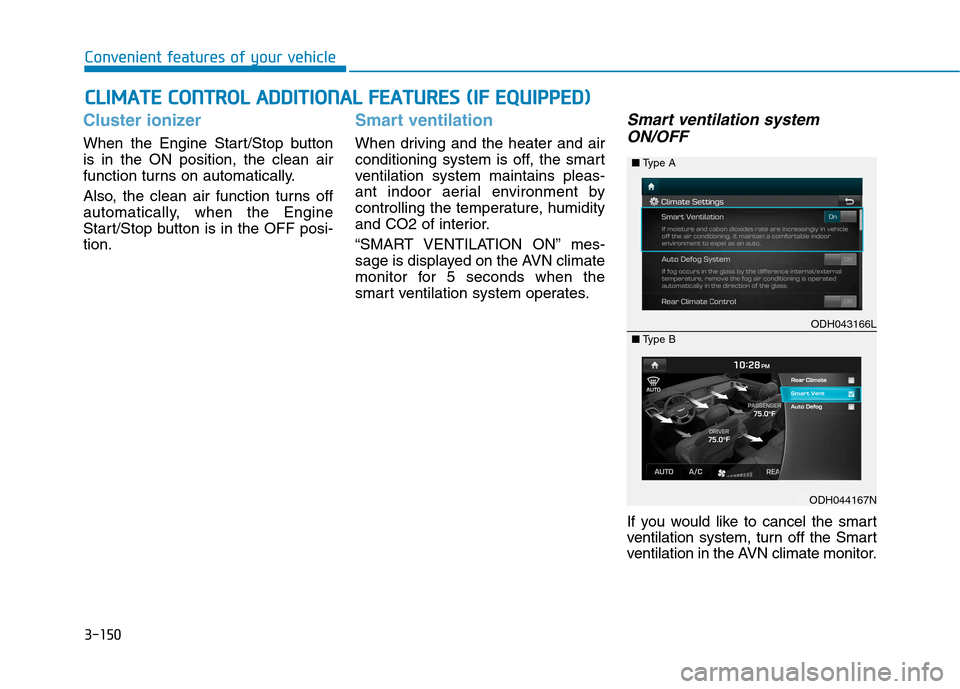
Smart ventilation system
ON/OFF
If you would like to cancel the smart
ventilation system, turn off the Smart
ventilation in the AVN climate monitor.
ODH043166L
ODH044167N ■Type A
■Type B
Page 245 of 501
3-151
Convenient features of your vehicle
3
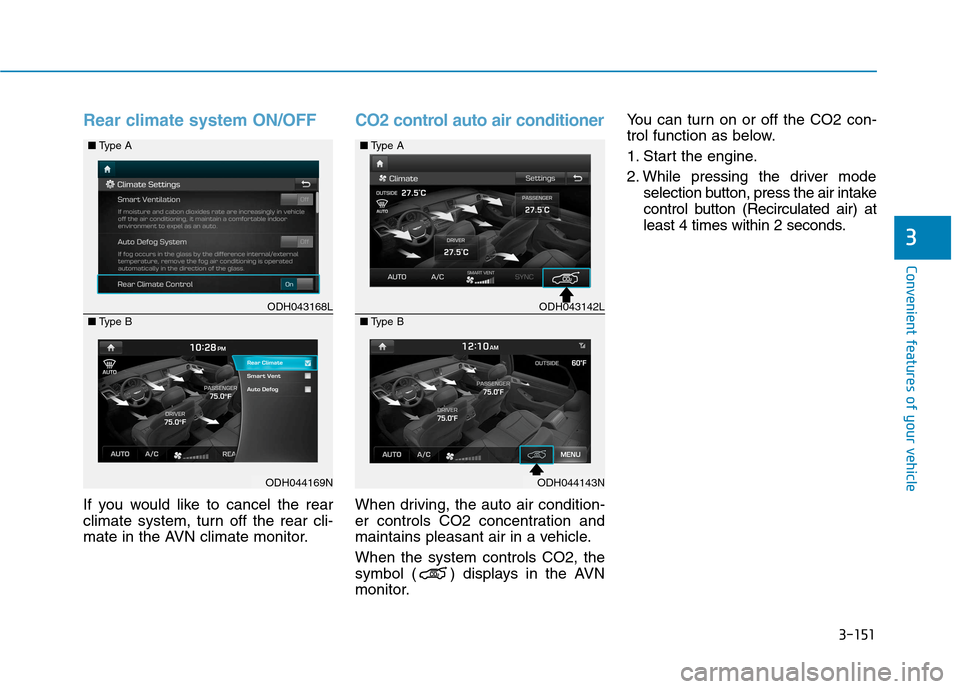
Rear climate system ON/OFF
If you would like to cancel the rear
climate system, turn off the rear cli-
mate in the AVN climate monitor.
CO2 control auto air conditioner
When driving, the auto air condition-
er controls CO2 concentration and
maintains pleasant air in a vehicle.
When the system controls CO2, the
symbol ( ) displays in the AVN
monitor.You can turn on or off the CO2 con-
trol function as below.
1. Start the engine.
2. While pressing the driver mode
selection button, press the air intake
control button (Recirculated air) at
least 4 times within 2 seconds.
ODH043168L
ODH044169N ■Type A
■Type B
ODH043142L
ODH044143N ■Type A
■Type B
Page 264 of 501
5-4
Driving your vehicle
Before entering the vehicle
• Be sure all windows, outside mir-
ror(s), and outside lights are clean
and unobstructed.
Remove frost, snow, or ice.
Visually check the tires for uneven
wear and damage.
Check under the vehicle for any
sign of leaks.
Be sure there are no obstacles
behind you if you intend to back up.
Before starting
Make sure the hood, the trunk, and
the doors are securely closed and
locked.
Adjust the position of the seat and
steering wheel.
Adjust the inside and outside
rearview mirrors.
Verify all the lights work.
Fasten your seatbelt. Check that all
passengers have fastened their
seatbelts.
Check the gauges and indicators in
the instrument panel and the mes-
sages on the instrument display
when the Engine Start/Stop button
is in the ON position.
Check that any items you are car-
rying are stored properly or fas-
tened down securely. CALIFORNIA PROPOSITION 65
WARNING
Engine exhaust and a wide vari-
ety of automobile components
including components found in
the interior furnishings in a
vehicle, contain or emit harmful
chemicals known to the State of
California to cause cancer and
birth defects and reproductive
harm. In addition, certain fluids
contained in vehicles and cer-
tain products of components
contain or emit chemicals
known to the State of California
to cause cancer and birth
defects or other reproductive
harm.WARNING
B BE
EF
FO
OR
RE
E
D
DR
RI
IV
VI
IN
NG
G
Page 272 of 501
5-12
Driving your vehicle
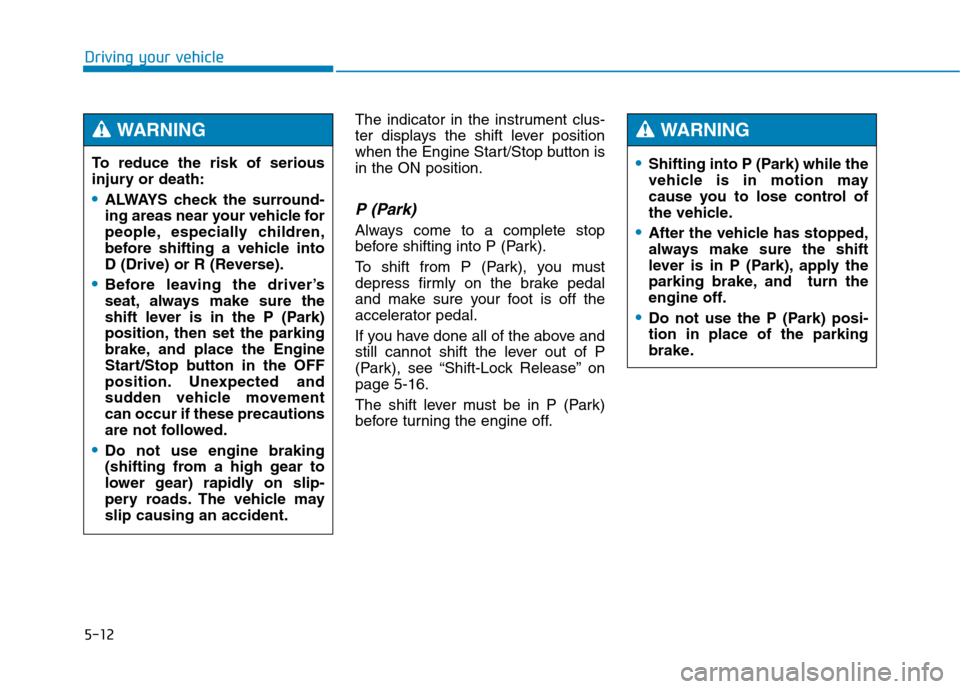
The indicator in the instrument clus-
ter displays the shift lever position
when the Engine Start/Stop button is
in the ON position.
P (Park)
Always come to a complete stop
before shifting into P (Park).
To shift from P (Park), you must
depress firmly on the brake pedal
and make sure your foot is off the
accelerator pedal.
If you have done all of the above and
still cannot shift the lever out of P
(Park), see “Shift-Lock Release” on
page 5-16.
The shift lever must be in P (Park)
before turning the engine off. To reduce the risk of serious
injury or death:
ALWAYS check the surround-
ing areas near your vehicle for
people, especially children,
before shifting a vehicle into
D (Drive) or R (Reverse).
Before leaving the driver’s
seat, always make sure the
shift lever is in the P (Park)
position, then set the parking
brake, and place the Engine
Start/Stop button in the OFF
position. Unexpected and
sudden vehicle movement
can occur if these precautions
are not followed.
Do not use engine braking
(shifting from a high gear to
lower gear) rapidly on slip-
pery roads. The vehicle may
slip causing an accident.
WARNING
Shifting into P (Park) while the
vehicle is in motion may
cause you to lose control of
the vehicle.
After the vehicle has stopped,
always make sure the shift
lever is in P (Park), apply the
parking brake, and turn the
engine off.
Do not use the P (Park) posi-
tion in place of the parking
brake.
WARNING
Page 273 of 501
5-13
Driving your vehicle
5
R (Reverse)
Use this position to drive the vehicle
backward.
N (Neutral)
The wheels and transmission are not
engaged.
Use N (Neutral) if you need to restart
a stalled engine, or if it is necessary
to stop with the engine ON. Shift into
P (Park) if you need to leave your
vehicle for any reason.
Always depress the brake pedal
when you are shifting from N
(Neutral) to another gear.
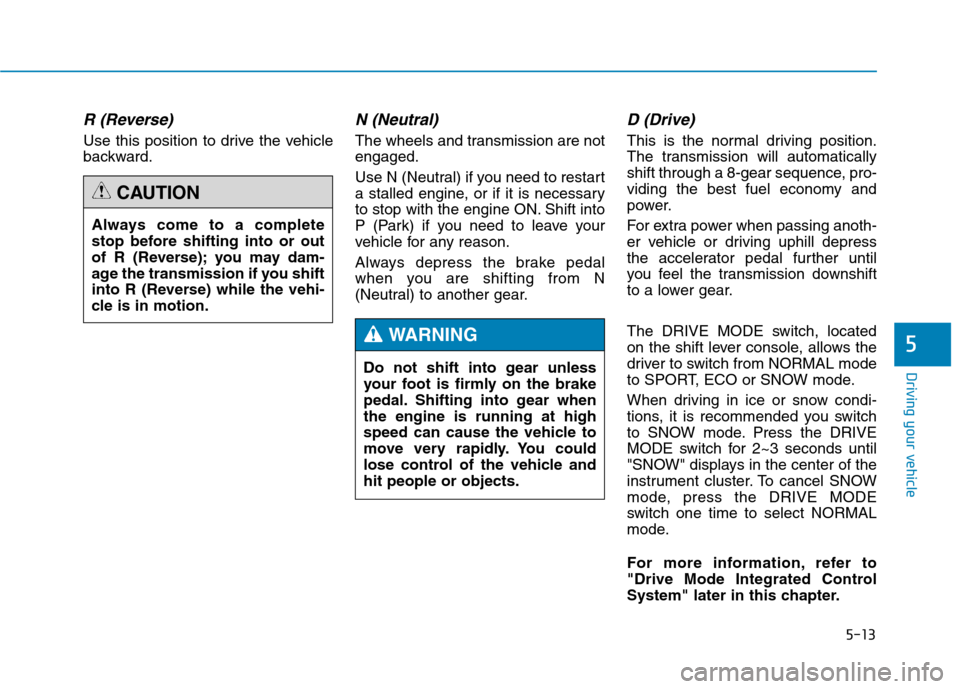
D (Drive)
This is the normal driving position.
The transmission will automatically
shift through a 8-gear sequence, pro-
viding the best fuel economy and
power.
For extra power when passing anoth-
er vehicle or driving uphill depress
the accelerator pedal further until
you feel the transmission downshift
to a lower gear.
The DRIVE MODE switch, located
on the shift lever console, allows the
driver to switch from NORMAL mode
to SPORT, ECO or SNOW mode.
When driving in ice or snow condi-
tions, it is recommended you switch
to SNOW mode. Press the DRIVE
MODE switch for 2~3 seconds until
"SNOW" displays in the center of the
instrument cluster. To cancel SNOW
mode, press the DRIVE MODE
switch one time to select NORMAL
mode.
For more information, refer to
"Drive Mode Integrated Control
System" later in this chapter. Always come to a complete
stop before shifting into or out
of R (Reverse); you may dam-
age the transmission if you shift
into R (Reverse) while the vehi-
cle is in motion.
CAUTION
Do not shift into gear unless
your foot is firmly on the brake
pedal. Shifting into gear when
the engine is running at high
speed can cause the vehicle to
move very rapidly. You could
lose control of the vehicle and
hit people or objects.
WARNING
Page 295 of 501
![Hyundai Genesis 2015 Workshop Manual 5-35
Driving your vehicle
5
AUTO HOLD conditions not met.
Close door, hood, trunk, and fasten
seatbelt
When you press the [AUTO HOLD]
switch, if the drivers door, engine
hood and trunk are not closed](/img/35/14663/w960_14663-294.png "Hyundai Genesis 2015 Workshop Manual 5-35
Driving your vehicle
5
AUTO HOLD conditions not met.
Close door, hood, trunk, and fasten
seatbelt
When you press the [AUTO HOLD]
switch, if the drivers door, engine
hood and trunk are not closed")
5-35
Driving your vehicle
5
AUTO HOLD conditions not met.
Close door, hood, trunk, and fasten
seatbelt
When you press the [AUTO HOLD]
switch, if the driver's door, engine
hood and trunk are not closed or the
driver's seat belt is not fastened, a
warning will sound and a message
will appear on the LCD display. In
that time, press the [AUTO HOLD]
button after closing the driver's door,
engine hood and trunk and fastening
the seat belt.
Anti-lock Brake System (ABS)
ODH053055L
An Anti-Lock Braking System
(ABS) or an Electronic Stability
Control (ESC) system will not
prevent accidents due to
improper or dangerous driving
maneuvers. Even though vehi-
cle control is improved during
emergency braking, always
maintain a safe distance
between you and objects ahead
of you. Vehicle speeds should
always be reduced during
extreme road conditions. The
braking distance for cars
equipped with ABS or ESC may
be longer than for those without
these systems in the following
road conditions.
(Continued)
(Continued)
Drive your vehicle at reduced
speeds during the following
conditions:
Rough, gravel or snow-cov-
ered roads.
On roads where the road sur-
face is pitted or has different
surface height.
Tire chains are installed on
your vehicle.
The safety features of an ABS
or ESC equipped vehicle should
not be tested by high speed
driving or cornering. This could
endanger the safety of yourself
or others.
WARNING
Page 300 of 501
5-40
Driving your vehicle
The ESC OFF indicator light comes
on when the ESC is turned off from
the User Settings Mode.
ESC OFF usage
When Driving
The ESC OFF mode should only be
used briefly to help free the vehicle if
stuck in snow or mud by temporarily
stopping operation of the ESC to
maintain wheel torque.
To turn ESC off while driving, press
the ESC OFF button while driving on
a flat road surface.
✽ ✽
NOTICE
Turning the ESC off does not affect
ABS or standard brake system oper-
ation.
When the ESC is blinking, this
indicates the ESC is active:
Drive slowly and NEVER
attempt to accelerate. NEVER
turn the ESC off while the ESC
indicator light is blinking or you
may lose control of the vehicle
resulting in an accident.
WARNING
Driving with varying tire or
wheel sizes may cause the ESC
system to malfunction. When
replacing tires, make sure they
are the same size as your origi-
nal tires for this vehicle.
CAUTION
To prevent damage to the trans-
mission:
Do not allow wheel(s) of one
axle to spin excessively while
the ESC, ABS, and brake
warning lights are displayed.
The repairs would not be cov-
ered by the vehicle warranty.
Reduce engine power and do
not spin the wheel(s) exces-
sively while these lights are
displayed.
When operating the vehicle
on a dynamometer, ensure the
ESC is turned off (ESC OFF
light illuminated).
CAUTION
Page 302 of 501
5-42
Driving your vehicle
D DR
RI
IV
VE
E
M
MO
OD
DE
E
I
IN
NT
TE
EG
GR
RA
AT
TE
ED
D
C
CO
ON
NT
TR
RO
OL
L
S
SY
YS
ST
TE
EM
M
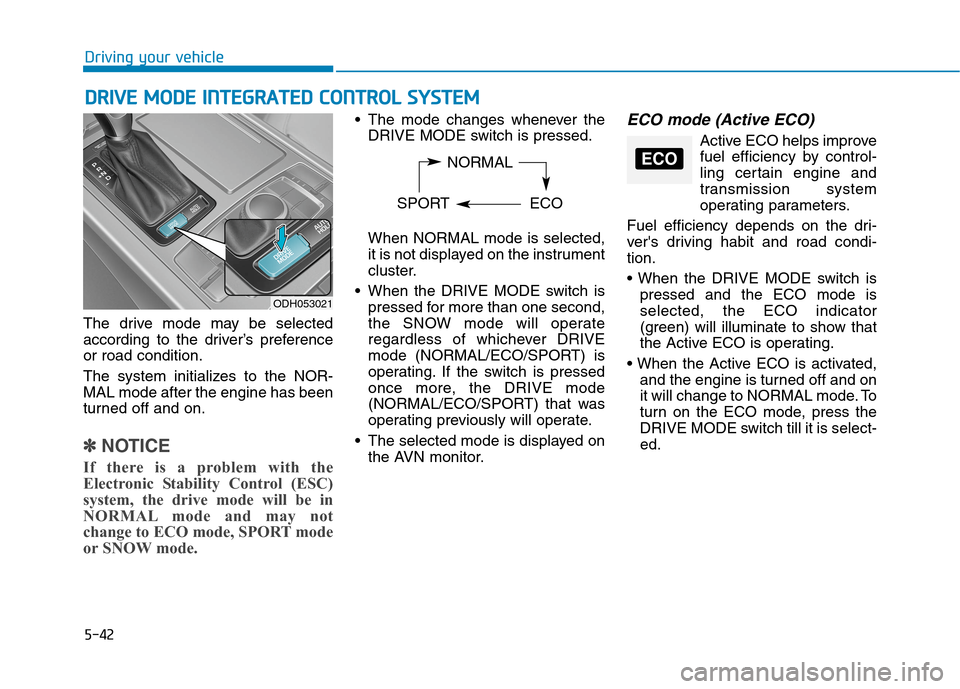
The drive mode may be selected
according to the driver’s preference
or road condition.
The system initializes to the NOR-
MAL mode after the engine has been
turned off and on.
✽ ✽
NOTICE
If there is a problem with the
Electronic Stability Control (ESC)
system, the drive mode will be in
NORMAL mode and may not
change to ECO mode, SPORT mode
or SNOW mode.
The mode changes whenever the
DRIVE MODE switch is pressed.
When NORMAL mode is selected,
it is not displayed on the instrument
cluster.
When the DRIVE MODE switch is
pressed for more than one second,
the SNOW mode will operate
regardless of whichever DRIVE
mode (NORMAL/ECO/SPORT) is
operating. If the switch is pressed
once more, the DRIVE mode
(NORMAL/ECO/SPORT) that was
operating previously will operate.
The selected mode is displayed on
the AVN monitor.ECO mode (Active ECO)
Active ECO helps improve
fuel efficiency by control-
ling certain engine and
transmission system
operating parameters.
Fuel efficiency depends on the dri-
ver's driving habit and road condi-
tion.
pressed and the ECO mode is
selected, the ECO indicator
(green) will illuminate to show that
the Active ECO is operating.
and the engine is turned off and on
it will change to NORMAL mode. To
turn on the ECO mode, press the
DRIVE MODE switch till it is select-
ed.
ODH053021
NORMAL
SPORT ECOECO
Page 307 of 501
5-47
Driving your vehicle
5
Automatic emergency mode
change
In a critical situation, to help avoid
collisions, the Automatic Emergency
Mode automatically controls the
Electronic Control Suspension
(ECS) and Electronic Stability
Control (ESC). When the critical situ-
ation is over, the Electronic Control
Suspension (ECS) and Electronic
Stability Control (ESC) returns to its
previous status.
✽ ✽
NOTICE
• If the AEB is canceled from the
User Settings Mode or there is a
problem with the AEB system, the
Automatic Emergency Mode will
not work.
• If the ESC is off or there is a prob-
lem with the ESC system, the
Automatic Emergency Mode will
not work.
• The ESC must be on for the
Automatic Emergency Mode to
control ESC in collision situations.
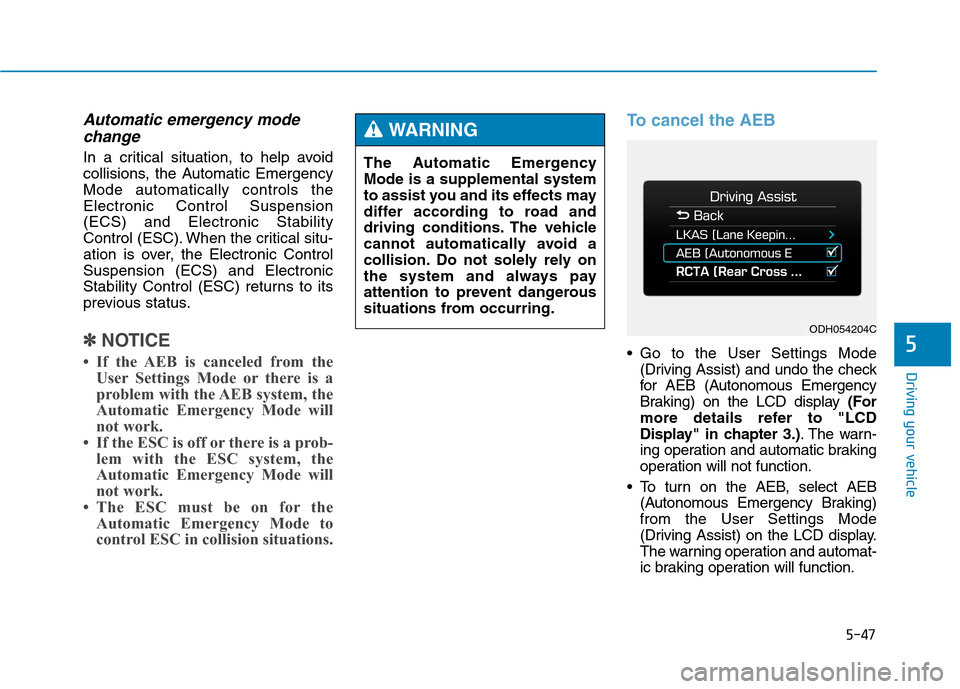
To cancel the AEB
Go to the User Settings Mode
(Driving Assist) and undo the check
for AEB (Autonomous Emergency
Braking) on the LCD display (For
more details refer to "LCD
Display" in chapter 3.). The warn-
ing operation and automatic braking
operation will not function.
To turn on the AEB, select AEB
(Autonomous Emergency Braking)
from the User Settings Mode
(Driving Assist) on the LCD display.
The warning operation and automat-
ic braking operation will function. The Automatic Emergency
Mode is a supplemental system
to assist you and its effects may
differ according to road and
driving conditions. The vehicle
cannot automatically avoid a
collision. Do not solely rely on
the system and always pay
attention to prevent dangerous
situations from occurring.
WARNING
ODH054204C