air condition Hyundai Genesis 2016 - RHD (UK, Australia) User Guide
[x] Cancel search | Manufacturer: HYUNDAI, Model Year: 2016, Model line: Genesis, Model: Hyundai Genesis 2016Pages: 502, PDF Size: 13.19 MB
Page 112 of 502
3-21
Convenient features of your vehicle
3
MIRRORS
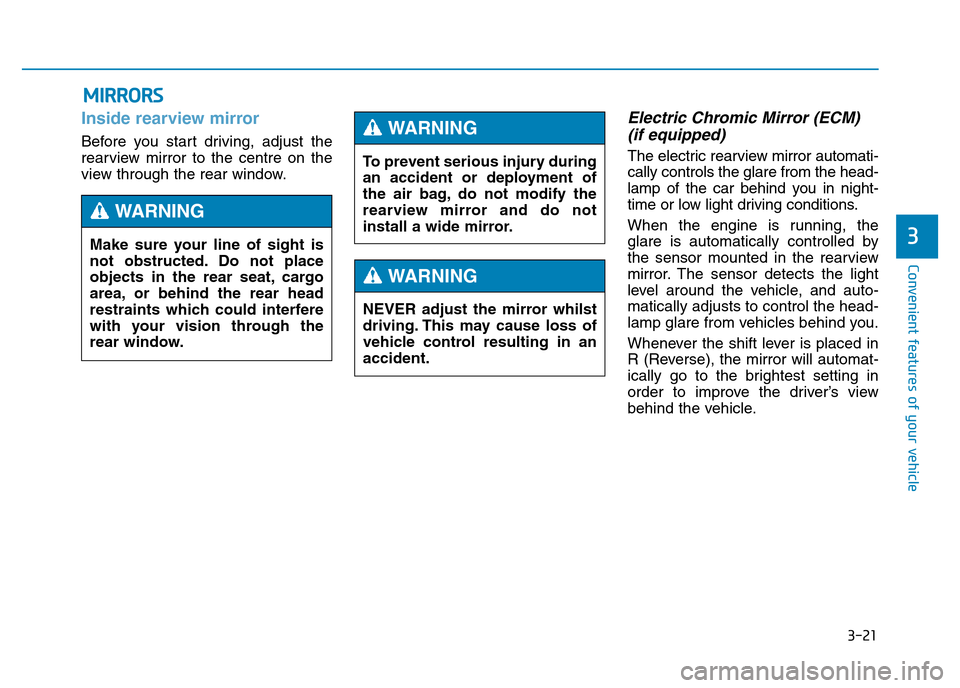
Inside rearview mirror
Before you start driving, adjust the
rearview mirror to the centre on the
view through the rear window.
Electric Chromic Mirror (ECM)
(if equipped)
The electric rearview mirror automati-
cally controls the glare from the head-
lamp of the car behind you in night-
time or low light driving conditions.
When the engine is running, the
glare is automatically controlled by
the sensor mounted in the rearview
mirror. The sensor detects the light
level around the vehicle, and auto-
matically adjusts to control the head-
lamp glare from vehicles behind you.
Whenever the shift lever is placed in
R (Reverse), the mirror will automat-
ically go to the brightest setting in
order to improve the driver’s view
behind the vehicle. Make sure your line of sight is
not obstructed. Do not place
objects in the rear seat, cargo
area, or behind the rear head
restraints which could interfere
with your vision through the
rear window.
WARNING
To prevent serious injury during
an accident or deployment of
the air bag, do not modify the
rearview mirror and do not
install a wide mirror.
WARNING
NEVER adjust the mirror whilst
driving. This may cause loss of
vehicle control resulting in an
accident.
WARNING
Page 130 of 502

3-39
Convenient features of your vehicle
3
✽NOTICE
In cold and wet climates, boot lock
and boot mechanisms may not work
properly due to freezing conditions.
Power Boot Non-Opening or
Closing Conditions:
• The Power Boot will not open or
close automatically, when the vehi-
cle is moving more than 1.8 mph
(3 km/h).
• The Power Boot can be operated
when the engine is not running.
However, the Power Boot operation
consumes large amounts of vehicle
electric power. To prevent the bat-
tery from draining, do not operate it
excessively (e.g., more than
approximately 10 times repeatedly.)
• Do not modify or repair any part of
the Power Boot by yourself. This
must be done by a HYUNDAI
authorised repairer.
• Before jacking up the vehicle to
change a tyre or repair the vehicle,
open the Power Boot. Do not oper-
ate the Power Boot when the vehi-
cle is raised or this could cause the
Power Boot to operate improperly.
• If there are obstacles such as snow
on the Power Boot, it may not open
automatically. After removing the
obstacle, try to open it again.
Automatic stop and reverse
If, during power opening or closing,
the boot is blocked by an object or
part of someone’s body, the power
boot will detect the resistance and it
will stop movement or move to the
full open position to allow the object
to be cleared.
However, if the resistance is weak
such as from an object that is thin or
soft, or the boot is near the latched
position, the automatic stop and
reversal may not detect the resist-
ance and the closing operation will
continue. Also, if the Power Boot is
forced by a strong impact, the auto-
matic stop and reversal may operate.
•Do not close or open the Power
Boot manually. This may cause
damage to the Power Boot. If it
is necessary to close or open
the Power Boot manually when
the battery is drained or dis-
connected, do not apply exces-
sive force.
•Do not leave the Power Boot
open for a long period of time.
This may drain the battery.
•To prevent damage to the
boot lift cylinders and the
attached hardware, always
close the boot before driving.
CAUTION
ODH043019
Page 146 of 502
3-55
Convenient features of your vehicle
3
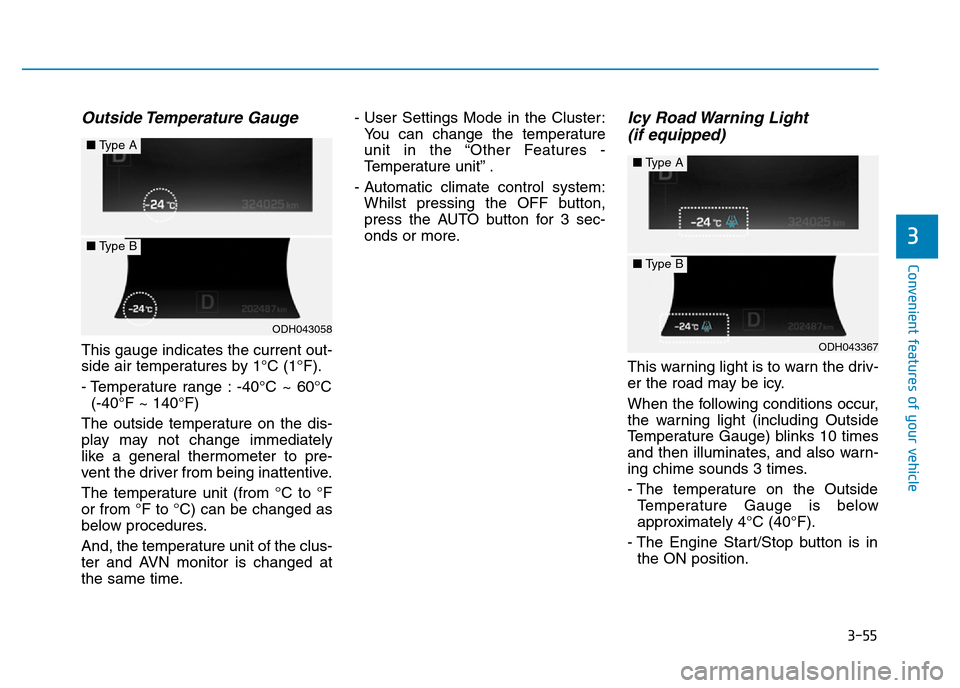
Outside Temperature Gauge
This gauge indicates the current out-
side air temperatures by 1°C (1°F).
- Temperature range : -40°C ~ 60°C
(-40°F ~ 140°F)
The outside temperature on the dis-
play may not change immediately
like a general thermometer to pre-
vent the driver from being inattentive.
The temperature unit (from °C to °F
or from °F to °C) can be changed as
below procedures.
And, the temperature unit of the clus-
ter and AVN monitor is changed at
the same time.- User Settings Mode in the Cluster:
You can change the temperature
unit in the “Other Features -
Temperature unit” .
- Automatic climate control system:
Whilst pressing the OFF button,
press the AUTO button for 3 sec-
onds or more.
Icy Road Warning Light
(if equipped)
This warning light is to warn the driv-
er the road may be icy.
When the following conditions occur,
the warning light (including Outside
Temperature Gauge) blinks 10 times
and then illuminates, and also warn-
ing chime sounds 3 times.
- The temperature on the Outside
Temperature Gauge is below
approximately 4°C (40°F).
- The Engine Start/Stop button is in
the ON position.
ODH043058
■Type A
■Type B
ODH043367
■Type A
■Type B
Page 187 of 502
![Hyundai Genesis 2016 - RHD (UK, Australia) User Guide 3-96
Convenient features of your vehicle
AUTO HOLD Indicator
Light (if equipped)
This indicator light illuminates:
• [White] When you activate the auto
hold system by pressing the AUTO
HOLD button.](/img/35/14653/w960_14653-186.png "Hyundai Genesis 2016 - RHD (UK, Australia) User Guide 3-96
Convenient features of your vehicle
AUTO HOLD Indicator
Light (if equipped)
This indicator light illuminates:
• [White] When you activate the auto
hold system by pressing the AUTO
HOLD button.")
3-96
Convenient features of your vehicle
AUTO HOLD Indicator
Light (if equipped)
This indicator light illuminates:
• [White] When you activate the auto
hold system by pressing the AUTO
HOLD button.
• [Green] When you stop the vehicle
completely by depressing the
brake pedal with the auto hold sys-
tem activated.
• [Yellow] When there is a malfunc-
tion with the auto hold system.
In this case, we recommend that
you have the vehicle inspected by
a HYUNDAI authorised repairer.
For more details, refer to “Auto Hold”
in chapter 5.
Lane Departure
Warning System
(LDWS) Indicator Light
(if equipped)
This indicator light illuminates:
• [Green] When you activate the lane
departure warning system by
pressing the LDWS button.
• [White] When system operating
conditions are not satisfied or
when the sensor does not detect
the lane line.
• [Yellow] When there is a malfunc-
tion with the lane departure warn-
ing system.
In this case, we recommend that
you have the vehicle inspected by
a HYUNDAI authorised repairer.
For more details, refer to “Lane
Departure Warning System (LDWS)”
in chapter 5.
LKAS (Lane Keeping
Assistant System)
Indicator (if equipped)
The LKAS indicator will illuminate
when you turn the lane keeping
assistant system on by pressing the
LKAS button.
If there is a problem with the system,
the yellow LKAS indicator will illumi-
nate.
For more details, refer to "LKAS" in
chapter 5.
AUTO
HOLD
Page 195 of 502
3-104
Convenient features of your vehicle
The high beam switches to low beam
in the below conditions.
- When the Smart High Beam is off.
- When the light switch is not in the
AUTO position.
- When the headlamp is detected
from the on-coming vehicle.
- When the tail lamp is detected
from the front vehicle.
- When the surrounding is bright
enough, high beams are not need-
ed.
- When streetlights or other lights
are detected.
- When vehicle speed is below 22 mph
(35km/h).The system may not operate nor-
mally in the below conditions.
•When the light from the on-
coming or front vehicle is not
detected because of lamp dam-
age, hidden from sight, etc.
•When the lamp of the on-com-
ing or front vehicle is covered
with dust, snow or water.
•When the light from the on-
coming or front vehicle is not
detected because of exhaust
fumes, smoke, fog, snow, etc.
•When the front window is cov-
ered with foreign matters such
as ice, dust, fog, or is damaged.
•When there is a similar shape
lamp with the front vehicle’s
lamps.
•When it is hard to see because
of fog, heavy rain or snow.
•When the headlamp is not
repaired or replaced at an
authorised repairer.
(continued)
CAUTION(continued)
•When headlamp aiming is not
properly adjusted.
•When driving on a narrow
curved road or rough road.
•When driving downhill or uphill.
•When only part of the vehicle
in front is visible on a cross-
road or curved road.
•When there is a traffic light,
reflecting sign, flashing sign
or mirror.
•When the road conditions are
bad such as being wet or cov-
ered with snow.
•When the front vehicle’s head-
lamps are off but the fog lamps
are on.
•When a vehicle suddenly
appears from a curve.
•When the vehicle is tilted from
a flat tyre or being towed.
•When the LDWS (Lane
Departure Warning System)
warning light illuminates (if
equipped).
Page 196 of 502
3-105
Convenient features of your vehicle
3
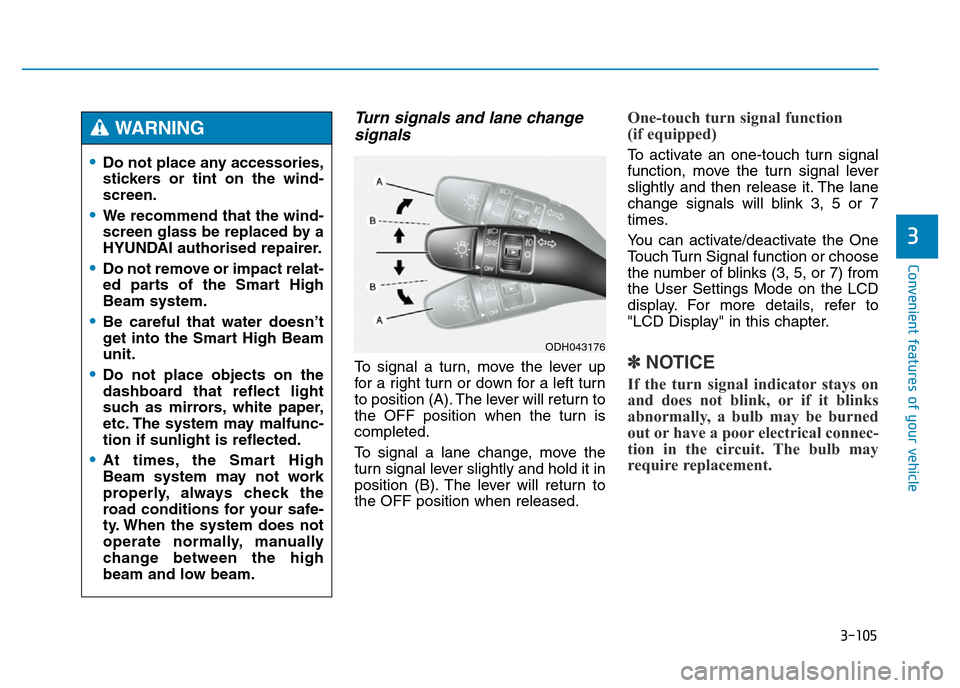
Turn signals and lane change
signals
To signal a turn, move the lever up
for a right turn or down for a left turn
to position (A). The lever will return to
the OFF position when the turn is
completed.
To signal a lane change, move the
turn signal lever slightly and hold it in
position (B). The lever will return to
the OFF position when released.
One-touch turn signal function
(if equipped)
To activate an one-touch turn signal
function, move the turn signal lever
slightly and then release it. The lane
change signals will blink 3, 5 or 7
times.
You can activate/deactivate the One
Touch Turn Signal function or choose
the number of blinks (3, 5, or 7) from
the User Settings Mode on the LCD
display. For more details, refer to
"LCD Display" in this chapter.
✽NOTICE
If the turn signal indicator stays on
and does not blink, or if it blinks
abnormally, a bulb may be burned
out or have a poor electrical connec-
tion in the circuit. The bulb may
require replacement.
•Do not place any accessories,
stickers or tint on the wind-
screen.
•We recommend that the wind-
screen glass be replaced by a
HYUNDAI authorised repairer.
•Do not remove or impact relat-
ed parts of the Smart High
Beam system.
•Be careful that water doesn’t
get into the Smart High Beam
unit.
•Do not place objects on the
dashboard that reflect light
such as mirrors, white paper,
etc. The system may malfunc-
tion if sunlight is reflected.
•At times, the Smart High
Beam system may not work
properly, always check the
road conditions for your safe-
ty. When the system does not
operate normally, manually
change between the high
beam and low beam.
WARNING
ODH043176
Page 199 of 502
3-108
Convenient features of your vehicle
Daytime running light (DRL)
(if equipped)
The Daytime Running Lights (DRL)
can make it easier for others to see
the front of your vehicle during the
day, especially after dawn and before
sunset.
The DRL system will turn the dedi-
cated lamp OFF when:
1. The light switch is in the front fog
lamp or headlamp position, includ-
ing the operation that the head-
lamp is turned on automatically in
the AUTO light position.
2. The engine is turned off.
3. The hazard warning flasher is on.
4. You turn the turn signal light on.
- If you turn on the turn signal light,
only the corresponding daytime
running lights will turn off.
- If you turn on turn signal light with
the position light turned on, the
daytime running lights will turn off
but the position light remains on.
Headlamp levelling device
(if equipped)
It automatically adjusts the headlamp
beam level according to the number
of passengers and loading weight in
the luggage area.
And it offers proper headlamp beam
under various conditions. If the driver gets out of the vehi-
cle through other doors (except
driver's door), the battery saver
function does not operate and
the headlamp delay function
does not turn off automatically.
Therefore, It causes the battery
to be discharged. In this case,
make sure to turn off the lamp
before getting out of the vehicle.
CAUTION
If it does not work properly even
though your car is inclined
backward according to passen-
ger's posture, or the headlight
beam is irradiated to the high or
low position, we recommend
that the system be inspected by
a HYUNDAI authorised repairer.
Do not attempt to inspect or
replace the wiring yourself.
WARNING
Page 213 of 502
3-122
Convenient features of your vehicle
Non-operational conditions of
Parking Assist System
Parking Assist System may not
operate normally when:
• Moisture is frozen to the sensor.
• Sensor is covered with foreign mat-
ter, such as snow or water, or the
sensor cover is blocked.
There is a possibility of Parking
Assist System malfunction when:
• Driving on uneven road surfaces
such as unpaved roads, gravel,
bumps, or gradients.
• Objects generating excessive noise
such as vehicle horns, loud motor-
cycle engines, or truck air brakes
can interfere with the sensor.
• Heavy rain or water spray is present.
• Wireless transmitters or mobile
phones are present near the sensor.
• The sensor is covered with snow.
• Any non-factory equipment or
accessories have been installed, or
if the vehicle bumper height or sen-
sor installation has been modified.
Detecting range may decrease
when:
• Outside air temperature is
extremely hot or cold.
• Undetectable objects smaller than
1 m and narrower than 14 cm in
diameter.
The following objects may not be
recognised by the sensor:
• Sharp or slim objects such as
ropes, chains or small poles.
• Objects, which tend to absorb sen-
sor frequency such as clothes,
spongy material or snow.
Page 215 of 502
3-124
Convenient features of your vehicle
✽NOTICE
• The vehicle will not stop for pedes-
trians or objects that may be in its
path, so the driver must monitor
the manoeuvre.
• Use the system only in parking lots
and places used for parking.
• The system does not work if there is
no car parked in front of the park-
ing space you are planning to park
or if it is a diagonal parking space.
• After parking your vehicle using
the system, the vehicle may not be
parked at the exact spot you have
wished. For example, the space
between your vehicle and wall
may not be the distance you have
desired.
• Deactivate the system and park
your vehicle manually, when the sit-
uation requires parking manually.
• The Parking Assist System's front
and rear warning sound activates
when the Smart Parking Assist
System is activated.
(Continued)(Continued)
• After searching for a parking
space is completed, the Smart
Parking Assist System will be can-
celled if the Parking Assist System
is cancelled by pressing the button
to the OFF position.
•The Smart Parking Assist
System should only be consid-
ered as a supplementary func-
tion. The driver must check the
front and rear view for objects.
The operational function of the
Smart Parking Assist System
can be affected by many fac-
tors and conditions of the sur-
roundings, so the responsibili-
ty rests always with the driver.
•The system may not operate
normally if the vehicle needs
wheel alignment adjustment.
We recommend that you have
the vehicle checked by a
HYUNDAI authorised repairer.
•If you use a different tyre or
wheel size rather than the size
recommended by the HYUNDAI
dealer, the system may not
work properly. Always use the
same size tyre and wheel.
•If you use additional frame on
the license plate, SPAS may
generate abnormal warning
sound.
WARNING
Page 217 of 502
3-126
Convenient features of your vehicle
• When there is an obstacle such as
a trash can, bicycle, shopping cart,
etc.
• When a vehicle is equipped with a
snow chain or spare tyre
• When the tyre pressure is lower or
higher than the standard tyre pres-
sure
• When a trailer connected to the
vehicle
• When the sensor is positioned incor-
rectly by an impact to the bumper
• When the sensor is covered with
foreign matter, such as snow or
water
• When moisture is frozen on the
sensor
• When an accessory is installed on
the detective area the of sensors
(such as number plate holder)
• When the vehicle is equipped with
an unauthorized sized wheel
• When there is a problem with the
wheel alignment• When the vehicle is leaned severe-
ly to one side
• When there is ultrasonic interfer-
ence from other vehicles such as
horn sounds, motorcycle's engine
noise, air brake noise of heavy vehi-
cles and the Parking Assist System
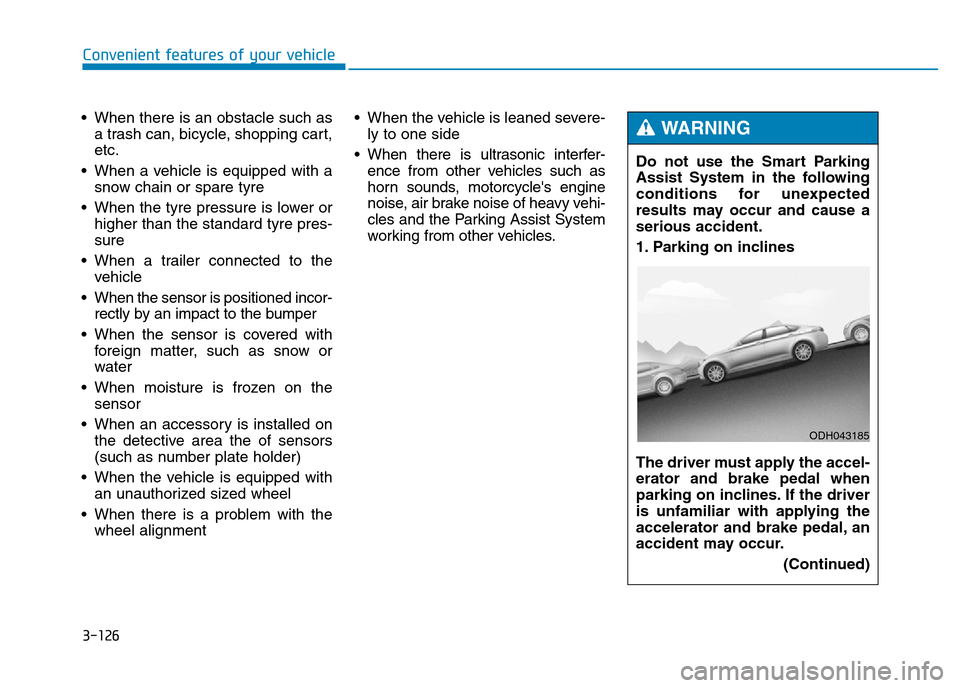
working from other vehicles.Do not use the Smart Parking
Assist System in the following
conditions for unexpected
results may occur and cause a
serious accident.
1. Parking on inclines
The driver must apply the accel-
erator and brake pedal when
parking on inclines. If the driver
is unfamiliar with applying the
accelerator and brake pedal, an
accident may occur.
(Continued)
WARNING
ODH043185