child lock Hyundai Genesis 2016 User Guide
[x] Cancel search | Manufacturer: HYUNDAI, Model Year: 2016, Model line: Genesis, Model: Hyundai Genesis 2016Pages: 503, PDF Size: 12.94 MB
Page 107 of 503
3-13
Convenient features of your vehicle
If the inner door handle of the dri-ver’s (or front passenger’s) door is
pulled when the door lock button is
in the lock position, the button is
unlocked and door opens.
Doors cannot be locked if the smart key is in the vehicle and any
door is open.
✽ ✽ NOTICE
If a power door lock ever fails to
function while you are in the vehicle
try one or more of the following
techniques to exit:
Operate the door unlock feature
repeatedly (both electronic and
manual) while simultaneously
pulling on the door handle.
Operate the other door locks and
handles, front and rear.
Lower a front window and use the
mechanical key to unlock the door
from outside.
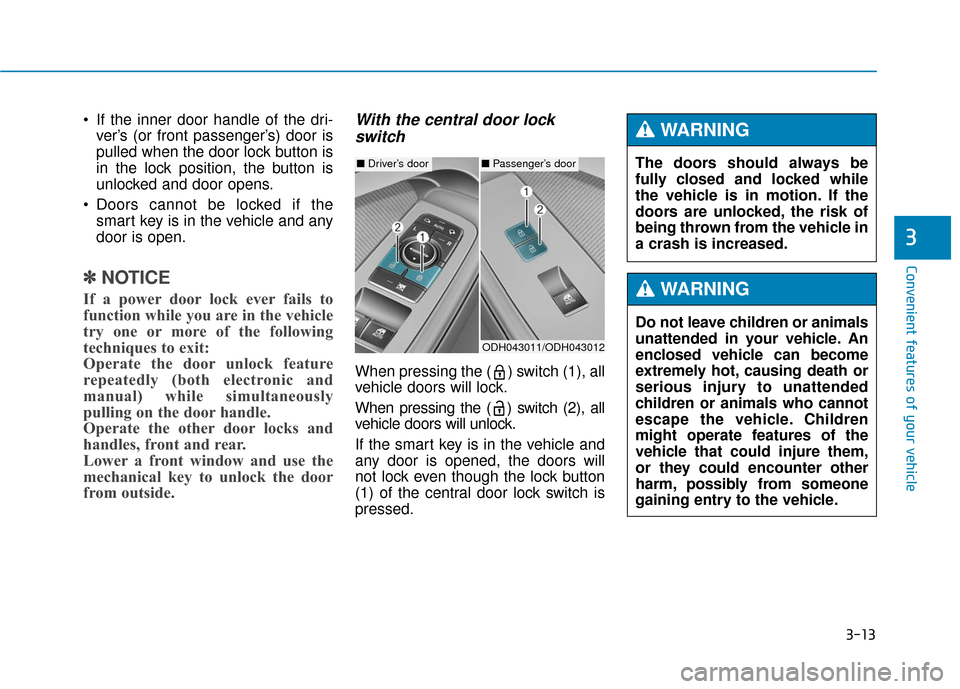
With the central door lock
switch
When pressing the ( ) switch (1), all
vehicle doors will lock.
When pressing the ( ) switch (2), all
vehicle doors will unlock.
If the smart key is in the vehicle and
any door is opened, the doors will
not lock even though the lock button
(1) of the central door lock switch is
pressed.
3
ODH043011/ODH043012
■ Driver’s door■Passenger’s doorThe doors should always be
fully closed and locked while
the vehicle is in motion. If the
doors are unlocked, the risk of
being thrown from the vehicle in
a crash is increased.
WARNING
Do not leave children or animals
unattended in your vehicle. An
enclosed vehicle can become
extremely hot, causing death or
serious injury to unattended
children or animals who cannot
escape the vehicle. Children
might operate features of the
vehicle that could injure them,
or they could encounter other
harm, possibly from someone
gaining entry to the vehicle.
WARNING
Page 108 of 503
3-14
Auto door lock/unlock features
Impact sensing door unlocksystem
All doors will be automatically
unlocked when an impact causes the
air bags to deploy.
Speed sensing door lock system
All doors will be automatically locked
when vehicle speed exceeds 9 mph
(15 km/h).
All of the doors will be automatically
unlocked after the engine is turned
off.
Shift lever auto door lock
All doors will be automatically locked
when shifting the shift lever out of P
(Park) with the engine running.
You can activate or deactivate the
Auto Door Lock/Unlock features from
the User Settings Mode on the LCD
display.
For more details, refer to "LCD
Display" in this chapter.
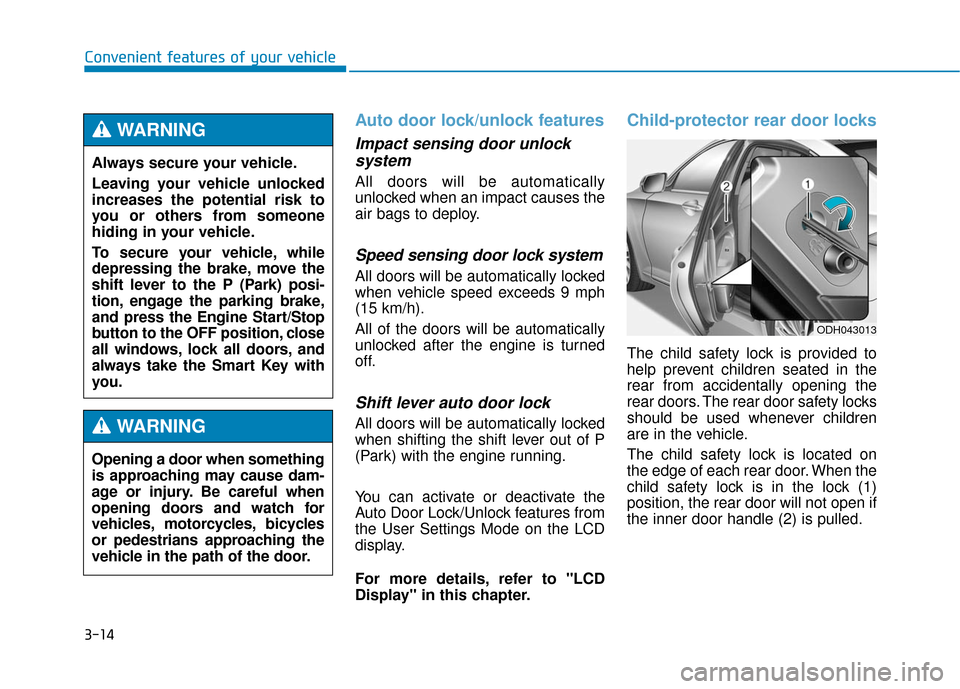
Child-protector rear door locks
The child safety lock is provided to
help prevent children seated in the
rear from accidentally opening the
rear doors. The rear door safety locks
should be used whenever children
are in the vehicle.
The child safety lock is located on
the edge of each rear door. When the
child safety lock is in the lock (1)
position, the rear door will not open if
the inner door handle (2) is pulled.
Convenient features of your vehicle
ODH043013
Always secure your vehicle.
Leaving your vehicle unlocked
increases the potential risk to
you or others from someone
hiding in your vehicle.
To secure your vehicle, while
depressing the brake, move the
shift lever to the P (Park) posi-
tion, engage the parking brake,
and press the Engine Start/Stop
button to the OFF position, close
all windows, lock all doors, and
always take the Smart Key with
you.
WARNING
Opening a door when something
is approaching may cause dam-
age or injury. Be careful when
opening doors and watch for
vehicles, motorcycles, bicycles
or pedestrians approaching the
vehicle in the path of the door.
WARNING
Page 109 of 503
3-15
Convenient features of your vehicle
To lock the child safety lock, insert a
screwdriver into the hole and turn it
to the lock position.
To allow a rear door to be opened
from inside the vehicle, unlock the
child safety lock.This system helps to protect your
vehicle and valuables. The horn will
sound and the hazard warning lights
will blink continuously if any of the
following occurs:
- A door is opened without using the
smart key.
- The trunk is opened without using the smart key.
- The engine hood is opened.
The alarm continues for 30 seconds,
then the system resets. To turn off
the alarm, unlock the doors with the
smart key.
The Theft Alarm System automati-
cally sets 30 seconds after you lock
the doors and the trunk. For the sys-
tem to activate, you must lock the
doors and the trunk from outside the
vehicle with the smart key or by
pressing the button on the outside of
the door handles with the smart key
in your possession.
The hazard warning lights will blink
and the chime will sound once to indi-
cate the system is armed. Once the security system is set,
opening any door, the trunk, or the
hood without using the smart key will
cause the alarm to activate.
The Theft Alarm System will not set if
the hood, the trunk, or any door is
not fully closed. If the system will not
set, check the hood, the trunk, or the
doors are fully closed.
Do not attempt to alter this system or
add other devices to it.
✽ ✽
NOTICE
• Do not lock the doors until all pas-
sengers have left the vehicle. If the
remaining passenger leaves the
vehicle when the system is armed,
the alarm will be activated.
• If the vehicle is not disarmed with the smart key, open the doors by
using the mechanical key and
start the engine.
• When the system is disarmed but a door or trunk is not opened within
30 seconds, the system will be
rearmed.
3
If children accidently open the
rear doors while the vehicle is
in motion, they could fall out of
the vehicle. The rear door safety
locks should always be used
whenever children are in the
vehicle.
WARNING
T TH
H E
EF
FT
T -
-A
A L
LA
A R
RM
M
S
S Y
Y S
ST
T E
EM
M
Page 137 of 503
3-43
Convenient features of your vehicle
3
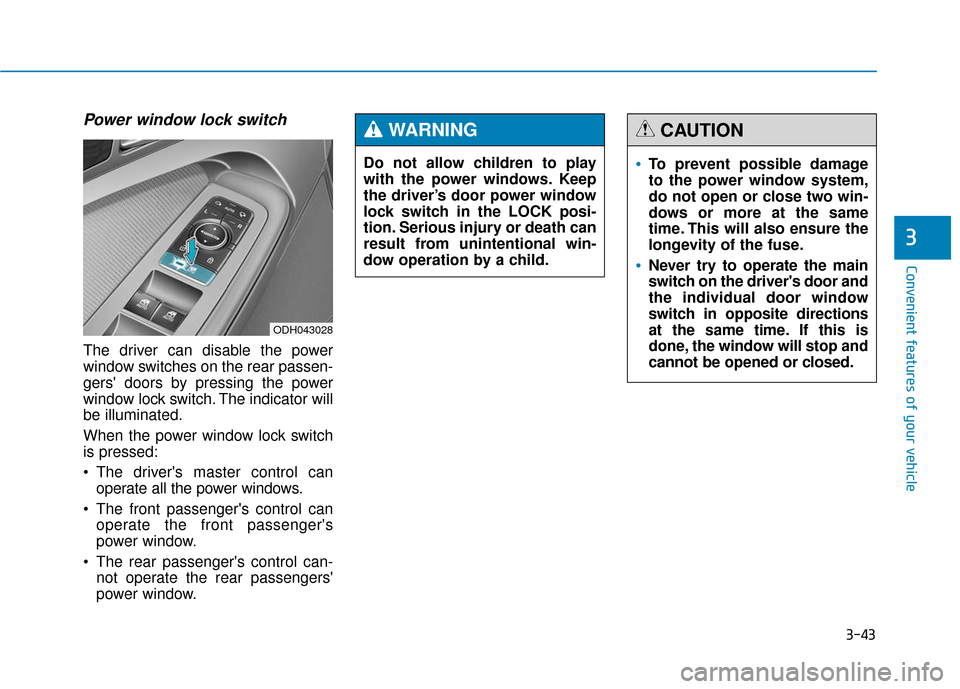
Power window lock switch
The driver can disable the power
window switches on the rear passen-
gers' doors by pressing the power
window lock switch. The indicator will
be illuminated.
When the power window lock switch
is pressed:
The driver's master control canoperate all the power windows.
The front passenger's control can operate the front passenger's
power window.
The rear passenger's control can- not operate the rear passengers'
power window.
ODH043028
To prevent possible damage
to the power window system,
do not open or close two win-
dows or more at the same
time. This will also ensure the
longevity of the fuse.
Never try to operate the main
switch on the driver's door and
the individual door window
switch in opposite directions
at the same time. If this is
done, the window will stop and
cannot be opened or closed.
CAUTION
Do not allow children to play
with the power windows. Keep
the driver’s door power window
lock switch in the LOCK posi-
tion. Serious injury or death can
result from unintentional win-
dow operation by a child.
WARNING
Page 145 of 503
3-51
Convenient features of your vehicle
3
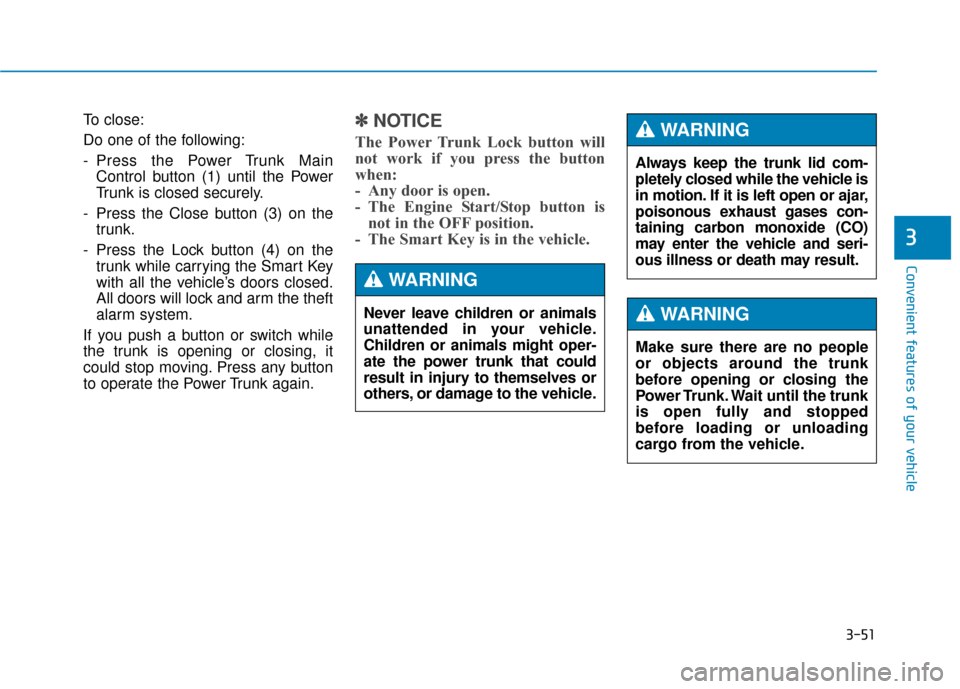
To close:
Do one of the following:
- Press the Power Trunk MainControl button (1) until the Power
Trunk is closed securely.
- Press the Close button (3) on the trunk.
- Press the Lock button (4) on the trunk while carrying the Smart Key
with all the vehicle’s doors closed.
All doors will lock and arm the theft
alarm system.
If you push a button or switch while
the trunk is opening or closing, it
could stop moving. Press any button
to operate the Power Trunk again.✽ ✽ NOTICE
The Power Trunk Lock button will
not work if you press the button
when:
- Any door is open.
- The Engine Start/Stop button is
not in the OFF position.
- The Smart Key is in the vehicle.
Never leave children or animals
unattended in your vehicle.
Children or animals might oper-
ate the power trunk that could
result in injury to themselves or
others, or damage to the vehicle.
WARNING
Always keep the trunk lid com-
pletely closed while the vehicle is
in motion. If it is left open or ajar,
poisonous exhaust gases con-
taining carbon monoxide (CO)
may enter the vehicle and seri-
ous illness or death may result.
WARNING
Make sure there are no people
or objects around the trunk
before opening or closing the
Power Trunk. Wait until the trunk
is open fully and stopped
before loading or unloading
cargo from the vehicle.
WARNING
Page 147 of 503
3-53
Convenient features of your vehicle
3
If the automatic stop and reverse fea-
ture operates more than twice during
one opening or closing operation, the
Power Trunk may stop at that posi-
tion. If this occurs, close the trunk
manually and operate the trunk auto-
matically again.To reset the power trunk
If the battery has been discharged or
disconnected, or if the related fuse
has been replaced or disconnected,
reset the Power Trunk as follows:
1. Move the shift lever to the P (Park)position.
2. Close the trunk manually.
If the Power Trunk doesn't work prop-
erly after performing the above pro-
cedure, have the system checked by
an authorized HYUNDAI dealer.
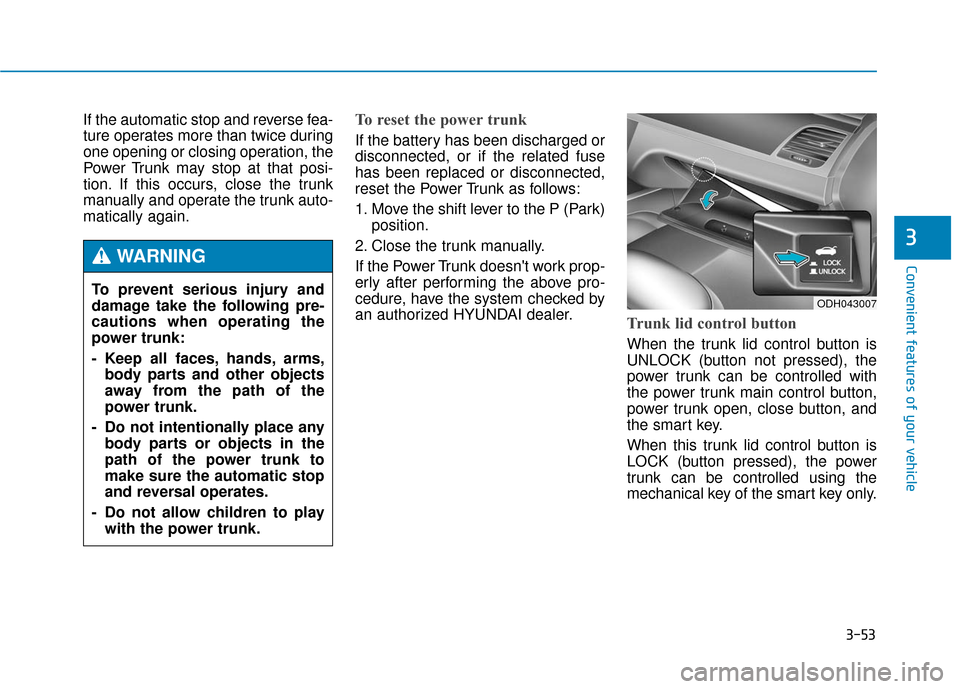
Trunk lid control button
When the trunk lid control button is
UNLOCK (button not pressed), the
power trunk can be controlled with
the power trunk main control button,
power trunk open, close button, and
the smart key.
When this trunk lid control button is
LOCK (button pressed), the power
trunk can be controlled using the
mechanical key of the smart key only.
To prevent serious injury and
damage take the following pre-
cautions when operating the
power trunk:
- Keep all faces, hands, arms,
body parts and other objects
away from the path of the
power trunk.
- Do not intentionally place any body parts or objects in the
path of the power trunk to
make sure the automatic stop
and reversal operates.
- Do not allow children to play with the power trunk.
WARNING
ODH043007
Page 148 of 503
3-54
Convenient features of your vehicle
Even though the trunk lid control but-
ton is LOCK (button pressed), the
trunk will still be propelled upward by
mechanical force if the trunk is man-
ually opened more than 10 degrees
beyond the fully closed position. In
addition, if the trunk is manually
closed to the secondary latch posi-
tion, the trunk will be electrically
moved to the fully latched position.
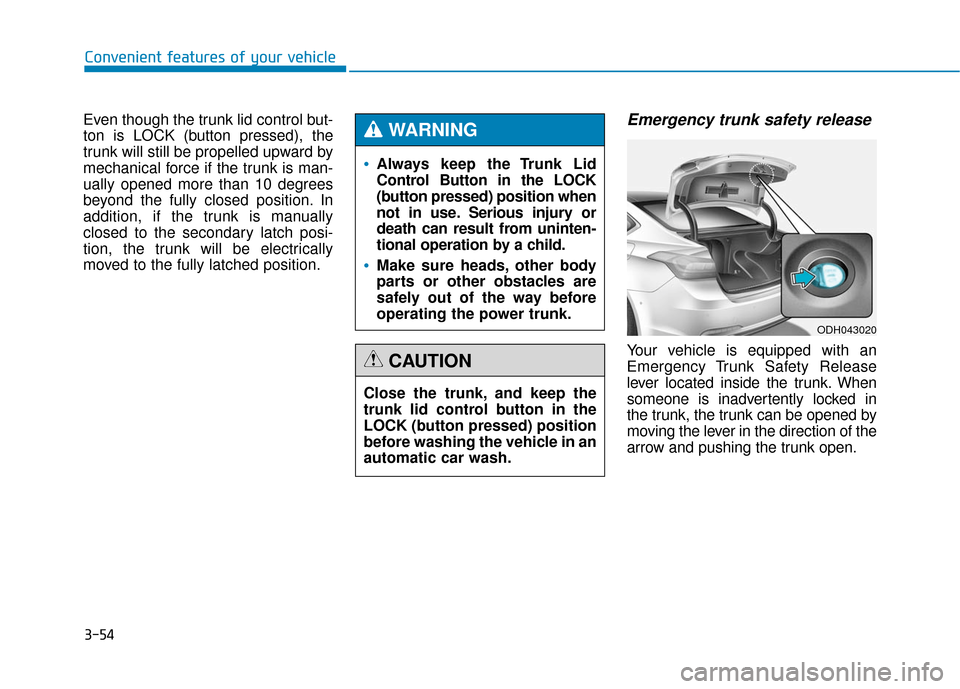
Emergency trunk safety release
Your vehicle is equipped with an
Emergency Trunk Safety Release
lever located inside the trunk. When
someone is inadvertently locked in
the trunk, the trunk can be opened by
moving the lever in the direction of the
arrow and pushing the trunk open.
Always keep the Trunk Lid
Control Button in the LOCK
(button pressed) position when
not in use. Serious injury or
death can result from uninten-
tional operation by a child.
Make sure heads, other body
parts or other obstacles are
safely out of the way before
operating the power trunk.
WARNING
Close the trunk, and keep the
trunk lid control button in the
LOCK (button pressed) position
before washing the vehicle in an
automatic car wash.
CAUTION
ODH043020
Page 149 of 503
3-55
Convenient features of your vehicle
3
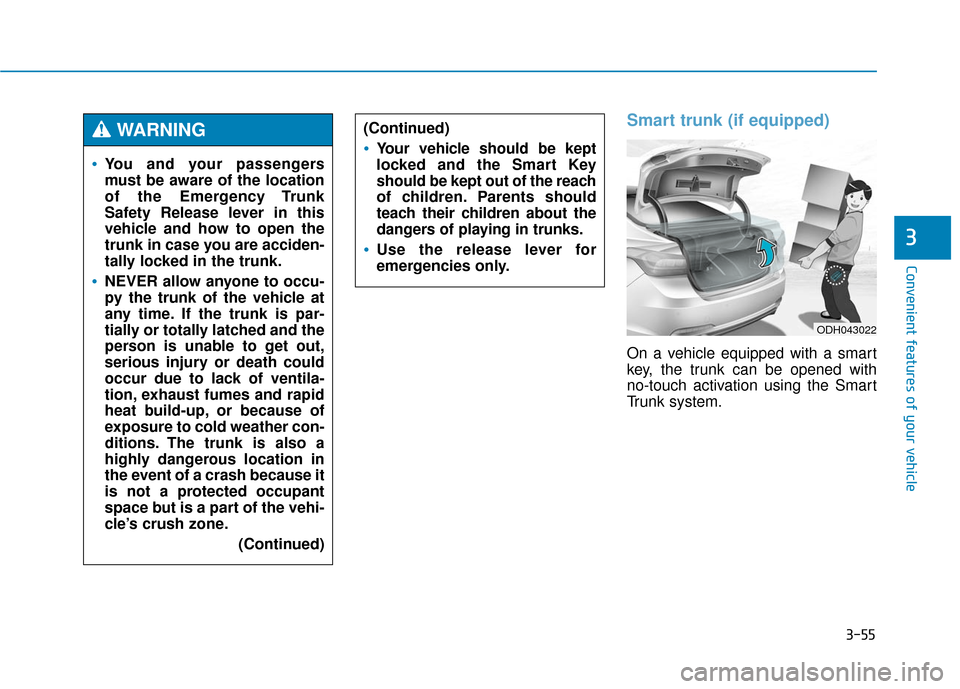
Smart trunk (if equipped)
On a vehicle equipped with a smart
key, the trunk can be opened with
no-touch activation using the Smart
Trunk system.
You and your passengers
must be aware of the location
of the Emergency Trunk
Safety Release lever in this
vehicle and how to open the
trunk in case you are acciden-
tally locked in the trunk.
NEVER allow anyone to occu-
py the trunk of the vehicle at
any time. If the trunk is par-
tially or totally latched and the
person is unable to get out,
serious injury or death could
occur due to lack of ventila-
tion, exhaust fumes and rapid
heat build-up, or because of
exposure to cold weather con-
ditions. The trunk is also a
highly dangerous location in
the event of a crash because it
is not a protected occupant
space but is a part of the vehi-
cle’s crush zone.(Continued)
(Continued)
Your vehicle should be kept
locked and the Smart Key
should be kept out of the reach
of children. Parents should
teach their children about the
dangers of playing in trunks.
Use the release lever for
emergencies only.
WARNING
ODH043022
Page 151 of 503
3-57
Convenient features of your vehicle
3
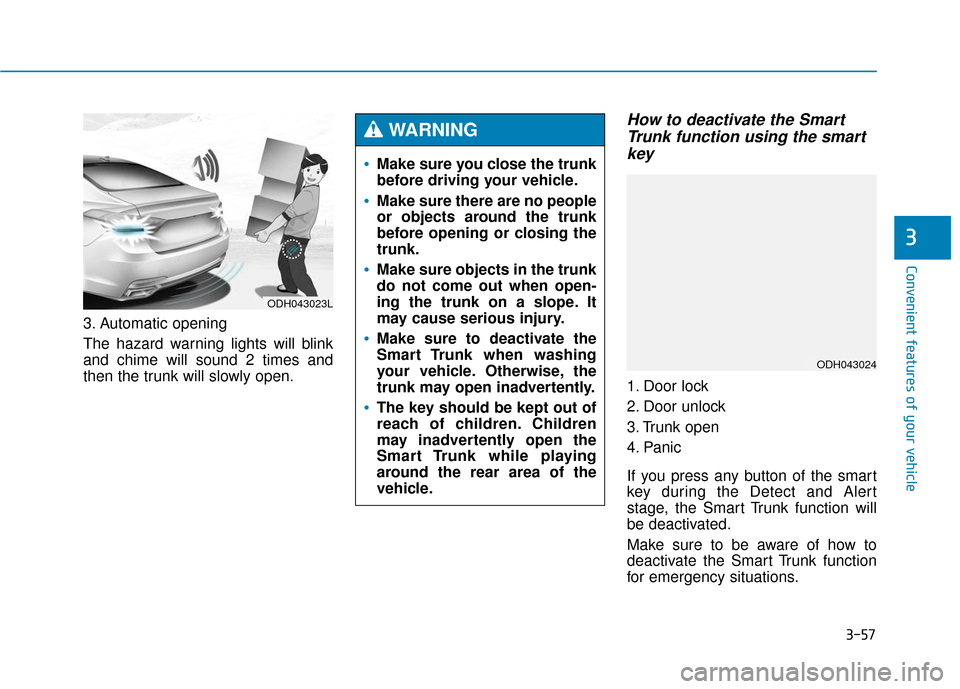
3. Automatic opening
The hazard warning lights will blink
and chime will sound 2 times and
then the trunk will slowly open.
How to deactivate the SmartTrunk function using the smartkey
1. Door lock
2. Door unlock
3. Trunk open
4. Panic
If you press any button of the smart
key during the Detect and Alert
stage, the Smart Trunk function will
be deactivated.
Make sure to be aware of how to
deactivate the Smart Trunk function
for emergency situations.
ODH043023L
Make sure you close the trunk
before driving your vehicle.
Make sure there are no people
or objects around the trunk
before opening or closing the
trunk.
Make sure objects in the trunk
do not come out when open-
ing the trunk on a slope. It
may cause serious injury.
Make sure to deactivate the
Smart Trunk when washing
your vehicle. Otherwise, the
trunk may open inadvertently.
The key should be kept out of
reach of children. Children
may inadvertently open the
Smart Trunk while playing
around the rear area of the
vehicle.
WARNING
ODH043024
Page 273 of 503
5-12
Driving your vehicleThe indicator in the instrument clus-
ter displays the shift lever position
when the Engine Start/Stop button is
in the ON position.
P (Park)
Always come to a complete stop
before shifting into P (Park).
To shift from P (Park), you must
depress firmly on the brake pedal
and make sure your foot is off the
accelerator pedal.
If you have done all of the above and
still cannot shift the lever out of P
(Park), see “Shift-Lock Release” on
page 5-16.
The shift lever must be in P (Park)
before turning the engine off.
To reduce the risk of serious
injury or death:
ALWAYS check the surround-
ing areas near your vehicle for
people, especially children,
before shifting a vehicle into
D (Drive) or R (Reverse).
Before leaving the driver’s
seat, always make sure the
shift lever is in the P (Park)
position, then set the parking
brake, and place the Engine
Start/Stop button in the OFF
position. Unexpected and
sudden vehicle movement
can occur if these precautions
are not followed.
Do not use engine braking
(shifting from a high gear to
lower gear) rapidly on slip-
pery roads. The vehicle may
slip causing an accident.
WARNING
Shifting into P (Park) while the
vehicle is in motion may
cause you to lose control of
the vehicle.
After the vehicle has stopped,
always make sure the shift
lever is in P (Park), apply the
parking brake, and turn the
engine off.
Do not use the P (Park) posi-
tion in place of the parking
brake.
WARNING