lock Hyundai Genesis 2016 Repair Manual
[x] Cancel search | Manufacturer: HYUNDAI, Model Year: 2016, Model line: Genesis, Model: Hyundai Genesis 2016Pages: 503, PDF Size: 12.94 MB
Page 238 of 503
3-144
Convenient features of your vehicle
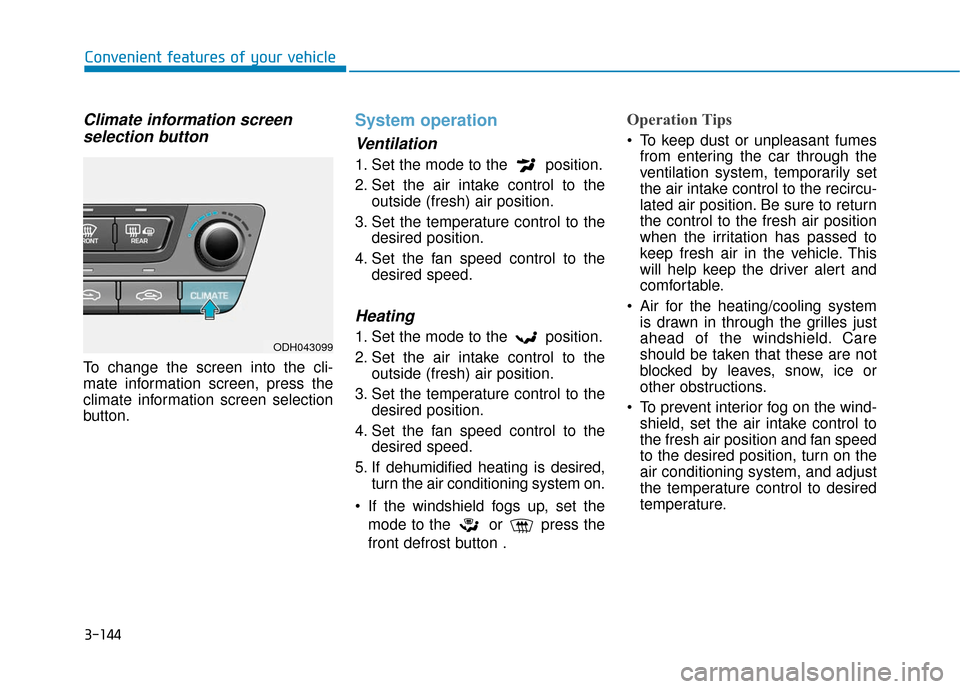
Climate information screenselection button
To change the screen into the cli-
mate information screen, press the
climate information screen selection
button.
System operation
Ventilation
1. Set the mode to the position.
2. Set the air intake control to the
outside (fresh) air position.
3. Set the temperature control to the desired position.
4. Set the fan speed control to the desired speed.
Heating
1. Set the mode to the position.
2. Set the air intake control to theoutside (fresh) air position.
3. Set the temperature control to the desired position.
4. Set the fan speed control to the desired speed.
5. If dehumidified heating is desired, turn the air conditioning system on.
If the windshield fogs up, set the mode to the or press the
front defrost button .
Operation Tips
To keep dust or unpleasant fumesfrom entering the car through the
ventilation system, temporarily set
the air intake control to the recircu-
lated air position. Be sure to return
the control to the fresh air position
when the irritation has passed to
keep fresh air in the vehicle. This
will help keep the driver alert and
comfortable.
Air for the heating/cooling system is drawn in through the grilles just
ahead of the windshield. Care
should be taken that these are not
blocked by leaves, snow, ice or
other obstructions.
To prevent interior fog on the wind- shield, set the air intake control to
the fresh air position and fan speed
to the desired position, turn on the
air conditioning system, and adjust
the temperature control to desired
temperature.
ODH043099
Page 248 of 503
3-154
Convenient features of your vehicle
Glove box
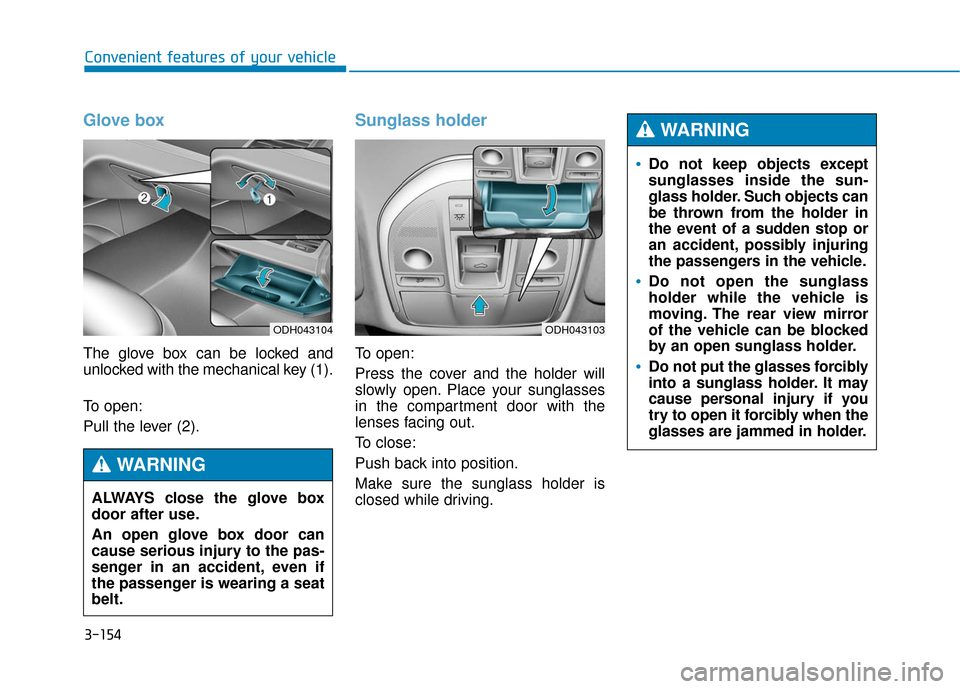
The glove box can be locked and
unlocked with the mechanical key (1).
To open:
Pull the lever (2).
Sunglass holder
To open:
Press the cover and the holder will
slowly open. Place your sunglasses
in the compartment door with the
lenses facing out.
To close:
Push back into position.
Make sure the sunglass holder is
closed while driving.
ODH043104
ALWAYS close the glove box
door after use.
An open glove box door can
cause serious injury to the pas-
senger in an accident, even if
the passenger is wearing a seat
belt.
WARNING
ODH043103
Do not keep objects except
sunglasses inside the sun-
glass holder. Such objects can
be thrown from the holder in
the event of a sudden stop or
an accident, possibly injuring
the passengers in the vehicle.
Do not open the sunglass
holder while the vehicle is
moving. The rear view mirror
of the vehicle can be blocked
by an open sunglass holder.
Do not put the glasses forcibly
into a sunglass holder. It may
cause personal injury if you
try to open it forcibly when the
glasses are jammed in holder.
WARNING
Page 250 of 503
3-156
Convenient features of your vehicle
Sunvisor
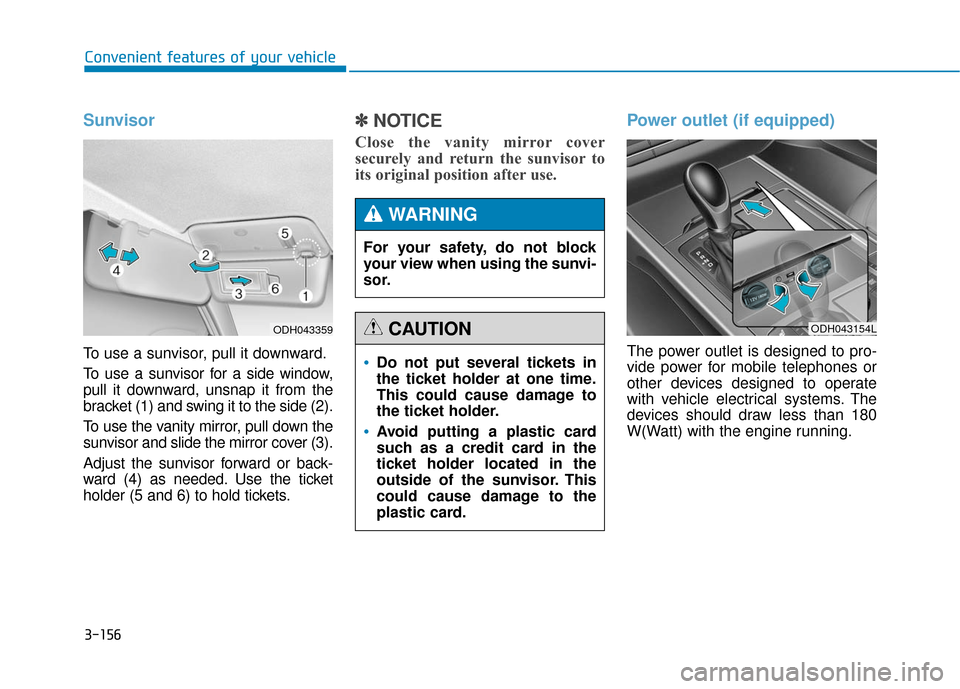
To use a sunvisor, pull it downward.
To use a sunvisor for a side window,
pull it downward, unsnap it from the
bracket (1) and swing it to the side (2).
To use the vanity mirror, pull down the
sunvisor and slide the mirror cover (3).
Adjust the sunvisor forward or back-
ward (4) as needed. Use the ticket
holder (5 and 6) to hold tickets.
✽ ✽NOTICE
Close the vanity mirror cover
securely and return the sunvisor to
its original position after use.
Power outlet (if equipped)
The power outlet is designed to pro-
vide power for mobile telephones or
other devices designed to operate
with vehicle electrical systems. The
devices should draw less than 180
W(Watt) with the engine running.
ODH043359
Do not put several tickets in
the ticket holder at one time.
This could cause damage to
the ticket holder.
Avoid putting a plastic card
such as a credit card in the
ticket holder located in the
outside of the sunvisor. This
could cause damage to the
plastic card.
CAUTION
For your safety, do not block
your view when using the sunvi-
sor.
WARNING
ODH043154L
Page 252 of 503
3-158
Convenient features of your vehicle
Clock
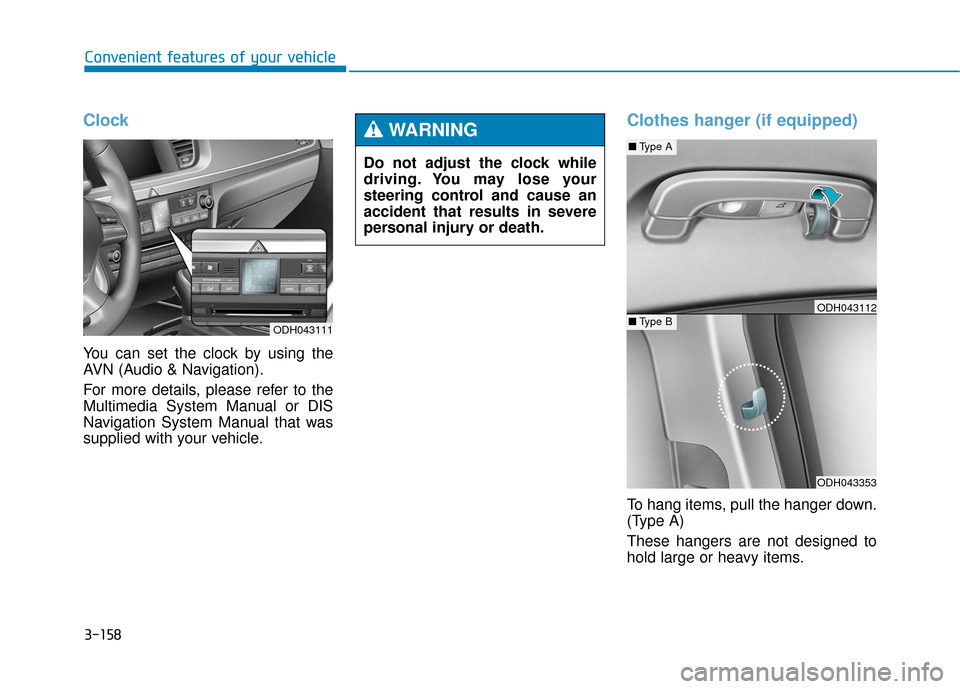
You can set the clock by using the
AVN (Audio & Navigation).
For more details, please refer to the
Multimedia System Manual or DIS
Navigation System Manual that was
supplied with your vehicle.
Clothes hanger (if equipped)
To hang items, pull the hanger down.
(Type A)
These hangers are not designed to
hold large or heavy items.
Do not adjust the clock while
driving. You may lose your
steering control and cause an
accident that results in severe
personal injury or death.
WARNING
ODH043111
ODH043353
■
Type A
■Type BODH043112
Page 262 of 503
Driving your vehicle
5
Before driving.........................................................5-4
Before entering the vehicle ...........................................5-4
Before starting...................................................................5-4
Engine Start/Stop button ................................................5-6
Automatic transmission .......................................5-11
Automatic transmission operation .............................5-11
Parking ........................................................................\
.......5-17
Good driving practices ...................................................5-17
All Wheel Drive (AWD) ........................................5-19
Using All Wheel Drive (AWD) .......................................5-19
Emergency precautions .................................................5-21
Braking system ...................................................5-23
Power brakes ..................................................................5-23
Disc brakes wear indicator ..........................................5-24
Foot parking brake ........................................................5-24
Electric parking brake (EPB) ........................................5-26
AUTO HOLD .....................................................................5-3\
1
Anti-lock Brake System (ABS) ....................................5-35
Electronic Stability Control (ESC)................................5-38
Hill-Start Assist Control (HAC) ...................................5-41
Good braking practices..................................................5-41
Drive mode integrated control system .............5-42
Electronic Control Suspension (ECS) ................5-44
ECS malfunction indicator.............................................5-44
Autonomous Emergency Braking (AEB)............5-45
AEB operation ..................................................................5-46
To cancel the AEB ..........................................................5-47
Warning light and message ..........................................5-48
Cruise control .......................................................5-50
Cruise control operation................................................5-50
Advanced smart cruise control system ............5-54
To convert to cruise control mode .............................5-55
Smart cruise control speed ..........................................5-55
Cancelled automatically .................................................5-58
Smart cruise control vehicle-to-vehicle distance.....5-60
Sensor to detect distance to the vehicle ahead .....5-62
Limitations of the system .............................................5-64
Lane Keeping Assist System (LKAS) .................5-69
LKAS operation ................................................................5-70
LKAS malfunction............................................................5-75
LKAS function change ..................................................5-76
Blind Spot Detection System (BSD) ..................5-78
BSD (Blind Spot Detection) /
LCA (Lane Change Assist) .............................................5-79
RCTA (Rear Cross Traffic Alert) ..................................5-82
Page 265 of 503
5-4
Driving your vehicle
Before entering the vehicle
• Be sure all windows, outside mir-ror(s), and outside lights are clean
and unobstructed.
Remove frost, snow, or ice.
Visually check the tires for uneven wear and damage.
Check under the vehicle for any sign of leaks.
Be sure there are no obstacles behind you if you intend to back up.
Before starting
Make sure the hood, the trunk, andthe doors are securely closed and
locked.
Adjust the position of the seat and steering wheel.
Adjust the inside and outside rearview mirrors.
Verify all the lights work.
Fasten your seatbelt. Check that all passengers have fastened their
seatbelts.
Check the gauges and indicators in the instrument panel and the mes-
sages on the instrument display
when the Engine Start/Stop button
is in the ON position.
Check that any items you are car- rying are stored properly or fas-
tened down securely.
CALIFORNIA PROPOSITION 65
WARNING
Engine exhaust and a wide vari-
ety of automobile components
including components found in
the interior furnishings in a
vehicle, contain or emit harmful
chemicals known to the State of
California to cause cancer and
birth defects and reproductive
harm. In addition, certain fluids
contained in vehicles and cer-
tain products of components
contain or emit chemicals
known to the State of California
to cause cancer and birth
defects or other reproductive
harm.WARNING
B B
E
EF
FO
O R
RE
E
D
D R
RI
IV
V I
IN
N G
G
Page 273 of 503
5-12
Driving your vehicleThe indicator in the instrument clus-
ter displays the shift lever position
when the Engine Start/Stop button is
in the ON position.
P (Park)
Always come to a complete stop
before shifting into P (Park).
To shift from P (Park), you must
depress firmly on the brake pedal
and make sure your foot is off the
accelerator pedal.
If you have done all of the above and
still cannot shift the lever out of P
(Park), see “Shift-Lock Release” on
page 5-16.
The shift lever must be in P (Park)
before turning the engine off.
To reduce the risk of serious
injury or death:
ALWAYS check the surround-
ing areas near your vehicle for
people, especially children,
before shifting a vehicle into
D (Drive) or R (Reverse).
Before leaving the driver’s
seat, always make sure the
shift lever is in the P (Park)
position, then set the parking
brake, and place the Engine
Start/Stop button in the OFF
position. Unexpected and
sudden vehicle movement
can occur if these precautions
are not followed.
Do not use engine braking
(shifting from a high gear to
lower gear) rapidly on slip-
pery roads. The vehicle may
slip causing an accident.
WARNING
Shifting into P (Park) while the
vehicle is in motion may
cause you to lose control of
the vehicle.
After the vehicle has stopped,
always make sure the shift
lever is in P (Park), apply the
parking brake, and turn the
engine off.
Do not use the P (Park) posi-
tion in place of the parking
brake.
WARNING
Page 277 of 503
5-16
Driving your vehicle
Shift-lock system
For your safety, the automatic trans-
mission has a shift-lock system
which prevents shifting the transmis-
sion from P (Park) into R (Reverse)
unless the brake pedal is depressed.
To shift the transmission from P
(Park) into R (Reverse):
1.Depress and hold the brake pedal.
2.Start the engine or place theEngine Start/Stop button in the ON
position.
3.Move the shift lever.
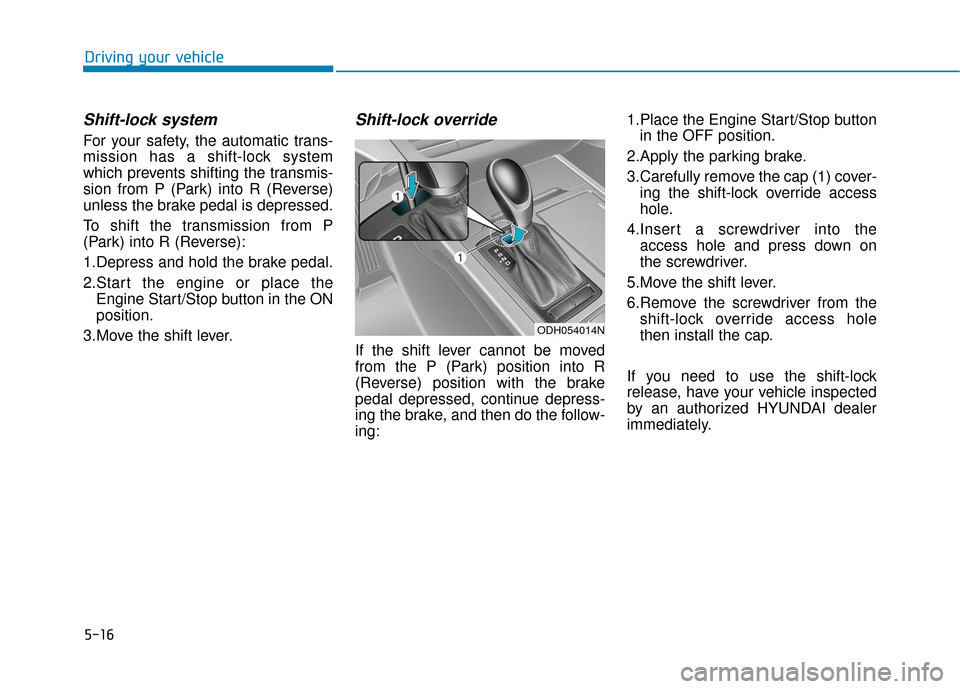
Shift-lock override
If the shift lever cannot be moved
from the P (Park) position into R
(Reverse) position with the brake
pedal depressed, continue depress-
ing the brake, and then do the follow-
ing: 1.Place the Engine Start/Stop button
in the OFF position.
2.Apply the parking brake.
3.Carefully remove the cap (1) cover- ing the shift-lock override access
hole.
4.Insert a screwdriver into the access hole and press down on
the screwdriver.
5.Move the shift lever.
6.Remove the screwdriver from the shift-lock override access hole
then install the cap.
If you need to use the shift-lock
release, have your vehicle inspected
by an authorized HYUNDAI dealer
immediately.
ODH054014N
Page 291 of 503
5-30
Driving your vehicle
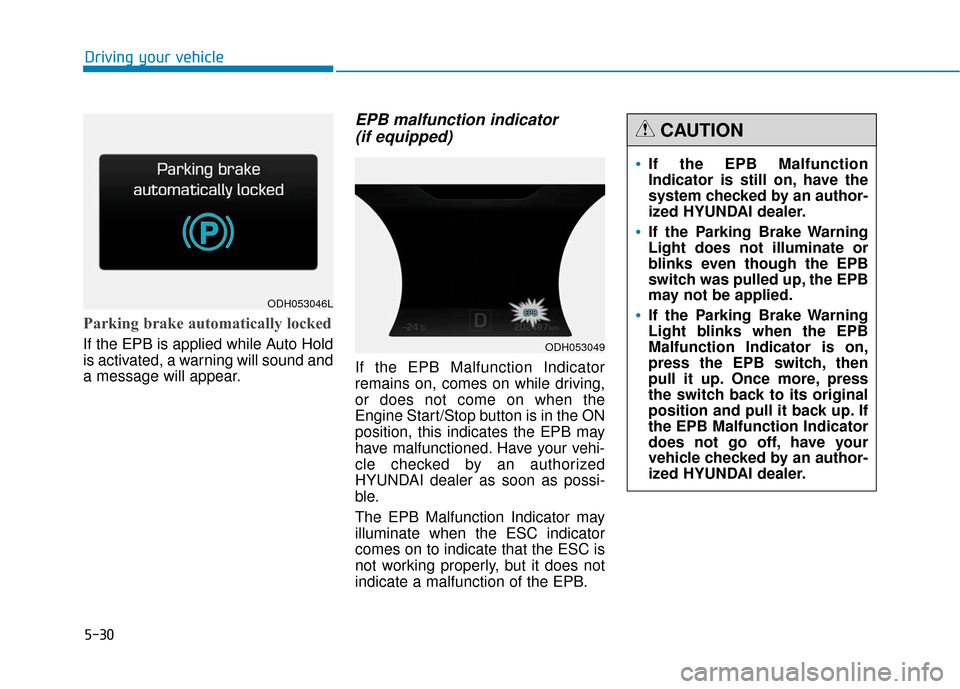
Parking brake automatically locked
If the EPB is applied while Auto Hold
is activated, a warning will sound and
a message will appear.
EPB malfunction indicator (if equipped)
If the EPB Malfunction Indicator
remains on, comes on while driving,
or does not come on when the
Engine Start/Stop button is in the ON
position, this indicates the EPB may
have malfunctioned. Have your vehi-
cle checked by an authorized
HYUNDAI dealer as soon as possi-
ble.
The EPB Malfunction Indicator may
illuminate when the ESC indicator
comes on to indicate that the ESC is
not working properly, but it does not
indicate a malfunction of the EPB.
ODH053046L
ODH053049
If the EPB Malfunction
Indicator is still on, have the
system checked by an author-
ized HYUNDAI dealer.
If the Parking Brake Warning
Light does not illuminate or
blinks even though the EPB
switch was pulled up, the EPB
may not be applied.
If the Parking Brake Warning
Light blinks when the EPB
Malfunction Indicator is on,
press the EPB switch, then
pull it up. Once more, press
the switch back to its original
position and pull it back up. If
the EPB Malfunction Indicator
does not go off, have your
vehicle checked by an author-
ized HYUNDAI dealer.
CAUTION
Page 295 of 503
5-34
Driving your vehicle
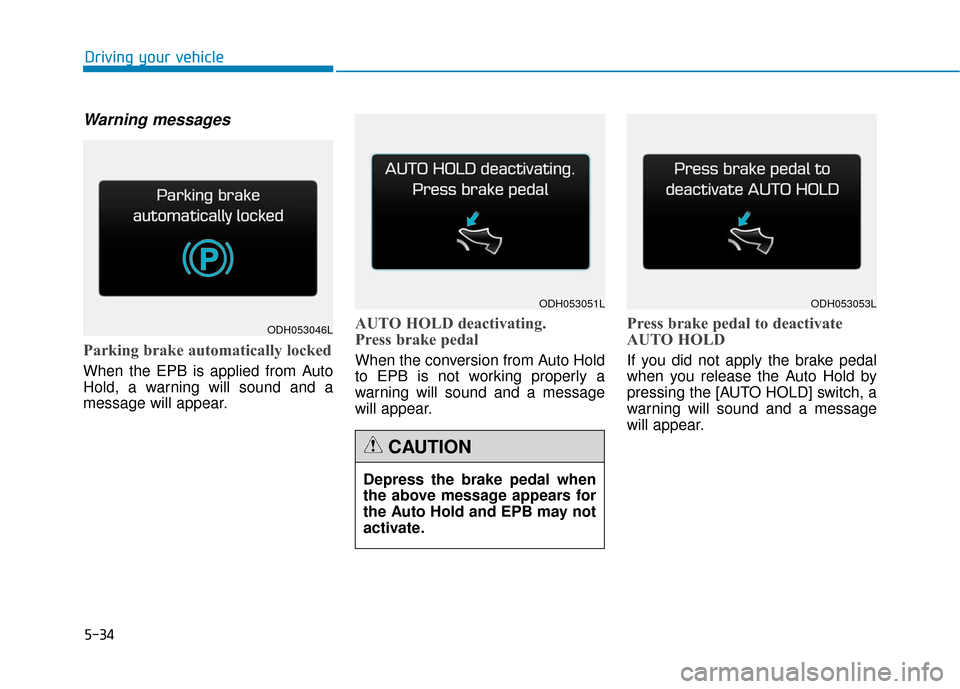
Warning messages
Parking brake automatically locked
When the EPB is applied from Auto
Hold, a warning will sound and a
message will appear.
AUTO HOLD deactivating.
Press brake pedal
When the conversion from Auto Hold
to EPB is not working properly a
warning will sound and a message
will appear.
Press brake pedal to deactivate
AUTO HOLD
If you did not apply the brake pedal
when you release the Auto Hold by
pressing the [AUTO HOLD] switch, a
warning will sound and a message
will appear.
ODH053046L
ODH053051LODH053053L
Depress the brake pedal when
the above message appears for
the Auto Hold and EPB may not
activate.
CAUTION