light Hyundai Genesis Coupe 2011 Repair Manual
[x] Cancel search | Manufacturer: HYUNDAI, Model Year: 2011, Model line: Genesis Coupe, Model: Hyundai Genesis Coupe 2011Pages: 343, PDF Size: 34.28 MB
Page 159 of 343
491
Features of your vehicle
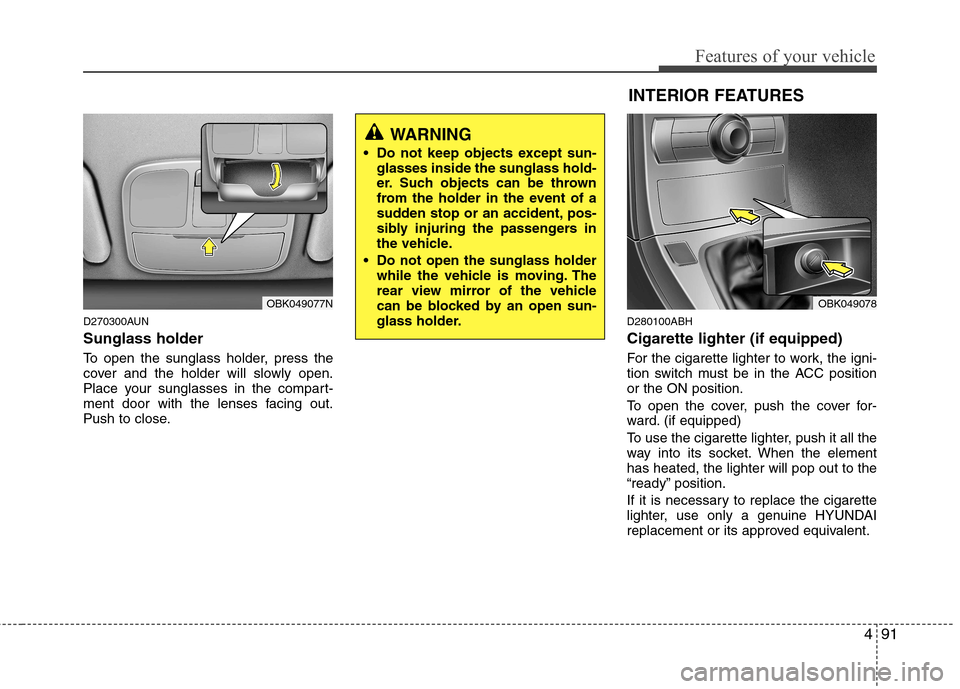
D270300AUN Sunglass holder
To open the sunglass holder, press the
cover and the holder will slowly open.
Place your sunglasses in the compart-
ment door with the lenses facing out.
Push to close.D280100ABH Cigarette lighter (if equipped)
For the cigarette lighter to work, the igni-
tion switch must be in the ACC positionor the ON position.
To open the cover, push the cover for-
ward. (if equipped)
To use the cigarette lighter, push it all the
way into its socket. When the elementhas heated, the lighter will pop out to the
“ready” position.
If it is necessary to replace the cigarette
lighter, use only a genuine HYUNDAI
replacement or its approved equivalent.
OBK049077N
WARNING
Do not keep objects except sun- glasses inside the sunglass hold-
er. Such objects can be thrown
from the holder in the event of a
sudden stop or an accident, pos-
sibly injuring the passengers in
the vehicle.
Do not open the sunglass holder while the vehicle is moving. The
rear view mirror of the vehicle
can be blocked by an open sun-
glass holder.
INTERIOR FEATURES
OBK049078
Page 160 of 343
Features of your vehicle
92
4
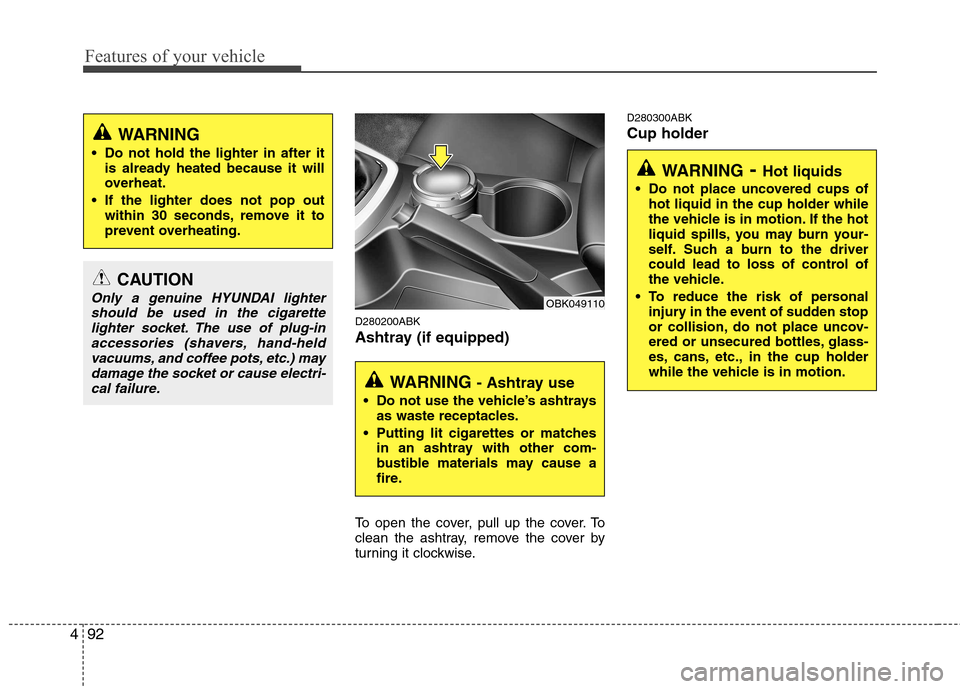
D280200ABK
Ashtray (if equipped)
To open the cover, pull up the cover. To
clean the ashtray, remove the cover by
turning it clockwise. D280300ABK Cup holder
CAUTION
Only a genuine HYUNDAI lighter
should be used in the cigarette lighter socket. The use of plug-inaccessories (shavers, hand-heldvacuums, and coffee pots, etc.) may
damage the socket or cause electri-cal failure.
WARNING
Do not hold the lighter in after it is already heated because it will
overheat.
If the lighter does not pop out within 30 seconds, remove it to
prevent overheating.
WARNING - Ashtray use
Do not use the vehicle’s ashtrays as waste receptacles.
Putting lit cigarettes or matches in an ashtray with other com-
bustible materials may cause a
fire.
OBK049110
WARNING - Hot liquids
Do not place uncovered cups of hot liquid in the cup holder while
the vehicle is in motion. If the hot
liquid spills, you may burn your-
self. Such a burn to the driver
could lead to loss of control of
the vehicle.
To reduce the risk of personal injury in the event of sudden stop
or collision, do not place uncov-
ered or unsecured bottles, glass-
es, cans, etc., in the cup holder
while the vehicle is in motion.
Page 161 of 343
493
Features of your vehicle
Cups or small beverage cans may be
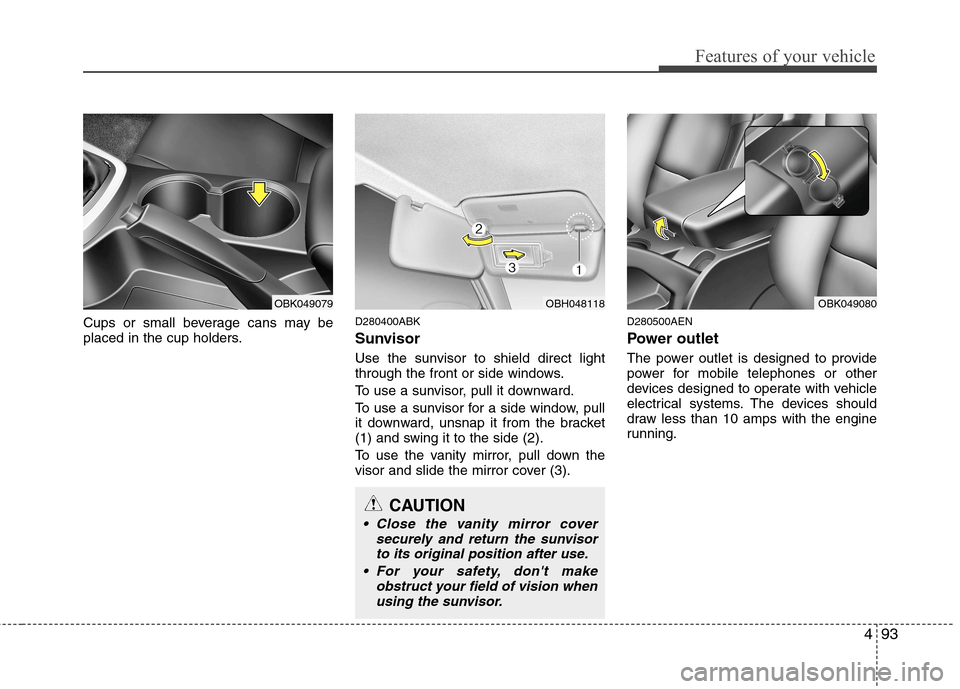
placed in the cup holders.D280400ABK
Sunvisor
Use the sunvisor to shield direct light
through the front or side windows.
To use a sunvisor, pull it downward.
To use a sunvisor for a side window, pull
it downward, unsnap it from the bracket
(1) and swing it to the side (2).
To use the vanity mirror, pull down the
visor and slide the mirror cover (3).D280500AEN
Power outlet
The power outlet is designed to provide
power for mobile telephones or other
devices designed to operate with vehicle
electrical systems. The devices should
draw less than 10 amps with the engine
running.
OBK049079OBH048118
CAUTION
Close the vanity mirror cover
securely and return the sunvisorto its original position after use.
For your safety, don't make obstruct your field of vision whenusing the sunvisor.
OBK049080
Page 171 of 343
4103
Features of your vehicle
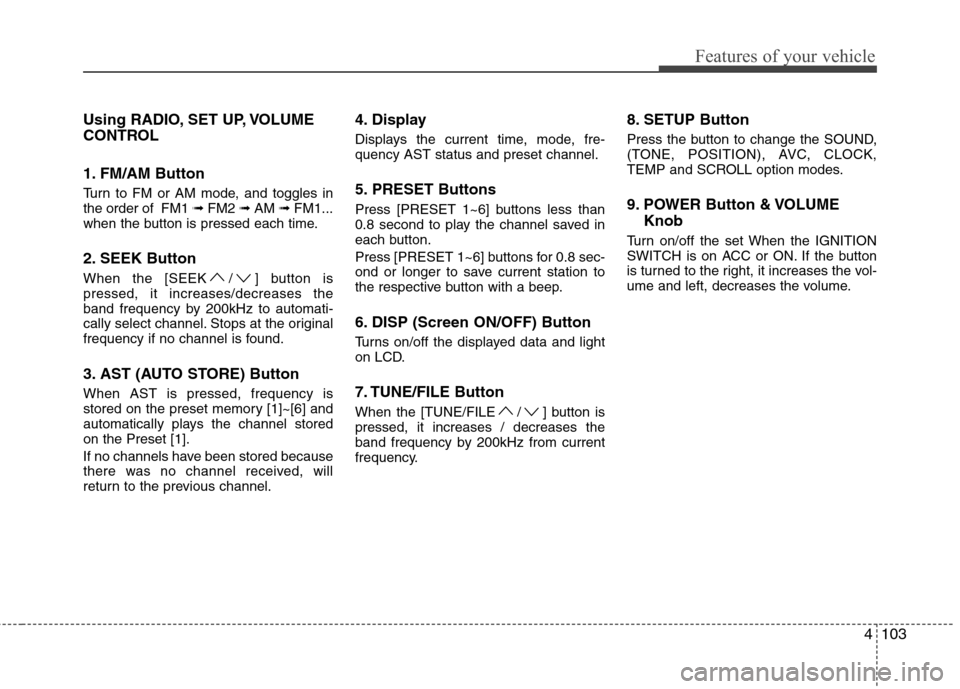
Using RADIO, SET UP, VOLUME
CONTROL
1. FM/AM Button
Turn to FM or AM mode, and toggles in the order of FM1 ➟FM2 ➟AM ➟FM1...
when the button is pressed each time.
2. SEEK Button
When the [SEEK / ] button is pressed, it increases/decreases the
band frequency by 200kHz to automati-
cally select channel. Stops at the original
frequency if no channel is found.
3. AST (AUTO STORE) Button When AST is pressed, frequency is
stored on the preset memory [1]~[6] and
automatically plays the channel storedon the Preset [1].
If no channels have been stored because
there was no channel received, will
return to the previous channel. 4. Display
Displays the current time, mode, fre- quency AST status and preset channel.
5. PRESET Buttons
Press [PRESET 1~6] buttons less than
0.8 second to play the channel saved in
each button.
Press [PRESET 1~6] buttons for 0.8 sec-
ond or longer to save current station to
the respective button with a beep.
6. DISP (Screen ON/OFF) Button
Turns on/off the displayed data and light
on LCD.
7. TUNE/FILE Button
When the [TUNE/FILE / ] button is pressed, it increases / decreases the
band frequency by 200kHz from current
frequency.
8. SETUP Button
Press the button to change the SOUND,
(TONE, POSITION), AVC, CLOCK,
TEMP and SCROLL option modes.
9. POWER Button & VOLUME
Knob
Turn on/off the set When the IGNITION
SWITCH is on ACC or ON. If the button
is turned to the right, it increases the vol-
ume and left, decreases the volume.
Page 183 of 343
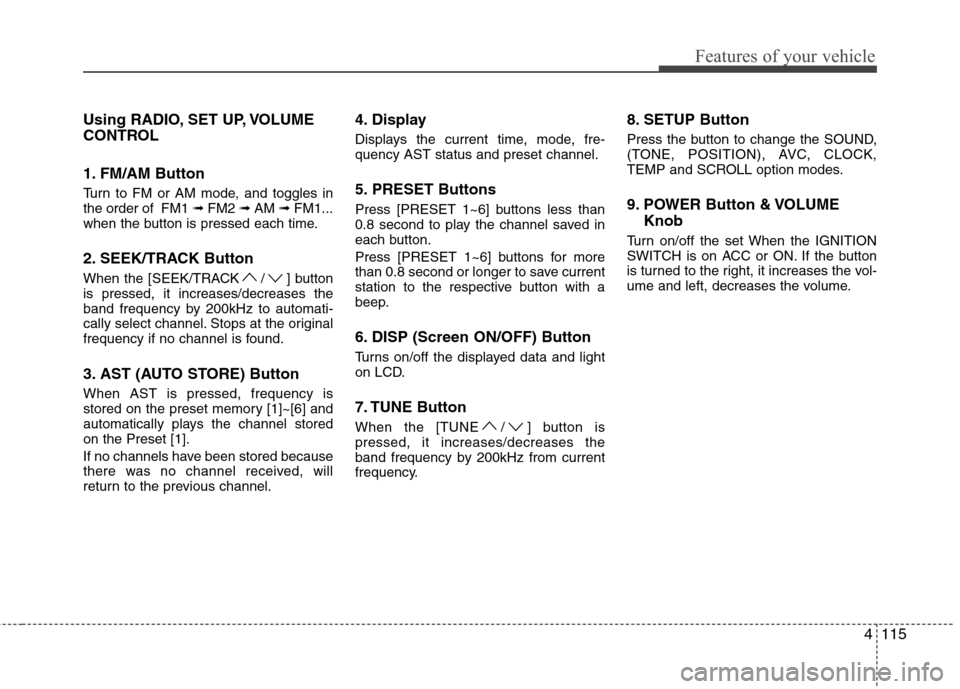
4115
Features of your vehicle
Using RADIO, SET UP, VOLUME
CONTROL
1. FM/AM Button
Turn to FM or AM mode, and toggles in the order of FM1 ➟FM2 ➟AM ➟FM1...
when the button is pressed each time.
2. SEEK/TRACK Button
When the [SEEK/TRACK / ] button is pressed, it increases/decreases the
band frequency by 200kHz to automati-
cally select channel. Stops at the original
frequency if no channel is found.
3. AST (AUTO STORE) Button When AST is pressed, frequency is
stored on the preset memory [1]~[6] and
automatically plays the channel storedon the Preset [1].
If no channels have been stored because
there was no channel received, will
return to the previous channel. 4. Display
Displays the current time, mode, fre- quency AST status and preset channel.
5. PRESET Buttons
Press [PRESET 1~6] buttons less than
0.8 second to play the channel saved in
each button.
Press [PRESET 1~6] buttons for more
than 0.8 second or longer to save current
station to the respective button with a
beep.
6. DISP (Screen ON/OFF) Button
Turns on/off the displayed data and light
on LCD.
7. TUNE Button
When the [TUNE / ] button is pressed, it increases/decreases the
band frequency by 200kHz from current
frequency.
8. SETUP Button
Press the button to change the SOUND,
(TONE, POSITION), AVC, CLOCK,
TEMP and SCROLL option modes.
9. POWER Button & VOLUME
Knob
Turn on/off the set When the IGNITION
SWITCH is on ACC or ON. If the button
is turned to the right, it increases the vol-
ume and left, decreases the volume.
Page 196 of 343
53
Driving your vehicle
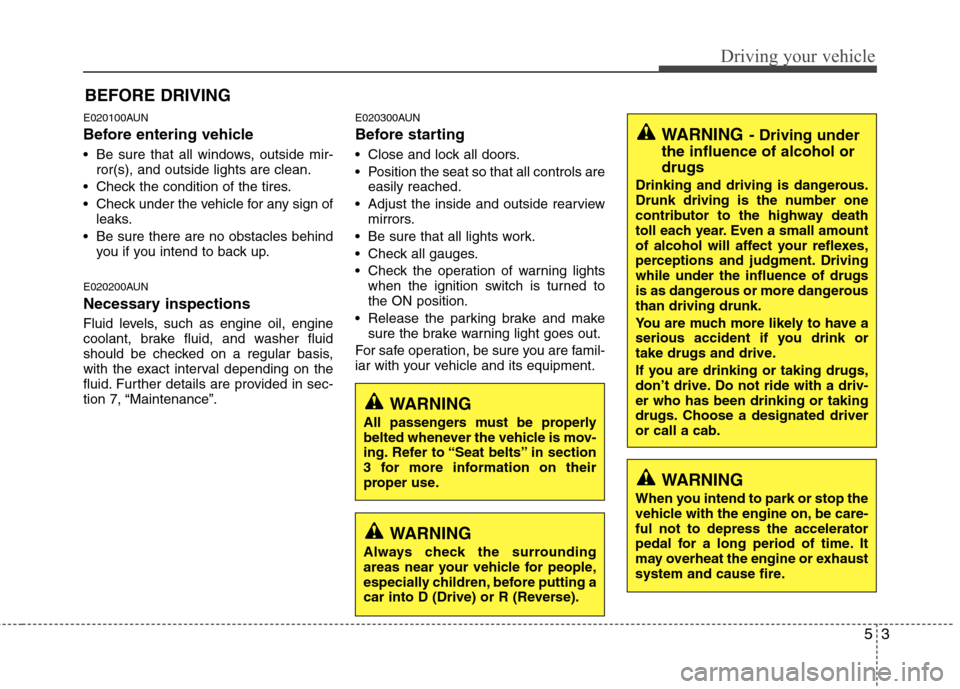
E020100AUN
Before entering vehicle
• Be sure that all windows, outside mir-ror(s), and outside lights are clean.
Check the condition of the tires.
Check under the vehicle for any sign of leaks.
Be sure there are no obstacles behind you if you intend to back up.
E020200AUN
Necessary inspections
Fluid levels, such as engine oil, engine
coolant, brake fluid, and washer fluid
should be checked on a regular basis,
with the exact interval depending on the
fluid. Further details are provided in sec-
tion 7, “Maintenance”. E020300AUN
Before starting
Close and lock all doors.
Position the seat so that all controls are
easily reached.
Adjust the inside and outside rearview mirrors.
Be sure that all lights work.
Check all gauges.
Check the operation of warning lights when the ignition switch is turned to the ON position.
Release the parking brake and make sure the brake warning light goes out.
For safe operation, be sure you are famil-
iar with your vehicle and its equipment.
BEFORE DRIVING
WARNING
All passengers must be properly
belted whenever the vehicle is mov-
ing. Refer to “Seat belts” in section
3 for more information on their
proper use.
WARNING
Always check the surrounding
areas near your vehicle for people,
especially children, before putting a
car into D (Drive) or R (Reverse).
WARNING
When you intend to park or stop the
vehicle with the engine on, be care-ful not to depress the accelerator
pedal for a long period of time. It
may overheat the engine or exhaust
system and cause fire.
WARNING - Driving under
the influence of alcohol or drugs
Drinking and driving is dangerous.
Drunk driving is the number one
contributor to the highway death
toll each year. Even a small amount
of alcohol will affect your reflexes,
perceptions and judgment. Drivingwhile under the influence of drugs
is as dangerous or more dangerousthan driving drunk.
You are much more likely to have a
serious accident if you drink or
take drugs and drive.
If you are drinking or taking drugs,
don’t drive. Do not ride with a driv-er who has been drinking or taking
drugs. Choose a designated driveror call a cab.
Page 197 of 343
Driving your vehicle
4
5
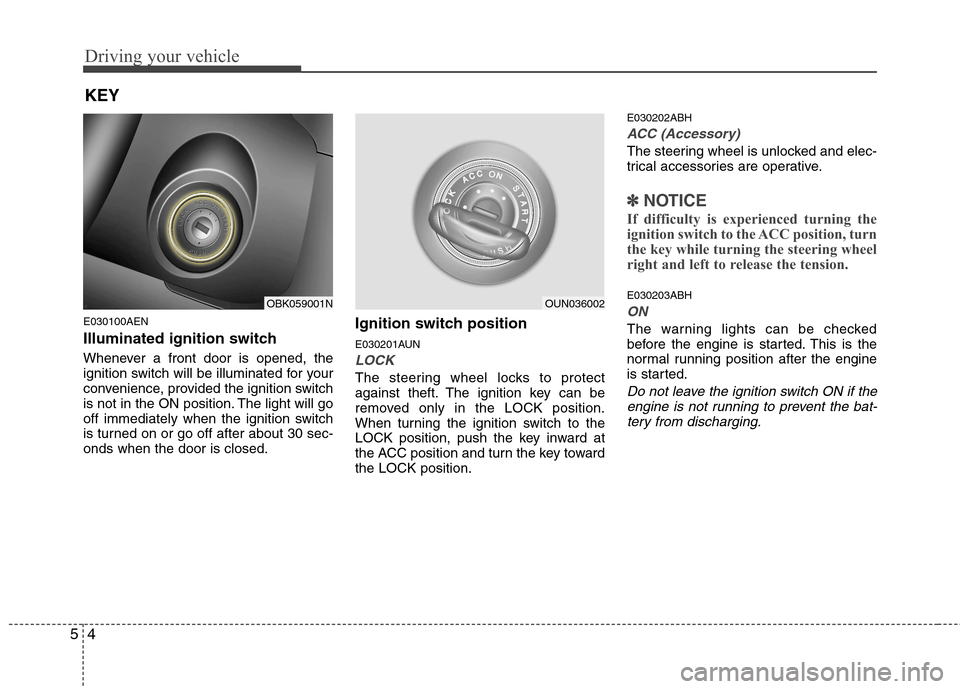
E030100AEN
Illuminated ignition switch
Whenever a front door is opened, the
ignition switch will be illuminated for your
convenience, provided the ignition switch
is not in the ON position. The light will go
off immediately when the ignition switch
is turned on or go off after about 30 sec-onds when the door is closed. Ignition switch position
E030201AUN
LOCK
The steering wheel locks to protect
against theft. The ignition key can be
removed only in the LOCK position.
When turning the ignition switch to the
LOCK position, push the key inward at
the ACC position and turn the key towardthe LOCK position.E030202ABH
ACC (Accessory)
The steering wheel is unlocked and elec-
trical accessories are operative.
✽✽
NOTICE
If difficulty is experienced turning the
ignition switch to the ACC position, turn
the key while turning the steering wheel
right and left to release the tension.
E030203ABH
ON
The warning lights can be checked
before the engine is started. This is the
normal running position after the engine
is started.
Do not leave the ignition switch ON if the engine is not running to prevent the bat-
tery from discharging.
KEY
OBK059001NOUN036002
Page 200 of 343
57
Driving your vehicle
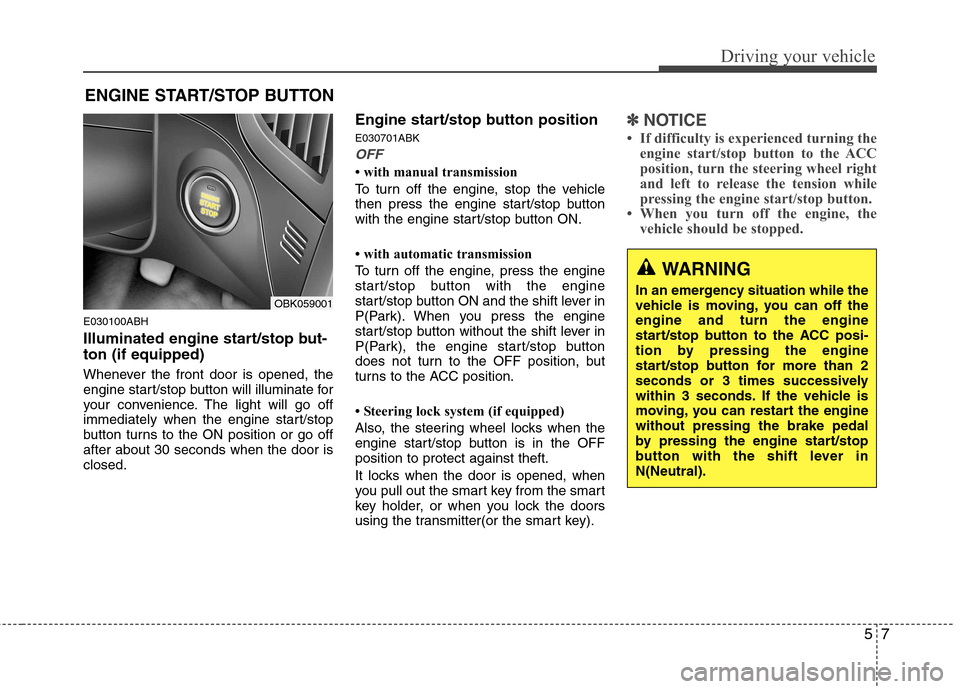
E030100ABH
Illuminated engine start/stop but- ton (if equipped)
Whenever the front door is opened, the
engine start/stop button will illuminate for
your convenience. The light will go off
immediately when the engine start/stop
button turns to the ON position or go offafter about 30 seconds when the door isclosed.Engine start/stop button position E030701ABK
OFF
with manual transmission
To turn off the engine, stop the vehicle
then press the engine start/stop button
with the engine start/stop button ON.
with automatic transmission
To turn off the engine, press the engine
start/stop button with the engine
start/stop button ON and the shift lever in
P(Park). When you press the engine
start/stop button without the shift lever in
P(Park), the engine start/stop button
does not turn to the OFF position, but
turns to the ACC position.
Steering lock system (if equipped)
Also, the steering wheel locks when the
engine start/stop button is in the OFFposition to protect against theft.
It locks when the door is opened, when
you pull out the smart key from the smart
key holder, or when you lock the doors
using the transmitter(or the smart key).
✽✽
NOTICE
If difficulty is experienced turning the engine start/stop button to the ACC
position, turn the steering wheel right
and left to release the tension while
pressing the engine start/stop button.
When you turn off the engine, the vehicle should be stopped.
ENGINE START/STOP BUTTON
WARNING
In an emergency situation while the
vehicle is moving, you can off theengine and turn the engine
start/stop button to the ACC posi-
tion by pressing the engine
start/stop button for more than 2
seconds or 3 times successively
within 3 seconds. If the vehicle is
moving, you can restart the enginewithout pressing the brake pedal
by pressing the engine start/stop
button with the shift lever inN(Neutral).
OBK059001
Page 201 of 343
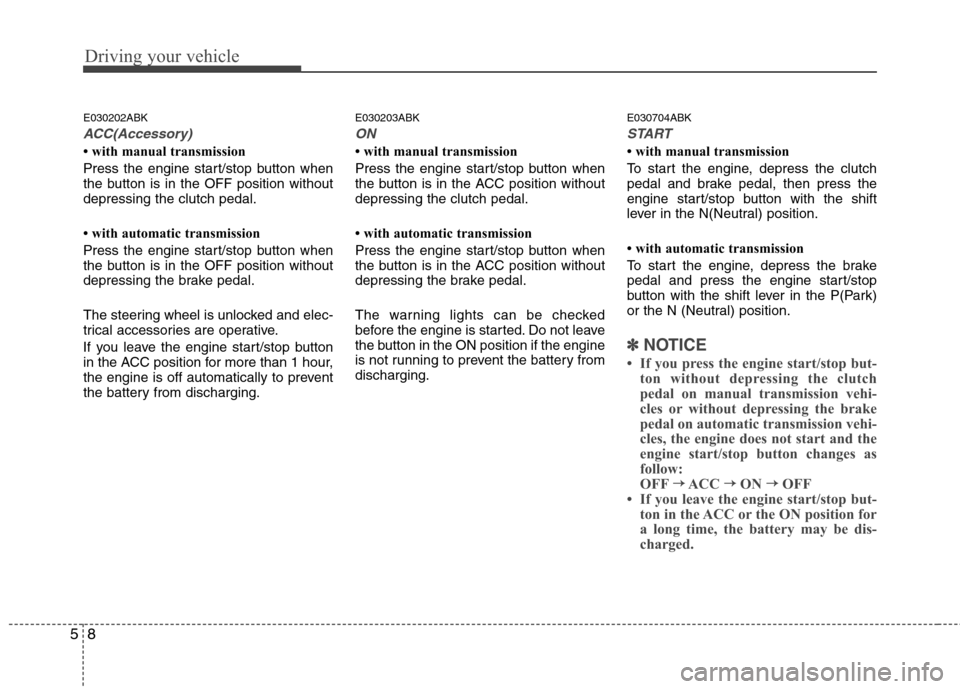
Driving your vehicle
8
5
E030202ABK
ACC(Accessory)
with manual transmission
Press the engine start/stop button when
the button is in the OFF position withoutdepressing the clutch pedal.
with automatic transmission
Press the engine start/stop button when
the button is in the OFF position without
depressing the brake pedal.
The steering wheel is unlocked and elec-
trical accessories are operative.
If you leave the engine start/stop button
in the ACC position for more than 1 hour,
the engine is off automatically to prevent
the battery from discharging. E030203ABK
ON
with manual transmission
Press the engine start/stop button when
the button is in the ACC position withoutdepressing the clutch pedal.
with automatic transmission
Press the engine start/stop button when
the button is in the ACC position without
depressing the brake pedal.
The warning lights can be checked
before the engine is started. Do not leave
the button in the ON position if the engine
is not running to prevent the battery fromdischarging.
E030704ABK
START
with manual transmission
To start the engine, depress the clutch
pedal and brake pedal, then press the
engine start/stop button with the shift
lever in the N(Neutral) position.
with automatic transmission
To start the engine, depress the brake
pedal and press the engine start/stop
button with the shift lever in the P(Park)
or the N (Neutral) position.
✽✽
NOTICE
If you press the engine start/stop but- ton without depressing the clutch
pedal on manual transmission vehi-
cles or without depressing the brake
pedal on automatic transmission vehi-
cles, the engine does not start and the
engine start/stop button changes as
follow:
OFF →
→
ACC →→
ON →→
OFF
If you leave the engine start/stop but-
ton in the ACC or the ON position for
a long time, the battery may be dis-
charged.
Page 206 of 343
513
Driving your vehicle
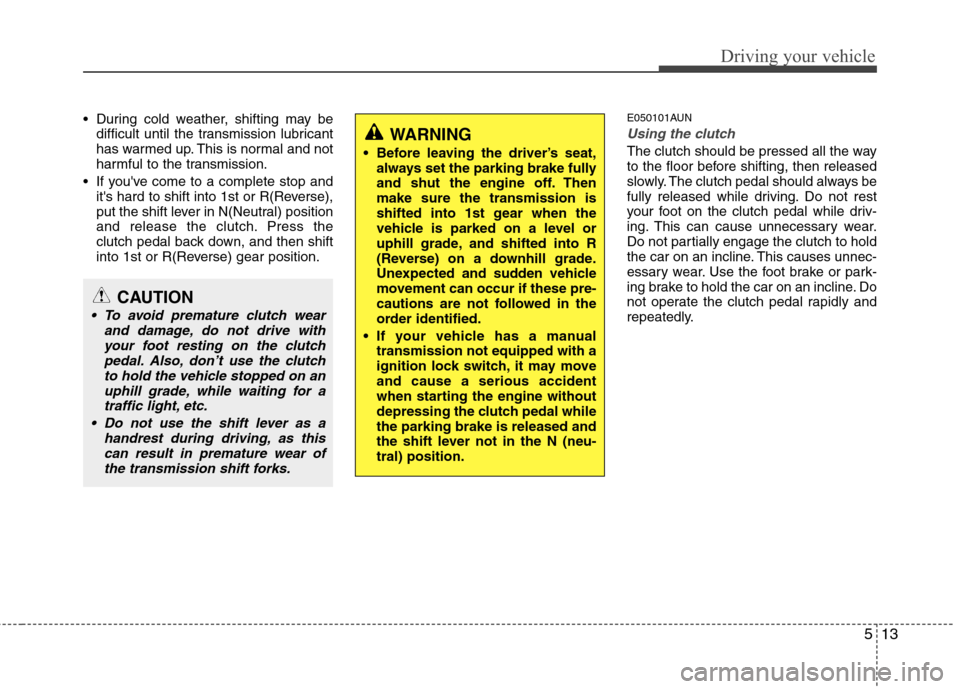
During cold weather, shifting may bedifficult until the transmission lubricant
has warmed up. This is normal and not
harmful to the transmission.
If you've come to a complete stop and it's hard to shift into 1st or R(Reverse),
put the shift lever in N(Neutral) position
and release the clutch. Press the
clutch pedal back down, and then shift
into 1st or R(Reverse) gear position. E050101AUNUsing the clutch
The clutch should be pressed all the way
to the floor before shifting, then released
slowly. The clutch pedal should always be
fully released while driving. Do not rest
your foot on the clutch pedal while driv-
ing. This can cause unnecessary wear.
Do not partially engage the clutch to hold
the car on an incline. This causes unnec-
essary wear. Use the foot brake or park-
ing brake to hold the car on an incline. Do
not operate the clutch pedal rapidly and
repeatedly.
CAUTION
To avoid premature clutch wear
and damage, do not drive with
your foot resting on the clutchpedal. Also, don’t use the clutchto hold the vehicle stopped on an uphill grade, while waiting for atraffic light, etc.
Do not use the shift lever as a handrest during driving, as thiscan result in premature wear ofthe transmission shift forks.
WARNING
Before leaving the driver’s seat, always set the parking brake fully
and shut the engine off. Thenmake sure the transmission is
shifted into 1st gear when the
vehicle is parked on a level or
uphill grade, and shifted into R
(Reverse) on a downhill grade.
Unexpected and sudden vehicle
movement can occur if these pre-
cautions are not followed in the
order identified.
If your vehicle has a manual transmission not equipped with a
ignition lock switch, it may moveand cause a serious accident
when starting the engine without
depressing the clutch pedal whilethe parking brake is released and
the shift lever not in the N (neu-tral) position.