ECU Hyundai Genesis Coupe 2013 Owner's Guide
[x] Cancel search | Manufacturer: HYUNDAI, Model Year: 2013, Model line: Genesis Coupe, Model: Hyundai Genesis Coupe 2013Pages: 414, PDF Size: 38.89 MB
Page 158 of 414
Features of your vehicle
92
4
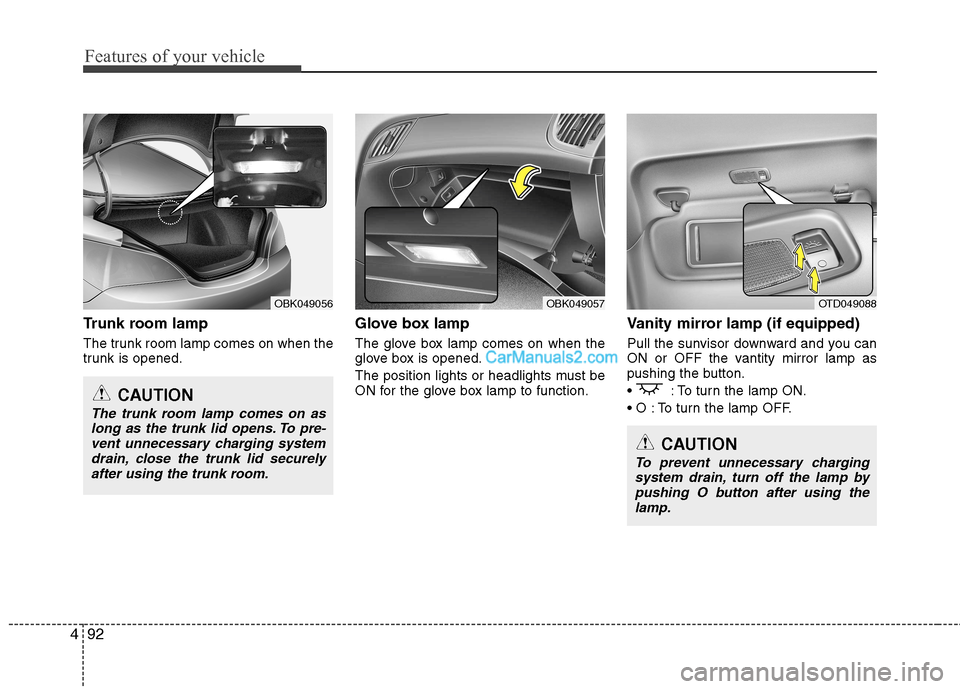
Trunk room lamp
The trunk room lamp comes on when the
trunk is opened. Glove box lamp
The glove box lamp comes on when the
glove box is opened.
The position lights or headlights must be
ON for the glove box lamp to function.Vanity mirror lamp (if equipped)
Pull the sunvisor downward and you can
ON or OFF the vantity mirror lamp as
pushing the button.
: To turn the lamp ON.
To turn the lamp OFF.
OBK049056OBK049057OTD049088
CAUTION
The trunk room lamp comes on as
long as the trunk lid opens. To pre-vent unnecessary charging systemdrain, close the trunk lid securelyafter using the trunk room.
CAUTION
To prevent unnecessary charging
system drain, turn off the lamp by pushing O button after using thelamp.
Page 187 of 414
4121
Features of your vehicle
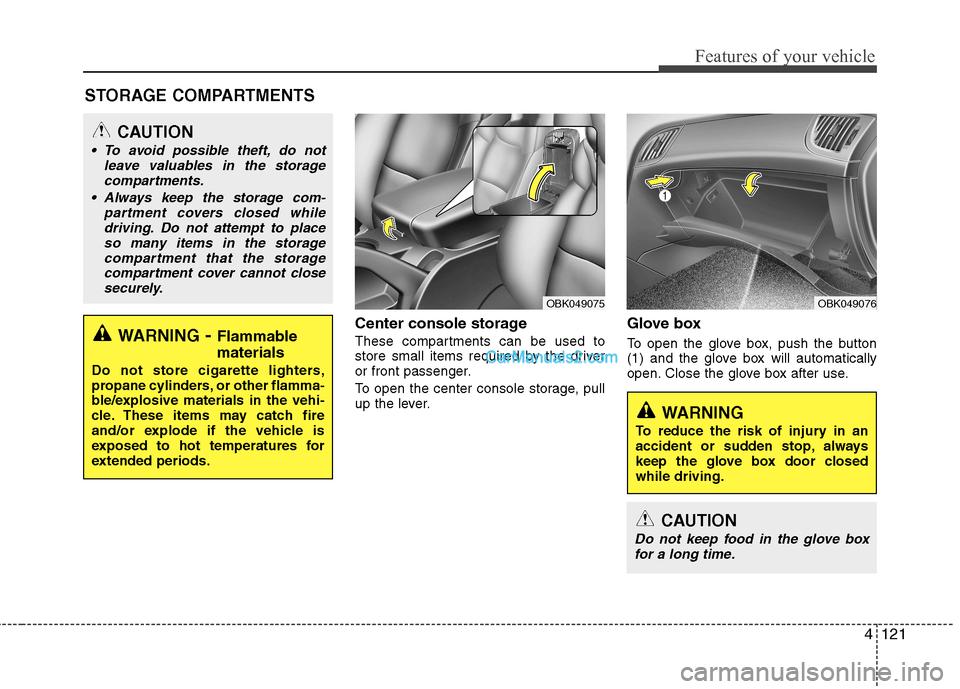
Center console storage
These compartments can be used to
store small items required by the driver
or front passenger.
To open the center console storage, pull
up the lever.Glove box
To open the glove box, push the button
(1) and the glove box will automatically
open. Close the glove box after use.
STORAGE COMPARTMENTS WARNING
- Flammable
materials
Do not store cigarette lighters,
propane cylinders, or other flamma-
ble/explosive materials in the vehi-
cle. These items may catch fire
and/or explode if the vehicle is
exposed to hot temperatures for
extended periods.
CAUTION
To avoid possible theft, do not leave valuables in the storage
compartments.
Always keep the storage com- partment covers closed whiledriving. Do not attempt to place
so many items in the storage compartment that the storagecompartment cover cannot close securely.
OBK049076OBK049075
WARNING
To reduce the risk of injury in an
accident or sudden stop, always
keep the glove box door closedwhile driving.
CAUTION
Do not keep food in the glove box for a long time.
Page 190 of 414
Features of your vehicle
124
4
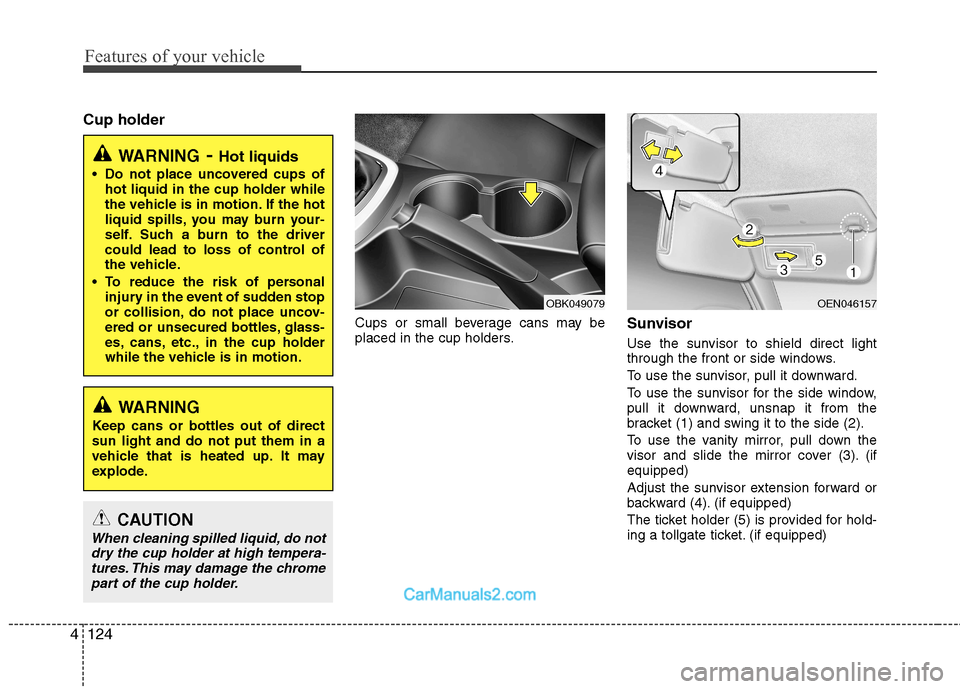
Cup holder
Cups or small beverage cans may be
placed in the cup holders.Sunvisor
Use the sunvisor to shield direct light
through the front or side windows.
To use the sunvisor, pull it downward.
To use the sunvisor for the side window,
pull it downward, unsnap it from the
bracket (1) and swing it to the side (2).
To use the vanity mirror, pull down the
visor and slide the mirror cover (3). (ifequipped)
Adjust the sunvisor extension forward or
backward (4). (if equipped)
The ticket holder (5) is provided for hold-
ing a tollgate ticket. (if equipped)
WARNING
- Hot liquids
Do not place uncovered cups of hot liquid in the cup holder while
the vehicle is in motion. If the hot
liquid spills, you may burn your-
self. Such a burn to the driver
could lead to loss of control of
the vehicle.
To reduce the risk of personal injury in the event of sudden stop
or collision, do not place uncov-
ered or unsecured bottles, glass-
es, cans, etc., in the cup holder
while the vehicle is in motion.
WARNING
Keep cans or bottles out of direct sun light and do not put them in a
vehicle that is heated up. It may
explode.
CAUTION
When cleaning spilled liquid, do not dry the cup holder at high tempera-tures. This may damage the chromepart of the cup holder.
OBK049079OEN046157
Page 191 of 414
4125
Features of your vehicle
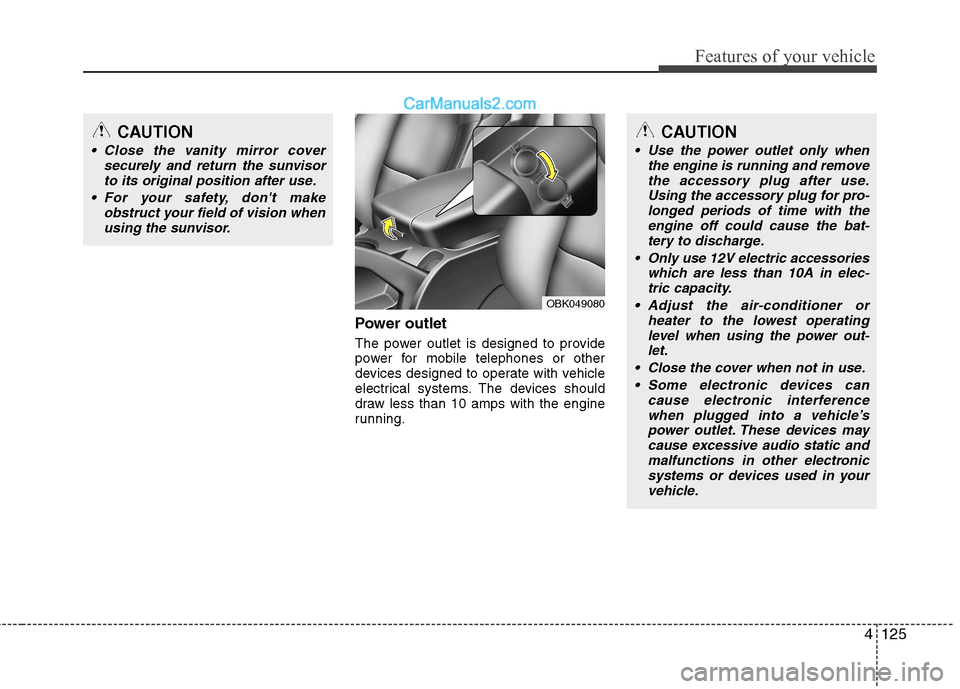
Power outlet
The power outlet is designed to provide
power for mobile telephones or other
devices designed to operate with vehicle
electrical systems. The devices should
draw less than 10 amps with the engine
running.
CAUTION
Close the vanity mirror coversecurely and return the sunvisor
to its original position after use.
For your safety, don't make obstruct your field of vision whenusing the sunvisor.
OBK049080
CAUTION
Use the power outlet only when the engine is running and remove
the accessory plug after use. Using the accessory plug for pro-longed periods of time with theengine off could cause the bat-
tery to discharge.
Only use 12V electric accessories which are less than 10A in elec-tric capacity.
Adjust the air-conditioner or heater to the lowest operatinglevel when using the power out-let.
Close the cover when not in use. Some electronic devices can cause electronic interferencewhen plugged into a vehicle’spower outlet. These devices may cause excessive audio static and
malfunctions in other electronicsystems or devices used in your vehicle.
Page 193 of 414
4127
Features of your vehicle
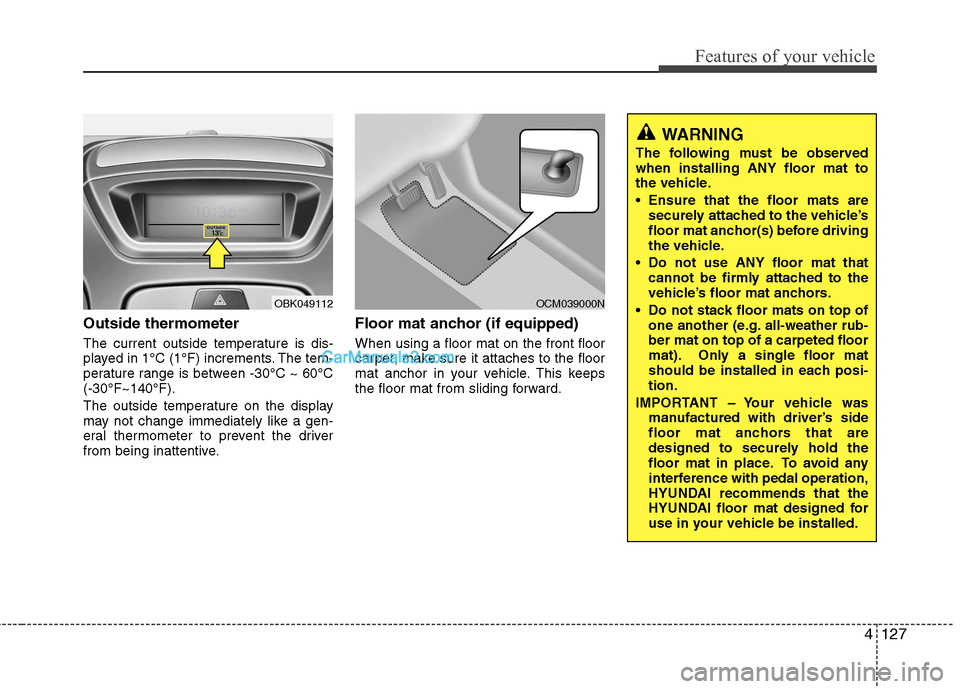
Outside thermometer
The current outside temperature is dis-
played in 1°C (1°F) increments. The tem-
perature range is between -30°C ~ 60°C(-30°F~140°F).
The outside temperature on the display
may not change immediately like a gen-
eral thermometer to prevent the driver
from being inattentive.Floor mat anchor (if equipped) When using a floor mat on the front floor
carpet, make sure it attaches to the floor
mat anchor in your vehicle. This keeps
the floor mat from sliding forward.
OBK049112OCM039000N
WARNING
The following must be observed when installing ANY floor mat to
the vehicle.
Ensure that the floor mats are securely attached to the vehicle’s
floor mat anchor(s) before driving
the vehicle.
Do not use ANY floor mat that cannot be firmly attached to the
vehicle’s floor mat anchors.
Do not stack floor mats on top of one another (e.g. all-weather rub-ber mat on top of a carpeted floor
mat). Only a single floor mat
should be installed in each posi-tion.
IMPORTANT – Your vehicle was manufactured with driver’s side
floor mat anchors that are
designed to securely hold the
floor mat in place. To avoid any
interference with pedal operation,
HYUNDAI recommends that the
HYUNDAI floor mat designed for
use in your vehicle be installed.
Page 222 of 414
Features of your vehicle
156
4
■ Phone Setup
All
Bluetooth ®Wireless Technology-relat-
ed operations can be performed in
PHONE menu.
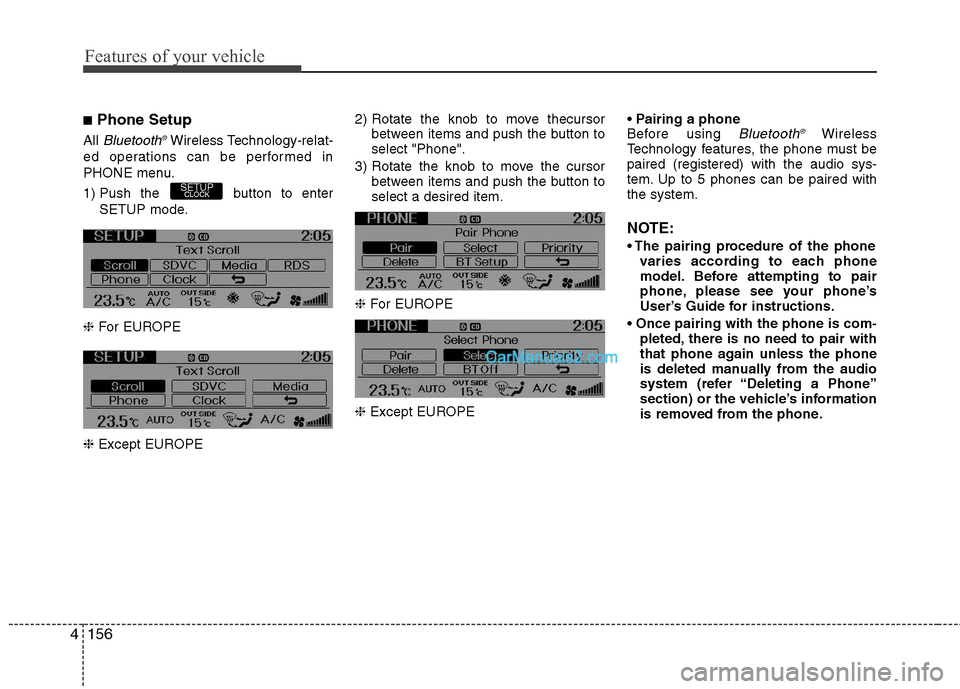
1) Push the button to enter SETUP mode.
❈ For EUROPE
❈ Except EUROPE 2) Rotate the knob to move thecursor
between items and push the button to select "Phone".
3) Rotate the knob to move the cursor between items and push the button toselect a desired item.
❈ For EUROPE
❈ Except EUROPE
Before using Bluetooth
®Wireless
Technology features, the phone must bepaired (registered) with the audio sys-
tem. Up to 5 phones can be paired withthe system.
NOTE:
varies according to each phone
model. Before attempting to pair
phone, please see your phone’s
User’s Guide for instructions.
pleted, there is no need to pair with
that phone again unless the phone
is deleted manually from the audio
system (refer “Deleting a Phone”
section) or the vehicle’s information
is removed from the phone.
SETUPCLOCK
Page 226 of 414
Features of your vehicle
160
4
Bluetooth ®Wireless Technology
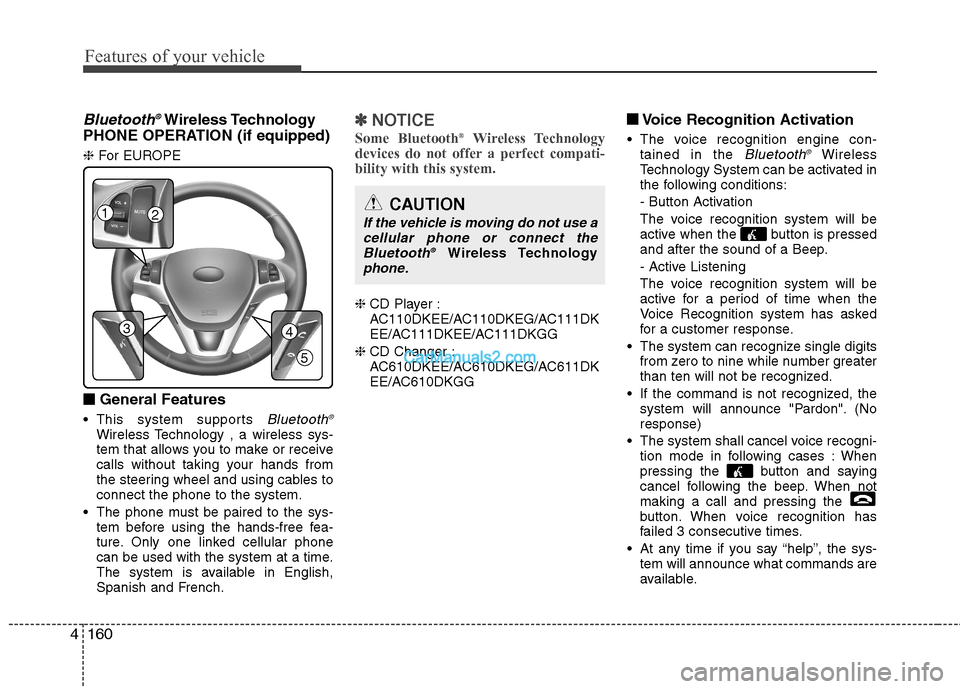
PHONE OPERATION (if equipped) ❈ For EUROPE
■
■ General Features
This system supports
Bluetooth ®Wireless Technology , a wireless sys-
tem that allows you to make or receive
calls without taking your hands from
the steering wheel and using cables toconnect the phone to the system.
The phone must be paired to the sys- tem before using the hands-free fea-
ture. Only one linked cellular phone
can be used with the system at a time.
The system is available in English,
Spanish and French.
✽✽ NOTICE
Some Bluetooth ®
Wireless Technology
devices do not offer a perfect compati- bility with this system.
❈ CD Player :
AC110DKEE/AC110DKEG/AC111DK
EE/AC111DKEE/AC111DKGG
❈ CD Changer :
AC610DKEE/AC610DKEG/AC611DK
EE/AC610DKGG ■
■
Voice Recognition Activation
The voice recognition engine con- tained in the
Bluetooth ®Wireless
Technology System can be activated in
the following conditions:
- Button Activation
The voice recognition system will be
active when the button is pressed
and after the sound of a Beep.
- Active Listening
The voice recognition system will be
active for a period of time when the
Voice Recognition system has asked
for a customer response.
The system can recognize single digits from zero to nine while number greater
than ten will not be recognized.
If the command is not recognized, the system will announce "Pardon". (Noresponse)
The system shall cancel voice recogni- tion mode in following cases : When
pressing the button and saying
cancel following the beep. When notmaking a call and pressing the
button. When voice recognition has
failed 3 consecutive times.
At any time if you say “help”, the sys- tem will announce what commands are
available.
12
34
5
CAUTION
If the vehicle is moving do not use a
cellular phone or connect theBluetooth ®
Wireless Technologyphone.
Page 261 of 414
Driving your vehicle
26
5
Parking brake
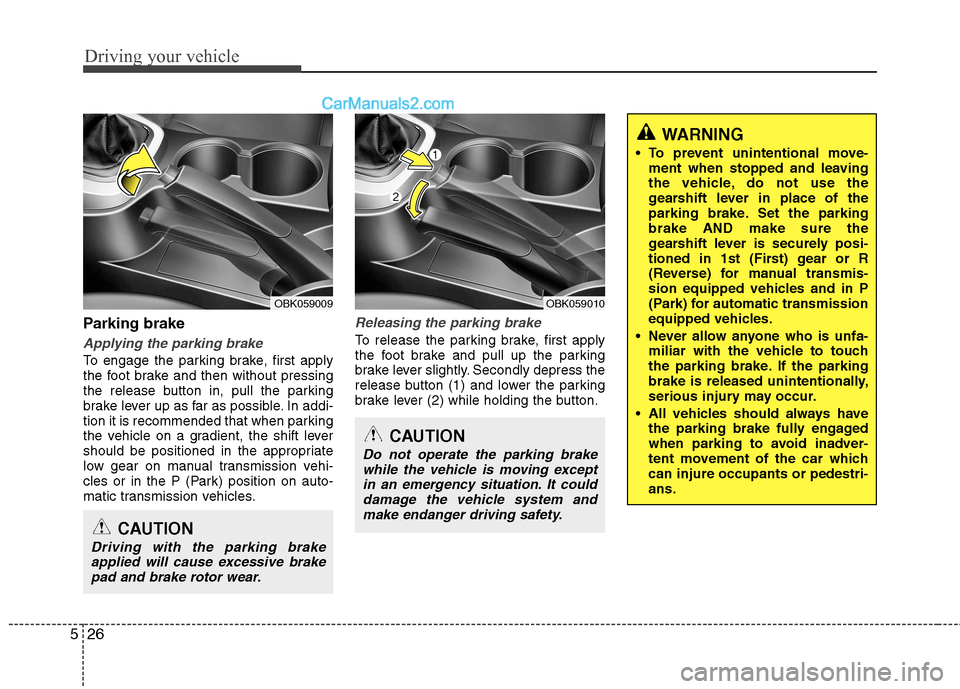
Applying the parking brake
To engage the parking brake, first apply
the foot brake and then without pressing
the release button in, pull the parking
brake lever up as far as possible. In addi-
tion it is recommended that when parking
the vehicle on a gradient, the shift lever
should be positioned in the appropriate
low gear on manual transmission vehi-
cles or in the P (Park) position on auto-
matic transmission vehicles.
Releasing the parking brake
To release the parking brake, first apply
the foot brake and pull up the parking
brake lever slightly. Secondly depress the
release button (1) and lower the parking
brake lever (2) while holding the button.
CAUTION
Driving with the parking brake
applied will cause excessive brake
pad and brake rotor wear.
OBK059009
WARNING
To prevent unintentional move- ment when stopped and leaving
the vehicle, do not use the
gearshift lever in place of the
parking brake. Set the parkingbrake AND make sure the
gearshift lever is securely posi-
tioned in 1st (First) gear or R
(Reverse) for manual transmis-
sion equipped vehicles and in P
(Park) for automatic transmission
equipped vehicles.
Never allow anyone who is unfa- miliar with the vehicle to touch
the parking brake. If the parking
brake is released unintentionally,
serious injury may occur.
All vehicles should always have the parking brake fully engaged
when parking to avoid inadver-
tent movement of the car whichcan injure occupants or pedestri-ans.
CAUTION
Do not operate the parking brake
while the vehicle is moving except
in an emergency situation. It coulddamage the vehicle system and make endanger driving safety.
OBK059010
Page 290 of 414
What to do in an emergency
4
6
IF THE ENGINE WILL NOT START
If engine doesn't turn over or
turns over slowly
1. If your vehicle has an automatic trans- mission, be sure the gear selector
lever is in N(Neutral) or P(Park) and
the emergency brake is set.
2. Check the battery connections to be sure they are clean and tight.
3. Turn on the interior light. If the light dims or goes out when you operate the
starter, the battery is discharged.
4. Check the starter connections to be sure they are securely tightened.
5. Do not push or pull the vehicle to start it. See instructions for "Jump starting". If the engine turns over normally
but does not start
1. Check fuel level.
2. With the ignition switch in the LOCK
position, check all connectors at the
ignition coils and spark plugs.
Reconnect any that may be discon-
nected or loose.
3. If the engine still does not start, we recommend that you call an author-
ized HYUNDAI dealer.
WARNING
If the engine will not start, do not
push or pull the car to start it. Thiscould result in a collision or cause
other damage.
Page 295 of 414
69
What to do in an emergency
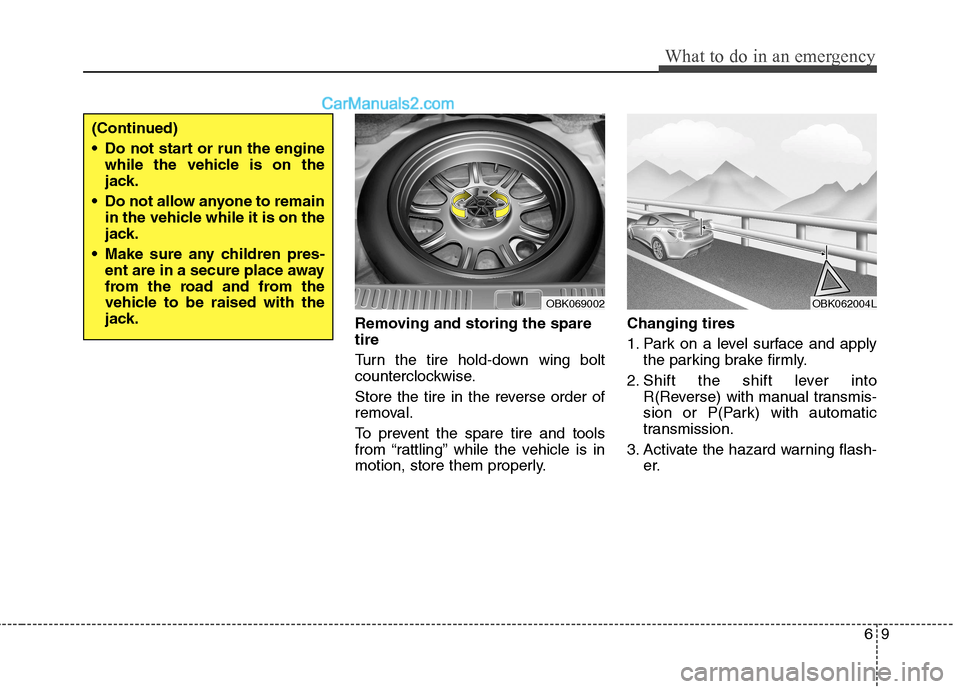
Removing and storing the spare tire
Turn the tire hold-down wing bolt
counterclockwise.
Store the tire in the reverse order of
removal.
To prevent the spare tire and tools
from “rattling” while the vehicle is in
motion, store them properly.Changing tires
1. Park on a level surface and apply
the parking brake firmly.
2. Shift the shift lever into R(Reverse) with manual transmis-
sion or P(Park) with automatic
transmission.
3. Activate the hazard warning flash- er.
OBK069002
(Continued)
Do not start or run the enginewhile the vehicle is on the
jack.
Do not allow anyone to remain in the vehicle while it is on the
jack.
Make sure any children pres- ent are in a secure place away
from the road and from the
vehicle to be raised with the
jack.
OBK062004L