phone HYUNDAI GENESIS COUPE 2014 User Guide
[x] Cancel search | Manufacturer: HYUNDAI, Model Year: 2014, Model line: GENESIS COUPE, Model: HYUNDAI GENESIS COUPE 2014Pages: 438, PDF Size: 40.35 MB
Page 218 of 438
Features of your vehicle
134 4
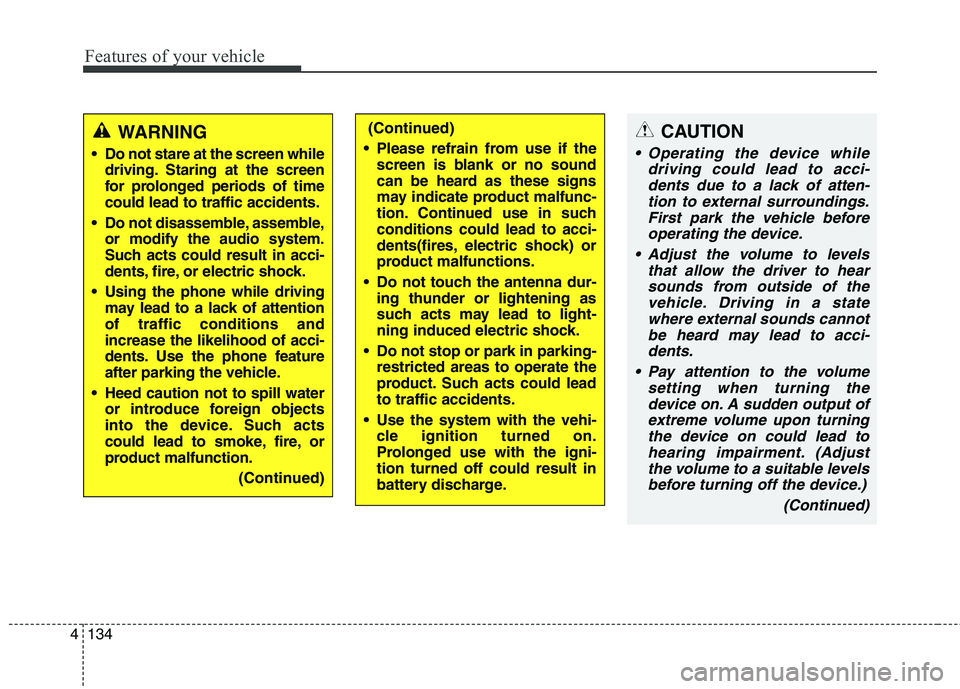
CAUTION
Operating the device while
driving could lead to acci-
dents due to a lack of atten-
tion to external surroundings.
First park the vehicle before
operating the device.
Adjust the volume to levels
that allow the driver to hear
sounds from outside of the
vehicle. Driving in a state
where external sounds cannot
be heard may lead to acci-
dents.
Pay attention to the volume
setting when turning the
device on. A sudden output of
extreme volume upon turning
the device on could lead to
hearing impairment. (Adjust
the volume to a suitable levels
before turning off the device.)
(Continued)
WARNING
Do not stare at the screen while
driving. Staring at the screen
for prolonged periods of time
could lead to traffic accidents.
Do not disassemble, assemble,
or modify the audio system.
Such acts could result in acci-
dents, fire, or electric shock.
Using the phone while driving
may lead to a lack of attention
of traffic conditions and
increase the likelihood of acci-
dents. Use the phone feature
after parking the vehicle.
Heed caution not to spill water
or introduce foreign objects
into the device. Such acts
could lead to smoke, fire, or
product malfunction.
(Continued)
(Continued)
Please refrain from use if the
screen is blank or no sound
can be heard as these signs
may indicate product malfunc-
tion. Continued use in such
conditions could lead to acci-
dents(fires, electric shock) or
product malfunctions.
Do not touch the antenna dur-
ing thunder or lightening as
such acts may lead to light-
ning induced electric shock.
Do not stop or park in parking-
restricted areas to operate the
product. Such acts could lead
to traffic accidents.
Use the system with the vehi-
cle ignition turned on.
Prolonged use with the igni-
tion turned off could result in
battery discharge.
Page 222 of 438
Features of your vehicle
138 4
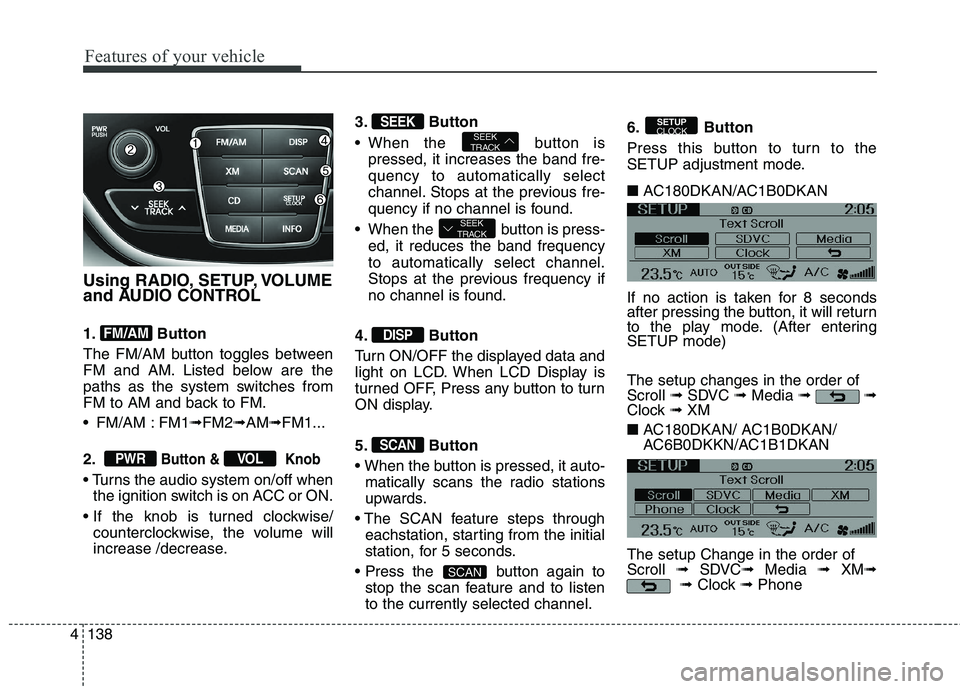
Using RADIO, SETUP, VOLUME
and AUDIO CONTROL
1. Button
The FM/AM button toggles between
FM and AM. Listed below are the
paths as the system switches from
FM to AM and back to FM.
FM/AM : FM1➟FM2➟AM➟FM1...
2.
Button & Knob
the ignition switch is on ACC or ON.
counterclockwise, the volume will
increase /decrease.3. Button
When the button is
pressed, it increases the band fre-
quency to automatically select
channel. Stops at the previous fre-
quency if no channel is found.
When the button is press-
ed, it reduces the band frequency
to automatically select channel.
Stops at the previous frequency if
no channel is found.
4. Button
Turn ON/OFF the displayed data and
light on LCD. When LCD Display is
turned OFF, Press any button to turn
ON display.
5. Button
matically scans the radio stations
upwards.
eachstation, starting from the initial
station, for 5 seconds.
button again to
stop the scan feature and to listen
to the currently selected channel.6. Button
Press this button to turn to the
SETUP adjustment mode.
■ AC180DKAN/AC1B0DKAN
If no action is taken for 8 seconds
after pressing the button, it will return
to the play mode. (After entering
SETUP mode)
The setup changes in the order of
Scroll ➟SDVC ➟Media ➟ ➟
Clock ➟ XM
■ AC180DKAN/ AC1B0DKAN/
AC6B0DKKN/AC1B1DKAN
The setup Change in the order of
Scroll ➟SDVC➟Media ➟ XM➟
➟Clock ➟Phone
SETUP
CLOCK
SCAN
SCAN
DISP
SEEK
TRACK
SEEK
TRACKSEEK
VOLPWR
FM/AM
Page 223 of 438
4139
Features of your vehicle
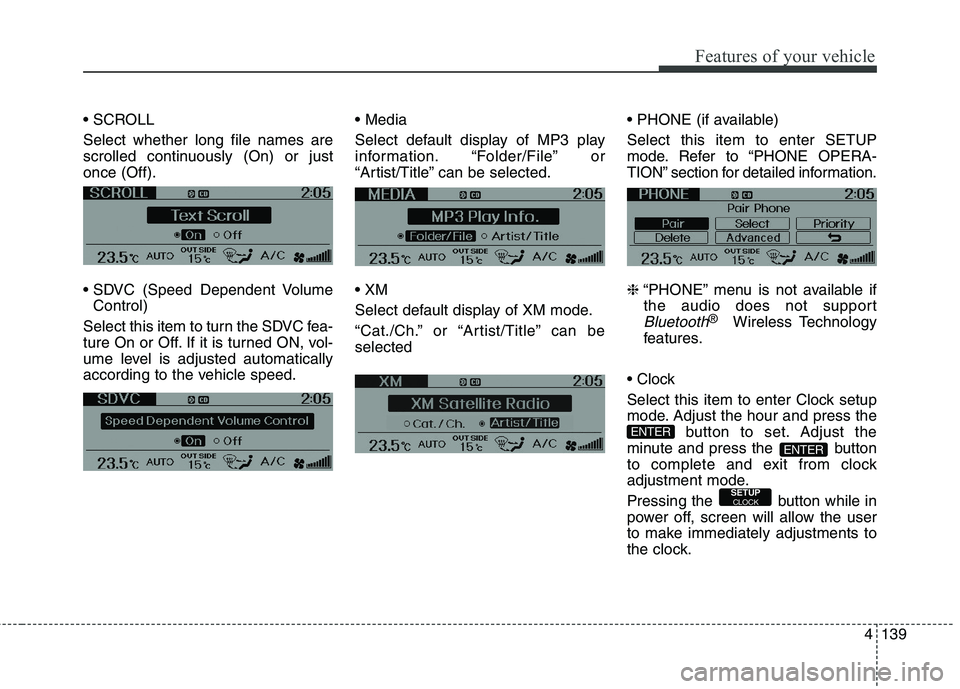
Select whether long file names are
scrolled continuously (On) or just
once (Off).
Control)
Select this item to turn the SDVC fea-
ture On or Off. If it is turned ON, vol-
ume level is adjusted automatically
according to the vehicle speed.
Select default display of MP3 play
information. “Folder/File” or
“Artist/Title” can be selected.
Select default display of XM mode.
“Cat./Ch.” or “Artist/Title” can be
selected
Select this item to enter SETUP
mode. Refer to “PHONE OPERA-
TION” section for detailed information.
❈“PHONE” menu is not available if
the audio does not support
Bluetooth®Wireless Technology
features.
Select this item to enter Clock setup
mode. Adjust the hour and press the
button to set. Adjust the
minute and press the button
to complete and exit from clock
adjustment mode.
Pressing the button while in
power off, screen will allow the user
to make immediately adjustments to
the clock.
SETUPCLOCK
ENTER
ENTER
Page 230 of 438
Features of your vehicle
146 4
(Continued)
Charging through the USB
may not be supported in some
mobile devices.
❋ A Hyundai exclusive cable
(Provided or sold separately)
is required to use the iPod.
Some non-standard USB devices
(METAL COVER TYPE USB) can
be unrecognizable.
Some USB flash memory
readers (such as CF, SD,
microSD, etc.) or external-HDD
type devices can be unrecog-
nizable.
Music files protected by DRM
(DIGITAL RIGHTS MANAGE-
MENT) are not recognizable.
The data in the USB memory
may be lost while using this
audio. Always back up impor-
tant data on a personal stor-
age device.
(Continued)
(Continued)
Playing videos through the USB
is not supported.
Use of USB accessories such
as rechargers or heaters
using USB I/F may lower per-
formance or cause trouble.
If you use devices such as a
USB hub purchased separate-
ly, the vehicle’s audio system
may not recognize the USB
device. In that case, connect
the USB device directly to the
multimedia terminal of the
vehicle.
If the USB device is divided by
logical drives, only the music
files on the highest-priority
drive are recognized by car
audio.
Devices such as MP3 Player/
Cellular phone/Digital camera
can be unrecognizable by
standard USB I/F can be
unrecognizable.
(Continued)(Continued)
A SD-to-USB adapter may not
work with the car audio sys-
tem.
Please avoid using USB mem-
ory products which can be
used as key chains or cellular
phone accessories as they
could cause damage to the
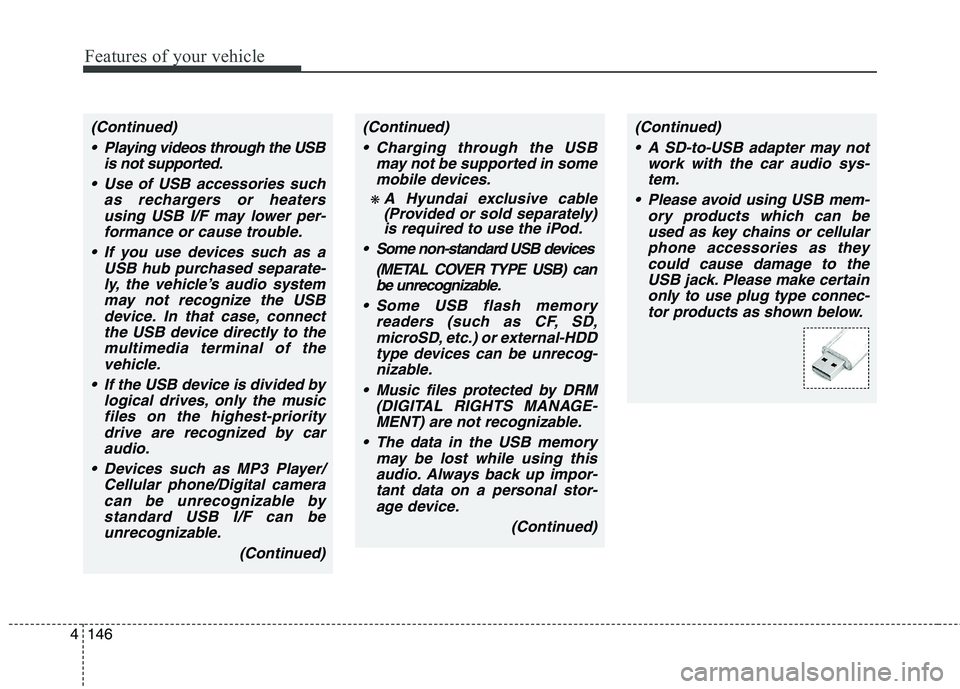
USB jack. Please make certain
only to use plug type connec-
tor products as shown below.
Page 233 of 438
4149
Features of your vehicle
✽ ✽
NOTICE FOR USING
THE iPod®DEVICE
• Some iPod models might not
support the communication
protocol and the files will not be
played.
Supported iPod models:
- iPod Mini
- iPod 4th(Photo) ~ 6th(Classic)
generation
- iPod Nano 1st~4th generation
- iPod Touch 1st~2nd generation
• The order of search or playback
of songs in the iPod can be dif-
ferent from the order searched
in the audio system.
• If the iPod disabled due to its
own malfunction, reset the iPod.
(Reset: Refer to iPod manual)
• An iPod may not operate nor-
mally on low battery.
(Continued)(Continued)
• Some iPod devices, such as the
iPhone, can be connected
through the Bluetooth®
Wireless Technology interface.
The device must have audio
Bluetooth
®Wireless Technology
capability (such as for stereo
headphone Bluetooth
®Wireless
Technology). The device can
play, but it will not be controlled
by the audio system.
CAUTION IN USING
THE iPod®DEVICE
The Hyundai iPod Power
Cable is needed in order to
operate iPod with the audio
buttons on the audio system.
The USB cable provided by
Apple may cause malfunction
and should not be used for
Hyundai vehicles.
❋ ❋
The Hyundai iPod Power
Cable may be purchased
through your Hyundai
Dealership.
When connecting iPod with
the iPod Power Cable, insert
the connector to the multime-
dia socket completely. If not
inserted completely, commu-
nications between iPod and
audio may be interrupted.
(Continued)
Page 239 of 438
4155
Features of your vehicle
CAUTION IN USING
Bluetooth®Wireless
Technology
CELLULAR
PHONE
Do not use a cellular phone or
perform Bluetooth®Wireless
Technology
settings (e.g. pairing
a phone) while driving.
Some Bluetooth®Wireless
Technology
-enabled phones
may not be recognized by the
system or fully compatible
with the system.
Before using Bluetooth
®
Wireless Technology related fea-
tures of the audio system,
refer your phone’s User’s
Manual for phone-side
Bluetooth
®Wireless Technology
operations.
The phone must be paired to
the audio system to use
Bluetooth®Wireless Technology
related features.
(Continued)
(continued)
You will not be able to use the
hands-free feature when your
phone (in the car) is outside of
the cellular service area (e.g.
in a tunnel, in a underground,
in a mountainous area, etc.).
f the cellular phone signal is
poor or the vehicles interior
noise is too loud, it may be diffi-
cult to hear the other person’s
voice during a call.
Do not place the phone near
or inside metallic objects, oth-
erwise communications with
Bluetooth
®Wireless Technology
system or cellular service sta-
tions can be disturbed.
While a phone is connected
through Bluetooth
®Wireless
Technology
your phone may
discharge quicker than usual
for additional Bluetooth
®
Wireless Technology-related
operations.
(Continued)
(continued)
Some cellular phones or other
devices may cause interfer-
ence noise or malfunction to
audio system. In this case,
storing the device in a differ-
ent location may resolve the
situation.
Please save your phone name
in English, or your phone
name may not be displayed
correctly.
If Priority is set upon vehicle
ignition(IGN/ACC ON), the
Bluetooth
®Wireless Technology
phone will be automatically
connected.
Even if you are outside, the
Bluetooth
®Wireless Technology
phone will be automatically
connected once you are in the
vicinity of the vehicle.
If you do not want automatic
Bluetooth
®Wireless Technology
power off.
(Continued)
Page 240 of 438
Features of your vehicle
156 4
NOTE:
Bluetooth®Wirelss Technology
phone compatibility can be
checked by visiting www
.
hyundaiusa.comand under the
SERVICE & PARTS
BLUETOOTH COMPATIBILITY
menu.
The website provides types of
Pairing, Connection, HandsFree
Calling, HUC (Hang Up
Call),Transfer To Privacy, Caller
ID, Redial, Multiple Call Handling,
IBS (lndicator Battery Symbol),
Auto Phonebook Downloading,
Streaming, and more.
(continued)
Bluetooth
®Wireless Technology
connection may becomeinter-
mittently disconnected in
some mobile phones. Follow
the following steps to try
again.
1) Turn the Bluetooth
®Wireless
Technology
Function within
the mobile phone ON/OFF
and try to connect again.
2) Turn the mobile phone
power ON/OFF and try to
connect again.
3) Completely remove the
mobile phone battery,
reboot, and then try to con-
nect again.
4) Reboot the Audio and try to
connect again.
5) Delete all paired devices
from the mobile phone and
Audio and re-pair for use.
The hands-free call volume
and quality may differ depend-
ing on the mobile phone.
Page 241 of 438
4157
Features of your vehicle
Bluetooth®Wireless
Technology PHONE
OPERATION (if equipped)
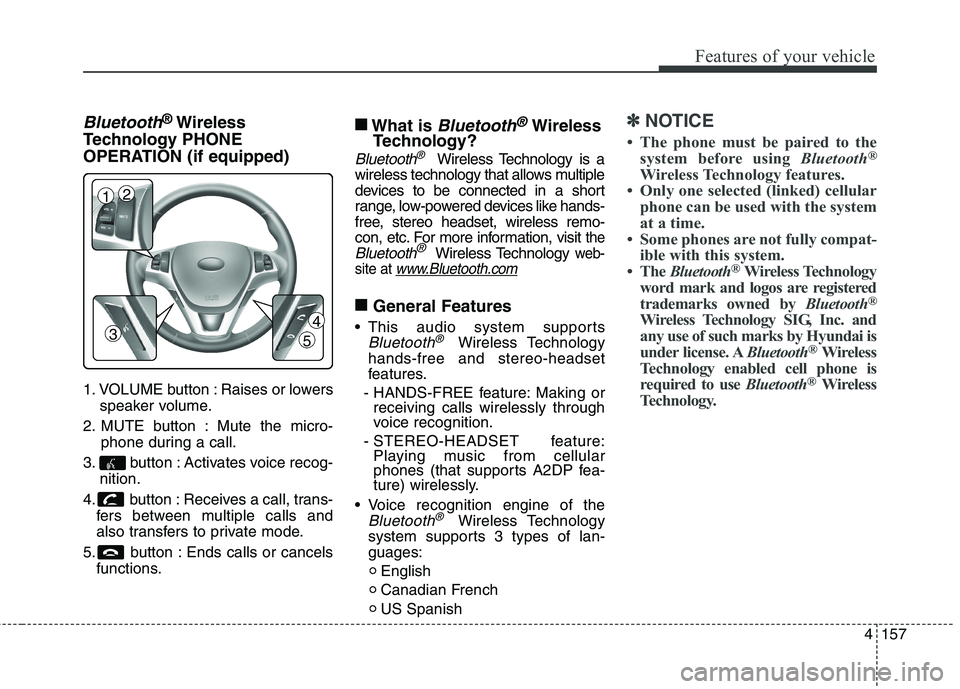
1. VOLUME button : Raises or lowers
speaker volume.
2. MUTE button : Mute the micro-
phone during a call.
3. button : Activates voice recog-
nition.
4. button : Receives a call, trans-
fers between multiple calls and
also transfers to private mode.
5. button : Ends calls or cancels
functions.
■
What is Bluetooth®Wireless
Technology?
Bluetooth®Wireless Technology is a
wireless technology that allows multiple
devices to be connected in a short
range, low-powered devices like hands-
free, stereo headset, wireless remo-
con, etc. For more information, visit
the
Bluetooth®Wireless Technology web-
site at
www.Bluetooth.com
■
General Features
This audio system supports
Bluetooth®Wireless Technology
hands-free and stereo-headset
features.
- HANDS-FREE feature: Making or
receiving calls wirelessly through
voice recognition.
- STEREO-HEADSET feature:
Playing music from cellular
phones (that supports A2DP fea-
ture) wirelessly.
Voice recognition engine of the
Bluetooth®Wireless Technology
system supports 3 types of lan-
guages:
English
Canadian French
US Spanish
✽ ✽
NOTICE
• The phone must be paired to the
system before using Bluetooth®
Wireless Technology features.
• Only one selected (linked) cellular
phone can be used with the system
at a time.
• Some phones are not fully compat-
ible with this system.
• The Bluetooth
®Wireless Technology
word mark and logos are registered
trademarks owned by Bluetooth
®
Wireless Technology SIG, Inc. and
any use of such marks by Hyundai is
under license. ABluetooth
®Wireless
Technology enabled cell phone is
required to use Bluetooth
®Wireless
Technology.
3
12
4
5
Page 242 of 438
Features of your vehicle
158 4
■
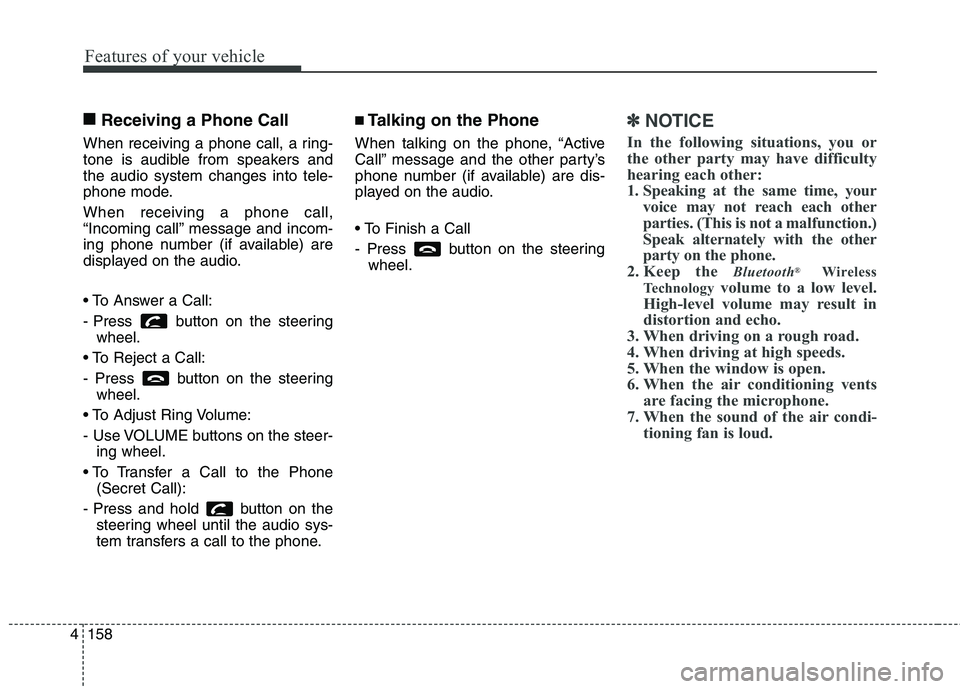
Receiving a Phone Call
When receiving a phone call, a ring-
tone is audible from speakers and
the audio system changes into tele-
phone mode.
When receiving a phone call,
“Incoming call” message and incom-
ing phone number (if available) are
displayed on the audio.
- Press button on the steering
wheel.
- Press button on the steering
wheel.
- Use VOLUME buttons on the steer-
ing wheel.
(Secret Call):
- Press and hold button on the
steering wheel until the audio sys-
tem transfers a call to the phone.
■Talking on the Phone
When talking on the phone, “Active
Call” message and the other party’s
phone number (if available) are dis-
played on the audio.
- Press button on the steering
wheel.
✽ ✽
NOTICE
In the following situations, you or
the other party may have difficulty
hearing each other:
1. Speaking at the same time, your
voice may not reach each other
parties. (This is not a malfunction.)
Speak alternately with the other
party on the phone.
2. Keep the
Bluetooth®Wireless
Technology
volume to a low level.
High-level volume may result in
distortion and echo.
3. When driving on a rough road.
4. When driving at high speeds.
5. When the window is open.
6. When the air conditioning vents
are facing the microphone.
7. When the sound of the air condi-
tioning fan is loud.
Page 243 of 438
4159
Features of your vehicle
■Bluetooth®Wireless
Technology
Audio Music
Streaming
The audio system supports
Bluetooth®Wireless Technology
A2DP (Audio Advanced Distribution
Profile) and AVRCP (Audio Video
Remote Control Profile) technolo-
gies.
Both profiles provide streaming of
music via compatible “PAIRED”
Bluetooth®Wireless Technology
Cellular phone.
To stream music from the
Bluetooth®
Wireless Technologycellular phone,
play your music files on your cellular
phone according to your cellular
phone user’s manual and press the
button on the audio system
until “MP3 play” is displayed on the
LCD.
The audio system head unit displays
‘MP3 MODE’.
NOTE:
files, all music and sound files
your cellular phone supports can
be played by the audio system.
Bluetooth®Wireless Technology
compatible cellular phones must
include A2DP and AVRCP capa-
bilities.
ible
Bluetooth®Wireless
Technology cellular phones may
not play music through the audio
system initially. These cellular
phones may need to have the
Bluetooth®Wireless Technology
streaming enabled, for example;
i.e : Menu ➟ Filemanager ➟ Music➟
Option➟ Play via
Bluetooth®
Wireless Technology
your cellular phone for more
information. To cancel
Bluetooth®
Wireless Technology cellular
phone music streaming, stop
music playback on the cellular
phone or change the audio mode
to AM/FM, XM, CD, iPod, ect.
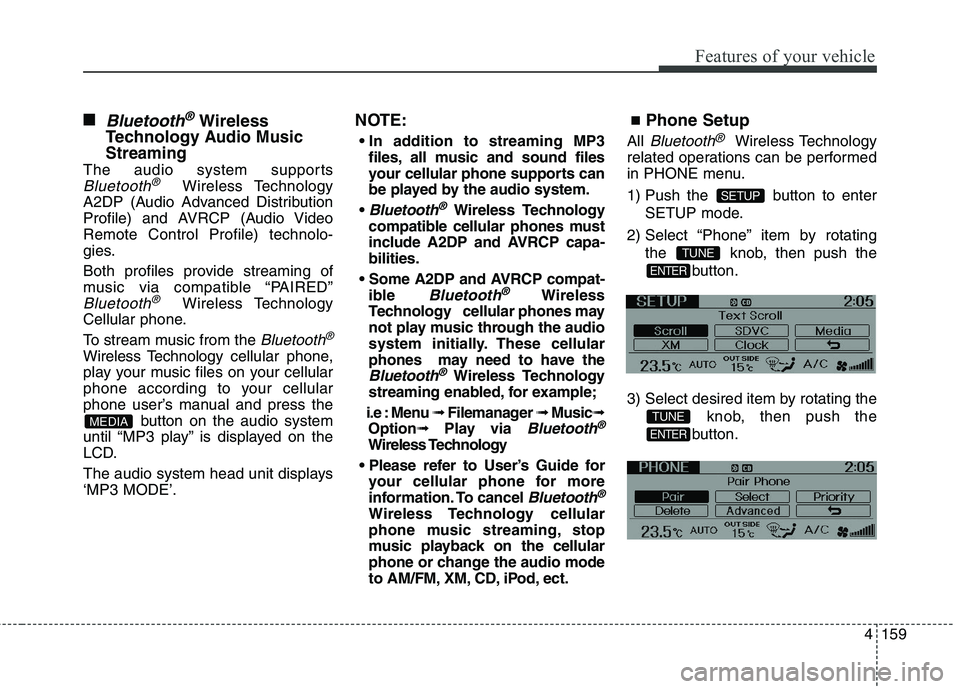
■Phone Setup
All Bluetooth®Wireless Technology
related operations can be performed
in PHONE menu.
1) Push the button to enter
SETUP mode.
2) Select “Phone” item by rotating
the knob, then push the
button.
3) Select desired item by rotating the
knob, then push the
button.
ENTER
TUNE
ENTER
TUNE
SETUP
MEDIA