charging HYUNDAI GENESIS COUPE 2014 Owners Manual
[x] Cancel search | Manufacturer: HYUNDAI, Model Year: 2014, Model line: GENESIS COUPE, Model: HYUNDAI GENESIS COUPE 2014Pages: 438, PDF Size: 40.35 MB
Page 15 of 438
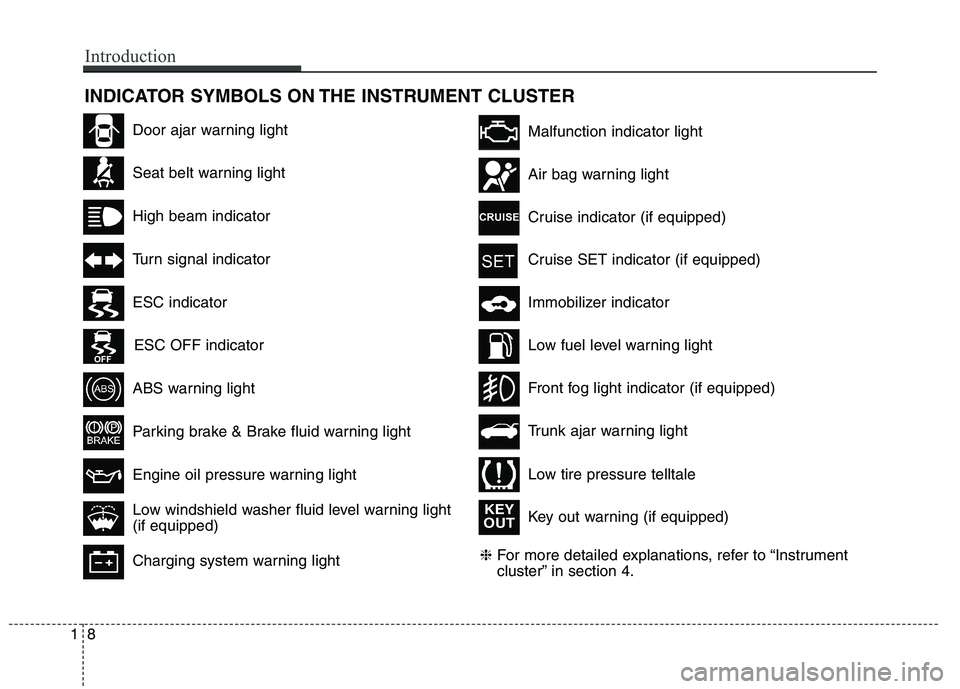
INDICATOR SYMBOLS ON THE INSTRUMENT CLUSTER
Seat belt warning light
High beam indicator
Turn signal indicator
ABS warning light
Parking brake & Brake fluid warning light
Engine oil pressure warning light
Malfunction indicator light
Air bag warning light
Cruise indicator (if equipped)
Cruise SET indicator (if equipped)
Immobilizer indicator
Low fuel level warning light
❈For more detailed explanations, refer to “Instrument
cluster” in section 4.
Charging system warning light
Low windshield washer fluid level warning light
(if equipped)
Door ajar warning light
Trunk ajar warning light
Front fog light indicator (if equipped)
Low tire pressure telltale
ESC indicator
ESC OFF indicator
Key out warning (if equipped)
KEY
OUT
18
Introduction
Page 27 of 438
Safety features of your vehicle
6 3
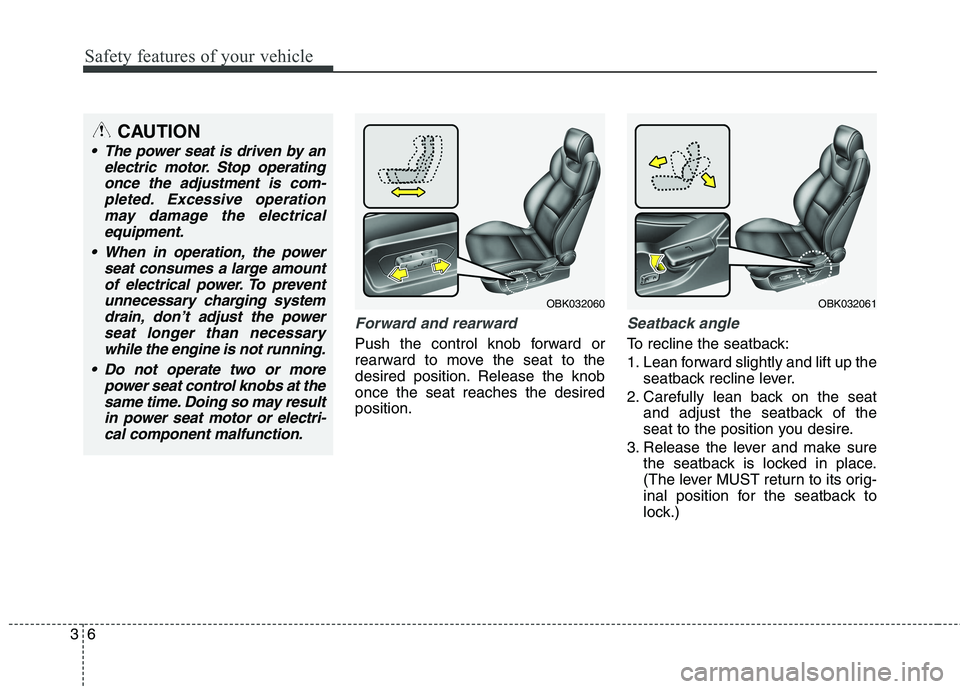
Forward and rearward
Push the control knob forward or
rearward to move the seat to the
desired position. Release the knob
once the seat reaches the desired
position.
Seatback angle
To recline the seatback:
1. Lean forward slightly and lift up the
seatback recline lever.
2. Carefully lean back on the seat
and adjust the seatback of the
seat to the position you desire.
3. Release the lever and make sure
the seatback is locked in place.
(The lever MUST return to its orig-
inal position for the seatback to
lock.)
CAUTION
The power seat is driven by an
electric motor. Stop operating
once the adjustment is com-
pleted. Excessive operation
may damage the electrical
equipment.
When in operation, the power
seat consumes a large amount
of electrical power. To prevent
unnecessary charging system
drain, don’t adjust the power
seat longer than necessary
while the engine is not running.
Do not operate two or more
power seat control knobs at the
same time. Doing so may result
in power seat motor or electri-
cal component malfunction.
OBK032060OBK032061
Page 150 of 438
Features of your vehicle
66 4
Shift pattern indicator
The indicator displays which auto-
matic transmission shift position is
selected.
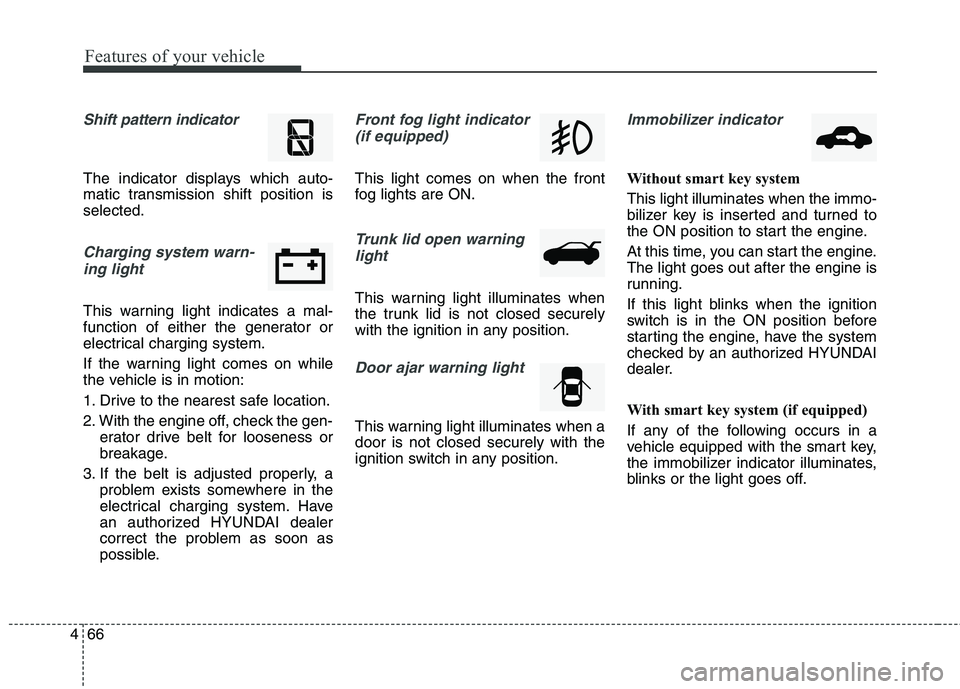
Charging system warn-
ing light
This warning light indicates a mal-
function of either the generator or
electrical charging system.
If the warning light comes on while
the vehicle is in motion:
1. Drive to the nearest safe location.
2. With the engine off, check the gen-
erator drive belt for looseness or
breakage.
3. If the belt is adjusted properly, a
problem exists somewhere in the
electrical charging system. Have
an authorized HYUNDAI dealer
correct the problem as soon as
possible.
Front fog light indicator
(if equipped)
This light comes on when the front
fog lights are ON.
Trunk lid open warning
light
This warning light illuminates when
the trunk lid is not closed securely
with the ignition in any position.
Door ajar warning light
This warning light illuminates when a
door is not closed securely with the
ignition switch in any position.
Immobilizer indicator
Without smart key system
This light illuminates when the immo-
bilizer key is inserted and turned to
the ON position to start the engine.
At this time, you can start the engine.
The light goes out after the engine is
running.
If this light blinks when the ignition
switch is in the ON position before
starting the engine, have the system
checked by an authorized HYUNDAI
dealer.
With smart key system (if equipped)
If any of the following occurs in a
vehicle equipped with the smart key,
the immobilizer indicator illuminates,
blinks or the light goes off.
Page 230 of 438
Features of your vehicle
146 4
(Continued)
Charging through the USB
may not be supported in some
mobile devices.
❋ A Hyundai exclusive cable
(Provided or sold separately)
is required to use the iPod.
Some non-standard USB devices
(METAL COVER TYPE USB) can
be unrecognizable.
Some USB flash memory
readers (such as CF, SD,
microSD, etc.) or external-HDD
type devices can be unrecog-
nizable.
Music files protected by DRM
(DIGITAL RIGHTS MANAGE-
MENT) are not recognizable.
The data in the USB memory
may be lost while using this
audio. Always back up impor-
tant data on a personal stor-
age device.
(Continued)
(Continued)
Playing videos through the USB
is not supported.
Use of USB accessories such
as rechargers or heaters
using USB I/F may lower per-
formance or cause trouble.
If you use devices such as a
USB hub purchased separate-
ly, the vehicle’s audio system
may not recognize the USB
device. In that case, connect
the USB device directly to the
multimedia terminal of the
vehicle.
If the USB device is divided by
logical drives, only the music
files on the highest-priority
drive are recognized by car
audio.
Devices such as MP3 Player/
Cellular phone/Digital camera
can be unrecognizable by
standard USB I/F can be
unrecognizable.
(Continued)(Continued)
A SD-to-USB adapter may not
work with the car audio sys-
tem.
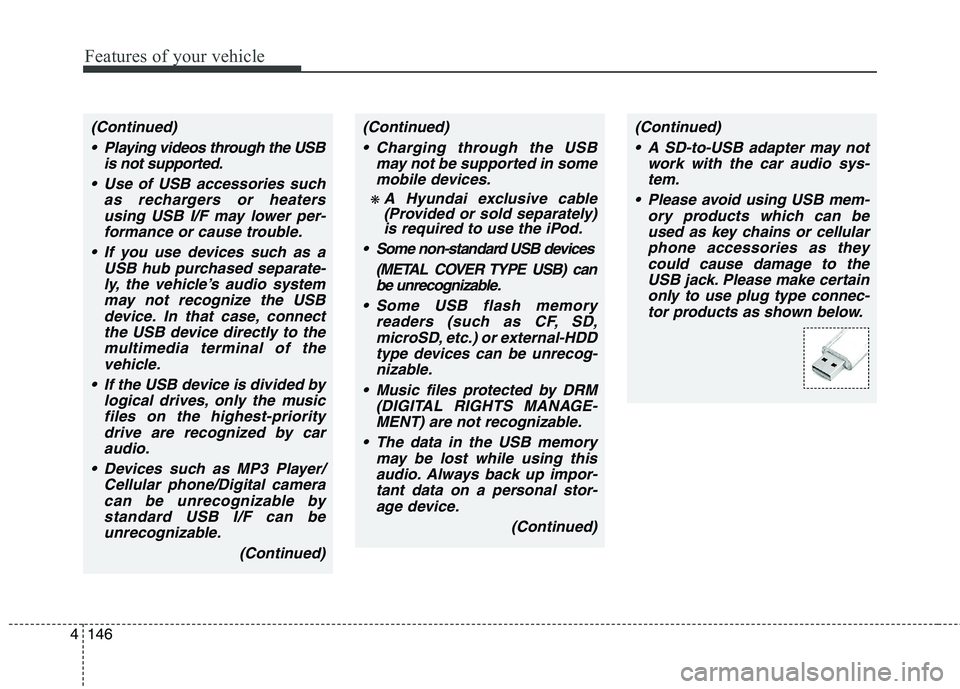
Please avoid using USB mem-
ory products which can be
used as key chains or cellular
phone accessories as they
could cause damage to the
USB jack. Please make certain
only to use plug type connec-
tor products as shown below.
Page 234 of 438
Features of your vehicle
150 4
(Continued)
When adjusting the sound
effects of the iPod and the
audio system, the sound
effects of both devices will
overlap and might reduce or
distort the quality of the
sound.
Deactivate (turn off) the equal-
izer function of an iPod when
adjusting the audio system’s
volume, and turn off the equal-
izer of the audio system when
using the equalizer of an iPod.
When the iPod cable is con-
nected, the system can be
switched to AUX mode even
without iPod device and may
cause noise. Disconnect the
iPod cable when you are not
using the iPod device.
(Continued)(Continued)
When not using iPod with car
audio, detach the iPod cable
from iPod. Otherwise, iPod
may remain in accessory
mode, and may not work prop-
erly.
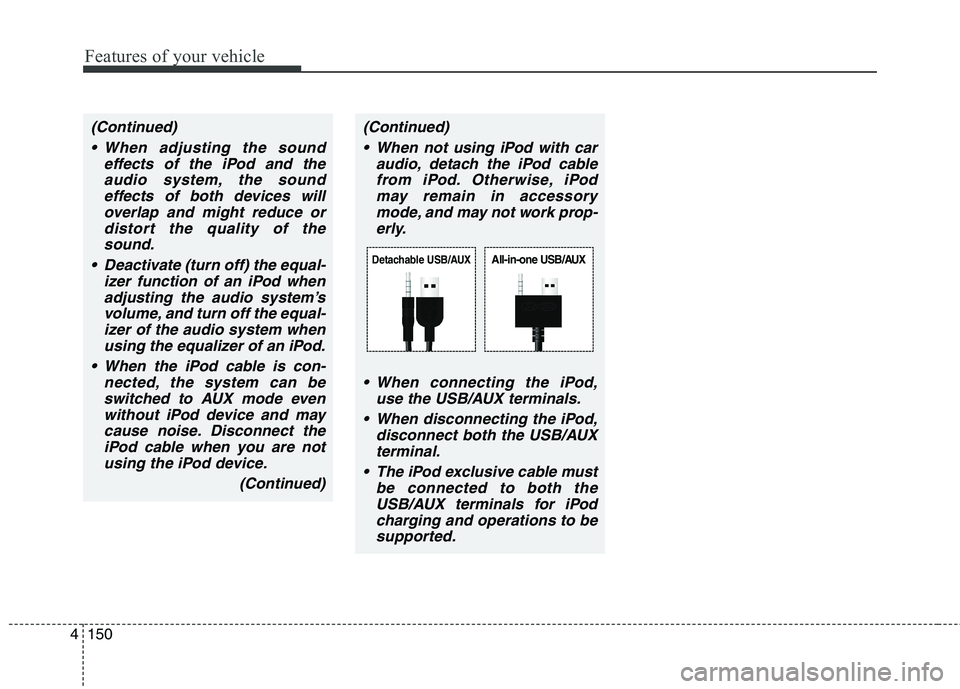
When connecting the iPod,
use the USB/AUX terminals.
When disconnecting the iPod,
disconnect both the USB/AUX
terminal.
The iPod exclusive cable must
be connected to both the
USB/AUX terminals for iPod
charging and operations to be
supported.
Detachable USB/AUXAll-in-one USB/AUX
Page 255 of 438
55
Driving your vehicle
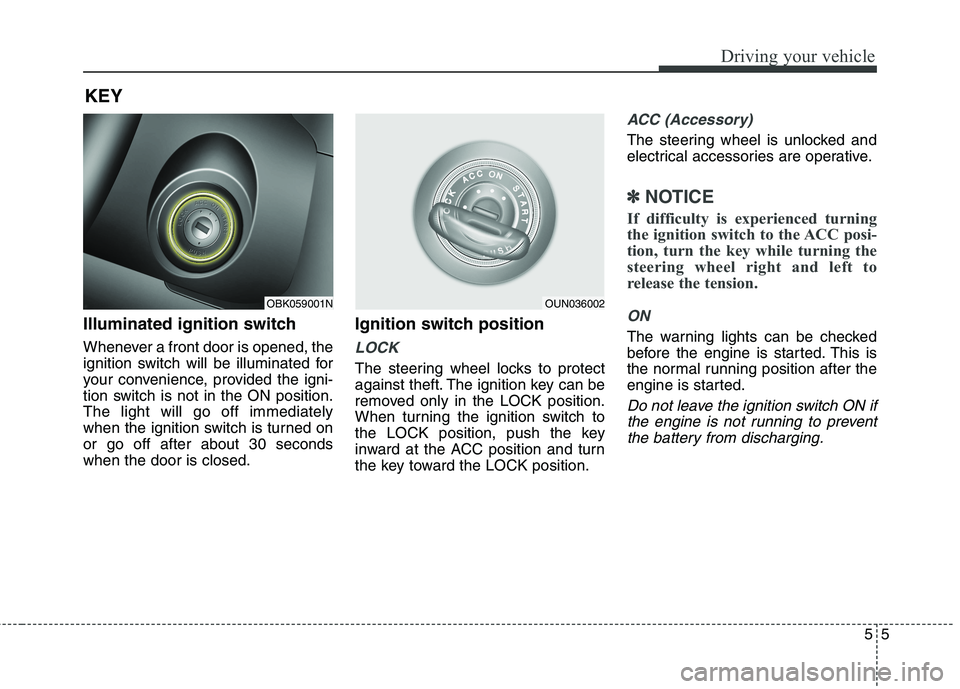
Illuminated ignition switch
Whenever a front door is opened, the
ignition switch will be illuminated for
your convenience, provided the igni-
tion switch is not in the ON position.
The light will go off immediately
when the ignition switch is turned on
or go off after about 30 seconds
when the door is closed.
Ignition switch position
LOCK
The steering wheel locks to protect
against theft. The ignition key can be
removed only in the LOCK position.
When turning the ignition switch to
the LOCK position, push the key
inward at the ACC position and turn
the key toward the LOCK position.
ACC (Accessory)
The steering wheel is unlocked and
electrical accessories are operative.
✽ ✽
NOTICE
If difficulty is experienced turning
the ignition switch to the ACC posi-
tion, turn the key while turning the
steering wheel right and left to
release the tension.
ON
The warning lights can be checked
before the engine is started. This is
the normal running position after the
engine is started.
Do not leave the ignition switch ON if
the engine is not running to prevent
the battery from discharging.
KEY
OBK059001NOUN036002
Page 259 of 438
59
Driving your vehicle
ACC(Accessory)
• with manual transmission
Press the engine start/stop button
when the button is in the OFF posi-
tion without depressing the clutch
pedal.
• with automatic transmission
Press the engine start/stop button
when the button is in the OFF posi-
tion without depressing the brake
pedal.
The steering wheel is unlocked and
electrical accessories are operative
(if equipped with steering lock).
If you leave the engine start/stop but-
ton in the ACC position for more than
1 hour, the engine is off automatical-
ly to prevent the battery from dis-
charging.
ON
• with manual transmission
Press the engine start/stop button
when the button is in the ACC posi-
tion without depressing the clutch
pedal.
• with automatic transmission
Press the engine start/stop button
when the button is in the ACC posi-
tion without depressing the brake
pedal.
The warning lights can be checked
before the engine is started. Do not
leave the button in the ON position if
the engine is not running to prevent
the battery from discharging.
START
• with manual transmission
To start the engine, depress the
clutch pedal and brake pedal, then
press the engine start/stop button
with the shift lever in the N(Neutral)
position.
• with automatic transmission
To start the engine, depress the brake
pedal and press the engine start/stop
button with the shift lever in the
P(Park) or the N (Neutral) position.
✽ ✽
NOTICE
• If you press the engine start/stop
button without depressing the
clutch pedal on manual transmis-
sion vehicles or without depressing
the brake pedal on automatic
transmission vehicles, the engine
will not start and the engine
start/stop button changes as fol-
lows:
OFF→ →
ACC → →
ON → →
OFF
• If you leave the engine start/stop
button in the ACC or the ON posi-
tion for a long time, the battery
may be discharged.
Page 370 of 438
Maintenance
38 7
(Continued)
If any electrolyte gets
into your eyes, flush your
eyes with clean water for
at least 15 minutes and
get immediate medical
attention.
If electrolyte gets on your
skin, thoroughly wash
the contacted area. If you
feel a pain or a burning
sensation, get medical
attention immediately.
Wear eye protection
when charging or work-
ing near a battery.
Always provide ventila-
tion when working in an
enclosed space.
An inappropriately dis-
posed battery can be
harmful to the environ-
ment and human health.
Dispose the battery
according to your local
law(s) or regulation.
(Continued)
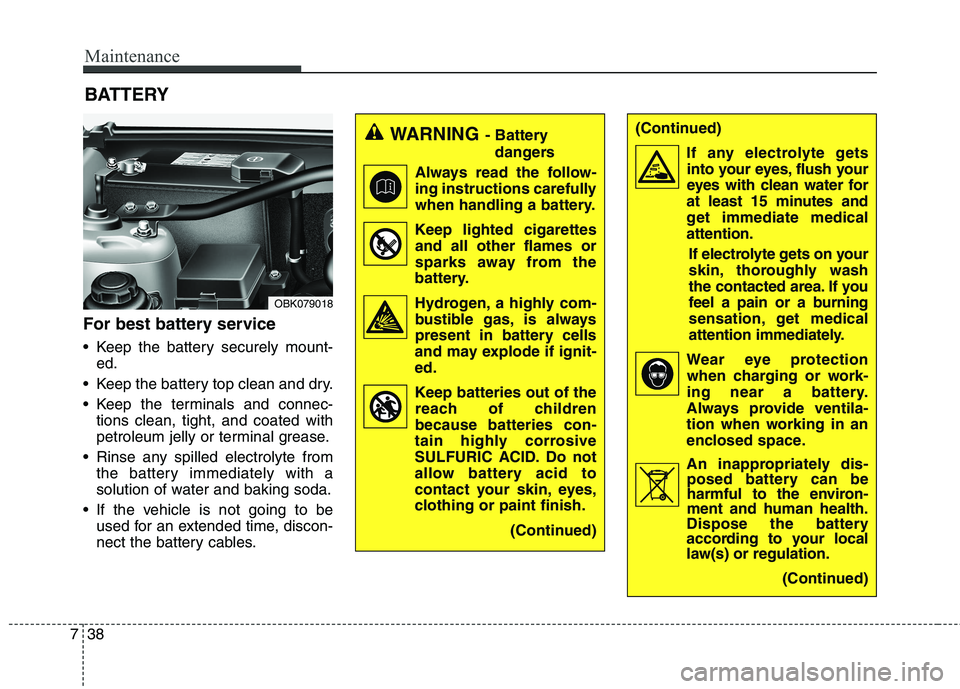
For best battery service
Keep the battery securely mount-
ed.
Keep the battery top clean and dry.
Keep the terminals and connec-
tions clean, tight, and coated with
petroleum jelly or terminal grease.
Rinse any spilled electrolyte from
the battery immediately with a
solution of water and baking soda.
If the vehicle is not going to be
used for an extended time, discon-
nect the battery cables.
BATTERY
OBK079018
WARNING- Battery
dangers
Always read the follow-
ing instructions carefully
when handling a battery.
Keep lighted cigarettes
and all other flames or
sparks away from the
battery.
Hydrogen, a highly com-
bustible gas, is always
present in battery cells
and may explode if ignit-
ed.
Keep batteries out of the
reach of children
because batteries con-
tain highly corrosive
SULFURIC ACID. Do not
allow battery acid to
contact your skin, eyes,
clothing or paint finish.
(Continued)
Page 371 of 438
739
Maintenance
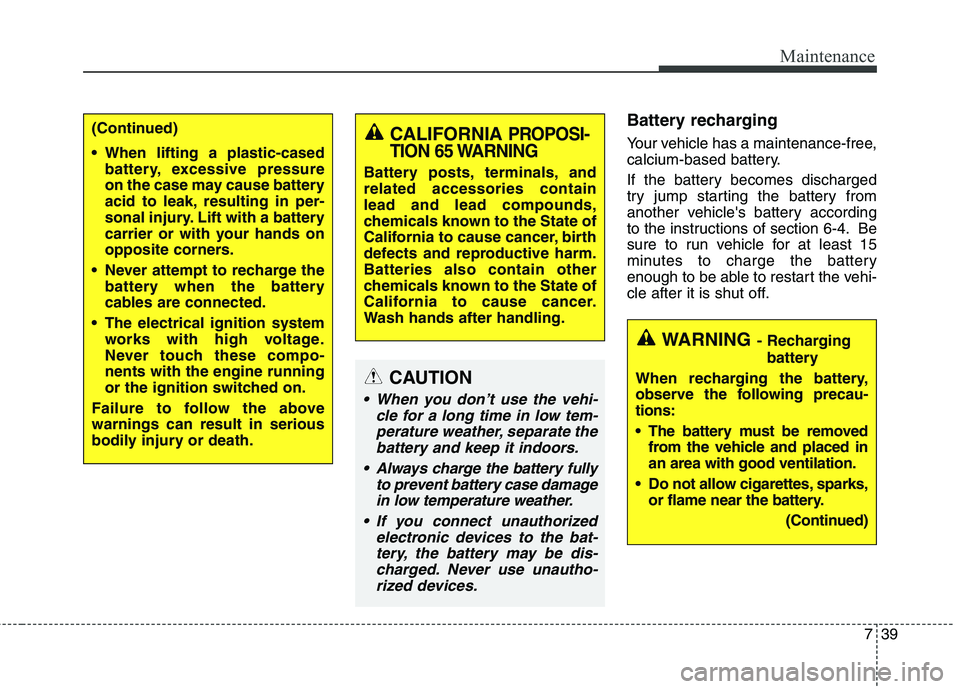
Battery recharging
Your vehicle has a maintenance-free,
calcium-based battery.
If the battery becomes discharged
try jump starting the battery from
another vehicle's battery according
to the instructions of section 6-4. Be
sure to run vehicle for at least 15
minutes to charge the battery
enough to be able to restart the vehi-
cle after it is shut off.(Continued)
When lifting a plastic-cased
battery, excessive pressure
on the case may cause battery
acid to leak, resulting in per-
sonal injury. Lift with a battery
carrier or with your hands on
opposite corners.
Never attempt to recharge the
battery when the battery
cables are connected.
The electrical ignition system
works with high voltage.
Never touch these compo-
nents with the engine running
or the ignition switched on.
Failure to follow the above
warnings can result in serious
bodily injury or death.
CAUTION
When you don’t use the vehi-
cle for a long time in low tem-
perature weather, separate the
battery and keep it indoors.
Always charge the battery fully
to prevent battery case damage
in low temperature weather.
If you connect unauthorized
electronic devices to the bat-
tery, the battery may be dis-
charged. Never use unautho-
rized devices.
CALIFORNIA PROPOSI-
TION 65 WARNING
Battery posts, terminals, and
related accessories contain
lead and lead compounds,
chemicals known to the State of
California to cause cancer, birth
defects and reproductive harm.
Batteries also contain other
chemicals known to the State of
California to cause cancer.
Wash hands after handling.
WARNING- Recharging
battery
When recharging the battery,
observe the following precau-
tions:
The battery must be removed
from the vehicle and placed in
an area with good ventilation.
Do not allow cigarettes, sparks,
or flame near the battery.
(Continued)
Page 372 of 438
Maintenance
40 7
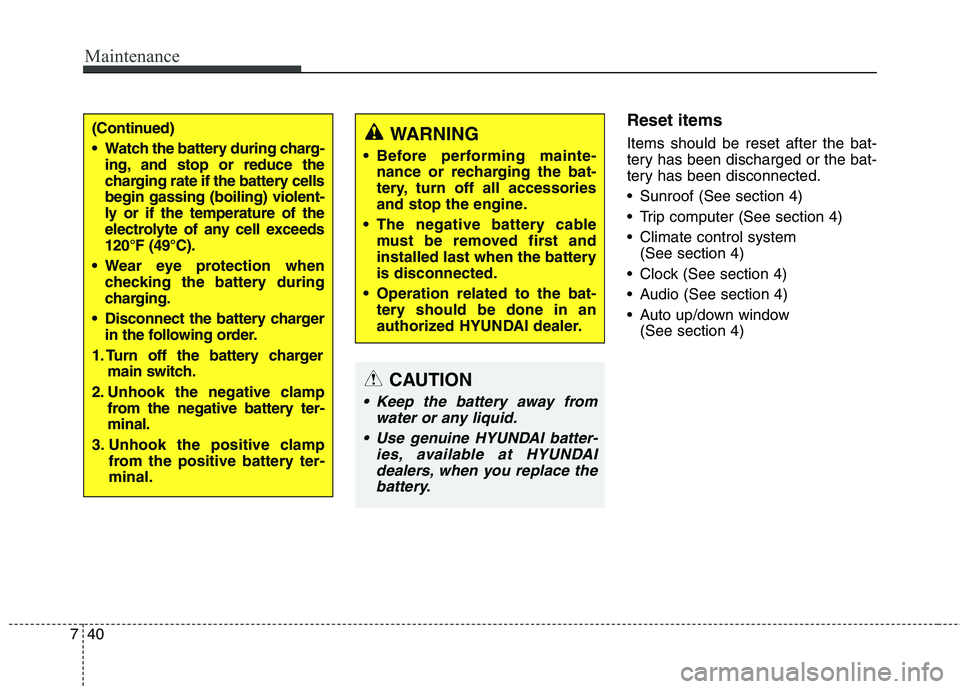
Reset items
Items should be reset after the bat-
tery has been discharged or the bat-
tery has been disconnected.
Sunroof (See section 4)
Trip computer (See section 4)
Climate control system
(See section 4)
Clock (See section 4)
Audio (See section 4)
Auto up/down window
(See section 4)WARNING
Before performing mainte-
nance or recharging the bat-
tery, turn off all accessories
and stop the engine.
The negative battery cable
must be removed first and
installed last when the battery
is disconnected.
Operation related to the bat-
tery should be done in an
authorized HYUNDAI dealer.
CAUTION
Keep the battery away from
water or any liquid.
Use genuine HYUNDAI batter-
ies, available at HYUNDAI
dealers, when you replace the
battery.
(Continued)
Watch the battery during charg-
ing, and stop or reduce the
charging rate if the battery cells
begin gassing (boiling) violent-
ly or if the temperature of the
electrolyte of any cell exceeds
120°F (49°C).
Wear eye protection when
checking the battery during
charging.
Disconnect the battery charger
in the following order.
1. Turn off the battery charger
main switch.
2. Unhook the negative clamp
from the negative battery ter-
minal.
3. Unhook the positive clamp
from the positive battery ter-
minal.