light Hyundai Genesis Coupe 2015 Owners Manual
[x] Cancel search | Manufacturer: HYUNDAI, Model Year: 2015, Model line: Genesis Coupe, Model: Hyundai Genesis Coupe 2015Pages: 438, PDF Size: 40.35 MB
Page 277 of 438
527
Driving your vehicle
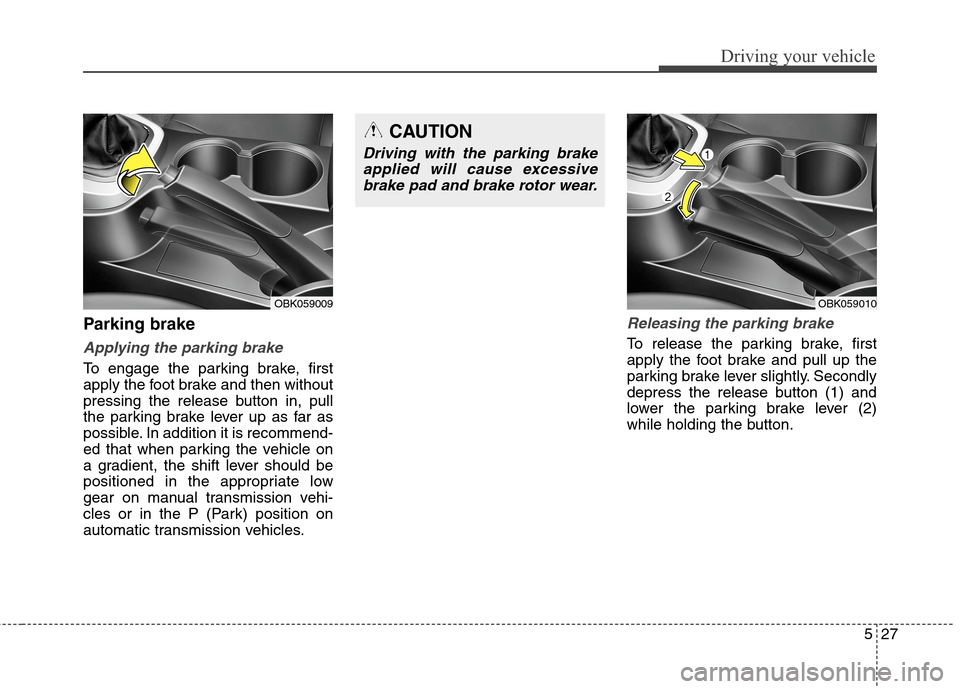
Parking brake
Applying the parking brake
To engage the parking brake, first
apply the foot brake and then without
pressing the release button in, pull
the parking brake lever up as far as
possible. In addition it is recommend-
ed that when parking the vehicle on
a gradient, the shift lever should be
positioned in the appropriate low
gear on manual transmission vehi-
cles or in the P (Park) position on
automatic transmission vehicles.
Releasing the parking brake
To release the parking brake, first
apply the foot brake and pull up the
parking brake lever slightly. Secondly
depress the release button (1) and
lower the parking brake lever (2)
while holding the button.
OBK059010
CAUTION
Driving with the parking brake
applied will cause excessive
brake pad and brake rotor wear.
OBK059009
Page 278 of 438
Driving your vehicle
28 5
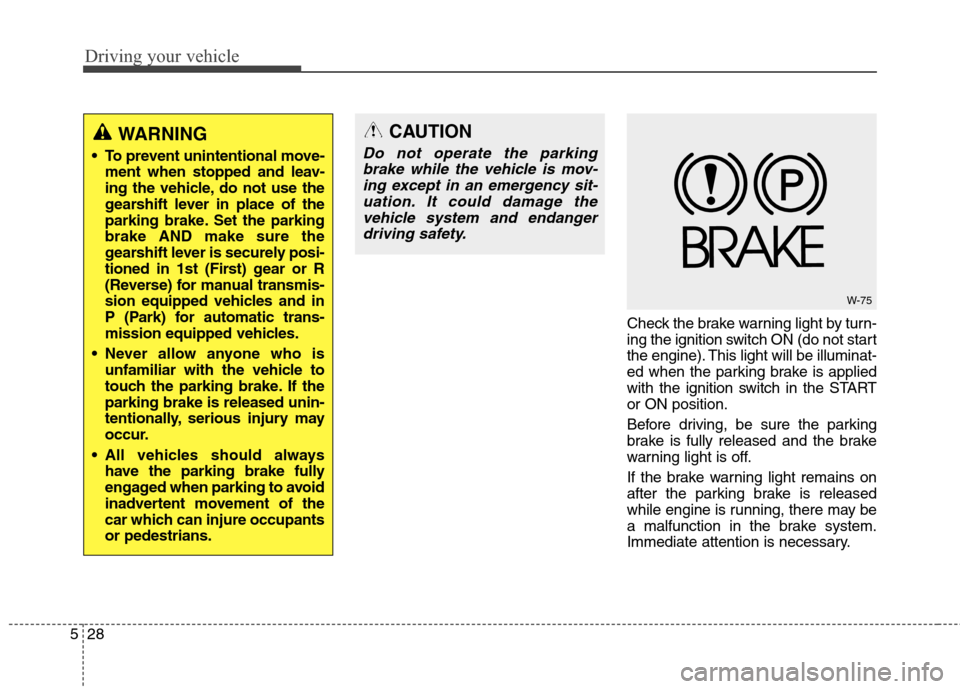
Check the brake warning light by turn-
ing the ignition switch ON (do not start
the engine). This light will be illuminat-
ed when the parking brake is applied
with the ignition switch in the START
or ON position.
Before driving, be sure the parking
brake is fully released and the brake
warning light is off.
If the brake warning light remains on
after the parking brake is released
while engine is running, there may be
a malfunction in the brake system.
Immediate attention is necessary.
WARNING
To prevent unintentional move-
ment when stopped and leav-
ing the vehicle, do not use the
gearshift lever in place of the
parking brake. Set the parking
brake AND make sure the
gearshift lever is securely posi-
tioned in 1st (First) gear or R
(Reverse) for manual transmis-
sion equipped vehicles and in
P (Park) for automatic trans-
mission equipped vehicles.
Never allow anyone who is
unfamiliar with the vehicle to
touch the parking brake. If the
parking brake is released unin-
tentionally, serious injury may
occur.
All vehicles should always
have the parking brake fully
engaged when parking to avoid
inadvertent movement of the
car which can injure occupants
or pedestrians.
W-75
CAUTION
Do not operate the parking
brake while the vehicle is mov-
ing except in an emergency sit-
uation. It could damage the
vehicle system and endanger
driving safety.
Page 280 of 438
Driving your vehicle
30 5
✽
✽
NOTICE
A click sound may be heard in the
engine compartment when the vehi-
cle begins to move after the engine is
started. These conditions are normal
and indicate that the anti-lock brake
system is functioning properly.
Even with the anti-lock brake sys-
tem, your vehicle still requires suf-
ficient stopping distance. Always
maintain a safe distance from the
vehicle in front of you.
Always slow down when cornering.
The anti-lock brake system cannot
prevent accidents resulting from
excessive speeds.
On loose or uneven road surfaces,
operation of the anti-lock brake
system may result in a longer stop-
ping distance than for vehicles
equipped with a conventional
brake system.
✽ ✽
NOTICE
When you jump start your vehicle
because of a drained battery, the
engine may not run as smoothly and
the ABS warning light may turn on
at the same time. This happens
because of the low battery voltage. It
does not mean your ABS is malfunc-
tioning.
• Do not pump your brakes!
• Have the battery recharged before
driving the vehicle.
W-78
CAUTION
If the ABS warning light is on
and stays on, you may have a
problem with the ABS. In this
case, however, your regular
brakes will work normally.
The ABS warning light will stay
on for approximately 3 seconds
after the ignition switch is ON.
During that time, the ABS will
go through self-diagnosis and
the light will go off if everything
is normal. If the light stays on,
you may have a problem with
your ABS. Contact an author-
ized HYUNDAI dealer as soon
as possible.
CAUTION
When you drive on a road hav-
ing poor traction, such as an
icy road, and operate your
brakes continuously, the ABS
will be active continuously and
the ABS warning light may illu-
minate. Pull your car over to a
safe place and stop the engine.
Restart the engine. If the ABS
warning light is off, then your
ABS system is normal.
Otherwise, you may have a
problem with the ABS. Contact
an authorized HYUNDAI dealer
as soon as possible.
Page 282 of 438
Driving your vehicle
32 5
ESC operation
ESC ON condition
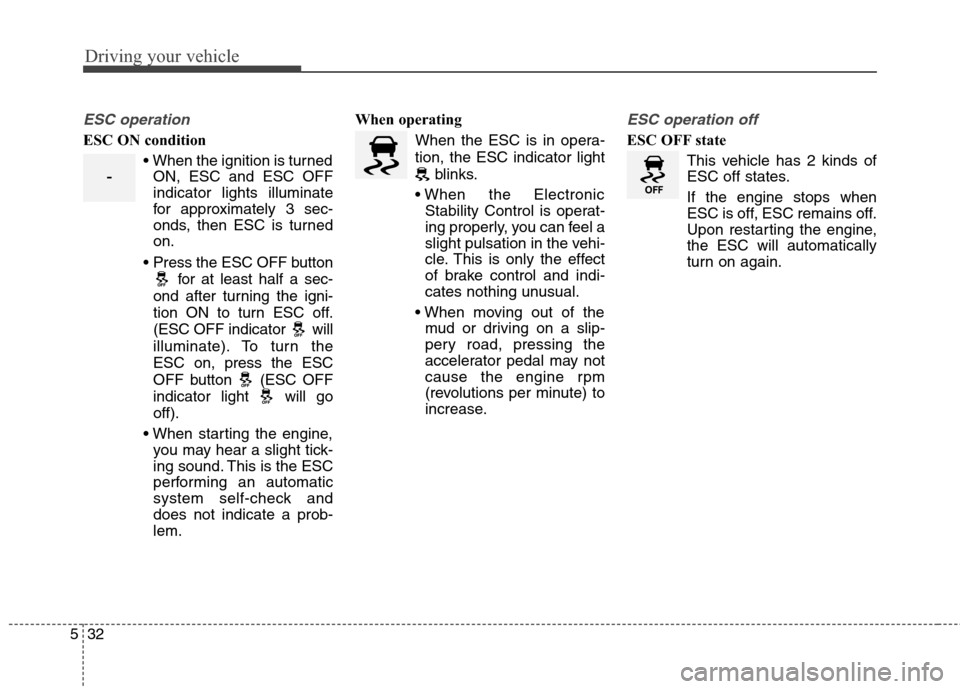
ON, ESC and ESC OFF
indicator lights illuminate
for approximately 3 sec-
onds, then ESC is turned
on.
for at least half a sec-
ond after turning the igni-
tion ON to turn ESC off.
(ESC OFF indicator will
illuminate). To turn the
ESC on, press the ESC
OFF button (ESC OFF
indicator light will go
off).
you may hear a slight tick-
ing sound. This is the ESC
performing an automatic
system self-check and
does not indicate a prob-
lem.When operating
When the ESC is in opera-
tion, the ESC indicator light
blinks.
Stability Control is operat-
ing properly, you can feel a
slight pulsation in the vehi-
cle. This is only the effect
of brake control and indi-
cates nothing unusual.
mud or driving on a slip-
pery road, pressing the
accelerator pedal may not
cause the engine rpm
(revolutions per minute) to
increase.
ESC operation off
ESC OFF state
This vehicle has 2 kinds of
ESC off states.
If the engine stops when
ESC is off, ESC remains off.
Upon restarting the engine,
the ESC will automatically
turn on again.
-
Page 283 of 438
533
Driving your vehicle
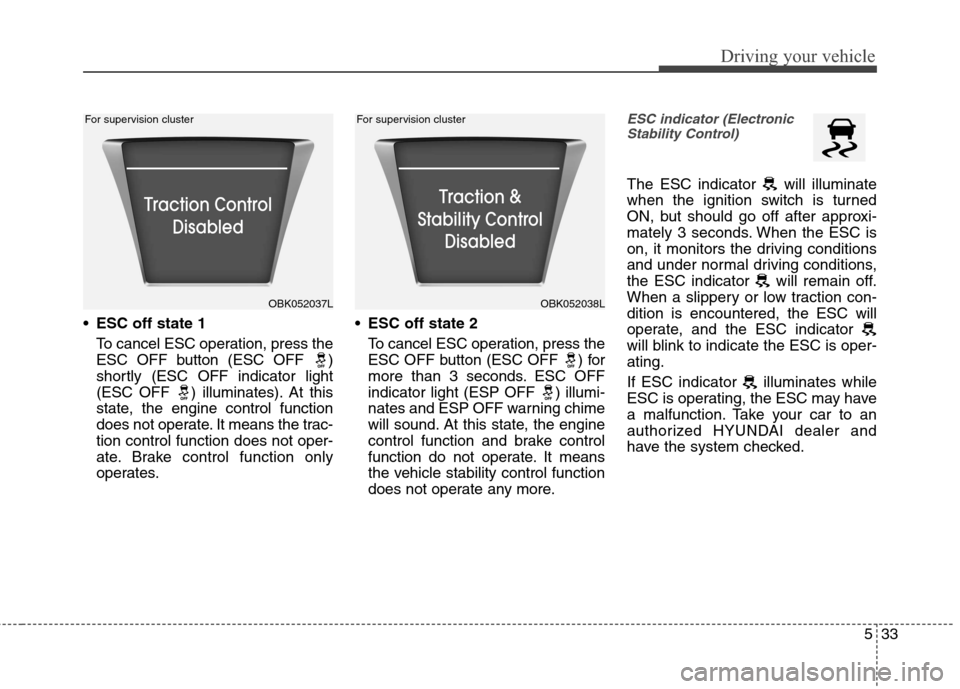
ESC off state 1
To cancel ESC operation, press the
ESC OFF button (ESC OFF )
shortly (ESC OFF indicator light
(ESC OFF ) illuminates). At this
state, the engine control function
does not operate. It means the trac-
tion control function does not oper-
ate. Brake control function only
operates.ESC off state 2
To cancel ESC operation, press the
ESC OFF button (ESC OFF ) for
more than 3 seconds. ESC OFF
indicator light (ESP OFF ) illumi-
nates and ESP OFF warning chime
will sound. At this state, the engine
control function and brake control
function do not operate. It means
the vehicle stability control function
does not operate any more.
ESC indicator (Electronic
Stability Control)
The ESC indicator will illuminate
when the ignition switch is turned
ON, but should go off after approxi-
mately 3 seconds. When the ESC is
on, it monitors the driving conditions
and under normal driving conditions,
the ESC indicator will remain off.
When a slippery or low traction con-
dition is encountered, the ESC will
operate, and the ESC indicator
will blink to indicate the ESC is oper-
ating.
If ESC indicator illuminates while
ESC is operating, the ESC may have
a malfunction. Take your car to an
authorized HYUNDAI dealer and
have the system checked.
OBK052037LOBK052038L For supervision cluster For supervision cluster
Page 284 of 438
Driving your vehicle
34 5
ESC OFF indicator
The ESC OFF indicator will illumi-
nate when the ignition switch is
turned ON, but should go off after
approximately 3 seconds. To switch
to ESC OFF mode, press the ESC
OFF button . The ESC OFF indica-
tor will illuminate indicating the
ESC is deactivated.
If this indicator stays on when ESC
OFF is not selected, the ESC may
have a malfunction. Take your car to
an authorized HYUNDAI dealer and
have the system checked.
With the ESC system in the stand by
position, if you use the parking brake
to stop the vehicle due to abnormal
brake operation, the ESC system
may be stopped and ESC OFF indi-
cator may illuminate for about 5
minutes.
ESC OFF usage
When driving
ESC should be turned on for daily
driving whenever possible. If ESC
is turned off, it may be difficult to
make a turn or drive up a hill.
To turn ESC off while driving, press
the ESC OFF button while driv-
ing on a flat road surface.
Never press the ESC OFF button
while ESC is operating (ESC indica-
tor light blinks).
If ESC is turned off while ESC is
operating, it may be very dangerous
because of unexpected vehicle slip.
✽ ✽
NOTICE
• When operating the vehicle on a
dynamometer, ensure that the
ESC is turned off (ESC OFF light
illuminated). If the ESC is left
on, it may prevent the vehicle
speed from increasing, and result
in false diagnosis.
• Turning the ESC off does not
affect ABS or brake system opera-
tion.
CAUTION
Driving with varying tire or
wheel sizes may cause the ESC
system to malfunction. When
replacing tires, make sure they
are the same size as your origi-
nal tires.
WARNING
The Electronic Stability Control
system is only a driving aid; use
precautions for safe driving by
slowing down on curved, snowy,
or icy roads. Drive slowly and
don’t attempt to accelerate
whenever the ESC indicator
light is blinking, or when the
road surface is slippery.
CAUTION
Do not use the parking brake to
stop the vehicle, except in an
emergency situation.
Page 286 of 438
Driving your vehicle
36 5
After parking the vehicle, check to
be sure the parking brake is not
engaged and that the parking
brake indicator light is out before
driving away.
Driving through water may get the
brakes wet. They can also get wet
when the car is washed. Wet
brakes can be dangerous! Your car
will not stop as quickly if the brakes
are wet. Wet brakes may cause the
car to pull to one side.
To dry the brakes, apply the brakes
lightly until the braking action
returns to normal, taking care to
keep the car under control at all
times. If the braking action does
not return to normal, stop as soon
as it is safe to do so and call an
authorized HYUNDAI dealer for
assistance.
Don't coast down hills with the car
out of gear. This is extremely haz-
ardous. Keep the car in gear at all
times, use the brakes to slow
down, then shift to a lower gear so
that engine braking will help you
maintain a safe speed. Don't "ride" the brake pedal.
Resting your foot on the brake
pedal while driving can be danger-
ous because it can result in the
brakes overheating and losing their
effectiveness. It also increases the
wear of the brake components.
If a tire goes flat while you are driv-
ing, apply the brakes gently and
keep the car pointed straight
ahead while you slow down. When
you are moving slowly enough for it
to be safe to do so, pull off the road
and stop in a safe place.
If your car is equipped with an
automatic transmission, don't let
your car creep forward. To avoid
creeping forward, keep your foot
firmly on the brake pedal when the
car is stopped. Use caution when parking on a hill.
Firmly engage the parking brake
and place the shift lever in P. If your
car is facing downhill, turn the front
wheels into the curb to help keep
the car from rolling. If your car is
facing uphill, turn the front wheels
away from the curb to help keep
the car from rolling. If there is no
curb or if it is required by other con-
ditions to keep the car from rolling,
block the wheels.
Under some conditions your park-
ing brake can freeze in the
engaged position. This is most like-
ly to happen when there is an
accumulation of snow or ice
around or near the rear brakes or if
the brakes are wet. If there is a risk
that the parking brake may freeze,
apply it only temporarily while you
put the shift lever in P (automatic
transmission) and block the rear
wheels so the car cannot roll. Then
release the parking brake.
Do not hold the vehicle on an uphill
with the accelerator pedal. This can
cause the transmission to over-
heat. Always use the brake pedal
or parking brake.
Page 287 of 438
537
Driving your vehicle
The cruise control system allows you
to program the vehicle to maintain a
constant speed without pressing the
accelerator pedal.
This system is designed to function
above approximately 25 mph (40
km/h).✽ ✽
NOTICE
During normal cruise control opera-
tion, when the SET switch is activat-
ed or reactivated after applying the
brakes, the cruise control will ener-
gize after approximately 3 seconds.
This delay is normal.
✽ ✽
NOTICE
To activate cruise control, depress
the brake pedal at least once after
turning the ignition switch to the ON
position or starting the engine. This
is to check if the brake switch which
is important part to cancel cruise
control is in normal condition.
CRUISE CONTROL SYSTEM (IF EQUIPPED)
WARNING
If the cruise control is left on,
(CRUISE indicator light in the
instrument cluster illuminat-
ed) the cruise control can be
switched on accidentally.
Keep the cruise control sys-
tem off (CRUISE indicator
light OFF) when the cruise
control is not in use, to avoid
inadvertently setting a speed.
Use the cruise control system
only when traveling on open
highways in good weather.
(Continued)
(Continued)
Do not use the cruise control
when it may not be safe to
keep the car at a constant
speed, for instance, driving in
heavy or varying traffic, or on
slippery (rainy, icy or snow-
covered) or winding roads or
over 6% up-hill or down-hill
roads.
Pay particular attention to the
driving conditions whenever
using the cruise control sys-
tem.
Be careful when driving down-
hill using the cruise control
system, which may increase
the vehicle speed.
WARNING- Misuse cruise
control
Do not use cruise control if the
traffic situation does not allow
you to drive safely at a constant
speed and with sufficient dis-
tance to the vehicle in front.
Page 288 of 438
Driving your vehicle
38 5
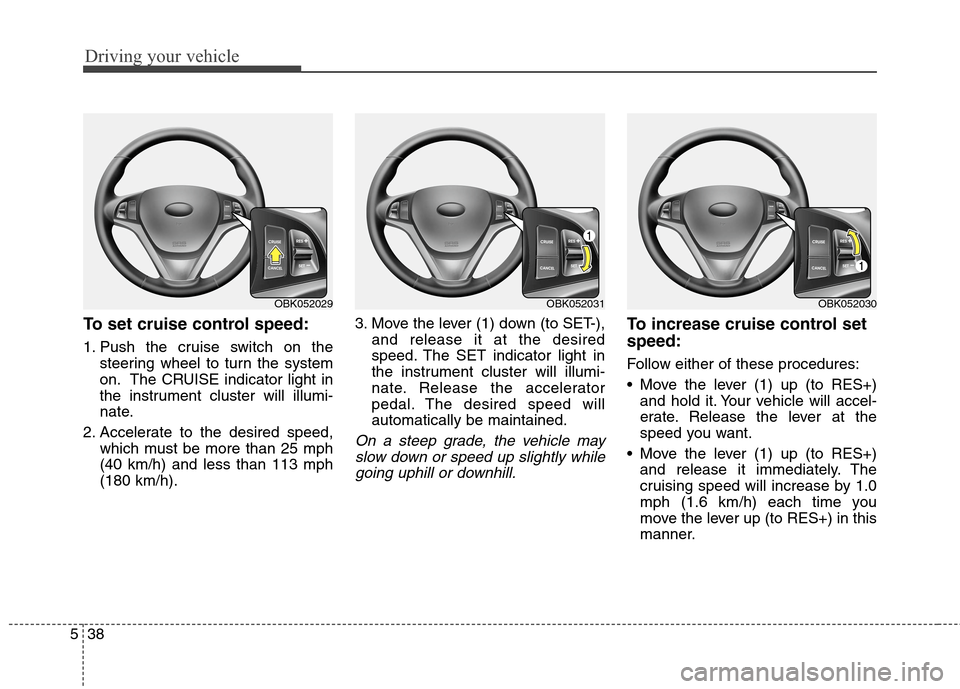
To set cruise control speed:
1. Push the cruise switch on the
steering wheel to turn the system
on. The CRUISE indicator light in
the instrument cluster will illumi-
nate.
2. Accelerate to the desired speed,
which must be more than 25 mph
(40 km/h) and less than 113 mph
(180 km/h).3. Move the lever (1) down (to SET-),
and release it at the desired
speed. The SET indicator light in
the instrument cluster will illumi-
nate. Release the accelerator
pedal. The desired speed will
automatically be maintained.
On a steep grade, the vehicle may
slow down or speed up slightly while
going uphill or downhill.
To increase cruise control set
speed:
Follow either of these procedures:
Move the lever (1) up (to RES+)
and hold it. Your vehicle will accel-
erate. Release the lever at the
speed you want.
Move the lever (1) up (to RES+)
and release it immediately. The
cruising speed will increase by 1.0
mph (1.6 km/h) each time you
move the lever up (to RES+) in this
manner.
OBK052031OBK052030OBK052029
Page 290 of 438
Driving your vehicle
40 5
Operate the parking brake. Do not
operate the parking brake while
driving except in an emergency sit-
uation.
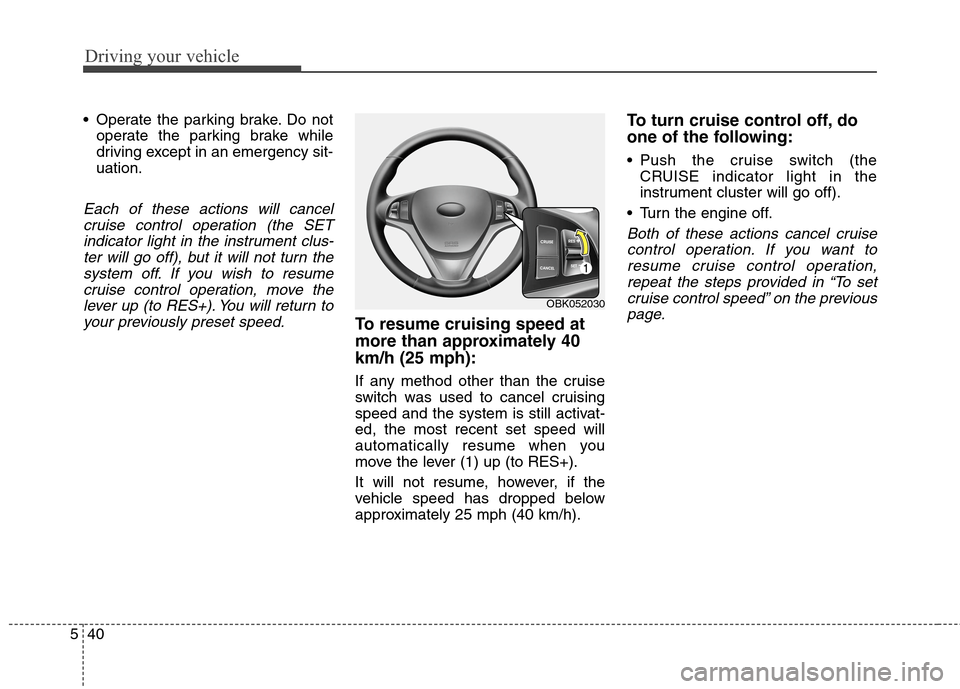
Each of these actions will cancel
cruise control operation (the SET
indicator light in the instrument clus-
ter will go off), but it will not turn the
system off. If you wish to resume
cruise control operation, move the
lever up (to RES+). You will return to
your previously preset speed.
To resume cruising speed at
more than approximately 40
km/h (25 mph):
If any method other than the cruise
switch was used to cancel cruising
speed and the system is still activat-
ed, the most recent set speed will
automatically resume when you
move the lever (1) up (to RES+).
It will not resume, however, if the
vehicle speed has dropped below
approximately 25 mph (40 km/h).
To turn cruise control off, do
one of the following:
Push the cruise switch (the
CRUISE indicator light in the
instrument cluster will go off).
Turn the engine off.
Both of these actions cancel cruise
control operation. If you want to
resume cruise control operation,
repeat the steps provided in “To set
cruise control speed” on the previous
page.
OBK052030