light Hyundai Genesis Coupe 2015 Repair Manual
[x] Cancel search | Manufacturer: HYUNDAI, Model Year: 2015, Model line: Genesis Coupe, Model: Hyundai Genesis Coupe 2015Pages: 438, PDF Size: 40.35 MB
Page 166 of 438
Features of your vehicle
82 4
Battery saver function
The purpose of this feature is to
prevent the battery from being dis-
charged. The system automatically
turns off the exterior lights when
the driver removes the ignition key
(smart key : turns off the engine)
and opens the driver-side door. (in
that order)
With this feature, the parking lights
will be turned off automatically if
the driver parks on the side of road
at night.
If necessary, to keep the lights on
when the ignition key is removed
(smart key : turns off the engine),
perform the following:
1) Open the driver-side door.
2) Turn the parking lights OFF and
ON again using the light switch
on the steering column.
Headlight escort function
(if equipped)
If you turn the ignition switch to the
ACC or OFF position with the head-
lights ON, the headlights (and/or tail
lights) remain on for about 5 minutes.
However, if the driver’s door is
opened and closed, the headlights
are turned off after 15 seconds.
The headlights can be turned off by
pressing the lock button on the trans-
mitter (or smart key) twice or turning
the light switch to the OFF or Auto
position.
However, if you turn the light switch to
the Auto position when it is dark outside,
the headlights will not be turned off.
Headlamp welcome function
(if equipped)
When the headlight switch is in the
ON or AUTO position and all doors
(and trunk) are closed and locked, if
you press the door unlock button on
the transmitter (or the smart key), the
parking light will come on for about
15 seconds. At this time, if you press
the door lock button on the transmit-
ter (or smart key) the parking light
will turn off immediately.
LIGHTING
CAUTION
If the driver gets out of the vehi-
cle through other doors (except
driver’s door), the battery saver
function does not operate and
the headlight escort function
does not turn off automatically.
Therefore, it causes the battery
to be discharged. In this case,
make sure to turn off the lamp
before getting out of the vehicle.
Page 167 of 438
483
Features of your vehicle
Daytime running light
(if equipped)
Daytime Running Lights (DRL) can
make it easier for others to see the
front of your vehicle during the day.
DRL can be helpful in many different
driving conditions, and it is especially
helpful after dawn and before sunset.
The DRL system turns OFF when:
1. The multifunction switch is in the
OFF position. (if equipped)
2. The headlights are ON.
3. The turn signal is ON. (the blinking
side of the DRL will turn off)
4. The hazard warning light is ON.
5. The parking brake is applied.
6. Engine stops.
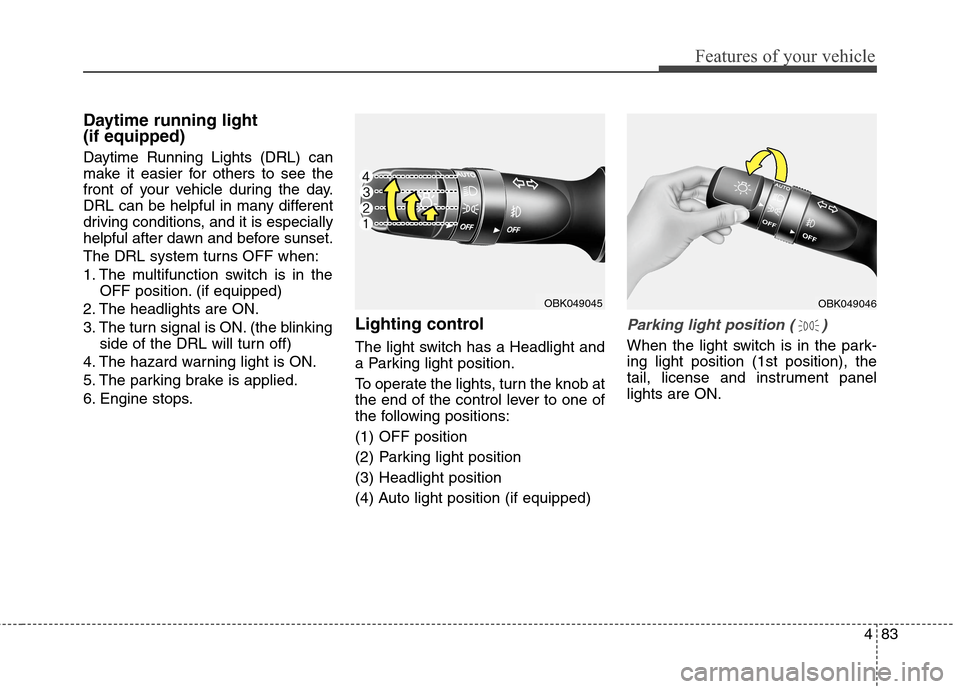
Lighting control
The light switch has a Headlight and
a Parking light position.
To operate the lights, turn the knob at
the end of the control lever to one of
the following positions:
(1) OFF position
(2) Parking light position
(3) Headlight position
(4) Auto light position (if equipped)
Parking light position ( )
When the light switch is in the park-
ing light position (1st position), the
tail, license and instrument panel
lights are ON.
OBK049046OBK049045
Page 168 of 438
Features of your vehicle
84 4
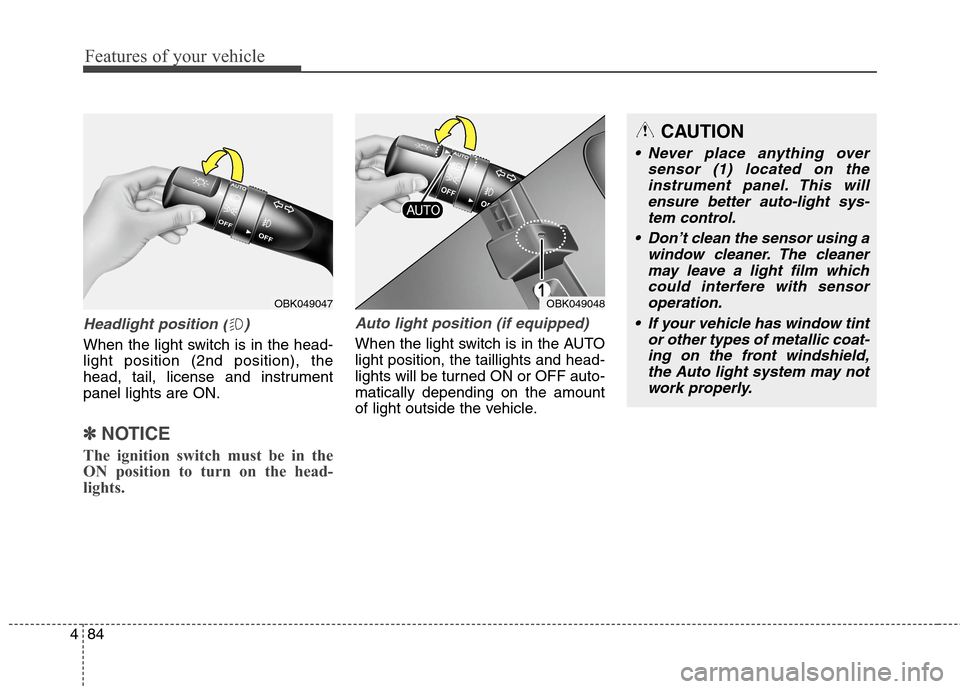
Headlight position ( )
When the light switch is in the head-
light position (2nd position), the
head, tail, license and instrument
panel lights are ON.
✽ ✽
NOTICE
The ignition switch must be in the
ON position to turn on the head-
lights.
Auto light position (if equipped)
When the light switch is in the AUTO
light position, the taillights and head-
lights will be turned ON or OFF auto-
matically depending on the amount
of light outside the vehicle.
OBK049048
CAUTION
Never place anything over
sensor (1) located on the
instrument panel. This will
ensure better auto-light sys-
tem control.
Don’t clean the sensor using a
window cleaner. The cleaner
may leave a light film which
could interfere with sensor
operation.
If your vehicle has window tint
or other types of metallic coat-
ing on the front windshield,
the Auto light system may not
work properly.
OBK049047
Page 169 of 438
485
Features of your vehicle
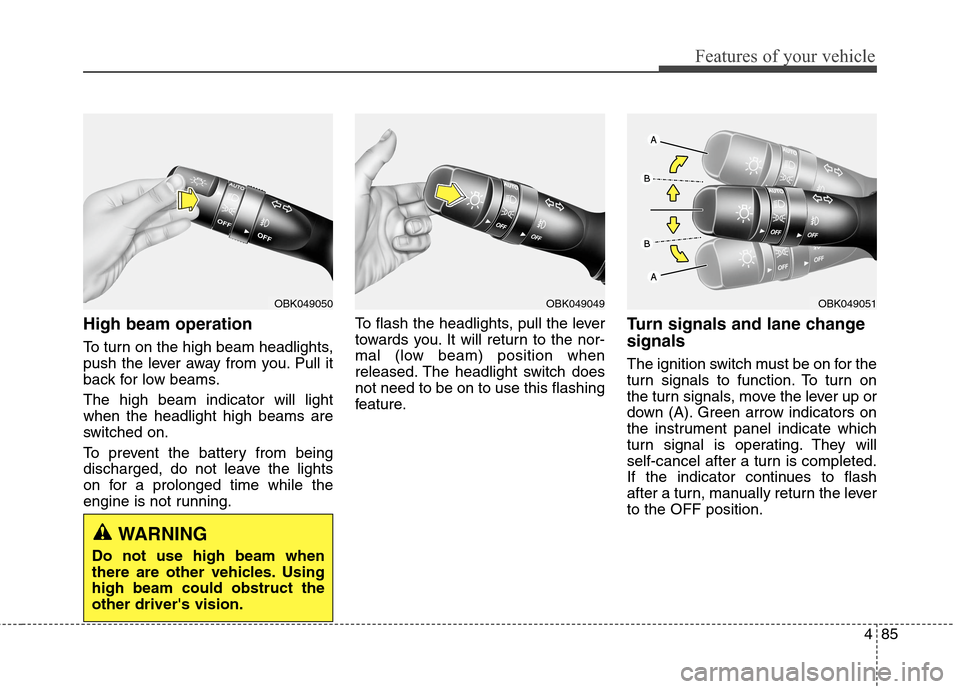
High beam operation
To turn on the high beam headlights,
push the lever away from you. Pull it
back for low beams.
The high beam indicator will light
when the headlight high beams are
switched on.
To prevent the battery from being
discharged, do not leave the lights
on for a prolonged time while the
engine is not running.To flash the headlights, pull the lever
towards you. It will return to the nor-
mal (low beam) position when
released. The headlight switch does
not need to be on to use this flashing
feature.
Turn signals and lane change
signals
The ignition switch must be on for the
turn signals to function. To turn on
the turn signals, move the lever up or
down (A). Green arrow indicators on
the instrument panel indicate which
turn signal is operating. They will
self-cancel after a turn is completed.
If the indicator continues to flash
after a turn, manually return the lever
to the OFF position.
OBK049051OBK049049OBK049050
WARNING
Do not use high beam when
there are other vehicles. Using
high beam could obstruct the
other driver's vision.
Page 170 of 438
Features of your vehicle
86 4
To signal a lane change, move the
turn signal lever slightly and hold it in
position (B). The lever will return to
the OFF position when released.
If an indicator stays on and does not
flash or if it flashes abnormally, one
of the turn signal bulbs may be
burned out and will require replace-
ment.
One-touch triple turn signal
To activate the one-touch triple turn
signal move the turn signal lever
slightly for less than 1.8 seconds and
then release it. The lane change sig-
nals will blink 3 times.
✽ ✽
NOTICE
If an indicator flash is abnormally
quick or slow, a bulb may be burned
out or have a poor electrical connec-
tion in the circuit.
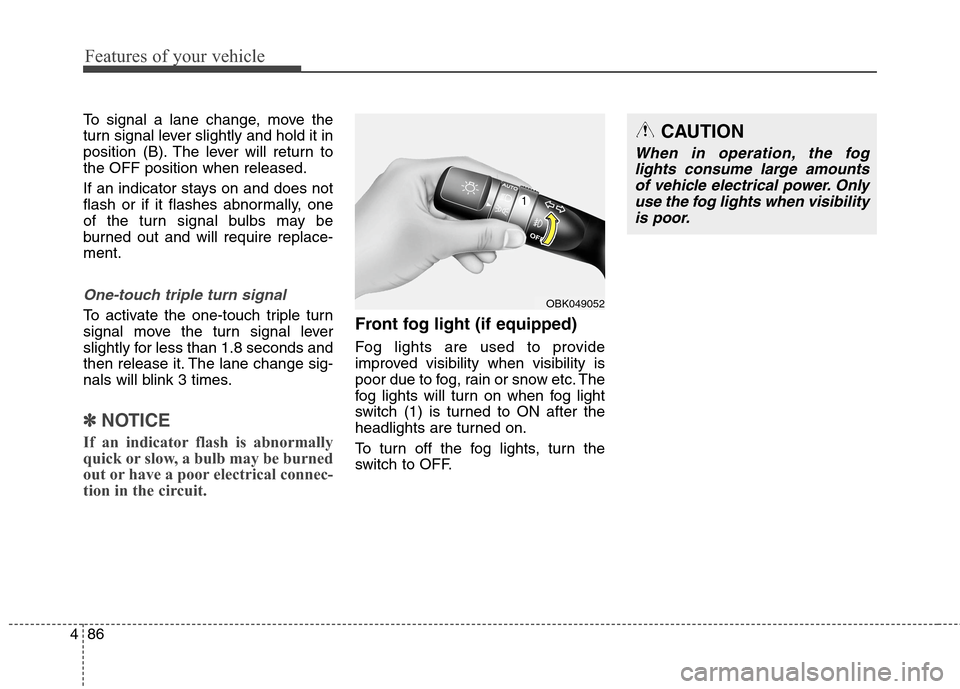
Front fog light (if equipped)
Fog lights are used to provide
improved visibility when visibility is
poor due to fog, rain or snow etc. The
fog lights will turn on when fog light
switch (1) is turned to ON after the
headlights are turned on.
To turn off the fog lights, turn the
switch to OFF.
OBK049052
CAUTION
When in operation, the fog
lights consume large amounts
of vehicle electrical power. Only
use the fog lights when visibility
is poor.
Page 171 of 438
487
Features of your vehicle
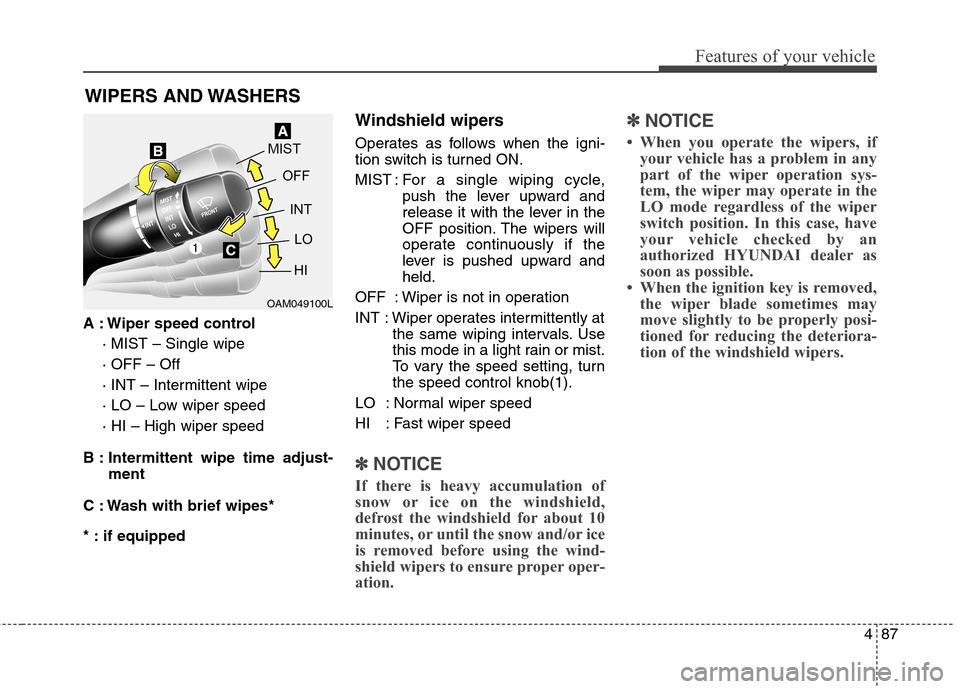
A : Wiper speed control
· MIST – Single wipe
· OFF – Off
· INT – Intermittent wipe
· LO – Low wiper speed
· HI – High wiper speed
B : Intermittent wipe time adjust-
ment
C : Wash with brief wipes*
* : if equipped
Windshield wipers
Operates as follows when the igni-
tion switch is turned ON.
MIST : For a single wiping cycle,
push the lever upward and
release it with the lever in the
OFF position. The wipers will
operate continuously if the
lever is pushed upward and
held.
OFF : Wiper is not in operation
INT : Wiper operates intermittently at
the same wiping intervals. Use
this mode in a light rain or mist.
To vary the speed setting, turn
the speed control knob(1).
LO : Normal wiper speed
HI : Fast wiper speed
✽ ✽
NOTICE
If there is heavy accumulation of
snow or ice on the windshield,
defrost the windshield for about 10
minutes, or until the snow and/or ice
is removed before using the wind-
shield wipers to ensure proper oper-
ation.
✽ ✽
NOTICE
• When you operate the wipers, if
your vehicle has a problem in any
part of the wiper operation sys-
tem, the wiper may operate in the
LO mode regardless of the wiper
switch position. In this case, have
your vehicle checked by an
authorized HYUNDAI dealer as
soon as possible.
• When the ignition key is removed,
the wiper blade sometimes may
move slightly to be properly posi-
tioned for reducing the deteriora-
tion of the windshield wipers.
WIPERS AND WASHERS
OAM049100L
Page 173 of 438
489
Features of your vehicle
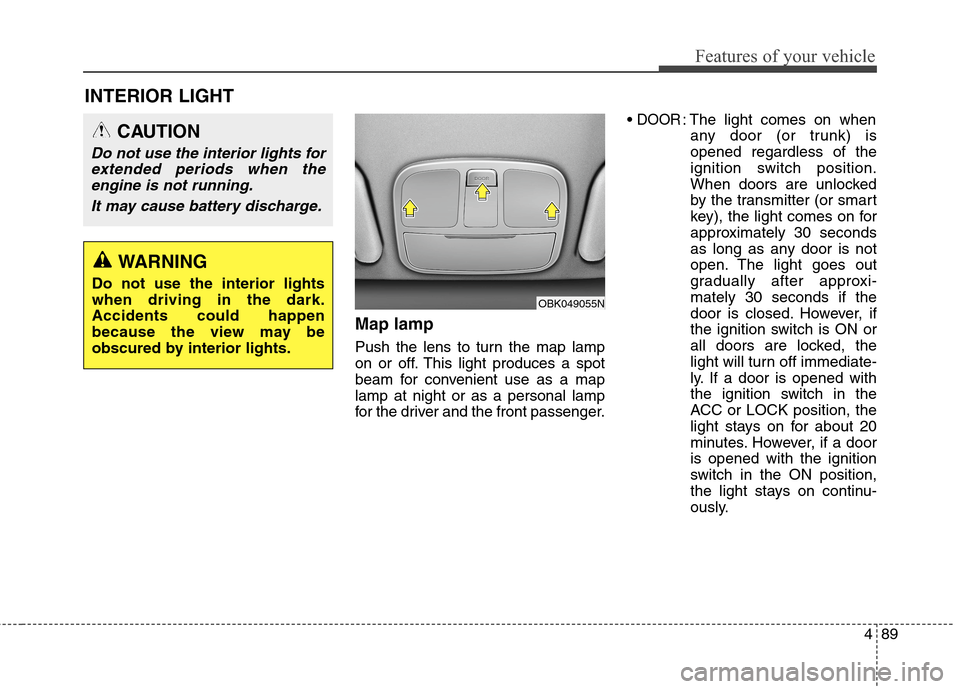
Map lamp
Push the lens to turn the map lamp
on or off. This light produces a spot
beam for convenient use as a map
lamp at night or as a personal lamp
for the driver and the front passenger.
DOOR: The light comes on when
any door (or trunk) is
opened regardless of the
ignition switch position.
When doors are unlocked
by the transmitter (or smart
key), the light comes on for
approximately 30 seconds
as long as any door is not
open. The light goes out
gradually after approxi-
mately 30 seconds if the
door is closed. However, if
the ignition switch is ON or
all doors are locked, the
light will turn off immediate-
ly. If a door is opened with
the ignition switch in the
ACC or LOCK position, the
light stays on for about 20
minutes. However, if a door
is opened with the ignition
switch in the ON position,
the light stays on continu-
ously.
INTERIOR LIGHT
CAUTION
Do not use the interior lights for
extended periods when the
engine is not running.
It may cause battery discharge.
OBK049055N
WARNING
Do not use the interior lights
when driving in the dark.
Accidents could happen
because the view may be
obscured by interior lights.
Page 174 of 438
Features of your vehicle
90 4
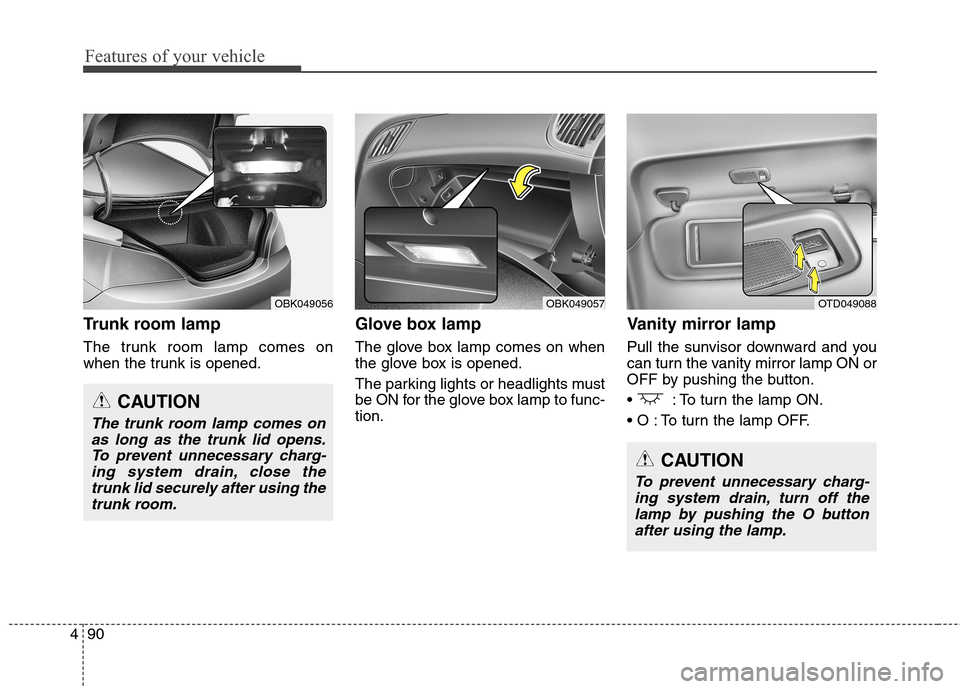
Trunk room lamp
The trunk room lamp comes on
when the trunk is opened.
Glove box lamp
The glove box lamp comes on when
the glove box is opened.
The parking lights or headlights must
be ON for the glove box lamp to func-
tion.
Vanity mirror lamp
Pull the sunvisor downward and you
can turn the vanity mirror lamp ON or
OFF by pushing the button.
: To turn the lamp ON.
To turn the lamp OFF.
OBK049056
CAUTION
The trunk room lamp comes on
as long as the trunk lid opens.
To prevent unnecessary charg-
ing system drain, close the
trunk lid securely after using the
trunk room.
OBK049057OTD049088
CAUTION
To prevent unnecessary charg-
ing system drain, turn off the
lamp by pushing the O button
after using the lamp.
Page 180 of 438
Features of your vehicle
96 4
Temperature unit conversion
You can switch the temperature mode
between Centigrade to Fahrenheit as
follows:
While pressing the OFF button, press
the MAX A/C button for 4 seconds or
more.
The display will change from
Centigrade to Fahrenheit, or from
Fahrenheit to Centigrade.
If the battery has been discharged or
disconnected, the temperature mode
display will reset to Centigrade.
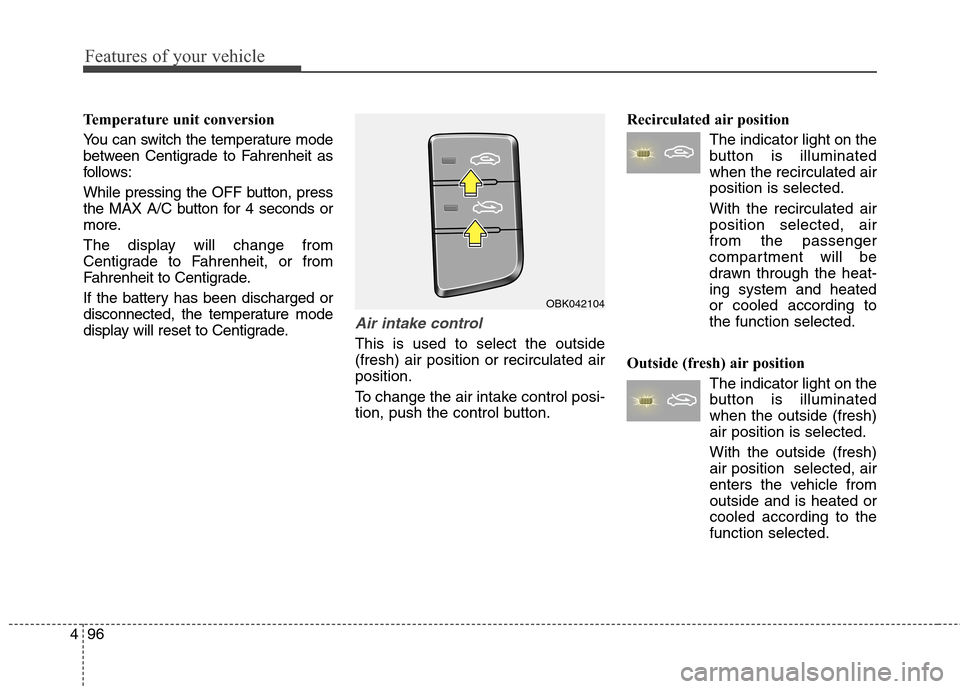
Air intake control
This is used to select the outside
(fresh) air position or recirculated air
position.
To change the air intake control posi-
tion, push the control button.Recirculated air position
The indicator light on the
button is illuminated
when the recirculated air
position is selected.
With the recirculated air
position selected, air
from the passenger
compartment will be
drawn through the heat-
ing system and heated
or cooled according to
the function selected.
Outside (fresh) air position
The indicator light on the
button is illuminated
when the outside (fresh)
air position is selected.
With the outside (fresh)
air position selected, air
enters the vehicle from
outside and is heated or
cooled according to the
function selected.
OBK042104
Page 182 of 438
Features of your vehicle
98 4
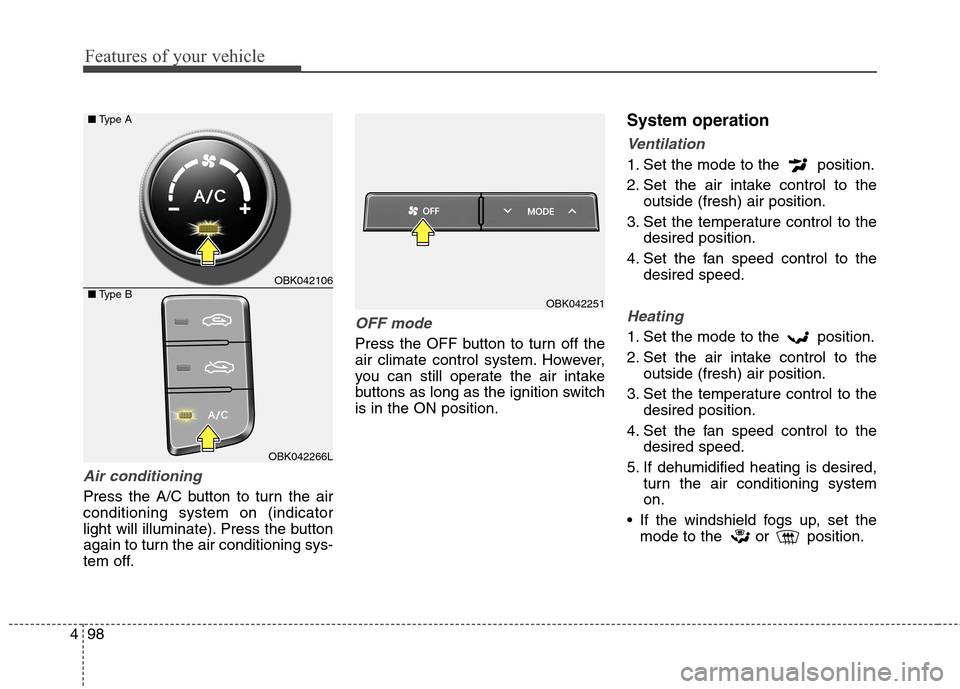
Air conditioning
Press the A/C button to turn the air
conditioning system on (indicator
light will illuminate). Press the button
again to turn the air conditioning sys-
tem off.
OFF mode
Press the OFF button to turn off the
air climate control system. However,
you can still operate the air intake
buttons as long as the ignition switch
is in the ON position.
System operation
Ventilation
1. Set the mode to the position.
2. Set the air intake control to the
outside (fresh) air position.
3. Set the temperature control to the
desired position.
4. Set the fan speed control to the
desired speed.
Heating
1. Set the mode to the position.
2. Set the air intake control to the
outside (fresh) air position.
3. Set the temperature control to the
desired position.
4. Set the fan speed control to the
desired speed.
5. If dehumidified heating is desired,
turn the air conditioning system
on.
If the windshield fogs up, set the
mode to the or position.
OBK042251
OBK042106
OBK042266L ■Type A
■Type B