window Hyundai Genesis Coupe 2015 User Guide
[x] Cancel search | Manufacturer: HYUNDAI, Model Year: 2015, Model line: Genesis Coupe, Model: Hyundai Genesis Coupe 2015Pages: 438, PDF Size: 40.35 MB
Page 103 of 438
419
Features of your vehicle
When pushing down on the left
portion (2) of the switch for the
driver or the right portion (4) of the
switch for the front passenger, all
vehicle doors will unlock.
If the key is in the ignition switch or
the smart key is in the vehicle, and
any door is open, the doors will not
lock when the central door lock
switch is pressed.Speed sensing door lock sys-
tem (if equipped)
Ty p e A
All doors will be automatically locked
when the vehicle speed exceeds 24
mph.
Ty p e B
All doors will be automatically locked
when the vehicle speed exceeds 9
mph.
And all doors will be automatically
unlocked after you turn the engine off
or when you remove the ignition key.
(if equipped)
✽ ✽
NOTICE
An authorized HYUNDAI dealer
can change the speed of the speed
sensing door lock system from
approximately 12 mph to approxi-
mately 25 mph or disable the sys-
tem.
WARNING- Unlocked
vehicles
Leaving your vehicle unlocked
can invite theft or possible harm
to you or others from someone
hiding in your vehicle while you
are gone. Always remove the
ignition key, engage the parking
brake, close all windows and
lock all doors when leaving
your vehicle unattended.
WARNING- Unattended
children
An enclosed vehicle can
become extremely hot, causing
death or severe injury to unat-
tended children or animals who
cannot escape the vehicle.
Furthermore, children might
operate features of the vehicle
that could injure them, or they
could encounter other harm,
possibly from someone gaining
entry to the vehicle. Never leave
children or animals unattended
in your vehicle.
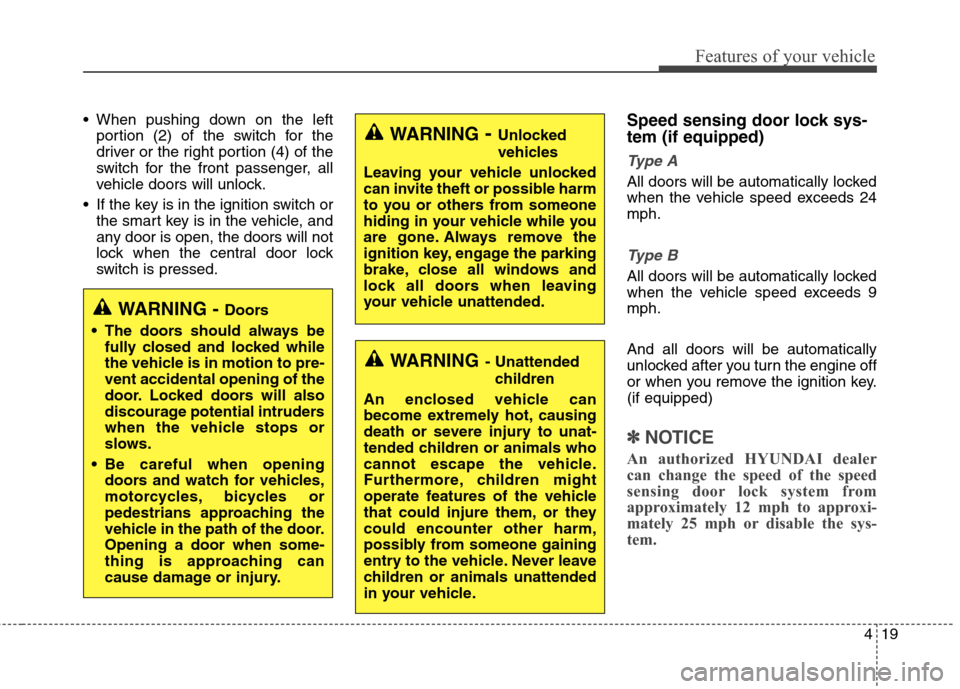
WARNING - Doors
The doors should always be
fully closed and locked while
the vehicle is in motion to pre-
vent accidental opening of the
door. Locked doors will also
discourage potential intruders
when the vehicle stops or
slows.
Be careful when opening
doors and watch for vehicles,
motorcycles, bicycles or
pedestrians approaching the
vehicle in the path of the door.
Opening a door when some-
thing is approaching can
cause damage or injury.
Page 106 of 438
Features of your vehicle
22 4
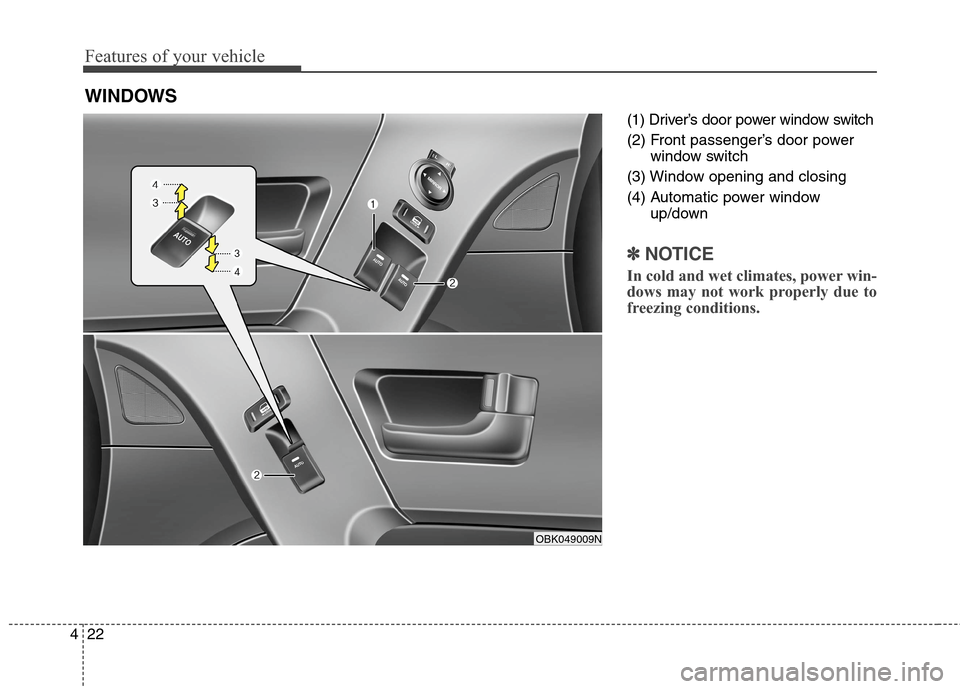
(1) Driver’s door power window switch
(2) Front passenger’s door power
window switch
(3) Window opening and closing
(4) Automatic power window
up/down
✽ ✽
NOTICE
In cold and wet climates, power win-
dows may not work properly due to
freezing conditions.
WINDOWS
OBK049009N
Page 107 of 438
423
Features of your vehicle
Power windows
The ignition switch must be in the ON
position for power windows to oper-
ate.
Each door has a power window
switch that controls the door's win-
dow. The power windows can be
operated for approximately 30 sec-
onds after the ignition key is removed
or turned to the ACC or LOCK posi-
tion. However, if the doors open, the
power windows cannot be operated
within the 30 second period after
ignition key is removed or turned to
the ACC or LOCK position.
✽ ✽
NOTICE
While driving with the sunroof in an
open (or partially open) position,
your vehicle may demonstrate a
wind buffeting or pulsation noise.
This noise is a normal occurrence
and can be reduced or eliminated by
slightly reducing the size of the sun-
roof opening.
Window opening and closing
The driver’s door has a master power
window switch that controls all the
windows in the vehicle.
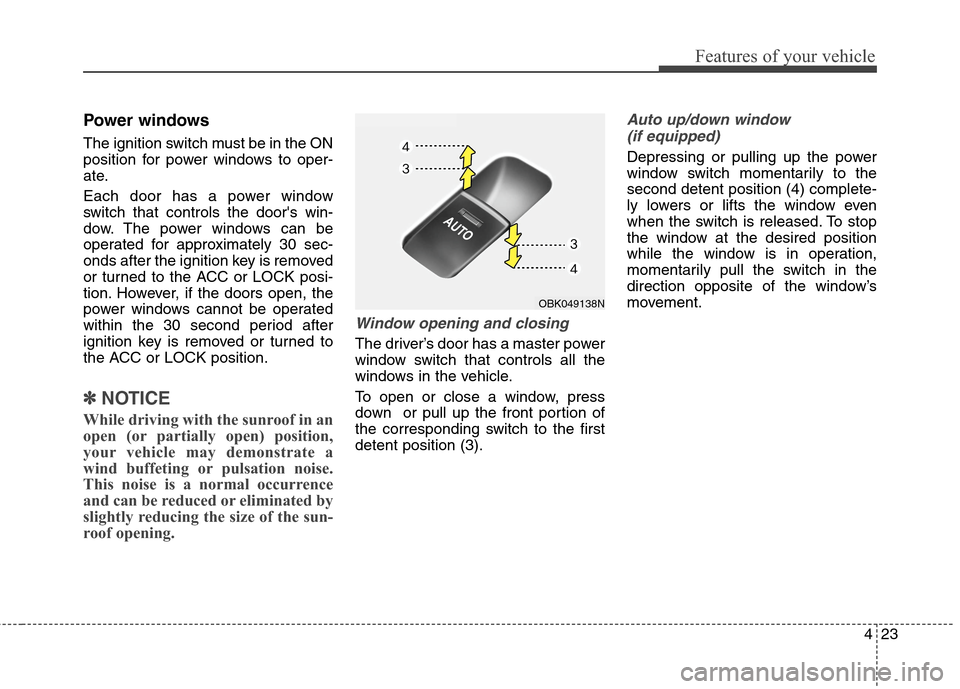
To open or close a window, press
down or pull up the front portion of
the corresponding switch to the first
detent position (3).
Auto up/down window
(if equipped)
Depressing or pulling up the power
window switch momentarily to the
second detent position (4) complete-
ly lowers or lifts the window even
when the switch is released. To stop
the window at the desired position
while the window is in operation,
momentarily pull the switch in the
direction opposite of the window’s
movement.
OBK049138N
Page 108 of 438
Features of your vehicle
24 4
If the power window is not operated
correctly, the automatic power win-
dow system must be reset as follows:
1. Turn the ignition switch to the ON
position.
2. Open the window fully by manual
down(press the front portion of the
switch to the first detent position.).
3. Turn the ignition switch to the OFF
position and to the ON position
again within 2 seconds.
4. Press the front portion of the
switch 3 times within 5 seconds.
5. Close the window and continue
pulling up on the power window
switch for at least 1 second after
the window is completely closed.Automatic reversal
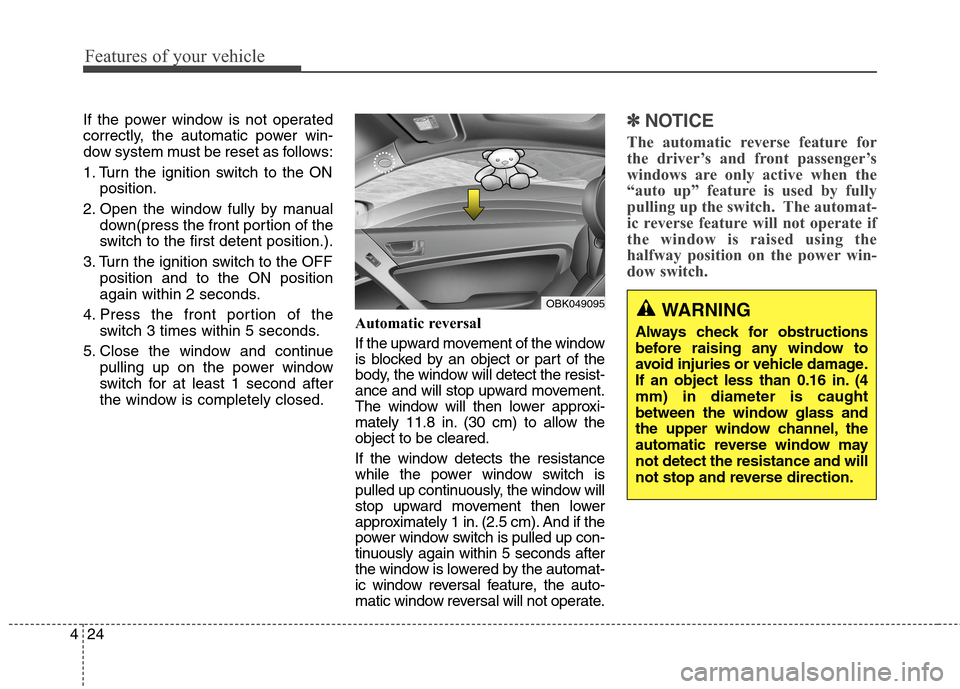
If the upward movement of the window
is blocked by an object or part of the
body, the window will detect the resist-
ance and will stop upward movement.
The window will then lower approxi-
mately 11.8 in. (30 cm) to allow the
object to be cleared.
If the window detects the resistance
while the power window switch is
pulled up continuously, the window will
stop upward movement then lower
approximately 1 in. (2.5 cm). And if the
power window switch is pulled up con-
tinuously again within 5 seconds after
the window is lowered by the automat-
ic window reversal feature, the auto-
matic window reversal will not operate.✽ ✽
NOTICE
The automatic reverse feature for
the driver’s and front passenger’s
windows are only active when the
“auto up” feature is used by fully
pulling up the switch. The automat-
ic reverse feature will not operate if
the window is raised using the
halfway position on the power win-
dow switch.
WARNING
Always check for obstructions
before raising any window to
avoid injuries or vehicle damage.
If an object less than 0.16 in. (4
mm) in diameter is caught
between the window glass and
the upper window channel, the
automatic reverse window may
not detect the resistance and will
not stop and reverse direction.
OBK049095
Page 109 of 438
425
Features of your vehicle
CAUTION
To prevent possible damage
to the power window system,
do not open or close two win-
dows or more at the same
time. This will also ensure the
longevity of the fuse.
Never try to operate the main
switch on the driver's door
and the individual door win-
dow switch in opposing direc-
tions at the same time. If this
is done, the window will stop
and cannot be opened or
closed.
WARNING - Windows
Never leave the keys in your
vehicle with unsupervised
children, when the Engine is
running.
NEVER leave any child unat-
tended in the vehicle. Even
very young children may inad-
vertently cause the vehicle to
move, entangle themselves in
the windows, or otherwise
injure themselves or others.
Always double check to make
sure all arms, hands, head
and other obstructions are
safely out of the way before
closing a window.
Do not allow children to play
with the power windows. Keep
the driver’s door power win-
dow lock switch in the LOCK
position (depressed). Serious
injury can result from uninten-
tional window operation by
the child.
Do not extend a face or arms
outside through the window
opening while driving.
Page 119 of 438
435
Features of your vehicle
MIRRORS
Inside rearview mirror
Adjust the rearview mirror to center
on the view through the rear window.
Make this adjustment before you
start driving.
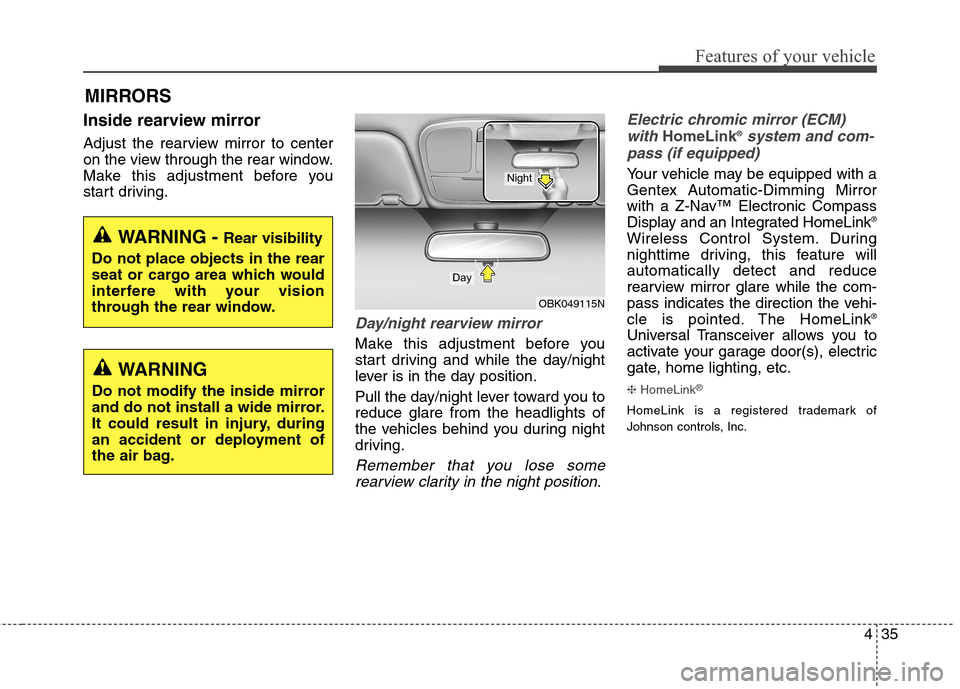
Day/night rearview mirror
Make this adjustment before you
start driving and while the day/night
lever is in the day position.
Pull the day/night lever toward you to
reduce glare from the headlights of
the vehicles behind you during night
driving.
Remember that you lose some
rearview clarity in the night position.Electric chromic mirror (ECM)
with
HomeLink®system and com-
pass (if equipped)
Your vehicle may be equipped with a
Gentex Automatic-Dimming Mirror
with a Z-Nav™ Electronic Compass
Display and an Integrated HomeLink
®
Wireless Control System. During
nighttime driving, this feature will
automatically detect and reduce
rearview mirror glare while the com-
pass indicates the direction the vehi-
cle is pointed. The HomeLink
®
Universal Transceiver allows you to
activate your garage door(s), electric
gate, home lighting, etc.
❈HomeLink®
HomeLink is a registered trademark of
Johnson controls, Inc.
WARNING - Rear visibility
Do not place objects in the rear
seat or cargo area which would
interfere with your vision
through the rear window.
OBK049115N
Day
Night
WARNING
Do not modify the inside mirror
and do not install a wide mirror.
It could result in injury, during
an accident or deployment of
the air bag.
Page 120 of 438
Features of your vehicle
36 4
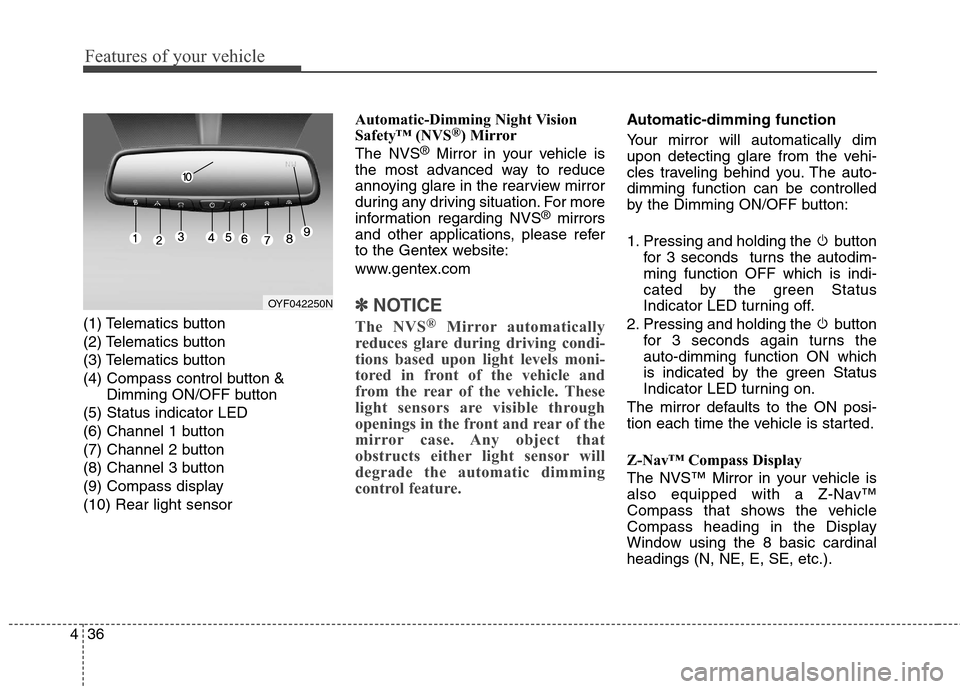
(1) Telematics button
(2) Telematics button
(3) Telematics button
(4) Compass control button &
Dimming ON/OFF button
(5) Status indicator LED
(6) Channel 1 button
(7) Channel 2 button
(8) Channel 3 button
(9) Compass display
(10) Rear light sensorAutomatic-Dimming Night Vision
Safety™ (NVS
®) Mirror
The NVS®Mirror in your vehicle is
the most advanced way to reduce
annoying glare in the rearview mirror
during any driving situation. For more
information regarding NVS
®mirrors
and other applications, please refer
to the Gentex website:
www.gentex.com
✽ ✽
NOTICE
The NVS®Mirror automatically
reduces glare during driving condi-
tions based upon light levels moni-
tored in front of the vehicle and
from the rear of the vehicle. These
light sensors are visible through
openings in the front and rear of the
mirror case. Any object that
obstructs either light sensor will
degrade the automatic dimming
control feature.
Automatic-dimming function
Your mirror will automatically dim
upon detecting glare from the vehi-
cles traveling behind you. The auto-
dimming function can be controlled
by the Dimming ON/OFF button:
1. Pressing and holding the button
for 3 seconds turns the autodim-
ming function OFF which is indi-
cated by the green Status
Indicator LED turning off.
2. Pressing and holding the button
for 3 seconds again turns the
auto-dimming function ON which
is indicated by the green Status
Indicator LED turning on.
The mirror defaults to the ON posi-
tion each time the vehicle is started.
Z-Nav™ Compass Display
The NVS™ Mirror in your vehicle is
also equipped with a Z-Nav™
Compass that shows the vehicle
Compass heading in the Display
Window using the 8 basic cardinal
headings (N, NE, E, SE, etc.).
OYF042250N
Page 168 of 438
Features of your vehicle
84 4
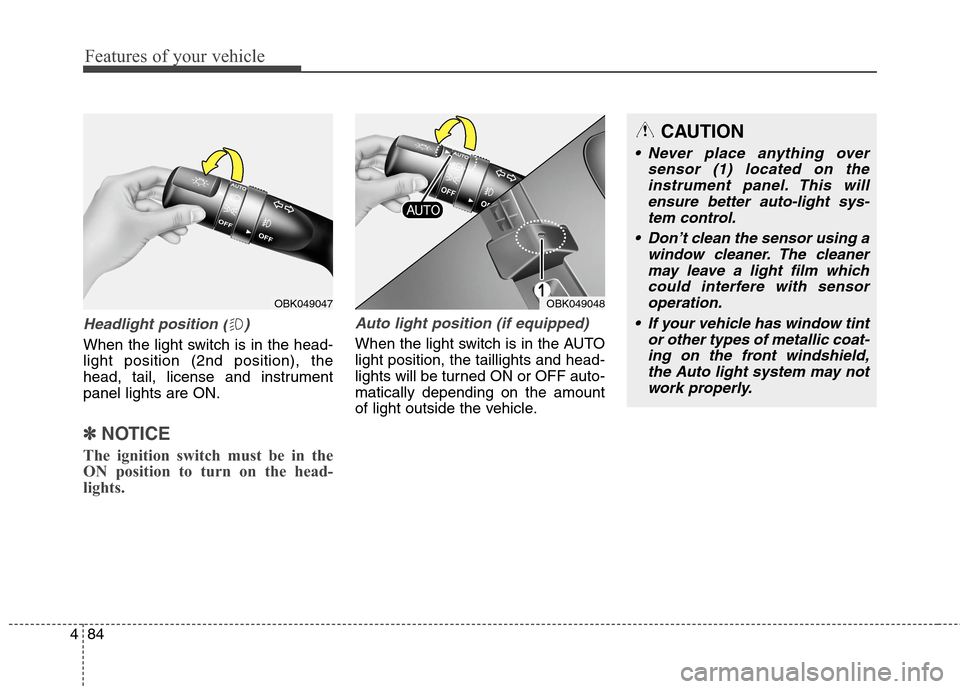
Headlight position ( )
When the light switch is in the head-
light position (2nd position), the
head, tail, license and instrument
panel lights are ON.
✽ ✽
NOTICE
The ignition switch must be in the
ON position to turn on the head-
lights.
Auto light position (if equipped)
When the light switch is in the AUTO
light position, the taillights and head-
lights will be turned ON or OFF auto-
matically depending on the amount
of light outside the vehicle.
OBK049048
CAUTION
Never place anything over
sensor (1) located on the
instrument panel. This will
ensure better auto-light sys-
tem control.
Don’t clean the sensor using a
window cleaner. The cleaner
may leave a light film which
could interfere with sensor
operation.
If your vehicle has window tint
or other types of metallic coat-
ing on the front windshield,
the Auto light system may not
work properly.
OBK049047
Page 175 of 438
491
Features of your vehicle
✽ ✽
NOTICE
If you want to defrost and defog the
front windshield, refer to
“Windshield defrosting and defog-
ging” in this section.
Rear window defroster
The defroster heats the window to
remove frost, fog and thin ice from
the rear window, while the engine is
running.
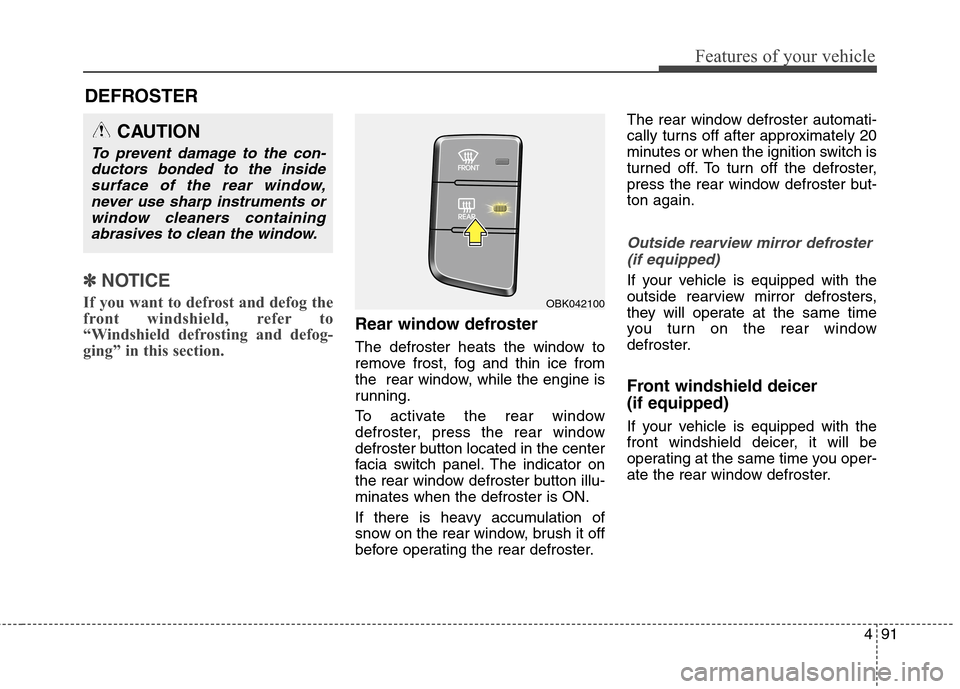
To activate the rear window
defroster, press the rear window
defroster button located in the center
facia switch panel. The indicator on
the rear window defroster button illu-
minates when the defroster is ON.
If there is heavy accumulation of
snow on the rear window, brush it off
before operating the rear defroster.The rear window defroster automati-
cally turns off after approximately 20
minutes or when the ignition switch is
turned off. To turn off the defroster,
press the rear window defroster but-
ton again.
Outside rearview mirror defroster
(if equipped)
If your vehicle is equipped with the
outside rearview mirror defrosters,
they will operate at the same time
you turn on the rear window
defroster.
Front windshield deicer
(if equipped)
If your vehicle is equipped with the
front windshield deicer, it will be
operating at the same time you oper-
ate the rear window defroster.
CAUTION
To prevent damage to the con-
ductors bonded to the inside
surface of the rear window,
never use sharp instruments or
window cleaners containing
abrasives to clean the window.
DEFROSTER
OBK042100
Page 176 of 438
Features of your vehicle
92 4
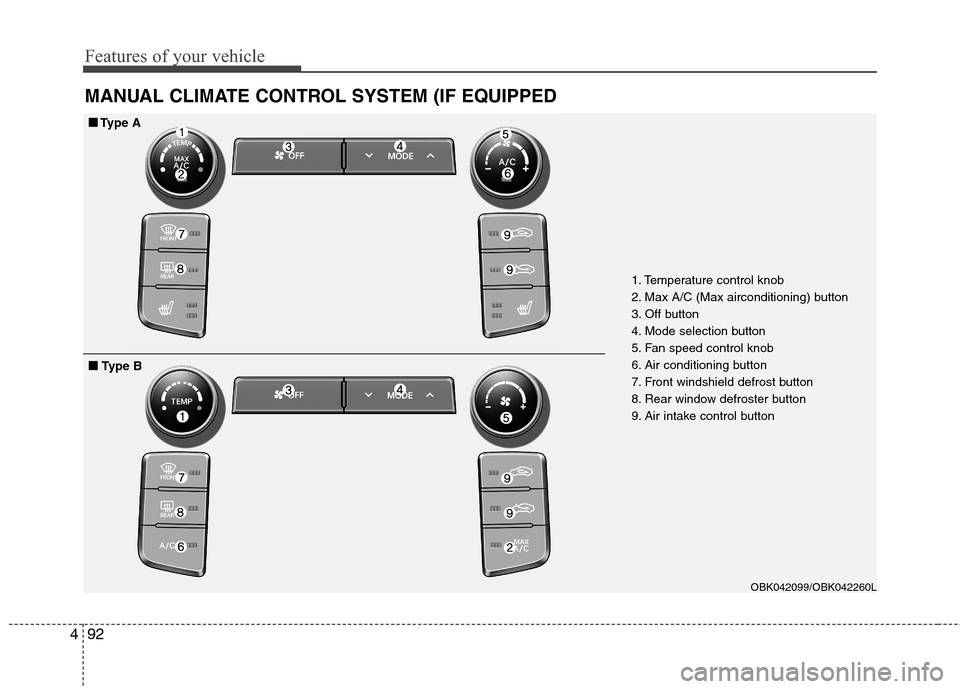
MANUAL CLIMATE CONTROL SYSTEM (IF EQUIPPED
1. Temperature control knob
2. Max A/C (Max airconditioning) button
3. Off button
4. Mode selection button
5. Fan speed control knob
6. Air conditioning button
7. Front windshield defrost button
8. Rear window defroster button
9. Air intake control button
OBK042099/OBK042260L
■ ■
Type A
■ ■
Type B