window HYUNDAI GENESIS G80 2012 User Guide
[x] Cancel search | Manufacturer: HYUNDAI, Model Year: 2012, Model line: GENESIS G80, Model: HYUNDAI GENESIS G80 2012Pages: 332, PDF Size: 20.46 MB
Page 81 of 332
Features of your vehicle
20
4
CAUTION
To prevent possible damage to
the power window system, do notopen or close two windows ormore at the same time. This will
also ensure the longevity of thefuse.
Never try to operate the main switch on the driver's door andthe individual door window
switch in opposing directions atthe same time. If this is done, thewindow will stop and cannot be
opened or closed.WARNING - Windows
NEVER leave the ignition key in the vehicle.
NEVER leave any child unattend- ed in the vehicle. Even very
young children may inadvertently
cause the vehicle to move, entan-
gle themselves in the windows,or otherwise injure themselves or
others.
Always double check to make sure all arms, hands, head and
other obstructions are safely out
of the way before closing a win-
dow.
Do not allow children to play with the power windows. Serious
injury can result from uninten-
tional window operation by the
child.
Do not extend a face or arms out- side through the window whiledriving.
Page 93 of 332
Features of your vehicle
32
4
D140100AUN
Inside rearview mirror
Adjust the rearview mirror to center on
the view through the rear window. Make
this adjustment before you start driving.
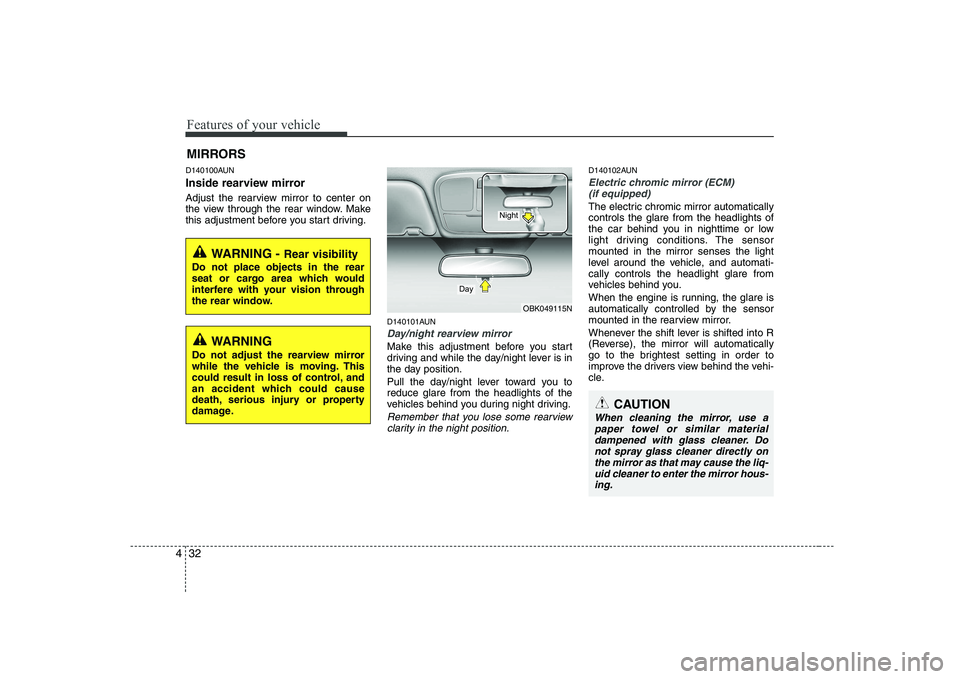
D140101AUN
Day/night rearview mirror
Make this adjustment before you start
driving and while the day/night lever is in
the day position.
Pull the day/night lever toward you to reduce glare from the headlights of the
vehicles behind you during night driving.
Remember that you lose some rearviewclarity in the night position.
D140102AUN
Electric chromic mirror (ECM) (if equipped)
The electric chromic mirror automatically controls the glare from the headlights of
the car behind you in nighttime or low
light driving conditions. The sensormounted in the mirror senses the light
level around the vehicle, and automati-cally controls the headlight glare from
vehicles behind you.
When the engine is running, the glare is
automatically controlled by the sensor
mounted in the rearview mirror.
Whenever the shift lever is shifted into R
(Reverse), the mirror will automatically
go to the brightest setting in order to
improve the drivers view behind the vehi-
cle.
MIRRORS
CAUTION
When cleaning the mirror, use a
paper towel or similar material
dampened with glass cleaner. Donot spray glass cleaner directly on the mirror as that may cause the liq-uid cleaner to enter the mirror hous-
ing.
WARNING - Rear visibility
Do not place objects in the rear
seat or cargo area which would
interfere with your vision through
the rear window.
OBK049115N
Day
Night
WARNING
Do not adjust the rearview mirror
while the vehicle is moving. This
could result in loss of control, and
an accident which could cause
death, serious injury or property
damage.
Page 118 of 332
457
Features of your vehicle
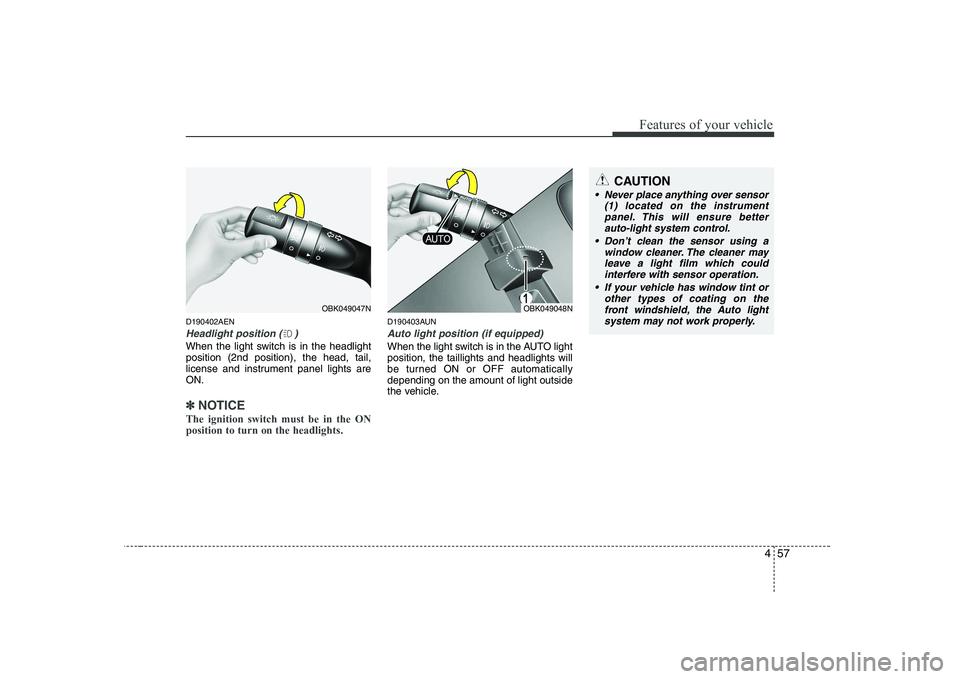
D190402AEN
Headlight position ( )
When the light switch is in the headlight position (2nd position), the head, tail,
license and instrument panel lights areON.
✽✽NOTICE
The ignition switch must be in the ON position to turn on the headlights.
D190403AUN
Auto light position (if equipped)
When the light switch is in the AUTO light position, the taillights and headlights will
be turned ON or OFF automaticallydepending on the amount of light outside
the vehicle.
OBK049048NOBK049047N
CAUTION
Never place anything over sensor (1) located on the instrumentpanel. This will ensure betterauto-light system control.
Don’t clean the sensor using a window cleaner. The cleaner mayleave a light film which couldinterfere with sensor operation.
If your vehicle has window tint or other types of coating on the
front windshield, the Auto light system may not work properly.
Page 126 of 332
465
Features of your vehicle
DEFROSTER
D220000AUN
✽✽ NOTICE
If you want to defrost and defog the
front windshield, refer to “Windshield
defrosting and defogging” in this sec-tion.
D220100AEN
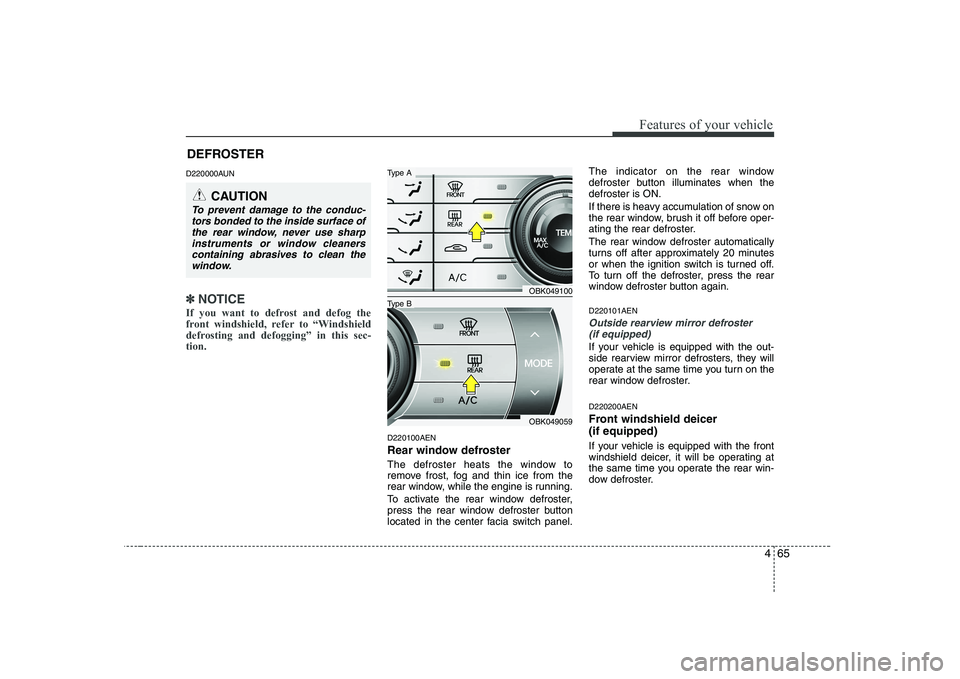
Rear window defroster
The defroster heats the window to
remove frost, fog and thin ice from the
rear window, while the engine is running.
To activate the rear window defroster,
press the rear window defroster button
located in the center facia switch panel. The indicator on the rear window
defroster button illuminates when thedefroster is ON.
If there is heavy accumulation of snow on
the rear window, brush it off before oper-
ating the rear defroster.
The rear window defroster automatically
turns off after approximately 20 minutes
or when the ignition switch is turned off.
To turn off the defroster, press the rear
window defroster button again. D220101AEN
Outside rearview mirror defroster
(if equipped)
If your vehicle is equipped with the out-
side rearview mirror defrosters, they will
operate at the same time you turn on the
rear window defroster. D220200AEN
Front windshield deicer (if equipped)
If your vehicle is equipped with the front
windshield deicer, it will be operating at
the same time you operate the rear win-
dow defroster.
CAUTION
To prevent damage to the conduc- tors bonded to the inside surface of
the rear window, never use sharpinstruments or window cleaners containing abrasives to clean the
window.
OBK049100
OBK049059
Type B
Type A
Page 127 of 332
Features of your vehicle
66
4
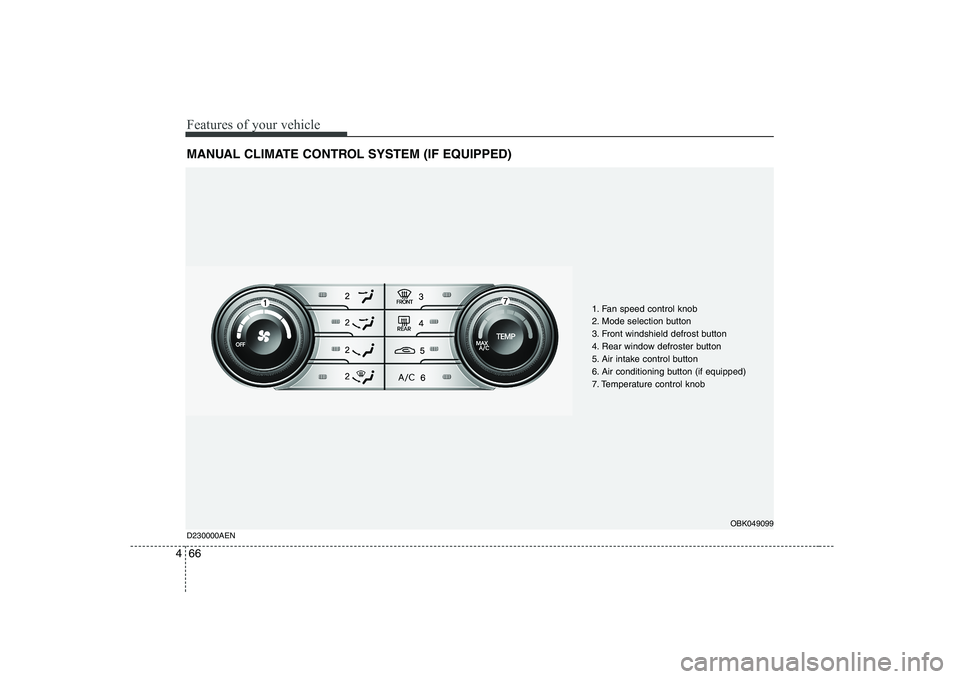
MANUAL CLIMATE CONTROL SYSTEM (IF EQUIPPED)
1. Fan speed control knob
2. Mode selection button
3. Front windshield defrost button
4. Rear window defroster button
5. Air intake control button
6. Air conditioning button (if equipped)
7. Temperature control knob
D230000AEN
OBK049099
Page 129 of 332
Features of your vehicle
68
4
D230101ABK
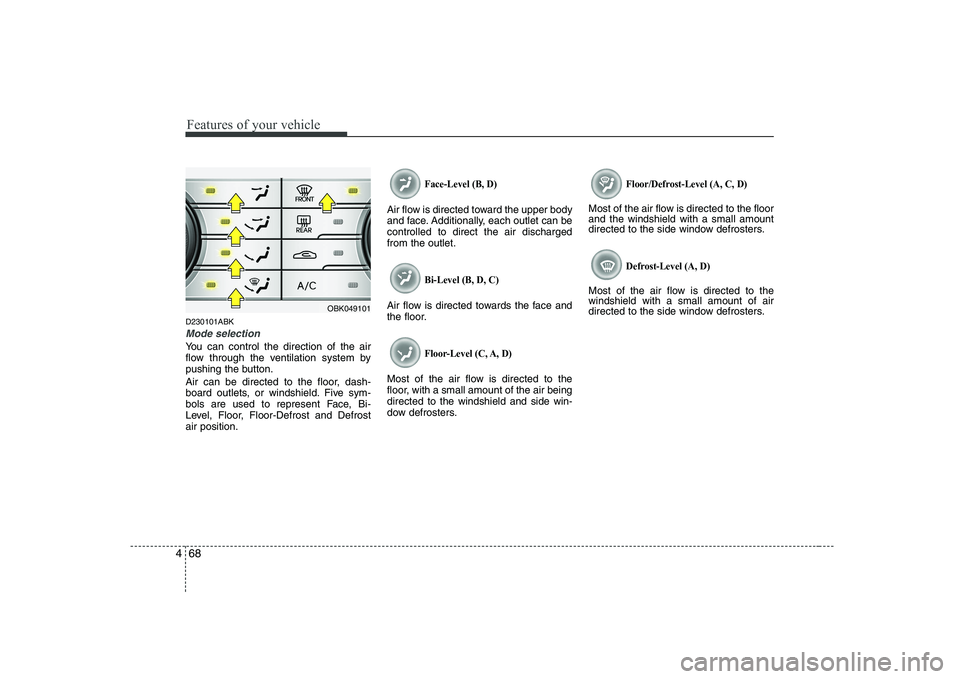
Mode selection
You can control the direction of the air
flow through the ventilation system by
pushing the button.
Air can be directed to the floor, dash-
board outlets, or windshield. Five sym-
bols are used to represent Face, Bi-
Level, Floor, Floor-Defrost and Defrostair position.
Face-Level (B, D)
Air flow is directed toward the upper body
and face. Additionally, each outlet can becontrolled to direct the air dischargedfrom the outlet.
Bi-Level (B, D, C)
Air flow is directed towards the face and
the floor.
Floor-Level (C, A, D)
Most of the air flow is directed to the
floor, with a small amount of the air beingdirected to the windshield and side win-
dow defrosters.
Floor/Defrost-Level (A, C, D)
Most of the air flow is directed to the floor and the windshield with a small amount
directed to the side window defrosters.
Defrost-Level (A, D)
Most of the air flow is directed to thewindshield with a small amount of air
directed to the side window defrosters.
OBK049101
Page 131 of 332
Features of your vehicle
70
4
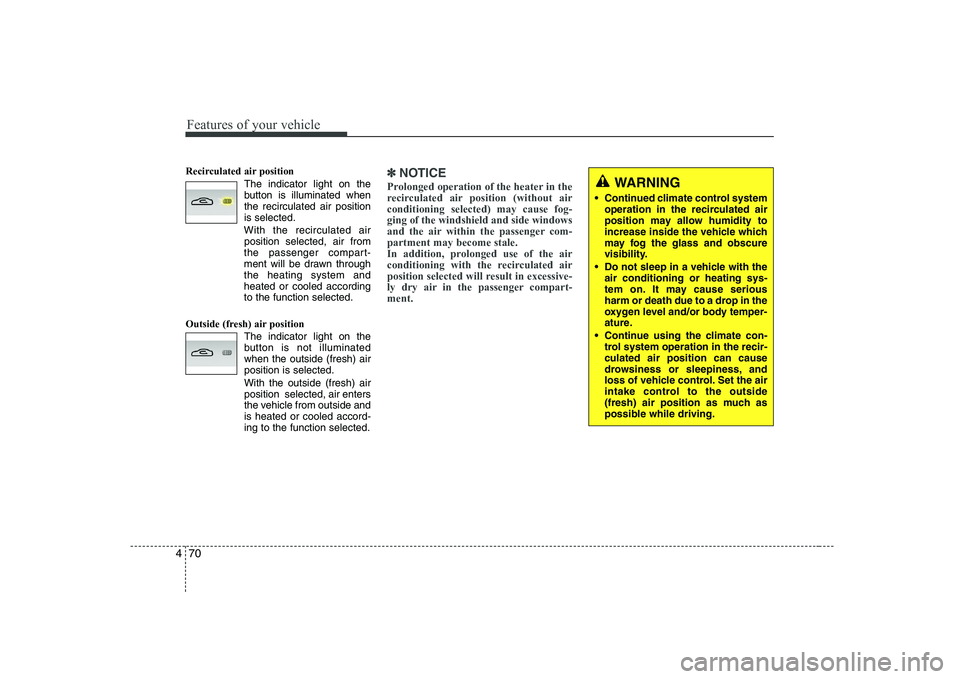
Recirculated air position
The indicator light on the
button is illuminated whenthe recirculated air positionis selected.
With the recirculated air position selected, air from
the passenger compart-
ment will be drawn throughthe heating system andheated or cooled accordingto the function selected.
Outside (fresh) air position The indicator light on the
button is not illuminatedwhen the outside (fresh) airposition is selected. With the outside (fresh) air position selected, air enters
the vehicle from outside andis heated or cooled accord-ing to the function selected.✽✽NOTICE
Prolonged operation of the heater in the
recirculated air position (without airconditioning selected) may cause fog-ging of the windshield and side windows
and the air within the passenger com-partment may become stale.
In addition, prolonged use of the air
conditioning with the recirculated air
position selected will result in excessive-
ly dry air in the passenger compart-ment. WARNING
• Continued climate control system operation in the recirculated air
position may allow humidity to
increase inside the vehicle which
may fog the glass and obscure
visibility.
Do not sleep in a vehicle with the air conditioning or heating sys-
tem on. It may cause serious
harm or death due to a drop in the
oxygen level and/or body temper-
ature.
Continue using the climate con- trol system operation in the recir-culated air position can cause
drowsiness or sleepiness, and
loss of vehicle control. Set the air
intake control to the outside
(fresh) air position as much as
possible while driving.
Page 134 of 332
473
Features of your vehicle
Air conditioning system operation tips
If the vehicle has been parked in directsunlight during hot weather, open the
windows for a short time to let the hot
air inside the vehicle escape.
To help reduce moisture inside of the windows on rainy or humid days,
decrease the humidity inside the vehi-
cle by operating the air conditioningsystem.
During air conditioning system opera- tion, you may occasionally notice aslight change in engine speed as the
air conditioning compressor cycles.
This is a normal system operation
characteristic.
Use the air conditioning system every month only for a few minutes to ensure
maximum system performance. When using the air conditioning sys-
tem, you may notice clear water drip-
ping (or even puddling) on the ground
under the passenger side of the vehi-
cle. This is a normal system operation
characteristic.
Operating the air conditioning system in the recirculated air position provides
maximum cooling, however, continual
operation in this mode may cause the
air inside the vehicle to become stale.
During cooling operation, you may occasionally notice a misty air flow
because of rapid cooling and humid air
intake. This is a normal system opera-
tion characteristics. D230300BEN
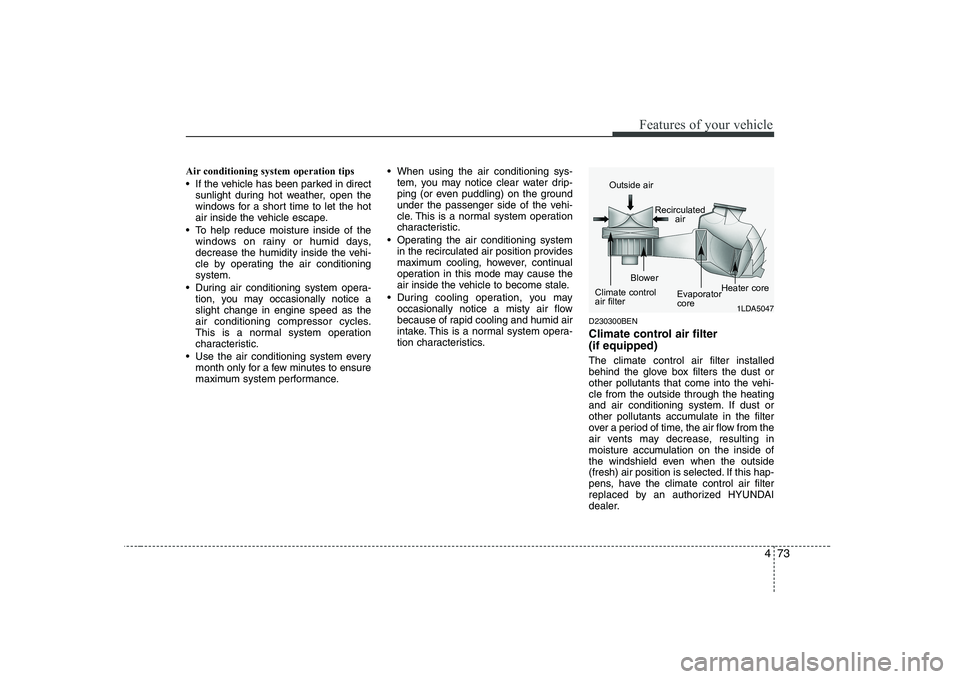
Climate control air filter (if equipped) The climate control air filter installed
behind the glove box filters the dust or
other pollutants that come into the vehi-cle from the outside through the heating
and air conditioning system. If dust or
other pollutants accumulate in the filter
over a period of time, the air flow from the
air vents may decrease, resulting in
moisture accumulation on the inside of
the windshield even when the outside
(fresh) air position is selected. If this hap-
pens, have the climate control air filter
replaced by an authorized HYUNDAI
dealer.
1LDA5047
Outside air
Recirculatedair
Climate control air filter Blower
EvaporatorcoreHeater core
Page 136 of 332
475
Features of your vehicle
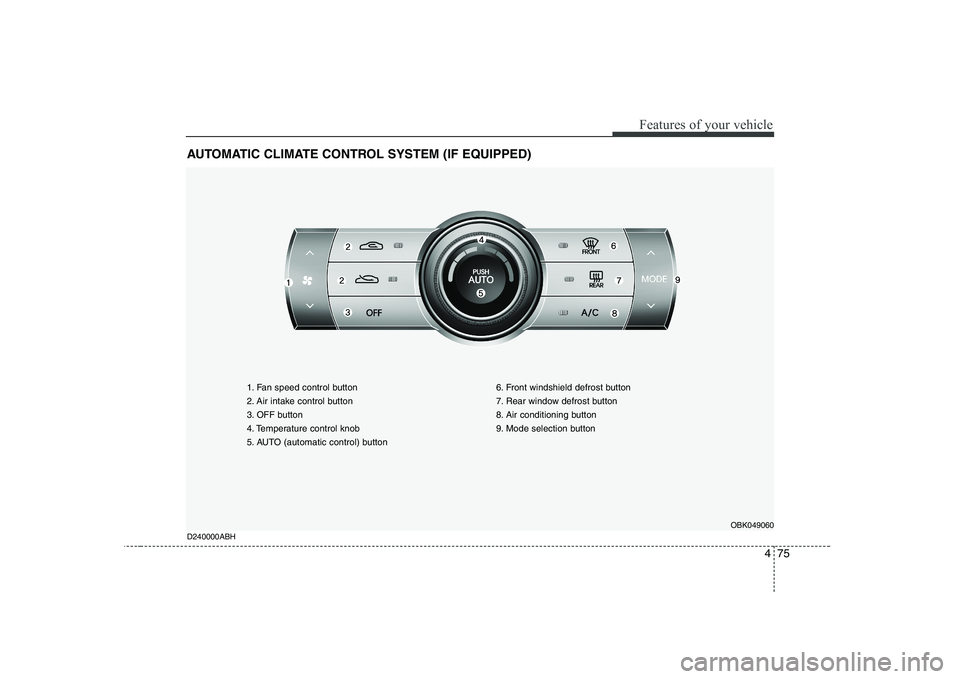
AUTOMATIC CLIMATE CONTROL SYSTEM (IF EQUIPPED)
1. Fan speed control button
2. Air intake control button
3. OFF button
4. Temperature control knob
5. AUTO (automatic control) button6. Front windshield defrost button
7. Rear window defrost button
8. Air conditioning button
9. Mode selection button
OBK049060
D240000ABH
Page 138 of 332
477
Features of your vehicle
D240200ABH
Manual heating and air condition- ing The heating and cooling system can be
controlled manually by pushing buttons
other than the AUTO button. In this case,
the system works sequentially according
to the order of buttons selected.
When pressing any button except the
AUTO button while using automatic oper-ation, the functions not selected will be
controlled automatically.
1. Start the engine.
2. Set the mode to the desired position.For improving the effectiveness of heating and cooling;- Heating: - Cooling:
3. Set the temperature control to the desired position.
4. Set the air intake control to the outside (fresh) air position.
5. Set the fan speed control to the desired speed.
6. If air conditioning is desired, turn the air conditioning system on.
Press the AUTO button in order to con-
vert to full automatic control of the sys-tem. D240201ABH
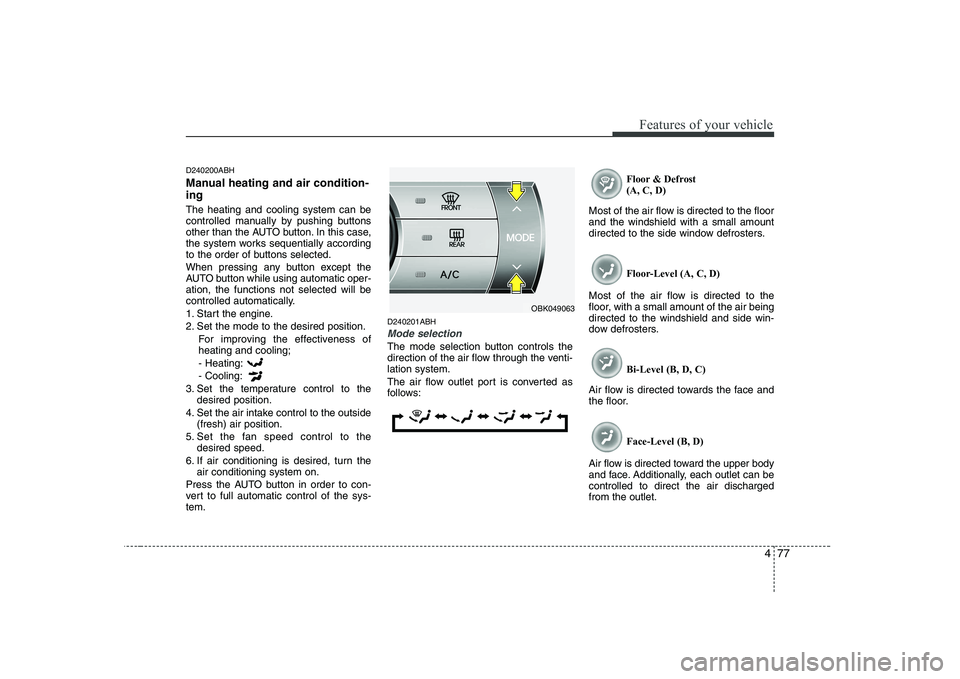
Mode selection
The mode selection button controls the
direction of the air flow through the venti-lation system.
The air flow outlet port is converted as
follows: Floor & Defrost(A, C, D)
Most of the air flow is directed to the floorand the windshield with a small amount
directed to the side window defrosters.
Floor-Level (A, C, D)
Most of the air flow is directed to the
floor, with a small amount of the air beingdirected to the windshield and side win-
dow defrosters.
Bi-Level (B, D, C)
Air flow is directed towards the face and
the floor.
Face-Level (B, D)
Air flow is directed toward the upper body
and face. Additionally, each outlet can becontrolled to direct the air dischargedfrom the outlet.
OBK049063