fuel HYUNDAI GENESIS G90 2016 Owner's Manual
[x] Cancel search | Manufacturer: HYUNDAI, Model Year: 2016, Model line: GENESIS G90, Model: HYUNDAI GENESIS G90 2016Pages: 538, PDF Size: 13.02 MB
Page 183 of 538
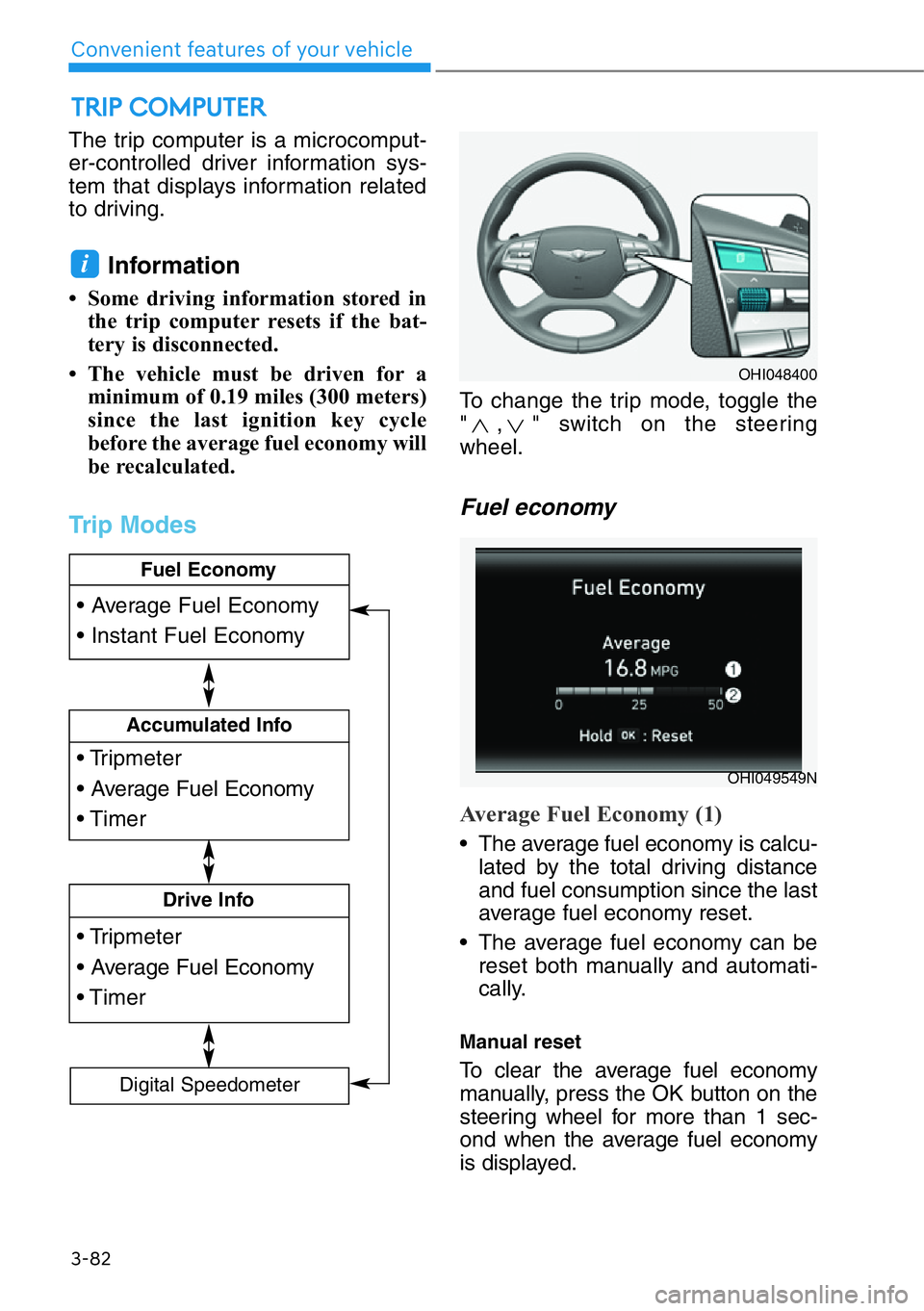
The trip computer is a microcomput-
er-controlled driver information sys-
tem that displays information related
to driving.
Information
• Some driving information stored in
the trip computer resets if the bat-
tery is disconnected.
• The vehicle must be driven for a
minimum of 0.19 miles (300 meters)
since the last ignition key cycle
before the average fuel economy will
be recalculated.
Trip Modes
To change the trip mode, toggle the
" , " switch on the steering
wheel.
Fuel economy
Average Fuel Economy (1)
• The average fuel economy is calcu-
lated by the total driving distance
and fuel consumption since the last
average fuel economy reset.
• The average fuel economy can be
reset both manually and automati-
cally.
Manual reset
To clear the average fuel economy
manually, press the OK button on the
steering wheel for more than 1 sec-
ond when the average fuel economy
is displayed.
i
TRIP COMPUTER
3-82
Convenient features of your vehicle
• Tripmeter
• Average Fuel Economy
• Timer
Accumulated Info
• Tripmeter
• Average Fuel Economy
• Timer
Drive Info
• Average Fuel Economy
• Instant Fuel Economy
Fuel Economy
Digital Speedometer
OHI048400
OHI049549N
Page 184 of 538
3-83
03
Automatic reset
To automatically reset the average
fuel economy, select between "After
Ignition" or "After Refueling" from the
Settings menu in the AVN system
screen
- After ignition: When the engine has
been OFF for 4 hours or longer the
average fuel economy will reset
automatically.
- After refueling: The average fuel
economy will reset automatically
after adding 1.6 gallons (6 liters) of
fuel or more and after driving speed
exceeds 1 mph (1 km/h).
For more details, scan the QR
code in a separately supplied
simple manual.
Instant Fuel Economy (2)
The instantaneous fuel economy is
displayed according to the bar graph
in the LCD display while driving.
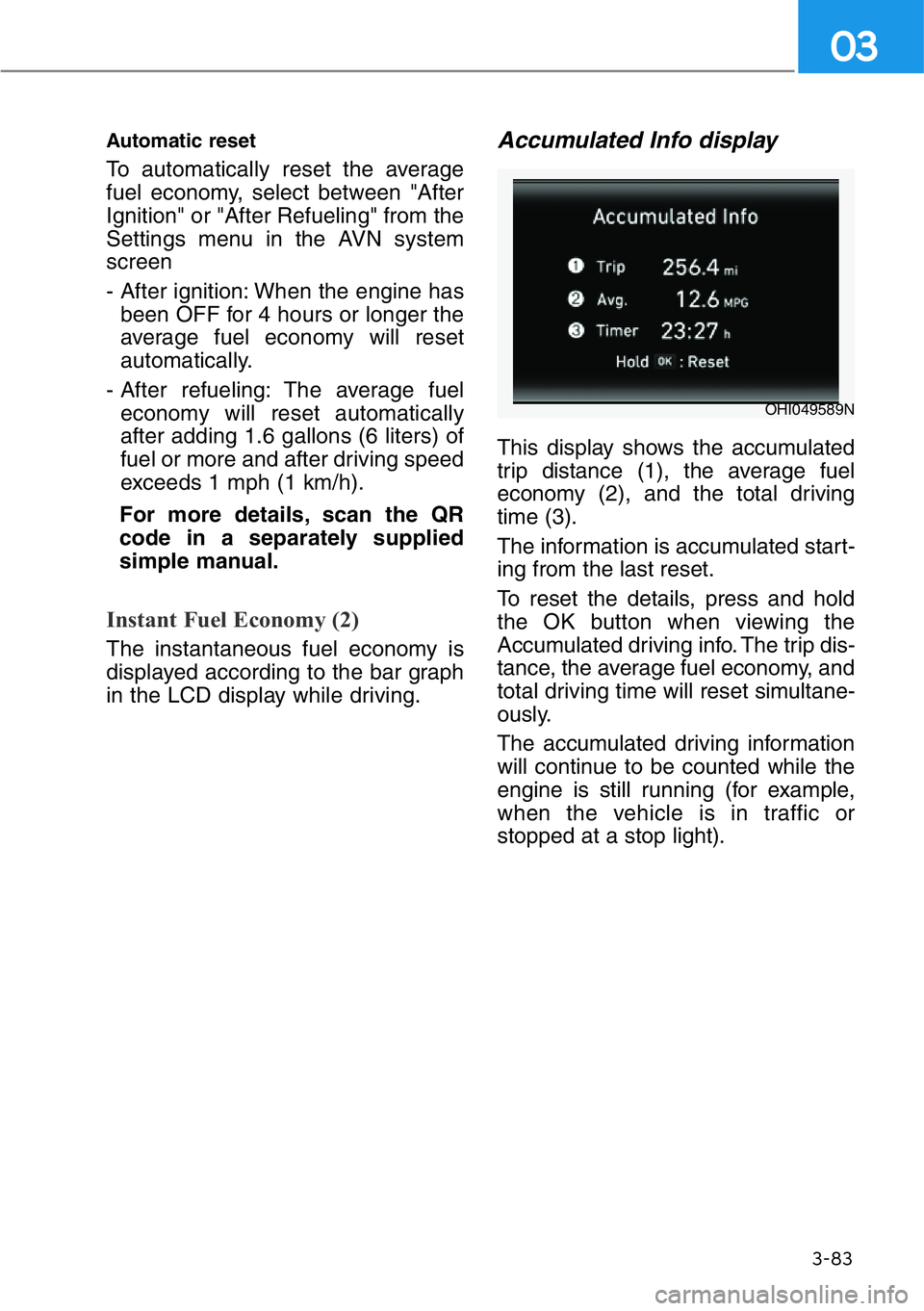
Accumulated Info display
This display shows the accumulated
trip distance (1), the average fuel
economy (2), and the total driving
time (3).
The information is accumulated start-
ing from the last reset.
To reset the details, press and hold
the OK button when viewing the
Accumulated driving info. The trip dis-
tance, the average fuel economy, and
total driving time will reset simultane-
ously.
The accumulated driving information
will continue to be counted while the
engine is still running (for example,
when the vehicle is in traffic or
stopped at a stop light).
OHI049589N
Page 185 of 538
3-84
Convenient features of your vehicle
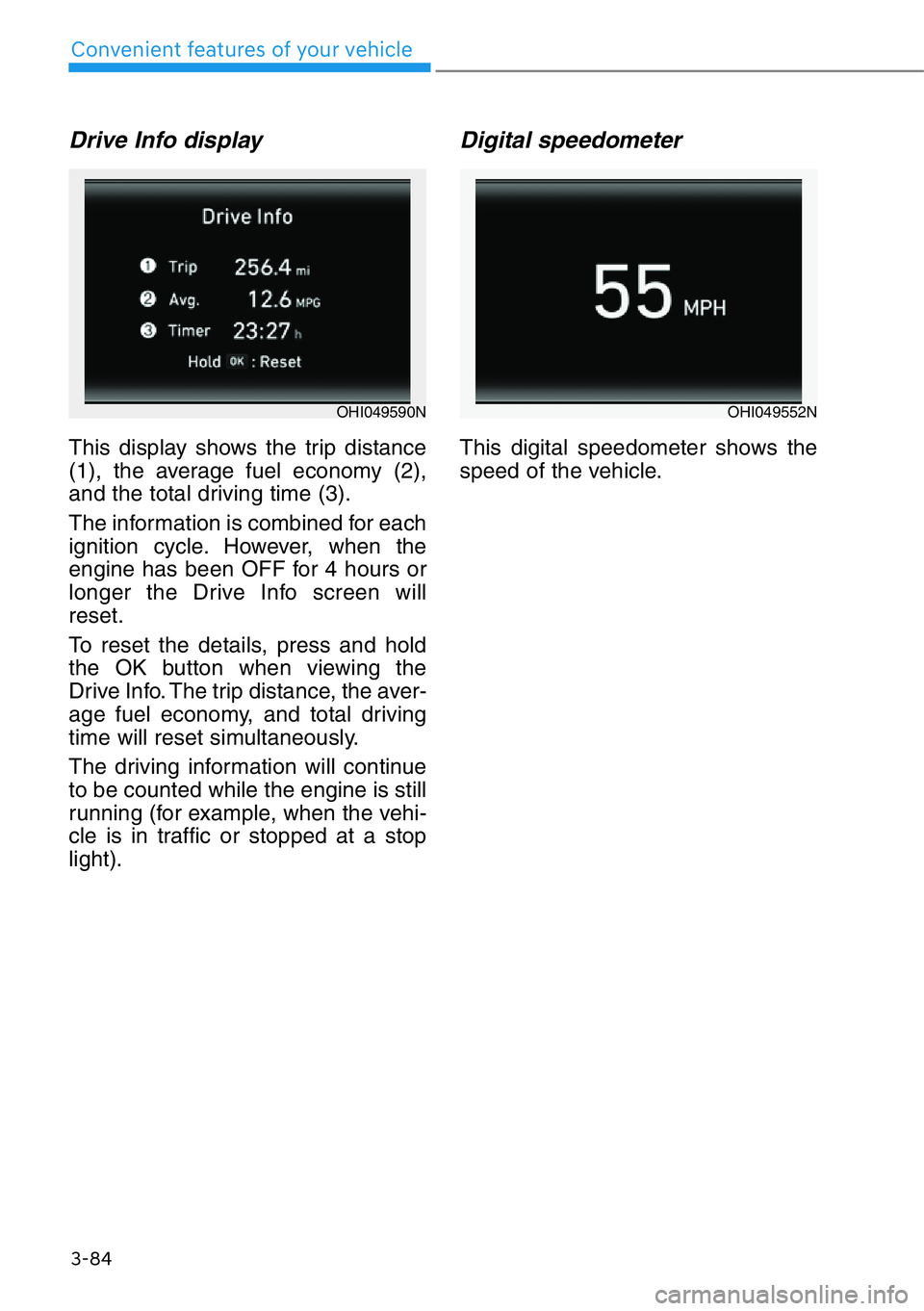
Drive Info display
This display shows the trip distance
(1), the average fuel economy (2),
and the total driving time (3).
The information is combined for each
ignition cycle. However, when the
engine has been OFF for 4 hours or
longer the Drive Info screen will
reset.
To reset the details, press and hold
the OK button when viewing the
Drive Info. The trip distance, the aver-
age fuel economy, and total driving
time will reset simultaneously.
The driving information will continue
to be counted while the engine is still
running (for example, when the vehi-
cle is in traffic or stopped at a stop
light).
Digital speedometer
This digital speedometer shows the
speed of the vehicle.
OHI049590NOHI049552N
Page 265 of 538
5-13
05
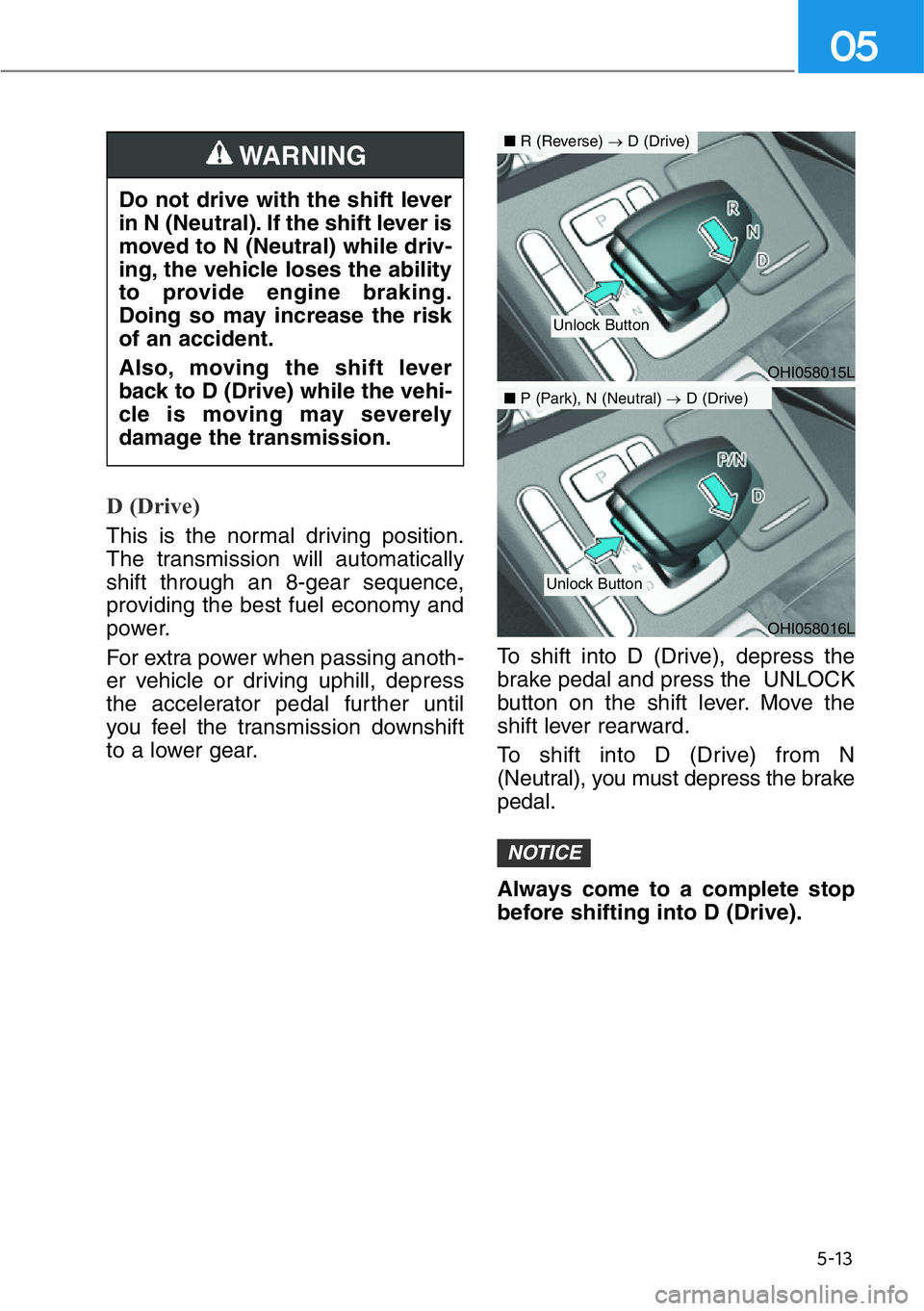
D (Drive)
This is the normal driving position.
The transmission will automatically
shift through an 8-gear sequence,
providing the best fuel economy and
power.
For extra power when passing anoth-
er vehicle or driving uphill, depress
the accelerator pedal further until
you feel the transmission downshift
to a lower gear.To shift into D (Drive), depress the
brake pedal and press the UNLOCK
button on the shift lever. Move the
shift lever rearward.
To shift into D (Drive) from N
(Neutral), you must depress the brake
pedal.
Always come to a complete stop
before shifting into D (Drive).
NOTICE
Do not drive with the shift lever
in N (Neutral). If the shift lever is
moved to N (Neutral) while driv-
ing, the vehicle loses the ability
to provide engine braking.
Doing so may increase the risk
of an accident.
Also, moving the shift lever
back to D (Drive) while the vehi-
cle is moving may severely
damage the transmission.
WARNING
OHI058016L
■P (Park), N (Neutral) →D (Drive)
Unlock Button
OHI058015L
■R (Reverse) →D (Drive)
Unlock Button
Page 297 of 538
5-45
05
DRIVE MODE INTEGRATED CONTROL SYSTEM
Drive Mode
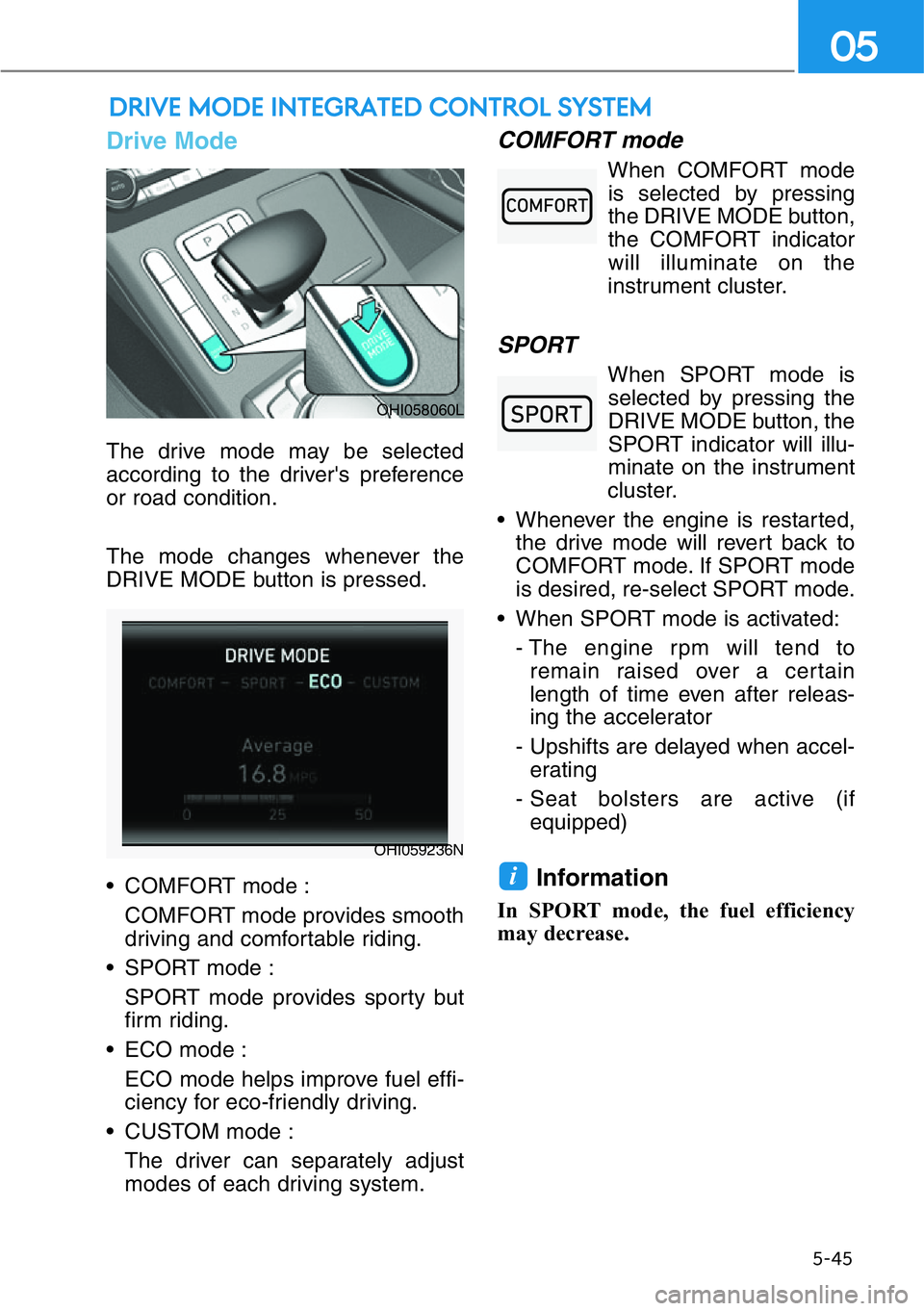
The drive mode may be selected
according to the driver's preference
or road condition.
The mode changes whenever the
DRIVE MODE button is pressed.
• COMFORT mode :
COMFORT mode provides smooth
driving and comfortable riding.
• SPORT mode :
SPORT mode provides sporty but
firm riding.
• ECO mode :
ECO mode helps improve fuel effi-
ciency for eco-friendly driving.
• CUSTOM mode :
The driver can separately adjust
modes of each driving system.
COMFORT mode
When COMFORT mode
is selected by pressing
the DRIVE MODE button,
the COMFORT indicator
will illuminate on the
instrument cluster.
SPORT
When SPORT mode is
selected by pressing the
DRIVE MODE button, the
SPORT indicator will illu-
minate on the instrument
cluster.
• Whenever the engine is restarted,
the drive mode will revert back to
COMFORT mode. If SPORT mode
is desired, re-select SPORT mode.
• When SPORT mode is activated:
- The engine rpm will tend to
remain raised over a certain
length of time even after releas-
ing the accelerator
- Upshifts are delayed when accel-
erating
- Seat bolsters are active (if
equipped)
Information
In SPORT mode, the fuel efficiency
may decrease.
i
OHI058060L
OHI059236N
Page 298 of 538
5-46
Driving your vehicle
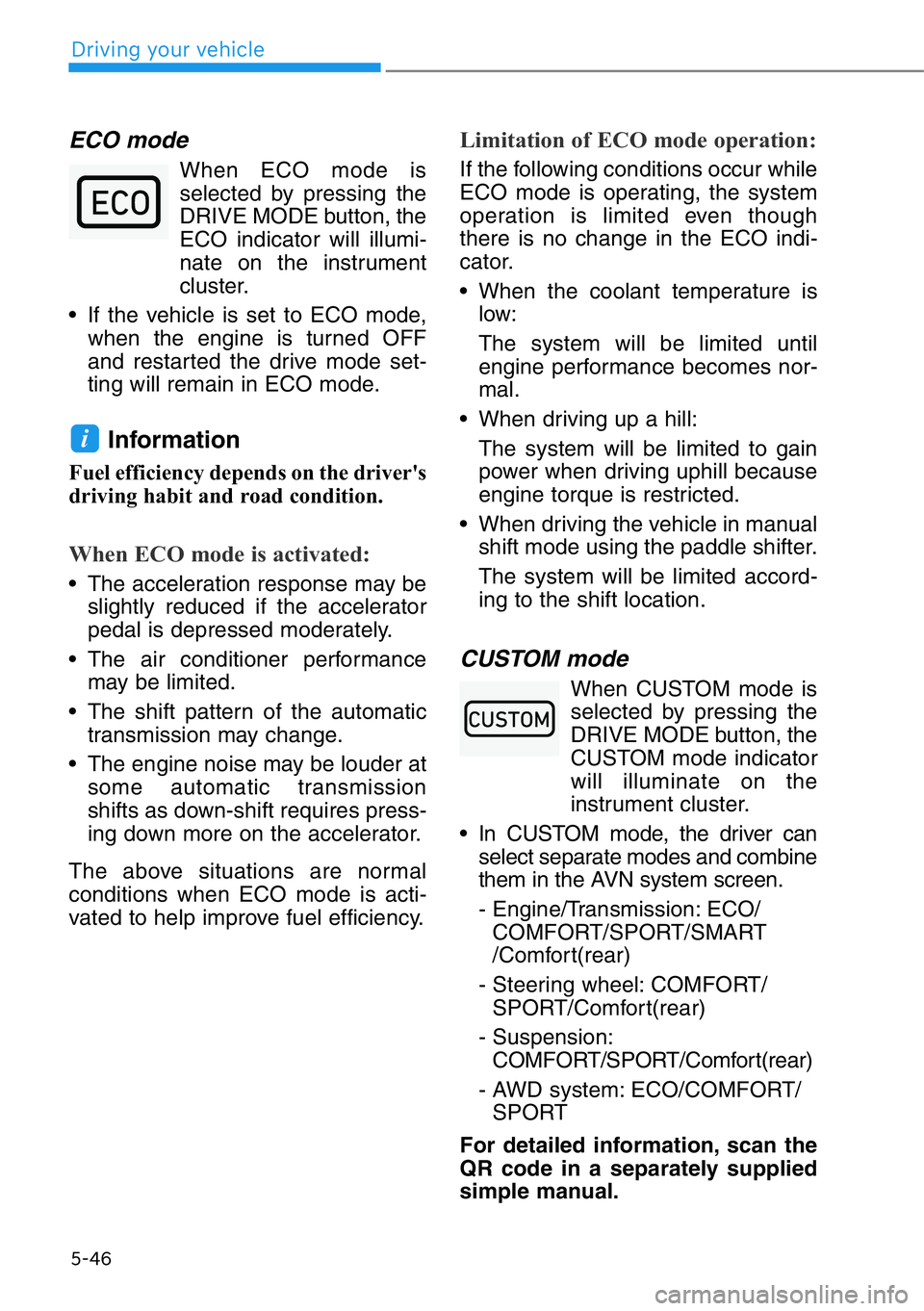
ECO mode
When ECO mode is
selected by pressing the
DRIVE MODE button, the
ECO indicator will illumi-
nate on the instrument
cluster.
• If the vehicle is set to ECO mode,
when the engine is turned OFF
and restarted the drive mode set-
ting will remain in ECO mode.
Information
Fuel efficiency depends on the driver's
driving habit and road condition.
When ECO mode is activated:
• The acceleration response may be
slightly reduced if the accelerator
pedal is depressed moderately.
• The air conditioner performance
may be limited.
• The shift pattern of the automatic
transmission may change.
• The engine noise may be louder at
some automatic transmission
shifts as down-shift requires press-
ing down more on the accelerator.
The above situations are normal
conditions when ECO mode is acti-
vated to help improve fuel efficiency.
Limitation of ECO mode operation:
If the following conditions occur while
ECO mode is operating, the system
operation is limited even though
there is no change in the ECO indi-
cator.
• When the coolant temperature is
low:
The system will be limited until
engine performance becomes nor-
mal.
• When driving up a hill:
The system will be limited to gain
power when driving uphill because
engine torque is restricted.
• When driving the vehicle in manual
shift mode using the paddle shifter.
The system will be limited accord-
ing to the shift location.
CUSTOM mode
When CUSTOM mode is
selected by pressing the
DRIVE MODE button, the
CUSTOM mode indicator
will illuminate on the
instrument cluster.
• In CUSTOM mode, the driver can
select separate modes and combine
them in the AVN system screen.
- Engine/Transmission: ECO/
COMFORT/SPORT/SMART
/Comfort(rear)
- Steering wheel: COMFORT/
SPORT/Comfort(rear)
- Suspension:
COMFORT/SPORT/Comfort(rear)
- AWD system: ECO/COMFORT/
SPORT
For detailed information, scan the
QR code in a separately supplied
simple manual.
i
Page 299 of 538
5-47
05
When SMART is selected for CUS-
TOM mode
SMART mode automatically controls
the vehicle driving, such as gear
shifting patterns, engine torque, rid-
ing quality (if equipped with the elec-
tronic suspension system), and
power distribution (if equipped with
the All-Wheel Drive system), in
accordance with the driver's driving
habits.
Information
• When you mildly drive the vehicle
in SMART mode, the driving mode
changes to ECO mode to improve
fuel efficiency. However, the actual
fuel efficiency may differ in accor-
dance with your driving situations
(i.e. upward/downward slope, vehi-
cle deceleration/acceleration).
• When you dynamically drive the
vehicle in SMART mode by abrupt-
ly decelerating or sharply turning
the driving mode changes to SPORT
mode. However, it may adversely
affect fuel economy.
• Various driving situations, which
you may encounter in SMART
mode
- The driving mode automatically
changes to ECO mode after a
certain period of time, when you
gently depress the accelerator
pedal (Your driving is categorized
to be economic.).
- The driving mode automatically
changes from SMART ECO
mode to SMART COMFORT
mode after a certain period of
time, when you sharply or repeti-
tively depress the accelerator
pedal.- The driving mode automatically
changes to SMART COMFORT
mode with the same driving pat-
terns, when the vehicle starts to
drive on an upward slope of a
certain angle. The driving mode
automatically returns to SMART
ECO mode, when the vehicle
enters a leveled road.
- The driving mode automatically
changes to SMART SPORT,
when you abruptly accelerate the
vehicle or repetitively operate the
steering wheel (Your driving is
categorized to be sporty.). In this
mode, your vehicle drives in a
lower gear for abrupt accelerat-
ing/decelerating and increases
the engine brake performance.
- You may still sense the engine
braking performance, even when
you release the accelerator pedal
in SMART SPORT mode. It is
because your vehicle remains in
lower gear over a certain period
of time for next acceleration.
Thus, it is a normal driving situa-
tion, not indicating any malfunc-
tion.
- The driving mode automatically
changes to SMART SPORT
mode only in harsh driving situa-
tions. In most of the normal driv-
ing situations, the driving mode
sets to be either in SMART ECO
mode or in SMART COMFORT
mode.
i
Page 301 of 538
When certain conditions are met, the
engine is automatically decoupled
from the transmission while the shift
lever is remained in D (Drive). In this
Coasting mode, the engine stays at
idling speed to reduce fuel consump-
tion and increase coasting distance.
Coasting Setting
The Coasting function must be
turned ON from the Settings menu in
the AVN system screen. Select:
- Setup →Vehicle Settings →Drive
Mode →Coasting
For detailed information, scan the
QR code in a separately supplied
simple manual.
When Coasting is turned ON and the
conditions are met, the function
operates with a "Coasting" message
illuminated at the top center of the
instrument cluster.
• If the accelerator pedal is
pressed quickly for accelerating
with the Coasting function in
operation, acceleration may
occur after the engagement of
the clutch inside the transmis-
sion. In turn, the driver may con-
tinue to feel acceleration even
after the system is turned off.
• Driving with the Coasting func-
tion off may be required in some
cases since the engine brake is
not applied while the Coasting
function is in operation.
• Operating the AVN system
screen to activate or deactivate
the Coasting function while driv-
ing may be dangerous as the dri-
ver's attention is dispersed.
Coasting Operating
Conditions
The Coasting function will operate
when the accelerator pedal is
depressed and released under the
following conditions.
• The driving mode is ECO mode.
• SMART is selected for Engine/
Transmission in CUSTOM mode
from the AVN system screen and
driver acceleration is SMART ECO
• ECO is selected for Engine/
Transmission in CUSTOM mode
from the AVN system screen
• The shift lever is in D (Drive)
• The Smart Cruise Control button is
OFF
• The accelerator or brake pedal is
not depressed
• The vehicle's speed is within
35–100 mph (55–160 km/h) range
• The road gradient is within -5~+5%
range
• In SMART mode, if the distance
between the vehicle ahead and the
relative speed is within a certain
range
Information
• If the front radar for smart cruise
control system cannot operate nor-
mally, the inter-vehicle distance and
relative speed condition are auto-
matically ignored.
• The Coasting function works after
the engine is turned on, the trans-
mission is warmed up, and the
engine sensor self-diagnosis is com-
pleted after starting.
• Depending on the driving situation,
Coasting operation may be tem-
porarily delayed even if the above
conditions are met.
i
NOTICE
COASTING (IF EQUIPPED)
5-49
05
Page 404 of 538
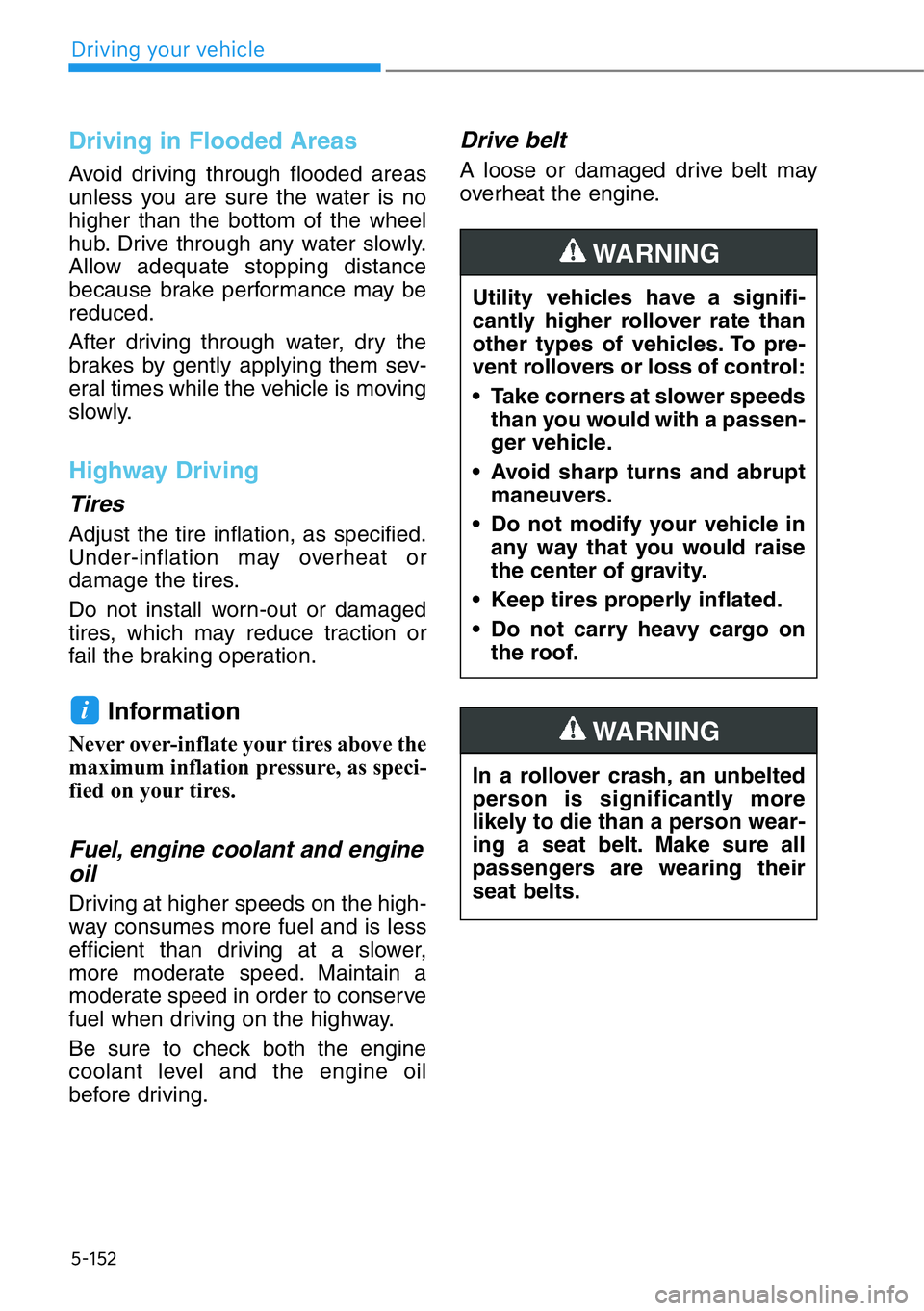
5-152
Driving your vehicle
Driving in Flooded Areas
Avoid driving through flooded areas
unless you are sure the water is no
higher than the bottom of the wheel
hub. Drive through any water slowly.
Allow adequate stopping distance
because brake performance may be
reduced.
After driving through water, dry the
brakes by gently applying them sev-
eral times while the vehicle is moving
slowly.
Highway Driving
Tires
Adjust the tire inflation, as specified.
Under-inflation may overheat or
damage the tires.
Do not install worn-out or damaged
tires, which may reduce traction or
fail the braking operation.
Information
Never over-inflate your tires above the
maximum inflation pressure, as speci-
fied on your tires.
Fuel, engine coolant and engine
oil
Driving at higher speeds on the high-
way consumes more fuel and is less
efficient than driving at a slower,
more moderate speed. Maintain a
moderate speed in order to conserve
fuel when driving on the highway.
Be sure to check both the engine
coolant level and the engine oil
before driving.
Drive belt
A loose or damaged drive belt may
overheat the engine.
i
Utility vehicles have a signifi-
cantly higher rollover rate than
other types of vehicles. To pre-
vent rollovers or loss of control:
• Take corners at slower speeds
than you would with a passen-
ger vehicle.
• Avoid sharp turns and abrupt
maneuvers.
• Do not modify your vehicle in
any way that you would raise
the center of gravity.
• Keep tires properly inflated.
• Do not carry heavy cargo on
the roof.
WARNING
In a rollover crash, an unbelted
person is significantly more
likely to die than a person wear-
ing a seat belt. Make sure all
passengers are wearing their
seat belts.
WARNING
Page 409 of 538
5-157
05
VEHICLE LOAD LIMIT
Two labels on your driver's door sill
show how much weight your vehicle
was designed to carry: the Tire and
Loading Information Label and the
Certification Label.
Before loading your vehicle, familiar-
ize yourself with the following terms
for determining your vehicle's weight
ratings, from the vehicle's specifica-
tions and the Certification Label:
Base Curb Weight
This is the weight of the vehicle
including a full tank of fuel and all
standard equipment. It does not
include passengers, cargo, or option-
al equipment.
Vehicle Curb Weight
This is the weight of your new vehicle
when you picked it up from your deal-
er plus any aftermarket equipment.
Cargo Weight
This figure includes all weight added
to the Base Curb Weight, including
cargo and optional equipment.
GAW (Gross Axle Weight)
This is the total weight placed on
each axle (front and rear) - including
vehicle curb weight and all payload.GAWR (Gross Axle Weight Rating)
This is the maximum allowable
weight that can be carried by a single
axle (front or rear). These numbers
are shown on the Certification Label.
The total load on each axle must
never exceed its GAWR.
GVW (Gross Vehicle Weight)
This is the Base Curb Weight plus
actual Cargo Weight plus passen-
gers.
GVWR (Gross Vehicle Weight
Rating)
This is the maximum allowable
weight of the fully loaded vehicle
(including all options, equipment,
passengers and cargo). The GVWR
is shown on the Certification Label
located on the driver’s door sill.