phone HYUNDAI GENESIS G90 2020 User Guide
[x] Cancel search | Manufacturer: HYUNDAI, Model Year: 2020, Model line: GENESIS G90, Model: HYUNDAI GENESIS G90 2020Pages: 538, PDF Size: 13.02 MB
Page 240 of 538
3-139
03
Wireless Cellular Phone
Charging System (if equipped)
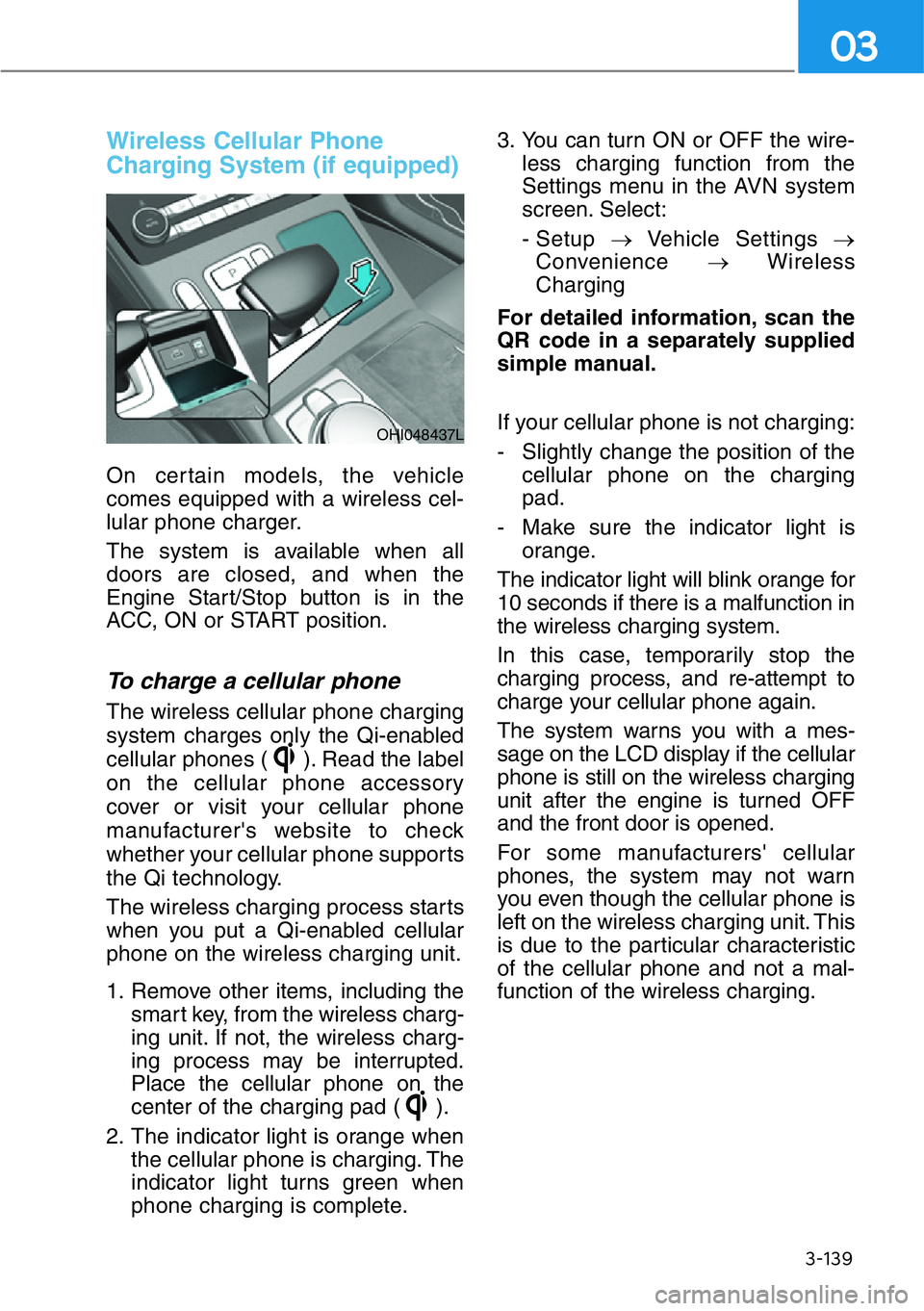
On certain models, the vehicle
comes equipped with a wireless cel-
lular phone charger.
The system is available when all
doors are closed, and when the
Engine Start/Stop button is in the
ACC, ON or START position.
To charge a cellular phone
The wireless cellular phone charging
system charges only the Qi-enabled
cellular phones ( ). Read the label
on the cellular phone accessory
cover or visit your cellular phone
manufacturer's website to check
whether your cellular phone supports
the Qi technology.
The wireless charging process starts
when you put a Qi-enabled cellular
phone on the wireless charging unit.
1. Remove other items, including the
smart key, from the wireless charg-
ing unit. If not, the wireless charg-
ing process may be interrupted.
Place the cellular phone on the
center of the charging pad ( ).
2. The indicator light is orange when
the cellular phone is charging. The
indicator light turns green when
phone charging is complete.3. You can turn ON or OFF the wire-
less charging function from the
Settings menu in the AVN system
screen. Select:
- Setup →Vehicle Settings →
Convenience →Wireless
Charging
For detailed information, scan the
QR code in a separately supplied
simple manual.
If your cellular phone is not charging:
- Slightly change the position of the
cellular phone on the charging
pad.
- Make sure the indicator light is
orange.
The indicator light will blink orange for
10 seconds if there is a malfunction in
the wireless charging system.
In this case, temporarily stop the
charging process, and re-attempt to
charge your cellular phone again.
The system warns you with a mes-
sage on the LCD display if the cellular
phone is still on the wireless charging
unit after the engine is turned OFF
and the front door is opened.
For some manufacturers' cellular
phones, the system may not warn
you even though the cellular phone is
left on the wireless charging unit. This
is due to the particular characteristic
of the cellular phone and not a mal-
function of the wireless charging.
OHI048437L
Page 241 of 538
3-140
Convenient features of your vehicle
• The wireless cellular phone
charging system may not sup-
port certain cellular phones,
which are not verified for the Qi
specification ( ).
• When placing your cellular
phone on the charging mat,
position the phone in the middle
of the mat for optimal charging
performance. If your cell phone
is off to the side, the charging
rate may be less and in some
cases the cell phone may experi-
ence higher heat conduction.
• In some cases, the wireless
charging may stop temporarily
when the Remote Key or Smart
Key is used, either when starting
the vehicle or locking/unlocking
the doors, etc.
• When charging certain cellular
phones, the charging indicator
may not change to green when
the cell phone is fully charged.
• The wireless charging process
may temporarily stop, when tem-
perature abnormally increases
inside the wireless cellular phone
charging system. Stop the charg-
ing cellular phone and wait until
temperature falls to a certain level.
• The wireless charging process
may temporarily stop when there
is any metallic item, such as a
coin, between the wireless cellular
phone charging system and the
cellular phone.
• When charging some cellular
phones with a self-protection fea-
ture, the wireless charging speed
may decrease and the wireless
charging may stop.• If the cellular phone has a thick
cover, the wireless charging may
not be possible.
• If the cellular phone is not com-
pletely contacting the charging
pad, wireless charging may not
operate properly.
• Some magnetic items like credit
cards, phone cards or rail tickets
may be damaged if left with the
cellular phone during the charging
process.
• When any cellular phone without a
wireless charging function or a
metallic object is placed on the
charging pad, a small noise may
sound. This small sound is due to
the vehicle discerning compatibil-
ity of the object placed on the
charging pad. It does not affect
your vehicle or the cellular phone
in any way.
Information
If the Engine Start/Stop button is in
the OFF position, the charging also
stops.
Information
This device complies with part 15 of
the FCC Rules.
Operation is subject to the following
two conditions:
1. This device may not cause harmful
interference, and
2. This device must accept any inter-
ference received, including inter-
ference that may cause undesired
operation.
i
i
NOTICE
Page 252 of 538
Bluetooth® Wireless
Technology
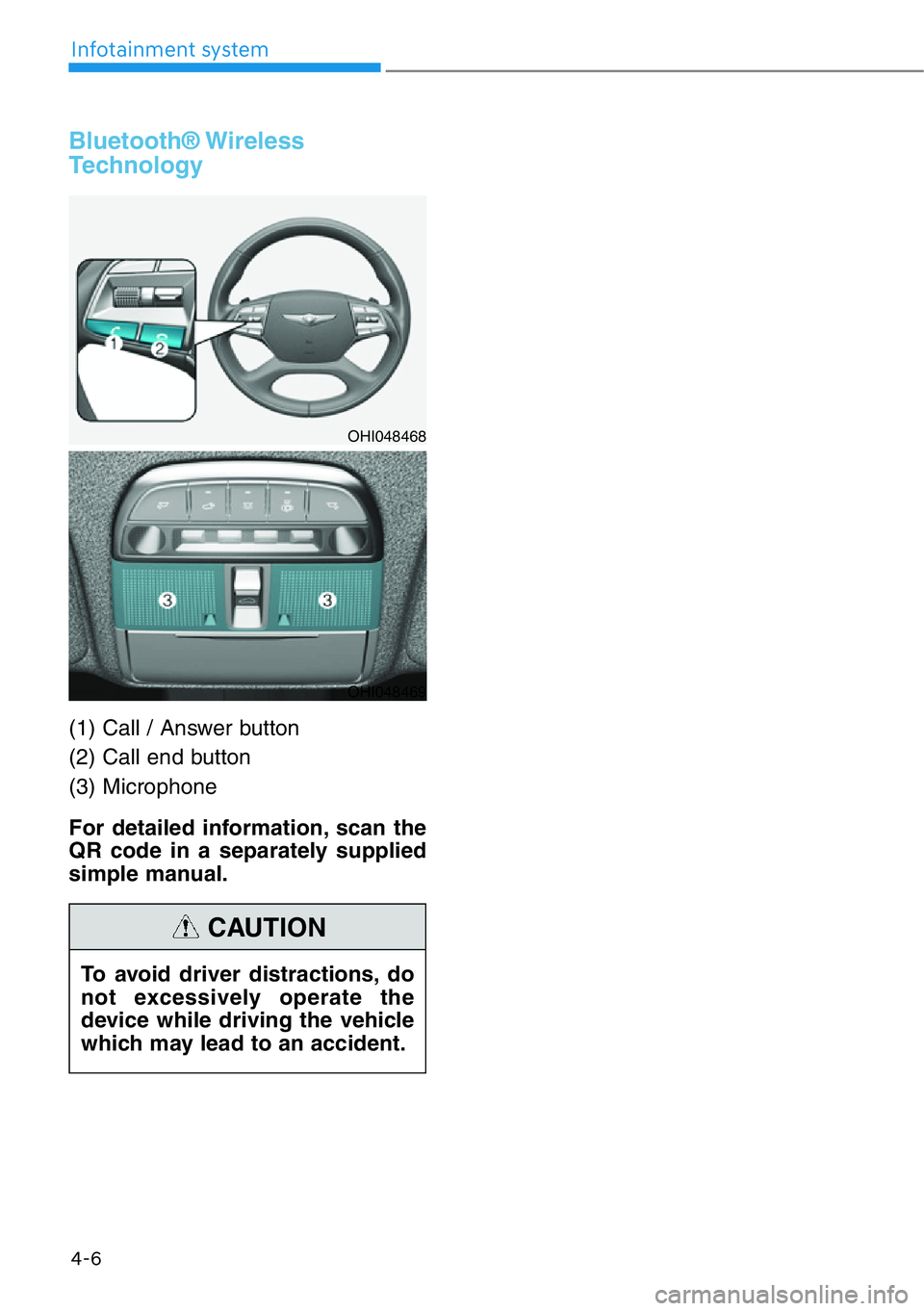
(1) Call / Answer button
(2) Call end button
(3) Microphone
For detailed information, scan the
QR code in a separately supplied
simple manual.
4-6
Infotainment system
OHI048468
OHI048469
To avoid driver distractions, do
not excessively operate the
device while driving the vehicle
which may lead to an accident.
CAUTION