lug HYUNDAI GENESIS G90 2021 Owners Manual
[x] Cancel search | Manufacturer: HYUNDAI, Model Year: 2021, Model line: GENESIS G90, Model: HYUNDAI GENESIS G90 2021Pages: 538, PDF Size: 13.02 MB
Page 7 of 538
FUEL REQUIREMENTS
F7
Introduction
Your new vehicle is designed to obtain maximum performance with UNLEAD-
ED FUEL, as well as minimize exhaust emissions and spark plug fouling.
Your new vehicle is designed to use only unleaded fuel having an octane num-
ber ((R+M)/2) of 87 (Research Octane Number 91) or higher. For improved
vehicle performance, premium unleaded fuel with an octane number ((R+M)/2)
of 91 (Research Octane Number 96) or higher is recommended. (Do not use
methanol blended fuels.)
To prevent damage to the engine and engine components, never add
any fuel system cleaning agents to the fuel tank other than what has
been specified.
Consult an authorized retailer of Genesis Branded products for addi-
tional information.
NOTICE
• Do not "top off" after the nozzle automatically shuts off when refu-
eling.
• Always check that the fuel cap is installed securely to prevent fuel
spillage in the event of an accident.
WARNING
Page 103 of 538
Forward/Reverse Parking Distance
Warning (PDW) ........................3-106
Forward/Reverse Parking Distance
Warning system ..........................3-107
Non-operational Conditions of
Forward/Reverse Parking Distance
Warning system ........................3-109
Parking Distance Warning
(Reverse/Forward ) System
Precautions ..................................3-110
Automatic Climate Control
System..........................................3-111
Automatic Heating and Air
Conditioning ................................3-112
Manual Heating and Air
Conditioning ................................3-113
System Operation ........................3-123
System Maintenance ....................3-124
Defroster ....................................3-126
Rear Window Defroster ................3-126
Front Wiper Deicer........................3-126
Windshield Defrosting and
Defogging ..................................3-127
Auto Defogging System ..............3-129
Climate Control Additional
Features ......................................3-129
Clean Air ......................................3-130
Automatic Ventilation ..................3-130
Sunroof Inside Air Recirculation ..3-131
Setting the Climate Control
System in the AVN System
Screen ..........................................3-131
Storage Compartment ..............3-133
Center Console Storage ..............3-133
Rear Console Storage ..................3-133
Glove Box ......................................3-134
Sunglass Holder ............................3-134
Interior Features ........................3-135
Cup Holder ....................................3-135
Sunvisor ........................................3-136
Rear Mirror ..................................3-136
Power Outlet ..................................3-137
USB Charger ..................................3-138
Wireless Cellular Phone Charging
System ..........................................3-139
Coat hook ......................................3-141
Clock ..............................................3-141
Bag Hanger....................................3-142
Floor Mat Anchor(s) ......................3-142
Rear Window Sunshade ..............3-143
Rear Side Window Sunshade ......3-144
Luggage Net Holder ....................3-145
3
3. Convenient Features of
Your Vehicle
Page 154 of 538
3-53
03
• Do not spill fuel on the exterior
surfaces of the vehicle. Any type
of fuel spilled on painted sur-
faces may damage the paint.
• If the fuel filler cap requires
replacement, use only a Genesis
cap or the equivalent specified
for your vehicle. An incorrect
fuel filler cap can result in a seri-
ous malfunction of the fuel sys-
tem or emission control system.
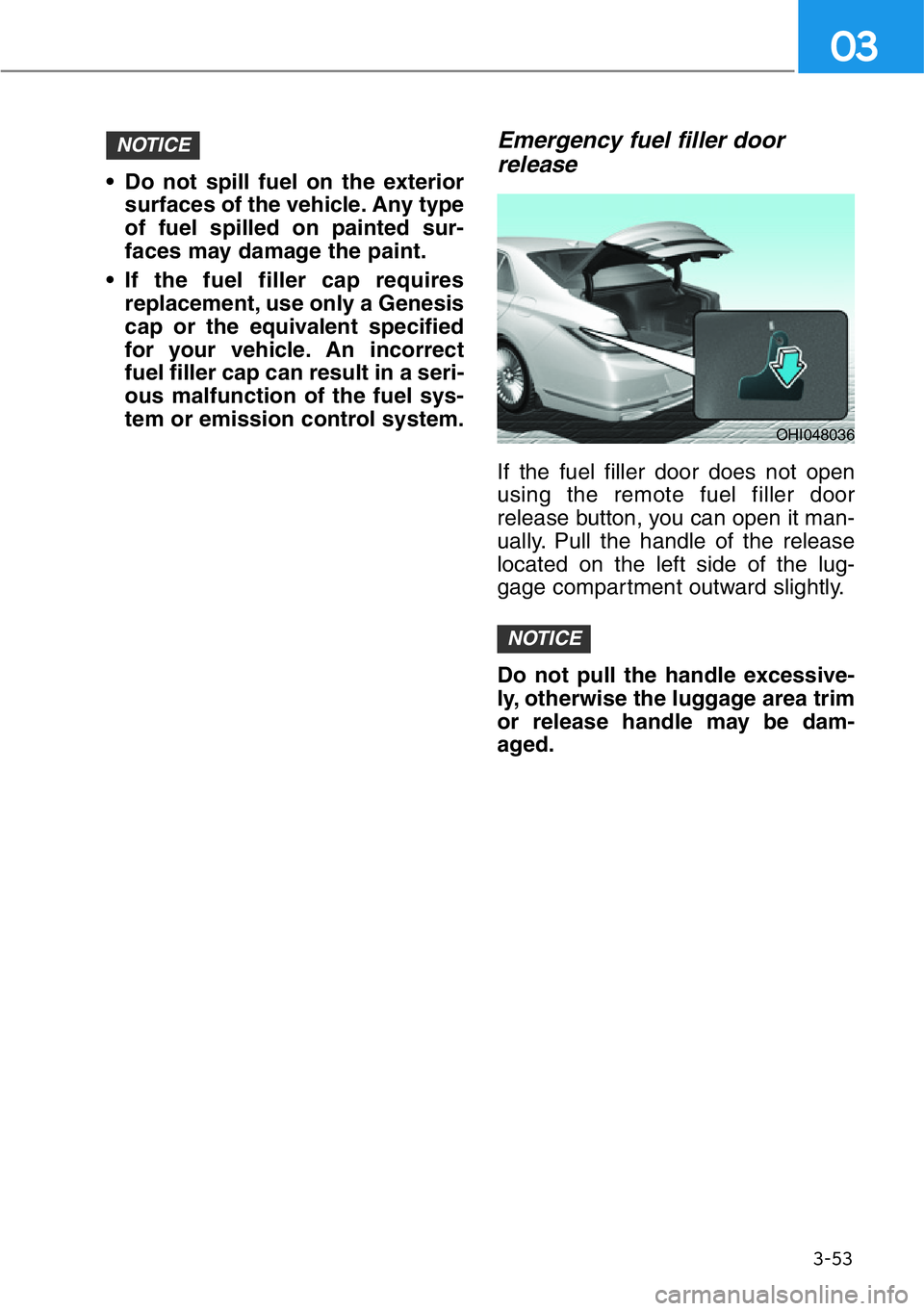
Emergency fuel filler door
release
If the fuel filler door does not open
using the remote fuel filler door
release button, you can open it man-
ually. Pull the handle of the release
located on the left side of the lug-
gage compartment outward slightly.
Do not pull the handle excessive-
ly, otherwise the luggage area trim
or release handle may be dam-
aged.
NOTICE
NOTICE
OHI048036
Page 157 of 538
3-56
Convenient features of your vehicle
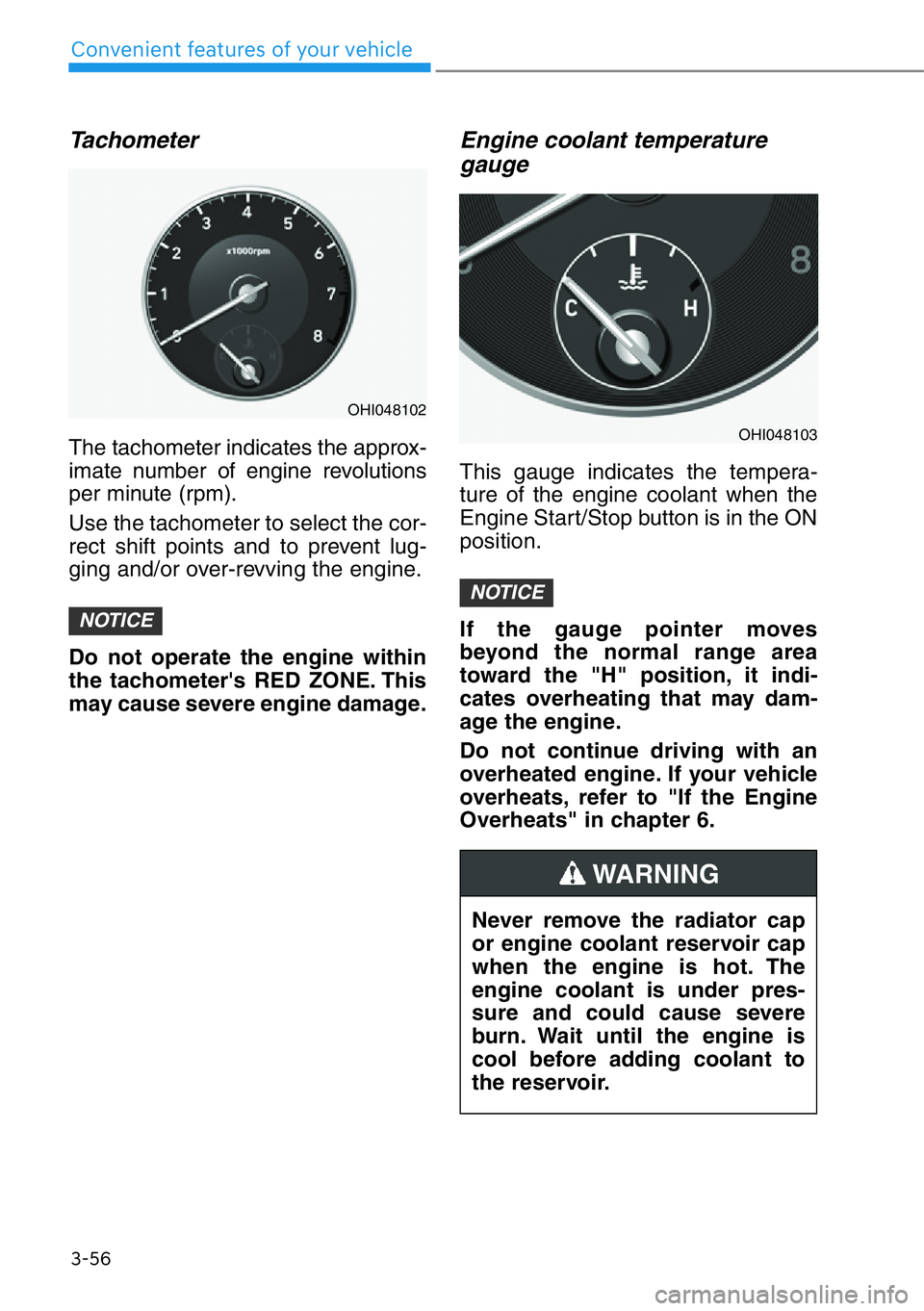
Tachometer
The tachometer indicates the approx-
imate number of engine revolutions
per minute (rpm).
Use the tachometer to select the cor-
rect shift points and to prevent lug-
ging and/or over-revving the engine.
Do not operate the engine within
the tachometer's RED ZONE. This
may cause severe engine damage.
Engine coolant temperature
gauge
This gauge indicates the tempera-
ture of the engine coolant when the
Engine Start/Stop button is in the ON
position.
If the gauge pointer moves
beyond the normal range area
toward the "H" position, it indi-
cates overheating that may dam-
age the engine.
Do not continue driving with an
overheated engine. If your vehicle
overheats, refer to "If the Engine
Overheats" in chapter 6.
NOTICE
NOTICE
Never remove the radiator cap
or engine coolant reservoir cap
when the engine is hot. The
engine coolant is under pres-
sure and could cause severe
burn. Wait until the engine is
cool before adding coolant to
the reservoir.
WARNING
OHI048102
OHI048103
Page 196 of 538
3-95
03
If the AFS malfunction indicator
comes on, the AFS is not working
properly.
Drive to the nearest safe location
and restart the engine. If the indica-
tor continuously remains on, we rec-
ommend that the system be checked
by an authorized retailer of Genesis
Branded products.
Daytime running light (DRL)
The Daytime Running Lights can
help others to see the front of your
vehicle during the day, especially
after dawn and before sunset.
The DRL system will turn OFF when:
• The light switch is in the parking or
headlamp lamp position, including
the operation that the parking lamp
or headlamp is turned on automat-
ically in the AUTO light position.
• The engine is turned off.
• The hazard warning flasher is on.
• The turn signal light is on.
If you turn on the turn signal light,
only the corresponding daytime
running lights will turn off.
• The parking brake is applied.
Headlamp leveling device
It automatically adjusts the headlamp
beam level according to the number
of passengers and loading weight in
the luggage area.
And it offers proper headlamp beam
under various conditions.
Headlamp moisture removal
function (if equipped)
When moisture fogs up inside of the
headlamp, if the headlamp is on for
certain period of time, the fan circu-
lates the air inside to remove mois-
ture. If the moisture is not removed,
have the vehicle checked by an
authorized retailer of Genesis
Branded products.
Reverse guide lamp
When the shift lever is in R
(Reverse), the back-up lamp turns on
and the reverse guide lamp at the
back of the vehicle lights the floor.
The lamp informs nearby drivers
that your vehicle is backing up.If the function does not work
properly, we recommend that
the system be inspected by an
authorized retailer of Genesis
Branded products. Do not
attempt to inspect or replace
the wiring yourself.
WARNING
Page 238 of 538
3-137
03
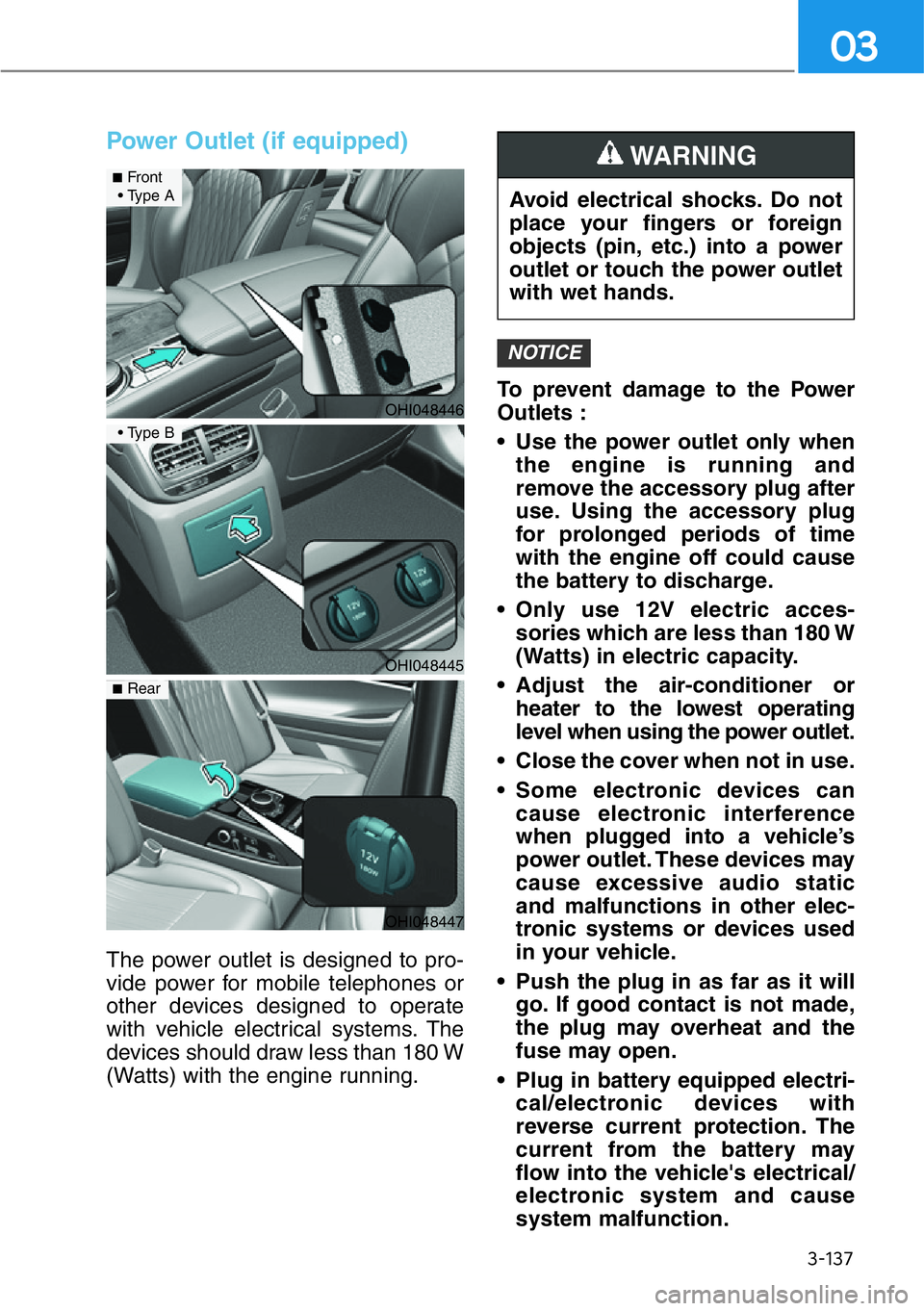
Power Outlet (if equipped)
The power outlet is designed to pro-
vide power for mobile telephones or
other devices designed to operate
with vehicle electrical systems. The
devices should draw less than 180 W
(Watts) with the engine running.To prevent damage to the Power
Outlets :
• Use the power outlet only when
the engine is running and
remove the accessory plug after
use. Using the accessory plug
for prolonged periods of time
with the engine off could cause
the battery to discharge.
• Only use 12V electric acces-
sories which are less than 180 W
(Watts) in electric capacity.
• Adjust the air-conditioner or
heater to the lowest operating
level when using the power outlet.
• Close the cover when not in use.
• Some electronic devices can
cause electronic interference
when plugged into a vehicle’s
power outlet. These devices may
cause excessive audio static
and malfunctions in other elec-
tronic systems or devices used
in your vehicle.
• Push the plug in as far as it will
go. If good contact is not made,
the plug may overheat and the
fuse may open.
• Plug in battery equipped electri-
cal/electronic devices with
reverse current protection. The
current from the battery may
flow into the vehicle's electrical/
electronic system and cause
system malfunction.
NOTICE
Avoid electrical shocks. Do not
place your fingers or foreign
objects (pin, etc.) into a power
outlet or touch the power outlet
with wet hands.
WARNING
OHI048446
■Front
• Type A
OHI048445
• Type B
OHI048447
■Rear
Page 246 of 538
3-145
03
Luggage Net Holder
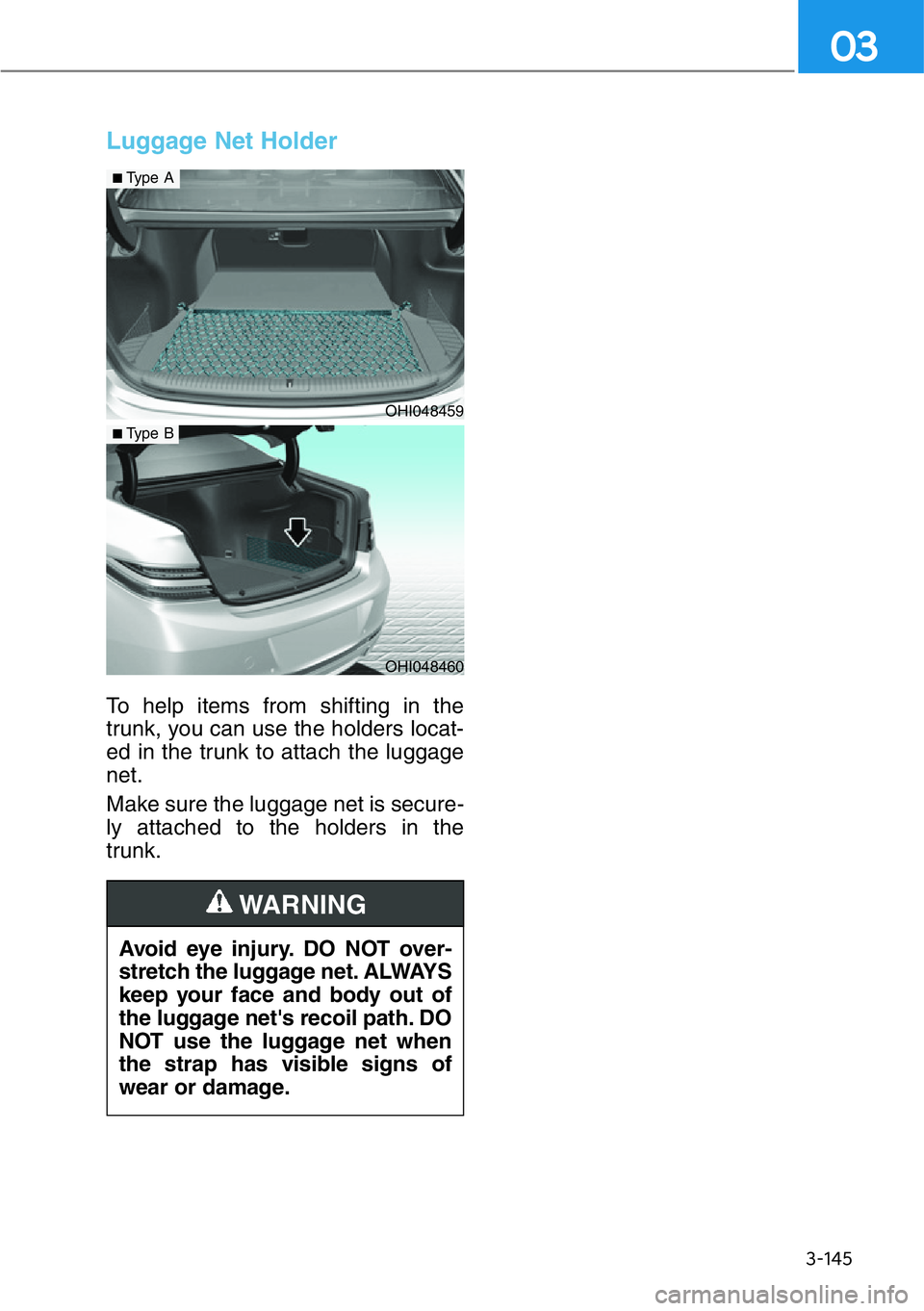
To help items from shifting in the
trunk, you can use the holders locat-
ed in the trunk to attach the luggage
net.
Make sure the luggage net is secure-
ly attached to the holders in the
trunk.
Avoid eye injury. DO NOT over-
stretch the luggage net. ALWAYS
keep your face and body out of
the luggage net's recoil path. DO
NOT use the luggage net when
the strap has visible signs of
wear or damage.
WARNING
OHI048459
■Type A
OHI048460
■Type B
Page 316 of 538
5-64
Driving your vehicle
• The brightness outside is too low
such as when the headlamps are
not on at night or the vehicle is
going through a tunnel
• Inclement weather such as heavy
rain or snow obscures the field of
view of the radar sensor or camera
• Light coming from a street light or
an oncoming vehicle is reflected on
a wet road surface such as a pud-
dle in the road
• The field of view in front is
obstructed by sun glare
• The windshield glass is fogged up;
a clear view of the road is obstruct-
ed
• The adverse road conditions cause
excessive vehicle vibrations while
driving
• The sensor recognition changes
suddenly when passing over a
speed bump
• You are on a roundabout
• The pedestrian or cyclist suddenly
interrupts in front of the vehicle
• There is any other electromagnetic
interference
• The construction area, rail or other
metal object is near
• Bicycle material is not reflected
well on the radar• Do not use the Forward
Collision-Avoidance Assist
system when towing a vehi-
cle. Application of the FCA
system while towing may
adversely affect the safety of
your vehicle or the towing
vehicle.
• Use extreme caution when the
vehicle in front of you has
cargo that extends rearward
from the cab, or when the
vehicle in front of you has
higher ground clearance.
• Forward Collision-Avoidance
Assist system may operate
when an object, which has
similar shape or characteris-
tic to a vehicle, pedestrian or
cyclist, is detected.
• The FCA system is designed
to help detect and monitor the
vehicle ahead or detect a
pedestrian or cyclist in the
roadway through radar sig-
nals and camera recognition.
It is not designed to detect
motorcycles, or smaller
wheeled objects such as lug-
gage bags, shopping carts, or
strollers.
• Never try to test the operation
of the FCA system. Doing so
may cause severe injury or
death.
• If the front bumper, front
glass, radar or camera have
been replaced or repaired,
have the vehicle inspected by
an authorized retailer of
Genesis Branded products.
WARNING
Page 368 of 538
5-116
Lane changing
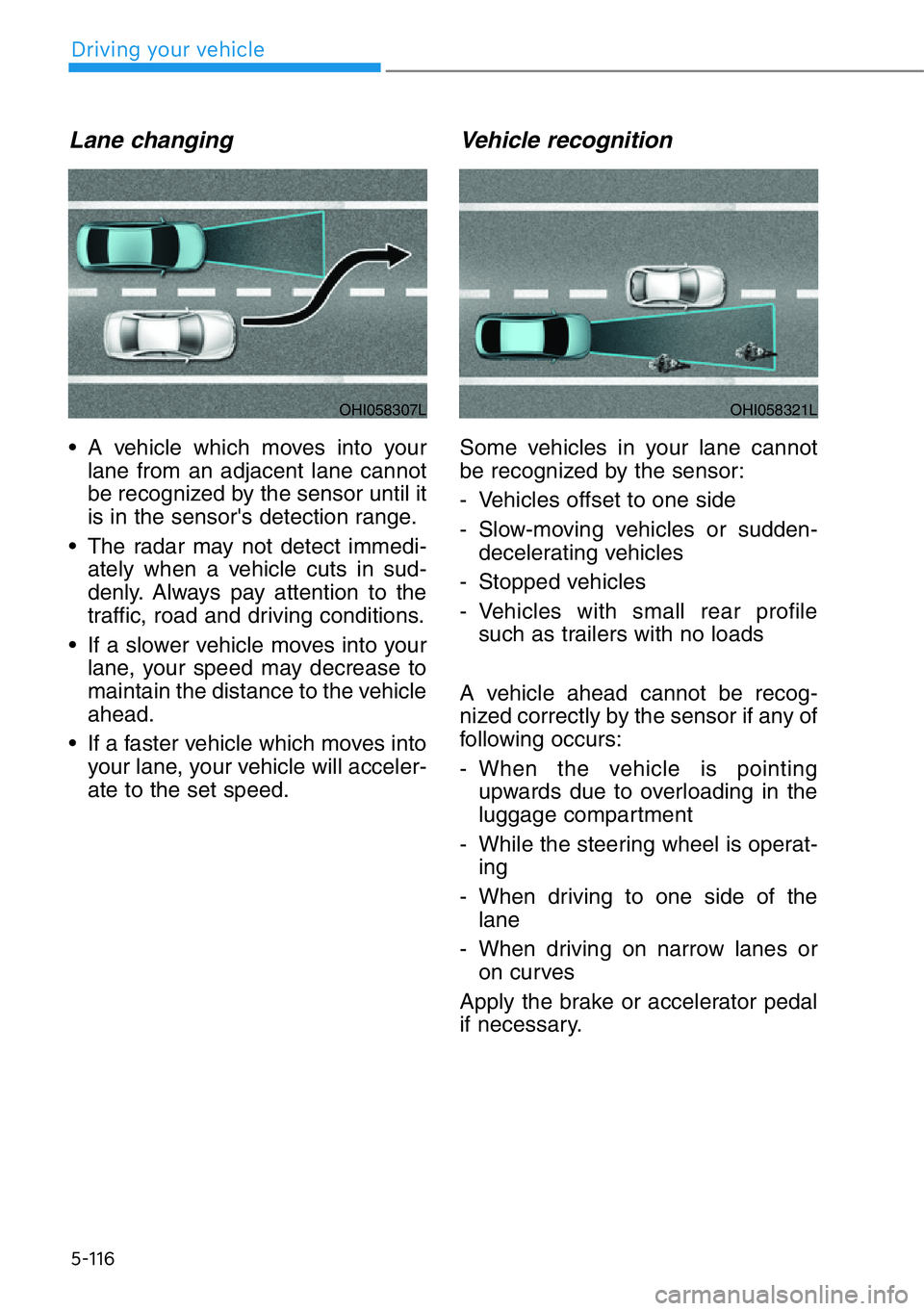
• A vehicle which moves into your
lane from an adjacent lane cannot
be recognized by the sensor until it
is in the sensor's detection range.
• The radar may not detect immedi-
ately when a vehicle cuts in sud-
denly. Always pay attention to the
traffic, road and driving conditions.
• If a slower vehicle moves into your
lane, your speed may decrease to
maintain the distance to the vehicle
ahead.
• If a faster vehicle which moves into
your lane, your vehicle will acceler-
ate to the set speed.
Vehicle recognition
Some vehicles in your lane cannot
be recognized by the sensor:
- Vehicles offset to one side
- Slow-moving vehicles or sudden-
decelerating vehicles
- Stopped vehicles
- Vehicles with small rear profile
such as trailers with no loads
A vehicle ahead cannot be recog-
nized correctly by the sensor if any of
following occurs:
- When the vehicle is pointing
upwards due to overloading in the
luggage compartment
- While the steering wheel is operat-
ing
- When driving to one side of the
lane
- When driving on narrow lanes or
on curves
Apply the brake or accelerator pedal
if necessary.
OHI058307LOHI058321L
Driving your vehicle
Page 408 of 538
5-156
Driving your vehicle
Check spark plugs and ignition
system
Inspect your spark plugs as
described in chapter 7 and replace
them if necessary. Also check all
ignition wiring and components to be
sure they are not cracked, worn or
damaged in any way.
Use approved window washer
anti-freeze in system
To keep the water in the window
washer system from freezing, add an
approved window washer anti-freeze
solution in accordance with instruc-
tions on the container. Window wash-
er anti-freeze is available from an
authorized retailer of Genesis
Branded products and most auto
parts outlets. Do not use engine
coolant or other types of anti-freeze
as these may damage the paint fin-
ish.
Do not let your parking brake
freeze
Under some conditions your parking
brake can freeze in the engaged
position. This is most likely to happen
when there is an accumulation of
snow or ice around or near the rear
brakes or if the brakes are wet. If
there is a risk the parking brake may
freeze, apply it only temporarily while
you put the gear in P and block the
rear wheels so the car cannot roll.
Then release the parking brake.
Do not let ice and snow accu-
mulate underneath
Under some conditions, snow and
ice can build up under the fenders
and interfere with the steering. When
driving in severe winter conditions
where this may happen, you should
periodically check underneath the
car to be sure the movement of the
front wheels and the steering compo-
nents is not obstructed.
Don't place foreign objects or
materials in the engine com-
partment
Placement of foreign object or mate-
rials which prevent cooling of the
engine, in the engine compartment,
may cause a failure or combustion.
The manufacturer is not responsible
for the damage caused by such
placement.
To keep locks from freezing
To keep the locks from freezing,
squirt an approved de-icer fluid or
glycerine into the key opening. If a
lock is covered with ice, squirt it with
an approved de-icing fluid to remove
the ice. If the lock is frozen internally,
you may be able to thaw it out by
using a heated key. Handle the heat-
ed key with care to avoid injury.