ECO mode Hyundai Getz 2002 Owner's Manual
[x] Cancel search | Manufacturer: HYUNDAI, Model Year: 2002, Model line: Getz, Model: Hyundai Getz 2002Pages: 428, PDF Size: 6.13 MB
Page 16 of 428

FEATURES OF YOUR HYUNDAI 1- 3
B010E01A-AAT Gasolines for Cleaner Air To help contribute to cleaner air, Hyundai recommends that you usegasolines treated with detergent addi- tives, which help prevent deposit for- mation in the engine. These gasolineswill help the engine run cleaner and theEmission Control System performance.
B010D01S-AAT Do not Use Methanol Fuels containing methanol (wood al- cohol) should not be used in yourHyundai. This type of fuel can reducevehicle performance and damage com-ponents of the fuel system.
CAUTION:
Your Hyundai's New Vehicle Lim-ited Warranty may not cover dam-age to the fuel system and perfor-mance problems that are caused bythe use of methanol or fuels con-taining methanol.
! B010F01A-AAT Operation in Foreign Countries If you are going to drive your Hyundai in another country, be sure to:
o Observe all regulations regarding
registration and insurance.
o Determine that acceptable fuel is
available.
B020A01S-GAT BREAKING IN YOUR NEW HYUNDAIDuring the First 2,000 Km (1,200Miles)(Gasoline Engine) No formal "break-in" procedure is re- quired with your new Hyundai. How-ever, you can contribute to the eco-nomical operation and durability of your Hyundai by observing the following recommendations during the first 2,000km (1,200 miles). o Don't drive faster than 88 km/h (55
mph).
o While driving, keep your engine speed (rpm, or revolutions perminute) between 2,000 rpm and 4,000 rpm.
o Use moderate acceleration. Don't start, depress the accelerator pedal fully.
o For the first 300 km (200 miles), try to avoid hard stops.
o Don't lug the engine (in other words,
don't drive so slowly in toohigh agear that the engine "bucks": shift toa lower gear).
o Whether going fast or slow, vary
your speed from time to time.
o Don't let the engine idle longer than
3 minutes at one time.
o Don't tow a trailer during the first
2,000 km (1,200 miles) of opera-tion.
Page 17 of 428
1- 4 FEATURES OF YOUR HYUNDAI
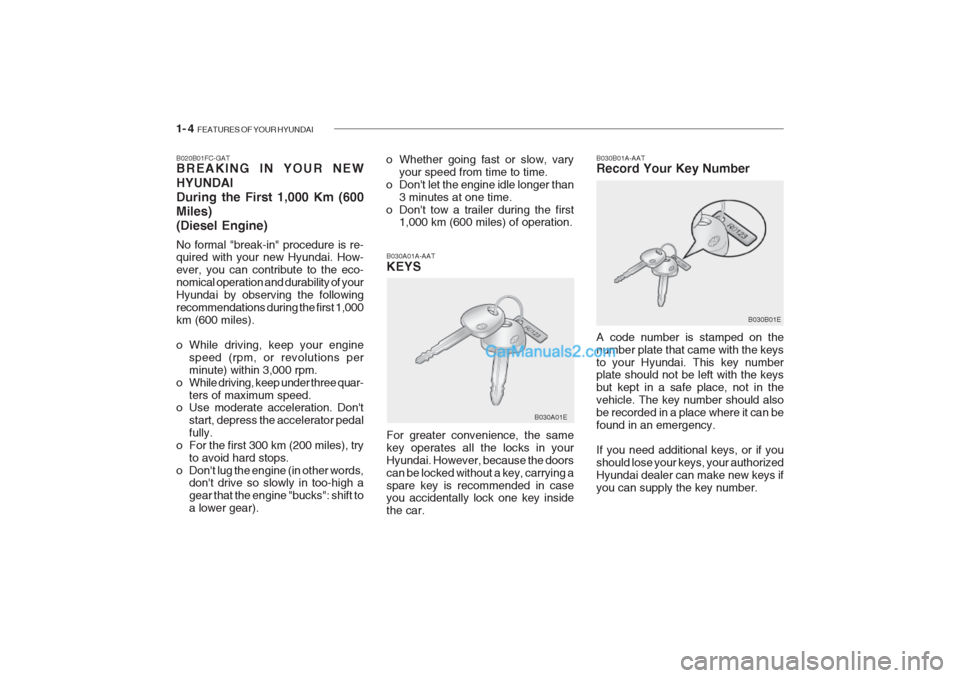
B030B01A-AAT Record Your Key Number A code number is stamped on the number plate that came with the keysto your Hyundai. This key number plate should not be left with the keys but kept in a safe place, not in thevehicle. The key number should alsobe recorded in a place where it can befound in an emergency. If you need additional keys, or if you should lose your keys, your authorizedHyundai dealer can make new keys ifyou can supply the key number.
B020B01FC-GAT BREAKING IN YOUR NEW HYUNDAI During the First 1,000 Km (600Miles)(Diesel Engine) No formal "break-in" procedure is re- quired with your new Hyundai. How- ever, you can contribute to the eco-nomical operation and durability of yourHyundai by observing the followingrecommendations during the first 1,000km (600 miles).
o While driving, keep your engine
speed (rpm, or revolutions per minute) within 3,000 rpm.
o While driving, keep under three quar-
ters of maximum speed.
o Use moderate acceleration. Don't
start, depress the accelerator pedalfully.
o For the first 300 km (200 miles), try to avoid hard stops.
o Don't lug the engine (in other words, don't drive so slowly in too-high agear that the engine "bucks": shift toa lower gear). B030A01A-AAT KEYS For greater convenience, the same key operates all the locks in yourHyundai. However, because the doorscan be locked without a key, carrying aspare key is recommended in case you accidentally lock one key inside the car.
o Whether going fast or slow, vary
your speed from time to time.
o Don't let the engine idle longer than 3 minutes at one time.
o Don't tow a trailer during the first 1,000 km (600 miles) of operation.
B030A01E B030B01E
Page 63 of 428
1- 50 FEATURES OF YOUR HYUNDAI
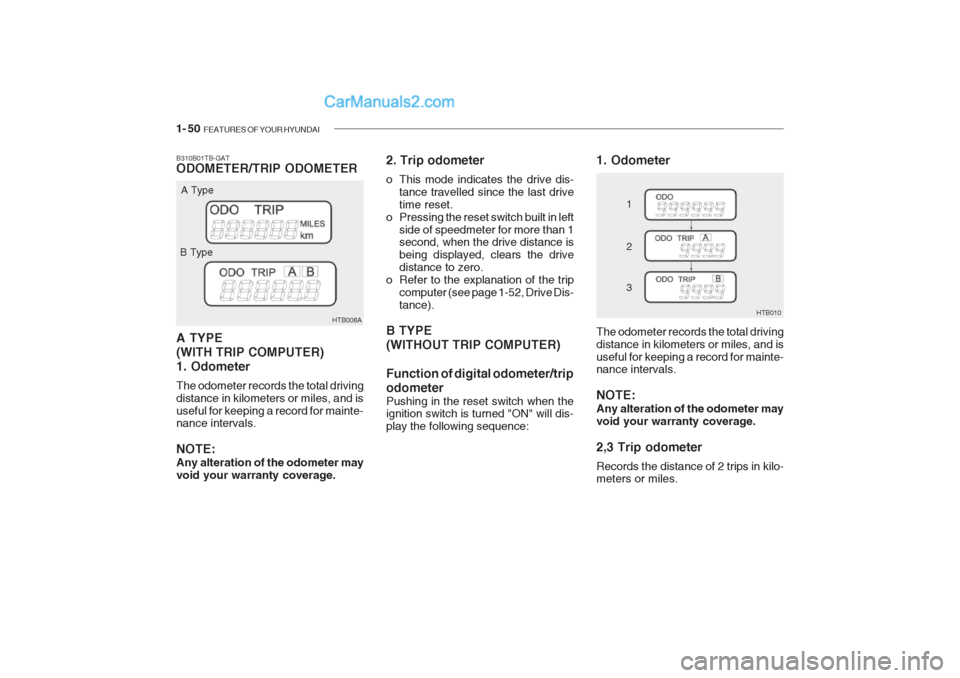
B310B01TB-GAT ODOMETER/TRIP ODOMETER A TYPE (WITH TRIP COMPUTER)1. Odometer The odometer records the total driving distance in kilometers or miles, and isuseful for keeping a record for mainte- nance intervals. NOTE: Any alteration of the odometer may void your warranty coverage. HTB008A
A Type
B Type 2. Trip odometer
o This mode indicates the drive dis-
tance travelled since the last drive time reset.
o Pressing the reset switch built in left
side of speedmeter for more than 1 second, when the drive distance is being displayed, clears the drivedistance to zero.
o Refer to the explanation of the trip computer (see page 1-52, Drive Dis-tance).
B TYPE (WITHOUT TRIP COMPUTER) Function of digital odometer/trip odometer
Pushing in the reset switch when the ignition switch is turned "ON" will dis- play the following sequence: 1. Odometer
HTB010
1 2 3
The odometer records the total driving distance in kilometers or miles, and isuseful for keeping a record for mainte- nance intervals. NOTE: Any alteration of the odometer may void your warranty coverage. 2,3 Trip odometer Records the distance of 2 trips in kilo- meters or miles.
Page 64 of 428

FEATURES OF YOUR HYUNDAI 1- 51
HTB009A The trip computer is the microcom- puter-controlled driver informationgauge that displays information re-lated to driving, such as outside tem-perature distance to empty, drive dis- tance and average consumption on the LCD. Reset switch
o The reset switch is used to zero the
multi-functional display mode.
o Pushing in the reset switch built in left side of speedmeter changes the display as follows;
B400B01TB-GAT TRIP COMPUTER (If Installed)
HTB012A
1. Outside temperature
OUTSIDE TEMPERATURE DISTANCE TO EMPTY DRIVE DISTANCE
AVERAGE CONSUMPTION
This mode indicates the outside tem- perature between -40 C (-40 F) and
75 C (167 F) .
2. Distance to empty HTB011A
TRIP A:
First distance you have trav-
eled from your origination point to a first destination.TRIP B: Second distance from the first
destination to the final destination. To shift from TRIP A to TRIP B, press the reset switch. When pressed for 1second, it will reset to 0.
Page 65 of 428

1- 52 FEATURES OF YOUR HYUNDAI
Total Fuel Consumption(L) x 100 Total Cruise Distance (km)
3. Drive Distance
HTB013A HTB014A
MPG =
L/100km = Total Cruise Distance(Miles) Total Fuel Consumption (G)o This mode indicates the estimated
distance to empty from the current fuel in the fuel tank and distance toempty symbol.
o When refueling with more than 6 liters, the trip computer will recog-nize refueling.
o When the battery has been rein-
stalled after being discharged ordisconnected, drive more than 32kmfor an accurate distance to empty.
NOTE:
o If the distance to empty is indi- cated "---", have the trip com- puter system checked by yourauthorized Hyundai dealer.
o The distance to empty can differ
from the actual tripmeter accord- ing to driving conditions.
o The distance to empty can vary according to the driving condi- tions, driving pattern or vehiclespeed. o This mode indicates the drive dis-
tance travelled since the last drivetime reset.
o Pressing the reset switch built in left side of speedmeter for more than 1 second, when the drive distance is being displayed, clears the drivedistance to zero. 4. Average Consumption
o This mode indicates the average
consumption since the data reset.
o It displays per 10 seconds after you drive over 50m and 10 seconds.
o Calculation Method
Page 68 of 428

FEATURES OF YOUR HYUNDAI 1- 55
B350C01FC-GAT Adjustable Intermittent Wiper
Operation (If Installed) To use the intermittent wiper feature, place the wiper switch in the "INT"position. With the switch in this posi- tion, the interval between wipes can be varied from approximately 1 to 18 sec-onds by turning the interval adjusterbarrel.
Mist Wiper Operation
NOTE:
o Do not operate the washer more
than 15 seconds at a time or when the fluid reser- voir isempty.
o In icy or freezing weather, be
sure the wiper blades are not frozen to the glass prior to oper- ating the wipers.
o In areas where water freezes in
winter, use windshield washerantifreeze.
If a single wipe is desired in mist, pushthe windshield wiper and washer con- trol lever upwards. HTB022 HTB020
To use the windshield washer, pull the wiper/washer lever toward the steer-ing wheel. When the washer lever isoperated, the wipers automaticallymake two passes across the wind- shield. The washer continues to oper- ate until the lever is released.
B350B01O-GAT Windshield Washer Operation
ice, operate the heater in the de- frost mode to melt the snow or icebefore using the wiper.
HTB021
Page 71 of 428

1- 58 FEATURES OF YOUR HYUNDAI
B420A02A-AAT CIGARETTE LIGHTER
For the cigarette lighter to work, the key must be in the "ACC" position or the "ON" position. To use the cigarette lighter, push it allthe way into its socket. When the ele-ment has heated, the lighter will popout to the "ready" position.Do not hold the cigarette lighter pressed in. This can damage the heating ele- ment and create a fire hazard. B430A01TB-GAT FRONT ASHTRAY
If it is necessary to replace the ciga- rette lighter, use only a genuine Hyundaireplacement or its approved equiva-lent.
HTB097
!
HTB100
B400A01TB-AAT DIGITAL CLOCK HTB095
There is a digital clock control button built-in right side of the speedometer.Its functions are: o Reset : Push the button for more than
1 second.
o Min/Hour Adjustment: Turn to "H"
for 0.5 second to advance the hour indicated. Turn to "M" for 0.5 sec- ond to advance the minute indi- cated.
o Auto mode: Turn to the right or left
side for more than 1 second to ad-vance fastly. CAUTION:
Don't turn the switch excessively toprevent switch damage.
!
CAUTION:
Do not use electric accessories or equipment other than the Hyundai genuine parts in the socket.
Page 90 of 428

FEATURES OF YOUR HYUNDAI 1- 77
B670C02A-AAT Air Intake Control
This is used to select fresh outside air or recirculation inside air. FreshRecirculation
With the " " mode selected, airenters the vehicle from outside and is heated or cooled according to the otherfunctions selected. With the " " mode selected, air from within the passenger compartment isdrawn through the heating system and heated or cooled according to the other functions selected. HTB036
NOTE: It should be noted that prolonged operation of the heating system in " " mode will give rise to mistingof the windshield and side win- dows and the air within the passen- ger compartment will become stale.In addition prolonged use of the air conditioning with the " " mode selected may result in the air withinthe passenger compartment becom- ing excessively dry.B670D01TB-AAT Air Flow Control
This is used to direct the flow of air. Air can be directed to the floor, dashboard outlets, or windshield. Five symbolsare used to represent Face, Bi-Level, Floor, Floor-Defrost and Defrost air position. HTB038
Page 108 of 428
FEATURES OF YOUR HYUNDAI 1- 95
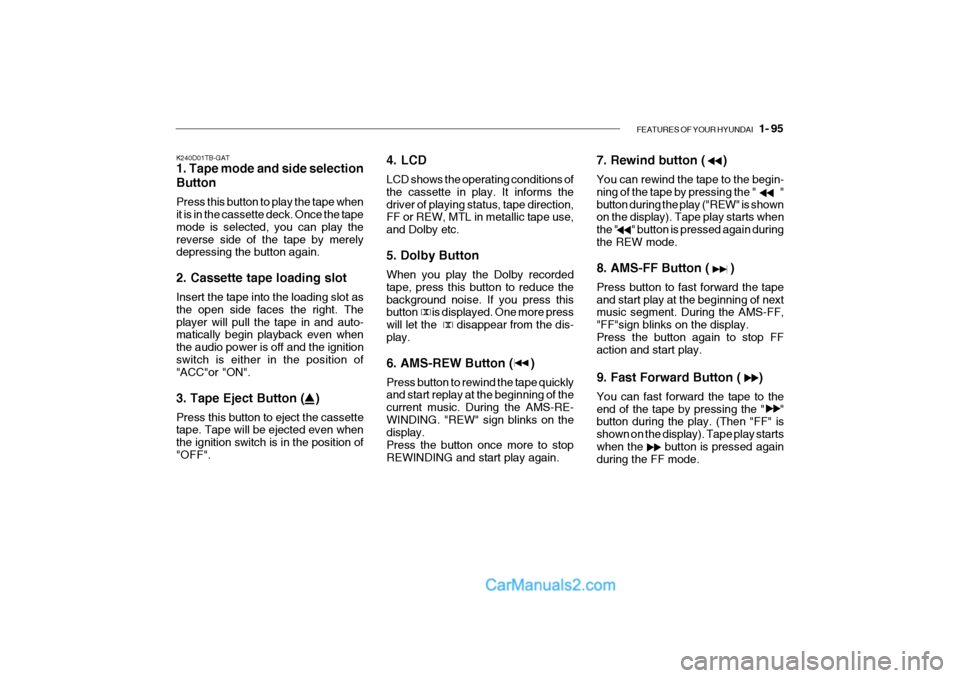
K240D01TB-GAT 1. Tape mode and side selection Button Press this button to play the tape when it is in the cassette deck. Once the tape mode is selected, you can play thereverse side of the tape by merely depressing the button again. 2. Cassette tape loading slot Insert the tape into the loading slot as the open side faces the right. Theplayer will pull the tape in and auto- matically begin playback even when the audio power is off and the ignitionswitch is either in the position of "ACC"or "ON". 3. Tape Eject Button ( ) Press this button to eject the cassette tape. Tape will be ejected even when the ignition switch is in the position of"OFF". 4. LCD LCD shows the operating conditions of the cassette in play. It informs thedriver of playing status, tape direction, FF or REW, MTL in metallic tape use, and Dolby etc. 5. Dolby Button When you play the Dolby recorded tape, press this button to reduce thebackground noise. If you press this button is displayed. One more press will let the disappear from the dis-play. 6. AMS-REW Button ( ) Press button to rewind the tape quickly and start replay at the beginning of the current music. During the AMS-RE-WINDING. "REW" sign blinks on the display. Press the button once more to stopREWINDING and start play again.7. Rewind button ( ) You can rewind the tape to the begin- ning of the tape by pressing the " "
button during the play ("REW" is shown on the display). Tape play starts when the " " button is pressed again duringthe REW mode. 8. AMS-FF Button ( ) Press button to fast forward the tape and start play at the beginning of next music segment. During the AMS-FF, "FF"sign blinks on the display.Press the button again to stop FF action and start play. 9. Fast Forward Button ( ) You can fast forward the tape to the end of the tape by pressing the " " button during the play. (Then "FF" is shown on the display). Tape play startswhen the button is pressed again
during the FF mode.
Page 110 of 428

FEATURES OF YOUR HYUNDAI 1- 97
H290B03E-GAT
1. POWER ON-OFF Control Knob The radio unit may be operated when the ignition key is in the "ACC" or "ON"position. Press the button to switch the power on. The display shows the radio frequency in the radio mode, the tapedirection indicator in the tape mode or CD track in either the CD mode or CD AUTO CHANGER mode. To switchthe power off, press the button again. VOLUME Control Rotate the knob clockwise to increase the volume and turn the knob counter- clockwise to reduce the volume.
2. BASS/BALANCE
Control Knob BASS Control Knob
Press to pop the knob out. To increase the bass, rotate the knob clockwise, while to decrease the bass, rotate theknob counterclockwise. BALANCE Control knob Pull the Bass control knob out further. Rotate the knob clockwise to empha-size right speaker sound. (Left speaker sound will be attenuated) When the control knob is turned counterclock-wise, left speaker sound will be em- phasized (Right speaker sound will be attenuated).
3. TREBLE/FAD Knob
TREBLE Control Knob
Press to pop the knob out and turn to the left or right for the desired trebletone. FAD (Fader Control) Knob Pull the Bass control knob out further. Turn the control knob counterclock- wise to emphasize front speaker sound. (Rear speaker sound will be attenu-ated) When the control knob is turned clockwise, rear speaker sound will be emphasized. (Front speaker sound willbe attenuated) 4. TUNE (Manual) Select Button Press the ( ) side or ( ) side to increase or to decrease the frequency.Press either button and hold down to continuously scroll, Release button once the desired station is reached. SEEK Operation (Automatic Channel Selection) Press the TUNE select button for 0.5 sec or more. Releasing it will automati- cally tune to the next available stationwith a beep sound. When the ( ) side is pressed longer than 0.5 second, releasing will auto-matically tune to the next higher fre- quency and when the ( ) side is pressed longer than 0.5 second andreleasing will automatically tune to the next lower frequency.
5. PRESET STATION Select
Buttons
Six (6) stations for AM, FM and FM2 respectively can be preset in the elec- tronic memory circuit.