display Hyundai Getz 2006 User Guide
[x] Cancel search | Manufacturer: HYUNDAI, Model Year: 2006, Model line: Getz, Model: Hyundai Getz 2006Pages: 455, PDF Size: 11.23 MB
Page 124 of 455

FEATURES OF YOUR HYUNDAI 1- 111
H290D01O-GAT
1. FF/REW
o Fast forward tape winding starts
when the FF ( ) button is pressed during PLAY or REW mode.
o Tape PLAY starts when the FF ( )
button is pressed again during FFmode.
o Tape rewinding starts when the REW
( ) button is pressed during PLAYor FF mode.
o Tape PLAY starts when the REW
( ) button pressed again duringREW mode.
2. AUTO MUSIC Select Press the button to find the starting point of each song in a prerecorded music tape. The quiet space between songs (must have at least 4 sec. gap)can be accepted by the AUTO MUSIC Select button.
o Pressing the button will play the beginning of the next music seg- ment.
o Pressing the button will start replay at the beginning of the musicjust listened to.3. TAPE PROGRAM Button
o This allows you to play the reverse
side of the tape by merely depress- ing the program button. An arrow will appear in the display to show tape direction.
o Push the TAPE button to turn on that function without pushing powerON ˆ
OFF control knob.
4. REPEAT
o To repeat the track you are currently listening to, press the RPT button. To cancel, press again.
o If you do not release RPT operation
when the track ends, it will automati-cally be replayed. This process will be continued until you push the button again.
5. Equalizer (EQ) Press the EQ button to select the CLAS- SIC, JAZZ, ROCK and DEFEAT MODE for the desired tone quality. Each press of the button changes the display asfollows; 6. DOLBY If you get background noise during tape PLAY, you can reduce this consider-ably by merely pressing the DOLBY button. If you want to cancel the DOLBY feature, press the button again.
7. TAPE EJECT
o When the button is pressed with
a cassette loaded, the cassette will eject.
o When the button is pressed during
FF/REW mode, the cassette willeject.
NOTE:
o To assure proper operation of the unit, keep the vehicle interior tem- perature within a normal range by using the vehicle's air condition-ing or heating system.
o When replacing the fuse, replace
it with a fuse having the correctcapacity.
o The preset station frequencies are
all erased when the car battery isdisconnected. Therefore, all data will have to be set again if this should occur.
CLASSIC JAZZ ROCK DEFEAT
Page 127 of 455

1- 114 FEATURES OF YOUR HYUNDAI
H290F01O-GAT
1. AUDIO/MP3 CD Select Button
o Insert the CD with the label facing
upward.
o Insert the CD to start CD playback, during radio operation or cassette tape playing.
o When a disc is in the CD deck, if you press the CD button the CD playerwill begin playing even if the radio orcassette player is being used.
o The CD player can be used when the
ignition switch is in either the "ON" or"ACC" position.
o Push the CD ˜MP3 button to turn on
that function without pushing PowerON-OFF control knob.
NOTE:
o Do not stick paper or tape etc., auto the label side or the record- ing side of any discs, as it may cause a malfunction.
o The unit cannot play a CD- R(Recordable CD) and CD-RW(Rewritable CD) that is not fi- nalized. Please refer to the manualof CD-R/CD-RW recoder or CD-R/ CD-RW software for more informa- tion on finalization process. o Depending on the recording sta-
tus, some CD-Rs/CD-RWs may notbe played on this unit.
2. FF/REW ( / ) If you want to fast forward or reverse through the compact disc track, push and hold the FF ( ) or REW ( ) button.When you release the button, the com- pact disc player will resume playing.
3. TRACK UP/DOWN
o The desired track on the disc cur- rently being played can be selected using the track number.
o Press button once to skip for- ward to the beginning of the nexttrack. Press button once to skipback to the beginning of the track.
4. REPEAT (RPT)
o To repeat the track you are currently listening to, press the RPT button. To cancel, press it again.
o To repeat the music within selected folder, press the RPT button for morethan 2 seconds. To cancel, press itagain. (MP3 CD only) o If you do not release RPT operation
when the track ends, it will automati-cally be replayed.This process will be continued until you push the button again.
5. RANDOM (RDM)
o Press the RDM button to listen the tracks in random, rather than se- quential, order. Press it again to cancel random play.
o To listen the music within the se-
lected folder in random order, pressthe RDM button for more than 2 seconds. To cancel press it again.(MP3 CD only)
6. EQUALIZER (EQ) Press the EQ button to select the CLAS- SIC, JAZZ, ROCK and DEFEAT MODE for the desired tone quality. Each press of the button changes the display asfollows;
CLASSIC JAZZ ROCK DEFEAT
Page 128 of 455

FEATURES OF YOUR HYUNDAI 1- 115
7. CD EJECT When the button is pressed with a CD loaded, the CD will eject.
8. SCAN
o Press the SCAN button to playback
the first 10 seconds of each track.
o To playback the first 10 seconds of each track in the selected folder, press the SCAN button for 2 sec-onds or longer. (MP3 CD only)
o Press the SCAN button again within
10 sec. When you have reached thedesired track.
9. BOOKMARK (MARK) When the CD player unit is operating, the desired track on the disc can be bookmarked by using the MARK but-ton.
o Press the MARK button to bookmark the desired track for more than 2 seconds. This will display the " " symbol on
the LCD with beep sound. To play the bookmarked tracks, press the MARK button within a sec-ond. o Press the MARK button to erase the
bookmarked tracks for more than 2seconds.This will erase the bookmark and " "
symbol on the LCD with beep sound.
10. JOY STICK (ENT)
o You can skip the track by pushing the JOY STICK to the left or right. After selecting the desired track, press the JOY STICK to playback the track.If you do not press the JOY STICK within 5 seconds, the previous track will playback again.
o You can move through the folder by pushing the JOYSTICK to up anddown.After moving the desired folder, press the JOYSTICK to playback the se- lected track.If you do not press the JOYSTICK within 5 seconds, the previous track will playback again. (MP3 CD only) NOTE:
o To assure proper operation of the
unit, keep the vehicle interior tem- perature within a normal range byusing the vehicle's air condition- ing or heating system.
o When replacing the fuse, replace
it with a fuse having the correctcapacity.
o The bookmarks are all erased when the car battery is disconnected orpower off. Therefore, all data will have to be set again if this shouldoccur.
o This equipment is designed to be
used only in a 12 volt DC batterysystem with negative ground.
o This unit is made of precision
parts. Do not attempt to disas-semble or adjust any parts.
o When driving your vehicle, be sure
to keep the volume of the unit setlow enough to allow you to hear sounds coming from the outside.
o Do not expose this equipment (in- cluding the speakers and tape) towater or excessive moisture.
Page 130 of 455

FEATURES OF YOUR HYUNDAI 1- 117
INDICATION
Er2 Er3
Er6 Er7Er8
HHH
B890A01TB-GAT AUDIO FAULT CODE (M280 only) If you see any error indication in the display while using the CD or Tape mode, find the cause in the chart below. If you canno t
clear the error indication, take the car to your Hyundai dealer.
SOLUTION
After resetting the audio, push the eject button. If disc is not ejected, consult your hyundai dealer.Make sure the disc is not scratched or damaged. Press the eject button and pull out the disc. Then insert a normal cd disc. Check if the disc is inserted correctly in the cd player. Check if the disc is inserted correctly in the cd player. After resetting the audio, push the eject button. If tape is not ejected, consult your hyundai dealer.Fault code will reset automatically when the temperature returns to normal.
CAUSE
CDP DECK MECHANICAL ERROR (EJECT ERROR, LOADING ERROR) FOCUS ERROR DATA READ ERROR DISC ERROR LOADING ERROR TAPE DECK ERROR TAPE EJECT ERROR TEMPERATURE IS TOO HIGH
Page 295 of 455
1- 38 FEATURES OF YOUR HYUNDAI
!WARNING:
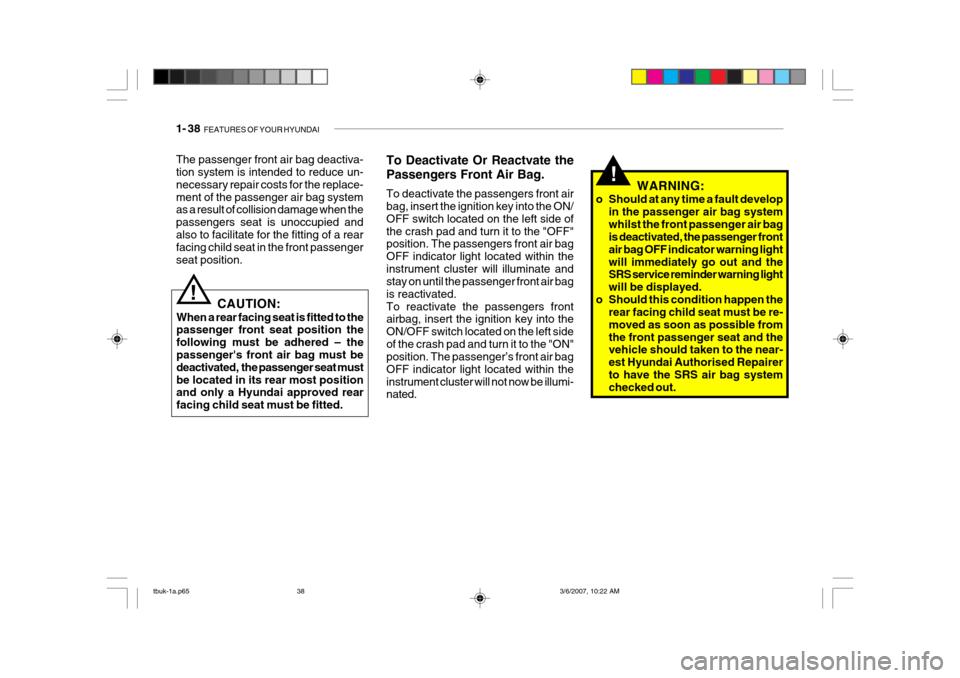
o Should at any time a fault develop in the passenger air bag system whilst the front passenger air bag is deactivated, the passenger front air bag OFF indicator warning lightwill immediately go out and the SRS service reminder warning light will be displayed.
o Should this condition happen the rear facing child seat must be re-moved as soon as possible fromthe front passenger seat and the vehicle should taken to the near- est Hyundai Authorised Repairerto have the SRS air bag system checked out.
The passenger front air bag deactiva-tion system is intended to reduce un- necessary repair costs for the replace-ment of the passenger air bag system as a result of collision damage when the passengers seat is unoccupied andalso to facilitate for the fitting of a rear facing child seat in the front passenger seat position.
To Deactivate Or Reactvate the Passengers Front Air Bag. To deactivate the passengers front air bag, insert the ignition key into the ON/ OFF switch located on the left side ofthe crash pad and turn it to the "OFF" position. The passengers front air bag OFF indicator light located within theinstrument cluster will illuminate and stay on until the passenger front air bag is reactivated. To reactivate the passengers front airbag, insert the ignition key into the ON/OFF switch located on the left sideof the crash pad and turn it to the "ON" position. The passenger’s front air bag OFF indicator light located within theinstrument cluster will not now be illumi- nated.
!
CAUTION:
When a rear facing seat is fitted to the passenger front seat position the following must be adhered – the
passenger's front air bag must be deactivated, the passenger seat mustbe located in its rear most position and only a Hyundai approved rear facing child seat must be fitted.
tbuk-1a.p65 3/6/2007, 10:22 AM
38
Page 296 of 455
FEATURES OF YOUR HYUNDAI 1- 39
!
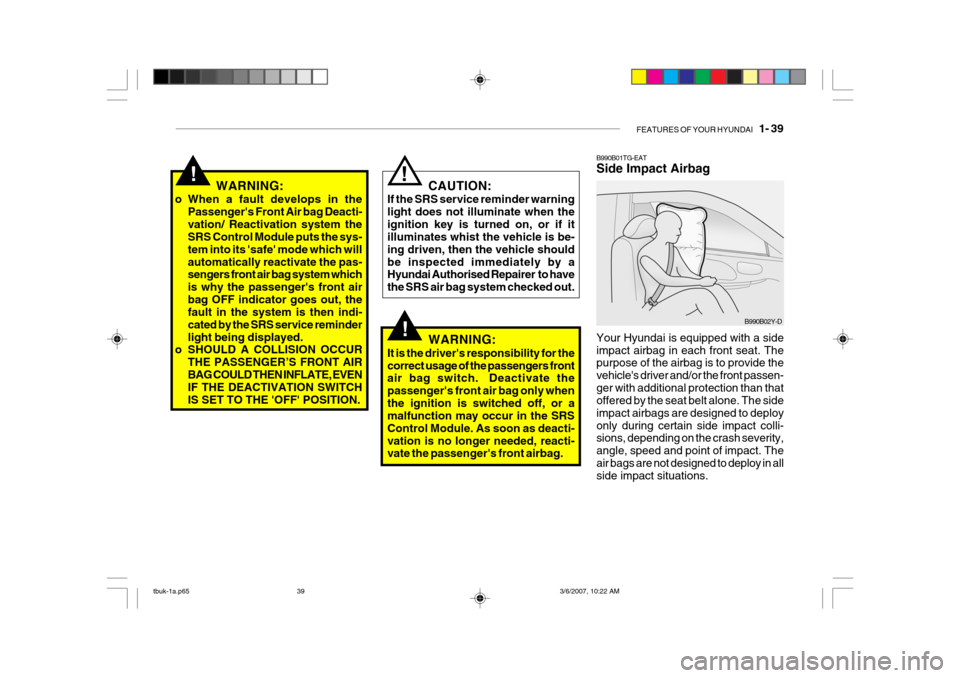
B990B01TG-EAT Side Impact Airbag Your Hyundai is equipped with a side impact airbag in each front seat. The purpose of the airbag is to provide the vehicle's driver and/or the front passen-ger with additional protection than that offered by the seat belt alone. The side impact airbags are designed to deployonly during certain side impact colli- sions, depending on the crash severity, angle, speed and point of impact. Theair bags are not designed to deploy in all side impact situations.
B990B02Y-D
WARNING:
o When a fault develops in the Passenger's Front Air bag Deacti- vation/ Reactivation system the SRS Control Module puts the sys- tem into its 'safe' mode which willautomatically reactivate the pas- sengers front air bag system which is why the passenger's front airbag OFF indicator goes out, the fault in the system is then indi- cated by the SRS service reminderlight being displayed.
o SHOULD A COLLISION OCCUR
THE PASSENGER’S FRONT AIRBAG COULD THEN INFLATE, EVEN IF THE DEACTIVATION SWITCH IS SET TO THE 'OFF' POSITION.
! CAUTION:
If the SRS service reminder warning light does not illuminate when theignition key is turned on, or if it illuminates whist the vehicle is be- ing driven, then the vehicle shouldbe inspected immediately by a Hyundai Authorised Repairer to have the SRS air bag system checked out.
!WARNING:
It is the driver's responsibility for the correct usage of the passengers front
air bag switch. Deactivate the passenger's front air bag only whenthe ignition is switched off, or a malfunction may occur in the SRS Control Module. As soon as deacti-vation is no longer needed, reacti- vate the passenger's front airbag.
tbuk-1a.p65 3/6/2007, 10:22 AM
39
Page 298 of 455
FEATURES OF YOUR HYUNDAI 1- 41
The infant or child could be se- verely injured by an airbag de- ployment in case of an accident.
o Modification to SRS components or wiring, including the additionof any kind of badges to the padcovers or modifications to the body structure, can adversely affect SRS performance and lead to possibleinjury.
o For cleaning the airbag pad cov-
ers, use only a soft, dry cloth orone which has been moistened with plain water. Solvents or clean- ers could adversely affect theairbag covers and proper deploy- ment of the system.
o No objects should be placed over
or near the airbag modules on thesteering wheel, instrument panel, and the front passenger's panelabove the glove box, because any such object could cause harm if the vehicle is in a crash severeenough to cause the airbags to inflate.
o If the airbags inflate, they must be
replaced by a Hyundai authorisedrepairer. o Do not tamper with or disconnect
SRS wiring, or other components of the SRS system. Doing so couldresult in injury, due to accidental firing of the airbags or by render- ing the SRS inoperative.
o If components of the airbag sys- tem must be discarded, or if thevehicle must be scrapped, certainsafety precautions must be ob- served. Your Hyundai authorised repairer knows these precautionsand can give you the necessary information. Failure to follow these precautions and procedures couldincrease the risk of personal in- jury.
o If you sell your vehicle, make cer- tain that this manual is transferredto the new owner together with the vehicle.
o If your car was flooded and has soaked carpeting or water onflooring, you shouldn't try to startengine; have the car towed to Hyundai authorised repairer.
!WARNING:
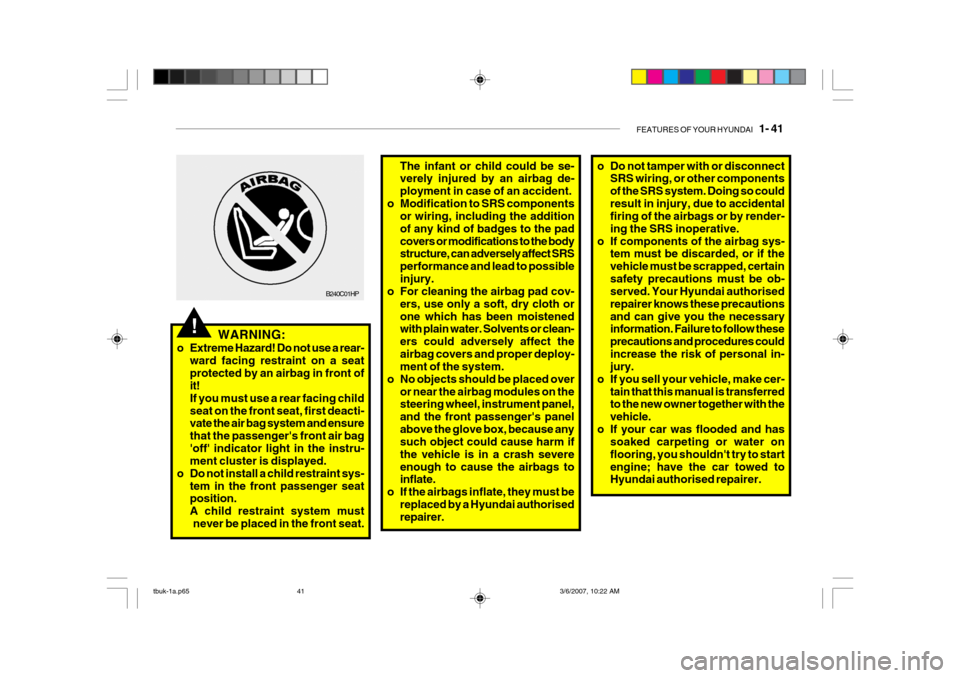
o Extreme Hazard! Do not use a rear- ward facing restraint on a seat protected by an airbag in front of it! If you must use a rear facing childseat on the front seat, first deacti- vate the air bag system and ensure that the passenger's front air bag'off' indicator light in the instru- ment cluster is displayed.
o Do not install a child restraint sys- tem in the front passenger seatposition. A child restraint system must
never be placed in the front seat.
B240C01HP
tbuk-1a.p65 3/6/2007, 10:22 AM
41
Page 311 of 455
1- 54 FEATURES OF YOUR HYUNDAI
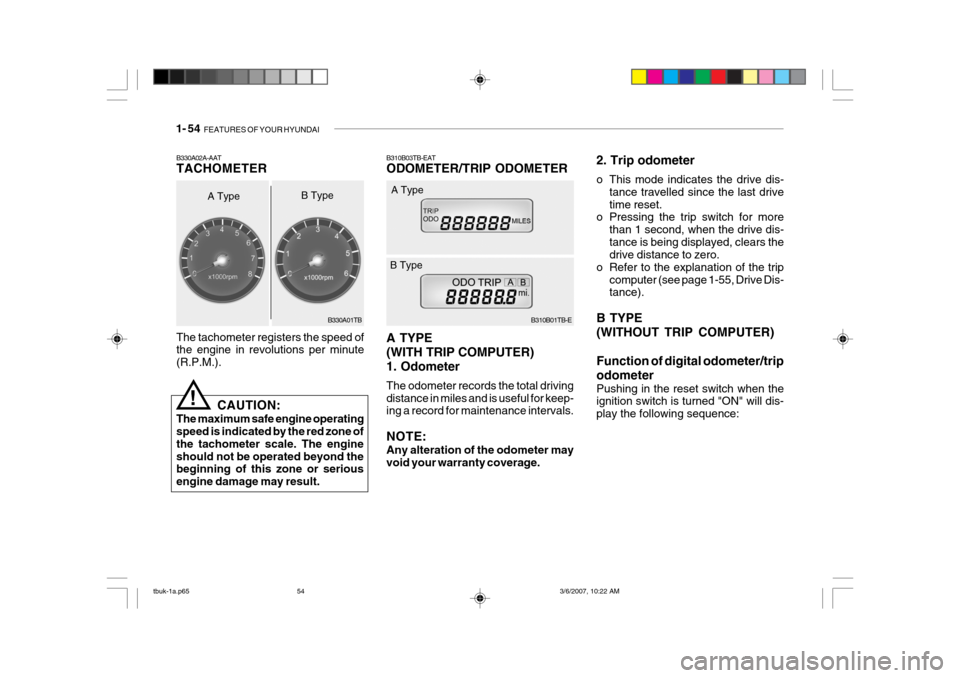
B310B03TB-EAT ODOMETER/TRIP ODOMETER A TYPE (WITH TRIP COMPUTER)1. Odometer The odometer records the total driving distance in miles and is useful for keep- ing a record for maintenance intervals. NOTE: Any alteration of the odometer may void your warranty coverage. B310B01TB-E
A Type
B Type 2. Trip odometer
o This mode indicates the drive dis-
tance travelled since the last drive time reset.
o Pressing the trip switch for more
than 1 second, when the drive dis-tance is being displayed, clears the drive distance to zero.
o Refer to the explanation of the trip computer (see page 1-55, Drive Dis-tance).
B TYPE (WITHOUT TRIP COMPUTER) Function of digital odometer/trip odometer
Pushing in the reset switch when the ignition switch is turned "ON" will dis- play the following sequence:
The tachometer registers the speed of the engine in revolutions per minute (R.P.M.).
B330A02A-AAT TACHOMETER
A Type
!
CAUTION:
The maximum safe engine operating speed is indicated by the red zone of the tachometer scale. The engineshould not be operated beyond the beginning of this zone or serious engine damage may result. B330A01TB
B Type
tbuk-1a.p65
3/6/2007, 10:22 AM
54
Page 312 of 455
FEATURES OF YOUR HYUNDAI 1- 55
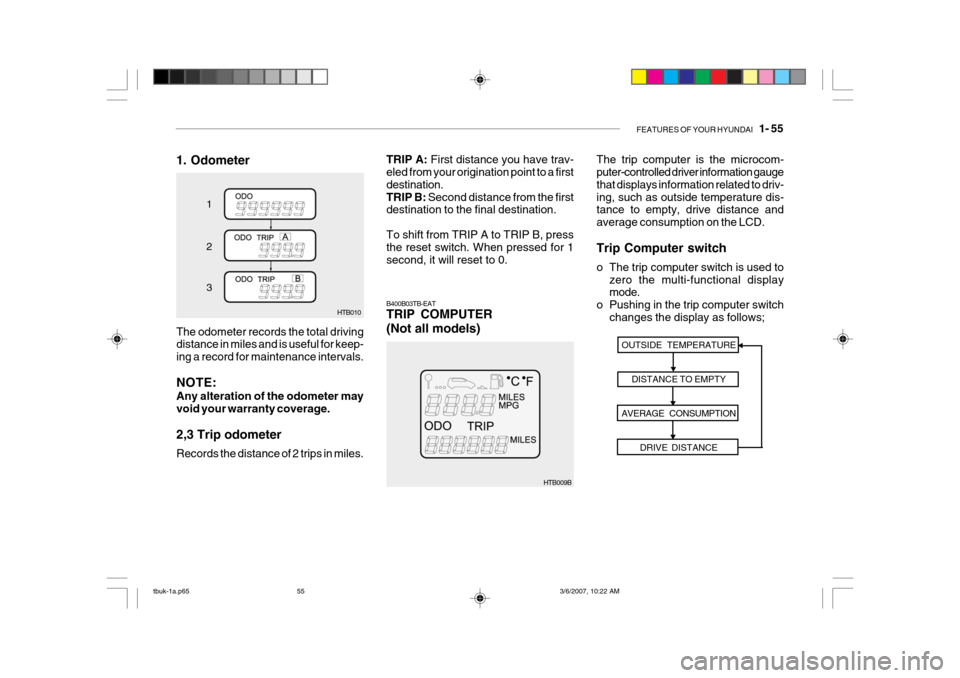
1. Odometer
HTB010
1 2 3
The odometer records the total driving distance in miles and is useful for keep- ing a record for maintenance intervals. NOTE: Any alteration of the odometer may void your warranty coverage. 2,3 Trip odometer Records the distance of 2 trips in miles.
HTB009B The trip computer is the microcom- puter-controlled driver information gauge that displays information related to driv-ing, such as outside temperature dis- tance to empty, drive distance and average consumption on the LCD. Trip Computer switch
o The trip computer switch is used to
zero the multi-functional display mode.
o Pushing in the trip computer switch
changes the display as follows;
B400B03TB-EAT TRIP COMPUTER (Not all models)
OUTSIDE TEMPERATURE
DISTANCE TO EMPTY
AVERAGE CONSUMPTION DRIVE DISTANCE
TRIP A: First distance you have trav-
eled from your origination point to a first destination.TRIP B: Second distance from the first
destination to the final destination. To shift from TRIP A to TRIP B, press the reset switch. When pressed for 1 second, it will reset to 0.
tbuk-1a.p65 3/6/2007, 10:22 AM
55
Page 314 of 455
FEATURES OF YOUR HYUNDAI 1- 57
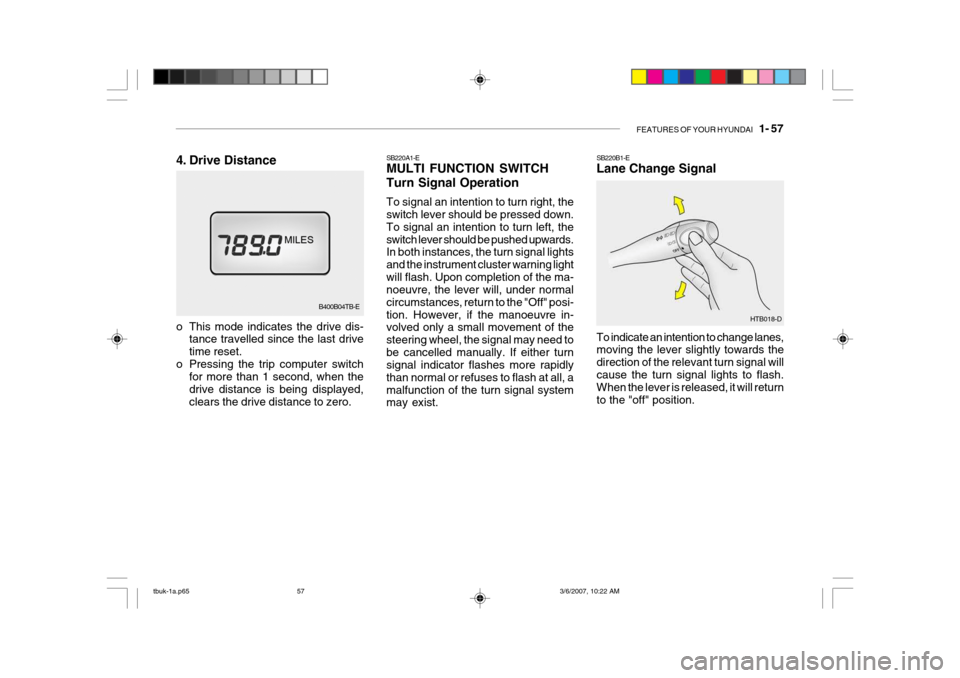
SB220A1-E MULTI FUNCTION SWITCH Turn Signal Operation To signal an intention to turn right, the switch lever should be pressed down. To signal an intention to turn left, theswitch lever should be pushed upwards. In both instances, the turn signal lights and the instrument cluster warning lightwill flash. Upon completion of the ma- noeuvre, the lever will, under normal circumstances, return to the "Off" posi-tion. However, if the manoeuvre in- volved only a small movement of the steering wheel, the signal may need tobe cancelled manually. If either turn signal indicator flashes more rapidly than normal or refuses to flash at all, amalfunction of the turn signal system may exist. SB220B1-E Lane Change Signal To indicate an intention to change lanes, moving the lever slightly towards the direction of the relevant turn signal willcause the turn signal lights to flash. When the lever is released, it will return to the "off" position.
HTB018-D
B400B04TB-E
4. Drive Distance
o This mode indicates the drive dis-
tance travelled since the last drive time reset.
o Pressing the trip computer switch for more than 1 second, when thedrive distance is being displayed,clears the drive distance to zero.
tbuk-1a.p65 3/6/2007, 10:22 AM
57