ECO mode Hyundai Getz 2006 Owner's Guide
[x] Cancel search | Manufacturer: HYUNDAI, Model Year: 2006, Model line: Getz, Model: Hyundai Getz 2006Pages: 455, PDF Size: 11.23 MB
Page 278 of 455
FEATURES OF YOUR HYUNDAI 1- 21
!WARNING:
Sitting in a reclined position or lying down when your vehicle is in motion can be dangerous. Even if you buckleup, your seat belts can't do their job when you're reclined. The shoulder belt can't do its jobbecause it won't be against your body. Instead, it will be in front of you. In a crash you could go into itwith great force, receiving serious neck or other injuries. The lap belt can't do its job either. Ina crash the belt could go up over your abdomen. The belt forces would be applied there, not at your strongpelvic bones. This could cause seri- ous internal injuries. For proper protection when the ve-hicle is in motion, have the seatback upright. Then sit back in the seat and wear your seat belt properly. Seepage 1-22.
B170A01L
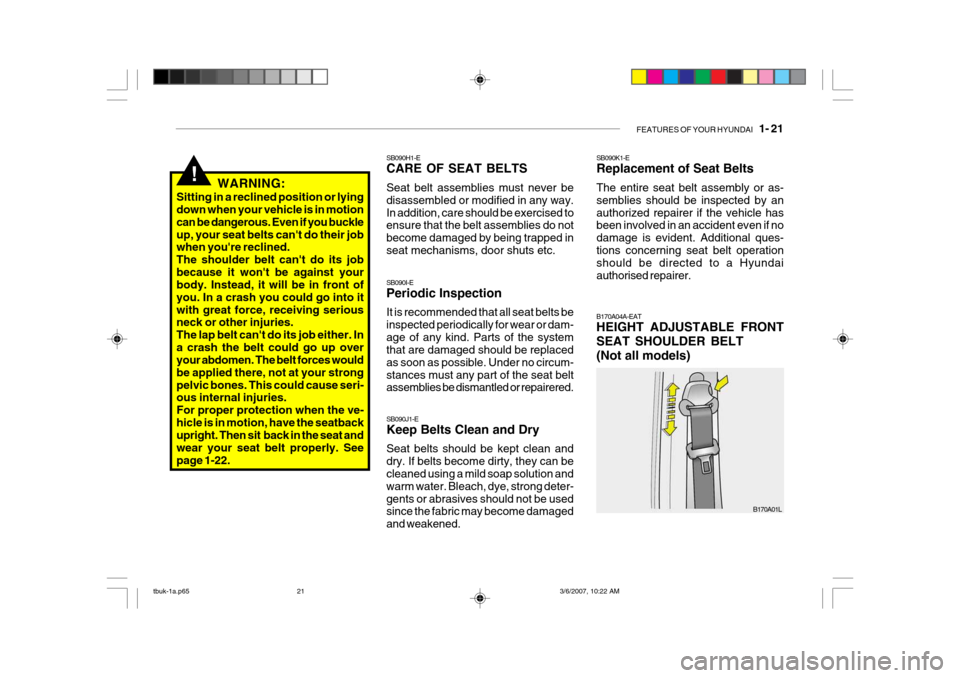
SB090K1-E Replacement of Seat Belts The entire seat belt assembly or as- semblies should be inspected by anauthorized repairer if the vehicle has been involved in an accident even if no damage is evident. Additional ques-tions concerning seat belt operation should be directed to a Hyundai authorised repairer. B170A04A-EAT HEIGHT ADJUSTABLE FRONT SEAT SHOULDER BELT(Not all models)
SB090H1-E CARE OF SEAT BELTS Seat belt assemblies must never be disassembled or modified in any way.In addition, care should be exercised to ensure that the belt assemblies do not become damaged by being trapped inseat mechanisms, door shuts etc. SB090I-E Periodic Inspection It is recommended that all seat belts be inspected periodically for wear or dam-age of any kind. Parts of the system that are damaged should be replaced as soon as possible. Under no circum-stances must any part of the seat belt assemblies be dismantled or repairered. SB090J1-E Keep Belts Clean and Dry Seat belts should be kept clean and dry. If belts become dirty, they can be cleaned using a mild soap solution and warm water. Bleach, dye, strong deter-gents or abrasives should not be used since the fabric may become damaged and weakened.
tbuk-1a.p65
3/6/2007, 10:22 AM
21
Page 304 of 455
FEATURES OF YOUR HYUNDAI 1- 47
!
B260P02Y-EAT
ABS SERVICE REMINDER INDICATOR(SRI) (Not all models)
When the key is turned to the "ON" position, the Anti-Lock Brake System SRI will come on and then go off in aapproimately seconds. If the ABS SRI remains on, comes on while driving, or does not come on when the key isturned to the "ON" position, this indi- cates that there may be a problem with the ABS.If this occurs, have your vehicle checked by your Hyundai authorised repairer as soon as possible. The nor-mal braking system will still be opera- tional, but without the assistance of the anti-lock brake system. SB210E1-E
OVERDRIVE OFF INDI CATORLIGHT(Not all models)
When the overdrive (4th gear) switch is turned off and the operation of overdrive (4th gear) is cancelled, the overdrivewarning light (O/D OFF) will be illumi- nated. When the switch is at the on position, the gearbox will operate in thenormal fully automatic mode and the warning light will be extinguished. B260D01A-AAT
Turn Signal Indicator Lights
The blinking green arrows on the instru- ment panel show the direction indicated by the turn signals. If the arrow comeson but does not blink, blinks more rapidly than normal, or does not illumi- nate at all, a malfunction in the turnsignal system is indicated. Your Hyundai authorised repairerer should be consulted for repairers.
WARNING:
If the both ABS SRI and ParkingBrake/Brake fluid level warning lights remain "ON" or come on while driv- ing, there may be a problem withE.B.D (Electronic brake force distri- bution). If this occurs, avoid sudden stopsand have your vehicle checked by your Hyundai authorised repairer as soon as possible.
SB210J1-E HIGH BEAM INDICATOR LIGHT
The high beam indicator light will illumi- nate whenever the headlights are switched to high beam of flash position.
tbuk-1a.p65 3/6/2007, 10:22 AM
47
Page 308 of 455

FEATURES OF YOUR HYUNDAI 1- 51
B260U01TB-EAT
IMMOBILISER
INDICATOR LIGHT(Not all models)
This indicator light comes on for some seconds after the ignition key is turned to the "ON" position. At this time, youcan start the engine. The light goes out after the engine is running. In case this light goes out before you start the en-gine, you must turn to the "LOCK" position and restart the engine. In case this light blinks for five seconds whenthe ignition key is turned to "ON" posi- tion, this indicates that the immobiliser system is out of order. At this time,consult to the Hyundai authorised re- pairer.B260S01B-GAT DIESEL PRE-HEAT INDICATORLIGHT-AMBER(Diesel Engine)
The indicator light illuminates amber when the ignition switch is placed at the "ON" position. The engine can be started after the pre-heat indicator lightgoes off. The illuminating time varies with the water temperature, air tem- perature and battery condition. NOTE: If the engine were not started 10 seconds after the preheating is com-pleted, turn the ignition key once more to the "LOCK" position, and then to the "ON" position, in orderto preheat again.B265C01LZ-EAT ELECTRONIC STABIL-
ITY PROGRAM INDICA-TOR LIGHTS(NOT ALL MODELS)
The electronic stability program indica- tors change operation according to the ignition switch position and whether the system is in operation or not.They will illuminate when the ignition key is turned to the "ON" position, but should go out after three seconds. If theESP or ESP-OFF indicator stays on, take your car to your Hyundai authorised repairer and have the system checked.See section 2 for more information about the ESP.
tbuk-1a.p65 3/6/2007, 10:22 AM
51
Page 311 of 455
1- 54 FEATURES OF YOUR HYUNDAI
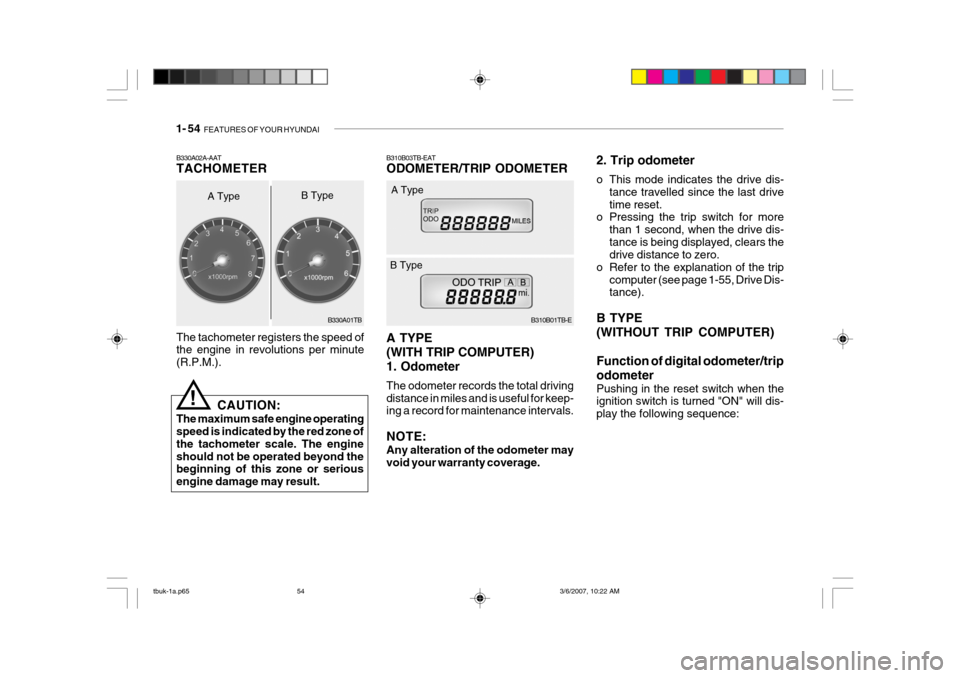
B310B03TB-EAT ODOMETER/TRIP ODOMETER A TYPE (WITH TRIP COMPUTER)1. Odometer The odometer records the total driving distance in miles and is useful for keep- ing a record for maintenance intervals. NOTE: Any alteration of the odometer may void your warranty coverage. B310B01TB-E
A Type
B Type 2. Trip odometer
o This mode indicates the drive dis-
tance travelled since the last drive time reset.
o Pressing the trip switch for more
than 1 second, when the drive dis-tance is being displayed, clears the drive distance to zero.
o Refer to the explanation of the trip computer (see page 1-55, Drive Dis-tance).
B TYPE (WITHOUT TRIP COMPUTER) Function of digital odometer/trip odometer
Pushing in the reset switch when the ignition switch is turned "ON" will dis- play the following sequence:
The tachometer registers the speed of the engine in revolutions per minute (R.P.M.).
B330A02A-AAT TACHOMETER
A Type
!
CAUTION:
The maximum safe engine operating speed is indicated by the red zone of the tachometer scale. The engineshould not be operated beyond the beginning of this zone or serious engine damage may result. B330A01TB
B Type
tbuk-1a.p65
3/6/2007, 10:22 AM
54
Page 312 of 455
FEATURES OF YOUR HYUNDAI 1- 55
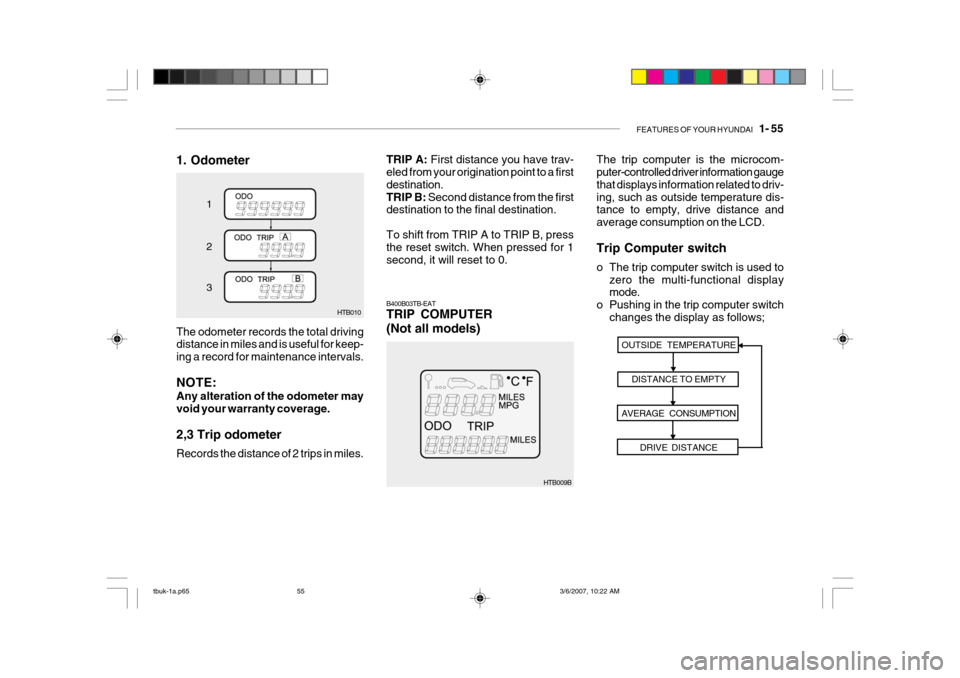
1. Odometer
HTB010
1 2 3
The odometer records the total driving distance in miles and is useful for keep- ing a record for maintenance intervals. NOTE: Any alteration of the odometer may void your warranty coverage. 2,3 Trip odometer Records the distance of 2 trips in miles.
HTB009B The trip computer is the microcom- puter-controlled driver information gauge that displays information related to driv-ing, such as outside temperature dis- tance to empty, drive distance and average consumption on the LCD. Trip Computer switch
o The trip computer switch is used to
zero the multi-functional display mode.
o Pushing in the trip computer switch
changes the display as follows;
B400B03TB-EAT TRIP COMPUTER (Not all models)
OUTSIDE TEMPERATURE
DISTANCE TO EMPTY
AVERAGE CONSUMPTION DRIVE DISTANCE
TRIP A: First distance you have trav-
eled from your origination point to a first destination.TRIP B: Second distance from the first
destination to the final destination. To shift from TRIP A to TRIP B, press the reset switch. When pressed for 1 second, it will reset to 0.
tbuk-1a.p65 3/6/2007, 10:22 AM
55
Page 313 of 455
1- 56 FEATURES OF YOUR HYUNDAI
B400B05TB-E
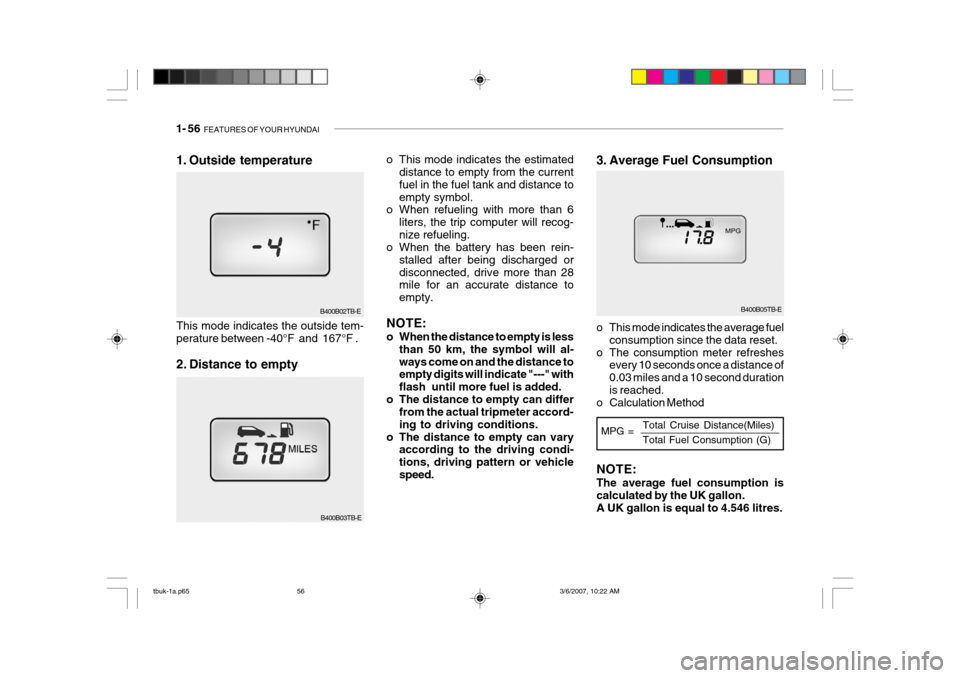
3. Average Fuel Consumption
o This mode indicates the estimated
distance to empty from the current fuel in the fuel tank and distance toempty symbol.
o When refueling with more than 6
liters, the trip computer will recog-nize refueling.
o When the battery has been rein-
stalled after being discharged ordisconnected, drive more than 28 mile for an accurate distance to empty.
NOTE:
o When the distance to empty is less than 50 km, the symbol will al- ways come on and the distance to empty digits will indicate "---" with flash until more fuel is added.
o The distance to empty can differ from the actual tripmeter accord-ing to driving conditions.
o The distance to empty can vary according to the driving condi-tions, driving pattern or vehiclespeed. o This mode indicates the average fuel
consumption since the data reset.
o The consumption meter refreshes every 10 seconds once a distance of0.03 miles and a 10 second durationis reached.
o Calculation Method
B400B03TB-E
1. Outside temperature This mode indicates the outside tem- perature between -40°F and 167°F .
2. Distance to empty
B400B02TB-E
MPG =Total Cruise Distance(Miles) Total Fuel Consumption (G)
NOTE: The average fuel consumption is calculated by the UK gallon. A UK gallon is equal to 4.546 litres.
tbuk-1a.p65
3/6/2007, 10:22 AM
56
Page 314 of 455
FEATURES OF YOUR HYUNDAI 1- 57
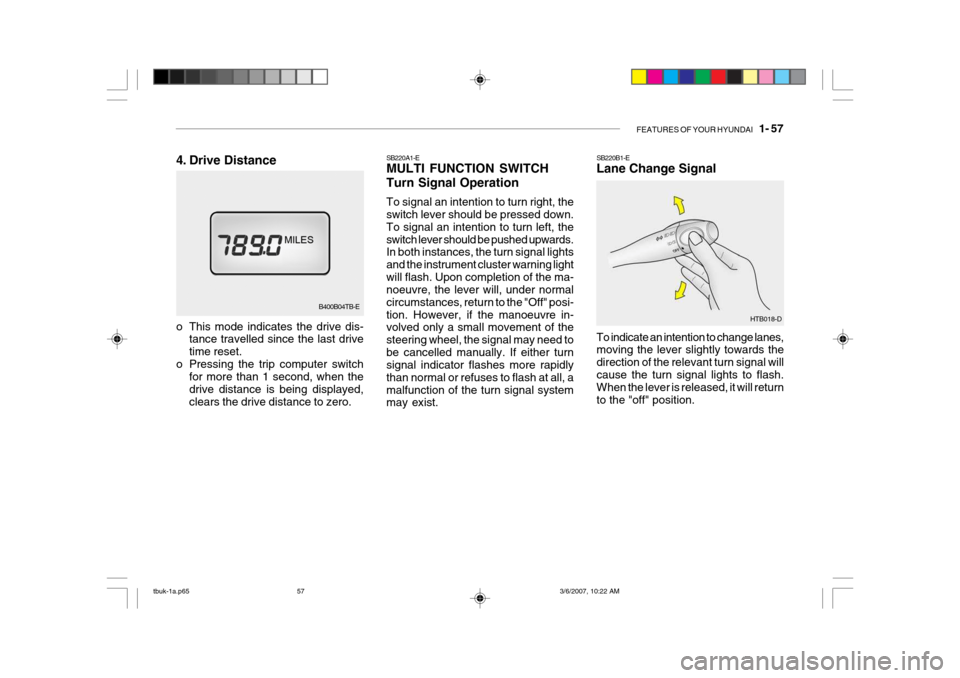
SB220A1-E MULTI FUNCTION SWITCH Turn Signal Operation To signal an intention to turn right, the switch lever should be pressed down. To signal an intention to turn left, theswitch lever should be pushed upwards. In both instances, the turn signal lights and the instrument cluster warning lightwill flash. Upon completion of the ma- noeuvre, the lever will, under normal circumstances, return to the "Off" posi-tion. However, if the manoeuvre in- volved only a small movement of the steering wheel, the signal may need tobe cancelled manually. If either turn signal indicator flashes more rapidly than normal or refuses to flash at all, amalfunction of the turn signal system may exist. SB220B1-E Lane Change Signal To indicate an intention to change lanes, moving the lever slightly towards the direction of the relevant turn signal willcause the turn signal lights to flash. When the lever is released, it will return to the "off" position.
HTB018-D
B400B04TB-E
4. Drive Distance
o This mode indicates the drive dis-
tance travelled since the last drive time reset.
o Pressing the trip computer switch for more than 1 second, when thedrive distance is being displayed,clears the drive distance to zero.
tbuk-1a.p65 3/6/2007, 10:22 AM
57
Page 315 of 455
1- 58 FEATURES OF YOUR HYUNDAI
HTB017-DHTB015-D
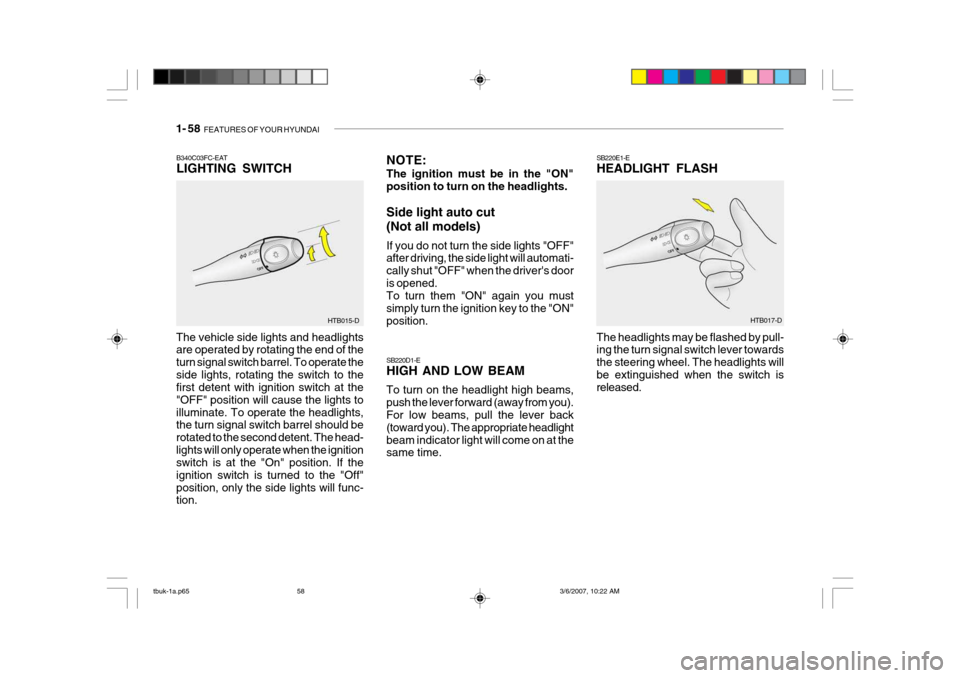
B340C03FC-EAT LIGHTING SWITCH
The vehicle side lights and headlights are operated by rotating the end of the turn signal switch barrel. To operate theside lights, rotating the switch to the first detent with ignition switch at the "OFF" position will cause the lights toilluminate. To operate the headlights, the turn signal switch barrel should be rotated to the second detent. The head-lights will only operate when the ignition switch is at the "On" position. If the ignition switch is turned to the "Off"position, only the side lights will func- tion. NOTE: The ignition must be in the "ON" position to turn on the headlights. Side light auto cut (Not all models) If you do not turn the side lights "OFF" after driving, the side light will automati- cally shut "OFF" when the driver's dooris opened. To turn them "ON" again you must simply turn the ignition key to the "ON"position. SB220D1-E HIGH AND LOW BEAM To turn on the headlight high beams, push the lever forward (away from you). For low beams, pull the lever back (toward you). The appropriate headlightbeam indicator light will come on at the same time.
SB220E1-E HEADLIGHT FLASH The headlights may be flashed by pull- ing the turn signal switch lever towards the steering wheel. The headlights willbe extinguished when the switch is released.
tbuk-1a.p65
3/6/2007, 10:22 AM
58
Page 316 of 455
FEATURES OF YOUR HYUNDAI 1- 59
HTB019A-D
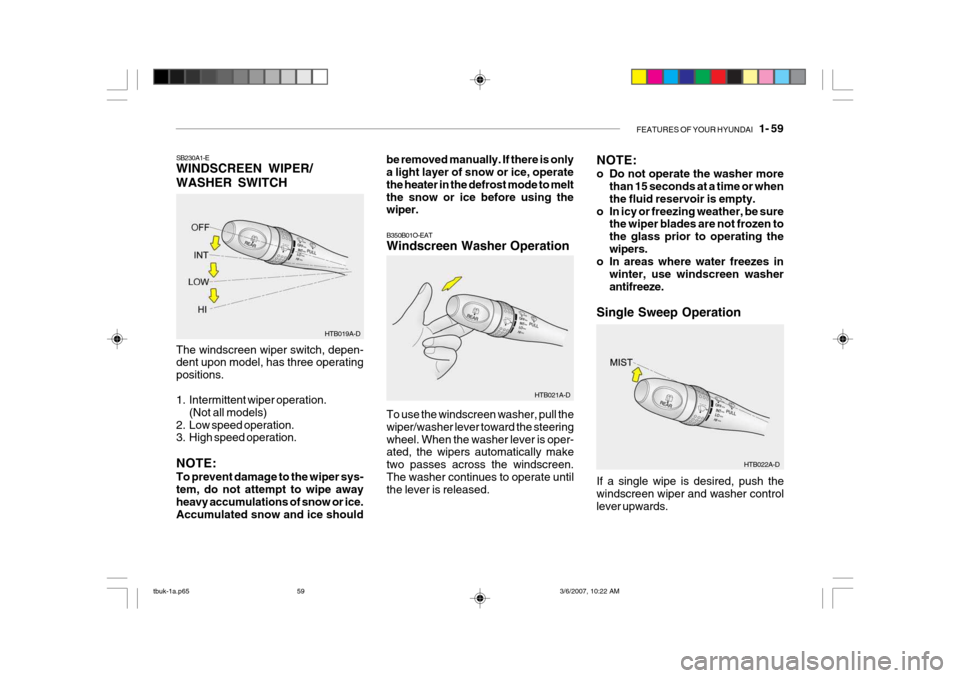
SB230A1-E WINDSCREEN WIPER/ WASHER SWITCH The windscreen wiper switch, depen- dent upon model, has three operating positions.
1. Intermittent wiper operation.
(Not all models)
2. Low speed operation.
3. High speed operation. NOTE: To prevent damage to the wiper sys- tem, do not attempt to wipe away heavy accumulations of snow or ice. Accumulated snow and ice should be removed manually. If there is only a light layer of snow or ice, operate the heater in the defrost mode to meltthe snow or ice before using the wiper.
NOTE:
o Do not operate the washer more
than 15 seconds at a time or when the fluid reservoir is empty.
o In icy or freezing weather, be sure the wiper blades are not frozen tothe glass prior to operating thewipers.
o In areas where water freezes in
winter, use windscreen washerantifreeze.
Single Sweep Operation
HTB022A-D
To use the windscreen washer, pull thewiper/washer lever toward the steeringwheel. When the washer lever is oper- ated, the wipers automatically make two passes across the windscreen.The washer continues to operate until the lever is released.
B350B01O-EAT Windscreen Washer Operation
HTB021A-DIf a single wipe is desired, push the windscreen wiper and washer controllever upwards.
tbuk-1a.p65 3/6/2007, 10:22 AM
59
Page 317 of 455
1- 60 FEATURES OF YOUR HYUNDAI
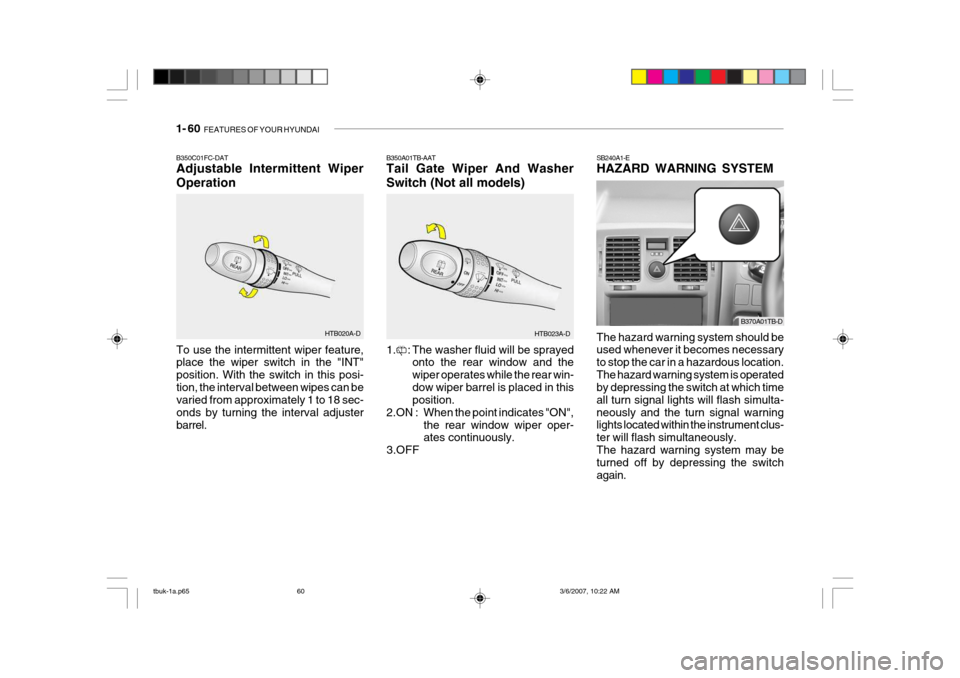
SB240A1-E HAZARD WARNING SYSTEM The hazard warning system should be used whenever it becomes necessary to stop the car in a hazardous location.The hazard warning system is operated by depressing the switch at which time all turn signal lights will flash simulta-neously and the turn signal warning lights located within the instrument clus- ter will flash simultaneously.The hazard warning system may be turned off by depressing the switch again.B350A01TB-AAT Tail Gate Wiper And Washer Switch (Not all models)
HTB023A-D
1. : The washer fluid will be sprayed onto the rear window and the wiper operates while the rear win-dow wiper barrel is placed in this position.
2.ON : When the point indicates "ON",
the rear window wiper oper-ates continuously.
3.OFF
B350C01FC-DAT Adjustable Intermittent Wiper Operation
To use the intermittent wiper feature, place the wiper switch in the "INT" position. With the switch in this posi-tion, the interval between wipes can be varied from approximately 1 to 18 sec- onds by turning the interval adjusterbarrel. HTB020A-D
B370A01TB-D
tbuk-1a.p65
3/6/2007, 10:22 AM
60