ESP Hyundai Getz 2006 Owner's Manual
[x] Cancel search | Manufacturer: HYUNDAI, Model Year: 2006, Model line: Getz, Model: Hyundai Getz 2006Pages: 455, PDF Size: 11.23 MB
Page 2 of 455

OWNER'S MANUAL A030A01TB-GAT Operation MaintenanceSpecifications All information in the Owner's Manual is current at the time of publication. Hyundai reserves the right to make changes at any time as part of our policy of continual product improvement may be carried out. This manual applies to all Hyundai models and includes descriptions and explanations of optional as well as standard equipment. As a result, you may find material in this manual that does not apply to yourspecific vehicle. Please note that some models are equipped with Right-Hand Drive (RHD). The explanations and illustrations for some operations in RHD models are opposite of those written in this manual.A030A01TB
Page 4 of 455

RESPONSIBILITY FOR MAINTENANCE
The maintenance requirements for your new Hyundai are found in Section 5. As the owner, it is your responsibility to see that all maintenance operations specified by themanufacturer are carried out at the appropriate intervals. When the vehicle is used in severe driving conditions, more frequent maintenance is required for some operations. Maintenance requirements for severe operating conditions are also included in Section 5.
A020A01A-AAT
Page 45 of 455
1- 32 FEATURES OF YOUR HYUNDAI
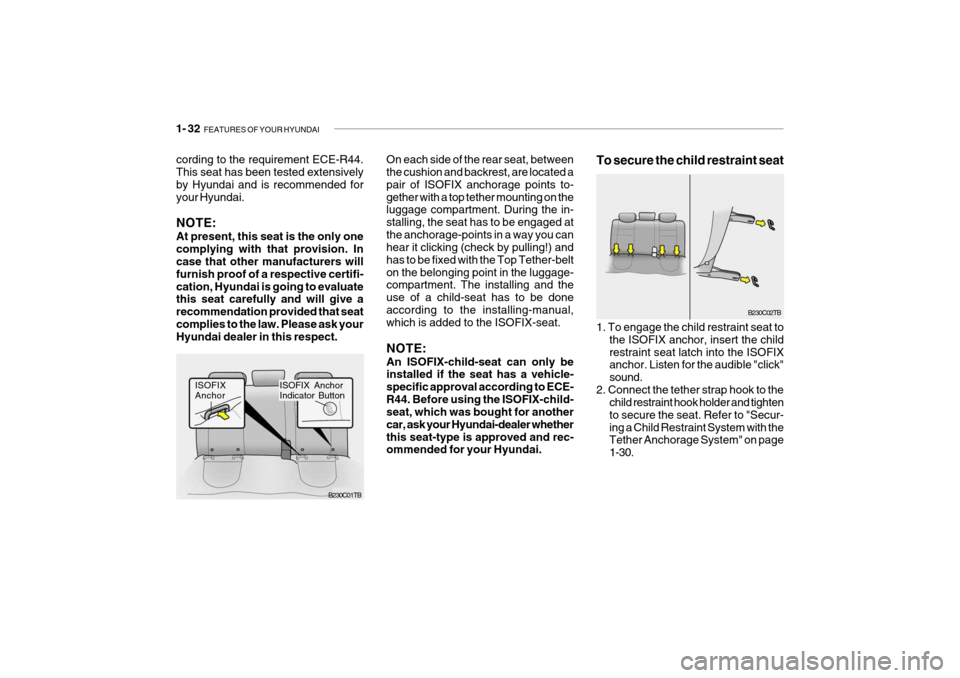
On each side of the rear seat, between the cushion and backrest, are located a pair of ISOFIX anchorage points to-gether with a top tether mounting on the luggage compartment. During the in- stalling, the seat has to be engaged atthe anchorage-points in a way you can hear it clicking (check by pulling!) and has to be fixed with the Top Tether-belton the belonging point in the luggage- compartment. The installing and the use of a child-seat has to be doneaccording to the installing-manual, which is added to the ISOFIX-seat. NOTE: An ISOFIX-child-seat can only be installed if the seat has a vehicle- specific approval according to ECE-R44. Before using the ISOFIX-child- seat, which was bought for another car, ask your Hyundai-dealer whetherthis seat-type is approved and rec- ommended for your Hyundai. B230C02TB
1. To engage the child restraint seat to the ISOFIX anchor, insert the child restraint seat latch into the ISOFIX anchor. Listen for the audible "click" sound.
2. Connect the tether strap hook to the child restraint hook holder and tightento secure the seat. Refer to "Secur-ing a Child Restraint System with the Tether Anchorage System" on page 1-30.
To secure the child restraint seatcording to the requirement ECE-R44. This seat has been tested extensively by Hyundai and is recommended foryour Hyundai. NOTE: At present, this seat is the only one complying with that provision. In case that other manufacturers will furnish proof of a respective certifi-cation, Hyundai is going to evaluate this seat carefully and will give a recommendation provided that seatcomplies to the law. Please ask your Hyundai dealer in this respect.
B230C01TB
ISOFIX Anchor
ISOFIX Anchor Indicator Button
Page 55 of 455
1- 42 FEATURES OF YOUR HYUNDAI
!WARNING:
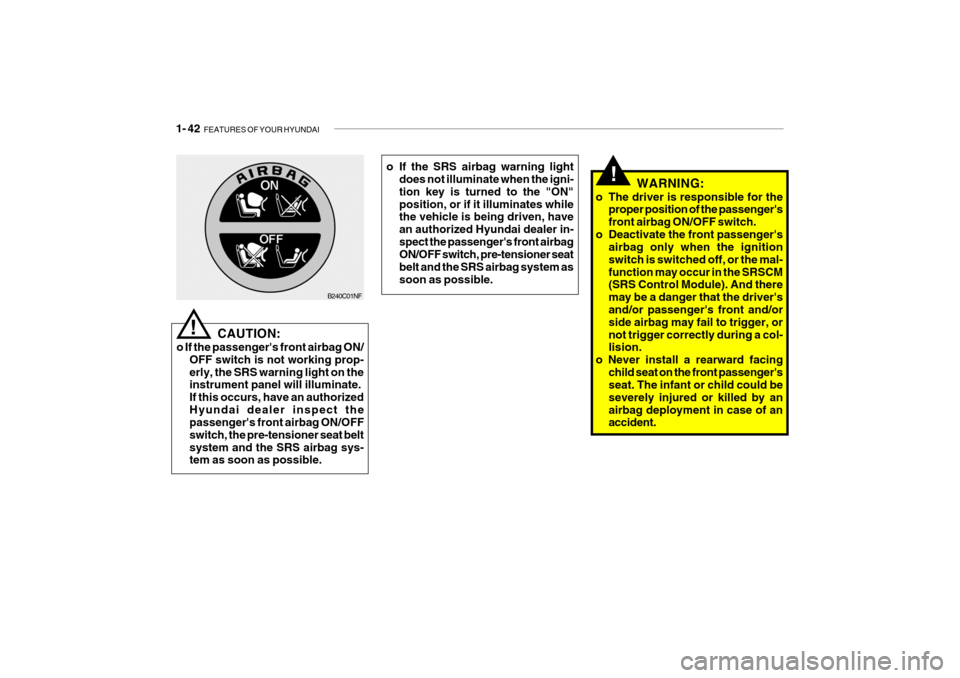
o The driver is responsible for the proper position of the passenger's front airbag ON/OFF switch.
o Deactivate the front passenger's airbag only when the ignitionswitch is switched off, or the mal-function may occur in the SRSCM (SRS Control Module). And there may be a danger that the driver'sand/or passenger's front and/or side airbag may fail to trigger, or not trigger correctly during a col- lision.
o Never install a rearward facing
child seat on the front passenger'sseat. The infant or child could be severely injured or killed by anairbag deployment in case of an accident.
! CAUTION:
o If the passenger's front airbag ON/ OFF switch is not working prop- erly, the SRS warning light on the instrument panel will illuminate. If this occurs, have an authorizedHyundai dealer inspect the passenger's front airbag ON/OFF switch, the pre-tensioner seat beltsystem and the SRS airbag sys- tem as soon as possible.
B240C01NF o If the SRS airbag warning light
does not illuminate when the igni- tion key is turned to the "ON"position, or if it illuminates while the vehicle is being driven, have an authorized Hyundai dealer in-spect the passenger's front airbag ON/OFF switch, pre-tensioner seat belt and the SRS airbag system assoon as possible.
Page 60 of 455

FEATURES OF YOUR HYUNDAI 1- 47
1. Tail Gate Open Warning Light
2. Immobilizer Warning Indicator Light (If installed)
3. Tachometer
4. Turn Signal Indicator Light
5. Automatic Transaxle Position Indicator Light
(If installed)
6. Fuel Gauge
7. Odometer/Trip Odometer
8. Speedometer
9. Electric Power Steering Warning Light (If installed)
10. Malfunction Indicator Light (MIL) (If installed)
11. Diesel Pre-heat Indicator Light (Diesel only)
12. High Beam Indicator Light
13. Engine Coolant Temperature Indicator Light
14. Parking Brake/Brake Fluid Level Warning Light 15. Door Ajar Warning Light
16. Passenger's Front Airbag OFF Indicator Light
(If installed)
17. SRS (Airbag) Warning Light
(If installed)
18. Low Fuel Warning Light
19. Electronic Stability Program (ESP) Indicator Light (If installed)
20. ABS Warning Light (If installed)
21. Fuel Filter Warning Light (Diesel only)
22. Seat Belt Warning Light
23. Oil Pressure Warning Light
24. Charging System Warning Light
25. Overdrive off Indicator Light (Auto T/A only)
Page 62 of 455

FEATURES OF YOUR HYUNDAI 1- 49
1. Tail Gate Open Warning Light
2. Immobilizer Warning Indicator Light (If installed)
3. Tachometer
4. Turn Signal Indicator Light
5. Automatic Transaxle Position Indicator Light
(If installed)
6. Odometer/Trip Odometer
7. Fuel Gauge
8. Trip Computer (If installed)
9. Speedometer
10. Electric Power Steering Warning Light (If installed)
11. Malfunction Indicator Light (MIL) (If installed)
12. Diesel Pre-heat Indicator Light (Diesel only)
13. High Beam Indicator Light 14. Engine Coolant Temperature Indicator Light
15. Parking Brake/Brake Fluid Level Warning Light
16. Door Ajar Warning Light
17. Passenger's Front Airbag OFF Indicator Light
(If installed)
18. SRS (Airbag) Warning Light (If installed)
19. Low Fuel Warning Light
20. Electronic Stability Program (ESP) Indicator Light (If installed)
21. ABS Warning Light (If installed)
22. Fuel Filter Warning Light (Diesel only)
23. Seat Belt Warning Light
24. Oil Pressure Warning Light
25. Charging System Warning Light
26. Overdrive Off Indcator Light (Auto T/A only)
Page 68 of 455

FEATURES OF YOUR HYUNDAI 1- 55
B265C01LZ-AAT
Electronic Stability Program Indicator Lights(If installed)
The electronic stability program indica- tors change operation according to the ignition switch position and whether thesystem is in operation or not. They will illuminate when the ignition key is turned to the "ON" position, butshould go out after three seconds. If the ESP or ESP-OFF indicator stays on, take your car to your authorized Hyundaidealer and have the system checked. See section 2 for more information about the ESP.B260U01TB-GAT Immobilizer Indicator Light (If installed)
This indicator light comes on for some seconds after the ignition key is turned to the "ON" position. At this time, youcan start the engine. The light goes out after the engine is running. In case this light goes out before you start the en-gine, you must turn to the "LOCK" position and restart the engine. In case this light blinks for five seconds whenthe ignition key is turned to "ON" posi- tion, this indicates that the immobilizer system is out of order. At this time,refer to the explanation of the Limp home procedure(See page 1-6) or con- sult to the Hyundai dealer.B260S01B-GAT Diesel Pre-heat Indicator Light-Amber(Diesel Engine)
The indicator light illuminates amber when the ignition switch is placed at the "ON" position. The engine can bestarted after the pre-heat indicator light goes off. The illuminating time varies with the water temperature, air tem-perature and battery condition. NOTE: If the engine were not started 10 seconds after the preheating is com-pleted, turn the ignition key once more to the "LOCK" position, and then to the "ON" position, in orderto preheat again.
Page 87 of 455
1- 74 FEATURES OF YOUR HYUNDAI
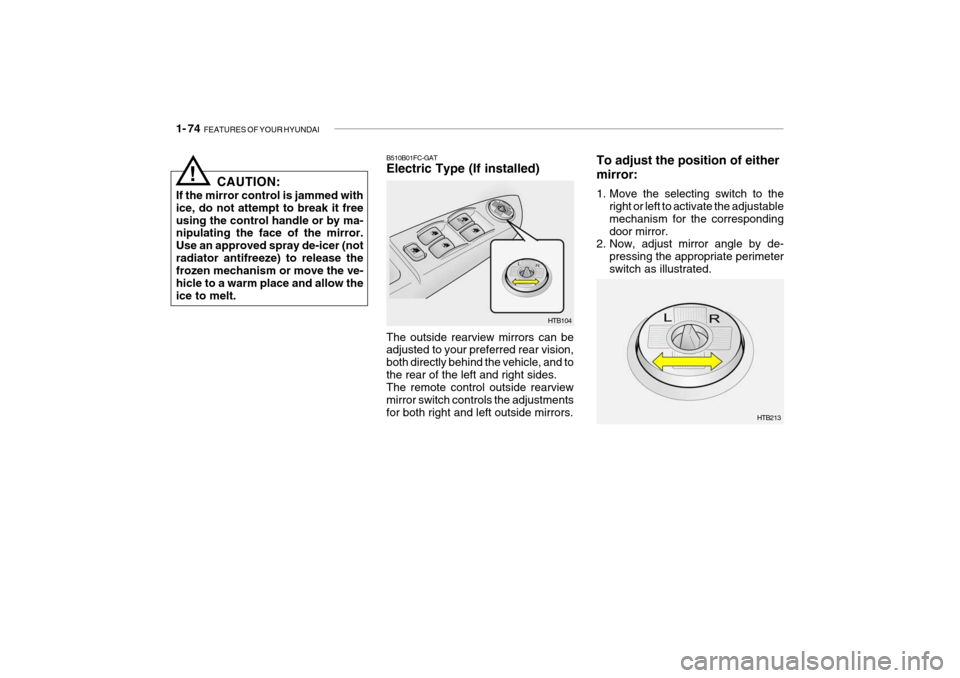
To adjust the position of either mirror:
1. Move the selecting switch to the
right or left to activate the adjustable mechanism for the correspondingdoor mirror.
2. Now, adjust mirror angle by de-
pressing the appropriate perimeterswitch as illustrated.
HTB213
B510B01FC-GAT Electric Type (If installed) The outside rearview mirrors can be adjusted to your preferred rear vision, both directly behind the vehicle, and tothe rear of the left and right sides. The remote control outside rearview mirror switch controls the adjustmentsfor both right and left outside mirrors.
HTB104
CAUTION:
If the mirror control is jammed withice, do not attempt to break it freeusing the control handle or by ma- nipulating the face of the mirror. Use an approved spray de-icer (notradiator antifreeze) to release the frozen mechanism or move the ve- hicle to a warm place and allow theice to melt.
!
Page 121 of 455
1- 108 FEATURES OF YOUR HYUNDAI
!
HMP280B01TB-GAT
1. POWER ON-OFF Control
o The radio unit may be operated when
the ignition key is in the "ACC" or "ON" position. Press the button to switch the power on. The display shows the radio frequency in theradio mode, the tape direction indi- cator in the tape mode or CD ˆ
MP3
track in either the CD ˆ
MP3 mode or
CD AUTO CHANGER mode. Toswitch the power off, press the but- ton again.
o Push the FM ˆ
AM, TAPE or CD ˆ
MP3
to turn on that function without push-ing Power ON ˆ
OFF control knob.
VOLUME Control Rotate the knob clockwise to increase the volume and turn the knob counter-clockwise to reduce the volume.
2. BAND Selector Pressing the band selector FM ˆ
AM
changes the AM, FM1 and FM2 bands. The mode selected is shown on thedisplay. 3. TUNE (Manual) Select Knob Push the TUNE select knob (JOY STICK) upwards or downwards to in-crease or decrease the frequency. Re- lease the knob when the station is selected. SEEK Operation (Automatic Channel Selection) Push the TUNE select knob (JOY STICK) to the right or left, the frequencywill be automatically tuned to the next higher or lower available station.
4. SCAN When the scan button is pressed, the frequency will increase and the receiv-able stations will be tuned in one after another, receiving each station for 5 seconds. To stop scanning, press thescan button again.
5. Best Station Memory (BSM) When the BSM button is pressed the six channels from the highest field in- tensity are selected next and stored in memory. The stations selected arestored in the sequence frequency from the first preset key.
6. PRESET STATION Select
Buttons
Six (6) stations for AM, FM and FM2 respectively can be preset in the elec- tronic memory circuit.
WARNING:
Don't touch the button and joy stickswitch while driving. It can causedeath or serious injury in case of an accident.
Page 134 of 455

2. DRIVING YOUR HYUNDAI
2
Before starting the engine ................................................................ 2-3
Key position ..................................................................................... 2-4Starting ............................................................................................. 2-5
Operating the manual transaxle ....................................................... 2-7
Automatic transaxle ......................................................................... 2-9Good braking practices .................................................................. 2-12
Anti-Lock brake system (ABS) ...................................................... 2-13
Electronic Stability Program (ESP) ................................................ 2-14
Driving for economy ....................................................................... 2-15
Winter Driving ................................................................................. 2-16
Trailer or vehicle towing ............................. .................................... 2-19