ignition Hyundai Getz 2009 Owner's Guide
[x] Cancel search | Manufacturer: HYUNDAI, Model Year: 2009, Model line: Getz, Model: Hyundai Getz 2009Pages: 254, PDF Size: 7.8 MB
Page 68 of 254
1- 56 FEATURES OF YOUR HYUNDAI
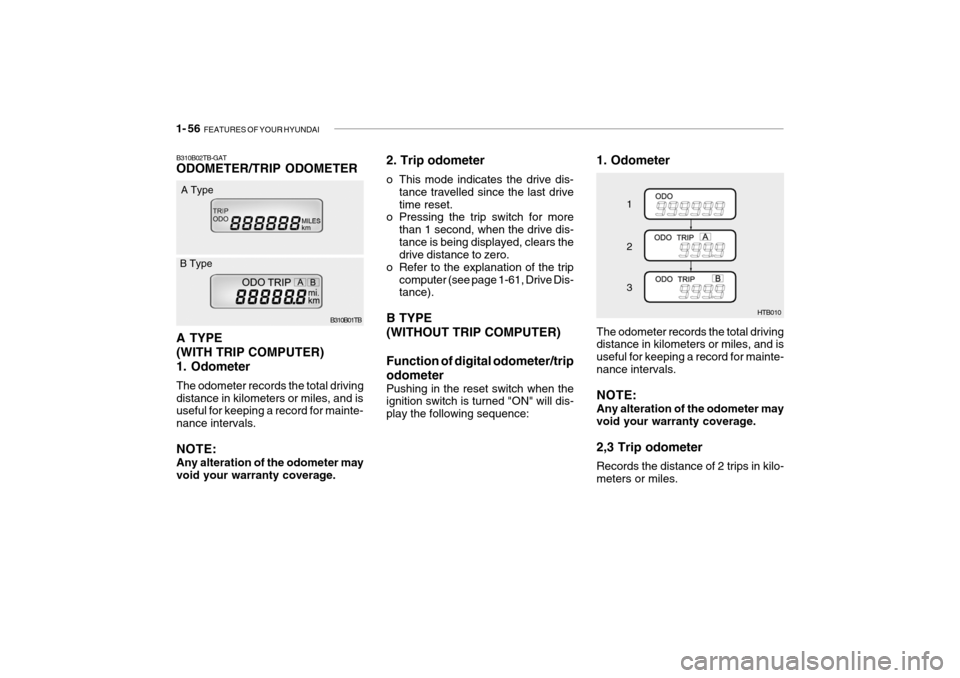
1. Odometer
HTB010
1 2 3
The odometer records the total driving distance in kilometers or miles, and is useful for keeping a record for mainte-nance intervals. NOTE: Any alteration of the odometer may void your warranty coverage. 2,3 Trip odometer Records the distance of 2 trips in kilo- meters or miles.B310B02TB-GAT ODOMETER/TRIP ODOMETER A TYPE (WITH TRIP COMPUTER)1. Odometer The odometer records the total driving distance in kilometers or miles, and is useful for keeping a record for mainte- nance intervals. NOTE: Any alteration of the odometer may void your warranty coverage. B310B01TB
A Type
B Type 2. Trip odometer
o This mode indicates the drive dis-
tance travelled since the last drive time reset.
o Pressing the trip switch for more
than 1 second, when the drive dis-tance is being displayed, clears the drive distance to zero.
o Refer to the explanation of the trip computer (see page 1-61, Drive Dis-tance).
B TYPE (WITHOUT TRIP COMPUTER) Function of digital odometer/trip odometer
Pushing in the reset switch when the ignition switch is turned "ON" will dis- play the following sequence:
Page 71 of 254
FEATURES OF YOUR HYUNDAI 1- 59
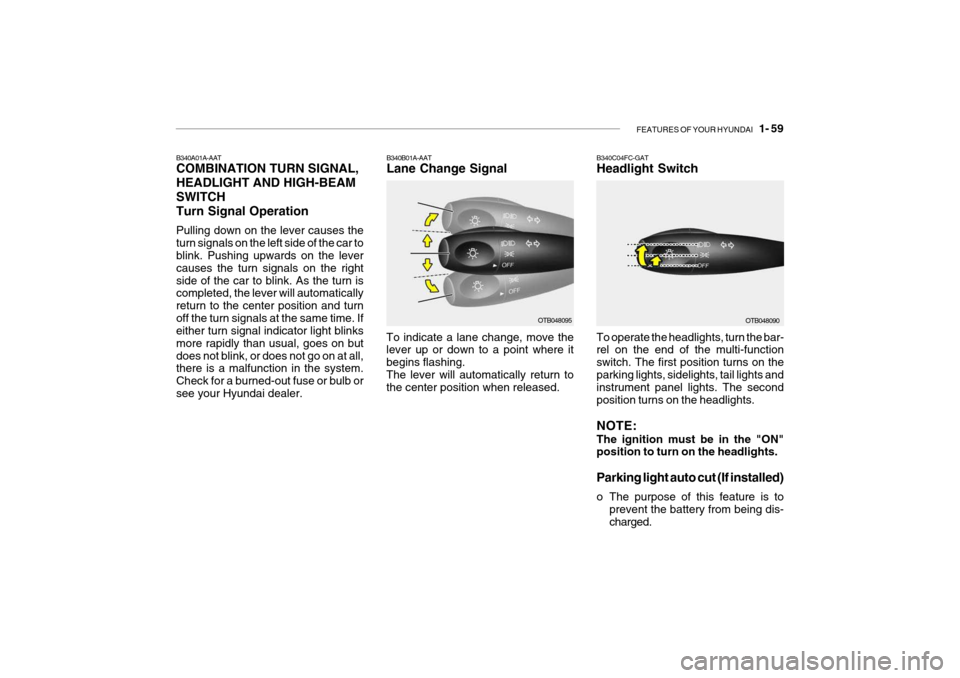
B340A01A-AAT COMBINATION TURN SIGNAL, HEADLIGHT AND HIGH-BEAMSWITCHTurn Signal Operation Pulling down on the lever causes the turn signals on the left side of the car to blink. Pushing upwards on the lever causes the turn signals on the rightside of the car to blink. As the turn is completed, the lever will automatically return to the center position and turnoff the turn signals at the same time. If either turn signal indicator light blinks more rapidly than usual, goes on butdoes not blink, or does not go on at all, there is a malfunction in the system. Check for a burned-out fuse or bulb orsee your Hyundai dealer.
OTB048095
B340B01A-AAT Lane Change Signal
To indicate a lane change, move the lever up or down to a point where it begins flashing.The lever will automatically return to the center position when released.OTB048090
B340C04FC-GAT Headlight Switch To operate the headlights, turn the bar- rel on the end of the multi-function switch. The first position turns on theparking lights, sidelights, tail lights and instrument panel lights. The second position turns on the headlights. NOTE: The ignition must be in the "ON" position to turn on the headlights.
Parking light auto cut (If installed)
o The purpose of this feature is to
prevent the battery from being dis- charged.
Page 72 of 254
1- 60 FEATURES OF YOUR HYUNDAI
OTB048094
B340E01A-AAT Headlight Flasher
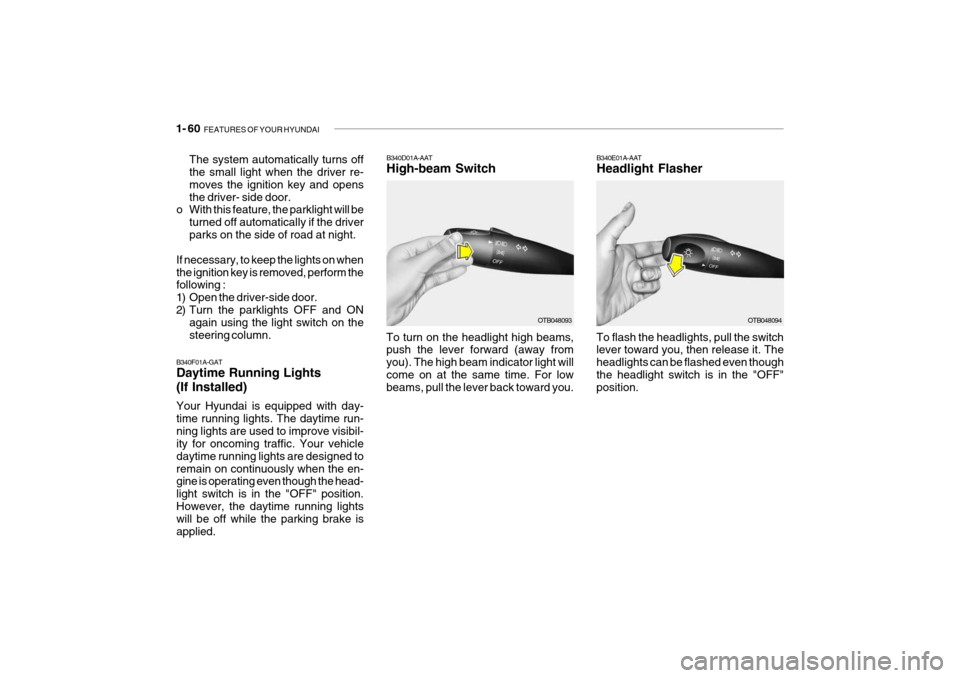
To flash the headlights, pull the switch lever toward you, then release it. The headlights can be flashed even thoughthe headlight switch is in the "OFF" position.
B340D01A-AAT High-beam Switch
B340F01A-GATDaytime Running Lights (If Installed) Your Hyundai is equipped with day- time running lights. The daytime run-ning lights are used to improve visibil- ity for oncoming traffic. Your vehicle daytime running lights are designed toremain on continuously when the en- gine is operating even though the head- light switch is in the "OFF" position.However, the daytime running lights will be off while the parking brake is applied. The system automatically turns off the small light when the driver re- moves the ignition key and opensthe driver- side door.
o With this feature, the parklight will be
turned off automatically if the driverparks on the side of road at night.
If necessary, to keep the lights on whenthe ignition key is removed, perform the following :
1) Open the driver-side door.
2) Turn the parklights OFF and ON again using the light switch on thesteering column. To turn on the headlight high beams, push the lever forward (away from you). The high beam indicator light willcome on at the same time. For low beams, pull the lever back toward you.OTB048093
Page 76 of 254
1- 64 FEATURES OF YOUR HYUNDAI
B380A01HP-AAT REAR WINDOW DEFROSTER SWITCH The rear window defroster is turned on by pushing in on the switch. To turn thedefroster off, push in on the switch a second time. The rear window de- froster automatically turns itself off af-ter about 20 minutes. To restart the defroster cycle, push in on the switch again after it has turned itself off. HTB039B370A01A-AAT HAZARD WARNING SYSTEM The hazard warning system should be used whenever you find it necessary to stop the car in a hazardous location.When you must make such an emer- gency stop, always pull off the road as far as possible.The hazard warning lights are turned on by pushing in on the hazard switch. This causes all turn signal lights toblink. The hazard warning lights will operate even though the key is not in the ignition.To turn the hazard warning lights off, push in on the switch a second time.
HTB2031
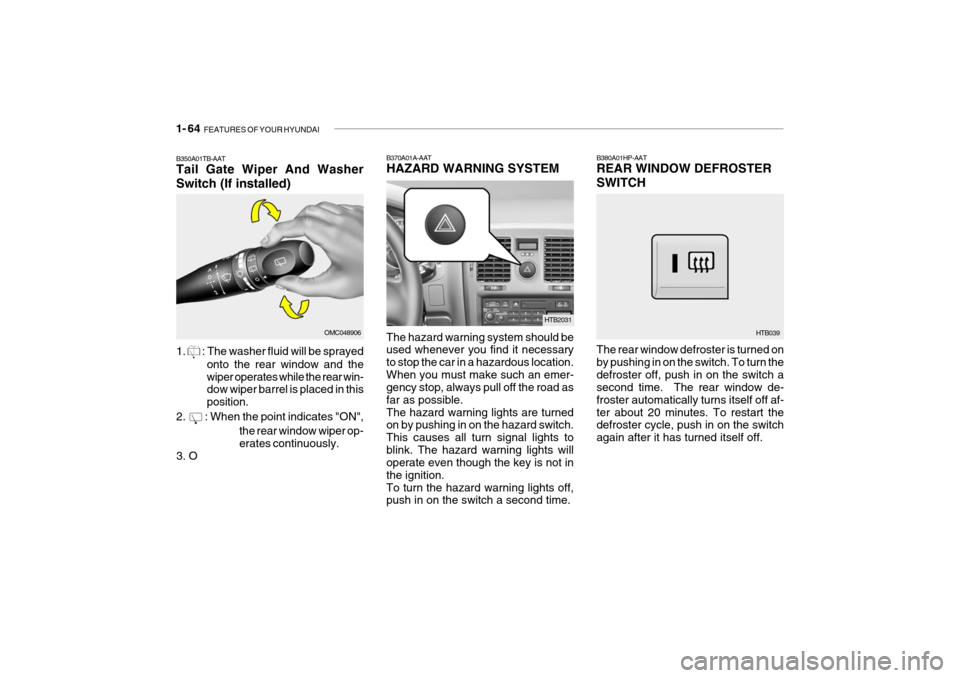
B350A01TB-AAT Tail Gate Wiper And Washer Switch (If installed)
1.
: The washer fluid will be sprayed onto the rear window and the wiper operates while the rear win- dow wiper barrel is placed in this position.
2.
: When the point indicates "ON", the rear window wiper op- erates continuously.
3. O
OMC048906
Page 81 of 254
FEATURES OF YOUR HYUNDAI 1- 69
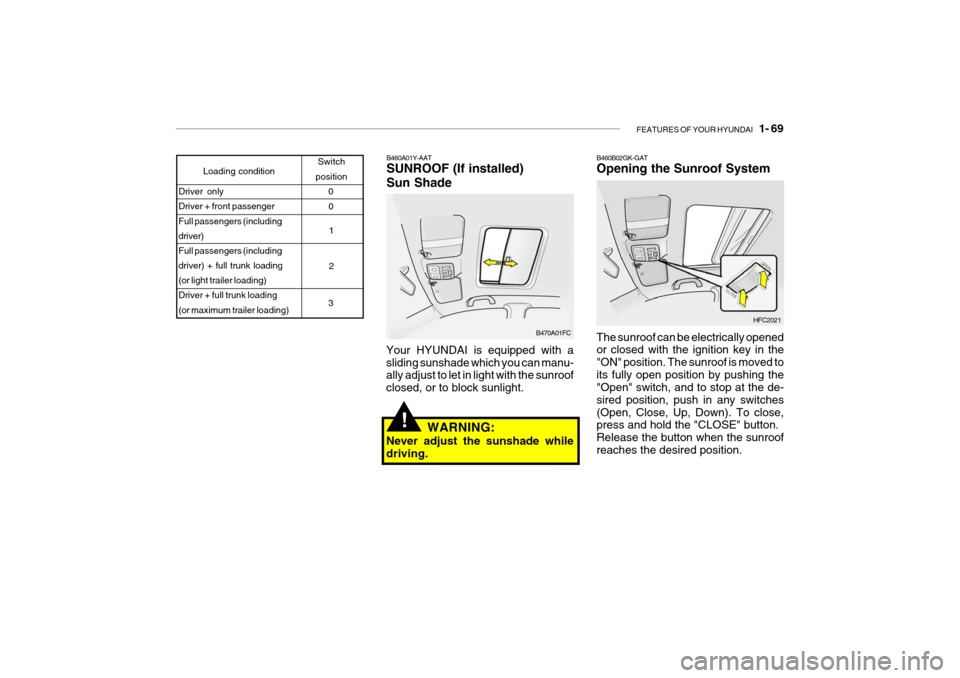
B460A01Y-AAT SUNROOF (If installed) Sun Shade
Your HYUNDAI is equipped with a sliding sunshade which you can manu- ally adjust to let in light with the sunroof closed, or to block sunlight.
Loading condition Switch
position
Driver only Driver + front passenger Full passengers (including driver)Full passengers (including driver) + full trunk loading (or light trailer loading)Driver + full trunk loading (or maximum trailer loading) 0
1 2
3 0
B470A01FC
WARNING:
Never adjust the sunshade while driving.!
B460B02GK-GAT Opening the Sunroof System The sunroof can be electrically opened or closed with the ignition key in the "ON" position. The sunroof is moved toits fully open position by pushing the "Open" switch, and to stop at the de- sired position, push in any switches(Open, Close, Up, Down). To close, press and hold the "CLOSE" button. Release the button when the sunroofreaches the desired position. HFC2021
Page 83 of 254
FEATURES OF YOUR HYUNDAI 1- 71
B460E02TB-GAT Resetting the Sunroof System If the battery has been recharged, dis- connected, if the sunroof operation is stopped by that ignition key is turned tothe "OFF" position while it is moving, you may need to reset the sunroof. To do this;
1. Turn the ignition switch "OFF".
2. With pressing "open" "up" button at
the same time, turn the ignition switch "ON".
3. If the sunroof is set like this, the sunroof is reset with tilting up/downautomatically once for all.
! CAUTION:
If the sunroof is not reset, it may not be operated properly.
With Sunroof
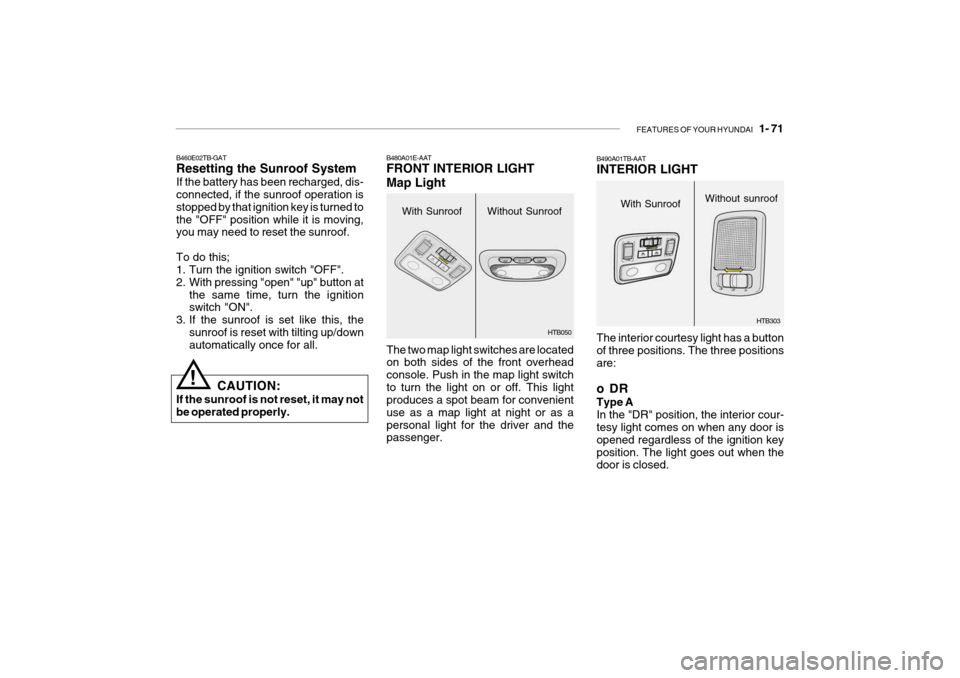
B480A01E-AAT FRONT INTERIOR LIGHT Map Light
The two map light switches are located on both sides of the front overhead console. Push in the map light switchto turn the light on or off. This light produces a spot beam for convenient use as a map light at night or as apersonal light for the driver and the passenger.Without Sunroof HTB050
The interior courtesy light has a button of three positions. The three positionsare:
oDR Type A In the "DR" position, the interior cour- tesy light comes on when any door is opened regardless of the ignition keyposition. The light goes out when the door is closed.
B490A01TB-AAT INTERIOR LIGHT
HTB303
With Sunroof
Without sunroof
Page 84 of 254
1- 72 FEATURES OF YOUR HYUNDAI
WARNING:
Do not keep objects such as sharp or unsuitable things inside the spec- tacle case. Such objects can bethrown out in the event of a sudden stop or an accident, possibly injur- ing the passengers in the vehicle.!
HTB102
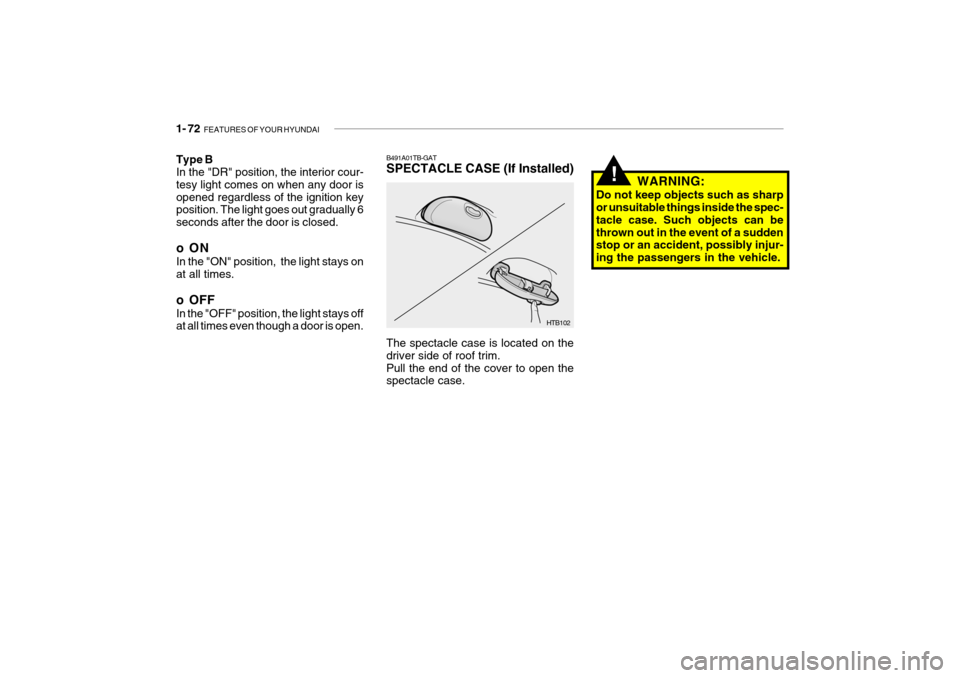
B491A01TB-GAT SPECTACLE CASE (If Installed) The spectacle case is located on the driver side of roof trim.Pull the end of the cover to open the spectacle case.
Type B In the "DR" position, the interior cour- tesy light comes on when any door isopened regardless of the ignition key position. The light goes out gradually 6 seconds after the door is closed.
oON In the "ON" position, the light stays on at all times.
o OFF In the "OFF" position, the light stays off at all times even though a door is open.
Page 110 of 254

1- 98 FEATURES OF YOUR HYUNDAI
5. TUNE Press the button not more than 1 second then frequency is increased.Likewise press the button not more than 1 second to decrease the fre- quency.
o SEEK Press the button for over 1 second, then it will tune to the next receivablehigher frequency station. Likewise, press the button for over 1 second then it will tune to the next receivablelower frequency station.If the selected station is in the preset memory, memo- rized channel will be on the display too. 6. FM/AM Button FM/AM band button, which is used to change the band repeatedly in follow- ing manner. FM1 FM2 AM FM1
(FM1 FM2 M L FM1 : Europe)
K210B01TB-GAT 1. POWER ON/OFF, VOLUME Rotate the Power switch clockwise to turn on the audio when the ignitionswitch is at ACC or ON position. Once the system is on, you can increase or decrease the volume by rotating theknob clockwise or counter-clockwise.
o BALANCE Further pull the volume button and rotate clockwise to emphasize right sound speaker. Or rotate counter-clockwise to empha-size left sound speaker.
o SCAN Button When this button is pressed, the fre- quency will be increased to be tuned to the next receivable station one afteranother, receiving each station for 5 seconds. if the desirable station is tuned, press this button (scan) againto cancel scan function.
2. BASS/TREBLE-pull Press this button to pop up. Rotate the knob clockwise to increase the Bassand rotate to counter-clockwise to de- crease the Bass. Further pull the button and rotate clock-wise to increase the Treble. Or rotate counter-clockwise to de- crease the Treble. After adjustmentpress the button. 3. PRESET ( 1 ~ 6 ) Press any of these buttons not more than 2 seconds to listen to the station in memory. Press the preset button for 2 seconds or more, then the currentstation will be stored into the memory of the preset button. 4. LCD LCD shows the following information; band of FM1/FM2/AM/(L)/(M) fre-quency, preset channel number, ST in case of FM Stereo.
Page 115 of 254

FEATURES OF YOUR HYUNDAI 1- 103
K240B01TB-GAT 1. POWER ON/OFF, VOLUME Press this button to turn on/off the audio when the ignition switch is atACC or ON position. Once the system is on, you can increase or decrease the volume by rotating the knob clock-wise or counter-clockwise. Press this
button again to turn it off. 2. TUNE Press the button not more than 0.5 second then frequency is increased. Likewise press the button not morethan 0.5 second to decrease the fre- quency. With the button held down for 0.5 secor more, the beep sound will be heard and frequency will increase or decrease rapidly. if you release the button afterthe beep sound, seek function is in operation. o SEEK Press the button for over 0.5 second and release the button after beep sound,then it will tune to the next receivable higher frequency station. Likewise, press the button for over 0.5 secondand release the button after the beep sound, then it will tune to the next receivable lower frequency station. ifthe selected station is in the preset memory, memorized channel will be on the display too. 3. PRESET Press any of these buttons not more than 2 seconds to listen to the stationin memory. Press the preset button for 2 seconds or more, then the current station will be stored into the memoryof the preset button with the sound.
4. SCAN Button When this button is pressed, the fre- quency will be increased to be tuned tothe next receivable station one after another, receiving each station for 5 seconds. if the desirable station istuned, press this button (scan) again to cancel scan function. 5. BASS/BAL- pull Press to pop the knob out, To increase the bass, rotate the knob clockwise, while to decrease the Bass, rotate theknob counterclockwise. Further pull the popped-ed knob for the balance control. Rotate the knob clockwise toemphasize right speaker sound. (Left speaker sound will be attenuated) When the control knob is turnedcounter-clockwise, left speaker sound will be emphasized. (Right speaker will be attenuated)
Page 118 of 254

1- 106 FEATURES OF YOUR HYUNDAI
K240D01TB-GAT 1. Tape mode and side selection Button Press this button to play the tape when it is in the cassette deck. Once the tape mode is selected, you can play thereverse side of the tape by merely depressing the button again. 2. Cassette tape loading slot Insert the tape into the loading slot as the open side faces the right. Theplayer will pull the tape in and auto- matically begin playback even when the audio power is off and the ignitionswitch is either in the position of "ACC"or "ON". 3. Tape Eject Button ( ) Press this button to eject the cassette tape. Tape will be ejected even when the ignition switch is in the position of"OFF". 4. LCD LCD shows the operating conditions of the cassette in play. It informs the driver of playing status, tape direction, FF or REW, MTL in metallic tape use, and Dolby etc. 5. Dolby Button When you play the Dolby recorded tape, press this button to reduce thebackground noise. If you press this button is displayed. One more press will let the disappear from the dis-play. 6. AMS-REW Button ( ) Press button to rewind the tape quickly and start replay at the beginning of the current music. During the AMS-RE- WINDING. "REW" sign blinks on thedisplay. Press the button once more to stop REWINDING and start play again. 7. Rewind button ( ) You can rewind the tape to the begin- ning of the tape by pressing the " "
button during the play ("REW" is shown on the display). Tape play starts whenthe " " button is pressed again during the REW mode.
8. AMS-FF Button ( ) Press button to fast forward the tape and start play at the beginning of nextmusic segment. During the AMS-FF, "FF"sign blinks on the display. Press the button again to stop FFaction and start play. 9. Fast Forward Button ( ) You can fast forward the tape to the end of the tape by pressing the " "button during the play. (Then "FF" is shown on the display). Tape play starts when the button is pressed againduring the FF mode.
!
CAUTION:
o Do not insert anything like coins into the player slot as damage to the unit may occur.
o Do not place beverages close to the audio system. The playbackmechanism may be damaged if you spill them.
o Do not impact on the audio sys- tem, or the playback mechanismcould be damaged.