remote control Hyundai Grand Santa Fe 2014 User Guide
[x] Cancel search | Manufacturer: HYUNDAI, Model Year: 2014, Model line: Grand Santa Fe, Model: Hyundai Grand Santa Fe 2014Pages: 718, PDF Size: 13.5 MB
Page 410 of 718
4313
Features of your vehicle
Bluetooth® Wireless Technology
(for Bluetooth®Wireless
Technologyequipped model)
Pairing a
Bluetooth®Wireless
Technology wireless technolo-
gy Device
What is
Bluetooth®Wireless
Technology Pairing?
Pairing refers to the process of syn-
chronizing your
Bluetooth®Wireless
Technology phone or device with the
car audio system for connection.
Pairing is necessary to connect and
use the
Bluetooth®Wireless
Technology feature.
Pairing Key / Key
on the Steering Remote
Controller
When No Devices have been
Paired
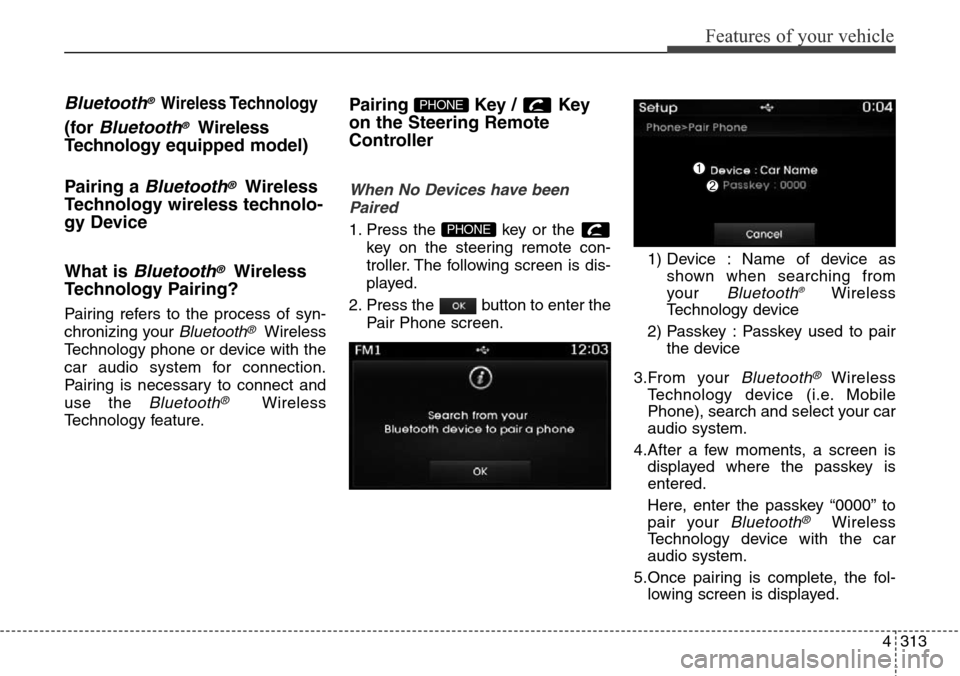
1. Press the key or the
key on the steering remote con-
troller. The following screen is dis-
played.
2. Press the button to enter the
Pair Phone screen.1) Device : Name of device as
shown when searching from
your
Bluetooth®Wireless
Technology device
2) Passkey : Passkey used to pair
the device
3.From your
Bluetooth®Wireless
Technology device (i.e. Mobile
Phone), search and select your car
audio system.
4.After a few moments, a screen is
displayed where the passkey is
entered.
Here, enter the passkey “0000” to
pair your
Bluetooth®Wireless
Technology device with the car
audio system.
5.Once pairing is complete, the fol-
lowing screen is displayed.
PHONE
PHONE
Page 411 of 718
Features of your vehicle
314 4
✽NOTICE
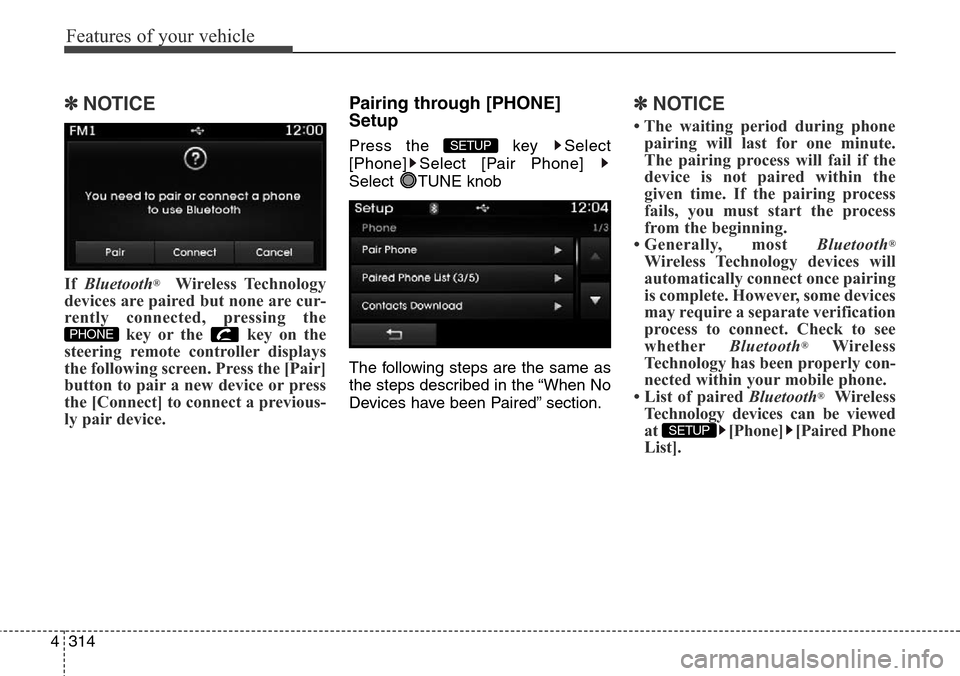
If Bluetooth®Wireless Technology
devices are paired but none are cur-
rently connected, pressing the
key or the key on the
steering remote controller displays
the following screen. Press the [Pair]
button to pair a new device or press
the [Connect] to connect a previous-
ly pair device.
Pairing through [PHONE]
Setup
Press the key Select
[Phone] Select [Pair Phone]
Select TUNE knob
The following steps are the same as
the steps described in the “When No
Devices have been Paired” section.
✽NOTICE
• The waiting period during phone
pairing will last for one minute.
The pairing process will fail if the
device is not paired within the
given time. If the pairing process
fails, you must start the process
from the beginning.
• Generally, most Bluetooth
®
Wireless Technology devices will
automatically connect once pairing
is complete. However, some devices
may require a separate verification
process to connect. Check to see
whetherBluetooth
®Wireless
Technology has been properly con-
nected within your mobile phone.
• List of paired Bluetooth
®Wireless
Technology devices can be viewed
at [Phone] [Paired Phone
List].
SETUP
SETUP
PHONE
Page 419 of 718
Features of your vehicle
322 4
VOICE RECOGNITION
(if equipped)
Using Voice Recognition
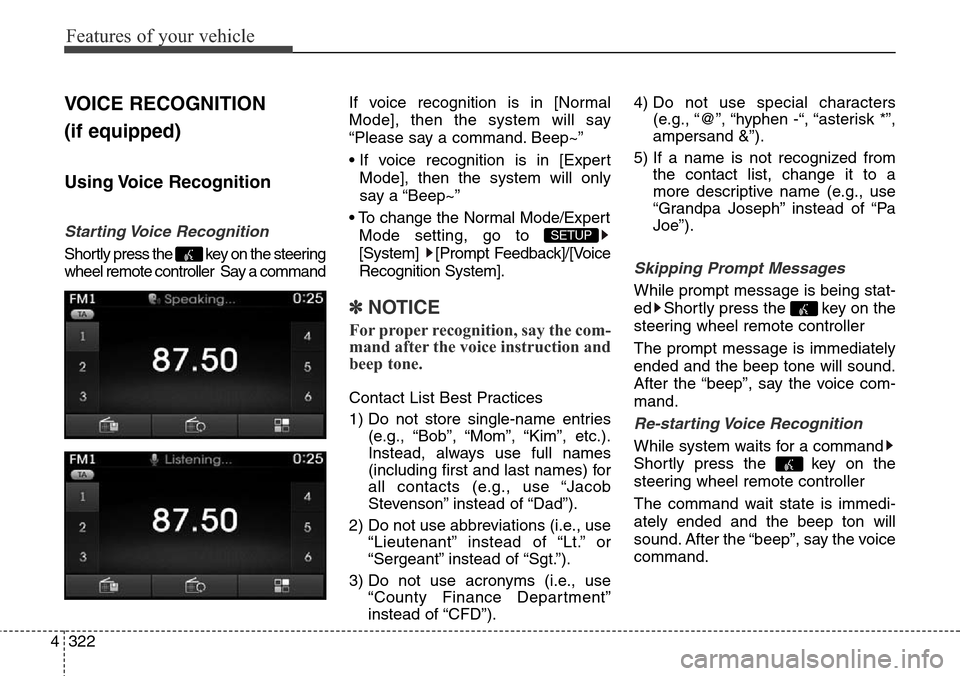
Starting Voice Recognition
Shortly press the key on the steering
wheel remote controller Say a commandIf voice recognition is in [Normal
Mode], then the system will say
“Please say a command. Beep~”
• If voice recognition is in [Expert
Mode], then the system will only
say a “Beep~”
• To change the Normal Mode/Expert
Mode setting, go to
[System] [Prompt Feedback]/[Voice
Recognition System].
✽NOTICE
For proper recognition, say the com-
mand after the voice instruction and
beep tone.
Contact List Best Practices
1) Do not store single-name entries
(e.g., “Bob”, “Mom”, “Kim”, etc.).
Instead, always use full names
(including first and last names) for
all contacts (e.g., use “Jacob
Stevenson” instead of “Dad”).
2) Do not use abbreviations (i.e., use
“Lieutenant” instead of “Lt.” or
“Sergeant” instead of “Sgt.”).
3) Do not use acronyms (i.e., use
“County Finance Department”
instead of “CFD”).4) Do not use special characters
(e.g., “@”, “hyphen -“, “asterisk *”,
ampersand &”).
5) If a name is not recognized from
the contact list, change it to a
more descriptive name (e.g., use
“Grandpa Joseph” instead of “Pa
Joe”).
Skipping Prompt Messages
While prompt message is being stat-
ed Shortly press the key on the
steering wheel remote controller
The prompt message is immediately
ended and the beep tone will sound.
After the “beep”, say the voice com-
mand.
Re-starting Voice Recognition
While system waits for a command
Shortly press the key on the
steering wheel remote controller
The command wait state is immedi-
ately ended and the beep ton will
sound. After the “beep”, say the voice
command.
SETUP
Page 420 of 718
4323
Features of your vehicle
ENDING VOICE
RECOGNITION
While Voice Recognition is operating
Press and hold the key on the
steering wheel remote controller
✽NOTICE
• While using voice command,
pressing a steering wheel remote
control or a different key will end
voice command.
• When the system is waiting for a
voice command, say “cancel” or
“end” to end voice command.
• When the system is waiting for a
voice command, press and hold
the key on the steering wheel
remote controller to end voice
command.