change time Hyundai Grandeur 2002 Owner's Manual
[x] Cancel search | Manufacturer: HYUNDAI, Model Year: 2002, Model line: Grandeur, Model: Hyundai Grandeur 2002Pages: 230, PDF Size: 3.82 MB
Page 2 of 230
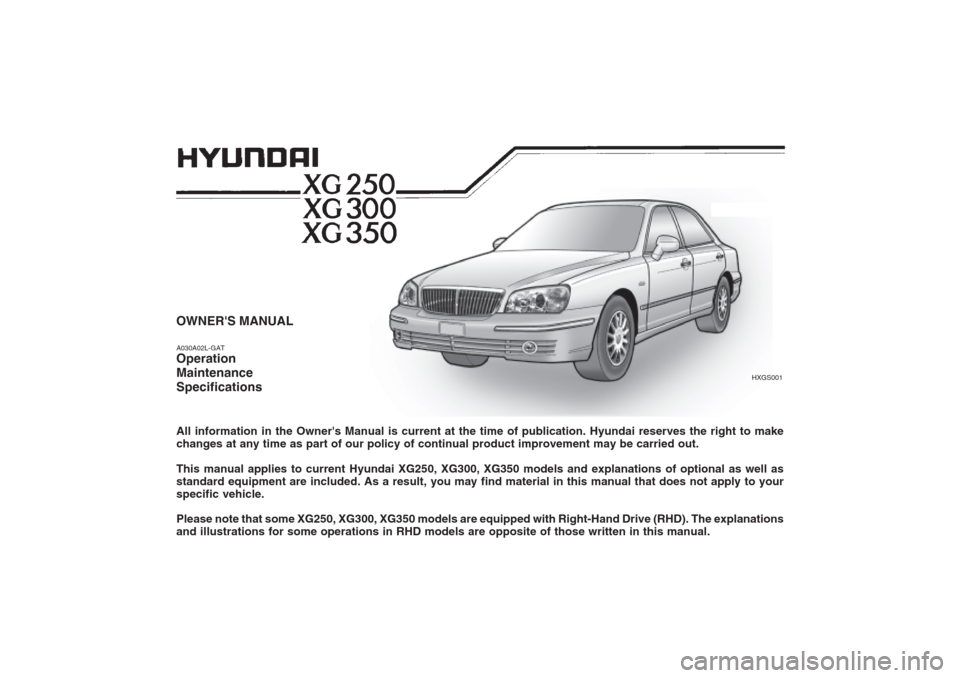
OWNER'S MANUAL A030A02L-GAT Operation MaintenanceSpecifications All information in the Owner's Manual is current at the time of publication. Hyundai reserves the right to make changes at any time as part of our policy of continual product improvement may be carried out. This manual applies to current Hyundai XG250, XG300, XG350 models and explanations of optional as well as standard equipment are included. As a result, you may find material in this manual that does not apply to yourspecific vehicle. Please note that some XG250, XG300, XG350 models are equipped with Right-Hand Drive (RHD). The explanations and illustrations for some operations in RHD models are opposite of those written in this manual.
HXGS001
Page 61 of 230
1- 48 FEATURES OF YOUR HYUNDAI
To turn on the rear fog lights, push the switch. They will come on when theheadlight switch is in the second posi-tion and the key is in the "ON" position.
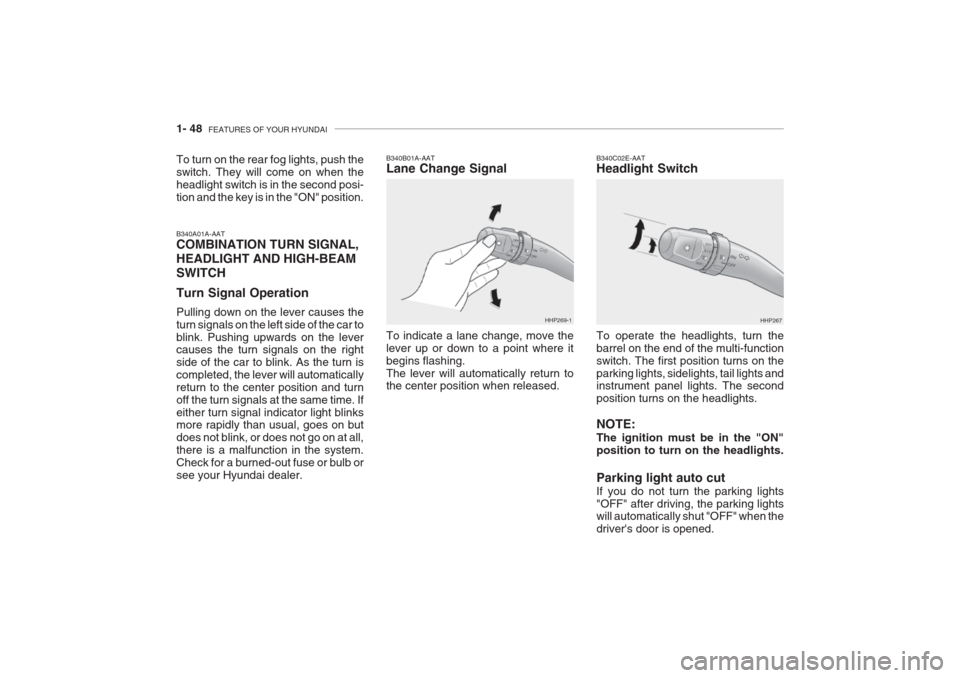
B340A01A-AAT COMBINATION TURN SIGNAL, HEADLIGHT AND HIGH-BEAMSWITCH Turn Signal Operation Pulling down on the lever causes the turn signals on the left side of the car toblink. Pushing upwards on the lever causes the turn signals on the right side of the car to blink. As the turn iscompleted, the lever will automaticallyreturn to the center position and turnoff the turn signals at the same time. Ifeither turn signal indicator light blinks more rapidly than usual, goes on but does not blink, or does not go on at all,there is a malfunction in the system.Check for a burned-out fuse or bulb orsee your Hyundai dealer. B340B01A-AAT Lane Change Signal To indicate a lane change, move the lever up or down to a point where itbegins flashing.The lever will automatically return to the center position when released.
HHP269-1
B340C02E-AAT Headlight Switch To operate the headlights, turn the barrel on the end of the multi-functionswitch. The first position turns on the
parking lights, sidelights, tail lights and instrument panel lights. The second position turns on the headlights. NOTE: The ignition must be in the "ON" position to turn on the headlights. Parking light auto cut If you do not turn the parking lights "OFF" after driving, the parking lights will automatically shut "OFF" when the driver's door is opened. HHP267
Page 66 of 230
FEATURES OF YOUR HYUNDAI 1- 53
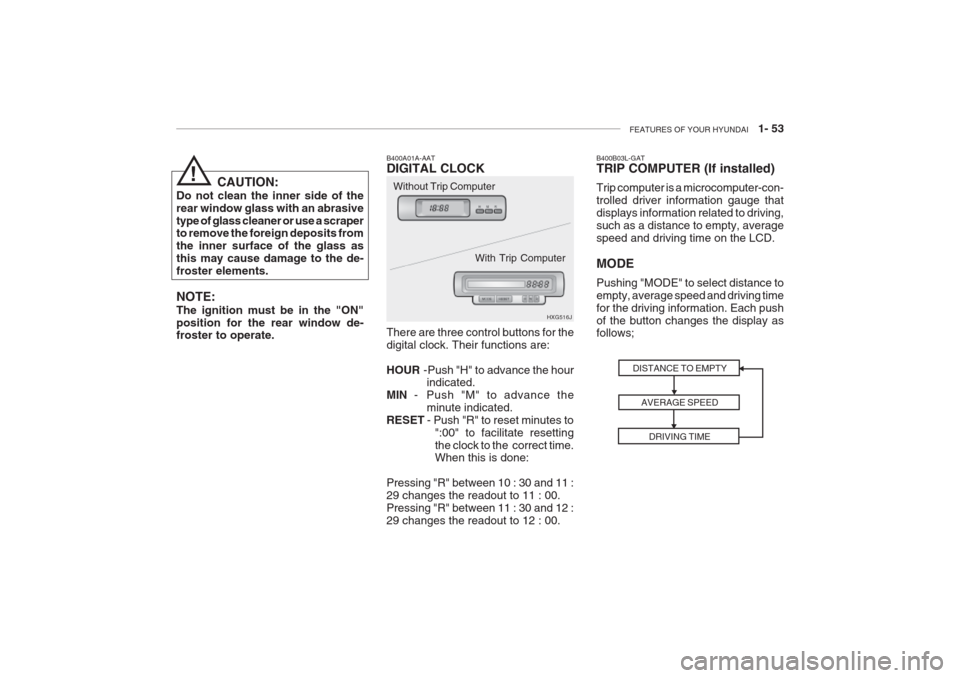
B400A01A-AAT DIGITAL CLOCK There are three control buttons for the digital clock. Their functions are: HOUR -Push "H" to advance the hour
indicated.
MIN - Push "M" to advance the
minute indicated.
RESET - Push "R" to reset minutes to
":00" to facilitate resetting the clock to the correct time. When this is done:
Pressing "R" between 10 : 30 and 11 : 29 changes the readout to 11 : 00.Pressing "R" between 11 : 30 and 12 :29 changes the readout to 12 : 00. HXG516J
CAUTION:
Do not clean the inner side of therear window glass with an abrasivetype of glass cleaner or use a scraper to remove the foreign deposits from the inner surface of the glass asthis may cause damage to the de-froster elements. NOTE: The ignition must be in the "ON" position for the rear window de- froster to operate. Without Trip Computer
With Trip Computer
!
DISTANCE TO EMPTYAVERAGE SPEEDDRIVING TIME
B400B03L-GAT TRIP COMPUTER (If installed) Trip computer is a microcomputer-con- trolled driver information gauge thatdisplays information related to driving,such as a distance to empty, averagespeed and driving time on the LCD. MODE Pushing "MODE" to select distance to empty, average speed and driving timefor the driving information. Each pushof the button changes the display as follows;
Page 112 of 230
FEATURES OF YOUR HYUNDAI 1- 99
B940F01L-GAT CD auto changer connected with au- dio system is located in the left side ofthe trunk.
o To use the CD auto changer
1. Open the sliding lid of the CD auto
changer.
2. To eject the compact disc maga- zine, press the EJECT button lo- cated in the CD auto changer.
3. Insert the discs into the magazine.
4. Push the megazine into the CD auto
changer and close the sliding lid.
o The CD auto changer can be used when the ignition switch is in either "ON" or "ACC" position.
1. CDCHG Button When the CD changer have discs in- serted in the magazine, if you pressthe CDCHG button, the CD changercan be used even if the radio or cas- sette player is being used. The Hyundai CD changer can hold up to eight discs.The disc number will be lit, and thetrack number, and elapsed time will bedisplayed. 2. FF/REW While the disc is playing, if you hold down the FF button continuously, the track number is increased and vice versa. 3. TRACK UP/DOWN
o The desired track on the disc cur-
rently being played can be selected using the track number.
o Press once to skip forward to the
beginning of the next track.
o Press once to skip back to the beginning of the track.
4. DISC Select Button To select the CD you want, push "DISC +" or "DISC-" to change the disc num-ber.
5. SCAN (If installed)
o Press the SCAN button to playback the first 10 seconds of each track.
o Press the SCAN button again within
10 seconds for the desired track. 6. REPEAT
o To repeat the music you are listen-
ing to, press the RPT button. To cancel , press again.
o If you do not release RPT operation
after all the tracks are played back, the unit will play back again from thefirst track.
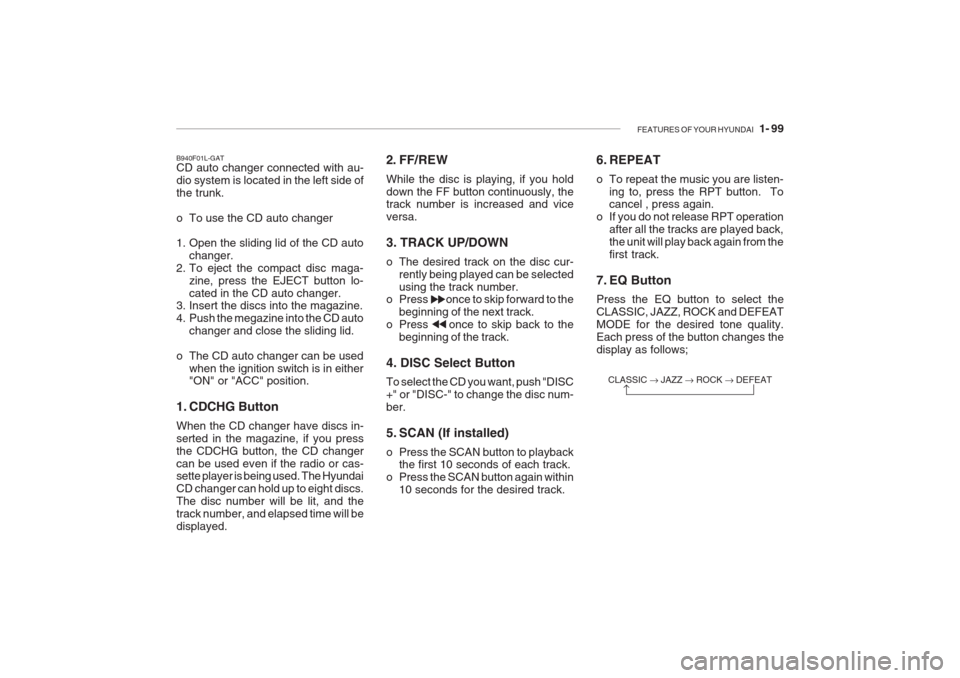
7. EQ Button Press the EQ button to select the CLASSIC, JAZZ, ROCK and DEFEATMODE for the desired tone quality.Each press of the button changes thedisplay as follows;
CLASSIC JAZZ ROCK DEFEAT
Page 123 of 230
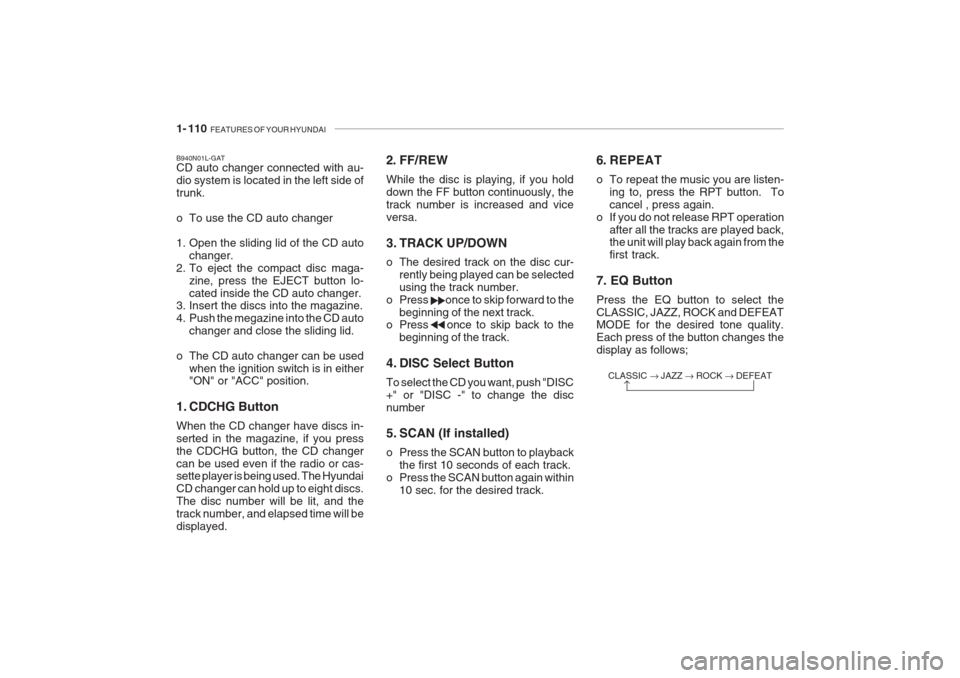
1- 110 FEATURES OF YOUR HYUNDAI
2. FF/REW While the disc is playing, if you hold down the FF button continuously, thetrack number is increased and viceversa.
3. TRACK UP/DOWN
o The desired track on the disc cur-
rently being played can be selected using the track number.
o Press once to skip forward to the beginning of the next track.
o Press once to skip back to the
beginning of the track.
4. DISC Select Button To select the CD you want, push "DISC +" or "DISC -" to change the discnumber
5. SCAN (If installed)
o Press the SCAN button to playback the first 10 seconds of each track.
o Press the SCAN button again within 10 sec. for the desired track. CLASSIC
JAZZ ROCK DEFEAT
B940N01L-GAT CD auto changer connected with au- dio system is located in the left side oftrunk.
o To use the CD auto changer
1. Open the sliding lid of the CD auto
changer.
2. To eject the compact disc maga- zine, press the EJECT button lo- cated inside the CD auto changer.
3. Insert the discs into the magazine.
4. Push the megazine into the CD auto
changer and close the sliding lid.
o The CD auto changer can be used when the ignition switch is in either "ON" or "ACC" position.
1. CDCHG Button When the CD changer have discs in- serted in the magazine, if you pressthe CDCHG button, the CD changercan be used even if the radio or cas- sette player is being used. The Hyundai CD changer can hold up to eight discs.The disc number will be lit, and thetrack number, and elapsed time will bedisplayed. 6. REPEAT
o To repeat the music you are listen-
ing to, press the RPT button. To cancel , press again.
o If you do not release RPT operation
after all the tracks are played back, the unit will play back again from the first track.
7. EQ Button Press the EQ button to select the CLASSIC, JAZZ, ROCK and DEFEAT MODE for the desired tone quality. Each press of the button changes thedisplay as follows;
Page 131 of 230
2- 2 DRIVING YOUR HYUNDAI
C010A01A-AAT
WARNING: ENGINE EXHAUST CAN BE DANGEROUS!
Engine exhaust fumes can be extremely dangerous. If, at any time, you smell exhaust fumes inside the vehicle, open the windows immediately. o Do not inhale exhaust fumes. Exhaust fumes contain carbon monoxide, a colorless, odorless gas that can cause unconsciousness and death by asphyxiation. o Be sure the exhaust system does not leak. The exhaust system should be checked whenever the vehicle is raised to change the oil or for any other purpose. If you hear a change in the sound of the exhaust or if you drive over something that strikes the underneath side of the car, have the exhaust system checked as soon as possible by your Hyundai dealer. o Do not run the engine in an enclosed area. Letting the engine idle in your garage, even with the garage door open, is a hazardous practice. Never run theengine in your garage any longer than it takes to start the engine and back the car out. o Avoid idling the engine for prolonged periods with people inside the car. If it is necessary to idle the engine for a prolonged period with people inside the car, be sure to do so only in an open area with the air intake set at "Fresh" and the fan operating at one of the higher speeds so fresh airis drawn into the interior. If you must drive with the trunk open because you are carrying objects that make this necessary:1. Close all windows. 2. Open side vents. 3. Set the air intake control at "Fresh", the air flow control at "Floor" or "Face" and the fan at one of the higher speeds.
To assure proper operation of the ventilation system, be sure the ventilation air intakes located just in front of the windshield are kept clear of snow, ice, leaves or other obstructions.!
Page 136 of 230
DRIVING YOUR HYUNDAI 2- 7
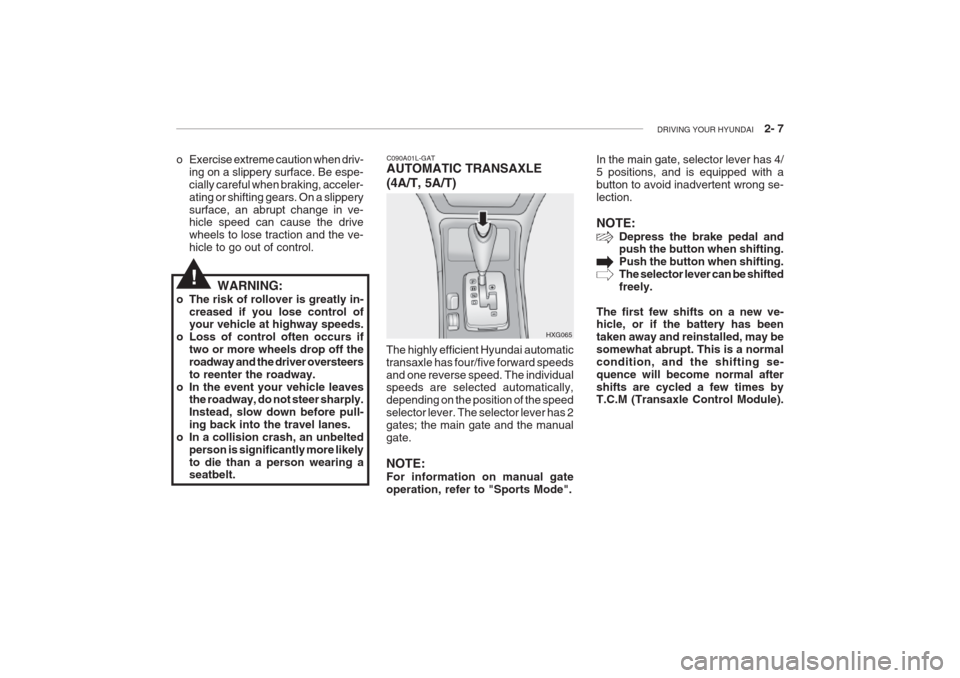
C090A01L-GAT AUTOMATIC TRANSAXLE (4A/T, 5A/T)
HXG065In the main gate, selector lever has 4/ 5 positions, and is equipped with abutton to avoid inadvertent wrong se-lection. NOTE:
Depress the brake pedal and push the button when shifting. Push the button when shifting.The selector lever can be shiftedfreely.
The first few shifts on a new ve- hicle, or if the battery has been taken away and reinstalled, may besomewhat abrupt. This is a normalcondition, and the shifting se-quence will become normal aftershifts are cycled a few times by T.C.M (Transaxle Control Module).o Exercise extreme caution when driv- ing on a slippery surface. Be espe- cially careful when braking, acceler-ating or shifting gears. On a slipperysurface, an abrupt change in ve- hicle speed can cause the drive wheels to lose traction and the ve-hicle to go out of control.
WARNING:
o The risk of rollover is greatly in- creased if you lose control of your vehicle at highway speeds.
o Loss of control often occurs if two or more wheels drop off the roadway and the driver oversteersto reenter the roadway.
o In the event your vehicle leaves the roadway, do not steer sharply.Instead, slow down before pull-ing back into the travel lanes.
o In a collision crash, an unbelted person is significantly more likelyto die than a person wearing a seatbelt. The highly efficient Hyundai automatic transaxle has four/five forward speedsand one reverse speed. The individual speeds are selected automatically, depending on the position of the speedselector lever. The selector lever has 2gates; the main gate and the manualgate.
NOTE: For information on manual gate operation, refer to "Sports Mode".
!
Page 150 of 230
DRIVING YOUR HYUNDAI 2- 21
14.When going down a hill, shift into a
lower gear and use the engine brak- ing effect.When ascending a long grade,downshift the transaxle to a lower gear and reduce speed to reduce chances of engine overloading and/or overheating.
15.If you have to stop while going uphill, do not hold the vehicle inplace by pressing on the accelera- tor. This can cause the automatic transaxle to overheat. Use the park-ing brake or footbrake.
NOTE: When towing, check transaxle fluid more frequently.
CAUTION:
If overheating should occur whentowing, (temperature gauge readsnear red zone), taking the followingaction may reduce or eliminate theproblem.
get out of the other vehicle's airturbulence.
8. When parking your car and trailer,
especially on a hill, be sure to followall the normal precautions. Turn your front wheel into the curb, set the parking brake firmly, and putthe transaxle in 1st or Reverse(manual) or Park (automatic). Inaddition, place wheel chocks ateach of the trailer's tires.
9. If the trailer has electric brakes,
start your vehicle and trailer mov-ing, and then apply the trailer brakecontroller by hand to be sure thebrakes are working. This lets youcheck your electrical connection at the same time.
10.During your trip, check occasion- ally to be sure that the load is secure, and that the lights and anytrailer brakes are still working.
11.Avoid jerky starts, sudden accel- eration or sudden stops.
12.Avoid sharp turns and rapid lane changes.
13.Avoid holding the brake pedal down too long or too frequently. This couldcause the brakes to overheat, re- sulting in reduced braking efficien- cy. 1. Turn off the air conditioner.
2. Reduce highway speed.
3. Select a lower gear when going
uphill.
4. While in stop and go traffic, place the gear selector in park or neutraland idle the engine at a higher speed.
!
Page 197 of 230
6- 20 DO-IT-YOURSELF MAINTENANCE
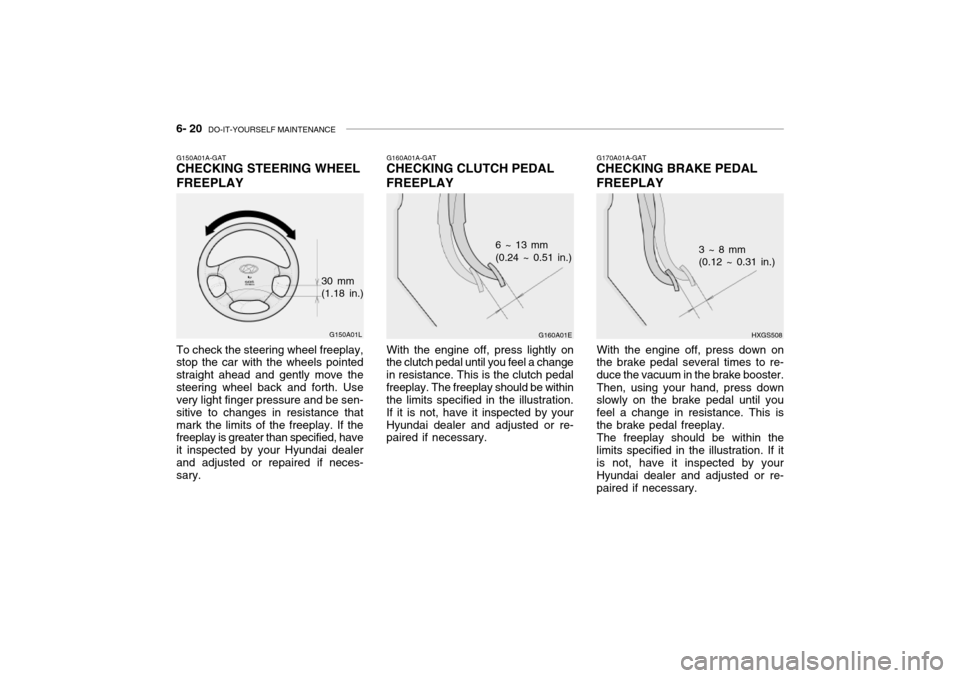
G170A01A-GAT
CHECKING BRAKE PEDAL FREEPLAY
HXGS508
3 ~ 8 mm (0.12 ~ 0.31 in.)
With the engine off, press down on
the brake pedal several times to re- duce the vacuum in the brake booster.
Then, using your hand, press down
slowly on the brake pedal until youfeel a change in resistance. This isthe brake pedal freeplay.
The freeplay should be within the
limits specified in the illustration. If it is not, have it inspected by your Hyundai dealer and adjusted or re-paired if necessary.G160A01A-GAT
CHECKING CLUTCH PEDAL FREEPLAY
G160A01E
6 ~ 13 mm (0.24 ~ 0.51 in.)
With the engine off, press lightly on
the clutch pedal until you feel a change in resistance. This is the clutch pedalfreeplay. The freeplay should be within the limits specified in the illustration. If it is not, have it inspected by yourHyundai dealer and adjusted or re- paired if necessary.G150A01A-GAT CHECKING STEERING WHEEL FREEPLAY
G150A01L
To check the steering wheel freeplay, stop the car with the wheels pointed straight ahead and gently move thesteering wheel back and forth. Use very light finger pressure and be sen- sitive to changes in resistance thatmark the limits of the freeplay. If the freeplay is greater than specified, have it inspected by your Hyundai dealerand adjusted or repaired if neces- sary. 30 mm(1.18 in.)