steering wheel Hyundai H-1 (Grand Starex) 2009 - RHD (UK, Australia) User Guide
[x] Cancel search | Manufacturer: HYUNDAI, Model Year: 2009, Model line: H-1 (Grand Starex), Model: Hyundai H-1 (Grand Starex) 2009Pages: 303, PDF Size: 31.48 MB
Page 87 of 303
Features of your vehicle
26
4
D130100AEN-UK
Power steering
Power steering uses energy from the
engine to assist you in steering the vehi-
cle. If the engine is off or if the power
steering system becomes inoperative,
the vehicle may still be steered, but it will
require increased steering effort.
Should you notice any change in the
effort required to steer during normal
vehicle operation, have the power steer-
ing checked by a HYUNDAI authorised
repairer.✽✽
NOTICE
If the power steering drive belt breaks
or if the power steering pump malfunc-
tions, the steering effort will greatly
increase.
✽
✽ NOTICE
If the vehicle is parked for extended
periods outside in cold weather (below -
10°C/14°F), the power steering may
require increased effort when the engine
is first started. This is caused by
increased fluid viscosity due to the cold
weather and does not indicate a mal-function.
When this happens, increase the engine
RPM by depressing accelerator until the
RPM reaches 1,500 rpm then release or
let the engine idle for two or three min-utes to warm up the fluid.
D130300AUN-UK
Adjustable steering column
The adjustable steering column permits
adjustment of the rake of the steering
wheel for the convenience of the driver.
The position of the steering wheel should
be adjusted for maximum comfort and
control whilst permitting a clear view of
the instrument panel.
STEERING WHEEL
CAUTION
Never hold the steering wheel
against a stop (extreme right or left
turn) for more than 5 seconds withthe engine running. Holding thesteering wheel for more than 5 sec- onds in either position may cause
damage to the power steeringpump.
WARNING
Never adjust the angle of the steering wheel whilst driving. You
may lose steering control and
cause severe personal injury,death or accidents.
After adjusting, push the steering wheel both up and down to be
certain it is locked in position.
Page 88 of 303
427
Features of your vehicle
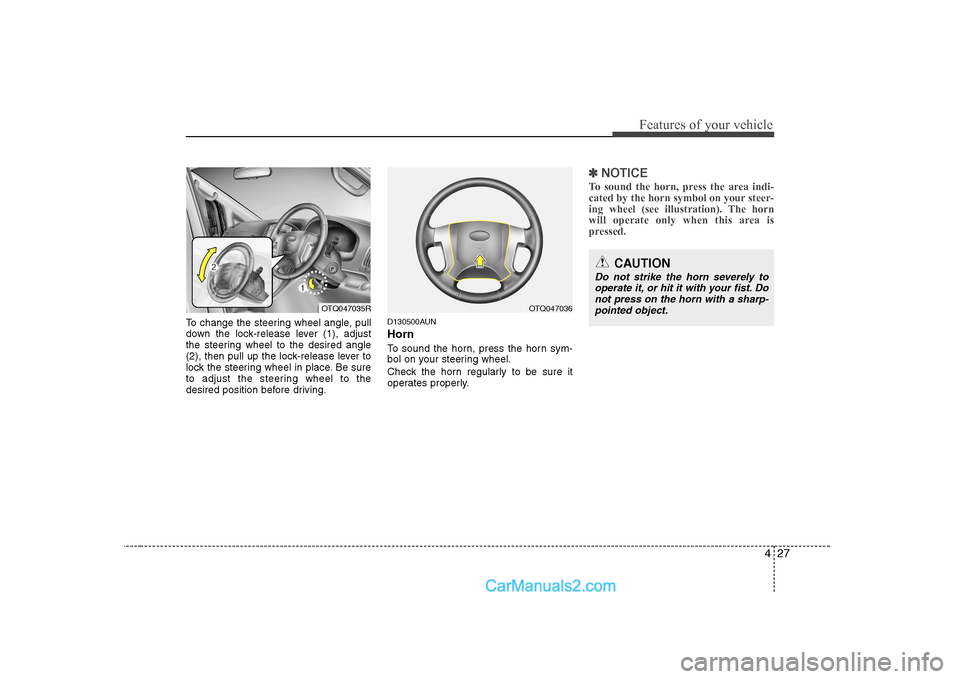
To change the steering wheel angle, pull
down the lock-release lever (1), adjust
the steering wheel to the desired angle
(2), then pull up the lock-release lever to
lock the steering wheel in place. Be sure
to adjust the steering wheel to the
desired position before driving.D130500AUN Horn
To sound the horn, press the horn sym-
bol on your steering wheel.
Check the horn regularly to be sure it
operates properly.
✽✽
NOTICE
To sound the horn, press the area indi-
cated by the horn symbol on your steer-
ing wheel (see illustration). The horn
will operate only when this area is
pressed.
OTQ047035R
CAUTION
Do not strike the horn severely to operate it, or hit it with your fist. Donot press on the horn with a sharp- pointed object.
OTQ047036
Page 103 of 303
Features of your vehicle
42
4
ESP
OFFD150327AUN-UK
Key reminder warning chime (if equipped)
If the driver’s door is opened whilst the
ignition key is left in the ignition switch
(ACC or LOCK position), the key
reminder warning chime will sound. This
is to prevent you from locking your keys
in the vehicle. The chime sounds until the
key is removed from the ignition switch or
the driver’s door is closed.
D150323AUN-EE
ESP indicator (ElectronicStability Program) (if equipped)
The ESP indicator will illuminate when
the ignition switch is turned ON, but
should go off after approximately 3 sec-
onds. When the ESP is on, it monitors the
driving conditions and under normal driv-
ing conditions, the ESP light will remain
off. When a slippery or low traction con-dition is encountered, the ESP will oper-
ate, and the ESP indicator will blink to
indicate the ESP is operating. D150324AFD-UK
ESP OFF indicator
(if equipped)
The ESP OFF indicator will illuminate
when the ignition switch is turned ON,
but should go off after approximately 3
seconds. To switch to ESP OFF mode,
press the ESP OFF button. The ESPOFF indicator will illuminate indicating
the ESP is deactivated. If this indicator
stays on when ESP OFF is not selected,
the ESP may have a malfunction. Take
your car to a HYUNDAI authorised
repairer and have the system checked.
✽✽ NOTICE
After reconnecting or recharging a dis-
charged battery, the ESP OFF indicatormay illuminate. In this case, turn thesteering wheel half way to the left andright whilst the ignition switch is in the
ON position. Then, restart the engine
after the ignition is off. If the ESP OFF
indicator does not turn off, have the sys-tem checked by a HYUNDAI authorised
repairer as soon as possible.
ESP
CAUTION
Prolonged driving with the Emission Control SystemMalfunction Indicator Light illumi- nated may cause damage to the
emission control systems whichcould effect drivability and/or fueleconomy.
If the EmissionControl System
Malfunction Indicator Light illumi- nates, potential catalytic converter damage is possible which couldresult in loss of engine power.
Have the Engine Control Systeminspected as soon as possible by a HYUNDAI authorised repairer.
CAUTION - Diesel engine
(if equipped)
If the malfunction indicator light blink-ing, have the Particulate Filter System inspected by a HYUNDAI authorisedrepairer (before driving more than 31
miles/50 km).
Page 158 of 303
Driving your vehicle
4
5
E030100AEN
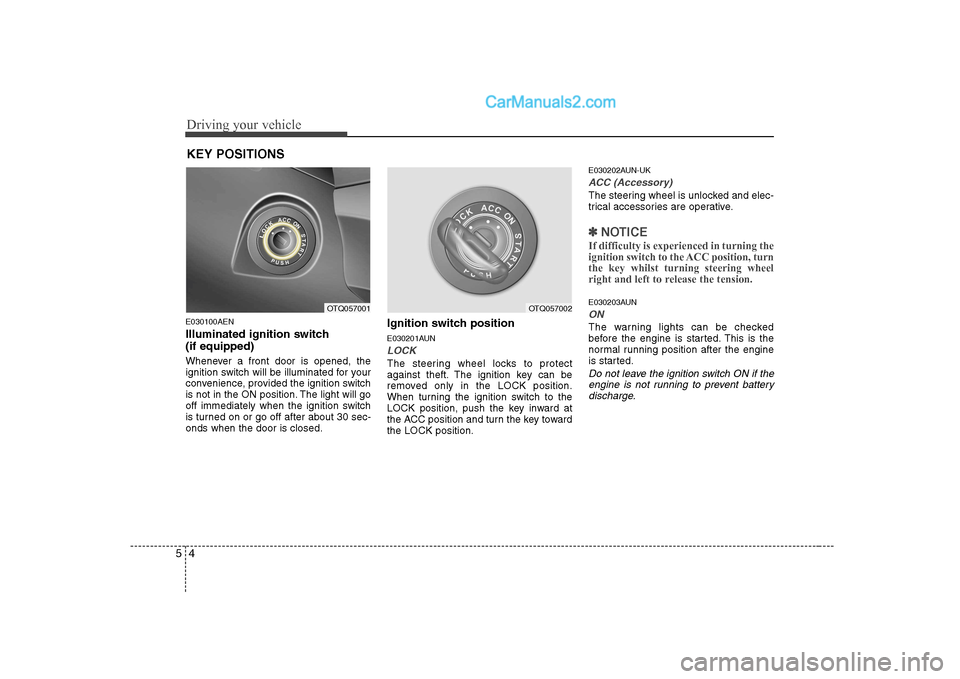
Illuminated ignition switch (if equipped)
Whenever a front door is opened, the
ignition switch will be illuminated for your
convenience, provided the ignition switch
is not in the ON position. The light will go
off immediately when the ignition switch
is turned on or go off after about 30 sec-onds when the door is closed. Ignition switch position
E030201AUN
LOCK
The steering wheel locks to protect
against theft. The ignition key can be
removed only in the LOCK position.
When turning the ignition switch to the
LOCK position, push the key inward at
the ACC position and turn the key towardthe LOCK position.E030202AUN-UK
ACC (Accessory)
The steering wheel is unlocked and elec-
trical accessories are operative.
✽✽
NOTICE
If difficulty is experienced in turning the
ignition switch to the ACC position, turnthe key whilst turning steering wheel
right and left to release the tension.
E030203AUN
ON
The warning lights can be checked
before the engine is started. This is the
normal running position after the engine
is started.
Do not leave the ignition switch ON if the engine is not running to prevent batterydischarge.
KEY POSITIONS
OTQ057001OTQ057002
Page 159 of 303
55
Driving your vehicle
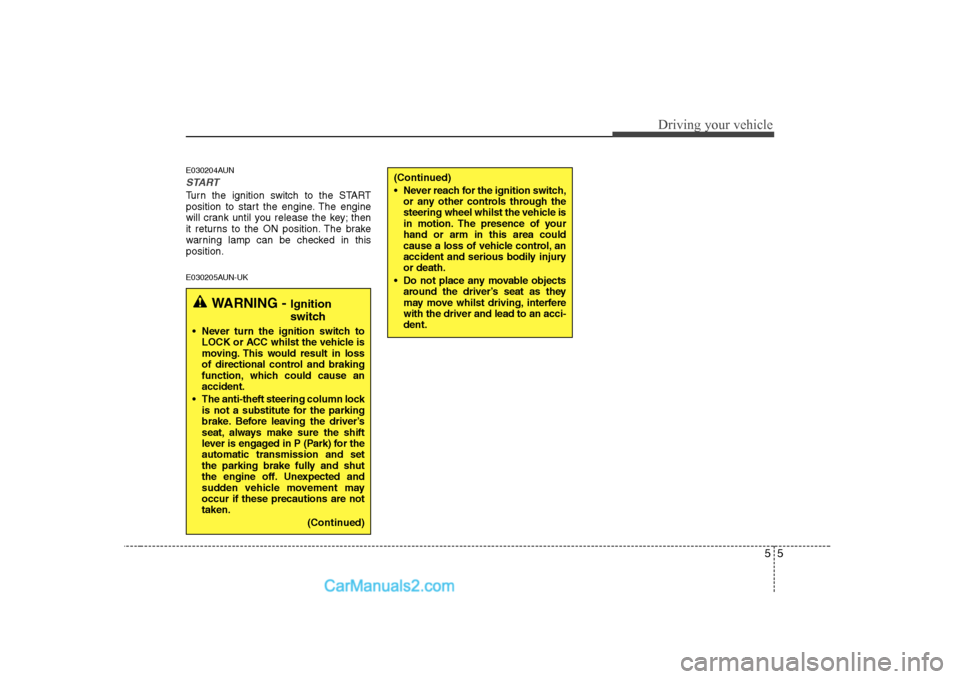
E030204AUN
START
Turn the ignition switch to the START
position to start the engine. The engine
will crank until you release the key; then
it returns to the ON position. The brake
warning lamp can be checked in thisposition.
E030205AUN-UK
WARNING - Ignition
switch
Never turn the ignition switch to LOCK or ACC whilst the vehicle is
moving. This would result in loss
of directional control and braking
function, which could cause anaccident.
The anti-theft steering column lock is not a substitute for the parking
brake. Before leaving the driver’s
seat, always make sure the shift
lever is engaged in P (Park) for theautomatic transmission and set
the parking brake fully and shut
the engine off. Unexpected and
sudden vehicle movement mayoccur if these precautions are nottaken.
(Continued)
(Continued)
Never reach for the ignition switch,or any other controls through the
steering wheel whilst the vehicle is
in motion. The presence of yourhand or arm in this area could
cause a loss of vehicle control, an
accident and serious bodily injuryor death.
Do not place any movable objects around the driver’s seat as they
may move whilst driving, interferewith the driver and lead to an acci-dent.
Page 164 of 303
Driving your vehicle
10
5
Exercise extreme caution when driving
on a slippery surface. Be especially
careful when braking, accelerating or
shifting gears. On a slippery surface,
an abrupt change in vehicle speed can
cause the drive wheels to lose traction
and the vehicle to go out of control.
WARNING
Always buckle-up! In a collision, an unbelted occupant is signifi-
cantly more likely to be seriously
injured or killed than a properlybelted occupant.
Avoid high speeds when corner- ing or turning.
Do not make quick steering wheel movements, such as sharp
lane changes or fast, sharp turns.
The risk of rollover is greatly increased if you lose control of
your vehicle at highway speeds.
Loss of control often occurs if two or more wheels drop off the
roadway and the driver over-
steers to reenter the roadway.
In the event your vehicle leaves the roadway, do not steer sharply.
Instead, slow down before pulling
back into the travel lanes.
Never exceed posted speed lim- its.
Page 170 of 303
Driving your vehicle
16
5
E060200AEN Good driving practices
Never move the gear shift lever from P
(Park) or N (Neutral) to any other posi-
tion with the accelerator pedaldepressed.
Never move the gear shift lever into P (Park) when the vehicle is in motion.
Be sure the car is completely stopped before you attempt to shift into R
(Reverse).
Never take the car out of gear and coast down a hill. This may be
extremely hazardous. Always leave the
car in gear when moving.
Do not "ride" the brakes. This can cause them to overheat and malfunc-
tion. Instead, when you are driving
down a long hill, slow down and shift to
a lower gear. When you do this, engine
braking will help slow the car.
Slow down before shifting to a lower gear. Otherwise, the lower gear maynot be engaged.
Always use the parking brake. Do not depend on placing the transmission in
P (Park) to keep the car from moving. Exercise extreme caution when driving
on a slippery surface. Be especially
careful when braking, accelerating or
shifting gears. On a slippery surface,
an abrupt change in vehicle speed can
cause the drive wheels to lose traction
and the vehicle to go out of control.
Optimum vehicle performance and economy is obtained by smoothly
depressing and releasing the accelera-tor pedal.
WARNING
Always buckle-up! In a collision, an unbelted occupant is signifi-
cantly more likely to be seriously
injured or killed than a properlybelted occupant.
Avoid high speeds when corner- ing or turning.
Do not make quick steering wheel movements, such as sharp
lane changes or fast, sharp turns.
The risk of rollover is greatly increased if you lose control of
your vehicle at highway speeds.
(Continued)
(Continued)
Loss of control often occurs iftwo or more wheels drop off the
roadway and the driver over-
steers to reenter the roadway.
In the event your vehicle leaves the roadway, do not steer sharply.
Instead, slow down before pulling
back into the travel lanes.
Never exceed posted speed lim- its.
WARNING
If your vehicle becomes stuck in
snow, mud, sand, etc., then you
may attempt to rock the vehicle free
by moving it forward and backward.
Do not attempt this procedure if
people or objects are anywhere
near the vehicle. During the rocking
operation the vehicle may suddenly
move forward of backward as it
becomes unstuck, causing injury
or damage to nearby people orobjects.
Page 177 of 303
523
Driving your vehicle
E070500AUN-UK
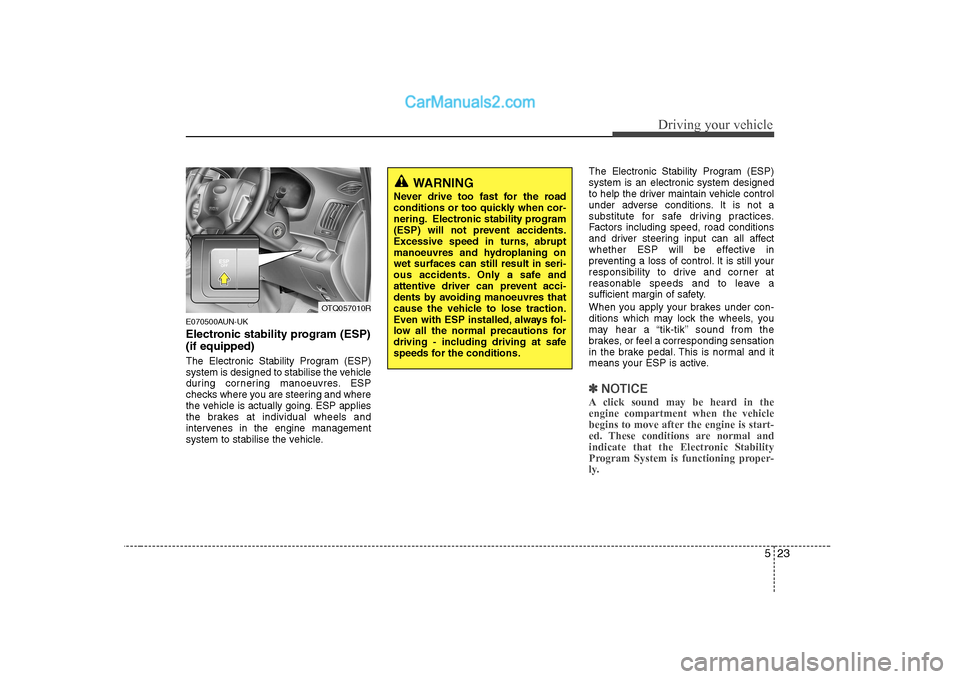
Electronic stability program (ESP) (if equipped)
The Electronic Stability Program (ESP)
system is designed to stabilise the vehicle
during cornering manoeuvres. ESP
checks where you are steering and where
the vehicle is actually going. ESP applies
the brakes at individual wheels and
intervenes in the engine management
system to stabilise the vehicle.The Electronic Stability Program (ESP)system is an electronic system designed
to help the driver maintain vehicle control
under adverse conditions. It is not a
substitute for safe driving practices.
Factors including speed, road conditions
and driver steering input can all affect
whether ESP will be effective in
preventing a loss of control. It is still your
responsibility to drive and corner at
reasonable speeds and to leave a
sufficient margin of safety.
When you apply your brakes under con-
ditions which may lock the wheels, you
may hear a “tik-tik’’ sound from the
brakes, or feel a corresponding sensation
in the brake pedal. This is normal and it
means your ESP is active.
✽✽
NOTICE
A click sound may be heard in the engine compartment when the vehicle
begins to move after the engine is start-
ed. These conditions are normal and
indicate that the Electronic Stability
Program System is functioning proper-
ly.
OTQ057010R
WARNING
Never drive too fast for the road
conditions or too quickly when cor-
nering. Electronic stability program
(ESP) will not prevent accidents.
Excessive speed in turns, abrupt
manoeuvres and hydroplaning onwet surfaces can still result in seri-
ous accidents. Only a safe and
attentive driver can prevent acci-
dents by avoiding manoeuvres that
cause the vehicle to lose traction.
Even with ESP installed, always fol-
low all the normal precautions for
driving - including driving at safe
speeds for the conditions.
Page 179 of 303
525
Driving your vehicle
E070503AFD-UK
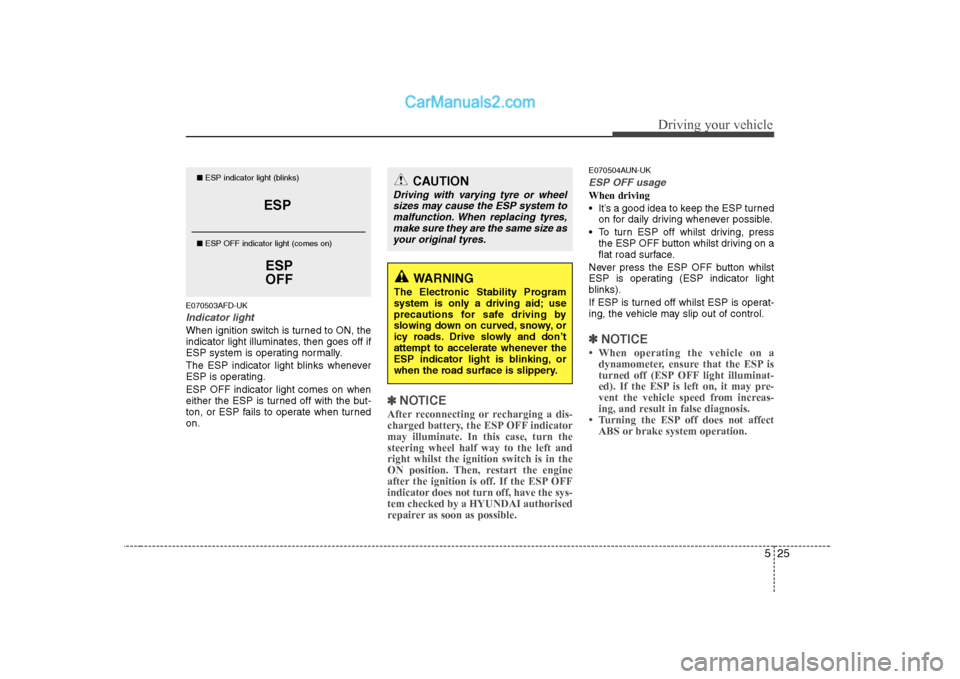
Indicator light
When ignition switch is turned to ON, the
indicator light illuminates, then goes off if
ESP system is operating normally.
The ESP indicator light blinks whenever
ESP is operating. ESP OFF indicator light comes on when
either the ESP is turned off with the but-
ton, or ESP fails to operate when turnedon.
✽✽NOTICE
After reconnecting or recharging a dis-
charged battery, the ESP OFF indicatormay illuminate. In this case, turn thesteering wheel half way to the left andright whilst the ignition switch is in the
ON position. Then, restart the engine
after the ignition is off. If the ESP OFF
indicator does not turn off, have the sys-tem checked by a HYUNDAI authorised
repairer as soon as possible.
E070504AUN-UK
ESP OFF usage
When driving
It’s a good idea to keep the ESP turned on for daily driving whenever possible.
To turn ESP off whilst driving, press the ESP OFF button whilst driving on a
flat road surface.
Never press the ESP OFF button whilst
ESP is operating (ESP indicator light
blinks).
If ESP is turned off whilst ESP is operat-
ing, the vehicle may slip out of control.
✽✽ NOTICE
Page 182 of 303
Driving your vehicle
28
5
E080000ATQ-UK
Wagon/Van (if equipped)
A locking differential, if equipped, is for
the rear wheel differential only. The fea-
tures of this locking differential are
described below:
Just as with a conventional differential,
the wheel on one side is allowed to turn
at a different speed from the wheel on
the other side when the vehicle is cor-
nering. The difference between the lock-
ing differential and a conventional differ-ential is that if the wheel on one side of
the vehicle loses traction, a greateramount of torque is applied to the rear
wheel on the other side to improve trac-tion.
✽✽
NOTICE
In a stationary position, the LD
(Locking Differential) will operate when
the difference of the revolution speed
between the rear right wheel and the
rear left wheel occurs.
The following procedures can be used to
confirm that the locking differential is
functioning properly:
(1) Position the vehicle so that one wheel is on a dry paved surface and the
other on ice, snow, mud, etc. Drive
the vehicle, and observe the opera-
tion of the locking differential. The
vehicle should not become stuck if
the differential is functioning properly.
(2) Depress the accelerator pedal gradu- ally, and then when traction is good,
depress it forcefully. If the vehicle
accelerates well, the differential is
functioning properly.
✽✽NOTICE
Usually a locking differential will oper-
ate and release automatically but occa-
sionally it may not release automatically.
At this time you will feel the tyre is
dragged when you are driving or corner-
ing. You can release it manually by slight-ly turning the steering wheel right and
left whilst the vehicle is moving slowly.
LOCKING DIFFERENTIAL (IF EQUIPPED)
CAUTION
Never start the engine with the gearshift lever placed in the for-ward or reverse whilst one of the rear wheels is jacked up and the
other in contact with the ground; doing so may cause the vehicle tojump forward.
If one of the rear wheels begins to spin in mud, snow, etc., the vehicle
can sometimes be driven out by depressing the accelerator pedalfurther; however, avoid running
the engine continuously at highrpm because doing so could dam-age the locking differential.