warning light Hyundai H350 2015 Repair Manual
[x] Cancel search | Manufacturer: HYUNDAI, Model Year: 2015, Model line: H350, Model: Hyundai H350 2015Pages: 473, PDF Size: 26.4 MB
Page 290 of 473
5-19
Driving your vehicle
5
In the event of brake failure
If service brakes fail to operate while
the vehicle is in motion, you can
make an emergency stop with the
parking brake. The stopping dis-
tance, however, will be much greater
than normal.
Disc brakes wear indicator
When your brake pads are worn and
new pads are required, you will hear
a high-pitched warning sound from
your front/rear brakes or the brake
lining indicator ( ) will illuminate in
the cluster. You may hear this sound
and see this illuminate whenever you
depress the brake pedal.
Please remember that some driving
conditions or climates may cause a
brake squeal when you first apply (or
lightly apply) the brakes. This is nor-
mal and does not indicate a problem
with your brakes.
Parking brake
Applying the parking brake
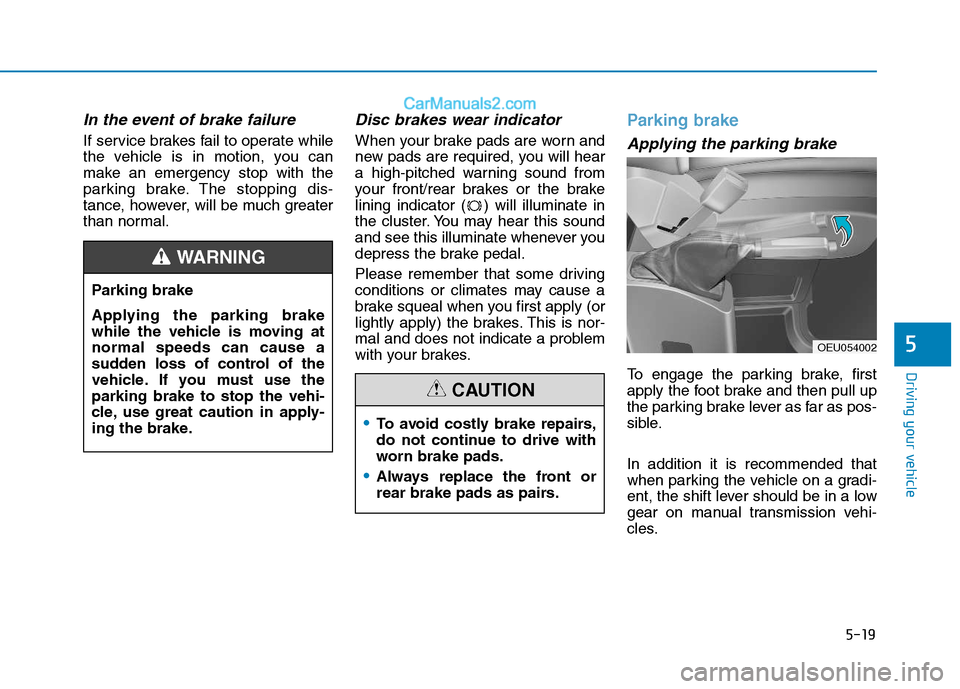
To engage the parking brake, first
apply the foot brake and then pull up
the parking brake lever as far as pos-
sible. In addition it is recommended that
when parking the vehicle on a gradi-
ent, the shift lever should be in a low
gear on manual transmission vehi-
cles.
Parking brake
Applying the parking brake
while the vehicle is moving atnormal speeds can cause a
sudden loss of control of the
vehicle. If you must use theparking brake to stop the vehi-
cle, use great caution in apply-
ing the brake.
WARNING
To avoid costly brake repairs,
do not continue to drive with
worn brake pads.
Always replace the front or
rear brake pads as pairs.
CAUTION
OEU054002
Page 291 of 473
5-20
Driving your vehicle
Releasing the parking brake
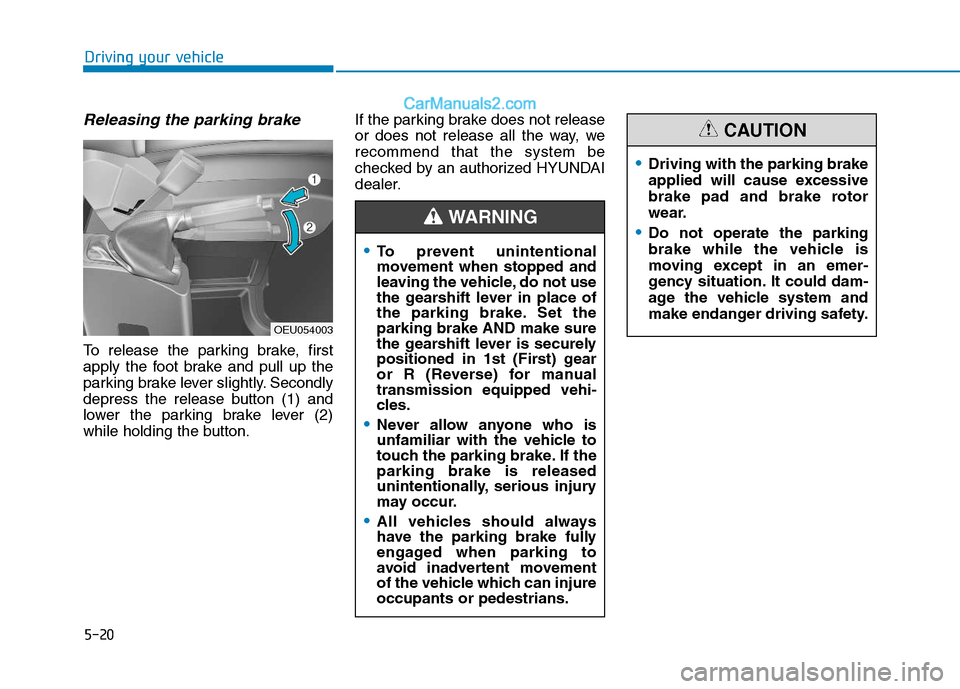
To release the parking brake, first
apply the foot brake and pull up the
parking brake lever slightly. Secondly
depress the release button (1) and
lower the parking brake lever (2)
while holding the button.If the parking brake does not release
or does not release all the way, werecommend that the system be
checked by an authorized HYUNDAI
dealer.
OEU054003
To prevent unintentional
movement when stopped and
leaving the vehicle, do not use
the gearshift lever in place of
the parking brake. Set theparking brake AND make sure
the gearshift lever is securely
positioned in 1st (First) gear
or R (Reverse) for manualtransmission equipped vehi-
cles.
Never allow anyone who is
unfamiliar with the vehicle to
touch the parking brake. If theparking brake is released
unintentionally, serious injury
may occur.
All vehicles should always
have the parking brake fully
engaged when parking to
avoid inadvertent movement
of the vehicle which can injureoccupants or pedestrians.
WARNING
Driving with the parking brake
applied will cause excessive
brake pad and brake rotor
wear.
Do not operate the parking
brake while the vehicle is
moving except in an emer-
gency situation. It could dam-
age the vehicle system and
make endanger driving safety.
CAUTION
Page 292 of 473
5-21
Driving your vehicle
5
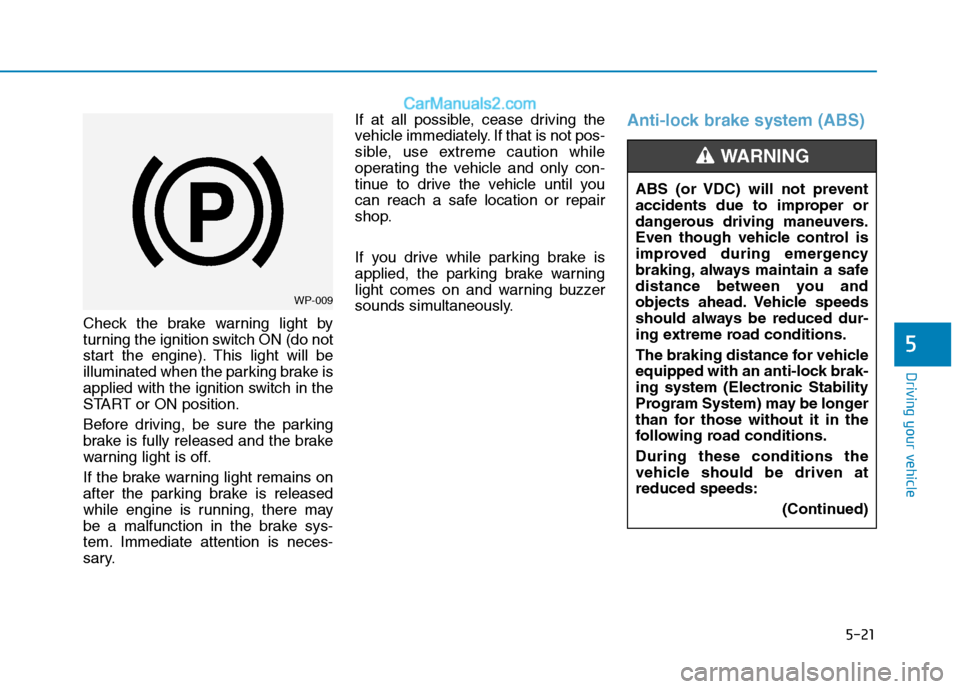
Check the brake warning light by
turning the ignition switch ON (do not
start the engine). This light will be
illuminated when the parking brake is
applied with the ignition switch in the
START or ON position.
Before driving, be sure the parking
brake is fully released and the brake
warning light is off.
If the brake warning light remains on
after the parking brake is released
while engine is running, there may
be a malfunction in the brake sys-
tem. Immediate attention is neces-
sary.If at all possible, cease driving the
vehicle immediately. If that is not pos-
sible, use extreme caution while
operating the vehicle and only con-
tinue to drive the vehicle until you
can reach a safe location or repair
shop.
If you drive while parking brake is
applied, the parking brake warning
light comes on and warning buzzer
sounds simultaneously.
Anti-lock brake system (ABS)
WP-009
ABS (or VDC) will not prevent
accidents due to improper or
dangerous driving maneuvers.
Even though vehicle control is
improved during emergency
braking, always maintain a safe
distance between you and
objects ahead. Vehicle speeds
should always be reduced dur-
ing extreme road conditions.
The braking distance for vehicle
equipped with an anti-lock brak-
ing system (Electronic Stability
Program System) may be longer
than for those without it in the
following road conditions. During these conditions the
vehicle should be driven atreduced speeds:
(Continued)
WARNING
Page 294 of 473
5-23
Driving your vehicle
5
When you jump start your vehicle
because of a drained battery, the
engine may not run as smoothly
and the ABS warning light may
turn on at the same time. This hap-
pens because of the low battery
voltage. It does not mean yourABS is malfunctioning.
Do not pump your brakes!
Have the battery rechargedbefore driving the vehicle.
NOTICE
W-78
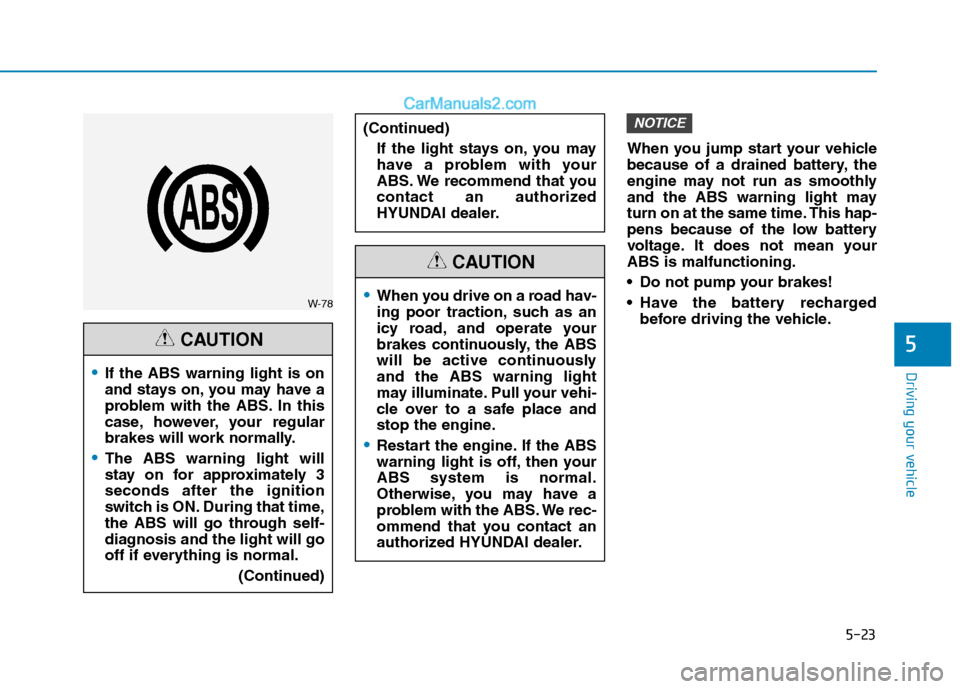
If the ABS warning light is on
and stays on, you may have a
problem with the ABS. In this
case, however, your regular
brakes will work normally.
The ABS warning light will
stay on for approximately 3seconds after the ignition
switch is ON. During that time,
the ABS will go through self-
diagnosis and the light will go
off if everything is normal.
(Continued)
CAUTION
When you drive on a road hav-
ing poor traction, such as an
icy road, and operate your
brakes continuously, the ABS
will be active continuouslyand the ABS warning light
may illuminate. Pull your vehi-
cle over to a safe place and
stop the engine.
Restart the engine. If the ABS
warning light is off, then yourABS system is normal.
Otherwise, you may have a
problem with the ABS. We rec-
ommend that you contact an
authorized HYUNDAI dealer.
CAUTION
(Continued)
If the light stays on, you may
have a problem with your
ABS. We recommend that you
contact an authorized
HYUNDAI dealer.
Page 295 of 473
5-24
Driving your vehicle
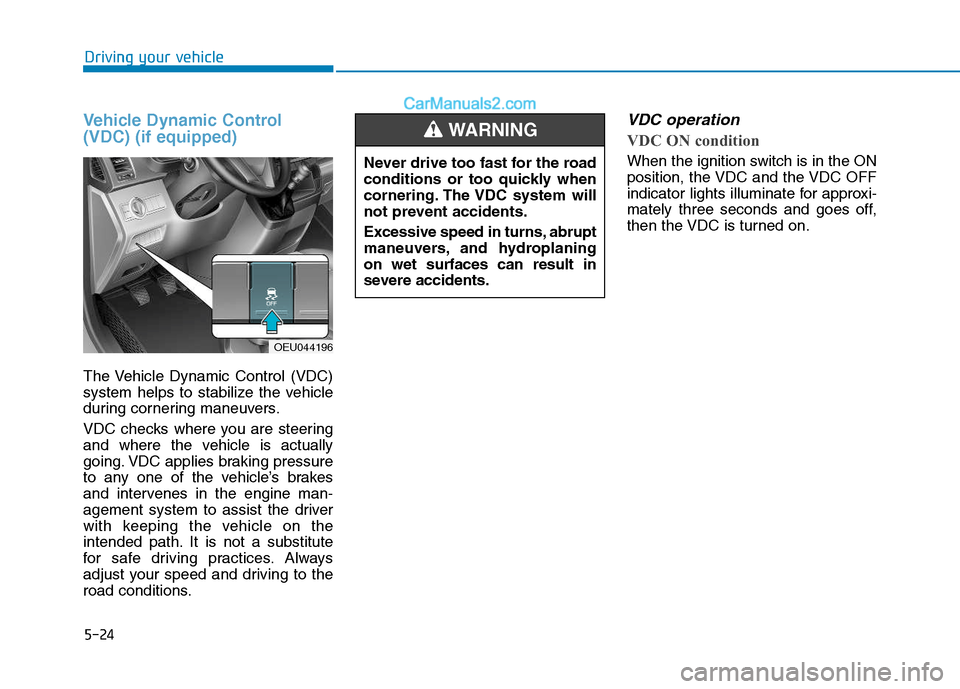
Vehicle Dynamic Control (VDC) (if equipped)
The Vehicle Dynamic Control (VDC)
system helps to stabilize the vehicle
during cornering maneuvers.
VDC checks where you are steering
and where the vehicle is actually
going. VDC applies braking pressure
to any one of the vehicle’s brakes
and intervenes in the engine man-
agement system to assist the driver
with keeping the vehicle on the
intended path. It is not a substitute
for safe driving practices. Always
adjust your speed and driving to the
road conditions.
VDC operation
VDC ON condition
When the ignition switch is in the ON
position, the VDC and the VDC OFF
indicator lights illuminate for approxi-
mately three seconds and goes off,
then the VDC is turned on.
OEU044196Never drive too fast for the road
conditions or too quickly when
cornering. The VDC system will
not prevent accidents.
Excessive speed in turns, abrupt
maneuvers, and hydroplaningon wet surfaces can result in
severe accidents.
WARNING
Page 297 of 473
5-26
Driving your vehicle
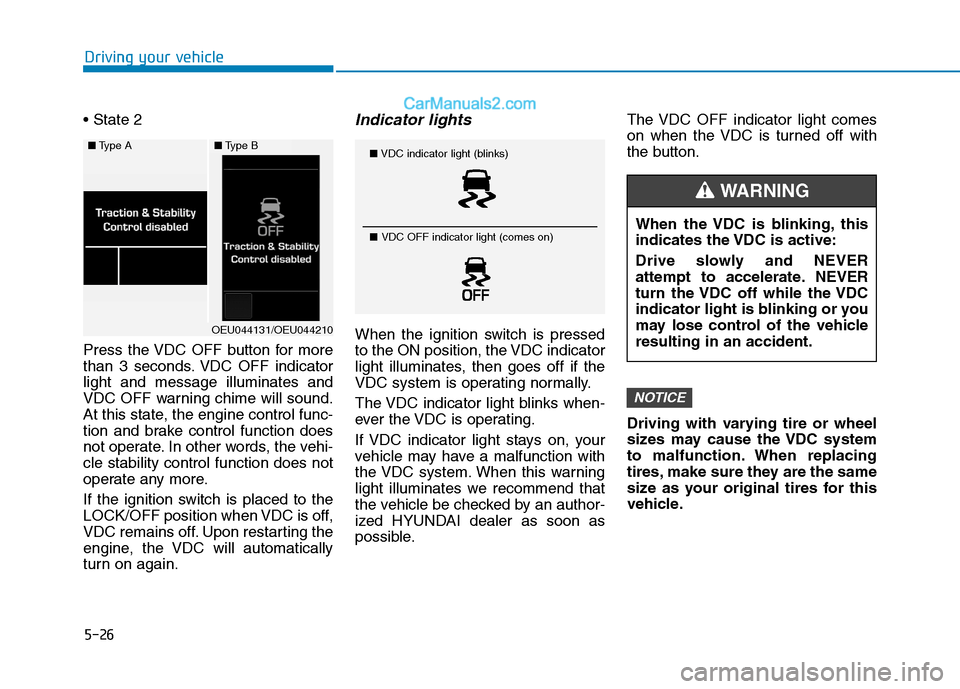
Press the VDC OFF button for more
than 3 seconds. VDC OFF indicatorlight and message illuminates and
VDC OFF warning chime will sound.
At this state, the engine control func-
tion and brake control function does
not operate. In other words, the vehi-cle stability control function does not
operate any more.
If the ignition switch is placed to the
LOCK/OFF position when VDC is off,
VDC remains off. Upon restarting the
engine, the VDC will automatically
turn on again.Indicator lights
When the ignition switch is pressed
to the ON position, the VDC indicator
light illuminates, then goes off if the
VDC system is operating normally.
The VDC indicator light blinks when-
ever the VDC is operating.
If VDC indicator light stays on, your
vehicle may have a malfunction with
the VDC system. When this warning
light illuminates we recommend that
the vehicle be checked by an author-
ized HYUNDAI dealer as soon as
possible.The VDC OFF indicator light comes
on when the VDC is turned off with
the button.
Driving with varying tire or wheel
sizes may cause the VDC system
to malfunction. When replacing
tires, make sure they are the same
size as your original tires for this
vehicle.
NOTICE
■
Type A■Type B
OEU044131/OEU044210
■VDC indicator light (blinks)
■ VDC OFF indicator light (comes on)
When the VDC is blinking, this
indicates the VDC is active:
Drive slowly and NEVER
attempt to accelerate. NEVER
turn the VDC off while the VDC
indicator light is blinking or you
may lose control of the vehicleresulting in an accident.
WARNING
Page 298 of 473
5-27
Driving your vehicle
5
VDC OFF usage
When Driving
The VDC OFF mode should only be
used briefly to help free the vehicle if
stuck in snow or mud by temporarily
stopping operation of the VDC to
maintain wheel torque.
To turn VDC off while driving, press
the VDC OFF button while driving on
a flat road surface.To prevent damage to thetransaxle:
Do not allow wheel(s) of one
axle to spin excessively while
the VDC, ABS, and brake warn-
ing lights are displayed. The
repairs would not be covered by
the vehicle warranty. Reduce
engine power and do not spin
the wheel(s) excessively while
these lights are displayed.
When operating the vehicle on a dynamometer, ensure the VDC isturned off (VDC OFF light illumi-nated).
Information
Turning the VDC off does not affect
ABS or standard brake system opera-
tion.
Hill-Start Assist Control (HAC) (if equipped)
The Hill-Start Assist Control (HAC)
prevents the vehicle from rolling
backwards when starting a vehicle
from a stop on a hill. The system
operates the brakes automatically for
approximately 2 seconds and releas-
es the brake when the acceleratorpedal is depressed or after 2 sec-
onds.
i
NOTICE
Always be ready to depress the
accelerator pedal when starting
off on an incline. The HAC acti-
vates only for approximately 2seconds.
WARNING
Page 299 of 473
5-28
Driving your vehicle
Information
The HAC does not operate when the shift lever is in P (Park) or N
(Neutral)
The HAC activates even though the VDC (Vehicle Dynamic Control) is
off but does not activate when the
VDC has malfunctioned but can not
activate when the VDC has mal-
functioned. Emergency Stop Signal (ESS) (if equipped)
The Emergency Stop Signal system
alerts the driver behind by blinking
the stop light when the vehicle is
braked rapidly and severely.
The system is activated when:
The vehicle suddenly stops (vehi-cle speed is over 55km/h and the
vehicle deceleration is greater than7 m/s 2
(Van/Truck) and 5 m/s 2
(BUS))
The ABS is activating
When vehicle speed is under 40
km/h and the ABS deactivates or the
sudden stop situation is over, the
stop light will stop blinking. Instead,
the hazard warning flasher will turn
on automatically.
The hazard warning flasher will turn
off when vehicle speed is over
10km/h after the vehicle has
stopped. Also, it will turn off when the
vehicle is driven at low speed for
some time. You can turn it off manu-
ally by pushing the hazard warning
flasher switch. Information
The Emergency Stop Signal (ESS) sys-
tem will not work if the hazard warn-
ing flasher is already on.
ii
Page 300 of 473
5-29
Driving your vehicle
5
Good braking practices Wet brakes can be dangerous! The
brakes may get wet if the vehicle is
driven through standing water or if it
is washed. Your vehicle will not stop
as quickly if the brakes are wet. Wet
brakes may cause the vehicle to pull
to one side.
To dry the brakes, apply the brakes
lightly until the braking action returns
to normal, taking care to keep the
vehicle under control at all times. If
the braking action does not return to
normal, stop as soon as it is safe to
do so and we recommend that you
call an authorized HYUNDAI dealer
for assistance.
DO NOT drive with your foot resting
on the brake pedal. Even light, butconstant pedal pressure can result in
the brakes overheating, brake wear,
and possibly even brake failure.If a tire goes flat while you are driv-
ing, apply the brakes gently and
keep the vehicle pointed straight
ahead while you slow down. When
you are moving slowly enough for it
to be safe to do so, pull off the road
and stop in a safe location.
Keep your foot firmly on the brake
pedal when the vehicle is stopped to
prevent the vehicle from rolling for-
ward.
Whenever leaving the vehicle or
parking, always come to a com-
plete stop and continue to
depress the brake pedal. Move
the shift lever into the P (Park)
position, then apply the parking
brake, and place the Engine
Start/Stop button in the OFFposition.
Vehicles with the parking brake
not fully engaged are at risk for
moving inadvertently and caus-
ing injury to yourself or others.
WARNING
Page 301 of 473
5-30
Driving your vehicle
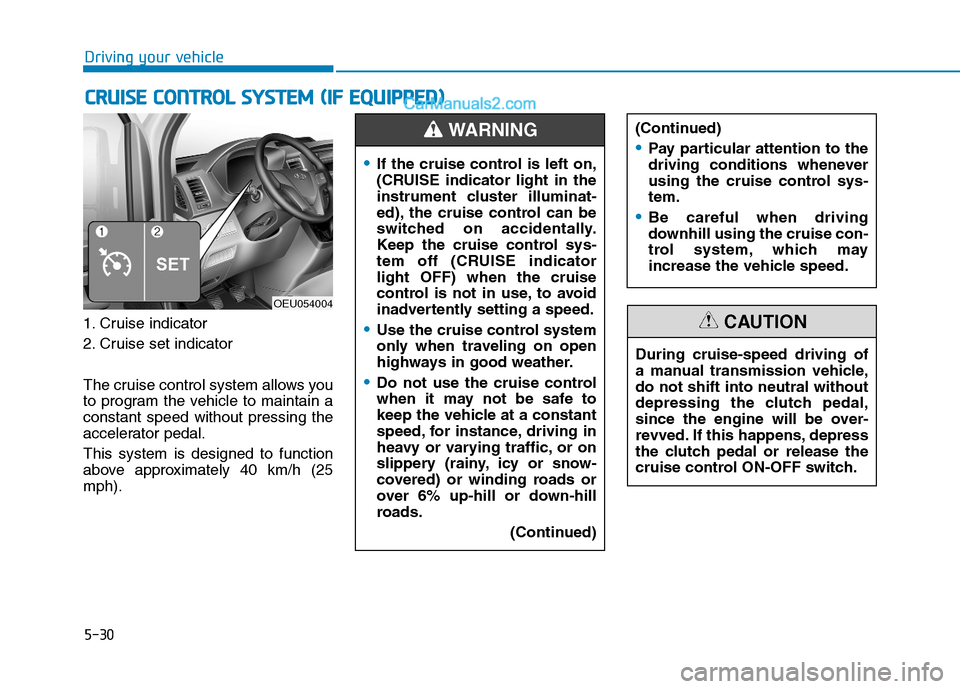
1. Cruise indicator
2. Cruise set indicator
The cruise control system allows you
to program the vehicle to maintain aconstant speed without pressing the
accelerator pedal. This system is designed to function
above approximately 40 km/h (25mph).
CCRR UU IISS EE CC OO NNTTRR OO LL SS YY SSTT EEMM (( IIFF EE QQ UUIIPP PPEEDD ))
OEU054004
If the cruise control is left on,
(CRUISE indicator light in the
instrument cluster illuminat-
ed), the cruise control can be
switched on accidentally.
Keep the cruise control sys-
tem off (CRUISE indicatorlight OFF) when the cruise
control is not in use, to avoid
inadvertently setting a speed.
Use the cruise control system
only when traveling on open
highways in good weather.
Do not use the cruise control
when it may not be safe to
keep the vehicle at a constant
speed, for instance, driving in
heavy or varying traffic, or on
slippery (rainy, icy or snow-
covered) or winding roads or
over 6% up-hill or down-hill
roads.
(Continued)
(Continued)
Pay particular attention to the
driving conditions whenever
using the cruise control sys-tem.
Be careful when driving
downhill using the cruise con-
trol system, which may
increase the vehicle speed.
WARNING
During cruise-speed driving of
a manual transmission vehicle,do not shift into neutral without
depressing the clutch pedal,
since the engine will be over-
revved. If this happens, depress
the clutch pedal or release the
cruise control ON-OFF switch.
CAUTION