warning light Hyundai H350 2015 Workshop Manual
[x] Cancel search | Manufacturer: HYUNDAI, Model Year: 2015, Model line: H350, Model: Hyundai H350 2015Pages: 473, PDF Size: 26.4 MB
Page 188 of 473
3-126
Convenient features of your vehicle
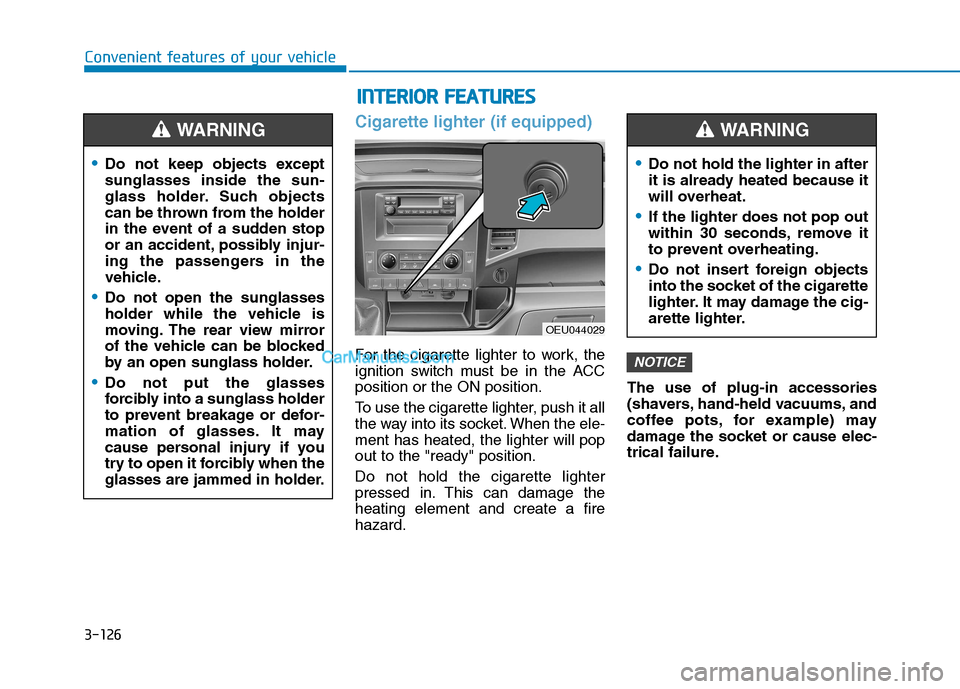
Cigarette lighter (if equipped)
For the cigarette lighter to work, the
ignition switch must be in the ACCposition or the ON position.
To use the cigarette lighter, push it all
the way into its socket. When the ele-ment has heated, the lighter will popout to the "ready" position. Do not hold the cigarette lighter
pressed in. This can damage theheating element and create a firehazard.The use of plug-in accessories
(shavers, hand-held vacuums, and
coffee pots, for example) may
damage the socket or cause elec-
trical failure.NOTICE
Do not keep objects except sunglasses inside the sun-
glass holder. Such objects
can be thrown from the holder
in the event of a sudden stop
or an accident, possibly injur-
ing the passengers in the
vehicle.
Do not open the sunglasses
holder while the vehicle is
moving. The rear view mirror
of the vehicle can be blocked
by an open sunglass holder.
Do not put the glasses
forcibly into a sunglass holder
to prevent breakage or defor-
mation of glasses. It may
cause personal injury if you
try to open it forcibly when the
glasses are jammed in holder.
WARNING
II
NN TTEERR IIOO RR FF EE AA TTUU RREESS
OEU044029
Do not hold the lighter in after
it is already heated because it
will overheat.
If the lighter does not pop out
within 30 seconds, remove it
to prevent overheating.
Do not insert foreign objects
into the socket of the cigarette
lighter. It may damage the cig-
arette lighter.
WARNING
Page 189 of 473
3-127
Convenient features of your vehicle
3
Ashtray (if equipped)
To use the ashtray, open the cover.
To clean or empty the ashtray, pull it out.
Cup holder
Do not place uncovered cups in
the cup holder while the vehicle is
in motion. If the liquid spills, elec-
tric systems may malfunction.
NOTICEAshtray use
Do not use the vehicle’s ash-
trays as waste receptacles.
Putting lit cigarettes or match-
es in an ashtray with other
combustible materials may
cause a fire.
WARNING
Hot liquids
Do not place uncovered cups of hot liquid in the cup holder
while the vehicle is in motion.
If the hot liquid spills, you
burn yourself. Such a burn tothe driver could lead to loss of
control of the vehicle.
To reduce the risk of personal
injury in the event of sudden
stop or collision, do not place
uncovered or unsecured bot-
tles, glasses, cans, etc., in the
cup holder while the vehicle isin motion.
WARNING Keep cans or bottles out of direct sun light and do not put
them in a vehicle that is heated
up. It may explode.
WARNING
Page 190 of 473
3-128
Convenient features of your vehicle
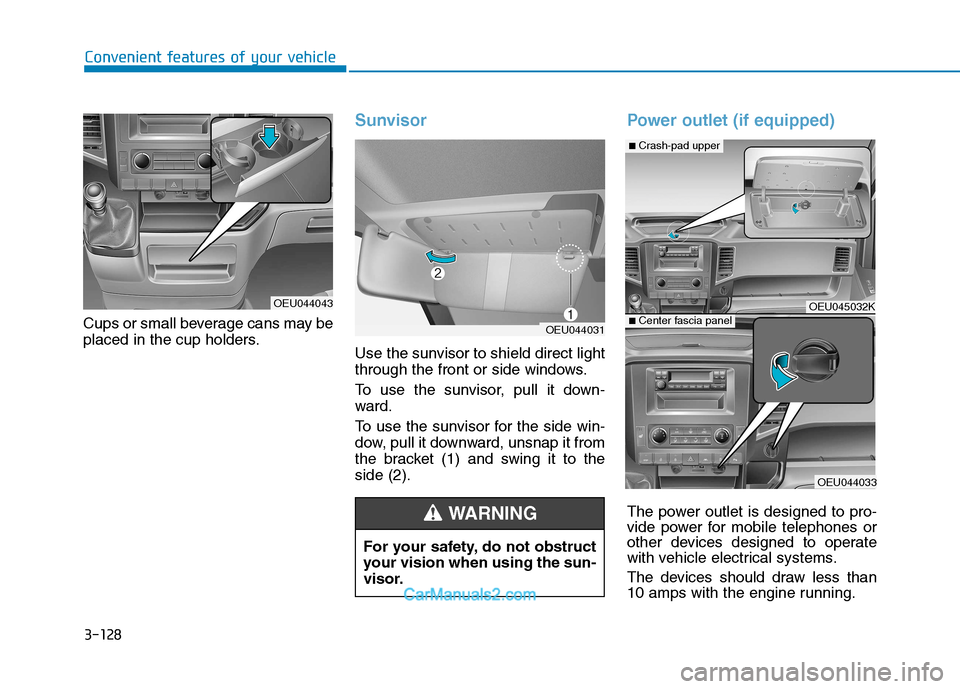
Cups or small beverage cans may be
placed in the cup holders.
Sunvisor
Use the sunvisor to shield direct light
through the front or side windows.
To use the sunvisor, pull it down-
ward.
To use the sunvisor for the side win-
dow, pull it downward, unsnap it from
the bracket (1) and swing it to theside (2).
Power outlet (if equipped)
The power outlet is designed to pro-
vide power for mobile telephones or
other devices designed to operate
with vehicle electrical systems.
The devices should draw less than
10 amps with the engine running.
OEU044043For your safety, do not obstruct
your vision when using the sun-
visor.
WARNING
OEU044031
OEU045032K
OEU044033
■Crash-pad upper
■ Center fascia panel
Page 200 of 473
4-8
Multimedia System
(Continued)
Please refrain from use if the
screen is blank or no sound
can be heard as these signs
may indicate product mal-
function. Continued use in
such conditions could lead to
accidents(fires, electric
shock) or product malfunc-tions.
Do not touch the antenna dur- ing thunder or lightening as
such acts may lead to light-
ning induced electric shock.
Do not stop or park in park- ing-restricted areas to operate
the product. Such acts couldlead to traffic accidents.
Use the system with the vehi-
cle ignition turned on.
Prolonged use with the igni-tion turned off could result in
battery discharge.(Continued)
Do not stare at the screen
while driving. Staring at the
screen for prolonged periodsof time could lead to trafficaccidents.
Do not disassemble, assem-
ble, or modify the audio sys-
tem. Such acts could result in
accidents, fire, or electric
shock.
Obey the applicable regula-
tions relevant to the mobile-
phone usage. If not, it is clear-
ly the violation against the
traffic laws.
Heed caution not to spill water
or introduce foreign objects
into the device. Such acts
could lead to smoke, fire, or
product malfunction. (Continued)
WARNING
Page 274 of 473
5-3
Driving your vehicle
BBEEFFOO RREE DD RRIIVV IINN GG
5
Before entering the vehicle
• Be sure that all windows, outside
mirror(s), and outside lights are clean.
Check the condition of the tires.
Check under the vehicle for any sign of leaks.
Be sure there are no obstacles behind you if you intend to back up.
Necessary inspections
Fluid levels, such as engine oil,
engine coolant, power steering fluid,
brake fluid, and washer fluid should
be checked on a regular basis, with
the exact interval depending on the
fluid. Further details are provided in
Section 7, “Maintenance”.
Before starting
Close and lock all doors.
Position the seat so that all con-trols are easily reached.
Adjust the inside and outside rearview mirrors.
Be sure that all lights work.
Check all gauges.
Check the operation of warning lights when the ignition switch is
turned to the ON position.
Release the parking brake and make sure the brake warning lightgoes out.
For safe operation, be sure you are
familiar with your vehicle and itsequipment.
Driving while distracted can
result in a loss of vehicle con-
trol, that may lead to an acci-
dent, severe personal injury,
and death. The driver’s primary
responsibility is in the safe and
legal operation of a vehicle, and
use of any handheld devices,
other equipment, or vehicle sys-
tems which take the driver’s
eyes, attention and focus away
from the safe operation of a
vehicle or which are not permis-
sible by law should never beused during operation of the
vehicle.
WARNING
Page 276 of 473
5-5
Driving your vehicle
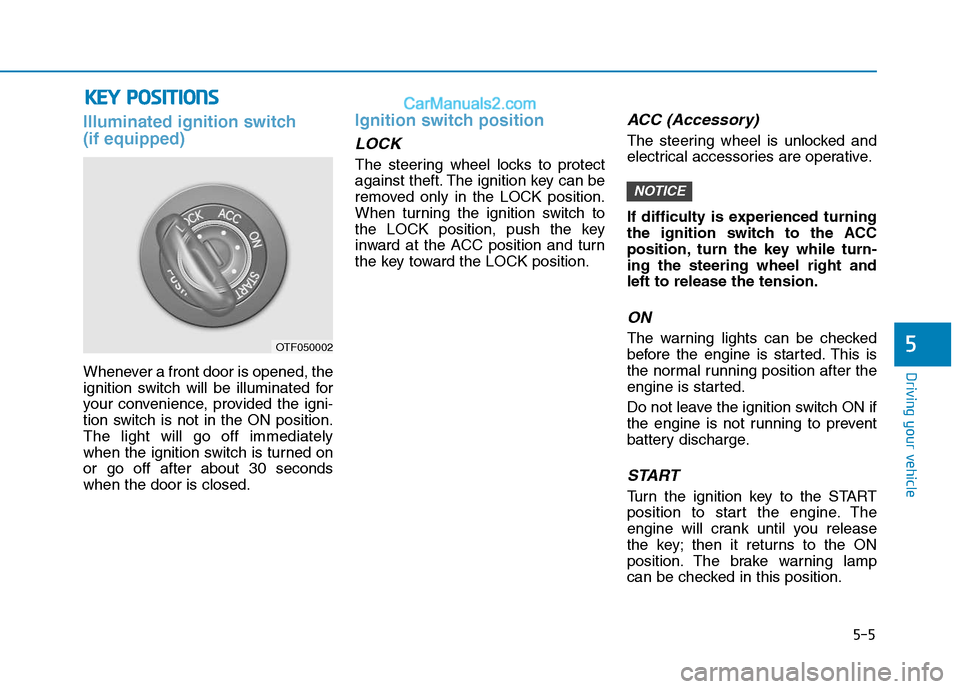
Illuminated ignition switch (if equipped)
Whenever a front door is opened, the
ignition switch will be illuminated for
your convenience, provided the igni-
tion switch is not in the ON position.The light will go off immediately
when the ignition switch is turned onor go off after about 30 secondswhen the door is closed.
Ignition switch position
LOCK
The steering wheel locks to protect
against theft. The ignition key can be
removed only in the LOCK position.
When turning the ignition switch to
the LOCK position, push the key
inward at the ACC position and turn
the key toward the LOCK position.
ACC (Accessory)
The steering wheel is unlocked and
electrical accessories are operative.
If difficulty is experienced turning
the ignition switch to the ACC
position, turn the key while turn-ing the steering wheel right andleft to release the tension.
ON
The warning lights can be checked
before the engine is started. This is
the normal running position after the
engine is started.
Do not leave the ignition switch ON if
the engine is not running to prevent
battery discharge.
START
Turn the ignition key to the START
position to start the engine. The
engine will crank until you release
the key; then it returns to the ON
position. The brake warning lamp
can be checked in this position.
NOTICE
5
KKEEYY PP OO SSIITT IIOO NNSS
OTF050002
Page 279 of 473
5-8
If the engine were not started within 10 seconds after the pre-
heating is completed, turn the
ignition key once more to theLOCK position during 10 seconds,
and then to the ON position, in
order to preheat again.
Starting and stopping the engine
for turbocharger intercooler
1. Do not race or accelerate the
engine immediately after starting.
If the engine is cold, idle for sever-
al seconds before sufficient lubri-cation is ensured in the tur-bocharger unit.
2. After high speed or extended driv- ing, requiring a heavy engine load,
idle the engine about 1 minute
before turning it off.
This idle time will allow the tur-bocharger to cool prior to shutting
the engine off. Your vehicle may be equipped withthe ISG system, which reduces fuel
consumption by automatically shut-
ting down the engine, when the vehi-
cle is at a standstill. (For example :
red light, stop sign and traffic jam)
The engine starts automatically as
soon as the starting conditions aremet.
The ISG system is ON whenever the
engine is running.
When the engine automatically
starts by the ISG system, some
warning lights (ABS, VDC, VDC
OFF, EBD) may turn on for a fewseconds.
This happens because of low bat-
tery voltage. It does not mean thesystem is malfunctioning.
NOTICE
NOTICE
Driving your vehicle
Do not turn the engine off
immediately after it has been
subjected to a heavy load.
Doing so may cause severe
damage to the engine or turbo
charger unit.
CAUTION
II
SS GG (( IIDD LLEE SS TT OO PP AA NN DD GG OO ))
S
S YY SSTT EEMM (( IIFF EE QQ UUIIPP PPEEDD ))
Page 284 of 473
5-13
Driving your vehicle
5
ISG system malfunction
The system may not operatewhen:
- The ISG related sensors or system error occurs.
The yellow AUTO STOP indicator
( ) on the instrument cluster will
stay on after blinking for 5 seconds
and the light on the ISG OFF button
will illuminate.
If the ISG OFF button light is not turned off by pressing the ISG
OFF button again or if the ISG
system continuously does not
work correctly, we recommend
that you contact an authorized
HYUNDAI dealer.
(Continued)(Continued)
When the ISG OFF button light
comes on, it may stop illuminat-
ing after driving your vehicle at
approximately 80 km/h for a
maximum of two hours and set-
ting the fan speed control knob
below the 2nd position. If the
ISG OFF button light continuesto be illuminated in spite of the
procedure, we recommend that
you contact an authorized
HYUNDAI dealer.
NOTICE
When the engine is in Idle Stop
mode, it's possible to restart theengine without the driver taking
any action.
Before leaving the vehicle or
doing anything in the engine
room area, stop the engine by
turning the ignition switch tothe LOCK(OFF) position or
removing the ignition key.
WARNING
Page 286 of 473
5-15
Driving your vehicle
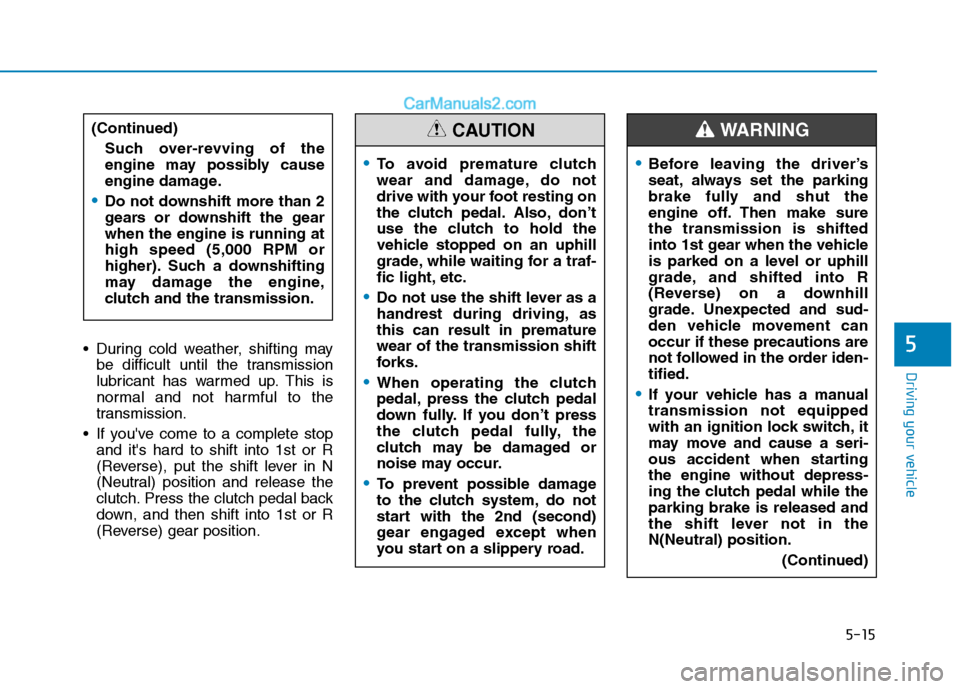
5 During cold weather, shifting maybe difficult until the transmission
lubricant has warmed up. This is
normal and not harmful to the
transmission.
If you've come to a complete stop and it's hard to shift into 1st or R
(Reverse), put the shift lever in N
(Neutral) position and release the
clutch. Press the clutch pedal back
down, and then shift into 1st or R
(Reverse) gear position.
To avoid premature clutch
wear and damage, do not
drive with your foot resting on
the clutch pedal. Also, don’t
use the clutch to hold the
vehicle stopped on an uphill
grade, while waiting for a traf-
fic light, etc.
Do not use the shift lever as a
handrest during driving, asthis can result in prematurewear of the transmission shift
forks.
When operating the clutch
pedal, press the clutch pedal
down fully. If you don’t press
the clutch pedal fully, the
clutch may be damaged or
noise may occur.
To prevent possible damage
to the clutch system, do not
start with the 2nd (second)
gear engaged except when
you start on a slippery road.
CAUTION
Before leaving the driver’s
seat, always set the parking
brake fully and shut the
engine off. Then make surethe transmission is shifted
into 1st gear when the vehicle
is parked on a level or uphill
grade, and shifted into R
(Reverse) on a downhill
grade. Unexpected and sud-
den vehicle movement canoccur if these precautions are
not followed in the order iden-tified.
If your vehicle has a manual transmission not equipped
with an ignition lock switch, it
may move and cause a seri-
ous accident when startingthe engine without depress-
ing the clutch pedal while theparking brake is released and
the shift lever not in theN(Neutral) position.
(Continued)
WARNING (Continued)Such over-revving of the
engine may possibly cause
engine damage.
Do not downshift more than 2
gears or downshift the gearwhen the engine is running athigh speed (5,000 RPM or
higher). Such a downshifting
may damage the engine,
clutch and the transmission.
Page 289 of 473
5-18
Driving your vehicle
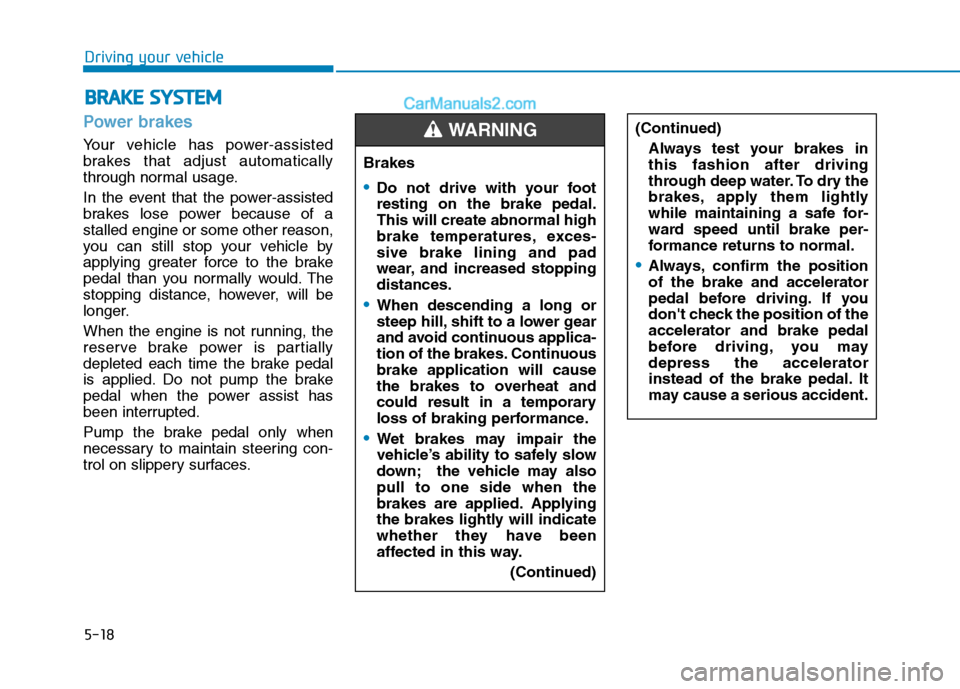
Power brakes
Your vehicle has power-assisted
brakes that adjust automatically
through normal usage.
In the event that the power-assisted
brakes lose power because of astalled engine or some other reason,
you can still stop your vehicle by
applying greater force to the brake
pedal than you normally would. The
stopping distance, however, will be
longer.
When the engine is not running, the
reserve brake power is partially
depleted each time the brake pedal
is applied. Do not pump the brake
pedal when the power assist has
been interrupted.
Pump the brake pedal only when
necessary to maintain steering con-
trol on slippery surfaces.
BBRRAA KKEE SS YY SSTT EEMM
Brakes
Do not drive with your foot resting on the brake pedal.This will create abnormal high
brake temperatures, exces-sive brake lining and pad
wear, and increased stoppingdistances.
When descending a long or
steep hill, shift to a lower gear
and avoid continuous applica-
tion of the brakes. Continuousbrake application will cause
the brakes to overheat and
could result in a temporary
loss of braking performance.
Wet brakes may impair the
vehicle’s ability to safely slow
down; the vehicle may alsopull to one side when the
brakes are applied. Applying
the brakes lightly will indicate
whether they have been
affected in this way.
(Continued)
WARNING (Continued)Always test your brakes in this fashion after driving
through deep water. To dry the
brakes, apply them lightly
while maintaining a safe for-
ward speed until brake per-
formance returns to normal.
Always, confirm the position of the brake and accelerator
pedal before driving. If you
don't check the position of theaccelerator and brake pedal
before driving, you maydepress the accelerator
instead of the brake pedal. It
may cause a serious accident.