display Hyundai H350 2016 User Guide
[x] Cancel search | Manufacturer: HYUNDAI, Model Year: 2016, Model line: H350, Model: Hyundai H350 2016Pages: 473, PDF Size: 26.4 MB
Page 117 of 473
3-55
Convenient features of your vehicle
3
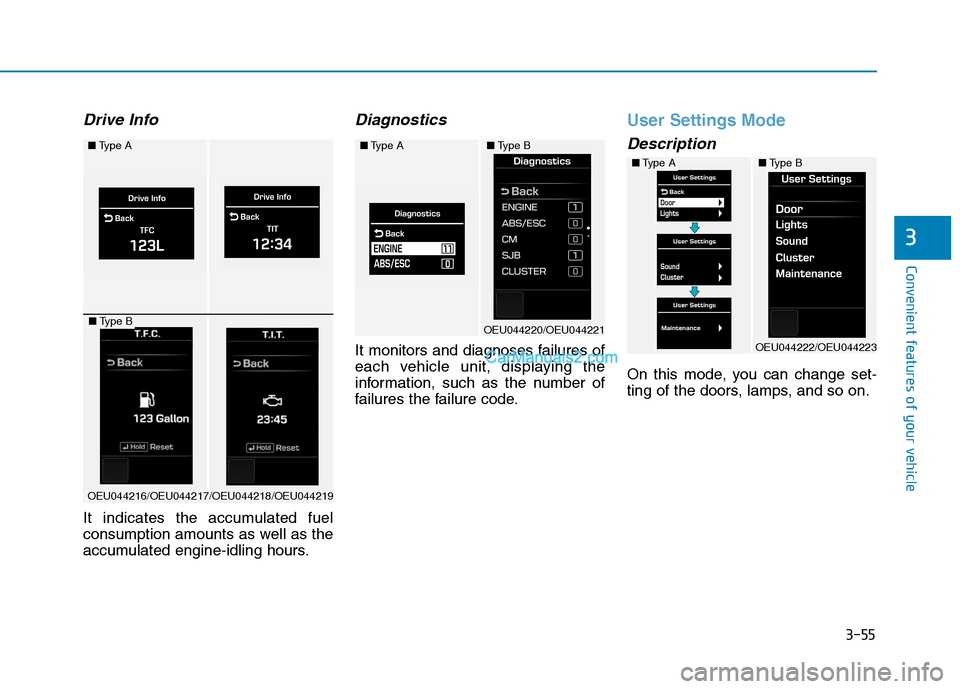
Drive Info
It indicates the accumulated fuel
consumption amounts as well as the
accumulated engine-idling hours.
Diagnostics
It monitors and diagnoses failures of
each vehicle unit, displaying the
information, such as the number of
failures the failure code.
User Settings Mode
Description
On this mode, you can change set-
ting of the doors, lamps, and so on.
■Type A
OEU044216/OEU044217/OEU044218/OEU044219
■Type B
■Type A
OEU044220/OEU044221
■Type B
■Type A
OEU044222/OEU044223
■Type B
Page 119 of 473
3-57
Convenient features of your vehicle
3
AFC setting
It can be automatically or manually
reset to the default. ❇AFC : Average Fuel Consumption
Language setting
A preferred language can be chosen
on the LCD display.
Current time
The time can be adjusted.
Alarm
The alarm, idle-rpm time, break time can be set in.
Equipment cycle(Maintenance)
Engine oil, fuel filter
The maintenance alarm can be
turned ON or OFF. Also, the driving
distance for an oil/filter maintenance
alarm can be set in.
User Menu
The maintenance alarm message
displays on the LCD display, as arbi-
trarily set in.
Warning Messages
In below cases, the warning mes-
sage displays for 10 seconds. Some
messages will be saved in the infor-
mation group after few seconds dis-
playing for future reference.
Page 120 of 473
3-58
Convenient features of your vehicle
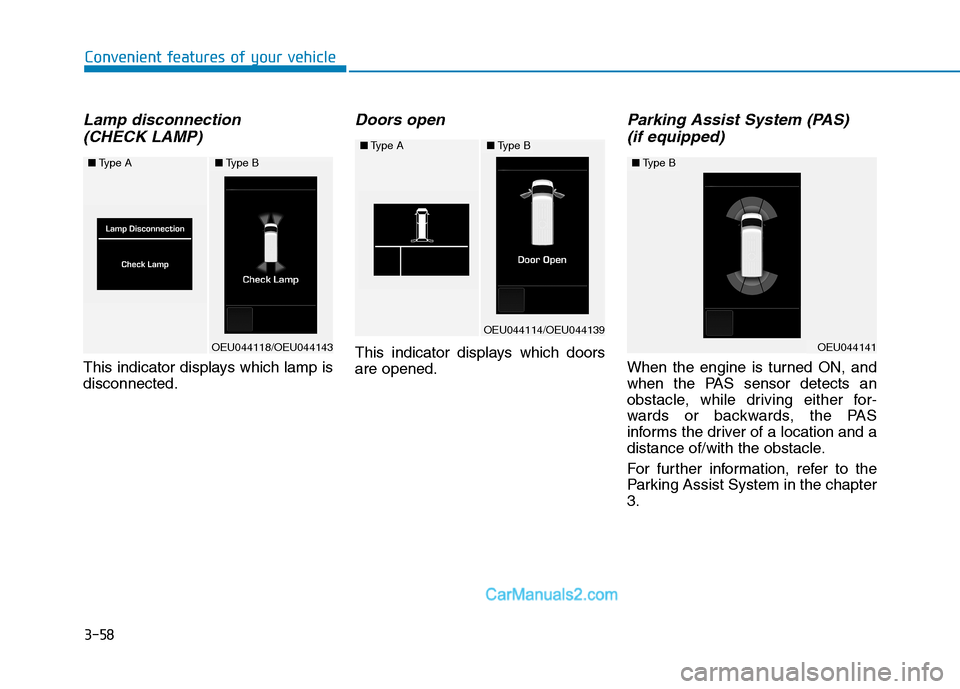
Lamp disconnection (CHECK LAMP)
This indicator displays which lamp is disconnected.
Doors open
This indicator displays which doorsare opened.
Parking Assist System (PAS) (if equipped)
When the engine is turned ON, and
when the PAS sensor detects an
obstacle, while driving either for-
wards or backwards, the PAS
informs the driver of a location and a
distance of/with the obstacle.
For further information, refer to the
Parking Assist System in the chapter3.
■ Type A
OEU044118/OEU044143
■Type B
■Type A
OEU044114/OEU044139
■Type B
OEU044141
■Type B
Page 121 of 473
3-59
Convenient features of your vehicle
3
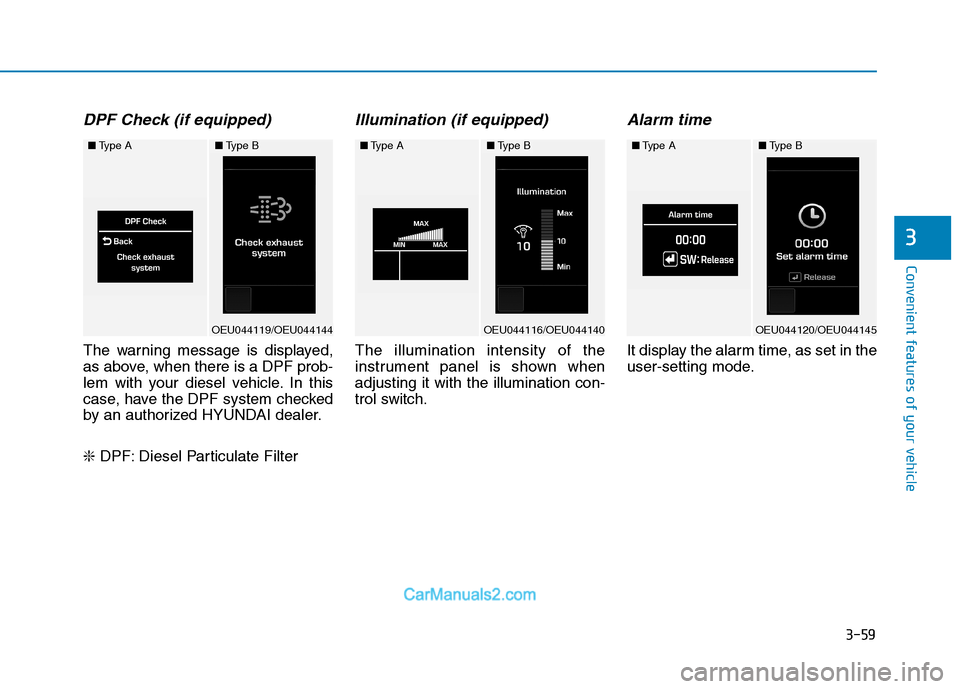
DPF Check (if equipped)
The warning message is displayed,
as above, when there is a DPF prob-
lem with your diesel vehicle. In this
case, have the DPF system checked
by an authorized HYUNDAI dealer. ❇DPF: Diesel Particulate Filter
Illumination (if equipped)
The illumination intensity of the
instrument panel is shown whenadjusting it with the illumination con-
trol switch.
Alarm time
It display the alarm time, as set in the
user-setting mode.
■Type A
OEU044119/OEU044144
■Type B■Type A
OEU044116/OEU044140
■Type B■Type A
OEU044120/OEU044145
■Type B
Page 122 of 473
3-60
Convenient features of your vehicle
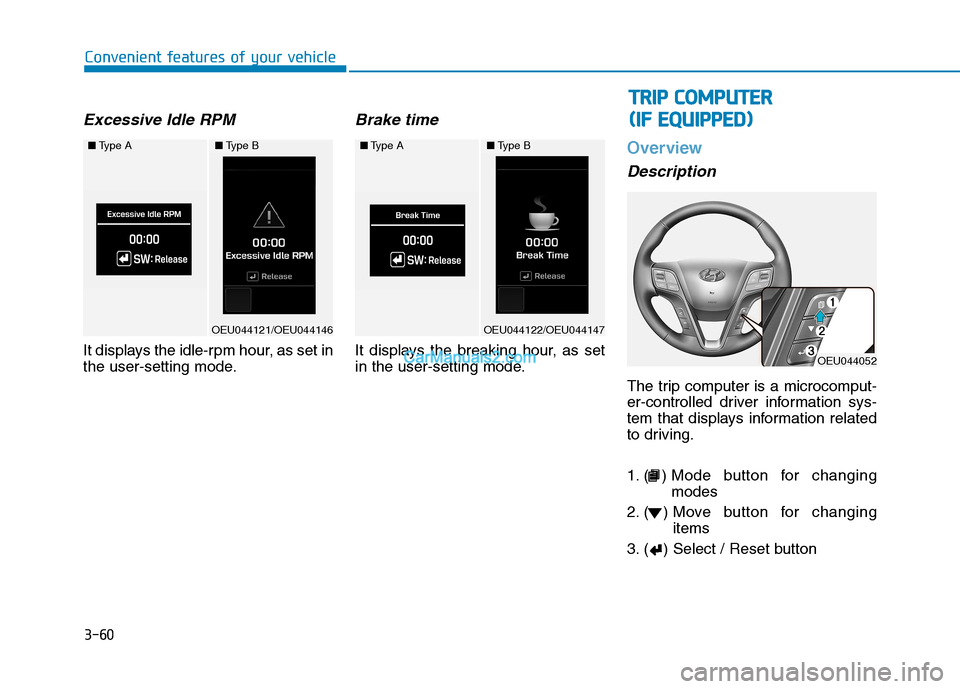
Excessive Idle RPM
It displays the idle-rpm hour, as set in
the user-setting mode.
Brake time
It displays the breaking hour, as set
in the user-setting mode.
Overview
Description
The trip computer is a microcomput-
er-controlled driver information sys-
tem that displays information related
to driving.
1. ( ) Mode button for changingmodes
2. ( ) Move button for changing items
3. ( ) Select / Reset button
■ Type A
OEU044121/OEU044146
■Type B■Type A
OEU044122/OEU044147
■Type B
OEU044052
TT RR IIPP CC OO MM PPUU TTEERR
(
( IIFF EE QQ UUIIPP PPEEDD ))
Page 124 of 473
3-62
Convenient features of your vehicle
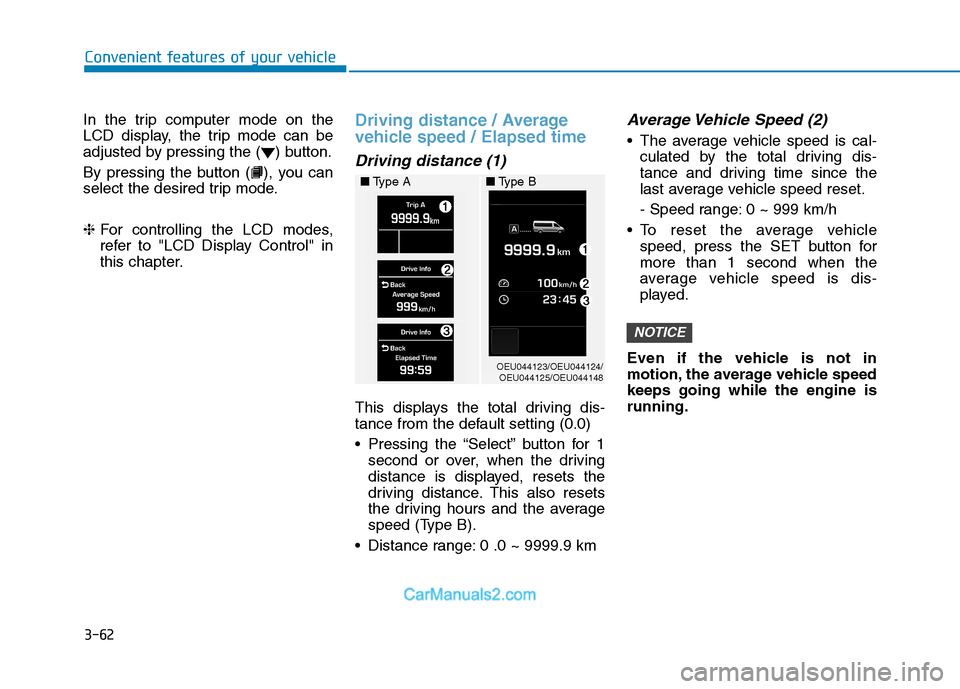
In the trip computer mode on the
LCD display, the trip mode can be
adjusted by pressing the ( ) button.
By pressing the button ( ), you can
select the desired trip mode. ❈For controlling the LCD modes,
refer to "LCD Display Control" in
this chapter.Driving distance / Average
vehicle speed / Elapsed time
Driving distance (1)
This displays the total driving dis-
tance from the default setting (0.0)
Pressing the “Select” button for 1
second or over, when the driving
distance is displayed, resets the
driving distance. This also resets
the driving hours and the average
speed (Type B).
Distance range: 0 .0 ~ 9999.9 km
Average Vehicle Speed (2)
The average vehicle speed is cal- culated by the total driving dis-
tance and driving time since the
last average vehicle speed reset.
- Speed range: 0 ~ 999 km/h
To reset the average vehicle speed, press the SET button for more than 1 second when the
average vehicle speed is dis-
played.
Even if the vehicle is not in
motion, the average vehicle speedkeeps going while the engine isrunning.
NOTICE
OEU044123/OEU044124/ OEU044125/OEU044148
■
Type A ■Type B
Page 125 of 473
3-63
Convenient features of your vehicle
3
Elapsed Time (3)
The elapsed time is the total driv-ing time since the last elapsed time reset.
- Time range (hh:mm): 00:00 ~ 99:59
To reset the elapsed time, press the SET button for more than 1second when the elapsed time is
displayed.
Even if the vehicle is not in
motion, the elapsed time keepsgoing while the engine is running.
Fuel Economy
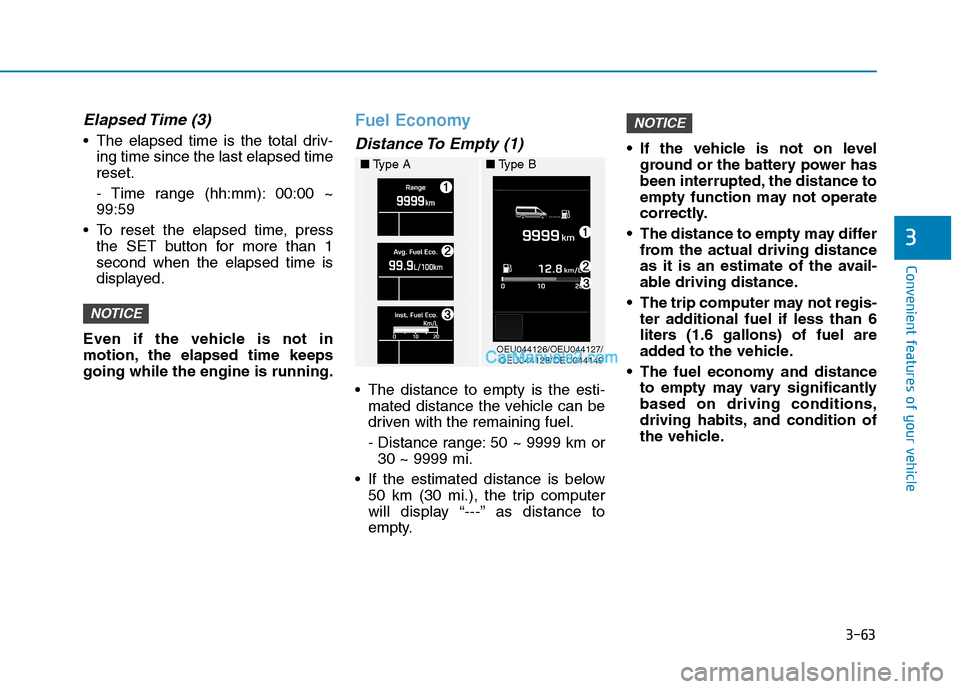
Distance To Empty (1)
The distance to empty is the esti- mated distance the vehicle can be
driven with the remaining fuel.
- Distance range: 50 ~ 9999 km or30 ~ 9999 mi.
If the estimated distance is below 50 km (30 mi.), the trip computer
will display “---” as distance to
empty. If the vehicle is not on level
ground or the battery power has
been interrupted, the distance to
empty function may not operate
correctly.
The distance to empty may differ from the actual driving distance
as it is an estimate of the avail-
able driving distance.
The trip computer may not regis- ter additional fuel if less than 6
liters (1.6 gallons) of fuel are
added to the vehicle.
The fuel economy and distance to empty may vary significantlybased on driving conditions,
driving habits, and condition of
the vehicle.
NOTICE
NOTICE
OEU044126/OEU044127/OEU044128/OEU044149
■
Type A ■Type B
Page 126 of 473
3-64
Convenient features of your vehicle
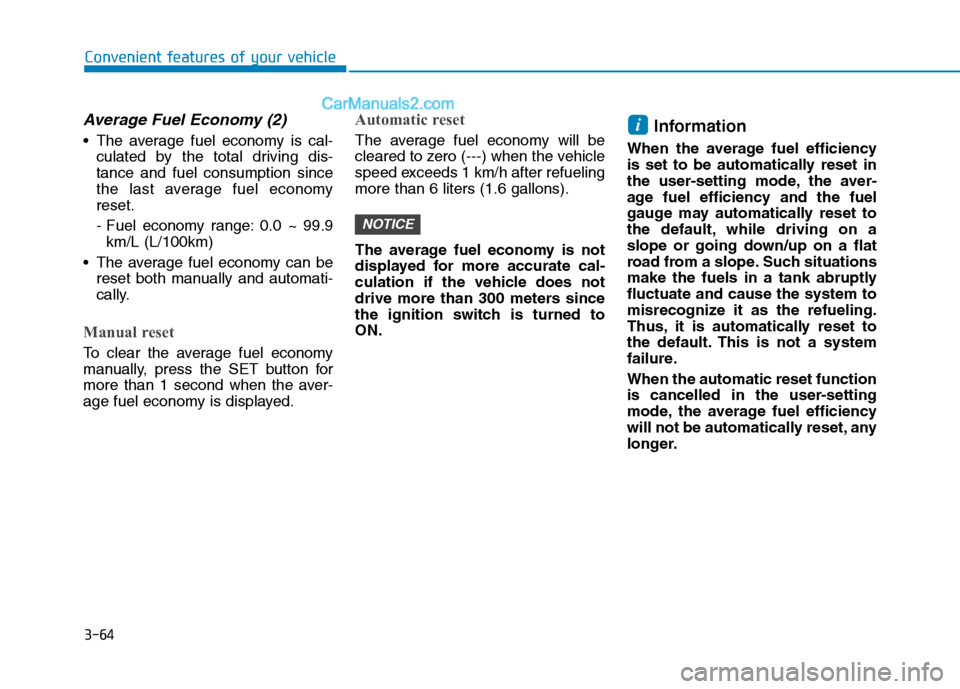
Average Fuel Economy (2)
The average fuel economy is cal-culated by the total driving dis- tance and fuel consumption since
the last average fuel economyreset.
- Fuel economy range: 0.0 ~ 99.9km/L (L/100km)
The average fuel economy can be reset both manually and automati-
cally.
Manual reset
To clear the average fuel economy
manually, press the SET button for
more than 1 second when the aver-
age fuel economy is displayed.
Automatic reset
The average fuel economy will be
cleared to zero (---) when the vehicle
speed exceeds 1 km/h after refuelingmore than 6 liters (1.6 gallons).
The average fuel economy is not
displayed for more accurate cal-
culation if the vehicle does not
drive more than 300 meters since
the ignition switch is turned toON. Information
When the average fuel efficiency
is set to be automatically reset in
the user-setting mode, the aver-
age fuel efficiency and the fuel
gauge may automatically reset to
the default, while driving on a
slope or going down/up on a flat
road from a slope. Such situations
make the fuels in a tank abruptlyfluctuate and cause the system to
misrecognize it as the refueling.
Thus, it is automatically reset to
the default. This is not a system
failure. When the automatic reset function
is cancelled in the user-setting
mode, the average fuel efficiency
will not be automatically reset, any
longer.i
NOTICE
Page 127 of 473
3-65
Convenient features of your vehicle
3
Instant fuel economy (3)
This mode displays the instant fueleconomy during the last few sec-
onds when the vehicle speed ismore than 10 km/h (6.2 MPH).
- Fuel economy range:
0 ~ 20 km/L (L/100 km)
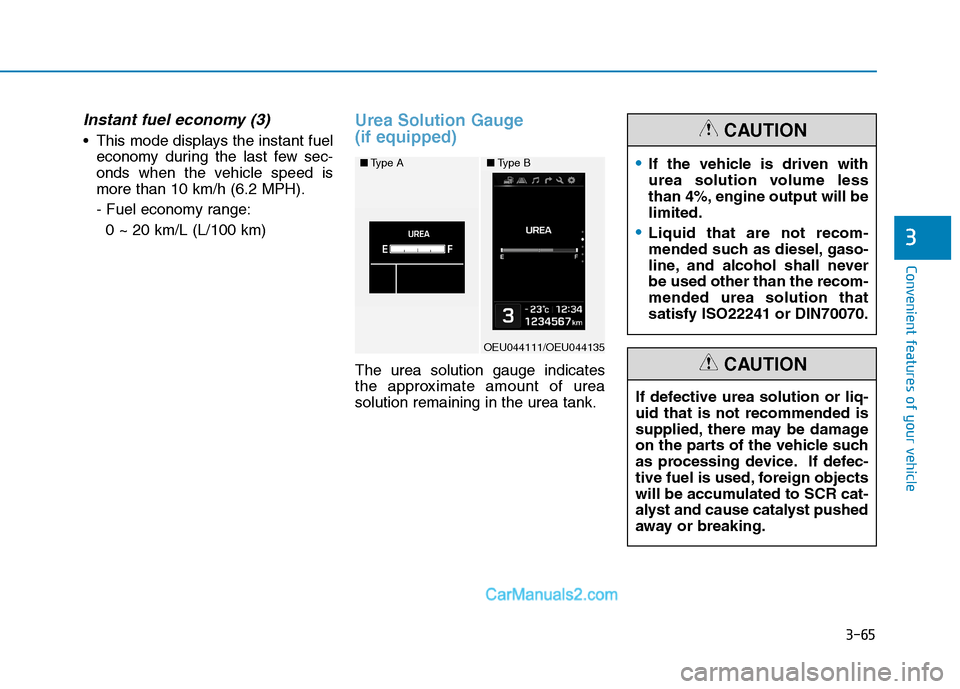
Urea Solution Gauge (if equipped)
The urea solution gauge indicates
the approximate amount of ureasolution remaining in the urea tank.
■ Type A
OEU044111/OEU044135
■Type BIf the vehicle is driven with
urea solution volume less
than 4%, engine output will belimited.
Liquid that are not recom-
mended such as diesel, gaso-
line, and alcohol shall neverbe used other than the recom-mended urea solution thatsatisfy ISO22241 or DIN70070.
CAUTION
If defective urea solution or liq- uid that is not recommended is
supplied, there may be damage
on the parts of the vehicle such
as processing device. If defec-
tive fuel is used, foreign objects
will be accumulated to SCR cat-
alyst and cause catalyst pushed
away or breaking.
CAUTION
Page 128 of 473
3-66
Convenient features of your vehicle
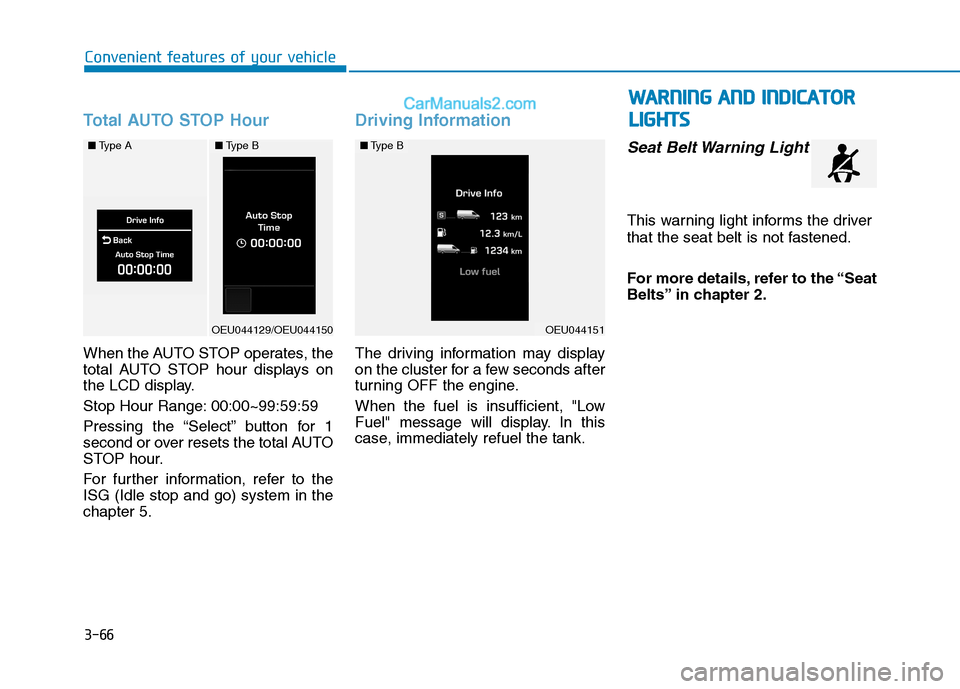
Total AUTO STOP Hour
When the AUTO STOP operates, the
total AUTO STOP hour displays on
the LCD display.
Stop Hour Range: 00:00~99:59:59
Pressing the “Select” button for 1
second or over resets the total AUTO
STOP hour.
For further information, refer to the ISG (Idle stop and go) system in thechapter 5.
Driving Information
The driving information may display
on the cluster for a few seconds after
turning OFF the engine.
When the fuel is insufficient, "Low
Fuel" message will display. In this
case, immediately refuel the tank.
Seat Belt Warning Light
This warning light informs the driver
that the seat belt is not fastened.
For more details, refer to the “Seat
Belts” in chapter 2.
OEU044151
■Type B■ Type A
OEU044129/OEU044150
■Type B
WW AARRNN IINN GG AA NN DD IINN DDIICC AA TTOO RR
L
L IIGG HH TTSS